
At Designers Choice, we want to help you create amazing things. We know that turning your ideas into real art can be a challenge.
But it is also very fun. One of the best ways to show your creativity is to learn how to make a collage. A collage is a piece of art made by sticking different things together. You can use photos, paper, or digital images.
It is a great way to keep your special moments safe in one place.
Designers Choice is here to give you the best tips and tools. We want to be the resource that helps you make your vision real.
You do not need to be a pro graphic designer to do this. Anyone can make a stunning photo collage with a little help.
In this guide, we will show you how to make a collage for fun, for school, or for social media.
We will talk about the best tools and ideas to get you started. Let’s dive into the world of collage and make something great together.
What You Need to Know Before You Learn How to Make A Collage?
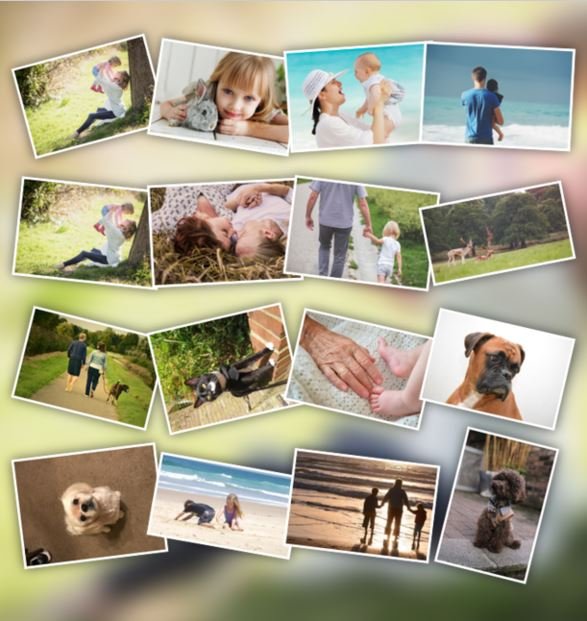
Before you start cutting paper or opening an app, you should think about your plan. A good plan makes the collage creation process much easier.
It acts as a starting point for your art.
Defining Your Purpose and Theme
First, ask yourself why you are making this.
Are you a travel enthusiast who wants to show off a recent trip? Maybe you want to share everyday moments with your friends.
You might be making marketing materials for professional use. Or, it could be a simple project for various occasions like a birthday or holiday.
Choosing a theme helps you express ideas clearly.
If you love dogs, your theme is dogs. If it is for a wedding, the theme is love and celebration. This is your favorite thing to focus on.
Having a clear theme helps you pick the right collage photos.
It helps you decide if you need a funny vibe or a serious one. Creative ideas come faster when you know your goal.
Choosing Between Digital Vs. Paper Collages
Next, you must decide how you want to build it. You can make a paper collage with your hands, or you can use a mobile device or computer.
A paper collage is great if you like to touch things. You use a glue stick and scissors. It has a nice, messy, and real feel.
It is perfect for a personal touch.
On the other hand, a digital collage is very clean. You can use a photo collage maker on your phone or laptop. This method gives you image quality that is always sharp. You can change your mind and move things around easily. It is the easiest way to make a picture if you are in a rush.
Also, digital tools often have a free collage maker built-in. This is great for your first collage because you can undo mistakes.
How to Make A Collage Digitally (Phone & Computer)
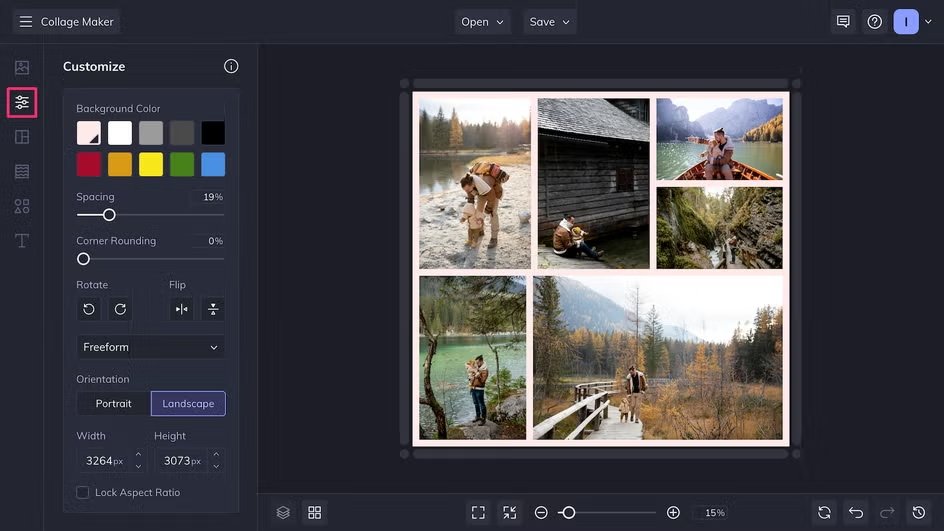
Making a collage on a screen is very popular today. It is fast and you have many customization options. You can do this on your computer using a web browser or on your phone with a mobile app.
Using Free Online Tools (Canva, Adobe Express)
There are many websites that help you design. Adobe Express is a famous one. Another great option is to find a free online collage maker like Canva.
These tools are very friendly for beginners. They have an intuitive interface, which means the buttons are easy to find and understand.
When you use these tools, you start with collage templates.
A template is a pre-made design. You drop your photos in. These tools offer customizable layouts. You can change the size of the boxes or the colors. You can add text or stickers to show your personal flair.
They also have a wide range of features, such as photo effects that make your pictures look old or bright. Using a tool like the Pixlr photo collage maker can also take your art to the next level.
Best Mobile Apps For Quick Photo Grids
If you are on your phone, you can go to the app store (for iPhone) or the store for Android devices. Search for a collage creator or picture collage app. There are many free photo collage maker apps available.
One simple way is to use Google Photos. The Google Photos app often makes collages for you. It has an auto collage option.
You just select the number of photos you want, and it puts them together. You can also pick a specific aspect ratio.
The aspect ratio is the shape of your image, like a square or a rectangle. This is important if you want to post it on different social media platforms.
Apps allow you to adjust collage cells, which are the little boxes where your photos sit.
Creating A Collage on Instagram Stories
Did you know you can make a collage right inside Instagram? This is perfect for social media posts or Instagram stories.
It allows for seamless integration with your profile.
To do this, open the camera in Instagram. Look for the collage icon on the left or bottom of your screen. It might be called “Layout“.
This tool lets you pick multiple photos. You can choose a layout for a single post. It is great for sharing special occasions quickly.
You just tap the buttons at the bottom of your screen to change the grid. It is a fun way to share beautiful photo collages without leaving the app.
Step-by-Step: How to Make A Collage By Hand?
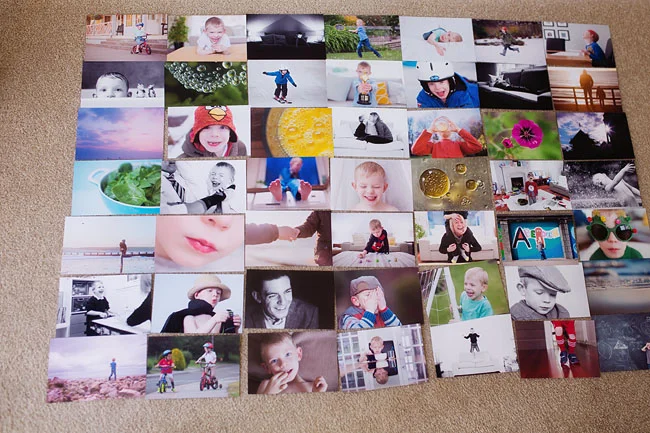
Making a collage by hand is a classic art form. It is very relaxing. You do not need a computer, just some basic items.
Gathering the Right Supplies (Magazines, Photos, Adhesives)
First, get your supplies. You will need a glue stick, scissors, and something to cut. You also need images. You can cut up old magazines.
You can use printed copies of your favorite images. Make sure the photos are clear. Image quality matters even on paper. You can also use colorful paper, fabric, or tickets. These are your collage pieces.
Preparing Your Base Or Backing Board
You need a strong base to glue everything onto. This is the background. You can use a piece of thick paper, cardboard, or even a canvas.
The base holds your personalized photo collage together. If you use thin paper, the glue might make it wrinkle. So, pick something stiff.
Cutting and Layering Techniques For Texture
Now, start cutting. You can cut neat squares or rip the paper for a rough look.
Ripping paper adds cool texture. Before you glue, lay your pieces down on the base. Move them around. This is the time to try collage ideas.
Put big pieces at the back and small pieces on top. This is called layering. It makes your art look deep and interesting.
The Best Way to Glue and Seal Your Art
When you are happy with how it looks, use your glue stick.
Put glue on the back of the piece and press it down. Rub it gently to smooth it out. Be careful with the edges.
After everything is dry, you can seal it. Some people use a special clear coat to protect the collage photos. This keeps the edges from peeling up later.
Design Tips on How to Make A Collage Look Professional

Whether you use a collage maker or paper, good design rules help. These tips will make your work look like it was done by a pro.
- Understanding Balance and Composition: Balance means your collage does not feel heavy on one side. You do not want all the big photos in one corner. Spread them out. A good trick is the rule of thirds. Imagine a grid on your picture. Put the most important parts where the lines cross. This creates a good aspect of your collage. It feels right to the eye.
- Choosing A Cohesive Color Palette: Colors are very important. Try to pick photos that have matching colors. If your background is blue, maybe use photos with blue sky or water. This makes the whole picture look united. You can also use black and white photos for a fancy look. A good color mix makes your customization options really shine.
- Using Negative Space Effectively: Negative space is the space between photos. You do not have to fill every inch. Leaving some space gives the eyes a break. It helps the viewer see the special moments you captured. In a photo collage maker, you can usually change the border thickness. This white space is negative space. It frames your images nicely.
FAQ’s:
What is the Easiest Way to Make A Photo Collage Online For Free?
The easiest way is to use a free online collage maker like Canva or Adobe Express. These sites have collage templates ready for you. You do not need to download anything. Just open your web browser, pick a layout, and drag your photos in.
Can I Make A Collage on my iPhone Without Downloading an App?
Yes, you can make a collage on an iPhone without app support by using the Shortcuts app, but it is a bit hard. A simpler way is to use the layout feature in Instagram stories or save a grid from Google Photos.
However, Apple’s Photos app does not have a built-in “create collage” button like some Android devices.
How Do I Choose A Theme For My Collage?
Think about the story you want to tell. Is it for a school project? Then the theme is your topic. Is it for a friend? The theme is your friendship. Your favorite thing or hobby is always a good theme.
What Creates A Good Composition In A Collage?
Good composition comes from balance. Use the rule of thirds. Mix big and small images. Do not crowd everything. Let the collage cells breathe with some space.
Is It Legal to Use Magazine Clippings For Art?
Yes, generally, if you make a paper collage for yourself or school, it is fine. It gets tricky if you sell it. But for fun and collage creation at home, use whatever you like!
What is the Best Glue to Use For A Paper Collage?
A glue stick is usually the best. It is not too wet, so it does not ruin the paper. Liquid glue can get messy and make the paper wrinkle.
How Do I Make A Paper Collage Using Magazines and Craft Supplies?
First, cut out shapes and colors you like from the magazines. These are your collage pieces. Get a thick piece of paper for the base. Arrange your cutouts to make a picture or pattern. Then, glue them down.
Can I Create and Edit Collages In My Phone’s Gallery App?
If you have an Android phone, yes. You can often learn how to make collage in a gallery without app downloads. Samsung and Google Pixel phones have a create collage button in the menu. On an iPhone, you usually need a third-party app.
What Are Some Creative Collage Ideas For Teens and Beginners?
You can make a “vision board” for your future goals. You can make a shape collage, where all photos form a heart or star. You can use photo effects to make a rainbow color theme.
Conclusion
Learning how to make a collage is a wonderful skill. It lets you mix your favorite images into one piece of art.
Whether you use a mobile app, a web browser, or a glue stick and paper, the result is something special.
It is a great way to share special occasions or just have fun. Remember, there is no wrong way to do it. Use the best tools you have, add your personal touch, and enjoy the process. We hope this guide helps you bring your boldest visions to life. Happy creating!
