
At Designers Choice, we know the feeling well. You type in a prompt, hit enter, and the AI gives you a character that looks absolutely perfect.
They have the right eyes, the perfect hair, and an expression that fits your story exactly. You feel a rush of excitement.
But then, you try to generate that same person in a different pose or a new place, and suddenly, they look like a stranger. The magic feels lost.
This is the biggest struggle for creators using artificial intelligence today.
Whether you are making a comic book, a storyboard for a film, or assets for game development, you need a consistent character.
You need a face and style that stays the same, even when the camera moves or the clothes change.
We created this guide to be the resource we wished we had when we started. We want to help you turn those random generated images into a stable, reliable cast for your projects.
In this article, we will look at how to master character consistency, from simple prompt tricks to advanced tools like Flux and Stable Diffusion.
We will share our workflow secrets so you can get the best results for your creative process. Let’s create something great together.
Why Creating A Consistent Character is the Holy Grail of AI Generation?
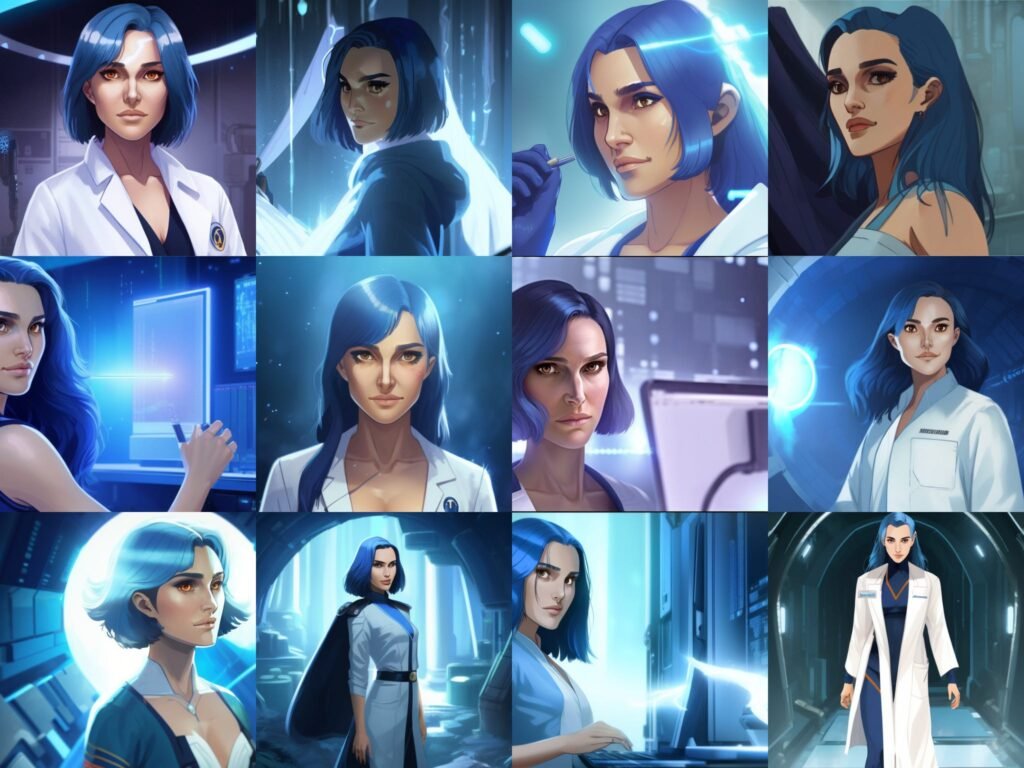
In the fast-moving land of image generation, making a single beautiful picture is easy. But making the same person twice?
That is the hardest challenge. Achieving a consistent character is often called the “Holy Grail” because it unlocks real storytelling.
Without it, you just have a collection of pretty but unrelated pictures.
The Difficulty of “Randomness” in Diffusion Models
To see why this is hard, we have to look at how these image generators work. Tools like Midjourney or Stable Diffusion do not “know” your character as a human artist does.
They do not have a memory of the person you made five minutes ago.
These models work by using “noise.” Imagine looking at static on an old TV screen (random black and white dots).
The AI looks at that static and tries to find a picture inside it based on your words. Every time you press generate, the static is different.
This means the result is different. Even if you use the same description, the computer rolls the dice differently every time.
This randomness is great for creativity, but it is bad for consistency. It creates a barrier when you want consistent character designs for a project.
The Importance of Identity Retention For Visual Storytelling
If you are writing a book or making a movie, the audience needs to recognize the hero. If the hero has blue eyes in one scene and brown eyes in the next, or if their average height changes, the reader gets confused.
This breaks the story.
For animators, filmmakers, and comic creators, identity retention is everything. It allows the audience to connect with the person on the screen. Visual storytelling relies on the viewer believing that the character in the coffee shop is the same one fighting the dragon later.
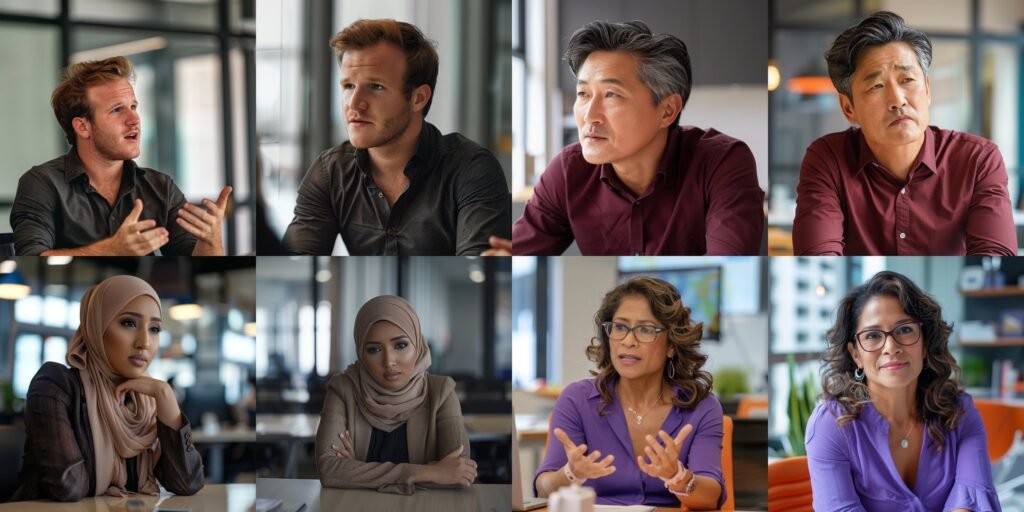
When you achieve a consistent character AI workflow, you gain full creative control. You can put your hero in different poses, different scenes, and change their emotions without losing who they are.
This is vital for concept art and keeping a project professional.
Proven Methods to Create A Consistent Character in Midjourney
Midjourney is one of the most popular tools right now.
For a long time, it was very hard to keep faces the same. Now, they have added new features that make image creation much easier for creators.
Mastering the Character Reference (–cref) Parameter
The biggest game-changer for consistent characters in Midjourney is the “Character Reference” tag. In the tool, this is typed as –cref.
Think of this like showing a photo to a friend and saying, “Draw this person, but make them hold an apple.” You give the AI a URL link to an image of the character you already like. The AI looks at that reference image and tries to pull the face, hair, and clothes into the new images.
To get the best results, use a clear picture where the face is visible. When you use this parameter, you can also tell the AI how strictly to copy the look. This helps keep facial features and hair color locked in while changing the background.
Utilizing Seed Numbers to Lock Generation Noise
Remember the TV static we talked about? In computer terms, that starting static has a number called a “Seed.”
Usually, the seed is random. But if you tell the AI to use the same seed number (like 12345) for every picture, the starting static stays the same.
This does not guarantee a perfect copy, but it keeps the generated images much closer to each other. It stabilizes the unique features of your art.
Using seeds is a classic technique in the world of character creation to stop things from getting too wild.
Designing A Multi-Angle Character Sheet
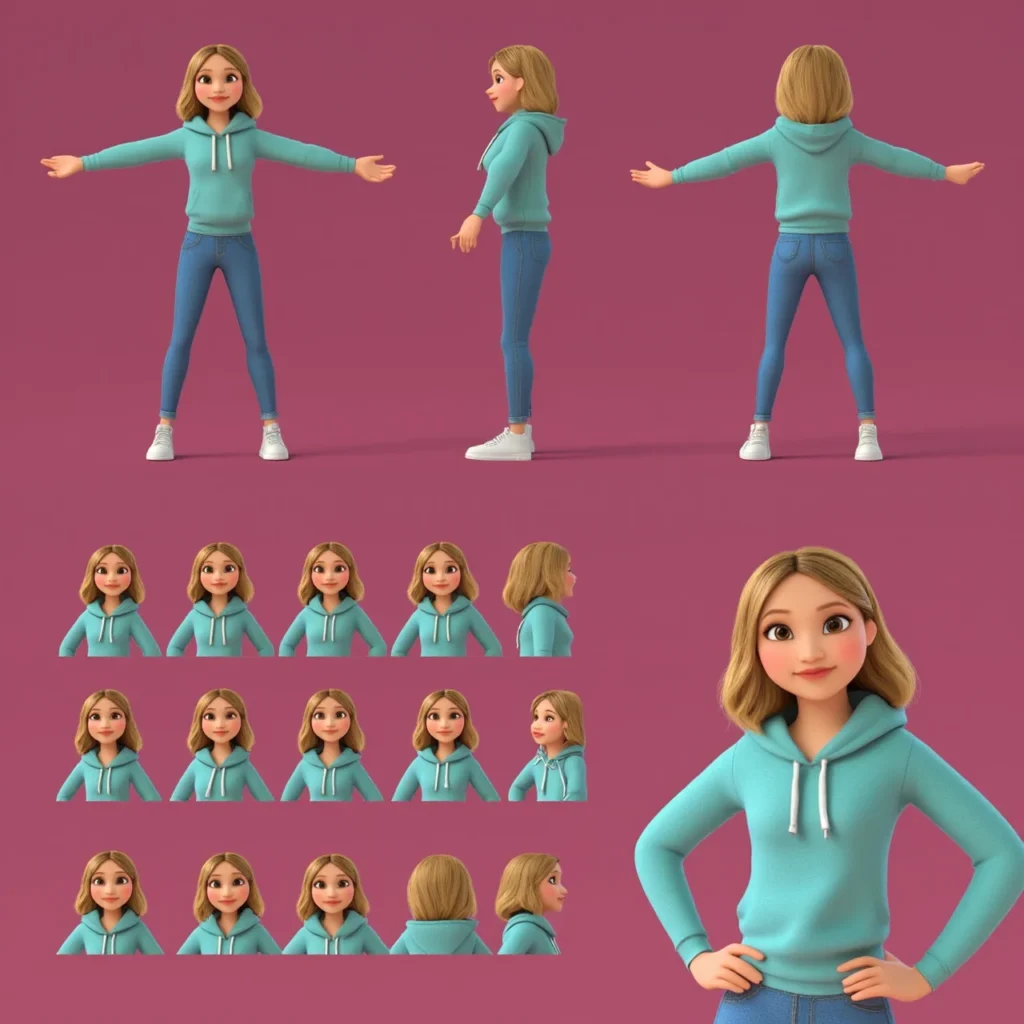
Before you try to put your character in complex scenes, make a “Character Sheet” or a “Turnaround.” This is a single image that shows your character from the front, the side, and the back.
You can ask the AI to generate a “character sheet of a [your character description], white background, multiple angles.” Once you have this sheet, you can crop out the faces and use them as reference images.
This gives the AI more data to work with. It helps the consistent character generator understand the 3D shape of the head, not just the front view. This is a standard step in animation and game development.
Using the “Vary Region” Tool For Face Correction
Sometimes, you get a great picture, but the face is just a little bit wrong. Maybe the eye color changed, or the nose is too big. You do not have to throw away the whole image.
Midjourney has a tool called “Vary Region” (also known as Inpainting). You can select just the face area and ask the AI to re-do only that part.
You can keep hitting the re-roll button until the face matches your consistent character.
This saves a lot of time and helps fix small mistakes without ruining the rest of the concept art.
Advanced Workflows For A Consistent Character in Stable Diffusion
If you want more control than Midjourney offers, many professionals move to Stable Diffusion.
This software runs on your own computer or through specific web services. It offers powerful pipelines for consistent avatars.
Training A LoRA (Low-Rank Adaptation) For Your Character
This sounds technical, but think of a LoRA as a mini-brain you plug into the main AI brain. You can teach this mini-brain exactly what your character looks like. To do this, you gather 15-20 images of your character (or a real person). You feed these into a training program.
After a short time, the program gives you a small file.
When you load this file, the AI suddenly “knows” your character. You can type a simple trigger word, and the AI will draw it perfectly almost every time. This is one of the most effective methods for character consistency in long projects like graphic novels.
Using ControlNet to Maintain Features Across Poses
ControlNet is like a puppet master for AI. It allows you to take the pose from one picture and apply it to your character.
If you have a sketch of a person jumping, you can tell ControlNet, “Make my character do this.” The AI will keep the consistent character designs you established, but force the body into that exact shape. This is amazing for different poses that are hard to describe with just words.
It gives you the structure you need for precise storyboard work.
The Role of IP-Adapter in Face Swapping
IP-Adapter is a newer tool that works very well. It acts like a super-powered reference image reader.
You load an image of your character into the IP-Adapter slot. The AI then paints the new image using the identity from that slot.
It is very strong at keeping the facial features identical. Many creators use this for “face swapping.”
They generate a good scene with a random person, and then use IP-Adapter to paste their consistent character’s face onto the body seamlessly.
Prompt Engineering Tips For Maintaining A Consistent Character Identity
Even with fancy tools, the words you use (your prompt) matter a lot. Good writing helps the AI stick to the plan.
Defining “Anchor” Visual Traits (Hair, Scars, Tattoos)
To keep a character recognizable, give them “anchors.” These are distinct unique features that grab the viewer’s attention.
Examples of anchors include:
- Bright neon green hair.
- A scar over the left eye.
- Specific accessories like round red glasses.
- A specific hair color style, like “two-tone blue and pink.”
When you repeat these specific traits in every prompt, the AI has a strong target to hit. Even if the face changes slightly, the anchors trick the human brain into thinking, “Oh, that is the same person.”
This is a key trick in character design.
Establishing A Specific Wardrobe and Color Palette
Clothes make the character. If your character wears a different outfit in every shot, they look like a fashion model, not a hero on a journey. Decide on a “default outfit.” Maybe it is a brown leather jacket and blue jeans.
Use the same color descriptions every time. Instead of just saying “shirt,” say “faded red t-shirt.”
Keeping the accessories and clothing colors stable helps with the overall consistency. It creates a visual uniform that ties the new images together.
Avoiding Over-Descriptive Prompts that Confuse the Model
It is tempting to write a novel in the prompt box.
But too many words can confuse the AI. If you describe the background, the lighting, the clothes, the face, the dog next to them, and the weather all in one go, the AI might forget to make the face look right.
Keep your descriptions of the character simple and clear.
Focus on the most important traits. If you put too much information, the consistency often breaks. Trust the consistent character generator to handle the small details, and focus your words on the identity.
Troubleshooting Common Issues with Consistent Character Generation
Even experts run into trouble. Here are some ways we fix common problems at Designers Choice.
Handling Style Bleed and Environmental Contamination
Sometimes, the background “bleeds” into the character. For example, if you ask for a “character in a purple forest,” the AI might turn the character’s skin purple too. This is called contamination.
To fix this, try to separate your description of the person from the description of the place. Some tools allow you to use “negative prompts” to say “no purple skin.” You can also generate the character on a white background first, and then use editing software to put them in the scene.
This keeps the image creation clean.
Fixing Distorted Features in Wide Shots
When you generate a “wide shot” or a full-body image, the face is very small in the picture. The AI often draws a messy, blurry face because it doesn’t have enough pixels to work with. This is where “Inpainting” or “Vary Region” is vital. Generate the wide shot first.
Don’t worry if the face looks bad. Then, zoom in on the face using the tool and ask the AI to regenerate just that small square at high quality.
This is a standard workflow step for visualization in professional projects.
FAQ’s:
What is the Easiest AI Tool For Creating A Consistent Character?
Currently, Midjourney, with the –cref (character reference) feature, is likely the easiest option for beginners.
It requires no installation or coding. You simply paste a link to your reference image. Other image generators are catching up, but this remains a user-friendly choice for social media content and quick art.
Can I Use My Own Photo to Create A Consistent Character?
Yes, absolutely. You can upload a photo of yourself or a friend as the reference image.
This is great for making consistent avatars for profiles. Please just be aware of privacy and make sure you have permission to use the photo. Using your own face helps you check if the consistency is working because you know exactly how the person should look.
Can A Consistent Character GPT Help Keep Character Traits Stable in Writing?
Yes. While this article focuses on images, text is important too. A consistent character GPT (a text-based AI) can remember your character’s personality, backstory, and manner of speaking. Writers use ChatGPT to track details like “Does he have a scar?” or “What is his sister’s name?“, ensuring the text description matches the consistent character designs.
How Do I Keep Clothing Consistent With the Character?
This is hard. The best way is to describe the clothing very specifically in every prompt.
Using tools like Flux or training a LoRA specifically on the outfit can also help. In Midjourney, you can use a “Style Reference” combined with a character reference to try and lock in the clothing look.
How Do You Generate the Same Character With Different Poses Or Scenes Using AI Art Generators?
You combine a reference image with a text prompt describing the action. For example: “Image of [Character Name], running fast, side view –cref [Link].” ControlNet is the best tool for specific different poses. It forces the generated images to match a skeleton shape you provide.
Why Does My Character Look Different When I Change the Camera Angle?
The AI is trying to imagine what a 2D image looks like from a new side.
Without a 3D model, it has to guess. This is why making a “Character Sheet” with images of your character from all sides is helpful. It gives the AI data on what the side profile looks like, reducing the “guessing” error.
Does A “Consistent Character” Mean the Background Stays the Same, Too?
No. Usually, you want the character to stay the same while the background changes. That is the goal of storytelling. You want your character to visit different scenes. However, if you want the background to stay the same, you need to use different settings to lock the environment.
Conclusion
Creating a consistent character is a journey. It requires patience, iteration, and a willingness to learn new tools. Whether you are using openai technology, Flux, or stable diffusion pipelines, the goal is the same: to bring your vision to life without compromise.
At Designers Choice, we believe that these tools are here to help creators, not replace them. The technical topics we covered—from datasets to parameters—are just ways to give you more power. We encourage you to try these methods.
Go to the openai developer community or look for a new topic on a forum if you get stuck; the use of this forum knowledge is how we all grow. Read the community guidelines, ask questions about openai’s apis, and share your workflow.
Don’t be afraid to experiment with consistent character ai tools. Try the free trial versions of apps, explore chatgpt developer tools, or build your own chatgpt app connection. The future of character creation is in your hands. We hope this guide helps you create new images that tell amazing stories. Keep creating, keep refining, and keep pushing the boundaries of what is possible.
