
Welcome to Designers Choice.
We know that building a twitch channel is hard work. You have to play games, talk to chat, and fix technical issues all at once.
But there is one thing that live streamers often forget. It is the section below the video player.
This area is the essential part of any Twitch profile page. When new people visit your stream, one of the first places viewers look is your profile description. If this area looks messy or empty, they might leave.
This is where free Twitch panels come in. These are the small images or text blocks that organize your page. They tell viewers who you are, what games you play, and where to find you on the internet.
At Designers Choice, we want to help you make your stream look amazing. We believe that good design should be for everyone. You do not need a lot of money to have a professional look. In this guide, we will show you the best free twitch panels and how to use them. We will look at twitch panel templates, tools like a twitch panel maker, and give you panel ideas.
Let’s get started on making your channel look great!
Why Every Streamer Needs Professional Panels?
You might think that twitch panels are just small pictures. But they do a very big job. They act like signs in a store.
They tell people where to go and what to look at. A good panel design makes your whole channel feel complete.
Improving Channel Aesthetics
Imagine walking into a messy room. It feels chaotic. Now imagine walking into a clean, decorated room. It feels nice.
Your twitch channel page works the same way. If you just have a wall of text, it creates a disconnected look. It shows a lack of style.
Using different panels with a matching theme makes everything look neat.
It shows fresh eyes that you care about your content. It creates a better experience for everyone watching. Whether you want free cute twitch panels or something dark and cool, the design sets the mood.
It turns a boring page into a professional brand.
Organizing Information For Viewers
Streamers have a lot to say. You have chat rules, a schedule, and maybe a list of computer parts.
If you put all this in one big paragraph, no one will read it. Panels help you break this up. You can have a specific panel title for each topic.
For example, you can have a specific section for your hardware specs or a gear list page.
This makes it easy for viewers to find exactly what they want. You can use bullet points to list your computer parts. You can use bold text to make important rules stand out. Organizing your text is a good idea because it keeps your page tidy.
Driving Traffic to Social Media and Donations
Most streamers want to grow on other apps too. You might want people to see your twitter timeline or join your discord server.
Panels are the best way to do this. They act as image links. When a viewer clicks on the image, it takes them straight to your other pages.
This is also how you get tips. You can link your donation page to a panel.
A major advantage of image panels is that they are big and easy to click. If you just use a small text link, people might miss it.
Using a colorful panel helps guide people to your social media and support links. It is a dynamic way to connect your different streams of content.
Top Websites to Download High-Quality Free Twitch Panels
You do not need to be an artist to get great designs. Many websites offer free resources. We have tested many sites to find the best ones for you. Here are the places where you can download free Twitch panels right now.
Nerd Or Die: Best For Animated Designs
Nerd or Die is a very famous name for streamers. They make some of the best twitch overlays and alerts.
They also have a great section for panels. While they sell packs, they also offer free ones. They are famous for animated designs.
However, keep in mind that Twitch panels are usually static images (using the JPG file format or PNG).
But Nerd or Die makes the art style match their animated video screens. This creates excellent integration between your video and your profile.
It is a great example of high-quality artwork that costs zero dollars.
WDFlat: Extensive Library of Free Assets
WDFlat is a huge website full of free things for streamers. They have hundreds of Twitch panel templates.
If you want a lot of options, this is the place to go. You can find almost any color or style here.
The best part is that you can download the files instantly. They offer a helpful channel section where you can sort by color.
Whether you want red, blue, or free cute Twitch panels, WDFlat likely has them. It is a fantastic resource for new panel designs.
Streamlabs: Integrated Themes and Panels
Streamlabs is a tool many streamers use to go live. They also have a theme store.
Many of these themes are free. When you install a theme, it often comes with matching panels. This is helpful because it ensures brand consistency. Your alerts, your camera border, and your panels will all match.
You do not have to worry about mixing different links or styles.
It does the hard work for you. It provides an excellent combination of images that look like you paid a professional designer.
Canva: How to Create Your Own For Free
If you want to make something unique, you should use a twitch panel maker free tool like Canva. Canva twitch panels are very popular because they are easy to make. You do not need hard software.
Canva has a search bar where you can type “twitch panel“.
It will show you many templates. You can change the colors, add your own text, and swap icons. This allows you to add your own brand integration.
You can make a text panel or an image panel easily. It is the most popular type of design tool for beginners.
Visuals by Impulse (Own3d): Premium Looks For Free
Visuals by Impulse (now part of Own3d) is known for very fancy designs. They have a section for free tools. Their panels look very expensive.
They use great fonts and sharp graphics. Using their assets gives your channel a premium feel. It avoids the “cheap” look that some free packs have. They often provide the source files too, so you can do some icon work if you know how to use editing software.
It is a great choice for live streamers who want to look like top pros.
How to Customize Your Free Twitch Panels?
Downloading a pack is just the first step. To make it truly yours, you might want to change a few things. Customizing helps you stand out.
Here is how you can edit panels to fit your style.
Choosing the Right Color Scheme
Your colors tell a story. If your logo is blue, your panels should probably use blue too. This is called brand consistency. When you pick a twitch panel maker, try to use the colors that you use on your video overlay.
If you have different panels with random colors, it looks messy. Stick to one or two main colors. This makes your page look unified.
It shows that you thought about the design. It makes the end of the line for your design process look very polished.
Editing Text and Icons Without Photoshop
You do not need expensive software. Many free Twitch panel templates come with blank versions.
You can use free online tools to add text to these blanks. You can use a tool like Canva or Photopea. Just upload the blank panel image.
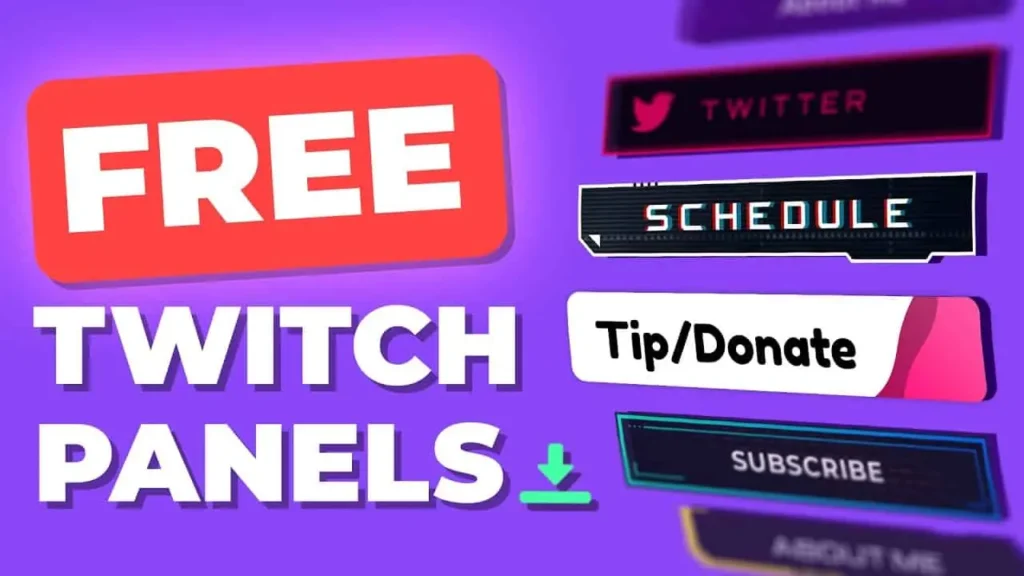
Then, use the input text tool to type “About Me” or “Donate“. You can also add icons. For example, add a bird icon for Twitter.
This icon work is simple but effective. Make sure the text is big enough to read. Bold text is usually better than thin text for panels.
Ensuring Consistency Across Your Brand
Your brand is not just your panels. It is your whole channel. Make sure your Twitch panel dimensions and style match your offline screen and your profile picture. If your profile picture is a cartoon, use cartoon panels.
If your logo is modern and sleek, use sleek panels. A disconnected look happens when you mix styles that do not go together. Great brand integration means everything looks like it belongs to the same person.
Step-by-Step Guide: How to Add Panels to Your Twitch Profile?
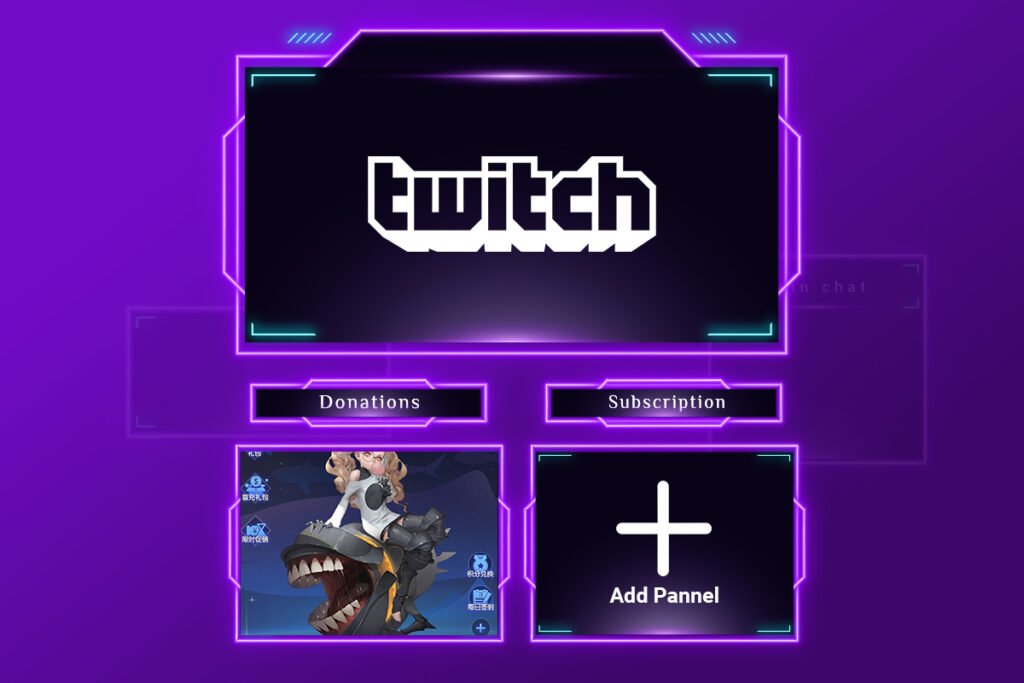
Now that you have your images, it is time to put them on your page. This might seem tricky at first, but it is actually quite simple.
Follow these steps to set up your Twitch channel page.
Navigating to the “Edit Panels” Section
First, go to your channel page on a computer. Look below your video screen. You will see a switch or button that says “Edit Panels“.
You need to click this to switch from viewing mode to editing mode. Once you click it, you will see a bunch of boxes with plus signs.
These are your empty slots. This is where you will do your work. It is the control center for your profile’s look.
Uploading Your Images and Adding Links
Click on a box with a plus sign. You will see a choice to add a text or image panel. Choose “Add a Text or Image Panel“.
- Add Image: Click the “Add Image” button. Select your JPG file format or PNG file from your computer.
- Crop: You might need to drag the box to select the whole image. Click “Done“.
- Image Links: There is a box that says “Image Links To“. Here, paste the web address (URL) you want the button to go to. For example, paste your Twitter timeline link here.
- Panel Title: You can add a title above the image, but a lot of the time, the text is already on the image, so you can leave this blank.
- Description: This is where you can write text below the image. You can use Markdown here.
- Use
**words**for bold text. - Use
*words*for italic text. - Use a double return or double line break to make a space between paragraphs.
- You can even use block quotes for emphasis.
- You can create anchor links within your text if you know the code, but simple links work best.
- Use
Arranging Your Grid For Best Visibility
After you upload one, do the next one. You can drag and drop the boxes to move them around. Think about what is most important.
Usually, the “About Me” or “Subscribe” panel should be first. The donation page link should be easy to see. Put less important things, like a full gear list page, lower down. The layout is an important part of any stream setup. You want the viewer to see the best stuff immediately.
Also, be careful with the HTML page coding if you try to get fancy.
Twitch only allows simple Markdown. If you try fancy HTML styling, it will not work. Stick to the basic configuration options provided.
When you are done, click the “Edit Panels” switch again to turn it off. Now you can see your beautiful new profile!
Common Mistakes to Avoid When Setting Up Panels
Even with free resources, things can go wrong. Here are some mistakes we see often at Designers Choice.
- Wrong Size: The correct width is 320 pixels. If your image is too small, it will look blurry. Always check the twitch panel dimensions.
- Too Much Text: Do not write a book in your description. Use bullet points and line breaks. A huge wall of words is hard to read.
- Bad Links: Always click your panels to check the external links. It is embarrassing if a viewer clicks “Donate” and gets a broken page error.
- Inconsistent Style: Do not use different panels from different packs. It looks like a patchwork quilt. Stick to one theme.
- Ignoring Mobile: Remember, many people watch on phones. Great use of borders and big text helps mobile users see clearly.
- Empty Sections: If you have a panel for “discord server“, make sure the link actually works and the server is set up.
FAQ’s:
What is the Correct Size For Twitch Panels?
The standard twitch panel dimensions are 320 pixels wide. The height can vary, but 320 pixels wide is the rule. If you make it wider, Twitch will shrink it, and it might look weird.
Are Free Twitch Panels Copyright-Free?
Yes, usually. When you download free Twitch panels from sites like WDFlat or Nerd or Die, they give you a license to use them on your channel.
However, you cannot sell them to other people.
Can I Make My Own Free Twitch Panels Without Graphic Design Skills?
Absolutely. Using a Twitch panel maker like Canva is very easy. You just drag and drop items. You do not need to know how to draw. It is a good idea for beginners.
What Sites Offer the Best Customizable Free Twitch Panels For Beginners?
Canva is the best for customizing easily. WDFlat is great for downloading ready-made ones. Both offer important information on how to use their files.
How Do I Use A Twitch Panel Maker Free to Add My Own Branding?
Upload your logo to the maker. Use your specific brand colors. Add your own unique text. This ensures brand integration across your channel.
Can I Use Canva For Creating and Editing Free Twitch Panels Easily?
Yes. Canva has specific templates for this. Search for “Twitch Panel” inside Canva. It will give you the right size automatically. It is a very helpful channel section tool.
Do I Need Animated Panels, Or Are Static Ones Okay?
Twitch panels are technically static images (JPG or PNG). You generally cannot have moving panels like a GIF in the panel slot. So, static ones are not just okay, they are the standard. Animated designs usually refer to the overlays on your video, not the panels below.
How Do I Link My Donation Page to A Panel?
Go to “Edit Panels“. Click the panel image you want to use. Paste your donation URL into the “Image Links To” box. This turns the image into a button.
Conclusion
Setting up your Twitch channel is a journey. Your profile page is your home on the internet.
Using free Twitch panels is the smartest way to make that home look welcoming and professional. It shows you care about quality. Whether you use Canva Twitch panels to make your own or download a pack from Nerd or Die, the important thing is to take action. Do not leave your profile empty. Use image panels to guide your viewers. Share your important information clearly. Connect your social media accounts.
At Designers Choice, we hope this guide helps you build the stream of your dreams.
Remember to keep your designs clean, use bold text for key points, and check your links. A great use of borders and colors can make you stand out from the crowd. Now, it is time for the last example of advice: Go create something amazing!
