

At Designers Choice, we know how exciting it is to see an idea turn into a picture. We have spent years working in design, and we understand the feeling of needing the perfect image for a project. Sourcing materials and keeping up with new trends can be hard work.
That is why we built Designers Choice. We want to be the helpful friend you always wished for. We share top-quality products and trusted tips for professionals like you. Our mission is to help you create your boldest ideas. We are a community that loves creativity and doing things well.
In this blog post, we will talk about a game-changer in the world of design: Leonardo AI. This tool is making waves in generative AI.
If you want to make digital art that looks professional, you are in the right place. We have written this Leonardo AI prompt guide to help you get the best results. Whether you are part of a design team or a solo digital artist, this guide is your starting point to mastering image generation.
Why You Need A Comprehensive Leonardo AI Prompt Guide?
You might ask, “Why do I need a guide? Can’t I just type anything?” You can, but to get the perfect image, you need to know how to talk to the ai model. Artificial intelligence is smart, but it needs clear instructions.
A good guide helps you understand the world of Leonardo and how to use it well.
Understanding the Power of Leonardo.ai
Leonardo AI is not just another image generator. It is a powerful platform that gives you control.
Unlike some other AI tools, Leonardo lets you choose different AI models. You can change the size, the style, and even how much the AI listens to your words. When you enter Leonardo AI, you step into the world of generative AI, where your imagination is the only limit.
It can make detailed images that look like photos, drawings, or 3D models.
How Better Prompts Lead to Better Credit Usage?
Every time you hit the generate button, you use credits.
If you write simple text prompts that are vague, you might get a bad result. Then you have to try again. This wastes your credits.
Effective prompts save you money and time. By learning the right prompt structure, you get amazing results faster.
This Leonardo ai prompt guide will show you the best practices so you don’t waste your creative processes on bad guesses.
Best Leonardo AI Prompts For Art Generation
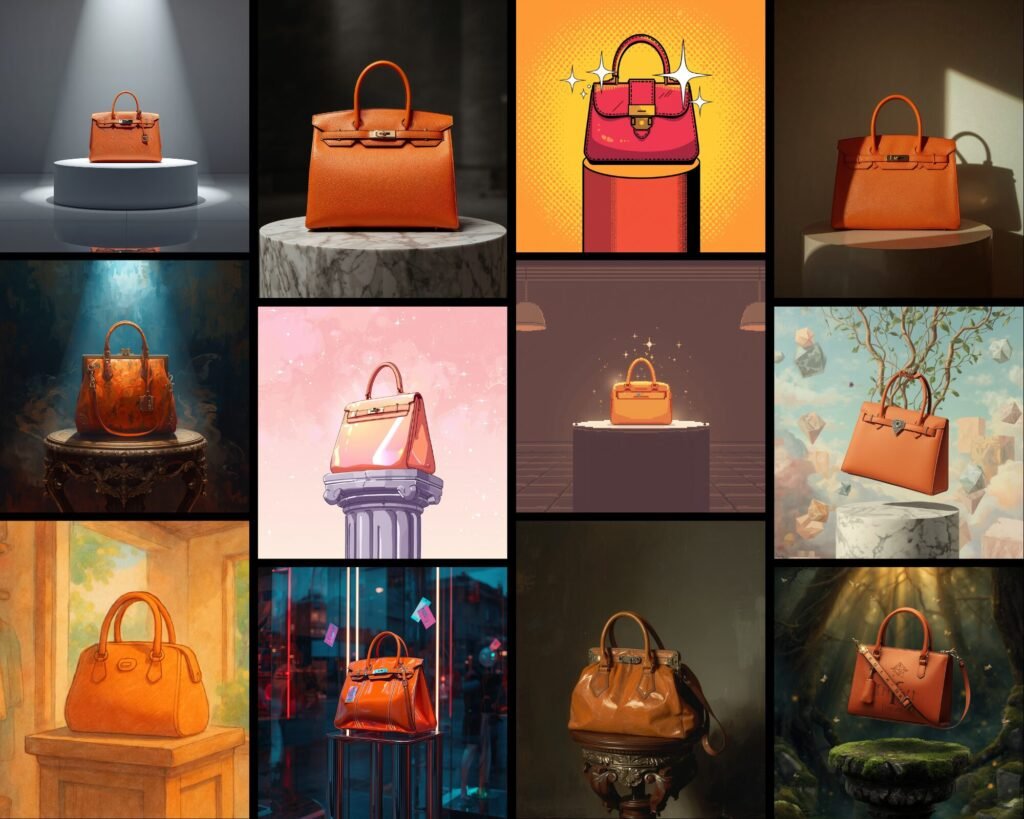
Here is a list of best Leonardo ai prompts to help you get started. We have organized them by style so you can see different styles and how to ask for them.
Photorealistic Cinematic Portraits
If you want a face that looks real, use words that photographers use.
Prompt: “A close-up portrait of a young woman with freckles, soft ambient lighting, 8k resolution, sharp focus, highly detailed skin texture, shot on an 85mm lens, bokeh background, cinematic lighting.”
Why it works: This uses technical camera terms. The AI’s interpretation of “85mm lens” makes the background blurry, which makes the face the central element.
Fantasy RPG Character Design
For games or stories, you need details about clothes and gear.
Prompt: “A full-body shot of a warrior elf, wearing intricate silver armor with glowing blue runes, holding a crystal staff, standing in a mystical forest, magical atmosphere, vibrant colors, intricate patterns on armor, 3d render style, Unreal Engine 5.”
Why it works: It sets the scene and the gear. “Unreal Engine 5” tells the AI art generator to make it look like a high-quality video game.
Cyberpunk Cityscapes
This style needs neon lights and dark shadows.
Prompt: “Futuristic city street at night, raining, neon signs reflecting in puddles, towering skyscrapers, flying cars, bold colors of pink and blue, color palette of cyan and magenta, volumetric fog, high contrast.”
Why it works: The specific color scheme guides the AI to use the right mood.
Studio Ghibli-Inspired Anime
This is a very popular art style.
Prompt: “A cute cottage on a green hill, fluffy white clouds in a blue sky, grassy fields, anime style, hand-drawn texture, pastel colors, cozy vibe, highly detailed landscape, in the style of Studio Ghibli.”
Why it works: Naming the studio helps the AI model copy that specific look.
Isometric 3D Game Assets
Great for map-making or mobile games.
Prompt: “Isometric view of a magic potion shop, cute low poly 3d art, purple roof, glowing windows, white background, clean lines, soft shadows, trending on artstation, 3d icon.”
Why it works: “Isometric view” and “white background” are key for game assets.
Abstract Surrealism
For art that looks dreamlike.
Prompt: “A giant clock melting over a tree branch in a desert, abstract art, surrealism, dreamlike atmosphere, vivid colors, oil painting style, brush strokes, Salvador Dali inspiration.”
Why it works: Combining “melting” with “clock” creates a classic surreal image.
Double Exposure Photography
This mixes two images into one.
Prompt: “Double exposure silhouette of a man and a forest, pine trees growing inside the head, white background, black and white, high contrast, artistic, fine art photography.”
Why it works: “Double exposure” is the specific term the AI needs to blend the shapes.
Watercolor Landscape
For a soft, painted look.
Prompt: “A peaceful mountain lake at sunrise, golden hour lighting, watercolor painting, wet-on-wet technique, paint splatters, soft edges, pastel color palette, artistic style.”
Why it works: “Wet-on-wet” describes a real painting method that the AI can mimic.
Dark Fantasy & Horror
For scary or moody images.
Prompt: “A grumpy old man wizard casting a dark spell, glowing green eyes, dark robes, scary atmosphere, shadows, smoke, hyper-realistic, dramatic lighting, detailed beard.”
Why it works: Describing the facial expressions and lighting creates the mood.
Minimalist Vector Logos
For branding and icons.
Prompt: “A professional logo of a fox head, flat vector art, orange and white, minimalist, simple shapes, clean lines, white background, adobe illustrator style.”
Why it works: “Flat vector” and “minimalist” stop the AI from adding too much detail.
The Core Elements Of A Leonardo AI Prompt Guide
To write your own text prompts, you need to know the parts of a good prompt. Think of it like a recipe.
- Defining the Subject: Who Or What is in the Scene? – Every image needs a central element. Is it a person, a car, or a steaming cup of coffee? Be clear. Instead of “a dog,” say “a happy golden retriever puppy.” The more specific you are, the better the generated image will be.
- Choosing the Medium: Photography, Illustration, Or 3D Render? – You must tell the AI what kind of art to make. Do you want a photo? An oil painting? A 3D model? If you don’t say, the AI will guess. You can use terms like “digital painting,” “pencil sketch,” or “digital art.”
- Setting the Style: Artistic Influences and Vibe – This helps the AI’s interpretation of the mood. You can say “cyberpunk,” “steampunk,” or even “renaissance.” You can also mention famous styles like “Game of Thrones style” for a gritty fantasy look.
- Lighting and Composition: Setting the Mood – This helps the AI’s interpretation of the mood. You can say “cyberpunk,” “steampunk,” or even “renaissance.” You can also mention famous styles like “Game of Thrones style” for a gritty fantasy look.
Advanced Techniques In This Leonardo AI Prompt Guide
Once you know the basics, you can try advanced tricks to get the perfect image.
- Mastering Negative Prompts to Remove Artifacts: A negative prompt is a list of things you don’t want. This is a powerful negative prompt feature. If your person has three hands, you add “extra hands” to the negative prompt. Common negative prompt keywords include: ugly, blurry, low quality, extra fingers, text, and watermark. This tells the AI to avoid these mistakes.
- How to Use Image Guidance (Image-to-Image): Sometimes words are not enough. Image generation can use an existing picture as a guide. You upload a photo and tell the AI to use it. This is great for keeping the same pose or shape.
- Using Prompt Magic and Alchemy For Detail: Leonardo has special tools called Prompt Magic and Alchemy. Alchemy creates very high-quality, detailed images. It uses more computing power to make lighting and textures look amazing. Prompt Magic helps the AI follow your words exactly.
- Understanding Different Finetuned Models: Leonardo offers many AI models. Some are good for anime, some for photos. Choosing the right model is key. If you want a cartoon, do not use a photorealistic model.
Step-by-Step Leonardo AI Prompt Guide By Category
Let’s break down how to build prompts for specific jobs.
Prompts For Photorealistic Portraits
- Subject: A young woman with blue eyes.
- Details: Wearing a red scarf, snowy background.
- Style: Photorealistic, 8k, raw photo.
- Lighting: Sunlight, cold atmosphere.
- Negative Prompt: Cartoon, drawing, illustration.
Prompts For Anime and Manga Styles
- Subject: A samurai with a sword.
- Style: Anime style, cel shading.
- Vibe: Action scene, dynamic pose.
- Colors: Bold colors, red and black.
Prompts For Game Assets and Isometric Views
- Subject: A treasure chest.
- View: Isometric view.
- Style: Low poly, 3D render.
- Background: White background (easy to remove).
Prompts For Landscapes and Architecture
- Subject: A modern glass house.
- Location: On a cliff by the sea.
- Lighting: Sunset, golden hour lighting.
- Style: Architectural photography, sharp focus.
Troubleshooting Your Results Using Our Leonardo AI Prompt Guide
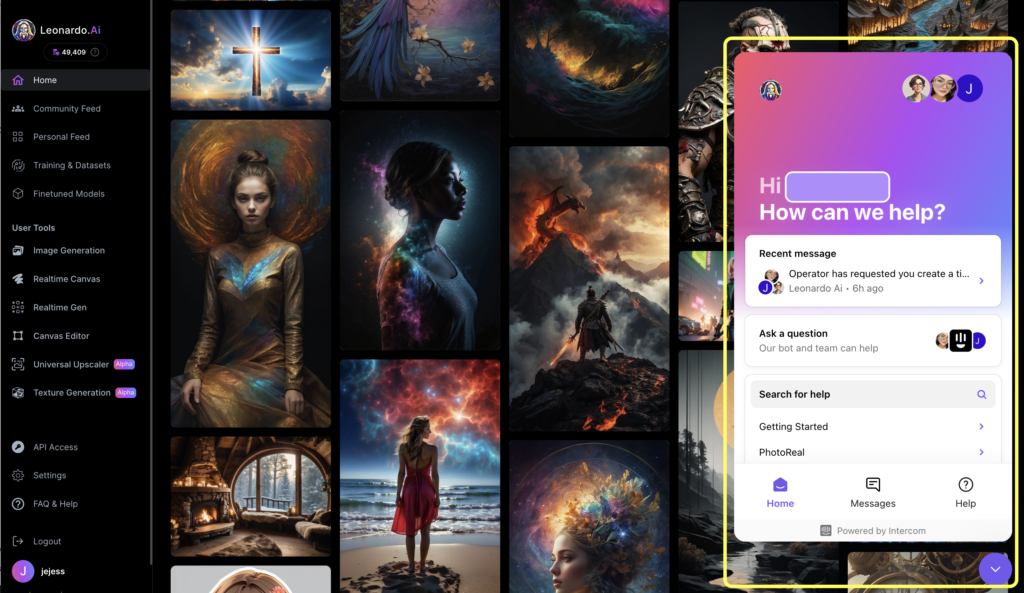
Even with best prompts, things can go wrong. Here is how to fix them.
What to Do When Hands Or Faces Look Distorted?
When you see fingers that look wrong or faces that are messy, do not worry because it happens to every digital artist.
The best trick is to use the negative prompt feature effectively to clean up the picture. You should type words like “bad hands” or “blurry face” in the negative box to stop these mistakes from showing up.
Also, try using the Alchemy tool because it is smarter and understands anatomy better than the basic ai model.
If it still looks weird, you can try to generate the image again with a slightly different resolution setting to fix the ai’s interpretation.
How to Adjust Prompt Weighting For Balance?
Sometimes the AI ignores important parts of your text prompts, which can be frustrating when you have a specific idea.
To fix this, you can tell Leonardo what matters most by changing the weight of your words in the prompt bar.
You can put brackets ( ) around a word to make it stronger, or use double brackets (( )) for even more power.
This helps the artificial intelligence focus on your central element, like a steaming cup of coffee, instead of the background. It is like turning up the volume on the specific words you really want to see in your final result.
FAQ’s:
What is the Best Prompt Structure For Leonardo AI?
To get amazing results, start with your main subject and then add the art style you want to see.
Next, include details about the lighting and color palette to set the right mood for the picture.
Finally, list any additional details or textures to help the AI art generator understand exactly what you are picturing in your mind.
How Do Negative Prompts Work in Leonardo AI?
Think of negative prompts as a filter that blocks things you do not want in your generated image. You list negative prompt keywords like “ugly” or “blurry” in the specific box provided on the screen.
This tells the ai model to avoid those elements completely, giving you clean lines and a much better starting point.
Can I Use Leonardo AI Prompts For Commercial Purposes?
Yes, if you are on a paid plan, you usually have full rights to use your images for work or products. This means you can use the creative processes in Leonardo to make a professional logo or art for clients.
It is a true game changer for any design team looking to speed up their workflow.
Where Can I Find A Gallery Or Database of the Best Leonardo AI Prompts?
You can find the best Leonardo examples right inside the app’s community feed where other users share their work. It acts like a massive Leonardo ai prompts database where you can see the image prompts others used.
This is a great place to learn how to get detailed images for your own projects.
What is the Difference Between Prompt Magic and Alchemy?
Prompt Magic is a tool that forces the AI to follow your text descriptions very strictly so nothing gets left out.
Alchemy is a special mode that improves the lighting and texture to give you high-quality, photorealistic results.
Both are powerful ai tools that help you get the perfect image depending on what style you need.
How Can I Copy A Style From an Image I Like?
You can use the “Image Guidance” feature to upload a photo you love and let the AI use it as a reference. You can also look at the ai image prompts of that picture to find keywords about the style or color scheme.
This helps the generative ai mimic the vibe you want for your own digital art.
Conclusion
We hope this ultimate Leonardo guide helps you.
Leonardo AI is a true game-changer for creative processes. It might seem hard at first, but with these best practices, you will be making perfect image art in no time. Remember to use detailed image descriptions, play with different styles, and always use a negative prompt.
The world of Leonardo is vast. You can create various styles, from graphic design layouts to abstract art.
Whether you are making content for social media or art for a game, these effective prompts are your key.
Don’t be afraid to experiment with vibrant colors, clean lines, and intricate patterns. Using an AI prompt generator or writing your own simple text prompts gets easier with practice. As a digital artist, this tool adds to your skills. It provides lifetime access to endless ideas.
So, open the prompt bar, type in your initial drafts, and see what happens. The best Leonardo art is the art you create.
At Designers Choice, we are excited to see what you make. Good luck with your image generation journey!
