

At Designers Choice, we believe that great tools should be accessible to everyone who has a creative idea. The rise of powerful, free apps has changed how we all make content.
One of the most popular is CapCut, a free video editing app that has taken the world by storm. It’s used by professionals and kids alike to create amazing videos for social media and personal projects. But with its huge popularity, a big question comes up: is CapCut safe?
Many parents and creators worry about data privacy and what their kids might see online. You want to know if this editing app is safe for your family, especially for younger children. We’re here to give you clear answers. In this article, we will look at who owns CapCut, what data it collects, and the potential risks involved. We will also provide practical steps to make using this creative tool a safer experience for everyone.
What is CapCut?

CapCut is a free video editing application that lets you edit videos right on your phone or computer.
It was made to be very easy to use, so even people without much video editing experience can create professional-looking content.
It’s packed with features like filters, effects, music, and stickers.
Mastering audio and knowing how to add music in CapCut is key to making great content. Because it’s so simple and powerful, it has become a favorite video editor for creating short videos for social media platforms like TikTok, Instagram Reels, and YouTube Shorts.
You can download it from the Google Play Store for Android devices or the Apple App Store for iPhones and iPads.
How Does CapCut Work?
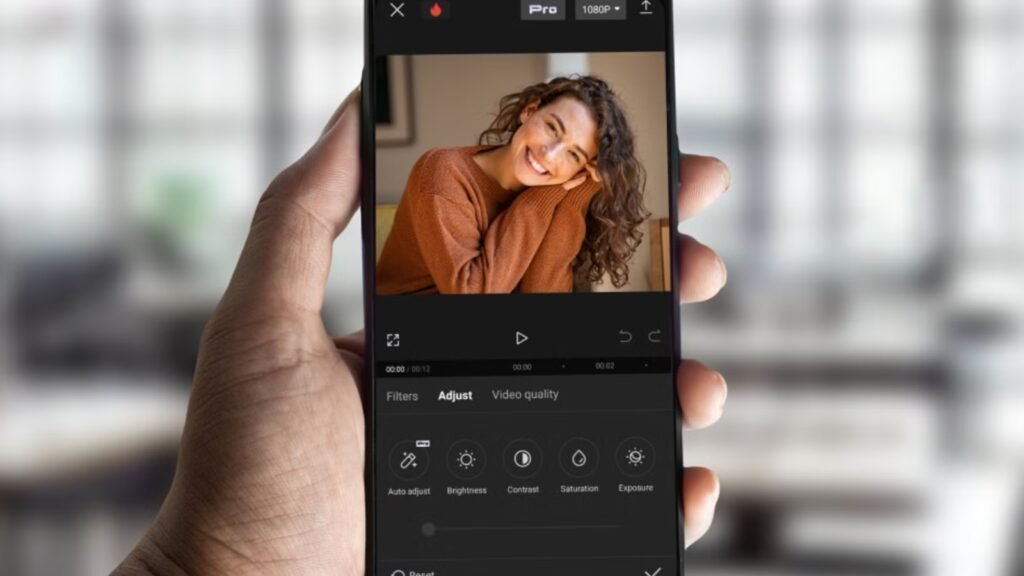
Using the CapCut app is straightforward. You start by picking photos or video clips from your phone. Then, you can trim the clips, change their order, and add music or sounds. The app offers a wide range of editing tools to make your videos stand out.
One of its most popular features is its library of video templates. These are pre-made video styles created by other users.
You can just drop your own clips into a template, and the app automatically creates a cool video with effects and transitions.
This makes it very fast to create eye-catching TikTok content without having to do much work. You can do a basic video edit in minutes or spend much time perfecting it with advanced tools.
Advanced users often learn How to use Green Screen on CapCut
for creative effects. You might also wonder, Does CapCut have a Watermark on the final export?
Who Owns CapCut? Understanding Its Link to ByteDance
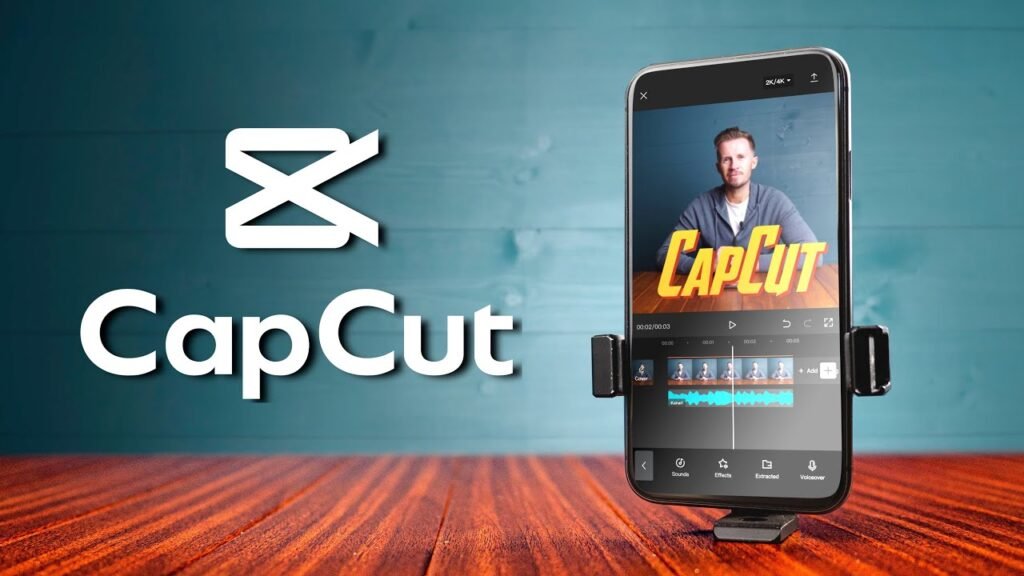
One of the biggest reasons people ask, “Is CapCut safe?” is because of the company that owns it.
CapCut is owned by ByteDance, a technology company based in China. If that name sounds familiar, it’s because ByteDance is also the parent company of TikTok, one of the largest social media apps in the world.
Because of this shared parent company, people often ask Does TikTok own CapCut? This connection is the source of many of the privacy concerns surrounding the app.
The Connection to TikTok’s Parent Company
Because ByteDance owns both CapCut and TikTok, the two apps are closely linked.
You can even log into CapCut using your TikTok account, which makes it easy to share your edited videos directly to your profile. This close relationship means that the concerns people have about TikTok’s data handling often apply to CapCut as well.
When a company owns multiple popular apps, it can potentially share user data between them, which worries privacy experts. This is especially concerning when it involves a child’s TikTok account.
Why This Ownership Raises Privacy Questions
The main worry comes from ByteDance’s location in China. There are laws in China that could require companies like ByteDance to share their data with the government if asked. This has led to fears that personal information collected from users around the world, including in the United States and Europe, could be accessed by foreign authorities. These data privacy concerns are not just about CapCut; they affect any app owned by a company in a country with different data laws. For parents, the thought of their child’s personal data being shared is a serious issue.
Government Scrutiny and Its Impact on You
Many people worry about ByteDance and TikTok, so governments all over the world are watching them closely. Some places have banned or tried to ban TikTok from work phones used by government workers.
Because of this debate, other apps from ByteDance, like CapCut, get extra attention too.
CapCut is a video tool, but it is linked to these bigger questions. This means people using CapCut should know where their data may end up. These talks between governments show that there are real risks in using apps that save lots of your personal information and details.
CapCut’s Data Policy: What Information Does It Collect?
To really know if CapCut is safe, we need to look at CapCut’s privacy policy. This document explains what information the app collects from you when you use it. Like many free apps, CapCut gathers a significant amount of data to make the app work and to improve its services.
It’s a good idea for every user, especially parents, to be aware of what the terms of service say.
Analyzing CapCut’s Privacy Policy Terms
CapCut’s privacy policy states that it collects information you provide, information it gathers automatically, and information from third parties. This is a standard practice for many tech companies.
However, the details are what matter.
The policy can be long and technical, but the key takeaways are about what it does with your user content and the technical data from your device.
Understanding these terms helps you make an informed choice about using the app.
User Content: Your Videos, Photos, and Audio
When you use CapCut to edit videos, you give it access to your photos, video clips, and audio files. This is your user content. The app needs this access to function—it can’t edit a video it can’t see.
According to the policy, CapCut may collect the content itself, as well as information about it (like when and where it was created).
If you use video templates, the app also sees the content you put into them. This raises questions about how this content is stored and who might have access to it, which is a major point of the privacy concerns.
Device and Technical Data Collection
CapCut takes many details from your phone without asking. It gets your IP address and sees where you are.
The app also learns about your phone, like the type, system, and special codes.
CapCut watches how you use it too. It knows which parts of the app you use a lot. It checks what templates you view and keeps a list of videos you watch. The app even tracks how much time you spend using it. All this data helps make your experience more personal.
CapCut uses this info to show things that match your likes. But some people think this is not safe because it follows what you do closely.
Security and Privacy Settings to Set Up On CapCut

While CapCut itself has a lack of parental controls, you can take steps on your child’s device to make using the app safer.
Since many young people, like 10, 11, and 12-year-olds, are using the app, setting up these controls is important for their safety.
Answering “is CapCut safe for 10-year-olds” or “is CapCut safe for 12-year-olds“, or generally asking if CapCut is safe for kids, depends heavily on these settings.
Review Account Settings (If Your Child is Signed in)
If your child created a CapCut account, it’s a good idea to review the settings together.
Often, accounts are linked to a TikTok account or another social media profile. Check the privacy settings within that linked account as well.
While CapCut doesn’t have many user-facing privacy options, making sure the linked accounts are secure is a good first step.
There are no options for friend requests or direct messaging in CapCut, which is a positive safety feature.
Adjust App Permissions On Their Device
The most powerful controls you have are on the phone or tablet itself. Both Android and iOS allow you to manage app permissions.
Go into your device’s settings, find the CapCut app, and review what it’s allowed to access. This is one of the most important safety features you can control. You can decide if CapCut has permission to access the microphone, location, and your entire photo library.
Limit Access to Photos and Files
Instead of giving CapCut access to all your photos, you can choose to select specific photos and videos each time you start a new project.
On newer versions of iOS and Android, when an app asks for photo access, you can choose “Select Photos” instead of “Allow Access to All Photos.” This prevents the app from scanning your entire library and limits its access to only the user content you are actively working on.
This is a great way to protect your personal data.
Talk About Data Collection
One of the best things you can do is have an open conversation with your child about online safety. Explain in simple terms that free apps like CapCut collect information. Talk about what is and isn’t okay to share in a video.
For example, they should never share personal details like their home address, school, or full name. This guidance is more valuable than any technical control. Using a parental control app can also help you set screen time limits and monitor app usage.
Potential Security Risks You Should Know About
Beyond data collection, there are other potential risks to consider when deciding if CapCut is safe for your family, especially for older children and teens. These risks are related to the app’s permissions, how data is stored, and the content shared by the community.
App Permissions: What Does CapCut Ask For?
When you install CapCut from the Google Play Store or Apple App Store, it asks for a wide range of permissions.
This can include access to your storage (photos and videos), microphone (for voiceovers), and camera. While it needs these for its editing tools to work, giving an app this much access always carries a risk. It’s important to review these permissions and grant only what is necessary.
Data Storage: Where Is Your Information Stored?
A major point of the data privacy concerns is where your information is stored.
CapCut’s privacy policy says that your data may be stored on servers in the United States and Singapore. However, because it’s owned by ByteDance, there’s a concern that data could be accessed from other locations, including China.
For users with sensitive personal information, this lack of clarity is a significant risk.
Risks From Using Community-Made Templates
The video templates feature is one of CapCut’s most popular, but it also presents a unique risk for younger users. These templates are created and shared by the global user community.
While CapCut has community guidelines to prevent harmful content, it’s possible for inappropriate templates to appear.
These templates could contain inappropriate content, suggestive audio, or explicit content that slips past moderation. There is no age verification for viewing templates, so a child could easily stumble upon something not meant for them.
This is a key reason why parental guidance is so important.
How to Use CapCut More Safely: 4 Best Practices
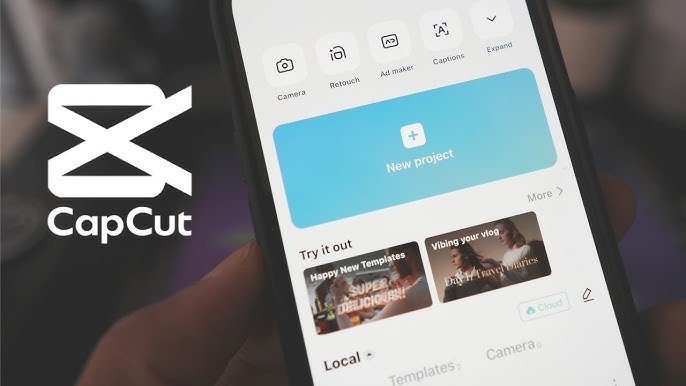
CapCut is a powerful and fun creative tool. If you or your child decide to use it, there are several best practices you can follow to minimize the potential risks and protect your data privacy.
- Review and Limit App Permissions on Your Phone: This is the most critical step. Regularly check the permissions you’ve granted the CapCut app in your phone’s settings. If it doesn’t need access to your microphone or location, turn it off. As mentioned earlier, limit its access to your photo library so it can’t see all of your pictures, only the ones you select for a project.
- Avoid Editing Videos With Sensitive Information: Be mindful of the content you’re editing. Avoid creating videos that show sensitive personal information, such as your home, school, license plate, or personal documents. Once user content is uploaded to any app, you lose some control over it. Treating every project with care is a smart habit for any video editor.
- Use A Separate Or Non-Personal Login Account: If you want to create a CapCut account to access all features, consider using a separate email address that isn’t connected to your other online accounts. Avoid logging in with your main TikTok account or Google account if you are concerned about data sharing between platforms. This helps to keep your personal data more segmented and secure.
- Keep the CapCut App and Your OS Updated: Always install updates for both the CapCut app and your phone’s operating system (OS). Developers frequently release updates that include security patches to fix vulnerabilities. Keeping your software up-to-date is one of the easiest and most effective ways to protect yourself from security threats on all social media apps.
FAQ’s:
Is CapCut Safe For Kids to Use?
The answer depends on a parent’s involvement.
For younger children (under 13), using CapCut safely requires active parental guidance. The app itself has a lack of parental controls and content filters, so a child could be exposed to inappropriate content through templates.
For older children, it can be a fantastic creative tool, but conversations about data privacy and responsible online behavior are essential. Using a parental control app to manage screen time is also a good strategy.
What Age Is Appropriate For Using CapCut?
According to CapCut’s own terms of service, users must be at least 13 years old.
This is a common age limit for social media platforms and apps that collect user data, partly due to laws like the Children’s Online Privacy Protection Act (COPPA) in the U.S. There is no strict age verification process, so it’s up to parents to enforce this rule.
For anyone younger than 13, like those asking “is capcut safe for 11 year olds,” direct supervision is strongly recommended.
Can CapCut Steal Your Photos and Videos?
CapCut doesn’t “steal” your content in the way a hacker would. However, by agreeing to the terms of service, you grant the app a license to use, modify, and store the user content you upload. This is necessary for the app to work, but it means your photos and videos are on their servers. The risk is not that they will steal it, but how they will use and protect that personal information.
Is the AI-Powered CapCut Video Editor Safe For Young Users?
CapCut now has more AI tools, like auto-captions and cool effects. These AI tools are mostly safe for use.
But the risks stay the same as with other parts of the app. CapCut collects user data and what you make to use these features. The main worry is still about keeping your data private. Parents still need to guide kids when they use CapCut.
This is true if the tool uses AI or is just a simple video tool.
Conclusion
So, is CapCut safe? It’s not a simple yes or no answer.
CapCut is a legitimate and highly popular video editor that offers powerful editing tools for free. It can be an amazing outlet for creativity for users of all ages. However, its ownership by ByteDance, its extensive data collection practices outlined in CapCut’s privacy policy, and the risk of exposure to inappropriate content are serious privacy concerns that cannot be ignored.
For creative professionals, the app is a useful tool, but one that should be used cautiously with non-sensitive content.
For parents, the key is engagement. Using CapCut can be a safe and fun experience for older children and teens with the right parental guidance, clear rules, and proper device settings. But for younger users, the lack of parental controls and potential for seeing inappropriate templates from the community mean that close supervision is necessary.
