
At Designers Choice, we know that great design starts with great communication. Whether you’re writing project proposals, client emails, or creative briefs, clear writing helps your ideas shine. That’s why our team tests the best writing tools to help creative professionals work smarter.
Today, we’re looking at QuillBot AI, one of the most popular AI writing assistants available. This paraphrasing tool has helped millions of people improve their writing process using artificial intelligence and natural language processing. But is it right for you in 2026?
This guide breaks down everything you need to know about this AI writing assistant. We’ll cover its key features, pricing, who should use it, and how it compares to other writing assistant options. By the end, you’ll know if QuillBot deserves a spot in your creative toolkit.
What is Quillbot AI and How Does it Work?
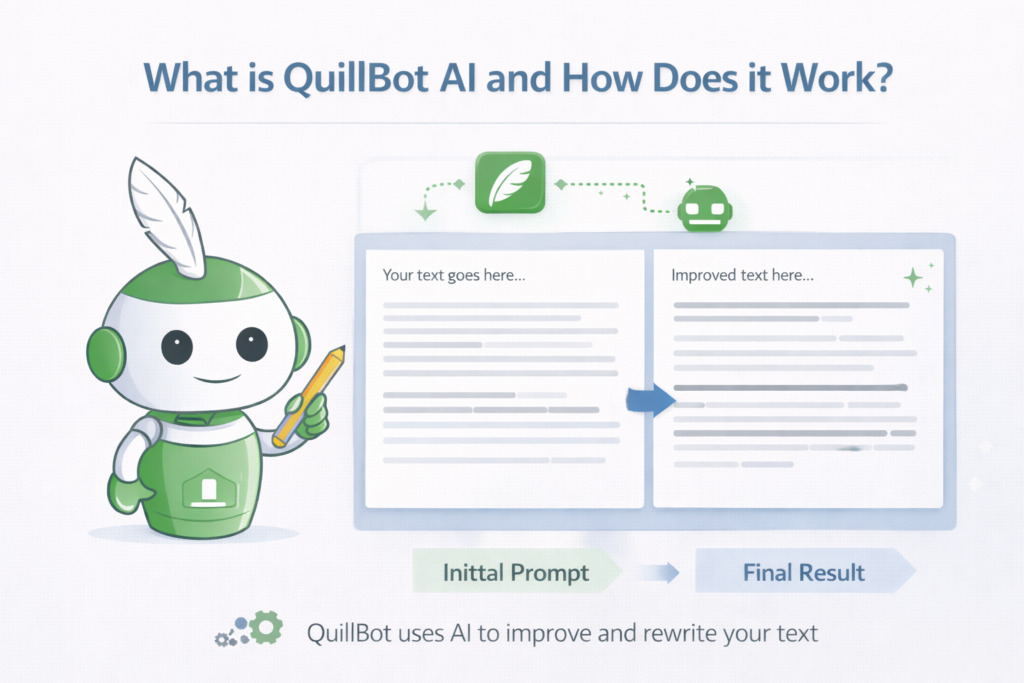
QuillBot AI is an AI tool that helps people write better. It uses machine learning to understand your text and suggest improvements. Think of it as a smart helper that reads your writing and offers ways to make it clearer.
The tool works by analyzing natural language, the way humans actually speak and write. When you paste text into QuillBot, its artificial intelligence studies your sentence structure, word choices, and grammar. Then it gives you options to improve your work.
You can use QuillBot through its website, Chrome extension, or add-ons for Microsoft Word and Google Docs.
This ease of use makes it simple to fit into your existing workflow. The user experience is straightforward: type or paste your text on the left side, and see suggestions on the right. What makes QuillBot special is that it doesn’t just fix mistakes. It helps you rewrite content in different styles while keeping the original meaning. This is helpful for content creators who need to adapt their message for different audiences.
Top Features You Get with Quillbot AI
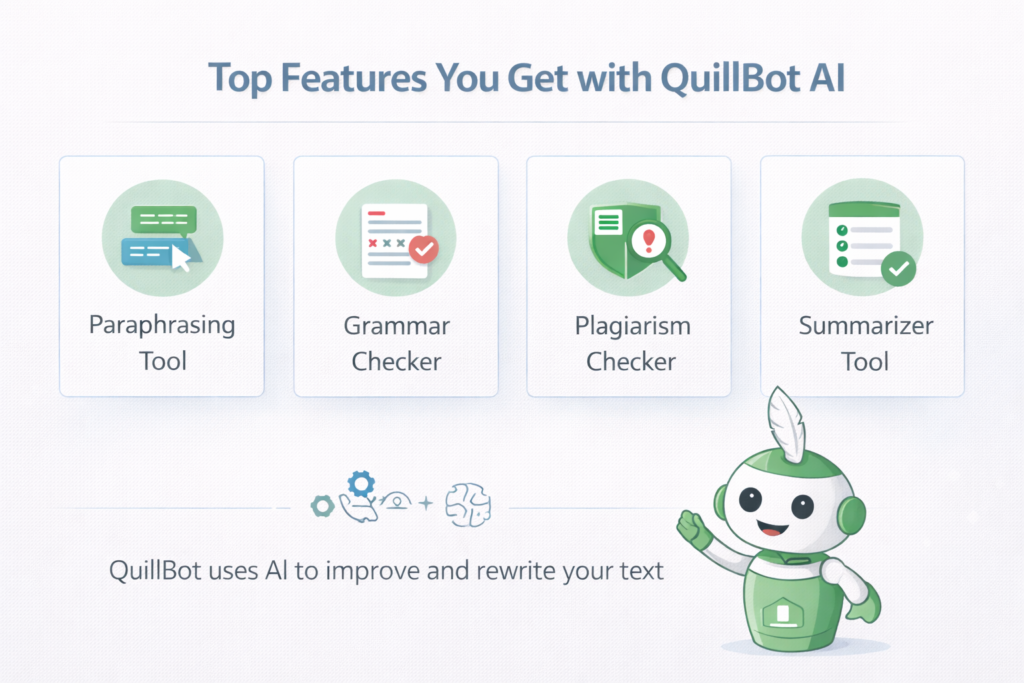
QuillBot packs several writing tools into one platform. Here’s what you get:
The Paraphrasing Tool
The paraphrasing tool is QuillBot’s star feature. It takes your text and rewrites it in fresh ways. The tool offers multiple paraphrasing modes to match your needs:
- Standard mode: Balanced rewrites for general use
- Fluency mode: Smoother, more natural flow
- Formal mode: Professional tone for business writing
- Academic mode: Perfect for academic writing and research papers
- Creative mode: More expressive and original phrasing
- Shorten mode: Cuts extra words to reduce word count
- Expand mode: Adds detail to brief points
The free version lets you paraphrase up to 125 words at once. The premium version removes this word limit entirely, letting you rewrite long texts in one go. This saves time when working with full documents.
The Free Grammar Checker
QuillBot includes a solid grammar checker that catches grammatical and punctuation errors. It scans your text and highlights mistakes in red. You can fix errors one by one or click “Fix All Errors” to correct everything at once.
The grammar checking feature works in several languages, not just English. However, the free plan limits you to 150 words per check. The premium plan offers unlimited access to the grammar checker. While helpful, this tool isn’t as powerful as dedicated grammar apps.
It catches basic mistakes but may miss subtle issues. For simple proofreading, though, it works well.
The Plagiarism Checker
The plagiarism checker is a premium feature that helps ensure your work is original. It scans your text against billions of web pages and academic papers to find matching content. This protects your academic integrity and ensures you’re creating original content.
The plagiarism detector allows up to 25,000 words of checking per month on the premium plan . It shows you exactly where potential issues exist and provides sources. This is important for students, writers, and professionals who need plagiarism detection they can trust.
The Summarizer Tool
The summarizer tool condenses long texts into key points. Paste an article, report, or research paper, and QuillBot extracts the most important information. You can get summaries as paragraphs or bullet points.
The free version handles up to 1,200 words. The premium version extends this to 6,000 words. This helps content creators quickly digest information and create new content from existing sources.
Who Should Use Quillbot AI?
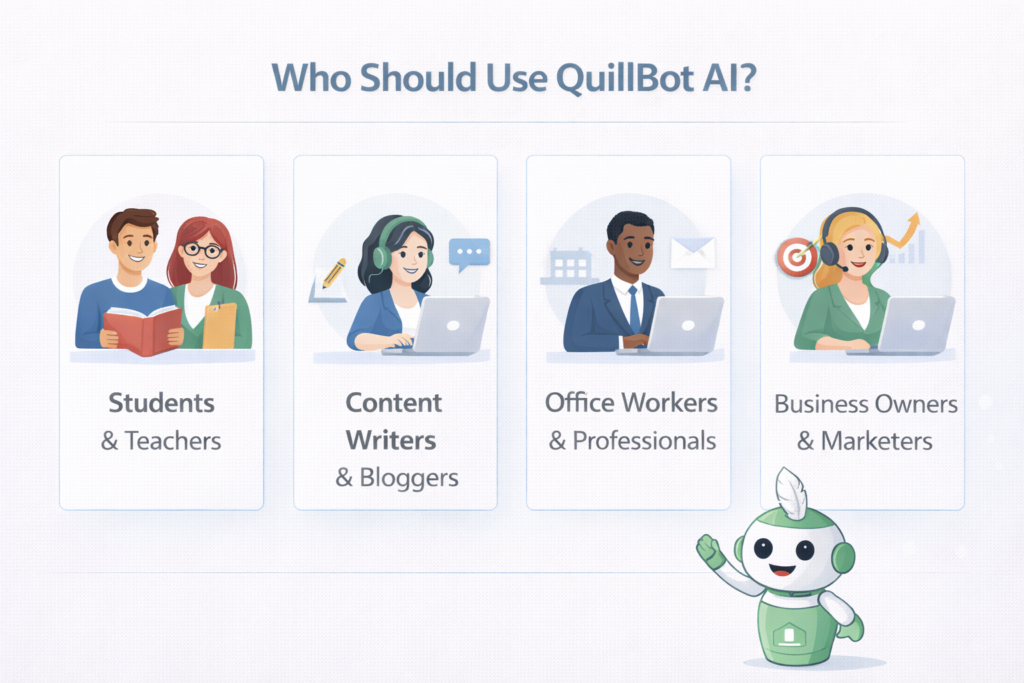
QuillBot serves different users in different ways. Here’s who benefits most:
Students and Teachers
For academic writing, QuillBot is a valuable AI assistant. Students use it to:
- Rewrite research papers while keeping original meaning
- Check grammar before submitting assignments
- Create proper citations with the citation generator
- Summarize long readings into key points
- Ensure plagiarism protection before turning in work
Teachers use it to check student submissions and create teaching materials. The academic writing mode helps maintain a formal tone suitable for schoolwork.
Content Writers and Bloggers
Content creators and bloggers rely on QuillBot for content generation. It helps:
- Refresh old blog posts with new phrasing
- Adjust writing style for different platforms
- Create marketing copy variations quickly
- Maintain consistent tone across articles
- Reduce word count when needed
The AI writing tools speed up the content creation process while keeping quality high.
Office Workers and Professionals
Business professionals use QuillBot for:
- Polishing emails and reports
- Creating social media posts
- Rewriting technical documents in simpler terms
- Checking grammar in Microsoft Word documents
- Improving sentence structure in presentations
The browser extension makes it easy to use across different work platforms.
QuillBot Pricing: Free Vs. Premium Plans — Which One Is Right For You?
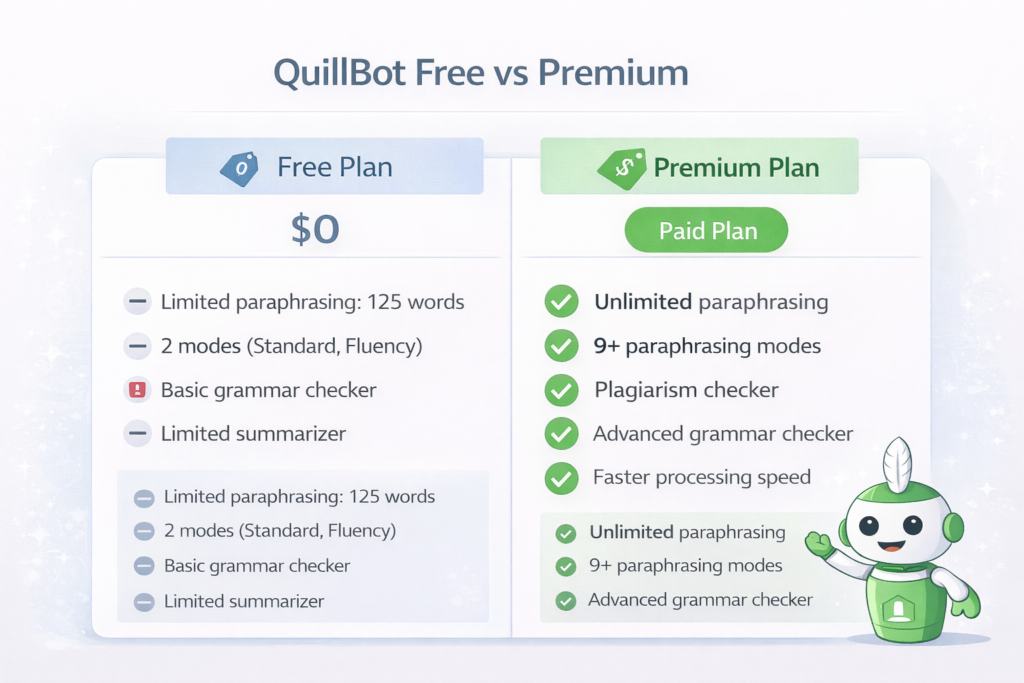
Understanding QuillBot’s pricing helps you choose wisely.
Is QuillBot AI Free? What You Get Without Paying
Yes, QuillBot offers a free plan that costs $0. Here’s what you get:
- Paraphrasing up to 125 words per use
- Two paraphrasing modes (Standard and Fluency)
- Summarizer up to 1,200 words
- Basic grammar checker (150-word limit)
- Basic AI detector (1,200-word limit)
- Citation generator access
The free version works for casual users who need occasional help. However, the word limit restrictions can frustrate heavy users.
QuillBot Premium: Is It Worth the Upgrade?
The premium plan unlocks QuillBot’s full power. You get:
- Unlimited paraphrasing with no word limit
- All 9+ paraphrasing modes
- Summarizer up to 6,000 words
- Plagiarism checker (25,000 words/month)
- Unlimited grammar checker
- Faster processing speed
- Tone adjustments
- Paraphrase history to save previous work
- Compare mode to see different versions side-by-side
For anyone doing regular content creation, these premium features save significant time.
QuillBot Premium Pricing Breakdown
QuillBot offers flexible payment options:
| Plan | Price | Best For |
|---|---|---|
| Monthly | $19.95/month | Short-term projects |
| Semi-Annual | $13.33/month ($79.95 total) | Medium commitment |
| Annual | $8.33/month ($99.95 total) | Best value |
| Student | $6.25/month ($74.95/year) | Verified students |
The annual plan saves you 58% compared to monthly billing. At roughly $8.33 per month, it’s cheaper than many coffee drinks but delivers daily writing assistance.
Is There A Money-Back Guarantee?
Yes, QuillBot offers a 3-day, 100% money-back guarantee. This lets you test all premium features risk-free. If you’re not happy, request a refund within three days of purchase.
QuillBot Alternatives: Top AI Writing and Paraphrasing Tools Compared
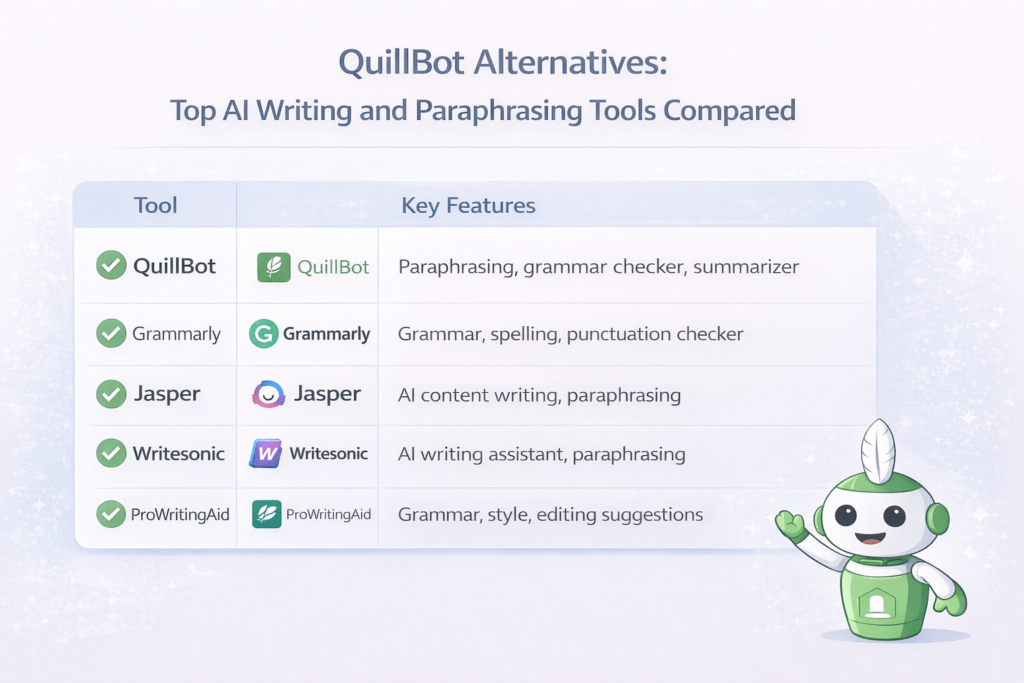
How does QuillBot stack up against competitors? Let’s compare:
Grammarly – Best For Grammar and Style Enhancements
Grammarly is the heavyweight champion of grammar checking. It catches more grammatical errors than QuillBot and offers deeper style suggestions. However, Grammarly lacks strong paraphrasing features; its rewriting is limited to basic suggestions.
- Pricing: $12-$30/month
- Best for: Writers who prioritize perfect grammar over rewriting
Wordtune – AI-Powered Rewriting with Tone Adjustments
Wordtune focuses on making sentences clearer and more natural. It offers excellent tone adjustments and understands context well. However, it lacks QuillBot’s plagiarism checker and citation generator.
- Pricing: $6.99/month for unlimited access
- Best for: Business writers needing precise, professional rewrites
Spinbot – Free Paraphrasing Tool with No Word Limit
Spinbot offers unlimited paraphrasing completely free. However, the quality is basic, and it lacks grammar checking, plagiarism detection, or other advanced features.
- Pricing: Free
- Best for: Users who only need simple rewriting without extra tools
Jasper AI – Best For AI-Generated Content
Jasper AI creates generated content from scratch, not just rewriting existing text. It’s powerful for content generation and marketing copy, but costs significantly more.
- Pricing: Starts at $49/month
- Best for: Teams needing full AI writing creation, not just editing
Scribbr – Best For Academic Writing & Plagiarism Detection
Scribbr specializes in academic writing with excellent plagiarism detection. It offers detailed feedback on research papers and citations. However, it’s more expensive and focused only on academic use.
- Pricing: Around $20 per plagiarism check
- Best for: Students needing thorough academic integrity checks
Final Verdict: Is QuillBot Still Useful in 2026?
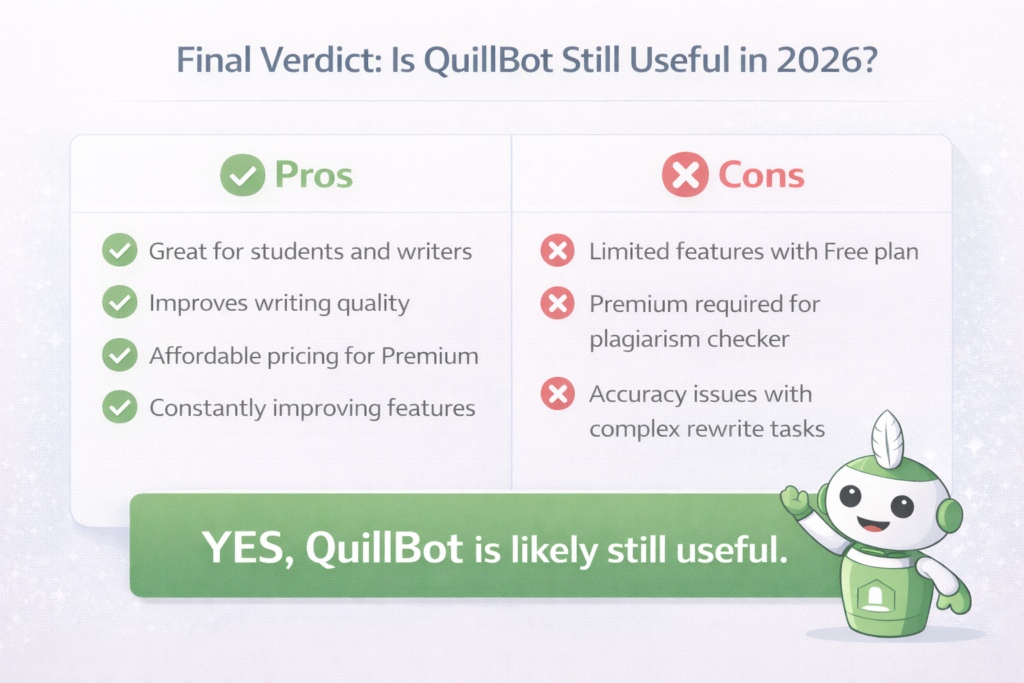
After testing QuillBot against current alternatives, here’s our assessment:
QuillBot Pros & Cons: What You Need to Know
QuillBot Pros – Why It’s A Top AI Writing Assistant
- Affordable pricing: At $8.33/month annually, it costs less than competitors
- All-in-one toolkit: Paraphrasing, grammar checking, summarizing, and plagiarism detection in one place
- Multiple modes: 9+ paraphrasing modes suit different writing needs
- Easy integration: Works with Google Docs, Microsoft Word, and Chrome
- User-friendly: Simple interface with no learning curve
- Citation help: Free citation generator supports 1,000+ styles
- AI detection: Built-in tools to check for AI content detection issues
QuillBot Cons – Where It Falls Short
- Grammar limitations: Not as thorough as Grammarly for grammar checking
- Plagiarism limits: Only 25,000 words/month on premium plans
- English focus: Primarily supports English only
- No mobile app: Only browser and desktop extensions available
- AI detection concerns: Some AI detection tools may still flag QuillBot output
- False positives: The plagiarism detector occasionally shows incorrect matches
Should You Use QuillBot AI in 2026?
Yes, if you:
- Need affordable writing assistance with multiple features
- Write blog posts, social media content, or marketing copy
- Want paraphrasing with control over tone adjustments
- Require basic plagiarism detection for school or work
- Use Google Docs or Microsoft Word regularly
Consider alternatives if you:
- Need the absolute best grammar checking (choose Grammarly)
- Write exclusively in languages other than English
- Require unlimited plagiarism detection without word caps
- Need AI content detection bypassing (results vary)
For most content creators and professionals, QuillBot delivers excellent value. The combination of paraphrasing tool, grammar checker, summarizer tool, and plagiarism checker at under $9/month makes it a smart investment for better writing.
FAQ’s:
Is Quillbot AI Reliable For Academic Writing in 2026?
Yes, QuillBot works well for academic writing when used properly. The Academic mode maintains formal tone suitable for research papers.
The plagiarism checker helps ensure academic integrity by catching unintentional copying. However, always review QuillBot’s output to ensure accuracy and proper citations. Some schools have policies about AI writing tools, so check your institution’s rules first.
Is QuillBot Effective in Producing Plagiarism-Free Content?
QuillBot’s paraphrasing tool creates new content by rewriting your text. However, simply changing words doesn’t guarantee original content.
Always run your final work through the plagiarism checker to verify. The tool compares against billions of sources, but false positives can occur. For important submissions, consider using additional detection tools to double-check.
How Accurate is QuillBot in Paraphrasing Complex Or Technical Content?
QuillBot handles most text well, but technical content with specialized terms can challenge it. The “Freeze Words” feature helps by keeping specific terms unchanged. For highly technical academic papers, review the output carefully.
Machine learning improves constantly, but natural language processing still struggles with some niche jargon.
Can QuillBot Be Detected By AI Content Detectors?
Possibly. While QuillBot aims to create human writing, some AI detection tools may flag its output. The AI humanizer mode attempts to bypass content detection, but results vary. No AI tool guarantees undetectable content.
For sensitive submissions, combine QuillBot with your own editing to ensure an authentic voice.
Does Quillbot AI Work in Languages Other Than English?
Currently, QuillBot primarily supports English. The grammar checker works with several languages, but paraphrasing and advanced features focus on English text. If you need multi-language support, consider alternatives like DeepL or Grammarly, which offer broader language options.
Can I Use QuillBot For SEO Content Writing?
Yes, QuillBot helps with SEO content writing by improving readability and sentence structure.
The Shorten and Expand modes help hit target word counts. However, remember that generated content should always be reviewed for quality. Search engines value original content and human writing, so use QuillBot as an assistant, not a replacement for your expertise.
Can QuillBot Generate Full Articles Automatically?
No, QuillBot is a rewriting and editing AI assistant, not a full content generation tool like Jasper AI. It improves existing text but doesn’t create blog posts from scratch. You need to provide the original text and key points, then QuillBot helps polish and rephrase.
Do I Need to Make an Account to Use It?
No, you can use the free version without creating an account. Simply visit the website and start typing. However, making an account lets you save paraphrase history, access the Chrome extension, and sync work across devices.
For premium features, account creation and payment are required.
Conclusion
At Designers Choice, we believe the right writing tools should make your creative work easier, not harder. QuillBot AI delivers solid value as an AI writing assistant that combines paraphrasing, grammar checking, summarizing, and plagiarism detection at an affordable price.
For content creators, students, and professionals who need help polishing their writing, QuillBot offers an impressive toolkit. The premium plan at $8.33/month provides unlimited access to features that streamline the writing process and improve content creation quality.
While it’s not perfect, grammar checking lags behind Grammarly, and AI detection remains a concern, QuillBot’s combination of features, ease of use, and fair pricing make it worth considering in 2026.
Whether you’re drafting blog posts, refining academic papers, or perfecting marketing copy, QuillBot serves as a reliable writing assistant that helps bring your ideas to life with clarity and confidence.
