Categories
AI

Best AI Competition Guide: Best Contests For Newbies & Students

AI (artificial intelligence) is like teaching computers to think and solve problems—like making robots smart! AI competitions are contests where people use these smart computer skills to create cool projects.

Imagine building a machine learning model that can spot fake news or a robot that helps clean oceans! These contests are for everyone: high school students, college teams, and even professionals interested in innovative social media solutions, like building a custom Social Network SaaS. You don’t need to be an expert—many competitions welcome beginners.

Winners often get cash prizes, certificates, or chances to work with top tech companies.

For example, you could design an AI tool for environmental sustainability (like fighting climate change) or create art using generative AI.

Competitions teach real-world skills like data science and natural language processing (how computers understand words).

They’re also fun ways to meet friends, learn from industry professionals, and boost your college applications.

Whether you love coding, solving puzzles, or just want to try something new, AI competitions let you explore the world of AI—no fancy tools needed, just curiosity!

What is an AI Competition?

What is an AI Competition?

An AI competition is a planned challenge. In this challenge, people create solutions using artificial intelligence.

They work to solve specific problems. These contests usually include tasks like building machine learning models. They also involve using natural language tools or making new applications that show what AI can do.

People in AI competitions work with data sets and create algorithms.

They compete against each other to get the best results or the most creative solutions. AI use in these contests covers many fields. It ranges from basic computer science to more focused topics like object detection and speech recognition.

Modern AI competitions draw in people with different skills.

This includes beginners with little knowledge and experts with much experience. These competitions are important for high school students and college participants. They help them show their skills in machine learning and data science.

History and Evolution of AI Competitions

History and Evolution of AI Competitions

The story of AI competitions starts with the Dartmouth Conference in 1956. At this event, researchers made the term “Artificial Intelligence” popular. This key moment began organized AI research.

It also set the stage for contests that would come later.

Early steps included chess programs and ideas about the Turing test.

In 1997, IBM’s Deep Blue beat world chess champion Garry Kasparov. This win showed how powerful AI systems had become.

It also sparked more competitions in the future.

The dramatic rise of AI has been captured in many forms, including the modern AI Documentary, which explores its impact on society. The rise of machine learning and better computer power sped up progress in AI.

The current age of AI contests began when Kaggle started in 2010.

This platform created a space for data science workers everywhere to join in. These sites opened doors to tough problems and good datasets.

Now, high school students, college students, and experts can all compete together fairly.

Types of AI Competitions

Types of AI Competitions

Online AI Challenges

Online AI contests are the easiest type for people around the world. Sites like Kaggle host many challenges each year.

These challenges include things like image analysis and predicting financial markets. They usually last for several months. This gives participants time to improve their machine learning model entries.

Generative AI contests have become popular, too. These competitions focus on creative uses of tools like ChatGPT, image making, and language skills. Many online contests also give cash prizes.

These prizes can be from hundreds to thousands of dollars. This makes them appealing to high school and college students.

Academic and Research Competitions

Academic AI contests often link with top schools and research groups.

The World Artificial Intelligence Competition for Youth (WAICY) is aimed at high school students aged 13 to 18. It gives them a chance to show off new AI ideas. These contests often offer help from industry experts and researchers.

University-level contests like the Amazon Nova AI Challenge focus on safe AI growth. They provide important support, including money and AWS credits. These competitions let students try out AI on a large scale. They also help meet goals of academic research programs.

Industry-Sponsored AI Contests

Big companies hold AI contests to find new talent and boost new ideas. Microsoft runs the Imagine Cup. It aims at students from all over the world with different skills. Google sets up AI Impact Challenges that focus on helping society.

These contests can often lead to job offers and full scholarships for the best players.

Popular AI Competition Platforms

Popular AI Competition Platforms

There are many popular AI competition platforms. These help new and skilled data scientists grow.

Kaggle

Kaggle

Kaggle is the largest data science group in the world. It hosts contests that attract many people from all over.

Participants range from beginners to experts, even high school students. These competitions cover many areas like computer science and healthcare, and top entries will even include topics like saving the earth. This lets people use their skills in real-life tasks.

The Kaggle group encourages teamwork and sharing knowledge. Members have access to data sets, code scripts, and talks.

Companies can also run contests to solve tough problems and spark new ideas. Kaggle helps people keep learning and growing in data science. It is a great place for those who want to improve their skills and work on meaningful projects.

With its wide range of contests and friendly atmosphere, Kaggle leads in boosting data science skills.

NeurIPS Competitions

NeurIPS

The Conference on Neural Information Processing Systems, known as NeurIPS, is famous for its top AI contests.

These contests help push machine learning forward. They focus on new areas like generative AI and reinforcement learning. They also look at how neural networks can improve. These events test researchers and experts, promoting teamwork and pushing AI limits.

NeurIPS competitions draw the best talent from around the world. This leads to important new ideas in artificial intelligence.

Participants show off their skills and try out fresh ideas. They also help grow AI technology. Winning or just taking part helps boost a researcher’s trust and opens chances for work together in the AI field.

In the end, these contests are key for growth in machine learning studies and shaping AI’s future.

IEEE Big Data Cup

IEEE stands for the Institute of Electrical and Electronics Engineers. They hold yearly AI contests that focus on big data tasks and machine learning methods. These events show new AI solutions. They also encourage teamwork among workers and researchers.

By solving real-life problems, participants create smart ways to make a difference in many fields.

Plus, these contests give great chances for people who want to improve their skills in AI and big data study. Working with others and experts helps provide ideas about new technologies and best ways to work.

In short, IEEE’s AI contests are key for improving artificial intelligence and boosting new ideas in many areas.

DrivenData

DrivenData

DrivenData is a top site for AI contests. These contests focus on helping society. They tackle big problems like poverty, climate change, and healthcare. Data scientists can use their skills to make a positive impact.

Some well-known contests include genetic engineering, Alzheimer’s research, and wildlife care. People who take part can win cash prizes as high as $60,000. This makes the contests fun and rewarding.

DrivenData uses AI in a way that helps both people and the planet.

Microsoft AI For Earth Innovation Grant

Microsoft

Microsoft shows its support for the environment by sponsoring contests that spark new ideas for climate solutions. These events let people show their talents by making AI apps that deal with climate change and conservation problems.

Through its support for these competitions, Microsoft fosters technological advancement and cultivates a community of individuals eager to contribute to environmental solutions. These contests not only elevate awareness about crucial topics but also promote collaboration in the quest for sustainable resolutions.

Participants use advanced tools like AI to solve tough issues.

They help global efforts to fight climate change, protect wildlife, and encourage good practices. Microsoft’s support highlights its commitment to using tech for the planet’s health. It also shows how vital creativity is in solving environmental problems.

Amazon Alexa Prize

Amazon Alexa Prize

Amazon runs yearly contests for college students to build chat AI systems.

One major event is the Alexa Prize. This contest focuses on improving how machines understand human speech and language. Joining these contests gives students a chance to show their skills in AI. It also helps them work together and learn from each other.

These events are important for advancing AI research and growth. They help create new ideas in chat AI technology.

Google AI Impact Challenge

Google

Google is starting contests that focus on AI solutions for social good. This is a great way to use tech to help society.

The AI Impact Creators competition seeks to foster the use of artificial intelligence, aiming to drive meaningful change and generate positive outcomes for communities globally. Participants have the opportunity to utilize cutting-edge technology to address significant issues such as access to healthcare, environmental protection, and social equity.

The teamwork seen in these contests helps spark new ideas and brings people together. This can lead to results that truly help people’s lives.

In short, Google’s push for AI solutions shows how important it is to use tech for the common good. It also aims to build a fairer and more sustainable future for everyone.

Global Datathon

International datathons bring people together from many countries. They work on global issues using data science and machine learning. These events help share knowledge and encourage teamwork across borders. This way, they find new solutions to urgent problems.

Datathons demonstrate how data can address difficult challenges through the integration of various ideas and skills. In addition to connecting with like-minded individuals, participants can gain insights from diverse cultures and engage in significant projects.

These efforts during datathons highlight the need for working together. This helps use data for good change all over the world.

AI Art Competitions

Creative AI contests have grown popular in recent years.

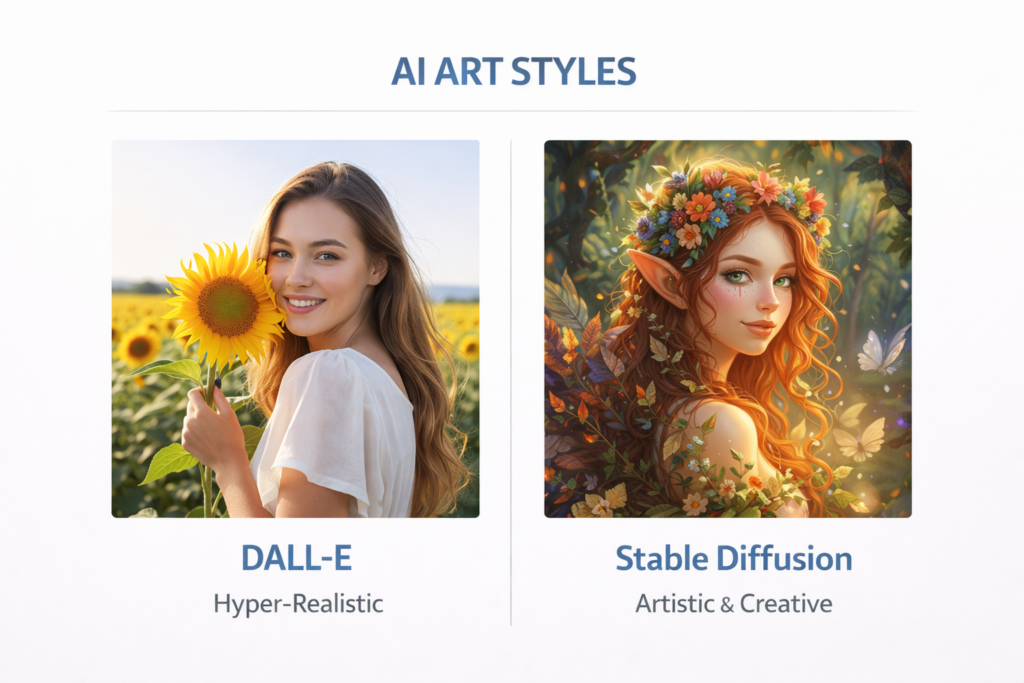
They focus on generative AI used in art and design. Artists and designers join these contests using tools like DALL-E, Midjourney, and Stable Diffusion. These tools help them create new and exciting artworks.

The events are a place for people who are curious about creativity and AI. They push the limits of what can be done in art and design.

This creative explosion extends beyond static images into moving pictures, with both AI Animation and full-scale AI Filmmaking becoming new frontiers for artists. Specialized AI Filmmaking Tools are empowering creators to produce complex visual narratives like never before.

Using AI in art shows how technology can aid creativity. It also brings up talks about how humans and machines can work together in art.

Participants take part to show their skills. They also want to find new ways to mix old art styles with modern AI tools.

AI Song Contest

Music-based AI contests are becoming more popular. They challenge people to use AI tools to create new songs.

These contests show how creative AI can be in art. Participants test the boundaries of AI as they explore both tech and music writing. They discover what AI can do while changing how music is created and enjoyed. The blend of AI and music opens up new opportunities.

It also starts conversations about tech, creativity, and human skill. As these contests expand, they offer a platform for both musicians and tech lovers. They can work together, experiment, and bring a new era in music creation.

AI Driving Olympics

Autonomous vehicle contests help improve AI systems. They do this by using both real and fake driving tests. These events allow teams to test new tech related to robots and self-driving cars. By joining these contests, researchers can learn how to make autonomous vehicles better.

This makes them safer and more efficient on the road. It also helps them deal with tough driving situations. Furthermore, these contests encourage new ideas and teamwork in the industry.

This leads to progress that can change the future of transport and tech.

AI Sports Analytics Challenges

Sports analytics AI contests focus on predicting game results, player actions, and smart strategies. They use machine learning models for this.

These events let data experts, number crunchers, and sports fans use their skills on sports data. Contestants often look at past data like player stats, game details, and team plans. They create models that help coaches, teams, and fans gain useful insights.

By using complex methods like regression analysis, neural networks, and clustering, they strive to make precise models. These models can predict many outcomes in sports.

Such contests show how AI can change sports analytics. They also encourage new ideas and teamwork in the sports world.

AI Ethics and Fairness Challenges

AI ethics contests are important for making fair and clear AI systems. As AI plays a bigger role in choices across many fields, ethical actions are key. These contests give a space for experts to work together on answers that fix bias, privacy, and social effects.

Contestants are asked to make programs that focus on fairness, protect user privacy, and give clear reasons for decisions.

By putting ethics first in AI work, these efforts build trust among users and groups while trying to avoid harm. They also support ongoing talks about AI ethics and push groups to follow ethical rules in their work.

In the end, these actions create a shared goal of using AI for good while reducing risks and keeping accountability.

AI Robotics Challenges

Robotics contests combine smart tech with physical machines. They encourage people to create new robotic solutions that make intelligent decisions. These events show how AI and engineering work together.

Participants build robots that can move on their own or be controlled by humans.

They often mimic real-life situations, which helps in problem-solving. These contests let people use what they learn in school in real ways. This boosts thinking skills and teamwork. Groups join forces to create and test their robots. This sharing of ideas leads to better robotic systems.

In the end, robotics contests are key for growing new ideas in AI and engineering. They inspire the next group of engineers and tech experts.

AI Health Challenges

Healthcare AI competitions are becoming popular. They focus on important issues like medical diagnosis, drug discovery, and patient care improvement through the application of artificial intelligence. These events show how AI can change healthcare.

In medical diagnosis, AI looks at imaging scans, pathology slides, and patient information. It helps doctors make better diagnoses. Machine learning can find patterns and problems that people might miss. This helps catch diseases earlier and improve treatment results.

AI is changing drug discovery, too. It speeds up finding new drugs and predicting how well they will work. Advanced algorithms analyze a lot of biological data to improve treatment plans. These competitions also help with patient care using predictive analytics and personalized medicine. They allow providers to give customized treatments and meet patient needs while using resources wisely.

Overall, these events encourage new ideas among researchers, data experts, healthcare workers, and tech fans. They help bring big changes to medical practices around the world.

AIcrowd

AIcrowd

AIcrowd is a top platform for many AI contests. These contests are for all skill levels. It helps with working together to solve problems.

The community is supportive and shares knowledge. Users face challenges in machine learning, computer vision, and language skills. They work on real problems from industry and schools. This gives them hands-on experience with new AI tools.

Joining AIcrowd contests lets people try their skills. It also helps them be creative and meet others in the AI world. This leads to ongoing learning and new ideas through fun competition.

AI Hackathons

AI Hackathons

Short-term AI hackathons give people a chance to code quickly. Teams work together to make prototypes fast. These events help boost creativity and teamwork. They focus on quickly using AI solutions.

Participants need to think of new ideas and work fast to build working AI models. This must be done in a short time.

Hackathons attract many tech fans. These include programmers, data experts, designers, and industry workers. The group work at these events helps share knowledge and build connections among people with different skills.

Also, joining AI hackathons gives good hands-on practice in making AI tools. It helps solve real-life problems with new tech. People can show their skills, learn from experts, and find job chances or funding for their ideas.

Overall, short-term AI hackathons are great places for learning, creating new ideas, and working together in the fast-changing world of AI.

How to Participate in an AI Competition?

How to Participate in an AI Competition?

Registration and Eligibility

High school students who join AI contests should know the team rules. Some competitions let you enter alone.

Others need a certain number of team members. Working with friends helps you learn better. It also builds teamwork and problem-solving skills. It is important to know how the judges will score your work. This can help you shape your project to impress them.

Joining AI contests gives good chances to meet people in the industry. You can connect with other fans, too. These links can lead to internships, mentors, and jobs in AI and machine learning.

Forming A Team

Joining AI contests helps build teamwork skills. It allows people to work with others who have similar interests. This builds a sense of friendship and gives a valuable experience in managing projects and solving problems together.

For high school students, joining these contests can be a great experience. They can form teams by connecting with classmates or finding groups online. It is important to find teammates who match each other’s skills and strengths. This is key for doing well in AI contests.

Working together improves tech skills and also boosts communication and teamwork. It helps in handling tough challenges better, too.

Submission Guidelines

Participating in AI contests means following certain rules for submissions. These include file types, document standards, and model details. It is very important for participants to follow these rules closely. This ensures that their solutions can be judged well.

Many platforms provide example entries and templates to help contestants succeed. Knowing and meeting these submission rules shows a participant’s skill level. It can also improve their chances of winning the contest.

By following these guidelines carefully, participants can show their talents and ideas effectively during AI challenges.

Benefits of Participating in AI Competitions

Benefits of Participating in AI Competitions
  1. Skill Development: AI contests give real-life practice with machine learning methods and technical skills. They also involve data science tools and language processing rules. People taking part build useful skills that employers want in AI jobs. These contests help apply what is learned in school to real situations.
  2. Networking Opportunities: Competitions bring together people with shared interests. Participants meet industry experts, researchers, and peers. Many AI competitions offer mentorship programs. They also host networking events. These connections can help with internships. They may lead to research partnerships as well. Such ties can help with career growth.
  3. Career Advancement: Strong performance in AI contests helps college applications. It shows real skills to those who decide on admissions. Many people who take part get job offers, mentorship opportunities, and chances for scholarships. They may also gain entry to top schools. Competing shows a strong commitment to AI. It also shows the ability to solve real problems.

Tips For Success in AI Competitions

Tips For Success in AI Competitions
  1. Choosing The Right Competition: Beginners should start with contests that say “Getting Started.” They can also look for ones made for high school kids. Look for contests that offer help and good learning tools. It is important to choose topics that match your interests. Make sure they fit your career goals, too.
  2. Building Effective Models: Success means knowing what the problem needs. You must also understand basic data science and good machine learning methods. Look at public notes and answers from past contests. Pay attention to machine learning ways that fit the challenge you are facing.
  3. Collaborating With Others: Effective teamwork means good communication. It also includes dividing tasks and sharing knowledge. Team members need to support each other’s skills. They should help in different parts of the solution. Regular meetings keep everyone on the same page. Progress updates help in working together well.

Notable AI Competition Success Stories

Notable AI Competition Success Stories
  1. Breakthrough Projects: Many AI competitions have produced solutions later adopted by industry. Competition winners often develop innovative approaches that advance the field of artificial intelligence. Some projects have led to startup companies and research publications.
  2. Inspiring Participants: High school students have achieved remarkable success in AI competitions, demonstrating that age doesn’t limit innovation potential. Many competition alumni have pursued careers at leading AI companies and research institutions. These success stories inspire new participants to engage with artificial intelligence challenges.

Future of AI Competitions

Future of AI Competitions

The future of AI contests will focus on fair AI growth. It will also look at green practices and social effects. New fields will include generative AI, quantum tech, and human-AI teamwork.

As AI fits more into our lives, contests will tackle harder social issues. New types of competitions may have ongoing tasks, ties with businesses, and teamwork across fields.

The mix of AI with other new technologies like the internet of things and robots will bring new contest areas.

FAQ’s:

Who Is The Competitor Of AI?

While artificial intelligence does not have rivals in the usual way, big tech firms do.

Companies like Google, Microsoft, Amazon, and Facebook work hard to make better AI tools. Nations like the United States, China, and South Korea also want to lead in AI. They all strive to be at the top in this field.

Who is Leading in AI Right Now?

Google, Microsoft, and Amazon are the top players in different AI areas.

Google is best at search and machine learning. Microsoft focuses on AI for businesses. Amazon is strong in cloud-based AI services. China has also become a big competitor.

This is especially true in AI applications and how they are used.

How Do I Find The Right AI Competition That Aligns With My Skills?

Start by checking what you know in computer science, machine learning, and coding.

High school students should find easy competitions that offer help. Look for contests that have good learning tools. Think about your likes in areas such as language processing, computer vision, or data science.

What Resources Are Recommended For Beginners in AI Competitions?

Beginners should begin with online classes in machine learning and data science.

Websites like Kaggle Learn have free classes. These classes cover the basics of the competition. It is also helpful to look at public notebooks from past contests. This helps you learn about good methods that worked for others.

How Can I Balance Academic Responsibilities With Competition Preparations?

High school students need to focus on schoolwork. They should see competitions, such as a selective essay contest from top institutions, as chances to learn, especially the importance of the use of evidence, particularly in the form of a formal academic essay.

It is important to set clear goals. Students should also have time limits for joining competitions. Many contests last for months. This gives students the chance to join when they can.

Conclusion

AI competitions are great chances for high school students, college learners, and workers. They can work with new AI tools. These events help you gain experience and skills. They also open doors for career growth in the fast-growing AI field. I love using technology to boost creativity.

So, I urge you to look into these contests for new ideas and growth. The AI change is changing many jobs. Joining AI competitions puts you at the front of this change.

Whether you like machine learning or language work, there are many ways to join in. These contests let you make your ideas real while building skills for future tech. Taking part in AI competitions is like the creative process. It mixes skills with new thoughts to tackle important problems.

At Designers Choice, we support pros who push limits and use AI’s power for great results.

Categories
AI

10 Must-Watch AI Documentaries For Tech Enthusiasts

Artificial intelligence (AI) is like a smart helper that powers things around us, from apps that recognize your voice to robots that learn new tricks.

Imagine watching movies that explain how AI works—like how Netflix suggests shows you might like or how YouTube knows which videos you’ll watch next.

These movies, called AI documentaries, break big ideas into easy stories.

They show how AI helps solve problems (like climate change) and sometimes causes worries (like social media controlling what we see). You don’t need to be a scientist to understand them!

Platforms like Netflix and YouTube have great films about AI’s role in our lives, from Google’s inventions to how China uses new technology.

Whether you’re curious about robots or how AI affects human rights, these documentaries make learning fun and simple—perfect for kids and grown-ups alike!

What is an AI Documentary?

What is an AI Documentary?

An AI documentary is a film that explains artificial intelligence and its impact on our world. These movies combine interviews with research scientists, real-world examples, and simple explanations to help viewers understand complex topics.

Unlike Hollywood movies about robots taking over the world, AI documentaries stick to facts.

They show real AI programs in action, interview the people who build them, and explore both the good and bad sides of new technology.

Many feature CEOs from companies like Microsoft and Facebook explaining their AI work.

The best AI documentaries make hard topics easy to understand.

They might show how Netflix uses AI to suggest movies or explain how China uses AI for social control.

Some focus on specific areas like robotics or climate change solutions.

The Rise of AI-Focused Documentary Content

The Rise of AI-Focused Documentary Content

The ai revolution in filmmaking started around 2016 when more people began worrying about technology’s impact on society.

Directors like Werner Herzog began making films about the internet and its effects on human life.

Today, streaming platforms compete to offer the best AI content.

YouTube hosts free documentaries from sources like Nova and FRONTLINE. Netflix produces its own AI films alongside traditional content. Even news organizations like the New York Times create AI documentaries. This growth happened because people want to understand AI better.

As algorithms control more of our daily experiences—from social media feeds to job applications—viewers seek clear explanations of how these systems work.

The covid pandemic also increased interest in AI documentaries.

With more people staying home and using technology, questions about AI became more personal and urgent.

Different Types of AI Documentary Approaches

Different Types of AI Documentary Approaches

AI documentaries take several different approaches to tell their stories. Some focus on specific companies or technologies, like films about AlphaGo or Chatgpt.

Others look at broader themes like privacy or the future of work.

Technical documentaries dive deep into how AI actually works.

They might follow programmers building new algorithms or show machine learning in action. These films work well for viewers who want to understand the nuts and bolts of AI.

Social impact documentaries focus on how AI changes society. The Social Dilemma, for example, looks at how social media algorithms affect mental health and democracy. These films ask important questions about human rights and social control.

Historical documentaries trace AI development from early computers to today’s advanced systems. They often feature interviews with pioneers who built the first AI programs and explain how we got to where we are today.

Top AI Documentaries to Watch

Top AI Documentaries to Watch

1. The Social Dilemma (2020) – Unraveling the Impact of Algorithms

The Social Dilemma stands out as one of the most important AI documentaries ever made. This Netflix film explores how social media companies use AI to keep users scrolling and clicking. Former Google employees explain how algorithms track everything we do online.

The documentary shows how these systems create addiction and spread false information. The film’s exploration of algorithmic influence highlights the complex systems behind every Social Network SaaS platform, revealing how technology shapes user experience.

It features real experts like Tristan Harris, who used to work on AI ethics at Google. The film scored 85% approval on review sites and reached millions of viewers worldwide.

What makes this documentary special is how it combines real interviews with a fictional story. This approach helps viewers see how AI affects real families and relationships.

2. AlphaGo (2017) – Human Ingenuity Vs. Artificial Intelligence

AlphaGo tells the story of Google’s AI program that learned to play the ancient game of Go better than any human. The film follows the match between AI and the world’s best human player in South Korea.

This documentary shows both the amazing power of AI and the beauty of human creativity. It raises questions about what happens when machines become better than humans at complex tasks that require deep thinking.

3. iHuman (2019) – Exploring AI Power and Ethics

iHuman takes a deeper look at AI’s growing power and the people who control it. This documentary examines how AI affects everything from job markets to military weapons. It asks tough questions about who should control these powerful technologies.

The film interviews both AI supporters and critics. It shows how different countries, especially China and the United States, use AI for different purposes. The documentary helps viewers think about the ethical sides of AI development.

4. Do You Trust This Computer? (2018) – AI’s Role in Our Future

This documentary asks one simple but important question: should we trust AI systems to make decisions for us? It features interviews with tech leaders and researchers who work on AI safety.

The film looks at both current AI applications and future possibilities. It covers topics like self-driving cars, medical AI, and military robots. The documentary helps viewers think about how much control we should give to AI systems.

5. Lo and Behold, Reveries of the Connected World (2016) – The Internet and Beyond

Famous director Werner Herzog made a documentary about the internet and connected devices. This film is not only about AI.

It looks at how the internet of things changes human behavior. Herzog’s special style makes hard topics feel personal and emotional.

The film shows both the great and scary sides of our connected world.

6. Hi, A.I. (2019) – Life With Robots

Hi, A.I. looks at what happens when people feel close to AI robots.

The film follows real people who live and work with AI helpers in Japan and other places. This movie asks big questions about human connections and what it means to be human. It shows how people respond when AI becomes more real and emotional.

7. Machine Learning: Living in the Age of AI (2019) – AI’s Real-World Applications

This film looks at how machine learning is used in medicine and transport. It shows how AI helps doctors find diseases.

It also shows how AI helps farmers grow better crops.

The film mixes technical facts with human tales. It shows how AI fixes real problems. It also shows that it brings new challenges.

8. The Age of A.I. (2019) – Narrated by Robert Downey Jr.

YouTube made a series with Robert Downey Jr. as the narrator. He is known for his role as Iron Man.

Each episode looks at a different part of AI. Topics range from healthcare to creativity. The series uses high-quality production to make it fun and easy to understand. It shows how AI works in many areas, like apps and big industrial systems.

9. More Human Than Human (2018) – What Makes Us Human?

This film looks at what makes humans different from machines.

AI is getting smarter every day. It talks about creativity, feelings, and awareness in people and AI. The movie shows artists, scientists, and thinkers sharing their views. They discuss what makes human smarts unique. The film asks if AI can really think and feel like people do.

10. Artificial Gamer (2021) – AI Competing in Esports

This new documentary focuses on AI systems that play video games against human players. It shows how game AI has evolved from simple opponents to highly intelligent competitors.

This film provides a fascinating look into the world of AI Competition, where algorithms are trained to master complex strategic games.

It is aimed at younger viewers who enjoy video games and explains AI ideas using examples from popular games.

AI-Powered Documentary Creation

AI-Powered Documentary Creation

The Ethics of Artificial Intelligence

Modern AI documentary makers have new questions about ethics. They wonder if they should tell viewers when they use AI tools.

Should filmmakers inform viewers about using AI for editing or research? They also ask how much help from AI is too much.

Now, professional groups create rules for fair AI use in films. These rules help filmmakers find a balance between speed and honesty.

The aim is to use AI tools while keeping the trust of the audience.

Human-AI Interaction and Emotional Bonds

Many new films look at how people connect with AI systems. These include virtual helpers and companion robots.

The movies show the feelings involved in using AI. They often show real people talking about their times with AI friends.

These films ask big questions. They wonder about loneliness, bonds, and which types of relationships are most important.

Surveillance, Privacy, and Data Security

Privacy issues are a big topic in many AI documentaries today.

These films look at how the government and companies gather data. They also show how AI is used to study personal info.

Many of these documentaries show different ways countries deal with these matters. They compare how the United States and China use AI for watching people in their own ways.

The Future of Work and Automation

AI’s effect on jobs is a common topic for films. These movies show the jobs that AI takes away.

They also highlight new jobs that AI brings. Many films focus on workers who learn new skills. They need to adapt to work with AI systems.

Societal Impacts and Cultural Shifts

Broader social films look at how AI changes culture and society.

They explore many topics. This includes dating apps and political campaigns. These films show how programs shape human actions.

The Impact of AI On Documentary Filmmaking

The Impact of AI On Documentary Filmmaking

Transforming Traditional Documentary Workflows

AI tools now help people who make documentaries. They assist in all parts of making a film. This starts with research and goes to final edits.

AI makes these steps faster than before.

Some tasks that took weeks or months can now be done in less time. This shift marks a significant evolution in the field of AI Filmmaking.

Scientists who study how films are made say AI can cut the time by 40%.

Because of this speed, filmmakers can spend more time telling their stories. They can focus less on the tech work needed.

Time-Saving AI Applications in Production

Smart editing tools can now look at many hours of video. They suggest the best clips for each scene.

Speech tools make transcripts from interviews by themselves. These new tools save a lot of time and work. AI also helps keep things in order. Instead of tagging and sorting videos by hand, AI can find people, places, and topics on its own. This makes it quicker to find specific content.

Enhanced Research and Content Discovery

AI research tools help people who make documentaries find useful information quickly. These tools can look through thousands of papers, articles, and videos. They find links that people might not see.

For films about tough subjects like climate change or robots, AI help is very important. This technology helps filmmakers check facts and find fresh ideas for their stories.

Automated Editing and Assembly

Human creativity is very important.

However, AI can do many simple editing tasks using a new generation of AI Filmmaking Tools. This technology can match audio with video.

It can also fix colors in the footage.

Additionally, it can suggest music that fits the mood of specific scenes. Some AI tools can make rough cuts of documentary parts.

This gives editors a starting point for their creative work. This method makes production faster.

It still keeps human control over art and style intact.

Ethical Considerations In AI Documentary Making

Ethical Considerations In AI Documentary Making

Guidelines For AI Use In Documentaries

Many documentary groups now offer clear rules for using AI tools in a fair way. These rules help filmmakers stay honest while using new tech.

The main rule is about being open. Documentaries that use AI should explain to viewers how and when they used the tech.

This openness helps keep trust between filmmakers and their audience.

Transparency and Disclosure Requirements

When AI helps make documentaries, viewers need to know. Today, there are rules that ask for clear signs of AI help.

This is important for content creation and big editing choices.

Being open about this does not mean AI is bad. It just means viewers should see how the films were made.

A lot of people like to learn about new tools for making videos.

Maintaining Documentary Integrity

The goal of using AI in a good way is to boost human creativity. It should not take its place.

The top AI-assisted films still need human input for key choices.

This includes creative and editing decisions. Filmmakers must find a balance between speed and truth. AI can help make work faster.

However, the main story and checking of facts must stay with people.

Industry Standards and Best Practices

Many groups that make films work together. They create the same rules for AI use. These rules help keep quality high in the field.

They also support new ideas and growth. The rules get updated often. This is to match the fast changes in AI tech.

What is seen as best today may change soon. New tools can change how things are done.

Archival Producers Alliance Guidelines

Archives that keep old records give important rules for using AI. These rules help to digitize and study old films and documents.

They also make sure that the items are real. This allows for new ways to tell stories and do research.

AI tools, like OCR and NLP, help pull information from old materials. This makes it easier for future people to access these records.

Also, AI can help fix damaged films and documents. This keeps our culture safe.

Using AI in archival work helps us explore history more deeply. It finds links between different pieces of information.

This enriches how we understand our past.

Professional Standards For AI-Generated Content

Clear standards are very important.

They help tell apart human-made and AI-made content in films.

These rules protect filmmakers. They make sure that their work gets the right credit. They also help viewers know what they are watching.

This brings honesty about the content being shown.

When the industry uses these rules, it can support safe growth. This allows creators to try new tech while keeping trust with their audience.

Balancing Human Creativity With AI Efficiency

The best approach combines the remarkable efficiency of AI with the boundless creativity of humans.

AI is adept at managing routine and mundane tasks, allowing humans to dedicate their time and energy to more complex elements like storytelling, ethics, and artistic vision.

This synergistic partnership often leads to results that are not only more effective but also richer and more nuanced than what either AI or humans could achieve independently.

Embracing this collaboration can unlock new possibilities in various fields.

Technical Aspects of AI Documentary Production

Technical Aspects of AI Documentary Production
  1. Essential AI Tools and Platforms: Modern documentary production relies on various AI tools. Editing software with AI features, research platforms, and content creation tools all play important roles in contemporary filmmaking. Popular platforms include AI-powered editing programs, automated transcription services, and intelligent search tools for archival footage. Many of these tools integrate with existing production workflows.
  2. Content Creation and Scripting Tools: AI writing assistants help documentary makers draft scripts, organize research, and develop story outlines. These tools work best when combined with human editorial oversight and creative input. Advanced AI can also help with fact-checking and source verification, making research more thorough and reliable.
  3. Visual and Audio Production Software: AI-enhanced video and audio tools can improve footage quality, remove background noise, and even generate music for documentary soundtracks. These capabilities expand creative possibilities while reducing production costs. Color correction, audio cleanup, and basic visual effects that once required specialists can now be handled by AI-assisted software that non-experts can use.
  4. Distribution and Marketing Platforms: AI also helps with documentary distribution and marketing. Platforms use machine learning to match documentaries with interested viewers, while AI-generated trailers and promotional materials help reach wider audiences. Social media algorithms play a major role in how people discover new documentaries. Understanding these systems helps filmmakers reach their intended audiences more effectively.
  5. Workflow Integration Strategies: Successful AI integration requires careful planning. Documentary teams need to train on new tools while maintaining their existing creative processes. The best approaches introduce AI gradually, starting with simple tasks like transcription before moving to more complex applications like editing assistance.
  6. Including AI Into Existing Production Pipelines: Rather than replacing entire workflows, smart documentary makers integrate AI tools into their existing processes. This approach minimizes disruption while maximizing benefits. Training teams on AI tools takes time, but the investment usually pays off through increased efficiency and new creative possibilities.
  7. Training Teams On AI Documentary Tools: Professional development in AI tools has become essential for documentary teams. Many organizations now offer specialized training programs for filmmakers who want to use AI effectively. These training programs cover both technical skills and ethical considerations, helping teams use AI responsibly and effectively.
  8. Quality Control and Human Oversight: Even with advanced AI tools, human oversight remains important. Experienced editors and producers must review AI-generated content to ensure quality and accuracy. The most successful AI-assisted documentaries maintain strong human control over final creative decisions while using AI to handle routine technical tasks.

Future Technologies and Innovations

future technologies and innovations
  1. Emerging AI Documentary Technologies: New AI tools keep changing how documentaries are made. Virtual reality AI can create new experiences. Real-time translation helps make films for more viewers. Advanced content systems give filmmakers new ways to tell stories. Predictive analytics may help them see what topics will interest people. This could guide their choices in making films. Still, using their ideas and instincts will always matter in this work.
  2. Predictive Analytics For Documentary Success: AI can look at viewer data. This helps makers of documentaries learn what makes films popular. Still, being creative is key. Original stories matter more than just following rules.
  3. Personalized Documentary Experiences: Future AI might create personalized versions of documentaries based on viewer interests and background knowledge. This technology could make complex topics more accessible to different audiences.

The Future of AI in Documentary Filmmaking

The Future of AI in Documentary Filmmaking
  1. Emerging Trends and Developments: The AI change in making documentaries is speeding up. New tools come out often. They give filmmakers more choices for creativity and speed. Interactive documentaries are one exciting new area. These films respond to what viewers choose. AI can help make these unique viewing experiences. It can do this while keeping the story clear.
  2. AI’s Growing Role In Storytelling: AI is getting smarter every day. But human stories are still key to good documentaries. The tech works best when it helps people’s creativity, not takes its place. In the future, AI tools will likely become easier to use. They will be more available for filmmakers who do not know much about technology.
  3. Integration With Traditional Filmmaking Methods: The best AI fits well with old filmmaking methods. Instead of changing everything all at once, AI slowly improves current creative steps. This slow mix keeps the art and human touch that makes documentaries strong. At the same time, it brings in new skills.
  4. Cross-Platform Distribution Strategies: AI helps makers of documentaries share their work with many viewers. It smartly does this. The system can change content for various screens and viewer likes. Knowing how algorithms function on sites like YouTube, Netflix, and social media is very important. This knowledge is key to the success of documentaries.

Industry Challenges and Opportunities

Industry Challenges and Opportunities
  1. Addressing Ethical and Labor Concerns: As AI gets better, the film industry needs to look at worries about job loss. People are also concerned about real creativity. Groups of experts aim to set rules that help workers. These rules allow new ideas to grow. The hope is to build a future where AI helps human creativity. This way, AI will not take over but work alongside humans.
  2. Maintaining Artistic Vision In AI-Assisted Creation: A good use of AI helps filmmakers keep their art. It also gives them new ways to express ideas. The tech should support the story, not take control. Learning about what AI can and cannot do is important. This knowledge helps filmmakers choose when and how to use these tools.
  3. Building Sustainable AI Documentary Ecosystems: Creating lasting success with AI needs strong systems. These systems should help filmmakers, viewers, and society as a whole. Fair pay for human creators is key. It is also important to use AI skills smartly.

FAQ’s:

What Are The Most Widely Recommended AI Documentaries For Beginners?

The Social Dilemma on Netflix is a great place to start. It helps you understand how AI affects society.

For more technical topics, watch In the Age of AI from FRONTLINE. This film gives clear explanations of tough ideas.

Both movies use simple words and real-life examples. Beginners will find them easy to follow.

Are These Documentaries Suitable For High School Or College Students?

Most AI documentaries are good for high school and college students.

Films like The Social Dilemma talk about issues that impact young people’s lives. Schools often use these films in computer science, ethics, and social studies classes.

These movies help students learn about important topics. They also spark discussions among students and teachers.

How Accurate Are The Portrayals Of AI In These Films?

Good AI documentaries give clear and correct details. They often have talks with real research scientists and experts from the field.

Still, viewers should look at many sources. This helps when learning about hard topics like artificial intelligence.

Can I Watch These Documentaries Outside The United States?

Many AI films are available worldwide on streaming sites like Netflix and YouTube. Some films may not be easy to find in some countries.

However, most main AI documentaries can be watched all over the world.

Are AI Documentaries Accurate?

The best AI films focus on truth. They do this by speaking with experts. They show real tech in action. Lastly, they verify their facts.

However, like all media, films have their views and limits. It is wise for viewers to watch many films.

They should also check other sources for complete knowledge.

Conclusion

AI documentaries provide an essential bridge between complex technology and public understanding.

As artificial intelligence becomes more important in our daily lives, these films help everyone, from designers to students, understand the opportunities and challenges ahead.

The best AI documentaries combine expert knowledge with accessible storytelling. They show real applications of machine learning, generative AI, and other technologies while addressing important questions about privacy, jobs, and human values.

For creative professionals, understanding AI isn’t optional anymore. These documentaries provide the foundation for making informed decisions about using AI tools in our work while maintaining our artistic integrity and professional standards.

Whether you’re concerned about social media algorithms, excited about AI creativity tools, or curious about the future of human-machine collaboration, there’s an AI documentary that can help you understand these important topics better.

The key is choosing films from reputable sources and keeping an open but critical mind as you learn.

Categories
AI

AI Animation: Complete Guide to Free Generators & Tools Online

Artificial intelligence has completely changed how we create animated videos. Imagine turning text descriptions or simple images into full motion graphics in minutes—no complex software or years of training needed.

Whether you’re making social media content, product demos, or client presentations, AI animation tools let anyone produce professional-quality animation videos quickly. These generators use smart algorithms to transform text prompts, static images, or video prompts and video clips into smooth animations, allowing you to animate your ideas effortlessly.

From free AI animation generators for beginners to advanced platforms for experts, this technology puts creative power in your hands, built with simplicity and audio integration.

Designers, marketers, and creators now have an easy way to create short videos and bring ideas to life without big budgets.

Say goodbye to frame-by-frame manual work and hello to AI-driven video creation that’s fast, affordable, and endlessly creative.

What is AI Animation?

What is AI Animation?

AI animation uses artificial intelligence to create moving images and videos automatically.

Instead of manually drawing each frame, AI algorithms analyze your input and generate smooth, professional animations. This technology can work with text prompts, static images, or even video clips to create new animated content.

The process involves machine learning models that understand how objects move, how characters should behave, and how scenes should flow together. These AI systems have learned from thousands of hours of existing animation, allowing them to create new content that looks natural and engaging.

Modern AI animation tools can generate everything from simple 2D cartoons to complex 3D scenes with realistic motion graphics.

What makes AI animation special is its speed and accessibility. Traditional animation requires specialized skills and expensive software. AI animation generators let anyone create animated videos with just a text description or image upload. This has opened up video production to small businesses, educators, and individual creators who previously couldn’t afford professional animation services.

How AI Animation Works?

How AI Animation Works?

AI animation uses smart networks that learn patterns in visual data.

The most common method is Generative Adversarial Networks, or GANs. In this method, two AI systems work together. One system makes the animation, while the other checks if it looks real. This back-and-forth leads to high-quality animated videos that look natural and smooth.

The process begins when you share your ideas with text prompts or images. The AI studies this input using image analysis and language understanding to know what you want to make. Then, it creates single frames and adds motion between them to produce the final video.

Modern AI animation tools also use methods like flow estimation and keypoint detection. Flow estimation helps the AI see how pixels should move between frames. Keypoint detection finds important parts of characters or objects that need specific movements.

These technologies work together for realistic character movement and smooth changes in your animated videos.

Types of AI Animation (2D, 3D, Text-to-Video)

Types of AI Animation

AI animation comes in many types. Each type is good for different projects. 2D AI animation is great for cartoon videos. It works well for social media posts and easy explainer videos. These tools use flat images to create movement. They use old techniques mixed with smart technology.

3D AI animation makes more complex scenes. These scenes have depth and real-looking light. The tools can create unique characters and detailed settings. They also make fancy motion graphics that look like studio work.

Many 3D platforms let you build scenes using 3D spaces. You can add AI-made backgrounds to improve them.

Text-to-video AI animation is very new and exciting. With a simple text prompt, these tools can make full animated videos.

For example, you could type “a cat dancing in a garden.” The tool would give you an animation that shows exactly that. This tech makes it easy for anyone to create videos. You don’t need any special skills or experience in animation to get started.

Key Technologies Behind AI Animation

Key Technologies Behind AI Animation

The base of AI animation is built on several key technologies. These technologies work together to create amazing results.

Generative Adversarial Networks, or GANs, are the main part of most AI animation systems. These networks have two competing AI models.

One model is called a generator that creates content. The other model is a discriminator that checks quality. This competition helps to make animated videos better and better over time.

Another key technology is neural style transfer. This tech helps keep a visual style consistent. It lets AI animation tools use certain art styles in your content. At the same time, it keeps the original motion and shape.

Whether you want characters that look like anime or real-life scenes, this tech helps your animation stay true to its style.

Computer vision and pose estimation help AI systems learn human and animal movement. These tools can find key points on bodies and guess natural movements. They create realistic animations for characters.

When combined with optical flow estimation, which tracks pixel shifts between frames, these tools offer smooth and believable animated videos that show real-life movement patterns.

How AI Is Transforming Animation?

How AI Is Transforming Animation?

Automation of Animation Processes

AI has automated many time-consuming animation tasks that once required skilled professionals. Traditional animation involved manually creating each frame, adjusting timing, and ensuring smooth transitions.

Now, AI animation tools can handle these repetitive tasks automatically, letting creators focus on the creative aspects of their projects.

Character rigging, which used to take days of technical work, can now be completed in minutes with AI assistance.

The artificial intelligence analyzes character designs and automatically creates the framework needed for animation. This automation extends to background creation, lighting setup, and even sound synchronization, making the entire video production process faster and more efficient.

AI animation generators also automate the rendering process, which traditionally required powerful computers and long wait times.

Modern platforms can generate high-quality animated videos in real-time, allowing creators to see their results immediately and make quick adjustments to their creative vision.

Enhancing Creativity With AI Tools

Rather than replacing human creativity, AI animation tools enhance it by providing new possibilities.

Designers can now experiment with styles and concepts that would have been too expensive or time-consuming to create manually.

AI animation makers allow for rapid prototyping, where you can test multiple ideas quickly before committing to a final direction.

The ability to generate content from text prompts has opened up entirely new creative workflows.

Instead of starting with a blank canvas, creators can begin with a simple description and build upon what the AI generates. This collaborative approach between human creativity and artificial intelligence often produces unexpected and innovative results.

AI tools also provide access to professional-quality animation techniques for creators at all skill levels.

Features like automatic lip-syncing, character expression, and complex motion graphics are now available to anyone with access to an AI animation generator, democratizing high-quality video creation across the industry.

AI Animation Production Process

AI Animation Production Process

Conceptualization and Storyboarding

The AI animation process starts with ideas. This is where your creative thoughts take shape. Modern AI tools can create storyboards from simple text. They give visual guides for the whole production.

This first step gets a lot of help from AI. It can quickly show ideas that are hard to draw by hand. AI storyboarding tools look at your script or idea. They suggest pictures, camera angles, and scene changes. This helps creators plan their animated videos better. It makes sure all parts are there before starting to make the video. The AI can even offer ways to improve the animation based on what has worked before.

Many AI animation tools now have features for teams to work together on ideas. These tools can create many versions of scenes or characters. This way, teams can pick the best choices for their work.

Working together like this makes decisions faster and keeps everyone on the same page with their creative goals.

Character Design and Development

Character design has changed a lot because of AI animation tools.

These tools can create unique characters from simple words. Instead of taking weeks to design a character, creators can now enter basic traits. They will get many design ideas in just minutes. These AI-made characters can also be changed more to fit the project’s needs.

AI animation tools are great at keeping character looks the same across many scenes and videos.

The AI keeps track of sizes, colors, and special traits by itself. This helps keep a smooth look in your animated work. Such consistency is important for brand recognition and making high-quality videos.

Advanced AI animation platforms also make character actions automatically.

This includes facial expressions, body movements, and hand gestures. The AI looks at each scene’s context to show fitting character actions. This makes animated videos more engaging and real without needing manual keyframe work.

Animation Generation and Refinement

The animation creation phase is where AI really excels. It changes still images into lively motion.

Today’s AI animation tools can fill in the gaps between keyframes. This makes smooth movement happen without needing frame-by-frame work. The AI knows how things move and act, making realistic motion on its own.

AI tools can also do tough tasks like crowd scenes, particle effects, and moving backgrounds. These jobs usually need special software and a lot of skill. Now, AI animation platforms can create these effects easily.

They add a professional touch to your videos with little effort.

The editing process is easier with AI help too. Smart algorithms can find and fix common problems in animation.

These issues include jitter, odd movements, or bad timing.

This automatic check helps your final animated videos look good. They meet professional standards, even if made by beginners using free AI tools.

Applications of AI in Animation

Applications of AI in Animation

AI animation tools offer a range of uses in many areas.

Film and Entertainment Industry

The film and entertainment industry has rapidly adopted AI animation technology to reduce costs and production time.

The landscape of AI Filmmaking is evolving, and studios are using powerful AI Filmmaking Tools to streamline their workflows.

Major studios now use AI tools for crowd scenes, background animation, and even character creation.

These applications allow filmmakers to create complex scenes that would have been prohibitively expensive using traditional animation methods.

From feature films to the experimental world of the AI Documentary, artificial intelligence is making its mark.

AI animation has proven particularly valuable for creating digital doubles and enhancing motion capture data.

The artificial intelligence can fill in gaps in performance capture and create more natural-looking character movement. This technology has been used in major productions to create realistic crowd scenes and background characters that enhance the overall production value.

Streaming platforms and content creators also benefit from AI animation tools for creating original content.

These platforms can produce animated series, shorts, and promotional content more efficiently, allowing for greater content variety and faster response to audience preferences.

The democratization of high-quality animation through AI has led to an explosion of creative content across all entertainment platforms.

Advertising and Marketing

Marketing teams now use AI animation to make fun social media posts and ads. They can quickly turn text into animated videos.

Using a Social Network SaaS solution can further amplify these efforts by integrating animated content across multiple platforms seamlessly.

This lets them create many ads for different groups or sites.

With this, marketers can try out different ideas and improve their ads based on how well they do. It is much easier to make product demos and explainer videos with AI animation tools.

Companies can create cool animated content to show their products without hiring costly studios. These AI-made videos can be changed for different markets, languages, and customers.

This helps make marketing campaigns work better and save money.

Social media sites have more animated content now because AI tools help small businesses and creators make videos easily.

The chance to create bright animated videos fast helps brands get noticed in busy social media feeds and connect with people better than still posts do.

Education and E-Learning

Educational institutions and e-learning platforms have found AI animation particularly valuable for creating engaging instructional content. Complex concepts can be visualized through animated explanations that help students understand difficult topics. AI animation generators allow educators to create custom educational content without extensive technical skills or budgets.

The speed of AI video generation makes it possible to create personalized learning experiences.

Educational platforms can generate custom animated videos based on individual student needs, learning styles, or progress levels. This personalization helps improve learning outcomes and keeps students more engaged with the material.

Training and corporate learning programs also benefit from AI animation technology.

Companies can create professional training videos, safety demonstrations, and procedural explanations quickly and cost-effectively. The ability to update and modify these animated videos easily ensures training materials stay current and relevant.

Benefits and Challenges of AI Animation

Benefits and Challenges of AI Animation

Advantages of Using AI in Animation

AI animation has a big advantage. It cuts down time and cost for making videos.

What used to take teams months can now be done by one person in hours or days. This makes high-quality animation available to small businesses, teachers, and individual creators. They couldn’t pay for regular animation before.

AI animation tools give steady quality that doesn’t rely on skill. The AI uses professional rules to create animations. It ensures smooth movement, good timing, and looks great.

This steady quality is important for businesses that want to keep their brand strong across many videos or social media posts.

As technology gets better, the creative options with AI animation tools keep growing.

Creators can try out different styles and make many versions quickly. They can mix their own ideas with what AI can do to make new content. This teamwork often leads to special animations that would be hard to make using old methods alone.

Common Challenges and Limitations

Despite its advantages, AI animation still faces several challenges that creators should understand.

The technology sometimes produces inconsistent results, particularly with complex scenes or unusual requests. While AI generators excel at common animation tasks, they may struggle with highly specific or creative requirements that fall outside their training data.

Quality control remains an important consideration when using AI animation tools.

While the technology has improved dramatically, automated systems can still produce artifacts, unnatural movement, or visual inconsistencies that require human oversight. Professional projects often need additional refinement and editing to meet broadcast or commercial standards.

The current generation of AI animation tools also has limitations in terms of creative control. While these platforms excel at generating content from prompts, they may not provide the fine-grained control that professional animators need for complex projects.

This can make AI animation less suitable for projects requiring precise artistic direction or unique creative approaches.

Popular AI Animation Platforms

Popular AI Animation Platforms

Free AI Animation Generators

Many platforms offer free AI animation tools. These tools are great for new creators to start with. They usually have basic character animation and easy scene creation. They also support common video formats for social media. Free options might limit video length, quality, or features. To explore the different subscription plans and features available, check the pricing page of the platform.

Still, they help users try out AI animation technology. Some free animation generators focus on specific needs.

This includes educational content, marketing videos, or personal projects. These tools often have templates and ready-made animations. This makes it easy to create good-looking content fast. Their simple design is perfect for users wanting basic animations without extra features.

Free platforms are also great for learning about AI animation ideas and methods. Users can try different styles, types of animations, and creative ways without spending money. This practice is key for building skills and getting the best from AI animation tools.

Professional-Grade AI Animation Software

Professional AI animation tools have smart features for good-quality projects. These tools let you create custom characters with full control. They also help with scene layout and sound mixing. You can get high-resolution video formats too.

Many platforms allow teams to work together on tough animation tasks.

Advanced AI software works well with standard animation methods and video editing tools, including Photoshop. This helps studios use AI content without changing their current ways of working. You can export your work in formats that fit with common industry tools.

Professional platforms usually offer better customer support, regular updates, and uptime that users need.

They often provide extra features like custom training and API access. These make them great for big production needs. Investing in professional AI animation tools can boost productivity and lower costs in the long run.

Browser-Based Animation Tools

Browser-based AI animation tools are very popular. This is because they are easy to use and available right away. You do not need to install any software. You can reach these tools from any computer or mobile device with internet.

This makes it simple for teams to work together and for people to work from different places.

Most of these AI animation platforms have user-friendly designs. They are made for people with all skill levels. These tools usually have drag-and-drop features, ready-made templates, and step-by-step guides. This helps users create animations easily.

Since these tools run on the web, users always get the newest features and updates without needing to do anything extra.

The cloud technology allows browser-based tools to have advanced animation abilities. This means you can make detailed animations even on basic computers or mobile devices.

Technical Considerations

Technical Considerations

Many technical things affect how AI animation works.

Machine Learning Algorithms in Animation

The machine learning tools for AI animation are getting better. Deep learning networks, like GANs and transformer models, are key to most AI animation systems. These tools learn from large sets of existing animations. They understand how movement works, different styles, and ways to tell stories. The quality of the training data affects how well AI animation tools work.

Platforms with varied and high-quality training data usually give better results. They can handle many types of animation styles and topics. Knowing the training details of different AI animation tools can help users pick the right platform for their projects.

The computer needs for AI animation differ a lot between platforms. Some cloud-based solutions do the processing online.

Other applications need strong local computers for real-time use or high-quality output. Creators should think about their computer skills and internet speed when choosing AI animation tools for their work.

Quality and Resolution Factors

Output quality in AI animation relies on many factors. These include resolution, frame rate, and compression settings.

Professional projects need higher resolutions and frame rates compared to social media content. This difference affects both processing time and storage needs. Knowing these factors helps creators pick the right settings for their projects.

Compression and file format choice also play a big role. They affect both the look and size of AI animations.

Different platforms provide many export options. Some formats are good for web streaming while others suit professional production needs. Picking the right format helps ensure quality matches distribution needs.

Rendering time can change a lot based on complexity, resolution, and platform skills. Simple animations may take just minutes to create. However, complex scenes can take hours to process. Planning projects with realistic timelines helps fit AI animation into overall schedules well.

Integration With Traditional Animation Workflows

Modern AI animation tools are designed to work well with current professional workflows.

Many platforms can connect with standard video editing software. They also work with motion graphics apps and animation programs. This helps creators mix AI-made content with classic animation methods. It gives them more creative control.

File format support makes it easy to use AI animations in video production. Most AI animation platforms support formats like MOV, MP4, and AVI. They also work with codecs used in film and broadcast. This compatibility makes it easier for professionals to use AI animation.

Workflow integration includes features like teamwork, version control, and asset management.

Professional AI animation tools often have team collaboration features. These tools fit into existing project management systems. This makes it simpler for studios and agencies to use AI animation in their production steps.

The Future of AI Animation

The Future of AI Animation

Emerging Technologies and Innovations

The future of AI animation has many exciting changes.

These changes include real-time creation and interactive content. New technology will allow live animations during streams or talks. AI can react to audience responses or speaker input. This ability creates new chances in entertainment, learning, and communication.

New AI models are being made to grasp complex stories in longer animations. They create clear storylines and keep characters consistent throughout entire shows. This helps AI support full film and series production instead of just single scenes.

Also, joining virtual and augmented reality opens a new path for AI animation. AI-made content that reacts to user movements in 3D spaces will improve engaging experiences. This is especially helpful for training simulations, educational use, and fun entertainment.

Industry Impact and Transformation

The animation field is changing with AI tools while still valuing human skill. These tools do not take away jobs from animators.

Instead, they help workers focus on creative tasks. This includes storytelling and making important art choices.

Some technical tasks can be done by AI, which allows for more creativity. This change brings new jobs that mix art skills with AI knowledge.

AI is also changing costs in animation work. It cuts down the need for many resources for some projects. This helps smaller studios and independent creators compete with bigger companies, leading to a new era of AI Competition where innovation is key.

As a result, new ideas and different creative styles are growing.

Now, people around the world can use professional animation tools through AI platforms. This opens doors for creators everywhere and reduces barriers based on location or money.

Because of this, the animation world is becoming richer and shows more diverse voices and views.

Career Implications For Animators

Professional animators are now using AI tools. They focus on working together instead of competing.

Good animators use AI to get more done. They also improve their skills in creative direction and problem-solving. This teamwork is changing the future of animation jobs. It is leading to new roles like AI animation expert, prompt engineer, and AI-human creative director.

These jobs mix old animation skills with knowledge of AI tools. Schools are changing programs to include AI skills with traditional methods. This helps new workers be ready for the tech world in animation. They can make the most of what AI offers in this field.

FAQ’s:

Can AI Make An Animation?

Yes, AI can make full animations from text, images, or videos. Today’s AI animation tools can create high-quality animated videos in just minutes. They do all the work, from moving characters to setting up scenes.

These tools look at what you give them and make smooth motions. The movement follows natural patterns to seem real.

How Can AI Animation Improve Video Quality?

AI animation makes videos look better with many advanced tricks. This tech can enhance lower-quality images.

It also cuts down on visual flaws. Plus, it creates smoother movement between frames. AI tools automatically improve lighting and color. They ensure that effects are consistent too. This gives a pro look to the videos. Creators don’t need to be experts to use them.

Can I Use AI Animation Tools Without Prior Experience?

Most AI animation tools are made for users who have no past experience in animation. These tools usually have easy-to-use screens. You can type text or upload images. The AI does the hard work of animating by itself.

Many platforms also give templates and step-by-step guides. This helps beginners make great animated videos easily.

Conclusion

AI animation has changed video making. It turned a hard and costly task into an easy tool for all.

You can use free AI animation tools for social media posts or paid ones for business projects.

These tools help you make your ideas come true fast and at low cost. The tech is growing quickly, with new features coming out all the time. As AI gets smarter, we will see better quality and more ways to control our work.

This means it will fit well with old animation methods too. Now is a great time for designers and creators to try new AI animation tools. They can boost your projects in many ways. The future is for those who mix human ideas with AI skills.

Understanding how to use these tools allows you to embrace the fresh opportunities that AI animation offers to the realm of creativity.

Categories
AI

15 Must-Have AI Filmmaking Tools & Resources For Every Creator

The filmmaking world has changed forever thanks to artificial intelligence.

What used to need big budgets and expert teams can now be done by solo creators using AI filmmaking tools. These tools handle everything from writing scripts to polishing final edits, letting filmmakers focus on their creative vision instead of technical hurdles.

Imagine typing a text prompt and getting a video clip or fixing shaky footage with motion tracking in seconds—this is now reality. Tools like Adobe Premiere Pro and Runway blend AI into familiar software, making it easier for anyone to create visual storytelling magic.

Whether you’re a film school student or a Hollywood pro, AI helps turn ideas into polished films faster and cheaper. From generative fill for adding details to color grading that used to take hours, these tools are rewriting the rules of filmmaking.

The future of cinema is here, and it’s powered by AI.

What Are AI Filmmaking Tools?

What Are AI Filmmaking Tools?

AI filmmaking tools are software applications that use artificial intelligence to automate or enhance various aspects of video creation. These tools can generate video content from text descriptions, improve footage quality, create visual effects, and streamline the editing process.

The core technology behind these tools includes machine learning models trained on millions of video clips and images. Companies like Google have developed advanced systems like VEO, which can create realistic video content with exceptional prompt adherence.

Similarly, Runway has introduced Gen-3 Alpha, offering improved fidelity and consistency in video generation.

These AI video generator tools work by analyzing patterns in existing content and using that knowledge to create new material. The user interface of most modern tools is designed to be intuitive, allowing creators to input simple text prompts or upload images to generate professional-quality results.

Benefits of Using AI in Filmmaking

Benefits of Using AI in Filmmaking

The advantages of including AI in filmmaking workflows are substantial.

First, these tools dramatically reduce production time. Tasks that previously took hours or days can now be completed in minutes using AI filmmaking tool capabilities. For example, color grading, which traditionally required specialized skills and significant time investment, can now be automated while maintaining professional quality.

Cost reduction is another major benefit. Independent filmmakers and small production companies can now create content that rivals big-budget productions without the associated expenses.

The accessibility of tools like Canva’s magic brush features and Adobe Firefly has democratized video creation.

AI tools also enhance creativity by removing technical barriers.

Filmmakers can experiment with different visual styles, test multiple versions of scenes, and iterate quickly without the constraints of traditional production methods. The ability to generate different clips and variations allows for more creative exploration.

Quality improvement is significant across all production stages. Tools like Topaz Video AI can enhance footage resolution, reduce noise, and stabilize shaky camera work. This means that even footage shot with basic equipment can be transformed into professional-quality material.

Top AI Filmmaking Tools in 2025

AI Filmmaking Tools

The newest AI filmmaking tools in 2025 help creators get amazing results at every step of making a film.

AI filmmaking tools like Runway or Canva make it easy to work, thanks to their simple designs and new technology. These tools are made to help with real problems you can face in filmmaking.

These filmmaking tools give you features like high-quality video generation and strong editing options. Filmmakers using AI can adjust every part of their work, from animation to audio details.

In 2025, people who use these new AI tools will stay ahead in the filmmaking world as it moves forward.

Staying updated on the latest trends and even participating in an AI competition can keep creators at the forefront of innovation.

Runway

Runway

Runway stands out as one of the most comprehensive ai filmmaking platforms available.

Their gen-3 alpha model offers exceptional video generation capabilities with improved fidelity and consistency compared to previous versions. The platform supports both text-to-video and image-to-video conversion, making it versatile for different creative workflows.

The tool excels at generating photorealistic humans with a wide range of actions and emotions, opening new possibilities for storytellers. Runway’s interface is designed for professional use while remaining accessible to newcomers.

The platform also offers advanced camera controls and motion editing features that give creators precise control over their generated content.

Canva (Magic Brush)

Canva

Canva. has expanded beyond simple design tools to include powerful ai features for video creation.

Their magic brush functionality allows users to remove or modify elements in video clips with single click simplicity. The magic eraser tool can eliminate unwanted objects from footage, while magic grab lets creators isolate and manipulate specific elements.

These tools are particularly valuable for social media content creators who need to quickly edit footage for different platforms. The user interface remains intuitive, making complex editing tasks accessible to users without extensive technical training.

PikaLabs

PikaLabs

Pika ai has gained recognition for its innovative approach to video generation and manipulation.

The platform offers text-to-video and image-to-video capabilities, focusing on creating engaging short-form content. One of Pika’s standout features is its effects system, which allows users to apply transformations like inflate, melt, or explode to objects in their videos.

The tool’s user-friendly interface makes it accessible to creators of all skill levels. Recent updates have introduced new features like object swapping and lip sync capabilities, expanding its utility for various filmmaking applications.

Topaz Labs

Topaz Labs

Topaz Video AI represents the cutting edge of video enhancement technology.

The software uses diffusion models for video upscaling, allowing creators to convert low-resolution footage to 4K quality with remarkable results.

This is particularly valuable for filmmakers with older footage or material shot on consumer-grade equipment, a common challenge in AI documentary production.

The tool runs locally on your computer, meaning no cloud processing fees or internet dependency. Topaz Video AI also includes features for frame rate interpolation, allowing smooth conversion between different frame rates and creating slow-motion effects from standard footage.

Pixverse

Pixverse

Pixverse has evolved into a comprehensive ai video generator with its v2.0 upgrade.

The platform offers multiple creation modes including image-to-video conversion and text-to-video generation.

Key frame control is a standout feature, allowing users to specify start and end frames for more precise video generation.

The app includes trending ai effects like muscle surge and dance revolution, making it popular among social media creators.

The lightning-fast processing speed delivers results in approximately five seconds, making it ideal for rapid content creation workflows.

Haiper

Haiper

Haiper AI focuses on making video creation effortless through its comprehensive suite of tools.

The platform offers text-to-video conversion, image animation, and video repainting capabilities.

The clean user interface requires no technical expertise, making professional-quality video creation accessible to everyone.

The tool’s image animation feature is particularly impressive, adding motion and depth to static images. This capability is perfect for creating dynamic content from existing photography or artwork.

Firefly

Firefly

Adobe Firefly integrates seamlessly into the Adobe ecosystem, offering powerful generative AI features for image and video content. The text-to-image module can generate entire scenes from simple prompts, while the generative fill feature allows precise editing of video clips.

Firefly’s strength lies in its integration with other Adobe products like Photoshop and Premiere Pro. This workflow integration makes it valuable for creators already working within the Adobe ecosystem.

Elevenlabs

Elevenlabs

Elevenlabs specializes in AI-powered audio generation and voice synthesis. Their conversational ai 2.0 platform offers state-of-the-art voice generation with natural-sounding results. The platform includes features like automatic language detection and multimodal support.

For filmmakers, Elevenlabs provides solutions for voiceovers, character voices, and audio enhancement.

The platform’s ability to clone voices and generate speech in multiple languages makes it valuable for international productions.

LTX Studio

LTX Studio

LTX Studio is a one-stop shop for AI movie-making. This platform lets users enter text prompts. It then creates full movie scenes.

The tool has features for editing motion and style reference. It also has generative fill options. The work process begins with script input. Then it moves to making storyboards.

Finally, users can export their videos. This full approach works well for creators. It’s great for making short films or ads.

Boords

Boords

Boords is a tool that helps with storyboarding. It uses AI to help creators see their ideas before they start making films.

The platform can create full video scripts along with matching visual storyboards. This makes it very useful for planning before production starts. The tool keeps character traits the same in all scenes. It also provides different visual options for each storyboard panel.

This allows creators to try out various looks before they begin filming.

Adobe Premiere Pro (AI Features)

Adobe Premiere Pro

Adobe Premiere Pro has added some AI features to help with video editing. These tools make the workflow easier for editors.

There are options to add or remove objects after filming. This helps in changing the footage in post-production.

The generative extend feature can add frames to clips. This makes transitions smoother between different scenes.

The AI audio tools are also helpful. They include interactive fade handles that allow for better sound control. There is also automatic audio sorting, which speeds up the editing work.

These features keep the quality that editors want while making the process more efficient with AI help.

Colourlab AI

Colourlab AI

Colourlab AI is a tool that helps with color grading. It makes this process faster by up to 80% for long films.

The tool handles scene balancing, secondary grading, and keyframing easily. It keeps the quality high and meets professional standards.

For filmmakers with longer projects, this tool saves a lot of time in post-production. It also ensures the colors stay consistent in all the footage.

Magnific.AI

Magnific.AI

Magnific ai is good at making images better. It uses smart ai methods to help with this task.

The tool can change low-quality images into clear, high-quality ones. This process adds more detail and makes the images clearer.

For filmmakers, this feature is very helpful. It helps to improve still photos and make nice promotional materials.

It also helps to boost the quality of current visual assets.

Move AI

Move AI

Move Ai changes the way we capture movement. It offers new tools without the need for old hardware.

This smart system helps users catch human moves easily. Then, it turns those moves into digital animations with no fuss.

By getting rid of old limits, Move Ai helps creators work better.

It allows them to add motion capture to their projects with ease, opening up new possibilities for lifelike and engaging AI animation.

This opens up many new options for lifelike and engaging animations. Whether you are a skilled pro or just starting out, Move ai has what you need. It gives an easy way to get great motion capture for your creative work.

Deepdub.ai

deepdub

Deepdub.ai is a new platform that helps with dubbing and localization using AI. It changes how filmmakers reach global viewers.

By using smart tech, Deepdub.ai allows creators to easily translate their work into many languages. They keep the true voice of the actors in the process. This solution makes it easier for international fans to watch films.

It also makes sure dubbed voices sound natural and interesting.

With Deepdub.ai, filmmakers can deal with language gaps easily. They can provide high-quality content that connects with different audiences around the world.

How AI Tools Are Transforming Each Stage of Filmmaking?

How AI Tools Are Transforming Each Stage of Filmmaking?

AI in Pre-Production (Scriptwriting, Storyboarding)

The pre-production phase has been revolutionized by AI tools that assist with scriptwriting and visual planning.

Platforms like ChatGPT can help generate story ideas, develop characters, and create dialogue.

These tools analyze existing scripts to suggest plot developments and narrative structures that align with specific genres or themes.

Storyboarding has become more efficient with tools like Boords, which can generate visual representations of scenes automatically. This technology helps directors and cinematographers plan shots more effectively and communicate their vision to the production team.

AI in Production (Virtual Environments, Camera Planning)

During production, ai tools assist with camera planning and virtual environment creation.

Advanced systems can track actors’ movements and adjust focus automatically, reducing the need for multiple takes.

Virtual production environments created with ai can replace expensive location shoots while maintaining realistic visual quality.

Motion tracking technology has improved significantly, allowing for more precise camera movements and better integration of practical and digital elements. This technology is particularly valuable for productions with limited budgets or challenging shooting conditions.

AI in Post-Production (Editing, VFX, Color Grading, Audio Mixing)

Post-production has seen the most dramatic transformation through AI integration.

Video editing software like Premiere Pro now includes automated features for tasks like silence detection, object removal, and color correction. These tools maintain professional quality while significantly reducing editing time.

Visual effects creation has become more accessible through platforms like Runway, which can generate complex effects without traditional VFX expertise. Color grading tools like Colourlab Ai automate the technical aspects while allowing creative control over the final look.

Audio mixing benefits from AI tools that can clean audio, generate music, and create voiceovers. The integration of these capabilities into standard editing workflows has streamlined the entire post-production process.

AI For Marketing and Distribution

AI tools are changing how films are sold and shared. They help make trailers quickly and easily. These tools also create content for social media.

They can analyze audiences to help filmmakers connect better. This focus on community and data analytics is a core component of many modern digital platforms, including the growing field of Social Network SaaS.

With these tools, filmmakers can make many versions of ads. Each version is suited for different places and groups of people.

Choosing The Right AI Tool For Your Film Project

Choosing The Right AI Tool For Your Film Project

Factors to Consider (Budget, Features, Learning Curve)

Selecting the right AI filmmaking tool is important for many reasons.

First, think about your budget. Tools can be free, like some features in Canva. Other tools may cost money through subscriptions. Next, check the features you need. A social media creator may want fast tools. Meanwhile, a documentary maker might need strong color editing options.

The ease of use can also differ a lot between tools. Some platforms, like Pixverse, are easy to use right away. Others, like Topaz Video AI, need more skills to operate well. Keep in mind your time frame and how much you want to learn new software.

Comparing Popular AI Tools

When you look at AI video tools, think about a few key points.

First, check the quality of the videos they make. Next, consider how fast they work.

Also, look at how well they fit with other tools you use. Some tools, like VEO from Google Labs, offer great quality but are not easy to access.

Other well-known tools, like Runway, are always available but can be more expensive. It’s also key to see how they fit into your work process.

If you use Adobe products already, try Firefly and Premiere Pro AI features. They work well with Adobe tools.

For those who are just starting, a tool like LTX Studio could be better for you.

FAQ’s:

How Do AI Tools Enhance The Filmmaking Process?

AI tools make filmmaking better. They help by speeding up slow tasks. They also improve the quality of videos.

These tools allow for more creative ideas. They can create content from text prompts. This means you just need to write some words. AI can also make video resolution clearer. It can adjust colors automatically, too. You do not need special skills to use these features.

Lastly, AI can add visual effects easily and quickly.

Can AI Tools Replace Human Creativity in Filmmaking?

AI tools help boost human creativity. They are not meant to take over. These tools can create content and speed up tasks.

However, they still need human ideas and stories. The vision and art in films need people to guide them. These tools are best when used alongside creators in the creative process.

What Are The Cost Implications Of Using AI Filmmaking Tools?

The cost of tools can vary a lot. Some basic features are free to use. However, professional tools often require monthly fees. These fees can be from $20 to $100 or even higher. Still, the costs are usually much lower than old-style production costs.

Are There Any AI Tools For Beginners In Filmmaking?

Yes, many AI tools are made for beginners. Platforms like Canva, Pixverse, and Haiper are easy to use. They have simple layouts that need little tech skill. These tools give users templates and auto features. This helps new users make content that looks professional.

How Do I Choose The Right AI Tool For My Filmmaking Needs?

Choose tools that fit your needs. Think about the type of project you have. Also, look at your budget and skill level. The quality you want is important too. Start with free or cheap tools first. Use these to see what they can do.

As your needs grow, you can upgrade to better options. Make sure the new tools work well with your current software.

What Are The Ethical Considerations When Using AI In Filmmaking?

Ethical issues are important in using AI. This includes giving credit for AI-made content. It also means being clear about how AI is used. You must respect copyright and ownership rights, too. Many sites now use watermarks to show who made the work.

They also have rules to track where the content comes from. Always read the terms of service for rights when using it for business.

Conclusion

The use of artificial intelligence in filmmaking is changing how we make and watch videos. Tools like Google’s advanced video system and Canva’s magic features make video creation easier for everyone. They keep high quality while allowing many people to create videos.

These new tools let creators focus on their art while technology takes care of tricky parts. The future of filmmaking will involve teamwork between human ideas and artificial intelligence.

As these tools get better, they will help more people join in and tell their stories visually. Whether you are a film student, an independent creator, or a Hollywood expert, knowing how to use these AI tools is important. It helps you stay ahead in the fast-changing media world.

To succeed with AI filmmaking tools, you need to balance automation with your own creative choices.

By picking the right tools for your needs and style, you can use AI power to bring your creative dreams to life faster than ever.

Categories
AI

AI Filmmaking: End to End Guide For Merging Creativity With Tech

The film industry is going through big changes thanks to artificial intelligence (AI).

AI filmmaking is no longer just an idea – it’s here and changing how movies are made. From writing scripts to editing final cuts, AI tools are helping filmmakers work faster, try new ideas, and cut costs.

As these technologies improve, both Hollywood studios and independent creators are finding ways to use AI in their projects.

This article looks at how AI is changing filmmaking, the tools available, possible problems, and what we might see in the future.

What is AI Filmmaking?

What is AI Filmmaking?

AI filmmaking uses artificial intelligence to help make movies and videos.

It combines computer technology with the traditional filmmaking process to make things easier, faster, and sometimes better.

AI can write scripts, create visual effects, help with editing, and even generate whole scenes that look real. This technology is not just for fiction; it’s also being used to create compelling AI Documentary projects that explore real-world topics in innovative ways.

The term “generative AI” is important here – it means AI that can create new content rather than just analyzing existing work.

These systems learn from thousands of movies, scripts, and images to understand what makes good visual storytelling. Then they use that knowledge to help filmmakers with their creative process.

AI doesn’t replace human filmmakers – it’s a tool that helps them. As one AI filmmaking course explains, “AI has the power to speed up and optimize virtually every aspect of a film and video production pipeline”.

For many filmmakers, AI is becoming as essential as cameras and editing software.

How AI is Transforming the Film Industry?

How AI is Transforming the Film Industry?

Scriptwriting and Story Development

AI is changing how stories are created for film and TV. Tools like ChatGPT can generate script ideas, suggest dialogue, or even write complete scenes. In 2016, a short film called “Sunspring” became the first movie with a script completely written by AI.

The script was strange – full of odd phrases and disconnected ideas – but it showed what was possible.

Today’s AI scriptwriting tools are much better. They can analyze successful movies to find patterns in storytelling.

Some studios are even using AI to predict which scripts might become hits, helping them decide which projects to fund.

For writers, AI can help beat writer’s block or suggest new directions for a story. It’s especially helpful for generating ideas quickly during the early stages of the creative process.

Casting and Pre-Production

Before filming starts, AI helps with many pre-production tasks.

Some studios use AI to suggest actors for specific roles based on past performances and audience reactions. This helps filmmakers make casting choices that might connect better with viewers.

AI also helps with:

  • Virtual Location Scouting – generating images of potential filming locations without traveling there
  • Storyboarding – creating visual plans of each shot using tools like Midjourney
  • Budget Planning – predicting costs and suggesting ways to save money
  • Scheduling – organizing complex production timelines

These tools save time and money during the planning stages.

As one article mentions, “AI can automate drafting for existing locations or 3D modeled builds. Make efficient translation of photos, art, or text descriptions into 3D models”.

Visual Effects and Animation

Some of the most exciting AI advances are happening in visual effects and animation. AI can now:

  • Create realistic digital environments for virtual production
  • Generate crowds of background characters
  • De-age actors (like Tom Hanks in the film “Here”)
  • Transform simple sketches into detailed VFX concepts

Tools like Runway and Google’s Veo allow filmmakers to generate cinematic clips from text descriptions. This makes high-quality VFX more accessible to filmmakers with smaller budgets.

For animation, AI helps create smoother movement, more realistic textures, and even entire animated sequences.

The world of AI Animation is expanding rapidly, allowing creators to produce stunning visuals with a fraction of the traditional effort.

This speeds up the animation process while maintaining quality.

Editing and Post-Production

Editing is where many filmmakers are first experiencing AI. Automated tools can:

  • Sort through hours of footage to find the best takes
  • Suggest cuts and transitions
  • Match color grading across different shots
  • Clean up audio and remove background noise
  • Create realistic voice dubbing for different languages

AI-powered editing doesn’t just save time – it can help create better films. As one source explains, “AI systems can identify high-action and emotional movie scenes” to help editors make more engaging cuts.

AI Filmmaking Tools

AI Filmmaking Tools

Many AI filmmaking tools are now available to creators at all levels.

Here are some of the most popular:

  1. Runway A powerful platform for generating and editing video with AI
  2. Midjourney Creates detailed images for storyboards and concept art
  3. Google Veo – Generates realistic video clips from text descriptions
  4. Synthesia Creates videos with AI avatars speaking any script
  5. Fliki Turns text into videos with AI voices and visuals
  6. TrueSync – Helps with visual dubbing into different languages
  7. DeepEditor – Refines dialogue and performances in post-production

These tools are changing who can create professional-looking content.

As one source notes, “From scripting to editing, voiceovers to visual effects, AI is putting powerful tools into the hands of creators who’ve never set foot in a studio”.

Many companies now offer AI filmmaking education through online filmmaking courses.

Curious Refuge claims to be “the world’s standard for AI filmmaking education” with “the world’s first online course” focused on AI film creation.

Threats of AI in Filmmaking

Threats of AI in Filmmaking

Job Displacement

One big concern is that AI might replace human workers in the film industry.

According to one study, “three-fourths of respondents indicated that AI tools supported the elimination, reduction or consolidation of jobs at their companies”. The same report estimates that nearly 204,000 positions in entertainment could be affected by AI in the next three years.

Jobs most at risk include:

  • Sound engineers and editors
  • Voice actors (especially for dubbing)
  • Concept artists and storyboard artists
  • Entry-level positions in post-production
  • 3D modelers and some VFX artists

As AI tools improve, they can do many technical tasks that previously required skilled workers. However, new jobs are also being created, like AI prompt engineers and AI integration specialists.

Diminishing Human Creativity

Many filmmakers worry that AI might lead to less creative, more formulaic films. If movies are made based on what algorithms predict will be successful, we might see less experimentation and artistic risk-taking.

As one source warns, “AI lacks the human writers‘ and filmmakers’ emotions and profound cultural awareness… AI-generated films may therefore prioritize financial gain over the telling of complex and significant tales”.

There’s also concern that the unique vision of directors and writers could be lost. Films shaped too heavily by AI might feel similar to each other, lacking the personal touch that makes great cinema special.

Ethical and Privacy Concerns

AI filmmaking raises important ethical questions:

  • Deepfake technology can create realistic footage of people doing or saying things they never did
  • AI can generate images that look like copyrighted material or existing actors
  • Voice cloning might be used without proper permission
  • AI systems trained on existing films might violate intellectual property rights

One concerning example happened with the trailer for “Megalopolis,” which “used fake, AI-generated quotes from critics that were passed off as authentic quotes”.

This shows how AI could be misused to spread misinformation.

Oversaturation of Content

AI makes it easier for anyone to create videos, which could lead to too much content. When everyone can make professional-looking films, it becomes harder for any single project to get noticed.

There’s also concern about quality.

While AI can help with the technical aspects of filmmaking, it may not understand what makes a story emotionally powerful.

This could lead to many films that look good but lack meaningful content.

Notable Examples of AI-Driven Films

Notable Examples of AI-Driven Films

The most famous AI film experiment is “Sunspring” (2016), directed by Oscar Sharp.

The entire screenplay was written by an AI called Benjamin, which was trained on hundreds of sci-fi scripts.

The film starred Thomas Middleditch from HBO’s “Silicon Valley” and was created for the Sci-Fi London film festival’s 48-hour challenge.

The success of such experiments has led to more formal events, giving rise to a new type of AI Competition where creators push the boundaries of AI-driven cinema. While viewers found the dialogue strange and disconnected, many were impressed by how the actors and director turned the unusual script into something watchable.

As one reviewer noted, “If you didn’t know AI wrote the script, you might excuse ‘Sunspring‘ as some avant garde art-house short with good production values”.

More recent examples show how far AI filmmaking has come:

  • The Brutalist” used AI voice technology to enhance Hungarian dialogue for its leads
  • Here” used AI de-aging technology to show Tom Hanks across 60 years
  • Many studios now use AI for creating background environments and special effects

These examples show that AI works best when supporting human creativity rather than replacing it.

The Future of AI in Filmmaking

The Future of AI in Filmmaking

The future of filmmaking is set to change with the use of new technology like AI. This helps make the process smarter and faster.

Experts say there will be more ways to mix AI skills with human creativity. This mix lets people work together better.

As ai filmmaking education becomes the world’s standard, the new tools will be open to everyone. You will not need to be an expert to use them. Big names in the filmmaking world are trying to lower carbon emissions, too. They want to use more eco-friendly ways to make movies. With AI and people working together, there is so much that can be done.

We will now look at these new technologies and trends in detail.

Emerging Technologies

Several exciting AI technologies are emerging for filmmakers:

  • Multi-Model AI Pipelines – Using different AI systems together for various tasks in post-production
  • Adaptive Storytelling – AI that can help create branching narratives for interactive films
  • Real-Time Rendering – Systems that can generate high-quality visuals instantly during filming
  • Emotional Intelligence – AI that can analyze and predict audience emotional responses

These technologies will make AI more useful for all types of filmmaking. As they improve, we’ll see more integration between traditional filming techniques and AI-powered tools.

Predictions and Trends

Experts predict several trends for AI filmmaking in the coming years:

  • Democratization of filmmaking – More people will be able to create professional-quality videos
  • AI filmmaking jobs will grow, especially roles that combine technical and creative skills
  • Indie creators will push boundaries – Small teams will experiment with AI in ways big studios won’t
  • New visual styles will emerge that would be impossible without AI
  • Collaboration between AI and humans will become the standard approach

One article suggests that “2025 will be the year we see viral short films, weird internet series, and experimental trailers go global — all created using AI tools from a laptop and a bold prompt”.

As more creators enter the field, they will need new ways to share their work and build audiences, potentially using platforms built on a Social Network SaaS model to foster niche communities.

FAQ’s:

How Does AI Contribute to Cost Reduction in Film Production?

AI reduces costs in many ways. It cuts down on pre-production expenses by allowing virtual location scouting and digital storyboarding.

During production, AI can create digital sets instead of building physical ones. In post-production, AI automates time-consuming tasks like rotoscoping and color correction.

One source notes that AI “reduces the need for large physical sets, expensive camera equipment, and extensive CGI”, making filmmaking more affordable, especially for smaller productions.

Can AI Independently Create A Feature-Length Film?

Right now, AI cannot independently create a good feature-length film.

While AI can generate scripts, visuals, and even edit footage, the results still need human guidance and refinement. The quality of fully AI-generated content isn’t yet comparable to human-created films.

However, AI filmmaking software is improving quickly, and the line between human and AI creation is becoming less clear. For now, the best results come from collaboration between filmmakers and AI tools.

Will AI Replace Human Roles In Filmmaking?

AI will change many jobs in filmmaking, but won’t replace all human roles.

Technical positions like some editing and VFX jobs face the biggest risk. Creative roles like directing and acting are safer because they require emotional understanding and human connection.

As Brett Stuart from Staircase Studio put it, AI is here to “complement, not replace, human creativity“. The film industry will likely see a shift in job types rather than a complete replacement, with new roles emerging around AI integration.

How Does AI Enhance the Storytelling Process in Films?

AI enhances storytelling in several ways. It can analyze successful films to identify effective narrative patterns.

For scriptwriters, AI generates new ideas and helps overcome creative blocks. During production, it visualizes scenes before filming starts.

In post-production, AI can identify the most emotionally impactful scenes and suggest edits that improve pacing. AI tools also help filmmakers test different versions of their stories to see what resonates with audiences, allowing for more informed creative decisions.

Conclusion

AI is changing filmmaking in big ways. From writing scripts to creating visual effects, these tools are making film production faster, cheaper, and sometimes better. For filmmakers, AI offers new creative possibilities and ways to bring their visions to life.

However, AI comes with challenges. Job displacement is a real concern, and there are important questions about creativity, ethics, and quality. The best approach seems to be using AI as a tool that supports human creativity rather than replaces it.
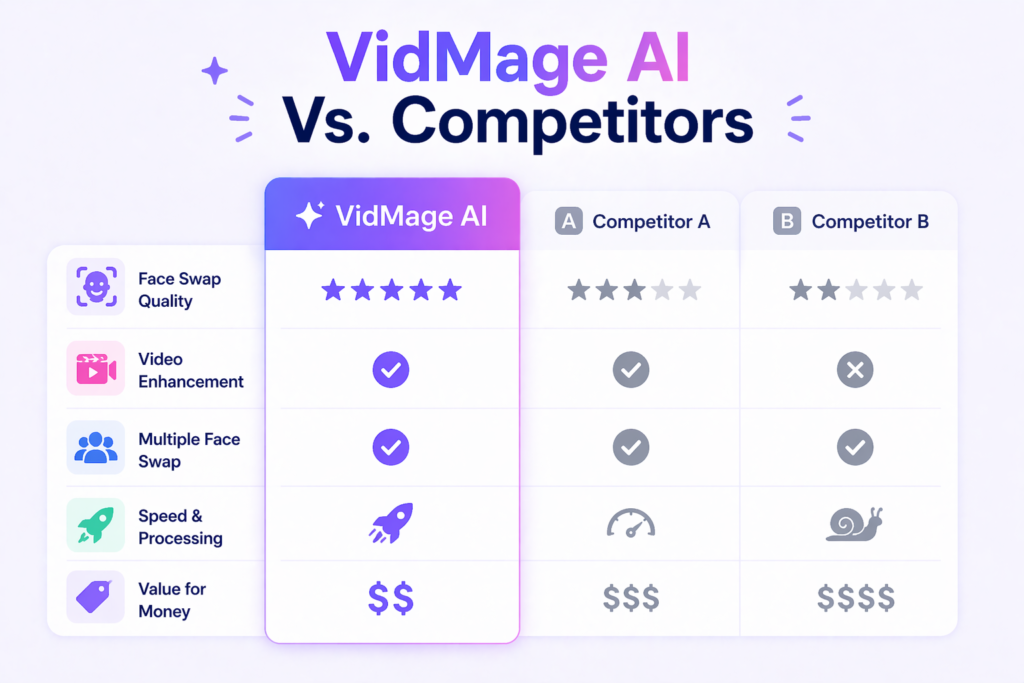
As AI filmmaking tools continue to improve, more people will have access to high-quality filmmaking capabilities. This democratization of film production could lead to more diverse voices and stories being told.

The future of filmmaking will likely be a partnership between human creativity and AI technology.

As one AI filmmaking course points out, their training can have a “net positive impact on the planet” through reduced carbon emissions, support for reforestation, and emission reduction.

For today’s filmmakers, learning to work with AI is becoming as important as understanding cameras and editing.

Those who can combine traditional filmmaking skills with AI knowledge will be well-positioned for success in this evolving industry.