

Designers Choice brings you the latest tools that help creative professionals work smarter.
In 2026, AI face swap technology has changed how we make content.
Whether you need funny memes for social media or professional video edits, the right face swap tool makes all the difference. This guide looks at VidMage AI, a popular app that helps creators make amazing face swap videos with realistic results.
Let’s see what this ai face swap tool can do for your projects.
What is VidMage AI?
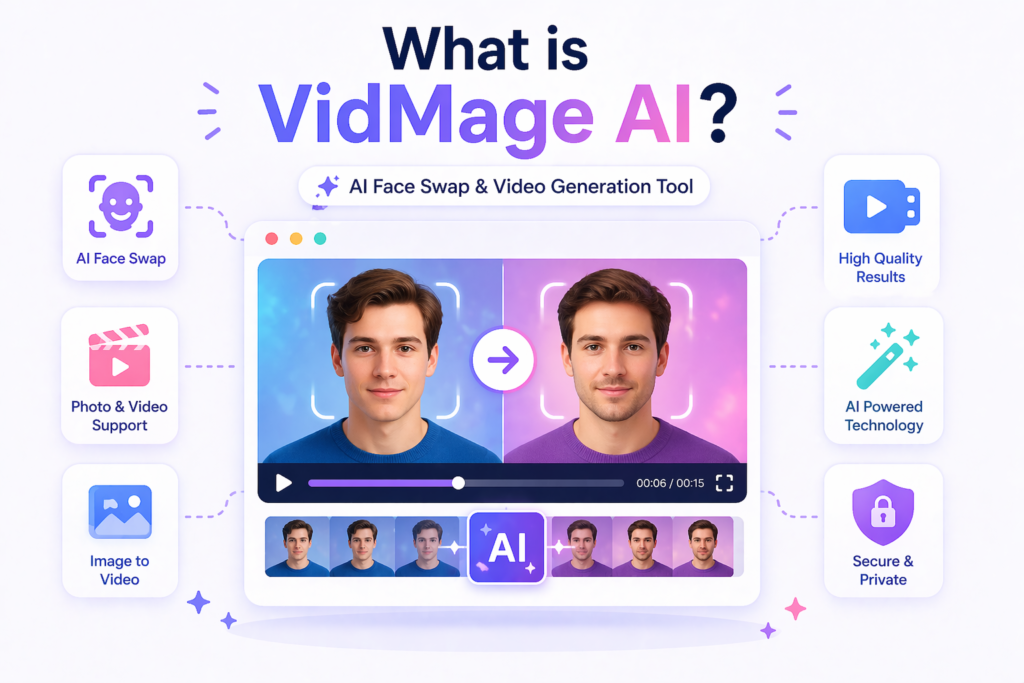
Overview of VidMage AI Technology
VidMage AI is an ai face swap platform that works right in your browser. It uses smart computer learning to swap faces in photos and videos.
The vidmage system can handle both simple edits and complex projects. Many creators use it for social media memes, marketing campaigns, and personal fun. The mac app version also lets Apple users work directly on their computers.
How VidMage AI Works?
The vidmage ai system scans faces in your uploaded files. It then matches skin tone, lighting, and angles to create realistic results. The functionality is simple: upload, select, swap, and download. You don’t need to be a tech expert to use this face swapping tool.
VidMage AI Key Features
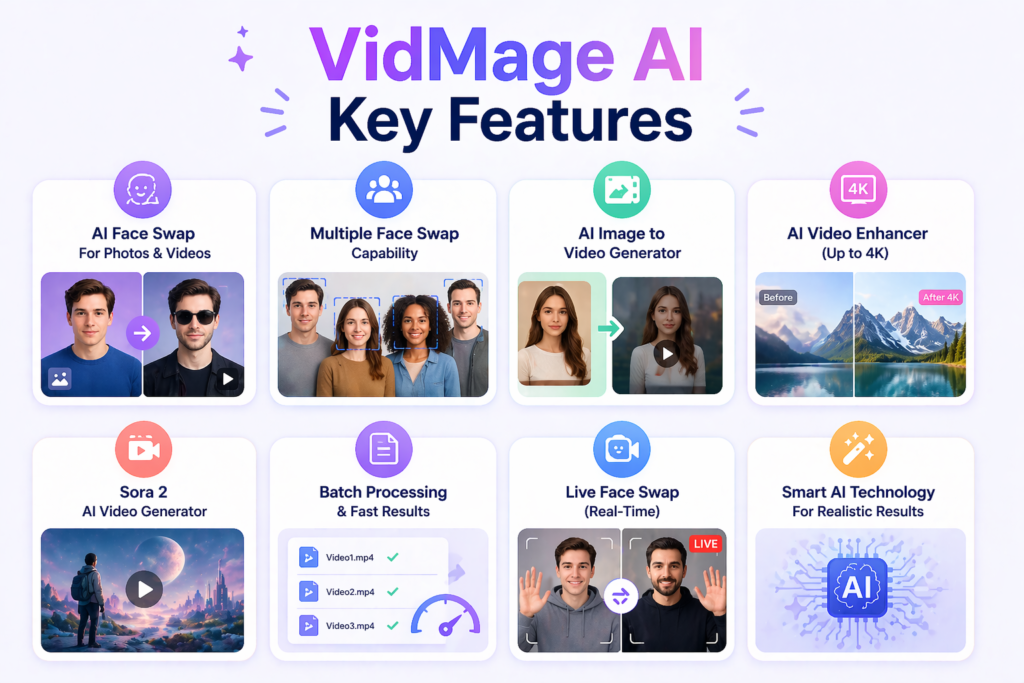
- AI Face Swap For Photos & Videos: The main key features include face swap for both still images and moving videos. This ai face swap option handles different file types with good quality.
- Multiple Face Swap Capability: VidMage lets you swap several faces at once. This is great for group photos or videos with many people. The multiple face swap feature saves time on big projects.
- AI Image to Video Generator: Turn static pictures into moving clips. This helps creators make content for social media without starting from scratch.
- AI Video Enhancer (Up to 4K): Improve old or low-quality footage. The enhancer boosts resolution up to 4K, giving professional needs the quality they demand.
- Sora 2 AI Video Generator: VidMage AI includes Sora 2 technology for making new videos from text or images. This adds extra functionality beyond just face swapping.
- Batch Processing & Live Face Swap: Handle many files at once with batch tools. The live face swap feature works in real-time for streaming or quick previews.
How to Use VidMage AI?

Step-by-Step Guide to Face Swapping
- Open Vidmage AI in your browser or launch the Mac app
- Upload your photo or video file
- Select the face you want to swap
- Choose the target face or upload a new one
- Click process and wait for the AI face swap to finish
- Download your new face swap videos or images
Tips For Best Results With VidMage AI
- Use clear, front-facing photos for better realistic results
- Match the lighting between the source and target images
- Check skin tone compatibility for natural looks
- Start with the free version to test functionality
Supported File Formats & Requirements
Vidmage accepts JPG, PNG, MP4, and MOV files. The app works on Windows, Mac, and mobile browser access.
VidMage AI Pricing & Plans
- Free Plan Vs. Premium Features: The free plan lets you try basic face swap tools with watermarks. You get limited credits each month for testing Vidmage AI features.
- Subscription Benefits & Credits System: Paid plans remove watermarks and unlock 4K exports. The credit system charges per swap or video length. Professional needs like marketing campaigns benefit from unlimited plans.
VidMage AI Use Cases
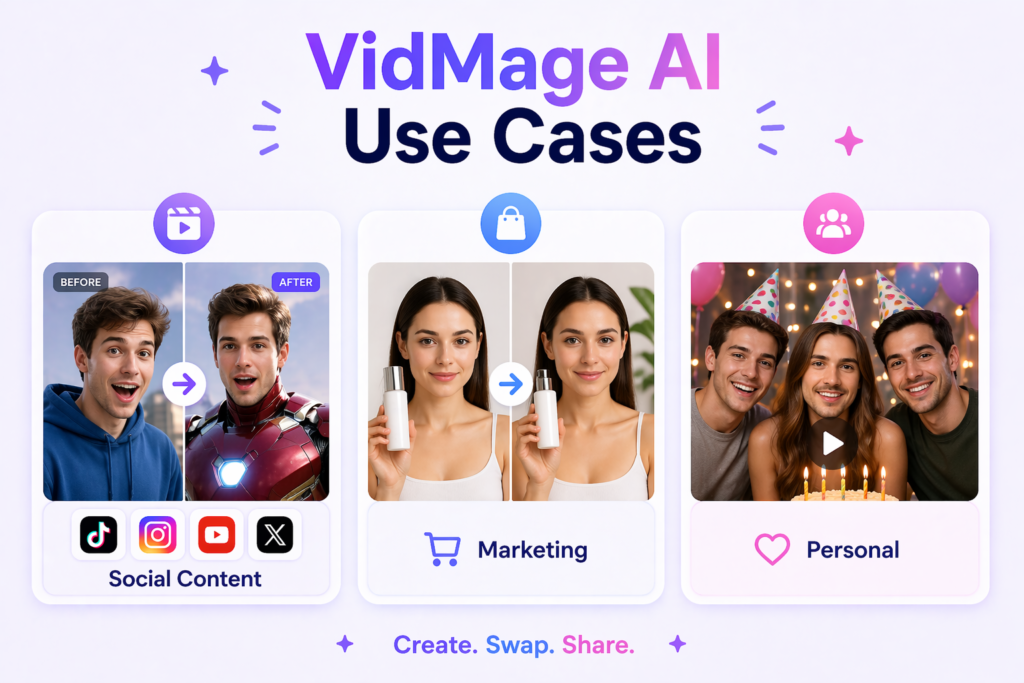
- Content Creation & Social Media: Creators use Vidmage for social media memes and viral content. Celebrity face swap videos get high engagement on platforms like TikTok and Instagram.
- Marketing & E-commerce: Brands create personalized ads with face swapping to show products on different models. This AI face swap tool helps make marketing campaigns more relatable.
- Personal & Entertainment Projects: Make funny memes for friends or family videos. The video face swap feature adds laughs to birthday clips and holiday greetings.
VidMage AI Vs. Competitors
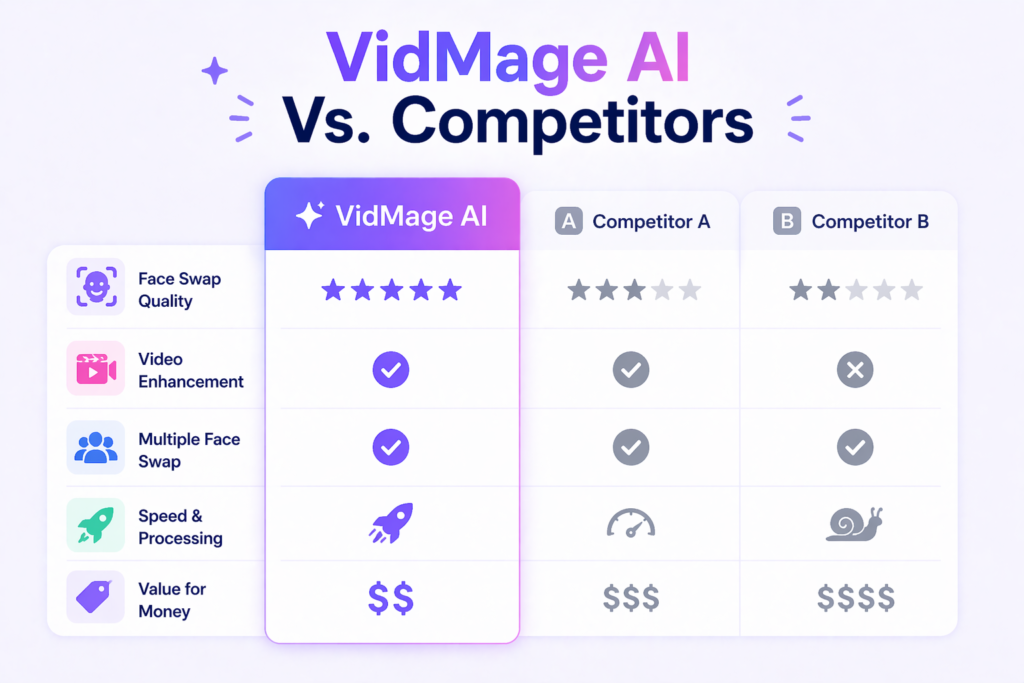
Specialized Vs. All-in-One AI Platforms
VidMage focuses mainly on face swap and video tools. Other platforms might offer more features but lack the depth in face swapping that vidmage ai provides. For pure face swap videos, this app beats general AI tools.
FAQ’s:
Is VidMage AI Free to Use For Face Swaps and Video Generation?
Yes, there is a free plan with basic face swap features. Advanced options and HD exports require paid credits.
Can VidMage AI Swap Multiple Faces In One Video?
Yes, the multiple face swap feature handles group shots. You can swap several faces in the same clip.
Does VidMage AI Support 4K Video Exports?
Yes, premium users can export face swap videos in 4K quality.
What File Formats Does VidMage AI Support?
The app accepts JPG, PNG, MP4, and MOV files. Both browser and mac app versions support these formats.
Is VidMage AI Safe and Private to Use?
Vidmage claims to delete uploaded files after processing. Always read their privacy policy for full details.
How Safe Is VidMage AI For Uploading Personal Photos and Videos?
The platform uses secure servers, but avoid uploading sensitive content. For professional needs, consider their business security options.
Are There Any Good Alternatives to VidMage AI For Free Face Swaps?
Other ai face swap tools exist, but vidmage offers better realistic results and easier functionality than most free options.
Conclusion
VidMage AI stands out as a solid face swap tool for 2026. Whether you need social media memes, marketing campaigns, or personal projects, this ai face swap platform delivers. The mac app and browser options give flexibility to all creators.
With key features like 4K enhancement and multiple face swap, Vidmage meets both fun and professional needs. Try the free version today and see how face swapping can boost your creative work.
