
Creating great pictures and videos used to take a long time.
Now, technology makes it much faster. At Designers Choice, we want to help you make your best work using modern tools.
One tool that is changing how people make things is Dzine AI.
This tool uses artificial intelligence to help you make professional-looking art and designs. Whether you are a graphic designer or someone who just likes to make things for fun, this software helps you finish your design work without spending hours on repetitive tasks.
The power of AI is helping many creators make high-quality images and videos quickly. With Dzine AI, you can build things that look professional even if you are just starting. This guide will help you see how this image generator can fit into your daily workflow.
What Is Dzine AI and How Does It Work?
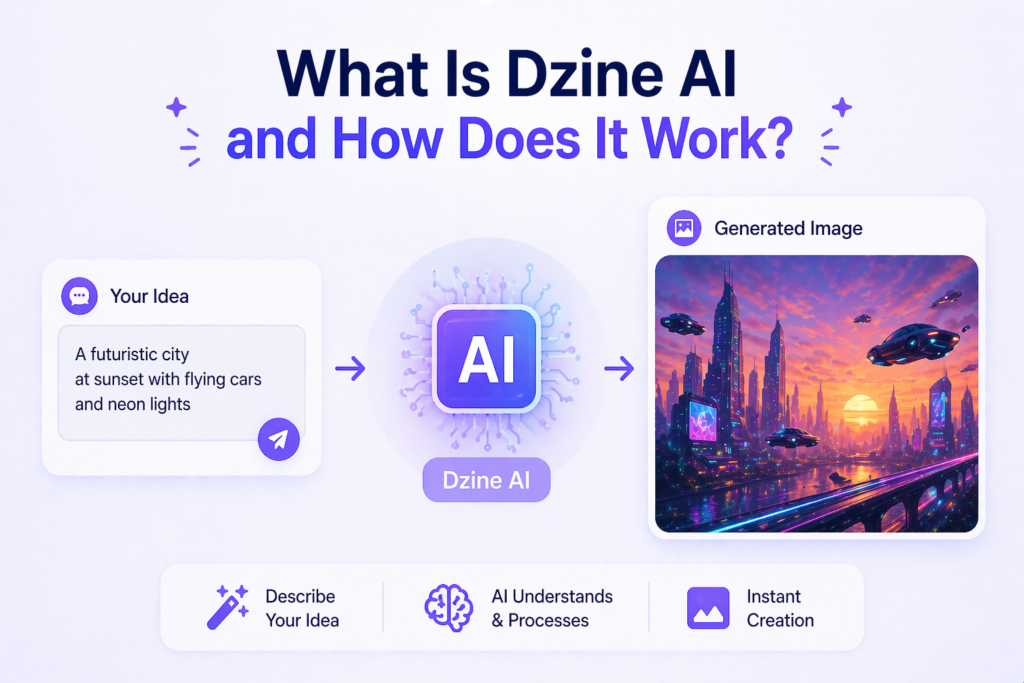
Dzine AI is a powerful computer program that acts as a digital artist.
It uses artificial intelligence to turn your ideas into reality. You type a description, and the program makes the image for you. It handles complex tasks that used to require fancy software like Photoshop.
Overview of Dzine AI’s Core Capabilities
The platform offers many advanced features in one place.
It is not just an image generator; it is a full studio. You can do image generation from text, edit photos, and even make videos. It works in the browser, so you do not need a super-powerful computer. It is built to make the creation process smooth for users of all skill levels.
Who Should Use Dzine AI?
Many different people find this tool helpful. Graphic designer professionals use it to speed up their projects. Marketers use it to make ads for social media. Influencers like it because they can make a cool avatar or talking character.
Even if you are just a hobbyist interested in anime art or room design, you will find that this tool makes your life easier.
Key Features of Dzine AI
This tool has many parts that make it stand out among other ai design tools.
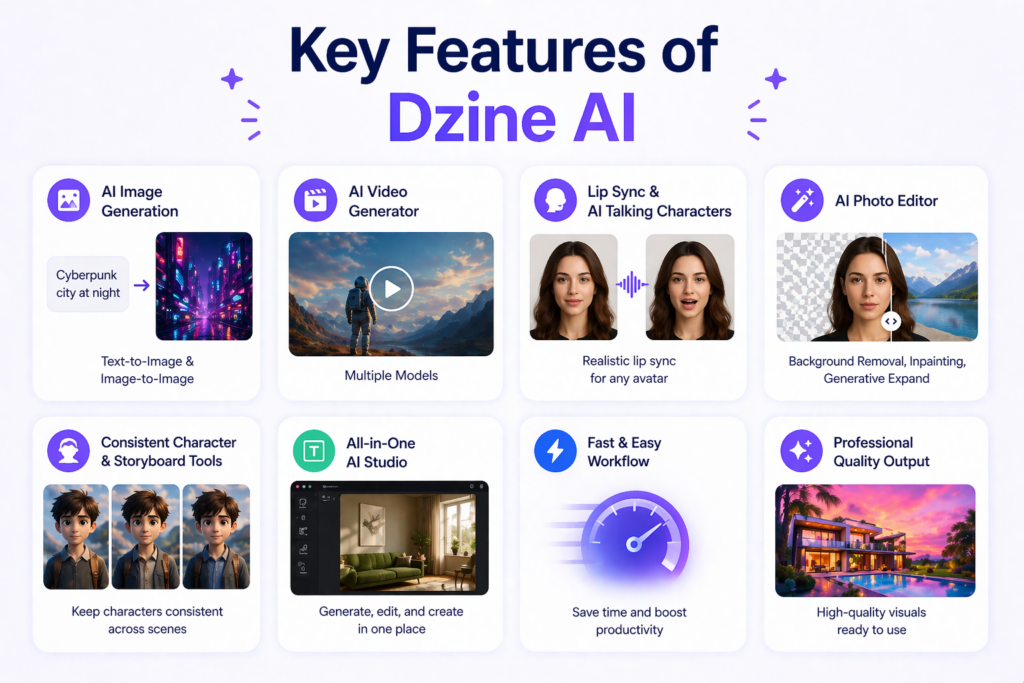
AI Image Generation (Text-to-Image & Image-to-Image)
The image generation tool is the main part of dzine. You type what you want, and the ai art generator makes it. If you have an existing photo, you can upload it, and the tool will change it based on your instructions. This helps you get a new style for your photos.
AI Video Generator with Multiple Models
Sometimes a picture is not enough. The video generator allows you to make short clips. It is great for visual content on sites like TikTok or Instagram. You can pick different models to change how the video looks.
Lip Sync & AI Talking Character Tools
The Dzine lip sync tool is a favorite for many. You can take an avatar or a person in a photo and make them talk. The sync is very good, making it look like the person is actually speaking your words. This is very popular with marketers who want to talk to their audience.
AI Photo Editor (Background Removal, Inpainting, Generative Expand)
The photo editor can do things that usually take a long time. It can remove a background instantly. It can also fill in missing parts of a photo or make a photo bigger using generative expansion. This makes your graphic design tasks much faster.
Consistent Character & Storyboard Tools
If you want to keep the same character in many pictures, this tool helps. It keeps your character looking the same across various media. This is great for people who want to tell a story or make a comic.
Dzine AI Pricing & Free Plan Details
Free Credits Vs. Paid Subscription Plans
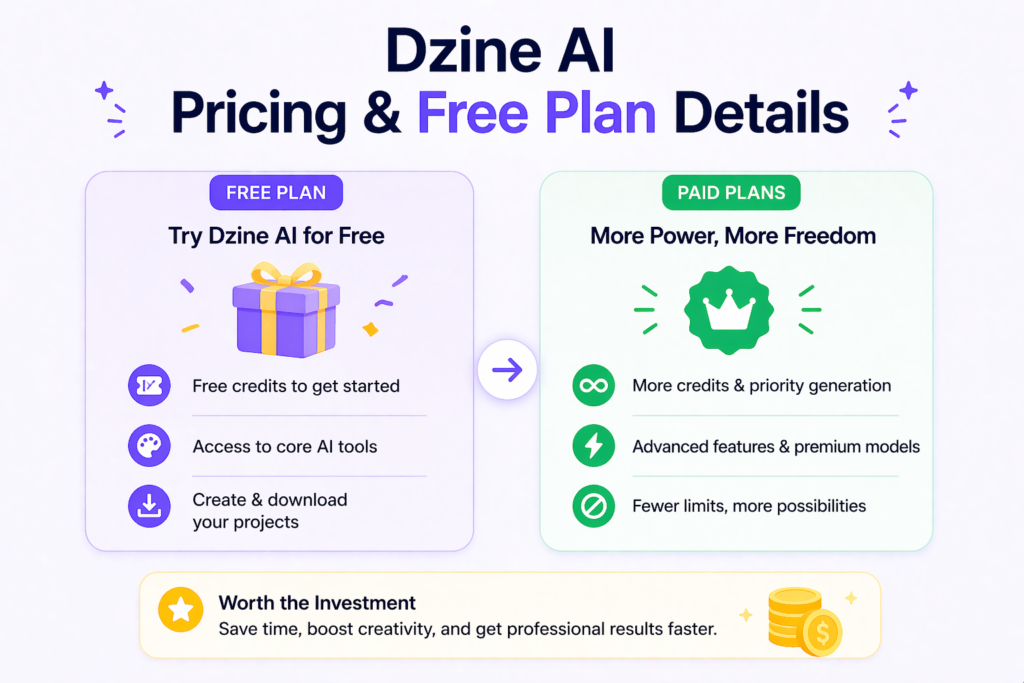
Dzine offers a free plan so you can test it out. When you sign up, you get free credits to start making things. If you need more, you can pay for a subscription. The paid plans give you more power and fewer limits on your work.
Is Dzine AI Worth the Investment?
If you make a lot of visual content, it is usually worth the cost. Think about how much time you save. If you do not have to spend hours on repetitive tasks, you have more time to be creative. For people who do design work daily, the time saved makes the price a good deal.
Dzine AI Vs. Other AI Design Tools
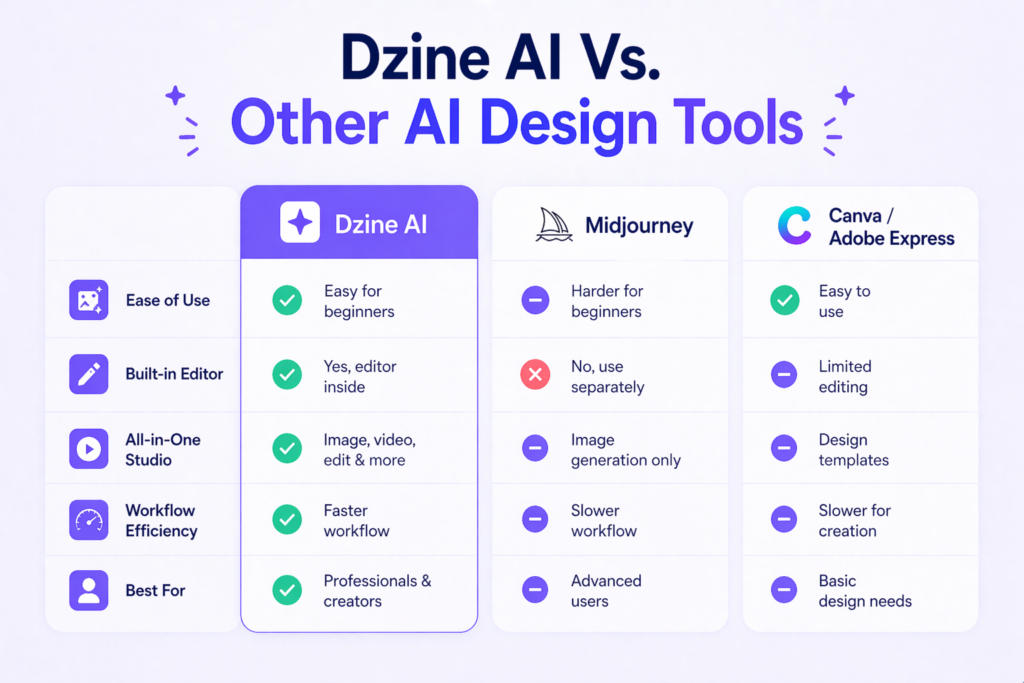
Dzine AI Vs. Midjourney
Midjourney is known for high-quality art, but it can be hard for beginners. Dzine is much easier because it has an editor inside. You can change your image right there instead of typing new commands over and over.
Dzine AI Vs. Canva & Adobe Express
Canva is great for simple layouts, but Dzine is better for actually making new images from scratch. It is like having a super-powered artist in your pocket. While Canva is for putting things together, Dzine is for creating the parts that go on the page.
How to Get Started with Dzine AI?
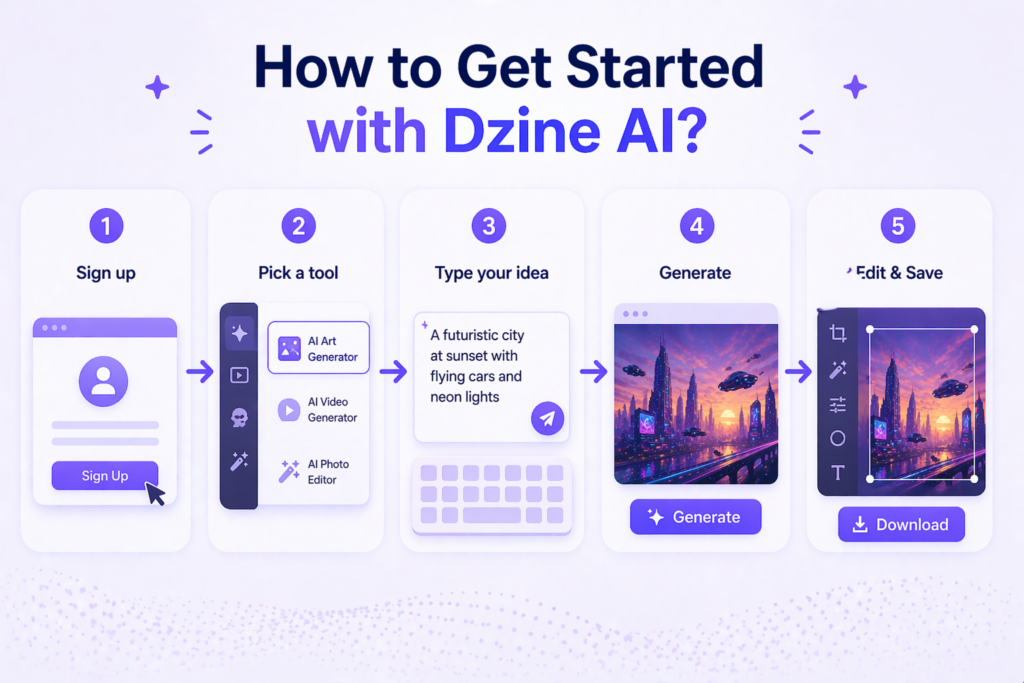
Step-by-Step Guide For Beginners
- Go to the website and sign up for the free plan.
- Look at the dashboard and pick a tool, like the AI art generator.
- Type a simple sentence about what you want to see.
- Hit generate.
- Use the editing tools to fix anything you want to change.
- Save your work.
Tips to Maximize Your Dzine AI Results
Be very clear in your description. Instead of saying “a room,” say “a bright room design with blue walls and a big window.” Using specific words helps the artificial intelligence make exactly what you want.
FAQ’s:
What Is Dzine AI Used For?
This tool is a great choice for anyone who needs high-quality visual content quickly.
It helps with image generation, making short clips with a video generator, and even special tasks like interior design or room design. You can use it to build a cool avatar for social media or handle complex graphic design projects without getting stuck.
Is Dzine AI Free to Use?
Yes, you can start using it without paying any money by signing up for the free plan.
When you join, the platform gives you free credits that you can spend to try out the image generator and other tools. This is perfect for creators who want to see how the power of AI works before they decide to buy a subscription.
Is Dzine AI Suitable For Beginners?
The creators made sure the user experience is very simple so that beginners don’t feel confused.
\You don’t need to be a pro at photoshop to get amazing results with this ai art generator. The buttons are easy to find, and the system guides you through the creation process so you can make art right away.
Is Dzine AI Suitable For Professionals and Casual Users?
It really works for everyone, from a professional graphic designer to someone who just wants to make anime art for fun. Professionals love it because it speeds up their workflow and handles repetitive tasks in seconds.
Casual users and influencers like it because it lets them turn a simple idea into a new style of art without any hard work.
Does Dzine AI Offer A Free Trial Or Demo?
The free plan is basically a permanent trial that lets you explore the advanced features at your own pace. You can test the lip sync tools or the photo editor to see if they fit your specific design work.
It’s a great way for marketers to test different ideas for various media without spending a dollar upfront.
What Makes Dzine AI Different From Other AI Tools?
Most AI design tools make you switch between different apps, but Dzine keeps everything in one workspace. It combines an image generator with a full editor, so you can fix your pictures as soon as the artificial intelligence creates them.
This makes the whole creative process feel much faster and more organized than using other sites.
Can I Use Dzine AI on Mobile Devices?
Since the tool works right in your internet browser, you can access your workflow from a phone or tablet. This is helpful for creators who get an idea while they are away from their desk and want to start the image generation process immediately.
You can manage your projects and use the video generator from almost anywhere.
Where Can I Find Examples of Images and Videos Created With Dzine AI?
The best place to look is the community gallery on the official DZINE AI website.
You can see how other people are using the Dzine lip sync and image generator to create professional art. Looking at these examples can give you great ideas for your own visual content and show you what the tool can really do.
Conclusion
Using Dzine AI is a smart way to change how you handle your design work. This platform brings the power of AI to your fingertips, making it easy for users of all skill levels to create something beautiful.
Whether you are a professional graphic designer or a social media avatar creator, the tools here save you time on repetitive tasks. You can jump from image generation to editing without ever leaving the site, which keeps your workflow very smooth.
The free plan and free credits make it easy to start without any risk. From making anime art to professional room design, there are no limits to what you can build. It is much easier to use than Photoshop, making it a top choice for beginners and marketers alike.
By using artificial intelligence, you can focus on your big ideas while the image generator handles the hard parts of the creation process. Start exploring today and see how these AI design tools can help you bring your best visions to life.
