
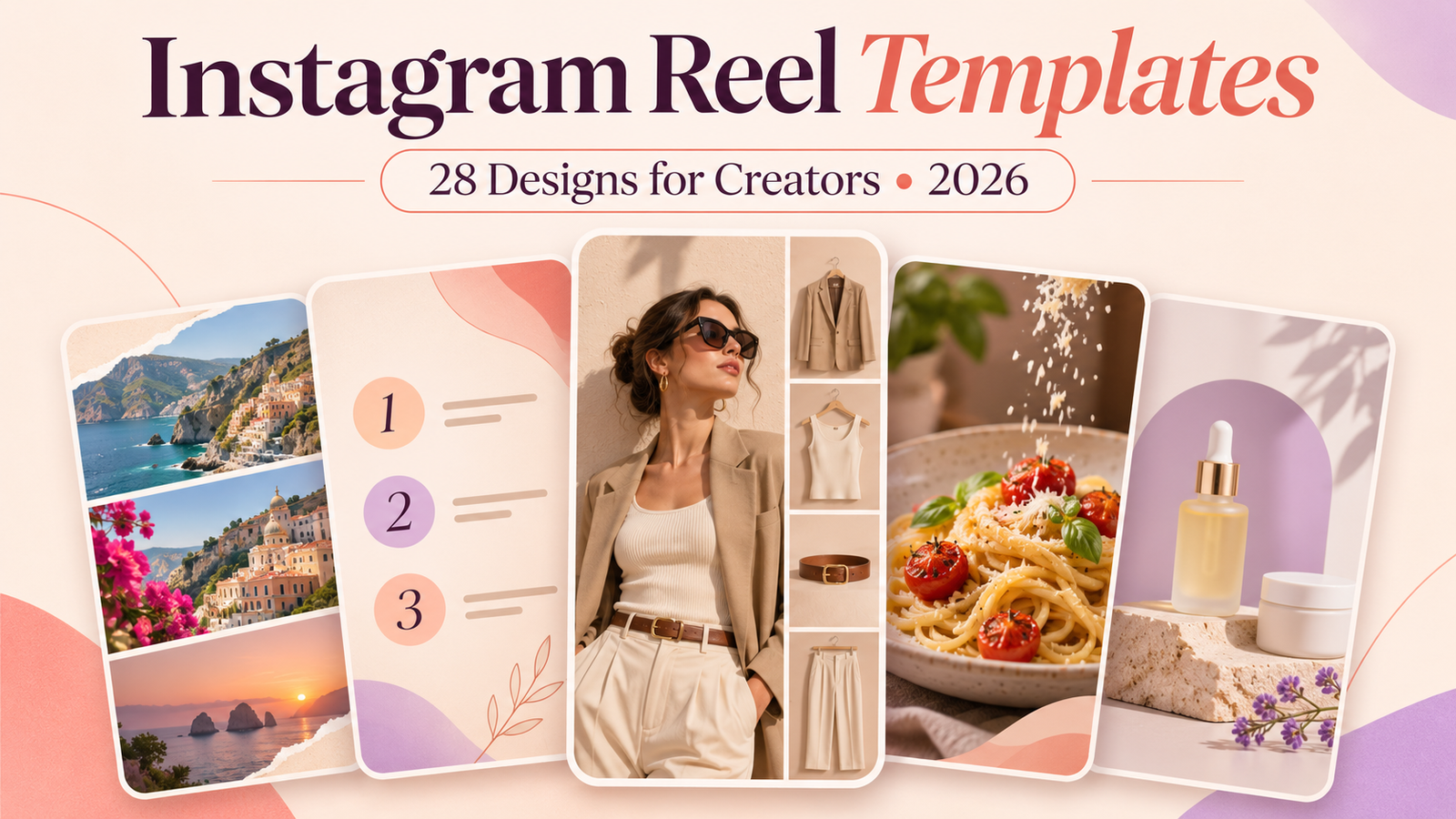
Instagram Reel templates help you turn photos, video clips, and ideas into a structured video without designing every scene from scratch. A useful template gives you a starting point for text placement, clip timing, transitions, and branding.
The best choice depends on what you want to publish. A photo collage suits a travel recap, a numbered layout makes a tutorial easier to follow, and a product demonstration needs space to show the product in action.
This guide covers 28 Instagram Reel template styles for 2026, with practical scene structures, suggested search terms, and customization tips. These are design recommendations and reusable blueprints, rather than a ranking of individually tested downloadable templates.
Quick Summary:
- For educational content: Start with minimalist tips, numbered lists, or tutorial templates.
- For photos: Try slideshows, scrapbook collages, filmstrips, and monthly recaps.
- For businesses: Use product demonstrations, customer testimonials, launch announcements, and event invitations.
- Where to look: Explore Canva, Adobe Express, Instagram’s native templates, and Meta’s Edits app.
- Before publishing: Replace placeholders, check captions, preview cropping, and make sure every scene is readable on a phone.
Where to Find Instagram Reel Templates in 2026
Template platforms offer different starting points. Some focus on editable graphic layouts, while others let you reuse an existing video’s timing and editing structure.
| Platform | Useful For | What to Check |
|---|---|---|
| Canva | Branded layouts, photo collections, and promotional videos | Whether the selected template or assets require payment |
| Adobe Express | Videos combining footage, text, graphics, and animation | Free versus premium elements |
| Reusing the audio and clip timing of eligible Reels | Whether a template option appears for the selected Reel | |
| Meta Edits | Adapting reusable video projects and inspecting their editing structure | Available templates and features in your installed version |
Canva’s Instagram Reel template collection provides editable video designs. Adobe Express’s Reel maker also offers templates alongside tools for editing clips and adding animation.
Instagram’s native templates work differently. They preload audio and clip placeholders so you can add your own photos or videos to an existing structure. You can read more in Meta’s explanation of Instagram Reel templates.
A useful 2026 update is template support in Edits. Meta confirms that you can open an Edits template’s project file, inspect how it was made, and adapt it. Its April 2026 announcement described more complex template capabilities as upcoming, so check the app before assuming every announced feature is available. See Meta’s 2026 Edits update for details.
28 Best Instagram Reel Template Styles for Creators
Use the following designs as starting points for your own content. The search phrases are suggestions for finding similar layouts in your chosen template library, rather than exact template names.
1. Minimalist Tip Template
Best for: Educators, consultants, and professional accounts.
Choose a plain background, a clear headline, and one short point per scene. Add a brief example beneath each tip, leaving enough space for comfortable reading.
Suggested structure: Question → three tips → practical takeaway.
Search term: “minimalist tips reel”
2. Numbered List Template
Best for: Recommendations, checklists, and resource roundups.
Give each item a consistent number, heading, and supporting visual. Keep each entry understandable on its own so viewers can follow the list easily.
Suggested structure: List title → numbered items → final recommendation.
Search term: “numbered list Instagram reel”
3. Screen Recording Tutorial Template
Best for: Software demonstrations, design tutorials, and technical walkthroughs.
Combine a screen recording with short step labels. Crop into the controls or details viewers need to see, and keep captions away from the action.
Suggested structure: Finished result → numbered steps → result shown again.
Search term: “screen recording tutorial reel”
4. Talking-Head Caption Template
Best for: Commentary, explanations, and personal brands.
Keep your face visible and position readable captions where they do not cover your mouth or important gestures. Highlight key phrases sparingly.
Suggested structure: Opening statement → explanation → example → takeaway.
Search term: “talking head captions reel”
5. Myth-versus-Fact Template
Best for: Explaining common misunderstandings in your niche.
Use clearly labeled scenes for the misconception and correction. Follow the correction with an explanation, example, or supporting evidence.
Suggested structure: Myth → fact → explanation.
Search term: “myth fact video template”
6. Frequently Asked Question Template
Best for: Service businesses, coaches, and customer support content.
Open with one specific customer question, then answer it through a short explanation or demonstration. Use the same visual format for a recurring FAQ series.
Suggested structure: Question → answer → next step.
Search term: “FAQ Instagram reel”
7. Photo Dump Slideshow
Best for: Weekend recaps, personal updates, and monthly highlights.
Arrange photos in a simple sequence with consistent cropping and minimal text. Give detailed images enough screen time to be understood.
Suggested structure: Opening photo → highlights → closing memory.
Search term: “photo dump reel”
8. Scrapbook Collage Template
Best for: Travel memories, celebrations, and lifestyle content.
Combine overlapping photo frames, small captions, and paper-style backgrounds. Leave space around important images so the layout remains easy to follow.
Suggested structure: Title card → themed photo groups → closing note.
Search term: “scrapbook collage reel”
9. Filmstrip Photo Template
Best for: Photography portfolios and visual diaries.
Place images inside repeated film frames. Use consistent borders and restrained transitions to keep attention on the photographs.
Suggested structure: Series title → photo sequence → photographer credit.
Search term: “filmstrip photo reel”
10. Monthly Recap Template
Best for: Creators documenting progress and recurring highlights.
Select a few meaningful moments and group them into a short story. Include a lesson, milestone, or next goal to give the recap a clear purpose.
Suggested structure: Month title → highlights → lesson or next goal.
Search term: “monthly recap reel”
11. Day-in-the-Life Template
Best for: Freelancers, students, makers, and lifestyle creators.
Connect short clips with timestamps or activity labels. Build the sequence around a theme, such as preparing for a shoot or finishing a client project.
Suggested structure: Starting point → key activities → end-of-day result.
Search term: “day in my life reel”
12. Travel Mini-Itinerary Template
Best for: Destination guides and weekend trip ideas.
Pair location footage with useful labels for each stop or activity. If you include prices or opening hours, state when the information was checked.
Suggested structure: Destination → suggested stops → planning tip.
Search term: “travel itinerary reel”
13. Outfit Lookbook Template
Best for: Fashion creators, boutiques, and stylists.
Give each outfit a separate scene and use consistent framing. Add short labels explaining the occasion, styling idea, or key pieces.
Suggested structure: Theme → outfit options → favorite combination.
Search term: “fashion lookbook reel”
14. Beauty Routine Template
Best for: Makeup demonstrations and product routines.
Use numbered steps and close-up footage. Position labels away from the area being demonstrated so viewers can see the application clearly.
Suggested structure: Desired look → application steps → finished look.
Search term: “beauty routine reel”
15. Recipe Step Template
Best for: Food creators and cooking demonstrations.
Show the finished dish early, then guide viewers through the ingredients and preparation. Include essential quantities and timings in readable text or the accompanying post caption.
Suggested structure: Finished dish → ingredients → method → serving shot.
Search term: “recipe steps reel”
16. Café or Restaurant Showcase Template
Best for: Hospitality businesses and local food creators.
Mix an exterior shot, interior details, preparation footage, and a signature item. End with useful visiting information.
Suggested structure: Location → atmosphere → food → visit details.
Search term: “cafe promotion reel”
17. Exercise Demonstration Template
Best for: Fitness instructors explaining movements.
Select a layout with room for a full-body demonstration and short technique cues. Keep graphics away from the body parts viewers need to observe.
Suggested structure: Movement name → demonstration → key cues.
Search term: “exercise demonstration reel”
18. Before-and-After Reveal Template
Best for: Design, interiors, photography, and styling.
Use matching angles and comparable framing. Label both versions and briefly explain the changes so viewers can understand the transformation.
Suggested structure: Before → process detail → after.
Search term: “before after reveal reel”
19. Portfolio Case Study Template
Best for: Designers, photographers, and creative freelancers.
Focus on one project and explain the brief, a few important decisions, and the finished work. Use close-ups where details would otherwise be difficult to see.
Suggested structure: Client challenge → creative approach → final deliverables.
Search term: “portfolio case study reel”
20. Behind-the-Scenes Process Template
Best for: Makers, studios, agencies, and small businesses.
Connect preparation footage with the finished result. Explain an interesting detail that the audience would not see in the completed product alone.
Suggested structure: Setup → work in progress → result.
Search term: “behind the scenes reel”
21. Product Demonstration Template
Best for: Brands explaining how a product works.
Show the product being used, with each scene focused on one function or benefit. Support the explanation with visible action.
Suggested structure: Use case → demonstration → result → next step.
Search term: “product demo reel”
22. New Product Launch Template
Best for: New collections, digital products, and service launches.
Introduce the product clearly, show what it does, and explain who it serves. Include an accurate release date and a clear next step.
Suggested structure: Product reveal → main benefit → availability.
Search term: “product launch reel”
23. Customer Testimonial Template
Best for: Businesses presenting customer experiences.
Combine an approved customer quote with relevant footage. Preserve the meaning of the original feedback and provide enough context for viewers to understand it.
Suggested structure: Customer context → feedback → supporting example.
Search term: “customer testimonial reel”
24. Creator Review Template
Best for: Hands-on reviews and product walkthroughs.
Use conversational footage with room for observations, product close-ups, and a clear verdict. Explain who the product may suit and where it has limitations.
Suggested structure: First impression → demonstration → strengths and limitations.
Search term: “creator product review reel”
25. Event Invitation Template
Best for: Workshops, webinars, launches, and community events.
Make the event name, date, time zone, location, and booking instructions easy to find. Allow enough time for viewers to read the essential details.
Suggested structure: Event promise → essential details → registration step.
Search term: “event invitation reel”
26. Sale or Offer Template
Best for: Seasonal promotions and limited offers.
Keep the offer visible and explain what it applies to. Include the actual end date and any essential conditions.
Suggested structure: Offer → eligible products → deadline → action.
Search term: “sale promotion reel”
27. Animated Quote Template
Best for: Personal reflections and short editorial messages.
Pair one short quotation or original statement with a simple background. Add accurate attribution when using someone else’s words.
Suggested structure: Statement → brief interpretation → audience prompt.
Search term: “animated quote reel”
28. Beat-Matched Montage Template
Best for: Travel clips, celebrations, and visual highlights.
Select footage that fits the template’s clip slots, then adjust crops and transitions. Check that important moments remain understandable at the chosen pace.
Suggested structure: Opening visual → rhythmic sequence → closing shot.
Search term: “beat sync montage reel”
How to Choose the Right Instagram Reel Template
Start with the content you already have and the purpose of the Reel. The following combinations provide a practical starting point.
| Your Content | Suitable Template Format |
|---|---|
| One spoken explanation | Talking-head captions |
| Several photographs | Slideshow, collage, or filmstrip |
| A process to demonstrate | Numbered tutorial |
| A product in use | Product demonstration |
| A visual transformation | Before-and-after reveal |
| Several short action clips | Montage |
| An event or promotional offer | Announcement layout |
Next, test your actual headline inside the design. If it requires very small text, covers the subject, or takes too long to introduce the topic, choose a simpler layout.
Check editing flexibility before committing. You should be able to replace media, adjust scene lengths, edit text, and remove unnecessary elements.
How to Customize Instagram Reel Templates
1. Write the Opening Message
Tell viewers what they will learn or see. For example, “Three ways to improve your product photos” gives the first scene a clear purpose.
2. Replace the Example Content
Add your footage, photographs, screenshots, and wording. Review every scene for leftover names, sample prices, dates, and placeholder text.
3. Apply Your Visual Style
Use a small color palette and one or two readable typefaces. Keep headline placement, caption styling, and transitions consistent. If you need font ideas, explore our Canva fonts list.
4. Adjust the Pacing
Watch the complete video without pausing. If you cannot read a label or understand an action, extend that scene or simplify its content.
5. Check Captions and Audio
Correct transcription errors, especially names and technical terms. Listen for music that obscures speech, abrupt cuts, and inconsistent volume.
6. Preview the Cover and Upload
Check the cover in Instagram’s available previews. Position the title and main subject so they remain understandable when cropped.
What Size Should an Instagram Reel Template Be?
For a full-screen vertical design, use 1080 × 1920 pixels with a 9:16 aspect ratio as a practical working canvas.
Keep essential text away from the outer edges and interface areas. Preview the upload in Instagram because overlays and cropping can affect how the finished design appears.
This is a design starting point rather than a complete specification for every organic or advertising placement.
Free vs. Paid Instagram Reel Templates
Start with a free template and check whether it supports the video you want to create. Before customizing, inspect the included assets and export options: a free editor may still contain individual premium elements.
A paid option can make sense when a specific template, asset collection, or recurring workflow feature solves a clear production need. Check current plan details rather than subscribing solely for access to a larger library.
For a closer comparison of Canva’s options, read our Canva Pro vs. Free guide.
Common Instagram Reel Template Mistakes
- Choosing the design before the message: Outline your content first so the layout supports it.
- Leaving placeholder copy behind: Check names, dates, prices, and calls to action.
- Using unreadable text: Test the finished video on a phone.
- Adding unnecessary transitions: Use movement to guide attention and connect scenes.
- Overfilling collage layouts: Give important images enough space.
- Copying a format without adapting it: Add your own explanation, footage, and perspective.
- Measuring every Reel by views alone: Choose a result that matches the purpose, such as saves for a reference guide or inquiries for a service demonstration.
Frequently Asked Questions
What are Instagram Reel templates?
Instagram Reel templates are reusable structures for creating Reels. Depending on the tool, they can include clip timing, audio, text placement, transitions, or editable graphic layouts.
Are Instagram templates the same as Canva templates?
They support different editing needs. Native Instagram templates reuse audio and clip placeholders, while Canva provides editable design layouts that you customize with your own content.
Can I use templates in Meta’s Edits app?
Yes. Meta’s 2026 update confirms that Edits templates let you inspect a project and adapt it to your own video. Check your installed version for available tools and templates.
Which Reel template should beginners try first?
A photo slideshow or three-step tutorial is a practical starting point. Both provide a clear structure with relatively few elements to manage.
Can I make an Instagram Reel using only photos?
Yes. Photo dumps, collages, filmstrips, and recap layouts are suitable options. Adjust the timing and cropping for each image so viewers can follow the sequence.
Will using a template increase my views?
A template can help organize production, but it does not guarantee reach. Evaluate whether the finished video communicates clearly and achieves its intended purpose.
Can I reuse the same Reel template?
Yes. Reuse layouts for recurring series while updating the footage, message, and examples. Keep several formats available for different content needs.
Which Instagram Reel Template Should You Try First?
Choose a format that matches your next post: a numbered tutorial for teaching, a collage for photos, or a demonstration for a product.
Create a complete Reel, preview it on your phone, and adjust anything that makes the message harder to follow. Save the customized layout as a starting point for your next video.
