

Design bundles are discounted packs of fonts, graphics, and templates that you buy together for one price. A good bundle can bring the cost of each asset down to a few cents. That saving only counts if the license and file types fit your project.
This guide shows you what is inside a bundle and how to compare the price. It also covers which license you need and how to keep your files organized after you download them.
| Design bundles at a glance | Quick answer |
|---|---|
| What they are | Collections of digital design assets sold together at a discount |
| Typical contents | Fonts, SVG cut files, vector illustrations, clipart, patterns, templates |
| Who they suit | Crafters, small business owners, social media managers, freelance designers |
| Main benefit | A much lower cost per asset and a ready library for future projects |
| Main risk | Paying for files you never use, or using them outside the license |
| First thing to check | The license terms and the file formats included |
What Are Design Bundles and Why Should You Use Them?
How Bundling Digital Assets Works
A bundle is a group of digital files that share a theme or a purpose. One pack might hold 50 fonts. Another might hold 100 SVG files for cutting machines.
Think of it like buying building materials. You could buy one brick at a time, but a full pallet costs less per brick and arrives in one delivery. Bundles work the same way for design files.
Designers usually group assets that work well together. A summer pack, for example, might include beach illustrations, bright patterns, and playful fonts. Because one person or one team made the set, the styles tend to match.
After you buy, you download a zip file. Inside, you will often find the same artwork in several formats, such as SVG, PNG, and EPS. That gives you a ready library, so you spend less time searching for a matching graphic.
Bundle vs. Individual Purchase: A Cost Example
Buying assets one by one adds up quickly. Say you want to make a birthday card. You pick one flower graphic, one font, and one background pattern. The table below compares that with a themed bundle. The prices are examples, not quotes from a specific store.
| Bought individually | Bought as a bundle | |
|---|---|---|
| What you get | 1 flower graphic, 1 font, 1 pattern | 200 flower graphics, 10 fonts, 50 patterns |
| Total items | 3 | 260 |
| Example price | $25 ($5 + $15 + $5) | $20 |
| Cost per item | About $8.33 | About $0.08 |
| Checkouts | Up to three | One |
The bundle wins on cost per item by a wide margin. There is one catch. The saving is only real if you use the files. If you need a single font for a single project, buying that font alone can still be the cheaper choice.
A simple rule helps here. Buy a bundle when you can name at least three projects that will use it.
Top Categories of Design Bundles Available Online
Font and Typography Bundles
Font bundles are among the most popular packs. They often mix several styles, such as script, serif, sans serif, and display fonts. Handwritten scripts suit wedding invitations and thank you cards. Vintage display fonts suit signs, labels, and posters.
A varied font library makes it easier to build a brand identity for yourself or a client. You can pick one font for headings and another for body text. Our guide to Canva font pairings shows which styles work well together.
Before you buy, check that the fonts include the characters you need. Some decorative fonts skip numbers, punctuation, or accented letters.
SVG and Cut Files for Crafters
Cutting machines such as Cricut and Silhouette cut paper, vinyl, and fabric into shapes. They follow the outlines in a vector file, and SVG is the most common format for that job.
SVG stands for Scalable Vector Graphics. You can resize an SVG to any dimension and the edges stay sharp. That matters when the same design goes on a small sticker and a large shirt.
SVG bundles often follow a theme. A Christmas pack might include snowflakes, reindeer, trees, and holiday sayings. You can use them for ornaments, shirts, and window decals. If you also need lettering for those projects, see our list of Christmas fonts on Canva.
Vector Illustrations and Graphics Packs
Vector illustrations are drawings built from lines and curves. Photos are different because they are built from pixels. A photo turns blurry when you enlarge it too far, while a vector stays clean at any size.
Graphics packs cover almost every theme. You might find cute animals for a nursery print or food drawings for a restaurant menu. Many packs also include clipart as PNG files, which you can drop straight into a project.
You can change the colors and combine elements to create something new. Take care with logos, though. Many licenses do not allow you to use bundle graphics as a logo or trademark, because other buyers own the same files.
Social Media and Marketing Templates
Businesses post on Instagram, Facebook, X, and other platforms almost every day. Designing each post from scratch takes a lot of time. Templates solve that problem.
A template is a finished layout with placeholders for your photos and text. You swap in your own content and export the result. Template packs usually share one visual style, so your feed looks consistent.
Most packs include layouts for posts, stories, and banners in the correct sizes for each platform. Check which app the templates open in before you buy. A Canva template and a Photoshop template are not interchangeable.
How to Choose the Best Design Bundles For Your Projects?

Checking Commercial vs. Personal Licensing
A license tells you how you may use the files. It is the most important thing to read before you pay. License names and limits differ from store to store, but most fall into three groups.
| License type | What it usually allows | What it usually does not allow |
|---|---|---|
| Personal use | Gifts, home decor, school projects, items for yourself | Selling anything made with the files |
| Commercial use | Selling finished products such as shirts, mugs, cards, and client work | Reselling or sharing the original files; some licenses cap the number of sales |
| Extended or print on demand | Higher or unlimited sales, and sometimes print on demand services | Reselling the original files as they are |
Many large bundles include a commercial license, but never assume it. Look for these points in the license text:
- Is there a limit on how many items you can sell?
- Does it cover print on demand, or only products you make yourself?
- Can you use the graphics in digital products, such as printables or templates?
- Can you use the fonts on a website or in an app, or only on a desktop?
- Does the license cover one user or a whole team?
- Is logo or trademark use allowed?
If the answer is unclear, ask the seller before you buy. Save a copy of the license with the files, so you have proof of the terms later.
File Compatibility (Adobe, Canva, Cricut, etc.)
A bundle is only useful if your software can open it. Every product page should list the file types included. Match that list against the table below.
| File type | What it is | Best for |
|---|---|---|
| SVG | Scalable vector file | Cricut Design Space, Adobe Illustrator, Canva uploads, web graphics |
| DXF | Vector outline file | Silhouette Studio (the free edition opens DXF but not SVG) |
| PNG | Image that supports a transparent background | Canva, sublimation printing, stickers, layering over photos |
| JPG | Compressed image with a solid background | Photos, backgrounds, digital paper |
| EPS and AI | Editable vector artwork | Adobe Illustrator and other vector editors |
| PSD | Layered image file | Adobe Photoshop mockups and templates |
| OTF and TTF | Desktop font files | Installing fonts on Windows and Mac |
A few details are worth knowing. Canva accepts PNG, JPG, and SVG uploads on every plan. Uploading your own fonts is different, because it needs a paid plan. We explain the steps in can you upload fonts to Canva.
Sublimation printing transfers ink onto shirts and mugs with heat. It needs high resolution artwork. Look for PNG files at 300 DPI, sized for the product you plan to print.
Evaluating the Quality of Designers and Marketplaces
Bundle quality varies a lot. Some packs come from experienced designers. Others are rushed collections of low quality or copied artwork. These signs help you tell them apart:
- Clear previews: the product images show the real files in sharp detail, not only a stylized cover.
- A full contents list: the description states the number of items and every file format.
- Detailed reviews: buyers describe how the files worked in their software. Vague one-line praise tells you little.
- A visible license: you can read the full terms before checkout.
- Working support: the store offers an email address, a contact form, or live chat, and replies to questions.
- A fair refund policy: digital products are often non-refundable, so read the policy first. Good stores still replace broken or mislabeled files.
Be careful with packs that promise tens of thousands of files for a few dollars. Huge counts often include duplicates and filler. They can also include artwork the seller has no right to sell. If a pack features famous characters or brand logos, the license cannot protect you.
Where to Find High-Quality Design Bundles?
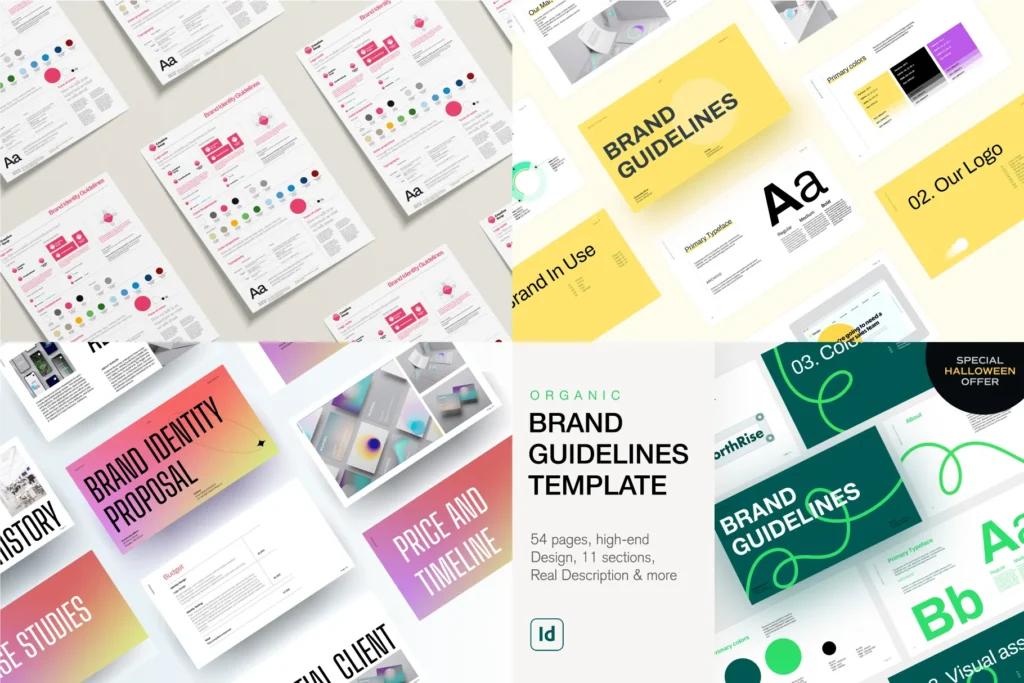
Marketplaces vs. Independent Designer Shops
You can buy bundles in two main places. Large marketplaces host thousands of sellers under one roof. Independent shops belong to a single designer or a small studio.
Marketplaces give you search filters, buyer reviews, and one standard license across most products. That makes comparison easy. Some focus on fonts, some on craft files, and some cover every category.
Independent shops offer a smaller range, but the style is often more distinctive. You also deal directly with the person who made the files. The license is written by the designer, so read it with extra care.
Whichever you choose, favor stores with a long track record. They have a reputation to protect, and they are more likely to keep your downloads available in your account.
Limited-Time Deals vs. Subscription Models
You can pay for bundles in two ways. Each one suits a different kind of buyer.
| One-time bundle deal | Subscription | |
|---|---|---|
| How you pay | Once, for a specific pack | A monthly or yearly fee |
| What you get | The files in that pack | A set number of downloads, or access to the whole library |
| Best for | Occasional projects and hobby crafters | People who need new assets every week |
| Watch out for | Deals that end after a few days, and impulse buys | What happens to your license and downloads when you cancel |
With a subscription, read the cancellation terms closely. Some services let you keep using what you downloaded. Others limit the license to projects you finished while you were a member.
Many subscription sites offer a free trial. Use it to download a few files and test them in your own software. Set a reminder for the day before the trial ends, so you are not charged by surprise.
Tips For Organizing Your Purchased Design Bundles
Managing Large File Libraries
After a few purchases, you can have thousands of files. Without a system, you will not find the graphic you bought last month. Set up your folders before the library grows.
- Pick one top-level structure. Sort by asset type first (Fonts, SVG, Illustrations, Templates), then by theme (Christmas, Floral, Animals).
- Keep each bundle together. Store the original zip, the unzipped files, and the license in the same folder.
- Rename vague files. Change a name like img_123.png to red_flower.png so search can find it.
- Note where you bought it. Add the store name and purchase date to the folder name or a small text file.
- Install fonts only when you need them. A very long font list is slow to scroll and can slow down some design apps. A font manager lets you switch fonts on and off.
Backing Up Your Creative Assets
Hard drives fail, and laptops get lost. Do not rely on a store to keep your downloads available forever. Stores can remove products or close down.
Keep at least two copies of your library in separate places. An external hard drive covers one copy. A cloud storage account covers the other, and it protects you if something happens at home.
Keep your order confirmation emails as well. Many stores let you download a purchase again when you can show proof of the order. The receipt also proves you hold a valid license.
Conclusion
Design bundles give you a large library of fonts, graphics, and templates for far less than buying each item alone. They save the most money when you buy with real projects in mind.
Before you check out, confirm three things. The license covers what you plan to make. The file types open in your software. The seller shows clear previews and answers questions.
Then keep your files sorted and backed up, with each license saved beside its bundle. With that in place, you can start every new project with a full toolbox. Happy designing!
Frequently Asked Questions
What is included in design bundles?
Design bundles usually include a mix of fonts, illustrations, clipart, SVG cut files, patterns, and templates. Every pack is different, so read the product description. It should list the number of items and every file format.
Can I use design bundles for commercial projects?
Yes, if the bundle comes with a commercial license. Many bundles on large marketplaces include one, but the terms differ. Check for sales limits, print on demand rules, and whether logo use is allowed. You can never resell or share the original files.
Are design bundles worth the money?
They are worth it when you will use a good share of the files. The cost per asset is often a few cents, compared with several dollars for single items. If you need one font or one graphic, buying it alone can be cheaper.
Do design bundles expire?
The sale price often expires, but the files usually do not. Once you buy and download a bundle, you can keep using it under the license you bought. Subscriptions are different, because some limit your rights after you cancel.
Do I need special software to use design bundles?
It depends on the file type. PNG and JPG files open on almost any device and upload to Canva. SVG files open in Cricut Design Space, Adobe Illustrator, and free vector editors. PSD files need Photoshop or a compatible editor. Fonts must be installed on your computer.
Are free design bundles safe to download?
Free bundles from established stores are generally safe. Avoid unknown sites with heavy pop-up ads or forced downloads. A design bundle should contain image, vector, font, and document files. Do not open a zip that contains a program file, such as an EXE.
How do I open and organize a downloaded design bundle?
Bundles arrive as a zip file. Right-click the file and choose the extract option on Windows, or double-click it on a Mac. Then move the folder into your design library and keep the license file with it.
