Categories
Canva Fonts

Top 15 Irish Fonts Which Bring Ireland’s Art To Your Designs

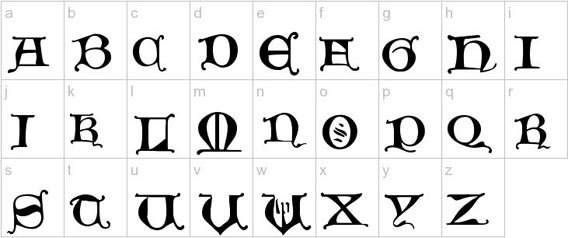
Irish fonts are a great way to make your designs look special. They come from Ireland’s long history of art and writing – think Celtic knots, old Gaelic scripts and beautiful ancient books like the Book of Kells. No regular font can give your work that same feeling.

In 2026, Irish and Celtic fonts are more popular than ever. Designers are using them for logos, wedding cards, book covers, brand designs and social media posts – not just for St. Patrick’s Day. If you want your design to feel truly Irish, picking the right font is the first step.

At Designers Choice, we went through Canva’s full font library and picked the 15 best Irish fonts available right now. Whether you’re making a St. Patrick’s Day poster, designing a logo or creating something that celebrates Irish culture, this list will help you find the perfect font quickly and easily.

What Are Irish Fonts?

What Are Irish Fonts?

Irish fonts are typefaces that come from Ireland’s writing history.

They’re based on old styles of writing that Irish monks and scholars used hundreds of years ago. These fonts have special looks that remind us of Celtic art, ancient manuscripts like the Book of Kells, and the unique writing styles from medieval Ireland.

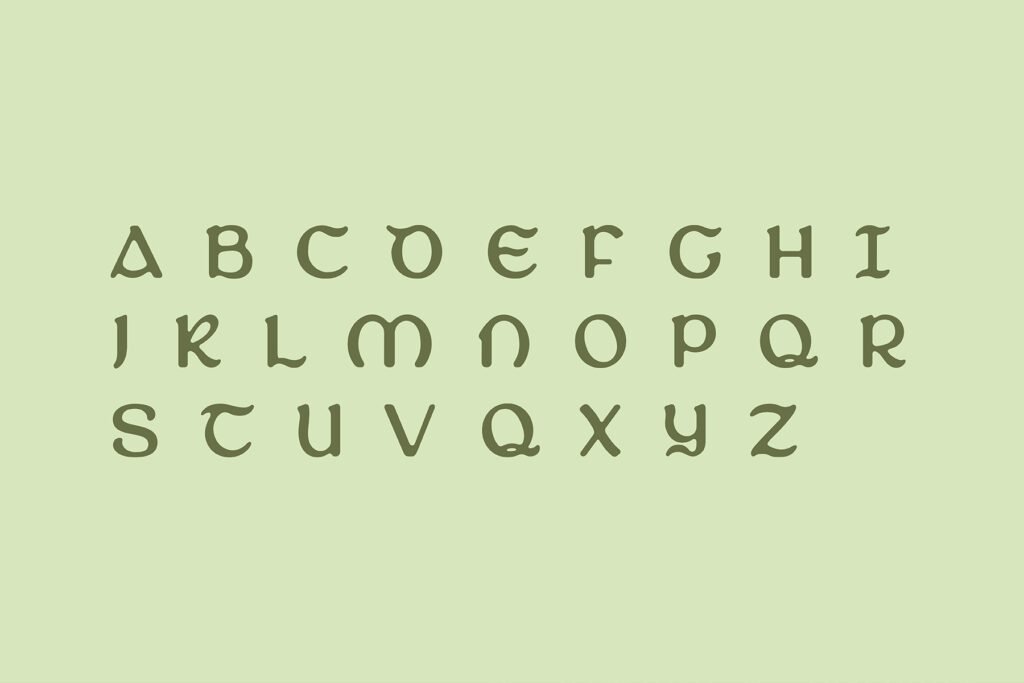
Most Irish fonts fall into a few main groups: Celtic fonts with fancy knot designs, Gaelic script fonts that were used in Ireland for many years, Uncial fonts with round letter shapes, and newer fonts that mix old Irish styles with modern looks.

What makes a font “Irish” isn’t just where it comes from, but how it looks. True Irish fonts have special curves, fancy decorations, and unique letter shapes that connect them to Ireland’s artistic past.

They often show the same kinds of designs you’d see in old Irish art, with twisting patterns and beautiful details.

15 Best Irish Fonts On Canva For Authentic Celtic Designs

Best Irish Fonts On Canva For Authentic Celtic Designs

Canva offers many great Irish fonts that bring Celtic flair to your designs. Here are 15 top choices that work well for many projects:

Vast Shadow

Vast Shadow

Vast Shadow is a font with thick, strong letters and a big shadow behind each one. The shadow makes the words look important, almost like a headline in a newspaper. This font is perfect for creating posters, logos, or invitations that need a touch of elegance and authenticity.

Vast Shadow can remind people of vintage Irish pub signage or old book covers from Ireland. It pairs well with decorative elements like Celtic knots or other Celtic fonts.

This font is also great for St. Patrick’s Day projects or anything related to Irish culture. Its boldness helps your words get noticed.

Londrina Shadow

Londrina Shadow

Londrina Shadow is a playful font with chunky, rounded letters and a shadow that adds a 3D effect.

This makes your text look fun and friendly, which is perfect for greeting cards, social media graphics, or book covers for kids. The style is modern but can be used with celtic art or celtic culture themes for an Irish touch.

Londrina Shadow is easy to read and brings a sense of joy to your designs. It’s also great for making invitations or certificates that need a little extra flair. The shadow makes your words stand out on any background.

Quebab Shadow

Quebab Shadow

Quebab Shadow is a sans-serif font with thick letters and a strong shadow that gives it a bold, modern look.

This font is great for logos, certificates, and signage where you want your text to be clear and easy to read.

The shadow effect adds depth, making your words pop out, which is perfect for commercial use or social media graphics.

Quebab Shadow can be paired with celtic fonts or decorative elements to add a touch of sophistication and authenticity.

It works well for both modern and vintage designs, especially if you want to show off Irish culture.

Bungee Shade

Bungee Shade

Bungee Shade is a fun, energetic font with big letters and a deep shadow that makes your text look like it’s jumping off the page.

This font is perfect for event posters, St. Patrick’s Day graphics, or signage that needs to grab attention. The boldness and decorative elements give your design a modern look, but you can also use it with Celtic knots or other Irish symbols for authenticity.

Bungee Shade is easy to read and adds a touch of flair to any project. It’s also great for greeting cards and book covers that need to stand out.

Intro Rust Base Shade

Intro Rust Base Shade

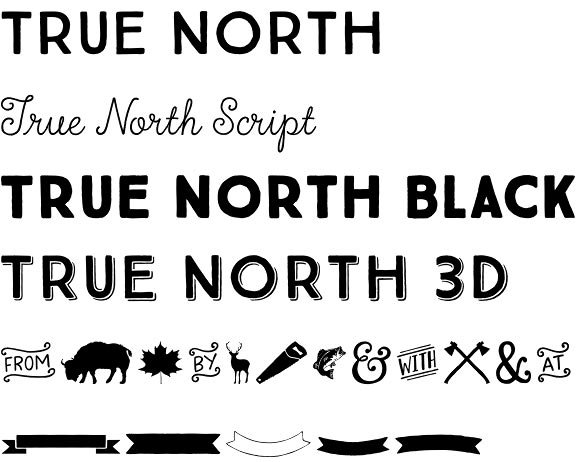
Intro Rust Base Shade is a font with a rough, vintage feel and a shadow that adds a 3D effect.

The letters look a little worn, like old Irish pub signs or vintage book covers. This font is perfect for projects that want to show cultural significance or a connection to Celtic culture. Use it for logos, certificates, or invitations that need a touch of authenticity and boldness.

The shadow makes your text pop, while the rustic style adds sophistication. It works well for both modern and old-fashioned designs.

Rig Solid Bold Halftone

Rig Solid Bold Halftone

Rig Solid Bold Halftone is a thick, bold font with a dotted shadow that gives it a cool, textured look.

This makes your text look modern and stylish, perfect for social media graphics, posters, and signage. The halftone shadow adds a decorative element, making your words stand out with flair.

Rig Solid Bold Halftone can be used for book covers, certificates, or any project that needs a touch of sophistication and boldness.

It pairs well with Celtic fonts or Celtic art for an Irish vibe. The font is easy to read and great for commercial use.

Rig Solid Medium Fill

Rig Solid Medium Fill

Rig Solid Medium Fill is a strong, solid font with medium-thick letters and a subtle shadow for depth.

The clean lines make it easy to read, which is great for logos, invitations, or certificates.

This font adds a touch of elegance and modern look to your designs, but you can also use it with Celtic decorative elements for authenticity.

Rig Solid Medium Fill is perfect for book covers, signage, or social media graphics that need to stand out. The shadow effect gives your words a 3D feel, adding flair to any project.

Rampart One

Rampart One

Rampart One is a bold font with sturdy letters and a shadow that makes your words look strong and important. This font is perfect for certificates, signage, or logos that need to show strength and cultural pride.

Rampart One can remind people of Irish castles or ancient manuscripts, making it great for book covers or projects about Irish culture.

The shadow adds depth and helps your text stand out on any background. It’s also good for social media graphics and greeting cards that need a touch of sophistication and authenticity.

Chromium One

Chromium One

Chromium One is a modern font with shiny-looking letters and a shadow that adds a 3D effect. The style is sleek and easy to read, making it great for social media graphics, event posters, or book covers.

Chromium One adds a touch of sophistication and flair to your designs, while the shadow makes your words pop out. You can use this font with celtic art or decorative elements for an Irish look.

It’s also good for logos, certificates, and signage that need a modern touch with a bit of boldness.

Agnets

Agnets

Agnets is a modern, bold font with a unique style that mixes decorative elements and a modern look.

Its letters have sharp, artistic shapes with intricate details, making it stand out in logos, social media graphics, or signage.

Though not a traditional Irish font, Agnets adds boldness and flair to designs, especially for projects needing a touch of sophistication.

It works well for commercial use, like branding or posters, thanks to its eye-catching letterforms.

While it doesn’t include Celtic knots or Gaelic script, Agnets brings a creative, modern twist to typography, perfect for making your work look fresh and stylish.

Stenciliqo Extruded

Stenciliqo Extruded

Stenciliqo Extruded is a stencil-style font with thick letters and a strong 3D shadow. The letters look like they were cut out and lifted off the page, which is perfect for signage, certificates, and logos.

This font adds a touch of celtic art and boldness to any project, making it great for book covers or greeting cards with an Irish theme. The shadow effect helps your words stand out and gives your design a modern look.

Stenciliqo Extruded is also easy to read and works well for commercial use.

Krisper Wireframe

Krisper Wireframe

Krisper Wireframe is a creative font with letters that look like they are made from thin wires, with a shadow for extra depth.

This gives your text a modern and unique look, perfect for book covers, greeting cards, and social media graphics.

Krisper Wireframe adds a touch of sophistication and flair to your designs. You can use it with celtic knots or decorative elements for an Irish feel. The font is easy to read and brings a sense of elegance and authenticity to any project.

Canter 3d

Canter 3d

Canter 3D is a tall, thin font with a 3D shadow that makes your text look stylish and modern. The clean lines and shadow effect add a touch of sophistication and celtic culture to your designs.

Canter 3D is great for event posters, signage, and certificates that need to stand out. The font is easy to read and works well with decorative elements like celtic knots or celtic art. Use it for book covers, logos, or greeting cards that need a modern look with a bit of Irish flair.

Charu Chandan Unicode 3d

Charu Chandan Unicode 3d

Charu Chandan Unicode 3D is a font with bold, rounded letters and a strong 3D shadow. The style is playful and easy to read, making it great for social media graphics, book covers, and greeting cards.

The shadow effect gives your words a sense of depth and makes your design feel modern and authentic. Charu Chandan Unicode 3D can be paired with Celtic fonts or decorative elements for an Irish touch.

It’s also good for certificates, signage, and commercial use.

UKIJ Kawak 3D

UKIJ Kawak 3D

UKIJ Kawak 3D is a fun font with thick letters and a deep 3D shadow that makes your text stand out.

This font is perfect for posters, logos, and signage where you want to grab attention. The style brings a touch of Celtic flair and boldness, making your designs pop with a modern look.

UKIJ Kawak 3D is easy to read and works well for book covers, greeting cards, and social media graphics. You can use it with celtic art or decorative elements for extra authenticity and sophistication.

These fonts all use shadows and 3D effects to make your words pop, adding depth, flair, and a touch of sophistication to any project.

They are great for Irish-themed designs, Celtic culture, and anything that needs to stand out and be noticed!

Types of Irish Fonts

Types of Irish Fonts

Many types of Irish fonts show the rich culture and art of Ireland.

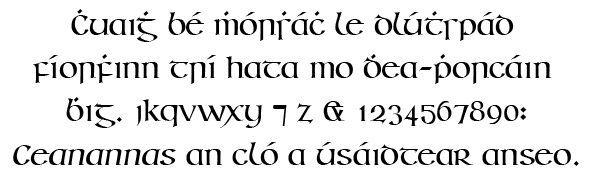
  1. Celtic Fonts: Celtic fonts show off the beautiful art style of ancient Celtic culture. They often have fancy knot designs and curved lines that twist and turn. These fonts look like the art you might see in old Irish books or stone carvings. They’re perfect for projects that need to feel magical or ancient. Fonts like Enchant and Celtoria belong in this group.
  2. Gaelic Script Fonts: Gaelic script fonts come from the old writing system used in Ireland for hundreds of years. This type of writing was used in Ireland from the 16th century until about 100 years ago. Gaelic fonts have some special letter shapes that look different from regular letters we use today. TF-Gaelic and Old Norse are good examples of this style.
  3. Uncial Fonts: Uncial fonts have round, curved letters that look like they were written with a broad pen tip. Irish monks used this style when writing religious books in medieval times. These fonts look fancy but are still easy to read. Piera and Agnets show the uncial style well.
  4. Modern Irish-Inspired Fonts: These newer fonts take ideas from traditional Irish writing but update them for today’s designs. They keep some Celtic or Gaelic features but make them work better for modern projects. They often have better readability while still looking Irish. Fonts like She Dance and Ring of Kerry mix old Irish style with new design ideas.

Characteristics of Irish Fonts

Characteristics of Irish Fonts

Distinctive Design Elements

Irish fonts stand out because of their special designs inspired by Celtic culture. They often include Celtic knots-twisty patterns that look like braided ropes-woven into the letters.

Many letters have decorative elements at the ends, like small curls or dots, giving them a fancy look. Some letters connect, almost like they’re holding hands, which makes the text flow smoothly.

The shapes are often round and curvy, similar to handwriting, and some letters look different from regular alphabets, like a “d” with a loop or a “g” with a tail. These features help Irish fonts feel tied to Ireland’s artistic history and Celtic art.

Insular Script Features

Many Irish fonts are based on Insular script, a writing style from 600 AD used by Irish monks. This script has triangle-shaped tops on tall letters (like “b” or “h”) and wide, rounded parts in letters like “b,” “d,” or “q.”

When monks wrote, they’d start a line with big letters that slowly got smaller, creating a “fading” effect. They also added dots or marks to change how letters sounded. The letters look like they were written with a flat-tipped pen, giving them thick and thin lines.

These features come from old manuscripts like the Book of Kells, written on animal skin pages.

Typography and Letter Forms

Irish fonts have unique letter shapes that make them different from regular fonts. Letters are often wider and rounder, making them look friendly and artistic. Capital letters might have extra swirls or decorations, like a crown on a king.

The spacing between letters is sometimes wider, giving the text room to breathe. Some letters, like “s” or “r,” have unusual shapes- for example, an “s” that looks like a snake or an “r” with a hook. Letters also mix thick and thin lines, as if they were drawn with a brush.

These details help Irish fonts feel both old-fashioned and special, perfect for logos, book covers, or St. Patrick’s Day projects.

Historical Background of Irish Fonts

Historical Background of Irish Fonts

Origin and Development

Irish fonts started with the writing of Irish monks in the 600s AD. These monks created beautiful handwritten books using special writing styles. They combined Roman letter shapes with their own Celtic art style to make something new and beautiful.

The most famous example is the Book of Kells, made around 800 AD. This amazing book shows the highest level of Irish lettering skill. The monks used colored inks and gold to make letters that were also pieces of art.

As time went on, these handwritten styles were turned into printing fonts. Even as printing became common, Ireland kept using its own special letter styles that were different from what was used in other European countries.

Gaelic Type History

Gaelic type became the main way to print Irish language materials from the 1500s until the 1900s. This special type style was used for books, newspapers, and official documents in Ireland.

The Queen Elizabeth font, created in 1571, was one of the first fonts made specially for printing Irish. For hundreds of years after that, most things printed in the Irish language used some form of Gaelic type.

In the 1900s, Ireland slowly shifted away from using Gaelic type for everyday printing. But today, these font styles are making a comeback for special designs that want to show Irish culture and history.

Cultural Significance

Irish fonts are more than just letters – they represent Ireland’s cultural identity. When Ireland was trying to keep its culture strong while under British rule, these special letter forms became important symbols of Irish independence and cultural pride.

Even today, Irish fonts appear on signs throughout Ireland, especially in areas where the Irish language is still spoken daily. They’re used for road signs, pub names, and shop signs in Dublin and across the country.

For Irish people around the world, these font styles create an immediate connection to their heritage and homeland. Using an Irish font on a design instantly links it to thousands of years of Irish cultural history.

Popular Uses For Irish Fonts

Popular Uses For Irish Fonts

St. Patrick’s Day Projects

Irish fonts work perfectly for St. Patrick’s Day designs. They add authentic Irish style to:

  • Party invitations with shamrock designs
  • Food and drink menus for March 17th celebrations
  • Posters and flyers for St. Patrick’s Day events
  • Social media graphics announcing holiday specials
  • T-shirts with fun Irish sayings and symbols

The right Irish font makes these items feel more truly connected to Irish tradition rather than just using green colors.

Branding and Logo Design

Businesses with Irish connections often use Celtic fonts for their brand identity:

  • Irish pub and restaurant logos that need authenticity
  • Celtic jewelry brand names that show craftsmanship
  • Tourism companies focused on Irish travel
  • Music groups performing traditional Irish music
  • Irish cultural organizations and festivals

These fonts give immediate visual clues about a business’s Irish connections and values.

Invitations and Cards

Irish fonts add special meaning to personal items like:

  • Wedding invitations for couples with Irish heritage
  • Greeting cards celebrating Irish holidays or events
  • Birth announcements for families wanting to honor their Irish roots
  • Certificates of Irish ancestry or family trees
  • Special occasion cards with Celtic blessing texts

The elegant curves and decorative elements of Irish fonts add beauty to these important personal items.

Publishing and Print Media

Books and printed materials use Irish fonts for:

  • Books about Irish history, folklore, or fiction
  • Chapter titles in books about Celtic topics
  • Poetry collections featuring Irish writers
  • Magazines about Irish culture and traditions
  • Educational materials teaching about Ireland

These fonts help readers immediately understand the Irish connection of the content they’re about to read.

Where To Find Irish Fonts?

Where To Find Irish Fonts?

Free Irish Font Resources

You can find free Irish fonts in several places:

  • FontSpace offers 89 free Irish style fonts you can download
  • 1001 Free Fonts has a section with 138 Celtic Irish fonts
  • Google Fonts includes some options with Celtic style
  • Canva’s free plan includes several Irish-inspired fonts
  • Free font websites often have basic versions of Celtic typefaces

These free options give you a good starting point for projects with limited budgets.

Premium Irish Font Collections

For higher quality and more complete Irish font families:

  • MyFonts marketplace has professional Irish fonts with full character sets
  • Creative Market offers handcrafted Irish fonts from independent designers
  • Adobe Fonts includes premium Celtic typefaces in their subscription
  • Font foundries like Fontfabric create high-quality Irish fonts with special features
  • Professional type designers sell Irish font packages with multiple styles and weights

Premium fonts usually have better letter spacing, more character options, and higher quality details.

Font Marketplaces

These online stores sell both free and paid Irish fonts:

  • Etsy has many affordable Irish font bundles, including some for Canva
  • Creative Fabrica regularly features Celtic font collections
  • DesignCuts sometimes offers discounted Irish font packages
  • FontBundles includes Irish options in their regular deals
  • Individual type designers’ websites often sell directly to customers

Buying fonts from these marketplaces helps support the designers who create and maintain these special typefaces.

How To Use Irish Fonts In Design?

How To Use Irish Fonts In Design?

Pairing With Other Typefaces

When using Irish fonts in your designs:

  • Pair a fancy Irish headline font with a simple body text font for good readability
  • Use a Celtic font for the first letter of paragraphs and a regular font for the rest
  • Match an Irish script with a clean sans-serif font for modern contrast
  • Choose fonts from the same designer for heading and text that work well together
  • Consider using an Irish font for someone’s name and a standard font for their contact information

The right pairing keeps your design looking professional while still having Irish character.

Color Combinations

Colors that work well with Irish fonts include:

  • Green and gold – traditional Irish colors that feel authentic
  • Deep blues and greens – reminding readers of the Irish countryside
  • Earth tones like brown and cream – giving an aged manuscript look
  • Black on cream background – mimicking traditional book printing
  • White on deep green – creating a strong contrast for readability

The right colors help strengthen the Celtic feel of your Irish font choices.

Best Practices For Readability

To keep Irish fonts readable:

  • Use larger sizes for very decorative Irish fonts
  • Add more space between lines when using Celtic fonts
  • Limit the use of the fanciest fonts to short headings or titles
  • Make sure there’s a strong contrast between the font and the background
  • Test your design on different screens to check that details remain clear

Remember that communication is still the main goal, even when using decorative Irish fonts.

FAQ’s:

What Makes A Font “Irish”?

A font becomes “Irish” when it includes elements from Ireland’s writing history. This means it might have features from Celtic art like knot patterns, follow the style of Gaelic script that was used in Ireland for centuries, or look like the handwriting in ancient Irish manuscripts. True Irish fonts connect to Ireland’s artistic traditions through their letter shapes, decorative elements, and overall style.

Are Irish Fonts and Celtic Fonts The Same?

Not exactly. Celtic fonts represent the broader Celtic culture that includes Ireland but also Scotland, Wales, Cornwall, Brittany, and the Isle of Man. Irish fonts specifically connect to Ireland’s writing traditions. Many Celtic fonts work well for Irish projects because Ireland is part of Celtic culture, but some Celtic fonts may include symbols or styles from non-Irish Celtic regions.

Which Irish Fonts Work Best For Professional Designs?

For professional designs, choose Irish fonts that balance authenticity with clarity. Saint George works well for formal certificates or logos. Garamond with Celtic elements adds sophistication to business cards or letterheads.

For corporate materials, consider less decorative Irish fonts that maintain readability while still showing Irish flair. The best professional Irish fonts keep their cultural connections without sacrificing clarity.

Do Irish Fonts Support Special Characters?

Many modern Irish fonts include special characters needed for the Irish language, like vowels with the fada (á, é, í, ó, ú).

Premium Irish fonts usually offer better language support than free versions. Check the font’s character map before purchasing to make sure it includes all the letters and symbols you need, especially if you’ll be typing actual Irish text rather than just English with an Irish look.

How Can I Create Authentic Irish-Looking Typography?

To create authentic Irish typography, start with a genuine Irish font like those based on uncial or insular scripts. Add appropriate spacing between letters and lines.

Consider adding Celtic decorations like knots or spirals as accents rather than overwhelming the text.

Study examples from the Book of Kells or other Irish manuscripts for inspiration. Sometimes authenticity comes from restraint – using decorative elements carefully rather than everywhere.

Conclusion

Irish fonts bring the beauty and history of Celtic culture to your design work. These special typefaces connect your projects to Ireland’s rich artistic past through their unique letterforms and decorative elements.

Whether you’re creating something for St. Patrick’s Day, designing a logo with Irish roots, or making greeting cards with Celtic flair, the right Irish font adds authenticity and visual interest.

Canva makes it easy to access many Irish fonts for your design needs. From traditional styles based on ancient manuscripts to modern interpretations with fresh looks, these fonts help you create work that stands out.

Remember to balance the fancy features of Irish fonts with good readability, and pair them with colors and other design elements that strengthen their Celtic character.

Irish fonts aren’t just letters – they’re connections to thousands of years of artistic tradition that continue to inspire designers today.

Categories
Fonts

How to Add Fonts to GIMP? A Complete Guide

As passionate designers with years of hands-on experience, we created Designers Choice to be the resource we always wished we had—where expertise meets inspiration. We know the challenges of turning creative ideas into reality, from sourcing the perfect materials to staying ahead of design trends. That’s why we bring you a collection of top-quality products, innovative solutions, and trusted insights, all tailored for fellow professionals who demand the best. Our mission is to empower you to bring your boldest visions to life, backed by a community that values creativity, craftsmanship, and excellence as much as you do.

Today, we are going to talk about a very fun topic: how to add fonts to gimp. If you use this free software to draw or edit pictures, you already know it is a great tool. However, the basic letters that come with it might feel a little boring after a while.

To make your pictures look amazing, you need a new font. We will show you exactly how to get a new font and place it in your fonts folder so you can use it every day. This guide is written so that anyone can read it and learn how to add fonts to gimp.

Why You Should Learn How to Add Fonts to GIMP?

Why You Should Learn How to Add Fonts to GIMP?

When you type words on a picture, the shape of the letters is called a font. Learning how to add fonts to gimp is a great skill to have. It gives you many new choices for your art. You do not have to stick to the same old typefaces anymore.

Elevating Your Graphic Design Projects

If you only use the default options, your art might look like everyone else’s art. A fresh, fun font makes your work stand out.

Whether you are making a birthday card or a poster for school, using the text tool with fresh styles makes everything look much better. When you add a great new font, your pictures tell a better story. Beautiful typefaces catch the eye of anyone who looks at your work.

Matching Brand Guidelines and Aesthetics

Sometimes, a company has rules about how their words should look. They might want a special serif style with little lines on the letters.

If you do not have their exact font files, you cannot match their rules. By keeping your gimp fonts updated, you can always pick the right style to match any brand or project. Having many font files ready to use makes you look like a real professional.

Preparation: Finding and Downloading Custom Fonts

The first step is to go on the internet and look for the files you need. You have to save them to your computer before you can use them.

Best Free Font Resources (Google Fonts, DaFont, etc.)

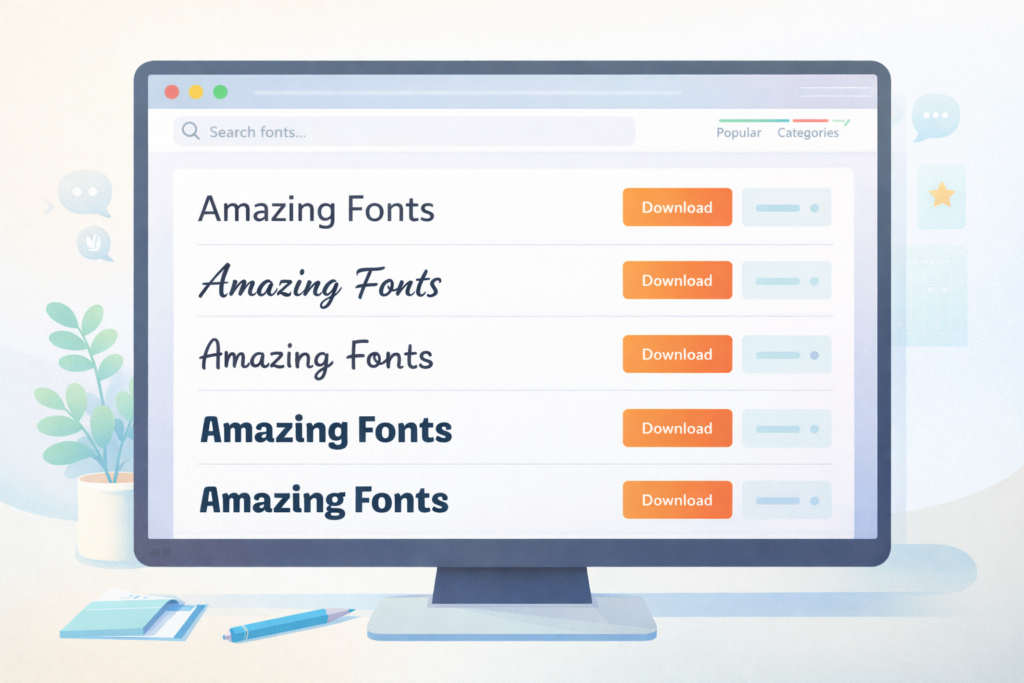
There are many amazing font websites where you can get free fonts. Some of the most popular places are Google Fonts and DaFont.

Just go to Google, type what you are looking for, and hit search. When you find a style you like, just click the download button. Always check if the downloaded fonts are marked for personal use only.

If they are for personal use, it means you cannot use them to make money or sell things.

Extracting ZIP Files Before Installation

When you click the download button, the computer usually gives you a zip file. A zip file is like a tight suitcase that holds your files inside so they take up less space. You cannot put a zip file straight into your fonts folder. You have to open it first.

To do this, right-click on the file and click “extract“. Once you extract it, a normal folder will appear. Open that folder, and you will see your actual font files. Most of the time, they will be a TTF file (TrueType) or an OTF (OpenType) file.

Step-by-Step: How to Add Fonts to GIMP on Windows

Step-by-Step: How to Add Fonts to GIMP on Windows

If you are using a PC running Microsoft Windows, your operating system makes it very easy to add these files. You have two ways to do this.

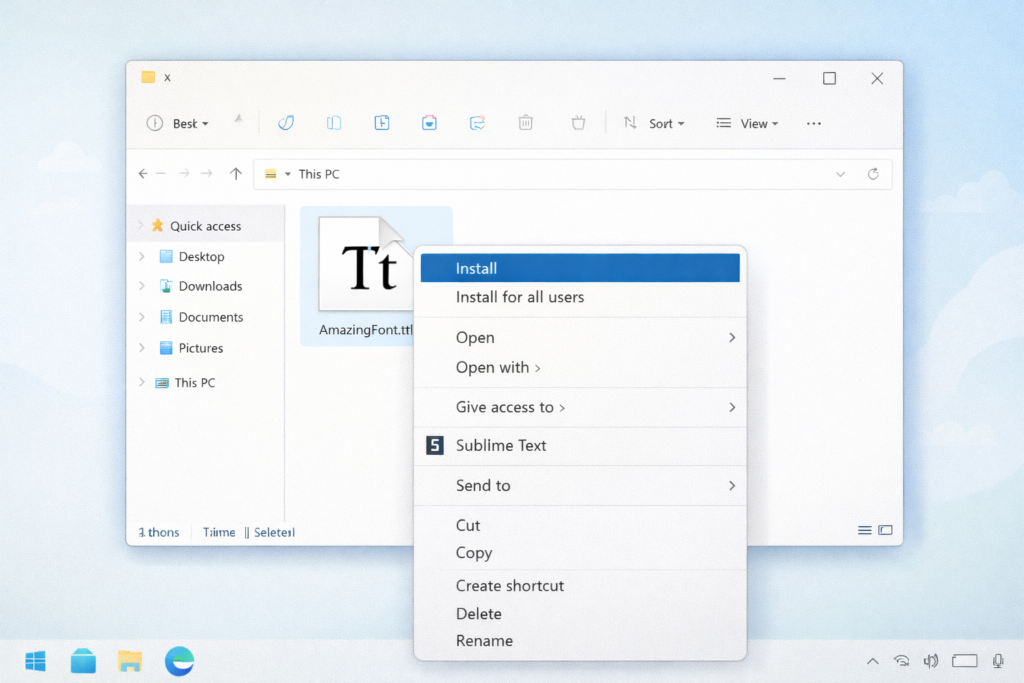
Method 1: Installing Fonts System-Wide (Recommended)

This is the best way because it lets all the programs on your PC use the letters. It will work for Adobe Photoshop, Inkscape, and Microsoft Word, too. First, open your file manager and find the TTF or OTF file you saved. Right click right on the name of the font. A menu will pop up. Click the word “Install“. The computer will copy it for you. The next time you open gimp, the style will be sitting in your font list, ready to go.

Method 2: Adding Fonts Directly to the GIMP Directory

If you only want this style for one program, you can drop it right into the personal gimp directory.

First, open your file manager and look for your gimp fonts folder. The file location is usually hidden in your user files. Once you find this special fonts directory, just drag the TTF file or OTF file and drop it inside.

When you open your software, it will check the fonts directory and load the letters.

Step-by-Step: How to Add Fonts to GIMP on Mac

How to Add Fonts to GIMP on Mac

If you use an Apple computer, your operating system is a little different, but it is still very simple.

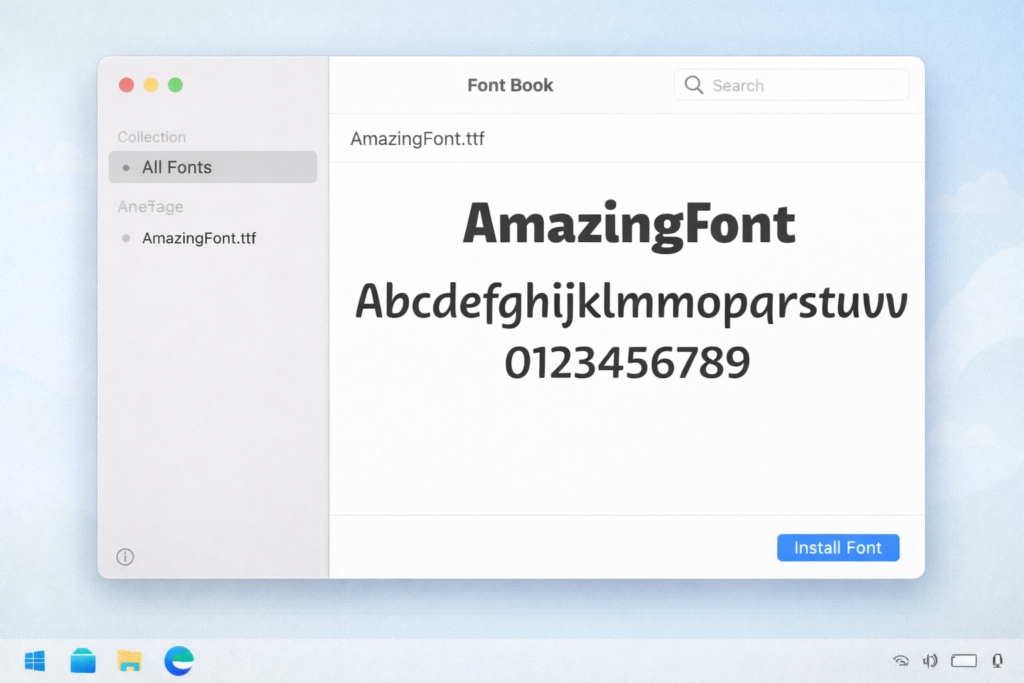
Using the macOS Font Book

On a Mac, find the TTF or OTF file you saved. Double-click on it. A small window will open up.

This window gives you a nice preview of what the letters look like. It will also show you the number of characters in the file. At the bottom, click the install button. This puts the file straight into your font book. Because it is in your font book, your software will find it easily.

Moving Files to the Mac GIMP Library

You can also use your Mac file searcher, called Finder, to place files yourself.

Open Finder and look for your Application Support directory. Look for the specific font folders for your drawing software. When you find the right folder, drag the downloaded fonts inside. Now your custom gimp fonts are ready.

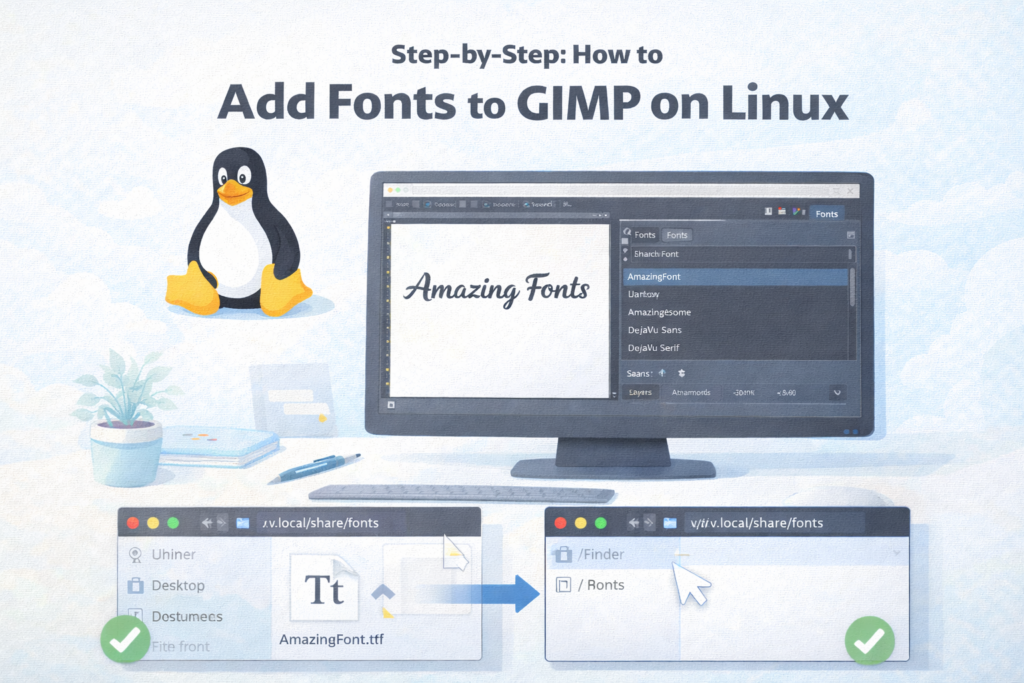
Step-by-Step: How to Add Fonts to GIMP on Linux

How to Add Fonts to GIMP on Linux

For people who like free and open software like Linux, the steps are very fast.

Installing Via the ~/.fonts or ~/.local/share/fonts Directory

On Linux, you do not need to click install. You just open your local file directory.

Look for a folder named ~/.fonts or ~/.local/share/fonts. If it is not there, you can just make a new folder with that name. Drag your free fonts and drop them in. Your system uses a tool called fontconfig. The computer knows fontconfig’s font path, which means it knows exactly where to look for letters. Your font engine, which is usually called freetype, will read the files. You do not even need a full reboot of your computer!

How to Add Fonts to GIMP and Refresh the Font Cache?

How to Add Fonts to GIMP and Refresh the Font Cache

Sometimes, you might be working on a picture and decide you want a new style right then. You can get one even if you are already running gimp. You do not have to save your work and close the program.

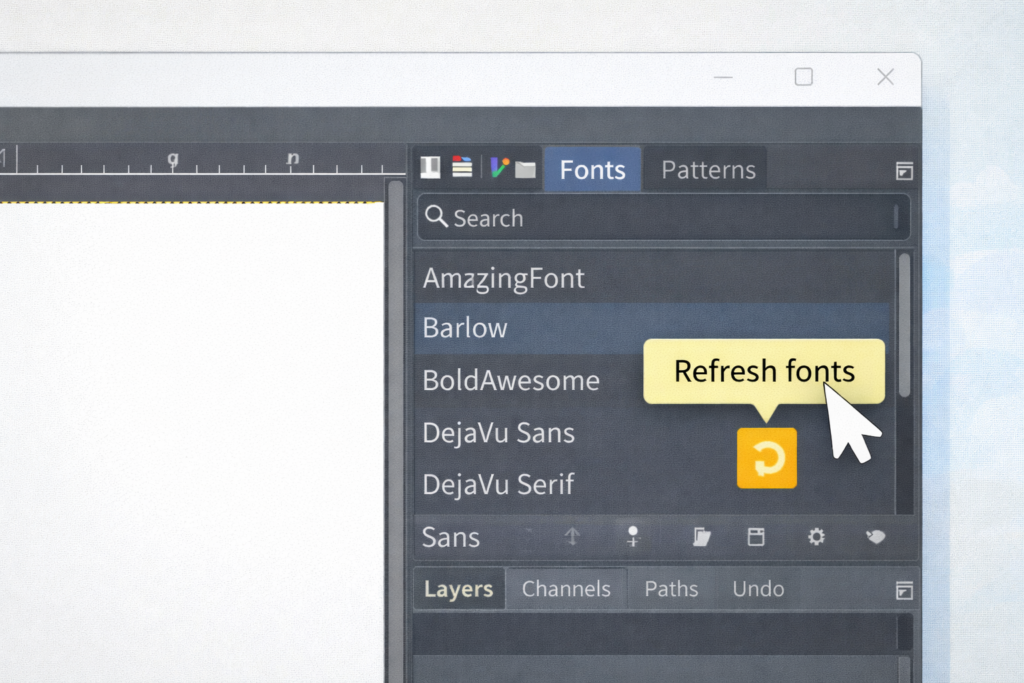
Finding the “Rescan Font List” Button in GIMP

Look at your screen and find the dockable dialog menu on the side. Inside this menu, you will see a specific font dialog. Click the small folder tab at the top of this box. At the bottom, look for a tiny refresh button. This is your rescan font list button. Click it once! The software will stop for a second, read all your font folders, and update the font list. When it finishes, grab your text tool, and your new style will be there.

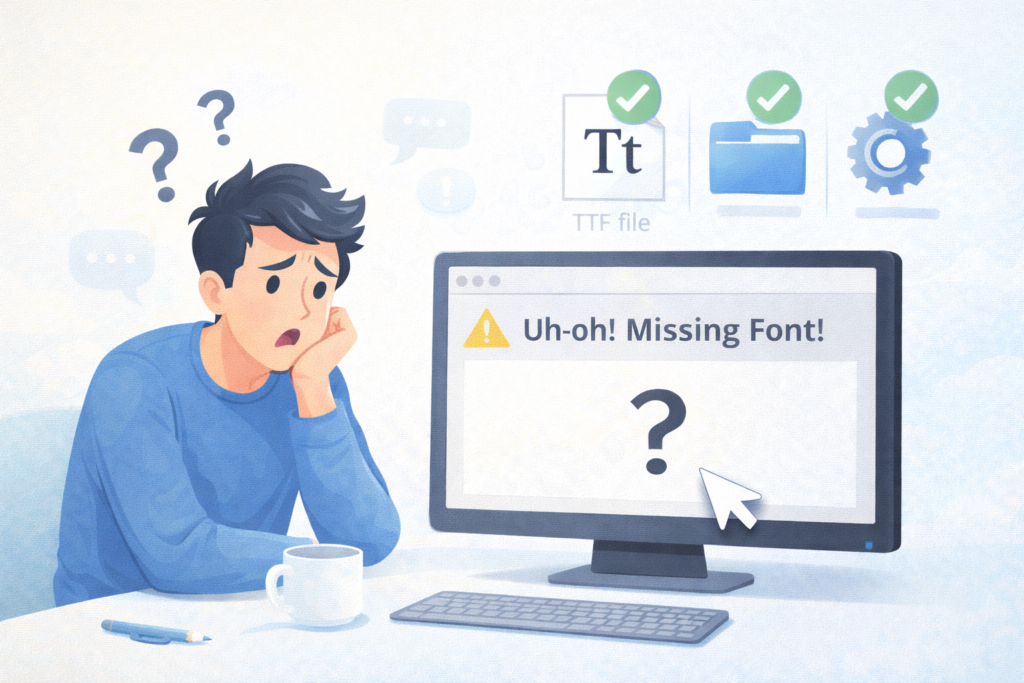
Troubleshooting: What to Do If Your Fonts Aren’t Showing Up

Troubleshooting: What to Do If Your Fonts Aren't Showing Up

Sometimes things go wrong. Please do not worry. If you followed the steps but your letters are missing, here are some ways to fix the problem.

Verifying Font File Formats (.TTF and .OTF)

The very first step is to make sure you used the correct file type. Did you remember to extract the zip file? Your software cannot read a zipped package. Look at the file location. You must see a true TTF (TrueType) or OTF (OpenType) file. If it is a picture file or a web link, it will not work.

Checking GIMP’s Custom Folder Preferences

If the TTF file is correct, check your program settings. Go to the top menu and click Edit, then click Preferences. A big list will open. Click on Folders to open it more, then click on Fonts. Look at the screen.

Is your custom fonts folder listed there? If your gimp fonts folder is missing, click the small icon that looks like a paper to add your fonts directory. Click OK. The next time you try to type, the issue should be fixed.

FAQ’s:

Do I Need to Restart GIMP After Installing A New Font?

No, you do not always have to restart gimp. If you are already running gimp, you can just open the fonts dialog and click the rescan font list option. Pressing this refresh button makes the software look in your fonts folder again right away.

Why Isn’t My New Font Showing Up In GIMP?

There are a few reasons.

First, check your file manager to make sure you remembered to extract the zip file. Second, check your font book or computer settings to see if it installed correctly. Sometimes the font engine needs a second to read new files. Make sure the file is actually in the correct gimp fonts folder.

What Font File Formats Does GIMP Support?

This software likes two main types of files. It loves TTF files, which stand for TrueType. It also loves OTF files, which stand for OpenType. The program reads these easily because it uses a smart open source tool called freetype.

Can I Add Fonts to GIMP Without Restarting the Application?

Yes! You can skip the reboot of the program. Just go to your dockable dialog area. Find the fonts dialog screen. Click the small folder tab and press the rescan font list button. The software will look at your fontconfig’s font path and find your new files instantly.

Where is the Specific GIMP Fonts Folder Located on my Computer?

On a PC, the personal gimp directory is usually hidden inside your AppData user files.

On a Mac, you use Finder to look in Library and Application Support. On Linux, look for your ~/.config/ directory. If you cannot find the exact file location, open the program Preferences, click the folder tab for Folders, and it will tell you the exact path.

Can I Use Downloaded Fonts For Commercial Projects In GIMP?

You must be careful!

If you use font websites to find free fonts, read the rules. Many files from places like DaFont will clearly say “Free for personal use“. This means you cannot put them on things you sell. Look for styles from Google Fonts that are completely free to use for any business.

Why Is My New Font Showing Up As Weird Symbols Or Default Text?

Sometimes, a downloaded font does not have all the letters.

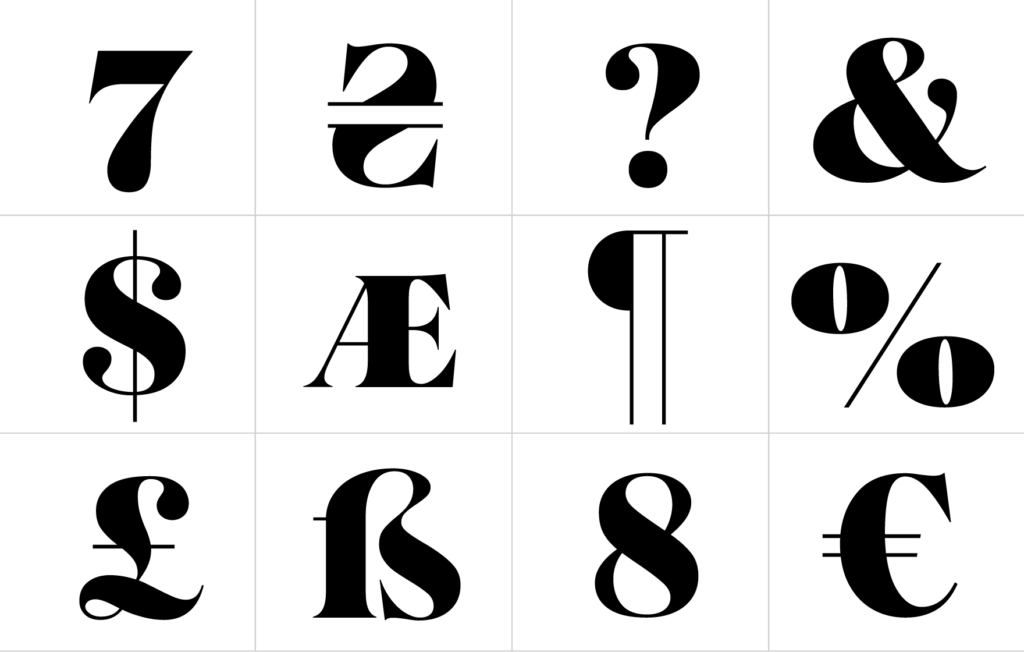
A fancy serif style might have the ABCs, but it might be missing numbers or question marks. Check the number of characters in your preview window on your computer. If the character is missing, your fontconfig or font engine will just show a weird box or a boring default letter instead.

Conclusion

Learning how to add fonts to gimp is a wonderful trick to learn. We hope this easy guide makes the whole process very simple for you. Now you know how to go on the internet, find great font websites like Google Fonts, and click download. You know how to use your file manager to extract a zip file and find the ttf file inside. You also learned how to install it on your operating system, whether you use a PC, a Mac, or Linux.

Do not forget to check if your files are for personal use only. And remember, you do not always have to restart gimp. You can just click the refresh button to rescan font list whenever you want. Once you fill your fonts folder with amazing typefaces, your art will look better than ever.

Grab your text tool, pick an exciting name of the font from your font list, and start making beautiful graphic designs today!

Categories
Fonts

The Ultimate Guide to Playfair Display Font Pairing For Elegant Design

As passionate designers with years of hands-on experience, we created Designers Choice to be the exact resource we always wished we had.

This is a special place where high-level expertise meets true inspiration.

We know the daily challenges of turning your bright creative ideas into actual reality. It can be hard to source the perfect materials or to stay ahead of fast-moving design trends.

That is why we have gathered a huge collection of top-quality products, smart new solutions, and trusted insights. All of these things are made for fellow professionals who demand the very best. At Designers Choice, our big mission is to empower you to bring your boldest visions to life.

You are always backed by a community that values creativity, fine craftsmanship, and clear excellence just as much as you do.

Today, we want to talk about the beautiful art of graphic design, specifically focusing on your letters and words. Picking the perfect font is a huge deal. It changes how people read your words.

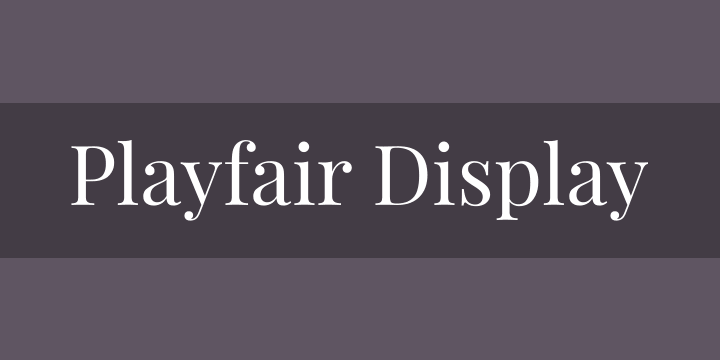
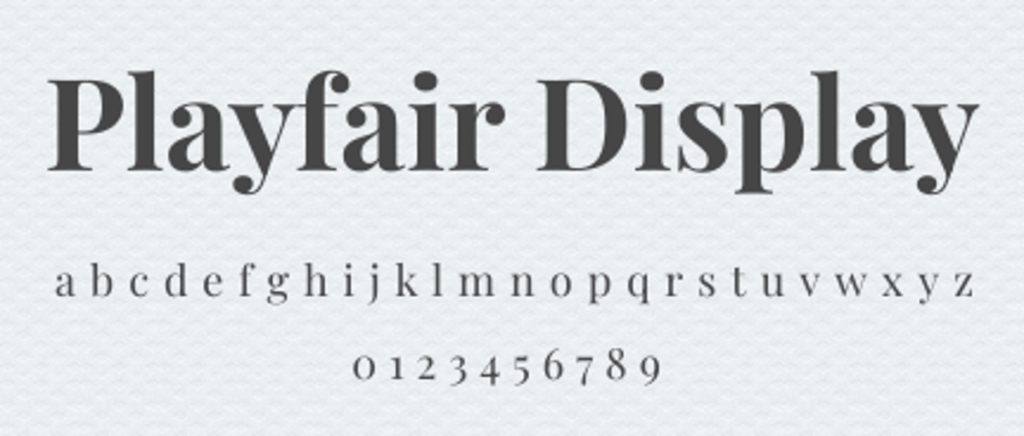
One very famous choice is the Playfair display font.

When you want your work to look amazing, finding a good Playfair display font pairing is a big step. Maybe you are working on a Playfair display font pairing Canva project for your new social media post.

Or maybe you are planning a massive web design job for a client. We want to help you make the best choices.

Sometimes, picking fonts from the Google Fonts website or from Adobe Fonts feels hard because there are so many font options.

You might feel lost looking at all the names of these fonts. Do not worry!

We will teach you how to make a great Playfair display font pairing. We will talk about different Google font pairings and show you exactly what to do.

Grab your notebook, log into your Canva account, and let us start learning about making your words look brilliant!

Why is Playfair Display Font Pairing So Important?

Why is Playfair Display Font Pairing So Important?

When you work on website design, the letters you pick matter a lot.

A font pairing is when you choose two different fonts and put them together on the same page.

Think of a good font pairing like a happy family. The members of the happy family look a little different, but they stand perfectly together.

Or, think about decorating a beautiful Christmas tree. You want the shiny lights and the round ornaments to look like a perfectly packaged present when you are done. The fonts you pick must look right together.

If you just pick random fonts, your website might look messy. We want to avoid a messy look for a good reason.

People like clean, pretty pages. When you choose a good Playfair display font pairing, your text becomes easy to read.

Let us look closely at why this particular font is so loved by designers everywhere.

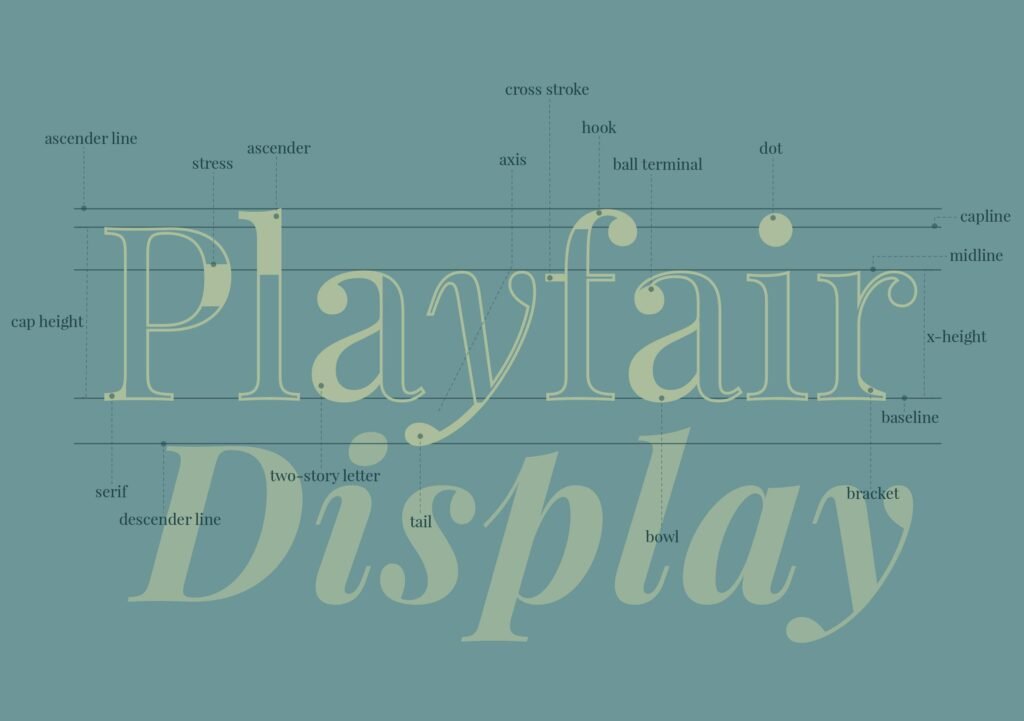
The Anatomy of Playfair Display

First, we need to look closely at the letters.

Playfair display is a classic serif font. But what is a serif font exactly? A serif font has tiny little lines or “feet” at the ends of the tall letters.

If you look at the letter ‘T‘ or ‘H‘, you will see extra little lines hanging off the edges. This gives it a very classic and old-school look.

Many classic aesthetic fonts have these little feet.

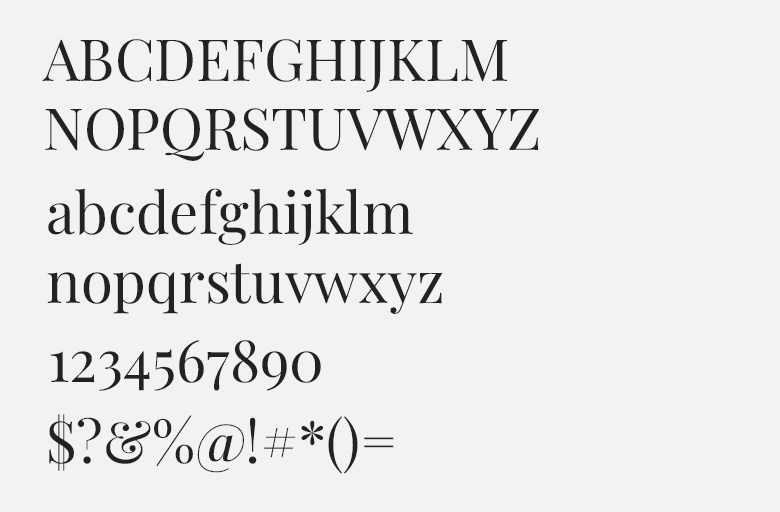
But Playfair display is special. If you zoom in, you will notice the playful curves of a font that feels both old and new. The thick parts of the letters are very thick. The thin parts of the letters are very thin.

This creates a very beautiful look. It is known as a beautiful Playfair display font for this exact reason. Other fonts like EB Garamond or Cormorant Garamond also have feet, but Playfair is often thicker and rounder.

Even fonts like DM serif display or Libre Baskerville look a little different. Playfair is truly a big favorite.

Creating Contrast and Visual Hierarchy

When we put two fonts together, we need to create an important distinction between the big title and the small text.

This is called visual hierarchy. Visual hierarchy tells the reader what to look at first, second, and third.

You want the big title to shout out loud, and the small text to speak in a normal, quiet voice.

To make visual hierarchy work, you need contrast. Contrast means things look very different from each other.

Sometimes, the best font combinations happen when you use fonts from opposite ends of the spectrum. You might take a heavy, fancy font and put it next to a thin, simple font. The Playfair display font is very fancy.

So, you usually want to pair it with something simple.

If you try to pair it with another highly detailed font, it might look confusing. You want clear, perfect lines for the small text.

The Best Playfair Display Font Pairing Options

The Best Playfair Display Font Pairing Options

Now we will look at the exact fonts you should use.

If you want to make your website design look fantastic, you need the best Google font pairings.

There are many font options out there, but these are our favorite picks. We will show you how to use them to make your text look great.

Playfair Display & Lato (The Classic Balance)

Lato is a wonderful choice to pair with Playfair Display.

Lato is a very simple font. It does not have the tiny feet on the ends of the letters. It is very clean and round. When you put Playfair display at the top in big letters and Lato at the bottom in small letters, you get a beautiful balance. It is a very safe and reliable Playfair display font pairing.

Many designers use Lato because it looks so friendly. It feels like the nice person next door. When you read a lot of text written in Lato, your eyes do not get tired. This makes it a great choice for long paragraphs.

You can easily find Lato on the Google Fonts website, and it is completely free to use.

Playfair Display & Montserrat (Modern & Chic)

If you want a look that is very fresh, you should try Montserrat. Montserrat is a famous Canva font.

If you open your Canva account right now, you will see it near the top of the list. Montserrat is wide and bold.

It does not look like the modern lines of quicksand light or palanquin light, which are very thin. Instead, Montserrat stands up strong and tall.

When you use a Playfair display font pairing Canva design with Montserrat, your picture will look like it belongs in a fancy magazine.

The big, thick curves of Playfair look amazing next to the wide, simple shapes of Montserrat.

It is a great choice for businesses that want to look very high-end and smart.

Playfair Display & Open Sans (Maximum Readability)

Sometimes, the most important thing is simply making sure people can read your words. If you are writing a very long article, you need a font that is easy on the eyes. Open Sans is the absolute best for this.

It is the most user-friendly font for long paragraphs.

When you use Open Sans for your body text, the reader can speed through the words without any trouble.

Open Sans is plain and simple. It lets the fancy Playfair display title take all the attention. This is a very smart Playfair display font pairing because it does exactly what it is supposed to do. It makes the page look nice while keeping everything perfectly easy to read.

Playfair Display & Source Sans Pro (Clean & Professional)

Source Sans Pro is another fantastic option. It looks very neat and tidy. It is not exactly a more masculine font, but it feels very serious and ready for business. If you are making a website for a bank, a lawyer, or a big office, this is a wonderful pairing to use.

Instead of using a crazy handwriting font or a clean script font, you stick to Source Sans Pro for a serious look. The Playfair display gives the page a bit of beauty, while Source Sans Pro shows that you mean business.

This Playfair display font pairing is highly trusted by many professional graphic design experts.

Playfair Display & Roboto (Versatile & Strong)

Roboto is a very strong, sturdy font. It was actually made for screens, like your mobile phone or your tablet computer.

Because it was made for screens, it always looks perfectly sharp.

When you pair Roboto with Playfair display, you get a design that looks modern but still has a nice, classic touch. This Playfair display font pairing works very well for real life applications.

If you are building a social media post or an app, Roboto makes sure your small words are clear. Playfair display makes sure your big words are loud and pretty. It is a win-win situation for any design project.

How to Use Playfair Display in Web Design?

How to Use Playfair Display in Web Design?

Using these fonts correctly takes a little bit of practice. In design school, teachers spend a lot of time showing students how to put words on a page. You cannot just throw the letters up there and hope for the best.

You need a plan. Here are some simple rules to help you out.

Best Practices For Headings Vs. Body Text

The biggest rule is to know the difference between your headings and your body text. A heading is the big title at the top.

The body text is the small block of words you read in a paragraph.

Playfair display is almost always better as a heading. Because it has those pretty, playful curves, it looks amazing when the letters are huge.

If you use it for the small body text, the tiny details get blurry and hard to read. So, keep Playfair Display for the big titles.

Then, pick a simple, plain font for the body text.

This is a very important distinction to make. If you are using Canva Pro, you can easily save your Playfair Display font pairing choices so you never forget which one is the heading and which one is the body text.

Adjusting Weights and Sizing For Web Accessibility

Web accessibility means making sure everyone can read your website, even if they do not have perfect vision.

To do this, you must pay attention to the size and weight of your text. Weight means how thick or thin the letters are.

If you want a very bold look, you can use Playfair display black. This version is super thick and heavy.

It stands out perfectly against a white background. Always make sure your small body text is big enough to read comfortably.

Never make the text too tiny. Good web design means thinking about the reader first. Also, think about your color palettes.

Do not put light gray text on a white background. Make sure the dark text pops against the light background for easy reading.

Examples of Great Playfair Display Font Pairing in Action

Examples of Great Playfair Display Font Pairing in Action

Sometimes, it helps to see examples of how people use these font combinations in the real world. Let us look at two different types of websites and see how they use Playfair display to look amazing.

Fashion and Lifestyle Blogs

Imagine a popular blog written by a quirky girl who loves talking about clothes, makeup, and travel.

She uses beautiful girly brand colors like soft pink and light gold. She wants her whole website to have a sweet, girlish flair.

To do this, she might choose the Kerry Showit website template.

For her big titles, she uses Playfair display.

It looks fancy, like a famous fashion magazine. To add a feminine handwriting touch to her logo, she might use a classic cursive script.

She might search for a fun font pairing or a beautiful Google font duo.

She could use a handwritten font like Homemade Apple or MS Madi for her name. But for the articles themselves, she uses a simple font to balance it out. She does not use a really unusual pair like Playfair and Dela Gothic because that would be too loud. Instead, she keeps it soft and pretty.

This creates a wonderful vibe for her readers.

Corporate and Portfolio Websites

Now, think about a big company doing large commercial projects. Maybe an architect office or a financial group.

They might want a more traditional style. They use dark blue and gray colors. Their website needs to look smart and serious.

They use Playfair display for the big titles on the homepage.

It gives them a smart, rich look. But they pair it with a strong, simple font like Roboto or Lato. They might even try something like radio Canada or Gowun Bantang if they want a hidden gem font.

But they would stay away from anything silly. They do not want a font with a handwritten look. They might compare fonts like Montagu Slab or Libre Bodoni, but they know Playfair display is the safest, best choice.

This creates a highly professional website design that clients will trust.

FAQ’s:

What Type of Font is Playfair Display?

Playfair display is a serif font. This means it has little decorative lines, or “feet,” attached to the ends of the letters. It is known as a classic serif font with thick and thin strokes. The letters look very fancy and elegant.

What is the Absolute Best Font to Pair with Playfair Display?

There is no single absolute best font, because it depends on your specific project. However, fonts like Lato, Montserrat, Open Sans, Roboto, and Source Sans Pro are among the very best choices. These simple, clean fonts balance out the fancy, detailed look of Playfair display.

Is Playfair Display Good For Body Text?

No, we do not recommend using it for body text. Because it has so many thick and thin details, it can be very hard to read when the letters are small. It is much better to use it for big headings and large titles. Use a plain, simple font for your long paragraphs of body text.

Can I Pair Playfair Display with Another Serif Font?

Yes, you can, but it is tricky. Putting two serif fonts together can sometimes look messy.

For example, pairing Playfair with EB Garamond, Cormorant Garamond, DM Serif Display, or Libre Baskerville might make the page feel too crowded. Usually, it is safer to pair a fancy serif font with a plain font that does not have the little feet. This creates a nice contrast.

If you do use two serif fonts, make sure they look very, very different from each other. But usually, sticking to opposite styles is the best choice. For a really unusual pair, some try using an old font with a bold font like League Spartan or Archivo Narrow, but simple is often better.

Is Playfair Display Free to Use For Commercial Projects?

Yes! One of the best things about this font is that it is completely free. You can find it on the Google Fonts website.

Google Fonts offers many free fonts with great font licenses. This means you can use it for your own personal blog, or you can use it for big commercial projects where you make money. You do not have to pay extra money to use it on your website or in your print designs.

Conclusion

We hope this very long and detailed guide helps you with your next big graphic design project. Finding a Playfair display font pairing does not have to be a hard job. When you use the tips we shared today, you can make beautiful, easy-to-read pages.

Always remember the simple rules: use Playfair display for your big, bold headings, and choose a clean, simple font for your small body text.

Whether you are building a playful fashion blog using bright color palettes or putting together a serious business website, these font combinations will serve you well. Take some time to try out different Google font pairings.

Open up your Canva Pro or free Canva account, start a blank page, and play around with the names of these fonts. Try pairing it with Lato, Montserrat, or Open Sans. See which one looks best to your own eyes.

At Designers Choice, we believe that great design should be easy and fun. By sharing our deep hands-on experience and trusted insights, we aim to give you the perfect tools for success. We are thrilled to be part of your creative journey.

Keep practicing your skills, keep testing out new ideas, and never stop making beautiful things. The perfect text layout is just a few clicks away!

Categories
Fonts

Best Luxury Font Pairings For Your Premium Brand Identity Now

We are a team of passionate designers with many years of hands-on experience. We created Designers Choice to be the exact resource we always wished we had. This is the place where deep expertise meets daily inspiration. We truly know the many hard challenges of turning bright, creative ideas into real life. It can be hard to find the perfect materials.

It is also very hard to stay ahead of fast design trends.

That is why we have gathered a large collection of top-quality products, smart solutions, and trusted insights. All of these things are tailored for fellow professionals who demand the absolute best in their work.

At Designers Choice, our big mission is to empower you to bring your boldest visions to life. You are backed by a strong community that values creativity, true craftsmanship, and high excellence just as much as you do.

Today, we want to talk to you about luxury font pairings. Finding the right fonts is a very big deal.

If you want a beautiful brand identity, you need to know about these things. A font pairing is when you match two different fonts together.

You want them to look like best friends on the page. Finding a perfect match is sometimes hard, but we are here to help you.

When you start your next project, you need to pick the best letters. A simple change in letters can make your work look very rich and expensive.

If you are doing logo design or website design, you need to know about these things. We will show you the best font pairings to help your visual identity. You can use them for social media or even a printed business card.

We have many great font choices ready for you. Let us look at how you can make your design projects look absolutely amazing.

Our goal is to make sure your target audience loves what they see. When people see good fonts, they trust you more.

What Makes Luxury Font Pairings Essential For Premium Branding?

What Makes Luxury Font Pairings Essential For Premium Branding?

To make an elegant brand, you need to think deeply about the letters you use. Every single word on your page matters a lot.

When you use beautiful luxury font pairings, your work looks very fancy. Luxury branding is all about making things look top-tier and special.

People always notice when you take the time to pick good fonts. It shows that you care about your work.

Detail matters a lot in this kind of work. You want your target audience to feel very special when they read your words. They should see your design and think it is very rich and important. Finding a perfect match helps you do exactly that. Your brand identity becomes much stronger.

The Psychology of High-End Typography

Our minds play funny tricks on us when we read. When we see a serif font, we often think of history, money, and wealth.

A classic font makes us trust the company right away. Luxury brands know this secret very well. They often pick a heavy serif typeface because it gives a wonderful classic look. It also gives a very neat professional look.

The small lines on the edges of the letters tell a beautiful story. They give a strong sense of sophistication. The true brand’s personality shines right through those little letters.

If you use very thin strokes, the letters look delicate and soft.

When there is high contrast between thick lines and thin lines, it feels very dramatic and loud. These small things change how people feel when they see your work. They help your visual identity grow very strong and tall.

How Typography Elevates Perceived Value

If you want your products to sell for more money, they need a very elegant look. The right font combinations make things look much more costly. When buyers see a tiny touch of sophistication, they will happily pay more money. A clean look shows that you do not rush your work at all. Typography is just the art of how words are designed and placed.

Good typography adds a lot of value to anything you make.

Even if you only use free fonts, they can still look like a million bucks if you pair them right. Your printed marketing materials will look highly trusted and safe. People will really love your hard work. It is a great choice to learn all about these fun things.

It is the best way to make your brand identity shine bright.

7 Timeless Luxury Font Pairings For Your Next Design Project

7 Timeless Luxury Font Pairings For Your Next Design Project

We picked out seven of the best ideas for your big creative projects. You can use these fun ideas for your web design or for printing on paper.

Every single font family we list here works very well together. Let us look at these wonderful font pairing examples to help you learn.

Classic Serif Meets Modern Sans-Serif (E.g., Playfair Display & Lato)

Our first bright idea mixes old things and new things. A classic serif looks very smart and wise. We truly love the font called Playfair Display.

It is a very beautiful display font. It has a very fancy and proud style. We really like to match it with a clean font like Lato.

Lato is simple and gives a sharp modern look. This mix creates a perfect balance on your page. The big title uses the fancy letters.

The regular body text uses the simple letters. Because of this, your body copy will be so easy to read for anyone. This is actually one of the absolute best google font pairings you can find. It shows off a bright and happy modern design. It is a great font pairing for any new idea.

Elegant Script and Minimalist Grotesque

Script fonts look a lot like cursive handwriting. They flow on the bright page like water. They are very pretty and fancy.

But they can be very hard to read if they are too small. So, you must pair them with very plain letters.

We call these simple letters a minimalist grotesque. They do not have extra lines or tails. They are totally plain and completely clear.

The fancy script is the big star of the show. The plain font is the quiet helper. This makes your body font very friendly to read. It is great for a big title and small text underneath. It gives your page an elegant look without trying too hard. Your social media will look so good with this.

High-Contrast Didone Fonts with Clean Geometric Sans

Some beautiful fonts have very thick lines mixed with very thin strokes. This special look is called high contrast. A very famous font like this is Abril Fatface. It is extremely bold and thick. It catches your eye right away from far away. We love to pair it with a crisp geometric design.

A geometric font uses perfect circles and perfectly straight lines. It is very neat, tidy, and clean.

This wonderful mix looks very high-fashion and expensive. Famous magazines really love this rich style. It is bold but also very neat and smart.

It is a wonderful way to show off your smart, modern fonts. When you need a professional look, this is a perfect match.

Monospaced Utility Meets Refined Calligraphy

Monospaced means every single letter takes up the same space. Think of an old metal typewriter. It looks very busy, smart, and serious.

Calligraphy is like painting pretty letters with a soft brush. It is very soft and romantic. When you put them both together, magic always happens.

The soft brush letters soften the hard typewriter letters perfectly.

It is an amazing trick for your next design. People will stop, stare, and smile. This simply shows that you know how to use different fonts.

It brings a very cool professional look to your screen or paper. Every single word looks important here. It is always a great choice.

How to Choose the Perfect Luxury Font Pairings?

How to Choose the Perfect Luxury Font Pairings?

Picking the best letters is definitely an art form. It is also a bit of a science. You need to know exactly what works well together.

Here is how you do it for your luxury branding and brand identity.

Balancing Contrast and Harmony

You do not ever want your fonts to fight with each other. You want them to happily dance together. You must work hard to find the perfect balance.

You can try using different weights. Use a very heavy, dark title for the big letters. Then use a very light, thin font for all the small details.

This naturally brings peace and harmony. The font combinations must absolutely share something nice.

Maybe they share the exact same height. Maybe they share the same perfect roundness. When they share a tiny detail like that, they look like close friends. This is true for all of your creative projects.

Finding sweet harmony makes your hard work completely shine.

Prioritizing Legibility Across Print and Digital

Legibility just means how easy it is to quickly read the words.

If people cannot read your words, they will sadly leave. You must make very sure your words look good in small sizes.

For web design or website design, shiny screens can blur tiny lines very fast. You need a very clean font for all the small parts.

For a printed business card, wet ink can spread and look messy.

You must test all your good choices carefully. The important letters in your marketing materials must always stay sharp and dark.

If you test them well, your target audience will be very happy and thankful.

Aligning Typography with Your Brand Archetype

An archetype is just like a character type in a nice storybook. Is your brave brand like a wise old king? Or is your fun brand like a magical young fairy?

Your picked letters must closely match your brand’s soul and heart. If you want to seem like a wise king, use a heavy, old serif typeface.

If you want to seem very new and fast, use sleek modern fonts. Your strict visual identity must always match your big words.

Think very deeply about this when you are making new social media posts. Even on social media, your smart brand voice must be loud and clear.

Good font choices easily tell the right story to everyone. Your true brand’s personality will be perfectly shown to the world.

Common Mistakes to Avoid When Creating Luxury Font Pairings

Common Mistakes to Avoid When Creating Luxury Font Pairings

Everyone definitely makes little mistakes from time to time.

We really want to help you easily avoid them. Paying close attention to mistakes makes your design projects much better.

Let us talk about exactly what not to do when picking your letters.

Overcomplicating with Too Many Fonts

Please do not use too many different kinds of letters. It always makes a very big, ugly mess.

Just two fonts are almost usually enough. Sometimes three is okay if you are very careful. But four is far too many for one page.

Your whole brand identity will instantly get lost in the mess. It will clearly look confusing and weird. Your nice readers will not even know where to look first. Keep it simple and nice. A clean, simple page shows huge confidence and power. That is exactly why top luxury brands stick to just one or two choices always. Less is truly and honestly more.

Finding the right fonts means you absolutely do not need a lot of them.

Ignoring Kerning and Letter Spacing

Kerning is the tiny space between just two letters. Letter spacing is the total space between all letters in one word.

If letters are far too close, they bump and touch. It looks terribly messy and bad. If they are way too far apart, the poor word breaks in half.

Detail matters a huge amount right here. You must look very closely at the empty spaces. A beautiful font family easily looks cheap and silly if the spacing is bad. Always firmly check the spacing in your big titles. Your big creative projects absolutely deserve your careful checks.

The empty white space is just as important as the dark ink. Make sure you use good fonts that have perfect spacing.

FAQ’s:

What Are the Best Free Luxury Font Pairings Available on Google Fonts?

Google Fonts is an amazing place. It holds many free fonts that are safe for commercial use. One of the absolute best pairs is using Cormorant Garamond for the big title and a simple sans-serif for the small text.

Another perfect and great choice is using EB Garamond. Both are very fancy and old. They are totally perfect Google font pairings for everyone. They easily give a very rich feel without ever costing any money. You can find many wonderful and safe options right there.

Why Do So Many Luxury Brands Use Serif Fonts?

A serif font looks very old, safe, and extremely rich. It has tiny little feet on the edges of the big letters. These tiny feet make the words look stable and planted. Many famous, rich fashion brands loudly use a classic serif.

It clearly shows history and time. It shows they have been around for a very long time safely. It naturally provides a gorgeous classic look. People easily trust old things that look stable and safe. It is a very great choice for selling expensive, nice things.

Can I Use More Than Two Fonts For A Luxury Brand Identity?

You definitely can, but it is a very big risk. Using only two different fonts is always safe and smart. It quickly creates a perfect balance that people love. If you desperately use three, one should be very quiet and small.

Maybe just use it for tiny numbers or tiny dates. But please do not use many loud, big fonts. Your logo design should only ever have one or two styles safely. Keep your visual identity strict and very neat. A neat, clean look is always much better for luxury branding.

What Should I Avoid When Pairing Fonts For Luxury Branding?

You must strongly avoid funny or silly cartoon fonts. Avoid any fonts that look exactly like comic books. Do not ever mix two fonts that look almost the same. They will just look like a silly mistake.

Make sure there is always enough bright contrast. Use your different weights wisely. Do not ever ignore how the text looks in very small sizes. Avoid rushing your big design projects at all costs. Always take your sweet time to carefully pick the best font pairings.

How Do I Know If My Font Pairing Actually Looks “Premium”?

Please show it to other people. Ask them nicely how it makes them feel deep down. Does it feel like a very fancy hotel?

Or does it feel like a cheap, noisy store? A true premium look often has lots of bright space around the words.

The body text is incredibly neat and quiet. The big title has a wonderful touch of sophistication and class. If it looks perfectly clean and proud, it is definitely premium. Look closely at other smart luxury brands for good ideas. See exactly how they safely use their beautiful luxury fonts.

Which Free Fonts Can Create A Luxurious Feel For My Brand?

There are so many wonderful free fonts available right now.

We really love the font Tenor Sans. It is a wide, proud font that looks very expensive and clean.

Another truly great one comes straight from the wonderful Indian Type Foundry. It is extremely well-made and gorgeous. You can also happily look for the hard work by the amazing designer, Juan Pablo Del Peral.

His beautiful letters are deeply crafted with care. These are wonderful, smart choices for your fun social media posts and your big website. They easily prove that you truly do not have to spend a lot to look totally great.

What Fonts Do Famous Luxury Fashion Houses Use?

Many famous fashion houses safely use perfectly custom fonts. They happily pay someone to carefully draw letters just for them safely. But these big fonts usually have sharp high contrast. They have very thick heavy parts and razor thin strokes.

Many fashion houses use a gorgeous classic font like Didot or Bodoni. Some bright new houses use a very neat, bold, clean sans-serif. It gives a very sharp and loud modern look. They desperately want to quickly stand out and firmly look powerful to everyone.

They safely know that detail matters completely in high fashion.

How Do Font Pairings Impact the Perception Of A High-End Brand?

Perception is just how people quietly see you and your business. Your font choices are truly the neat clothes your words always wear.

If your important words wear messy, dirty clothes, people quietly think your sweet brand is messy.

If your words happily wear beautiful, clean clothes, people naturally think your sweet brand is totally amazing.

The sense of sophistication completely comes from very good typography. A beautifully perfect font pairing quickly tells the happy customer that you deeply care about high quality. It clearly shows you are a very elegant brand. It easily makes them want to safely buy from you again.

Conclusion

We really hope you enjoyed learning all about luxury font pairings with us today at Designers Choice. Finding the perfect match takes lots of good practice. But it is very fun and exciting.
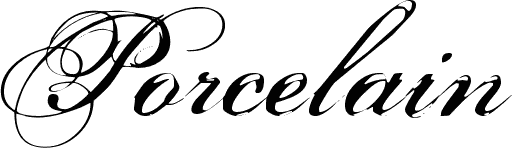
Whether you are happily using Canva font pairings or highly pro tools, these simple rules loudly apply. You must gently think about your target audience. You must easily find a neat clean font for your long body copy. You must let your big title boldly shine as a giant display font.

Always proudly keep a neat professional look bright in your mind. Your website design and your printed marketing materials will look so much better soon. The truly right fonts loudly change absolutely everything for the better.

You clearly have many good fonts to quickly choose from today, even safely for commercial use.

We are very excited to proudly see what you completely make for your next project. Please keep working hard on all your creative projects. Show off your beautiful font pairing examples to all your nice friends.

Good and smart typography will make your brand’s personality completely clear to the entire world safely. Thank you very much for reading our happy guide today. Keep designing beautifully and wonderfully!

Categories
Canva Fonts

Canva Font Combinations: Best Pairings for Professional Designs

At Designers Choice, we are a team of passionate designers with years of hands-on experience.

We created this place to be the resource we always wished we had. This is a space where expert skills meet fresh ideas.

We know the hard challenges of turning creative dreams into real things.

From picking the perfect materials to staying ahead of new design trends, it takes a lot of hard work. That is why we have gathered a collection of top-quality products, smart solutions, and trusted tips.

All of this is made for fellow professionals who demand the best. Our mission is to help you bring your boldest visions to life.

We are backed by a community that values creativity, craftsmanship, and excellence just as much as you do.

Have you ever looked at a graphic and felt something was wrong, but you could not put your finger on it? Most of the time, the problem is the text. Picking the right font is a very big deal. If you want to make great graphics, you need to learn about Canva font combinations. The right Canva font pairings can make your text pop. Today, we will look into the best font options and different combinations you can use.

Whether you are working on a new blog post or a big web design job, we will help you find the perfect font for your next project.

Why Typography Can Make Or Break Your Canva Design?

Why Typography Can Make Or Break Your Canva Design?

The Psychology Behind Font Choices

Every font has its own mood and feelings. The types of fonts you pick will send a hidden message to the person reading. This is why making the right choice plays a very important role in your visual identity.

For example, classic serif fonts look very traditional and serious.

If you look closely at serif fonts, you will see little lines at the ends of the letters. These little lines give a clear tone of trust and respect.

On the other hand, a modern serif might look a bit fresher and sharper.

If you want something fun, a script font or cursive fonts can add a lot of personality. But you must be careful. If you use a very fancy script font everywhere, your design needs will not be met because it becomes hard to read. You have to think about your target audience. What do they like? What makes them feel good? The best fonts will match the feelings of your target audience. You always want to create a strong brand identity that speaks directly to the people you want to reach.

How Font Pairing Improves Readability and Engagement

Reading should always be easy and fun.

If you mix too many different fonts, you create visual clutter.

Visual clutter makes people want to stop reading immediately. This is why proper font pairing is a great way to keep your readers interested.

When you find the right font pairing, your text becomes super easy to read. You always want to find a perfect balance between your big text and your small text. The big text is meant to grab attention, while the body text is meant to be read slowly.

If your body text is too fancy, readers will get tired.

Using clean and simple font styles for the main text elements is always the best path. You want to guide the reader’s eyes from the top to the bottom without any stress. When you have a perfect balance of different font styles, your whole graphic looks neat and professional.

How to Create Your Own Canva Font Combinations Like A Pro?

How to Create Your Own Canva Font Combinations Like A Pro?

Understand the Rule of Opposites (Serif Vs. Sans Serif)

One of the best rules for creating different font combinations is the rule of opposites. Opposites attract! This means you should mix a font that has little feet (serif) with a font that has no little feet (sans serif).

This creates a striking contrast that looks beautiful.

When you have a striking contrast, the two fonts do not fight with each other. Instead, they help each other stand out. A high contrast between your font pairs makes your work look much better.

For instance, pairing a classic serif font with a very simple sans serif font gives you a high contrast look.

It is a great starting point for anyone on a font pairing journey. Trying out these different combinations will help you learn what looks best.

Establish Clear Visual Hierarchy (Heading, Subheading, Body Text)

To make your graphics easy to read, you need a clear visual hierarchy.

A clear visual hierarchy means that the most important text is the biggest and boldest. Your headline font should be the first thing people see.

It should grab attention right away.

Under the headline font, you have the subheading. This should be a little smaller. Finally, you have the body text, which should be the smallest but still very easy to read. Playing with different font sizes is a great way to set up your text elements. By changing the font sizes, you tell the reader exactly where to look first, second, and third. This simple trick makes all your different font combinations work perfectly.

Stick to the “Two Font Maximum” Rule

When you are working with Canva fonts, it is very tempting to use many different styles. However, you should strictly watch the number of fonts you use. A smart rule is to use a maximum of two fonts per graphic.

Using more than two will quickly lead to visual clutter. When you limit the number of fonts, your graphics gain a strong sense of professionalism.

A low number of fonts keeps your visual identity neat. You can use your two chosen fonts in various design contexts without looking messy.

If you really feel you need more variety, try changing the font styles (like making it bold or italic) instead of adding a totally new font.

This is one of the best options for keeping a clean and professional look.

Top Canva Font Combinations to Elevate Your Brand

Top Canva Font Combinations to Elevate Your Brand

League Spartan & Libre Baskerville (Modern & Classic)

If you want a look that is both fresh and trusted, this is a winning choice.
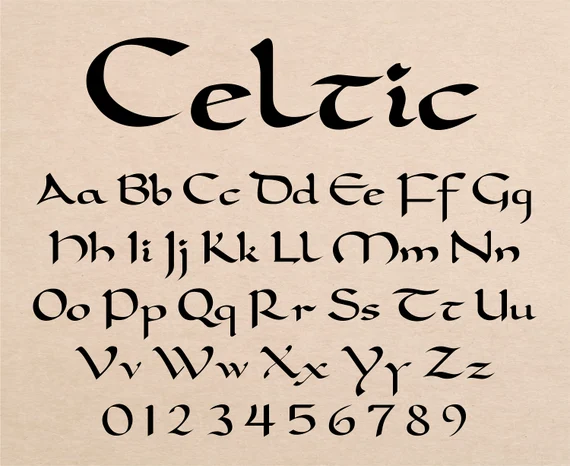
League Spartan is a very thick and modern font. It works amazingly well as a headline font.

When you pair it with Libre Baskerville, you get magic. Libre Baskerville is a beautiful classic serif font that is very easy to read in small sizes.

This Canva font pairings strategy gives you a perfect balance between strong and soft. It is an amazing starting point for any small business.

Anton & Montserrat (Bold & Clean)

Anton is a very tall and bold font. It shouts for attention and makes a great headline font. Montserrat is a clean, round, and simple font.

When you use Anton for your big words and Montserrat for your body text, you create a striking contrast. This is one of the best font pairings for making loud posters or bold web design banners.

The high contrast helps your text elements stand out perfectly.

Playfair Display & Source Sans Pro (Elegant & Professional)

Playfair Display is a very elegant, sophisticated serif font. It has beautiful, thick, and thin lines.

Source Sans Pro is a very neat and simple sans-serif font. Together, they create a professional look that is loved by beauty brands and luxury stores.

This is a very reliable Canva font pairing. It gives a clear tone of high quality and trust.

Pacifico & Quicksand (Playful & Friendly)

If your brand is fun and happy, you will love this pair.

Pacifico is a bouncy script font that looks like handwriting. Quicksand is a very round and soft sans serif font. Using a script font for your main titles and a soft font for your body text creates a warm and friendly feeling.

Many content creators love these free fonts for their daily social media updates.

Oswald & Lato (Corporate & Trustworthy)

Oswald is a strong, tall font that looks very serious.

Lato is a very neat and balanced font.

When you put them together, you get a strong sense of professionalism. This pair is wonderful for business reports, charts, and official papers.

If you need professional designs, Oswald and Lato are among the best options you can choose from the Google Fonts list available in Canva.

DM Serif Display & Glacial Indifference (Stylish & Minimal)

For a highly stylish look, try mixing DM serif display with glacial indifference.

DM serif display is a beautiful modern serif that looks very rich.

Glacial indifference is a very flat and minimal font.

When you mix DM serif display for headings and glacial indifference for your body text, you get a striking contrast. This is one of the coolest different font combinations for modern web design.

Le Jour Serif & Open Sans (Chic & Simple)

Le jour serif is a trendy font.

It is widely used by fashion labels and modern blogs.

When you pair Le Jour Serif with a simple font like Open Sans, the results are amazing. Le jour serif grabs the eye, while Open Sans does the heavy lifting for the body text. This makes it a great way to keep your design needs met while staying very stylish.

Citadel Script & Roboto (Fancy & Easy to Read)

Citadel script is a very fancy and formal cursive font. It looks like old-fashioned calligraphy.

Because the citadel script is so decorative, it needs a very plain partner. Roboto is the perfect choice.
Using citadel script for a lovely title and Roboto for the text elements ensures nobody gets a headache reading your work.

This is a perfect example of how font pairing improves your graphic.

Lora & Merriweather (Classic & Soft)

Sometimes, you want a very gentle and soft look.

Lora is a beautiful serif font that looks like it belongs in a nice book.

Merriweather is another lovely font that reads very well on screens. This combination is highly popular for a long blog post or an online article.

It provides a clear visual hierarchy and a very comfortable reading experience.

Bebas Neue & Helvetica (Strong & Neat)

Bebas Neue is a very tall, strong, and uppercase-only font. It is loud and proud.

Helvetica (or a similar clean font in Canva) is smooth and simple. These font pairs are highly effective for catching the eye quickly.

It is one of the best Canva font combinations for big sales banners or exciting news announcements.

Best Canva Font Combinations For Specific Projects

Best Canva Font Combinations For Specific Projects

Best Pairings For Instagram Posts and Stories

When working on social media, you need fonts that catch the eye fast. People scroll very quickly, so your target audience only has a second to see your graphic. Content creators often rely on Canva templates that use bright and bold font pairs.

For social media, combining a fun script font with a clean sans serif is a great way to stand out.

Beauty brands often use elegant serif fonts to show off their products. Using the right font pairing will make your Instagram feed look amazing.

Make sure your font sizes are large enough to be read on a small phone screen. This ensures your social media graphics do the job perfectly.

Professional Fonts For Presentations and Pitch Decks

If you are stepping into a meeting room, you need Canva font combinations for presentation slides that demand respect.

A presentation should never use messy or silly fonts.

Instead, a strong sense of professionalism is needed. You want professional designs that look smart and clean.

Using a modern serif for the slide titles and a crisp sans serif for the bullet points is the right choice. This gives your presentation a professional look that investors and bosses will appreciate.

Finding the best font pairings for various design contexts, like pitch decks, will help you deliver a clear tone of confidence.

Clean Typography For Resumes and Portfolios

When you are looking for a job or showing off your past work, your visual identity matters a lot. A resume should never have visual clutter.

Clean typography is a must. Many small business owners and job seekers use Canva fonts to make their resumes pop.

Using a classic serif font for your name and a simple font for your job history creates a strong brand identity.

When you select the right font, the person hiring will find it much easier to read your skills. Whether you are doing web design or writing a portfolio, picking the perfect font for your resume is the best path to success.

FAQ’s:

What is the Best Canva Font Combination For A Professional Presentation?

The best Canva font combinations for presentation slides keep things neat and easy to read. A great starting point is pairing a bold sans serif like Montserrat for your titles with a clear serif like Lora for your smaller words. This creates a strong sense of professionalism.

You should avoid bouncy or hard-to-read script fonts. Clean font pairs will keep your audience focused on your message.

How Many Fonts Should I Use In A Single Canva Design?

You should always try to stick to the “Two Font Maximum” rule.

Using a large number of fonts will quickly cause visual clutter. Two fonts provide a perfect balance and give you a clean visual identity. If you need more variety, you can use different font styles of the same font family, like making it bold or italic. This keeps your work looking neat.

Are All Fonts in Canva Free to Use?

No, not all fonts are free.

Canva offers a huge library of free fonts that anyone can use. However, some of the very best fonts are locked behind a Canva pro subscription.

If you have Canva pro, you get access to thousands of extra font options.

Even if you only use the free versions, there are plenty of amazing Canva font pairings to choose from for your next project.

Are There Free Canva Tools For Generating Elegant Font Pairings?

Yes! If you are stuck on your font pairing journey, you can use a canva font combinations generator online. These tools help you see how different fonts look together before you use them. Finding font pairing inspiration is easy when you use a generator.

It takes the guesswork out and helps you find the right font pairing in seconds.

How Do I Upload My Own Custom Fonts to Use Alongside Canva Fonts?

If you have a Canva Pro subscription, you can easily upload your own custom fonts.

You do this by going to the Canva brand kit section. In the Canva brand kit, you can upload any font file you own. This is a great way to keep a strong brand identity if your company uses a specific font that is not in the regular Canva list.

What is the Best Way to Pair A Script/Cursive Font In Canva?

When using cursive fonts, the most important rule is to pair them with something very simple.

A script font is usually very busy and curly. If you use Canva font combinations cursive styles, you must balance them with plain font pairs like Open Sans or Roboto for the body text. Never use a cursive font for small paragraphs, as it will be too hard to read.

What Should I Consider When Choosing Canva Fonts For Social Media Posts?

For social media, you must think about your target audience and the size of the screen. Most people view social media on phones, so your font sizes must be big and readable. Whether you are a small business or making content for beauty brands, your graphics need a clear visual hierarchy. Using templates and proven Canva font combinations will help you catch eyes quickly as people scroll.

Conclusion

Picking the perfect font might seem hard at first, but it is actually a very fun font pairing journey. Remember to look for a perfect balance and use a clear visual hierarchy in all your professional designs.

Whether you are using free fonts or paying for Canva Pro, there are endless best options available for you. From standard google fonts to fancy choices like DM serif display and Le Jour serif, you have everything you need.

By testing different combinations and leaning on good font pairing inspiration, you will soon find the right font for any situation.

Whether you need Canva font combinations for logo design, Canva font combinations wedding invitations, or a simple Canva font combinations for poster project, keeping things simple is always smart. Take these tips, try out these best font pairings, and watch your brand grow.

Good luck with your next project!

Categories
Canva Fonts

Best Christmas Fonts On Canva For Ultimate Holiday Fun (2026)

The holiday season is a wonderful time of the year, full of joy and celebration. It is a special time of year when we connect with family and friends. A big part of the fun is creating beautiful holiday designs for greeting cards, social media posts, and party invitations. The right font can add a touch of holiday magic to your work. Finding the perfect font can make your designs feel extra special and full of festive cheer.

If you use Canva, you are in luck. There are many amazing Canva fonts just for the Christmas season.

At Designers Choice, we put together this guide to help you find the best Christmas fonts on Canva for all your creative projects.

We will show you some of our favorite holiday fonts and give you ideas on how to use them to spread the holiday spirit.

Why Do Christmas Fonts Matter For Your Holiday Designs?

Why Do Christmas Fonts Matter For Your Holiday Designs?

Choosing the right font is very important for your Christmas designs. A font is more than just letters; it helps create a feeling or a holiday mood.

The perfect Christmas font can instantly make your design look festive and capture the spirit of Christmas.

Think about a Christmas card. A playful font can make it feel fun and happy, while an elegant script font can give it a more traditional look.

The right font helps tell your story. For holiday cards, it sets the tone before someone even reads the message. For social media graphics, a good font can stop people from scrolling and make them look at your post.

It helps your festive designs stand out during a busy time of the year.

Using a good Christmas font makes your work look professional and well-planned. It shows you care about the small details, which adds to the overall holiday cheer of your graphic design work.

Top 25 Christmas Fonts On Canva

Christmas Fonts On Canva

Here are some of the best Canva fonts to bring your holiday projects to life. We have included a mix of script fonts, serif fonts, and fun display fonts that are perfect for this special time of year.

Lobster

Lobster

Lobster is a very popular bold script font that you will see everywhere during the holiday season. It is one of the best Christmas fonts because its thick, rounded letters are full of life and easy to read. This makes it a perfect choice for big headlines on your Christmas designs.

Imagine a bright red “Merry Christmas” written in Lobster on the front of a Christmas card! It immediately grabs your attention and fills you with holiday cheer. Because it is so bold and friendly, it is a great choice for creating festive social media graphics that need to stand out. This Canva Christmas font is a go-to for many designers for their holiday projects because it brings so much festive cheer to any graphic design.

Brixton

Brixton

Brixton is a special kind of display font that gives your work a wonderful vintage feel. It looks like something from an old-timey sign or poster, which can add a lot of warmth to your holiday designs.

This font family has different weights, so you can use a light version for text and a bold one for titles. Using this font is like adding a touch of vintage magic to your creative projects.

It is an excellent choice for making holiday cards that feel classic and cozy. You can use Brixton to create a traditional look for your party invitations or product packaging, helping to capture the spirit of Christmas in a very unique way during this wonderful time of the year.

Dokdo

Dokdo

Dokdo is a really cool and unique brush font with a style that is hard to miss. The letters look like they were painted with a thick brush, giving them a bold and artistic modern look. This makes Dokdo a fantastic font pair with a simpler serif font for balance.

If you want your Christmas designs to look modern and a bit edgy, this is the perfect font for you. It almost has the playful feel of a Mumbai sticker, making it a great addition for anyone wanting a unique design.

This Canva font is perfect for creating eye-catching social media posts or posters that need to pop with energy and festive cheer, making it a standout among other holiday fonts.

Moonlight

Moonlight

Moonlight is a beautiful and delicate handwritten script font. It flows across the page with lovely thin lines, making it feel very personal and elegant. Using this font is like writing a note by hand, which makes it a perfect choice for adding a warm message to your greeting cards.

Imagine it on your gift tags; it adds a touch of class and shows you care.

As one of the best script fonts on Canva, Moonlight brings a soft and gentle holiday mood to your work.

It is an excellent choice for wishing someone a happy holiday season or for adding a graceful signature to your festive graphics.

It truly helps capture the quiet holiday magic of the Christmas season.

Limelight

Limelight

Limelight is a bold display font that brings the glamour of old Hollywood to your Christmas designs. It’s an Art Deco-style font with strong, clean lines that feel both fancy and fun.

Limelight is designed to be the star of the show, making it the right font for headlines on party invitations or announcements for a holiday event.

It helps create a festive and celebratory atmosphere right away.

For any graphic design that needs a bit of drama and style, Limelight is a great choice. It’s one of those Canva Christmas fonts that can make your festive designs look like a poster for a classic holiday movie, adding a special sparkle to this time of the year.

Engagement

Engagement

Engagement is a truly elegant handwritten script font that looks like beautiful, flowing handwriting.

It’s one of the most romantic and sophisticated script fonts you can find, making it a perfect pairing for formal holiday cards.

The way the letters connect adds a touch of grace to any message, especially a “Merry Christmas” greeting.

This font is a great addition to your list of favorite holiday fonts because it can make any design feel more special and heartfelt. It’s a wonderful font for wedding invitations, but it also brings the right amount of formal holiday spirit to your creative projects during this special time of year.

Sunday

Sunday

Sunday is a friendly and casual handwritten font that feels like a warm hug.

The letters are simple and a little imperfect, which gives it a very down-to-earth and approachable feel. This makes it a perfect choice for creating a cozy and handmade Christmas look on your designs.

Use this Canva font for writing a friendly message on your social media posts or for creating charming gift tags.

Sunday is a great choice when you want your holiday designs to feel personal and not too formal.

It helps spread holiday cheer in a simple, sweet way, making it one of the most loved playful fonts for any laid-back holiday project.

Fascinate

Fascinate

Fascinate is a decorative display font that definitely lives up to its name. It has a unique and eye-catching style with interesting shapes that make you look twice. This makes it one of the best Canva fonts for creating a unique design that stands out from the crowd.

If you are tired of the same old holiday fonts, Fascinate offers a fresh and exciting alternative.

It is perfect for a headline on a poster for a holiday market or for a social media graphic announcing a special event.

Its bold style ensures your message gets noticed, adding a bit of flair and festive cheer to your graphic design work this Christmas season.

Berkshire Swash

Berkshire Swash

Berkshire Swash is a beautiful and bold script font that feels both classic and friendly. The letters have a lovely “swash,” which means they have little curls and flourishes that add a decorative touch.

This font has a wonderful traditional look, making it an excellent choice for the front of the perfect Christmas card. It’s easy to read but still has enough personality to make your designs feel special. It’s a versatile Christmas font that works well for headlines, logos, and even short bits of text, bringing a strong sense of holiday spirit to any project you use it on.

It’s a reliable and beautiful font for spreading the spirit of Christmas.

Blacker Sans Display

Blacker Sans Display

Not every Christmas font has to be a script or decorative font.

Sometimes, you need a strong, simple font to balance your design, and Blacker Sans Display is perfect for that.

It is a serif font, which means the letters have small lines at the ends, giving it a classic and readable quality. This serif typeface is a great font pair for a more elaborate handwritten script.

You can use Blacker Sans for the body text of your holiday cards or for details on your party invitations. Its clean and modern look makes it a versatile choice for any holiday project where clarity is important, proving that simple Canva fonts are a great addition to your design toolkit.

Bright Sight Script

Bright Sight Script

Bright Sight Script is a modern brush font that is bursting with energy and personality.

The letters look like they were painted with quick, confident strokes, giving your designs a dynamic and joyful feel.

This makes it one of the best Christmas fonts for creating lively social media graphics or for a fun headline on a Christmas card.

As a bold script, it’s designed to capture attention and spread festive cheer. It’s a perfect font for any project that needs a handmade, artistic touch. This Canva Christmas font is a great way to add a modern and exciting vibe to your festive designs and share the holiday magic online.

Badhorse Script

Badhorse Script

Badhorse Script is a handwritten script with a cool, rustic texture. The letters have a slightly rough and worn look, which gives them a great vintage feel.

This font is perfect for creating a cozy, cabin-in-the-woods holiday vibe.

It’s an excellent choice for designs that need a touch of authenticity, like labels for homemade gifts or signs for a Christmas craft fair.

When you create font pairings with Badhorse Script and a simple serif font, you get a balanced and professional Christmas look. It’s a great addition to your collection of holiday fonts, especially for projects that need a strong, masculine, yet festive touch during this time of year.

Give You Glory

Give You Glory

Give You Glory is a simple and sweet handwritten font.

The letters are thin and a bit quirky, making it look like someone quickly jotted down a personal note. This free font is available on Canva and is a wonderful choice for adding a personal touch to your holiday designs.

Use it to write names on gift tags or to add a heartfelt message inside your holiday cards. Its humble and authentic handwritten style makes your designs feel genuine and full of warmth.

It’s one of those playful fonts that isn’t loud but speaks volumes, making it the perfect font for conveying a simple and sincere holiday mood.

Higuen Elegant Serif

Higuen Elegant Serif

Higuen Elegant Serif is a beautiful and sophisticated serif typeface.

It has a clean, classic feel with a touch of modern style, making it incredibly versatile for all sorts of holiday projects.

This serif font is a great choice for more formal Christmas designs, like corporate holiday cards or elegant party invitations.

The letters are well-balanced and easy to read, which is important for any graphic design.

Higuen provides a polished and professional traditional look without feeling stiff or old-fashioned.

It’s a perfect pairing with a delicate script font and is a true workhorse among best Canva fonts for creating classy festive designs.

Nickainley

Nickainley

Nickainley is a classic and very popular handwritten script font that has been a favorite for a long time.

It is a free font, which makes it an amazing resource for all your creative projects. The letters are smooth and have a monoline style, meaning the lines have the same thickness throughout.

This gives it a clean and balanced look.

Nickainley is a great choice for everything from greeting cards and social media posts to logos and product packaging. Its timeless appeal and readability make it a reliable perfect font for adding a touch of handwritten elegance to your Christmas designs this wonderful time of the year.

Kage

Kage

Kage is a powerful and modern font with a bold, blocky style. As a strong display font, it’s made to grab attention and make a statement. The letters are thick and have sharp, clean lines, giving it a very contemporary feel.

Kage is the right font for creating impactful headlines for your social media graphics or posters announcing a big holiday sale.

If you need to manipulate the text’s appearance, knowing how to curve text in Canva can add an extra layer of visual interest to your Kage headlines. Because it is so bold, it creates a great font pair with a much lighter or thinner font for balance.

If you want your festive graphics to feel strong, confident, and up-to-date, Kage is an excellent choice to bring a modern look to the holiday season.

Quilin

Quilin

Quilin is a very stylish serif font that feels both modern and timeless.

It’s a fantastic choice for designers who want a sophisticated Christmas look that isn’t boring.

The letters have a unique shape with a nice contrast between thick and thin strokes, making it visually interesting and easy to read.

Quilin is a great addition to your font library because it works well for both headlines and body text.

Use it to create elegant Christmas cards or for your blog’s festive graphics.

It is one of the best Christmas fonts for when you need a reliable and classy serif typeface that adds a touch of holiday magic to your work.

Stars & Love

Stars & Love

Stars & Love is one of the most fun and playful fonts you can find on Canva. As its name suggests, this cute handwritten font often includes little stars and other doodles right in the letters, which instantly makes any design feel happy and whimsical.

This makes it the perfect font for designing the perfect Christmas card for children or for creating fun invitations for a kids’ holiday party.

It fills your design with a joyful holiday mood and is sure to bring a smile to anyone’s face.

For any holiday project that needs a dose of pure, simple fun, Stars & Love is an excellent choice that embodies the joyful spirit of Christmas.

Grand Hotel

Grand Hotel

Inspired by the lettering on classic signs from the 1930s, Grand Hotel is a lovely script font that feels warm and inviting.

It has a smooth, connected flow that gives your designs a bit of a vintage feel and a touch of vintage charm.

This free font is a fantastic choice for creating a nostalgic Christmas look on your holiday cards or party invitations.

It reminds people of a cozy, old-fashioned Christmas, full of warmth and holiday cheer. Grand Hotel is one of the best canva fonts for creating a welcoming and friendly vibe, making it perfect for sharing the happy holiday spirit during this special time of year.

Great Vibes

Great Vibes

Great Vibes is a truly beautiful and elegant handwritten script font.

The letters are flowing and connected, with dramatic loops and swirls that make it look very fancy. This is the perfect font for when you want your Christmas designs to feel luxurious and special.

Use Great Vibes for the main greeting on a formal Christmas card or for an elegant menu for a holiday dinner party.

Its graceful handwritten style makes it an excellent choice for creating a classic and sophisticated Christmas look.

You might also want to learn how to add a shadow in Canva to make this already grand script pop even more.

This is one of those Canva fonts that brings instant holiday magic and elegance to any creative project you’re working on.

Rundeck Texture

Rundeck Texture

Rundeck Texture is a cool brush font that has a rough, textured look, as if it were painted onto a rustic piece of wood.

This texture gives it a lot of character and a handmade feel, making it a great choice for designs that need a bit of grit and personality.

It is a fantastic font for creating standout social media graphics or for designing product packaging for artisanal holiday goods.

The bold and rugged style of Rundeck Texture helps your festive designs feel authentic and unique.

It is a great addition to your collection of bold styles for the Christmas season, especially for projects with an outdoorsy or rustic theme.

Milestone Script

Milestone Script

Milestone Script is a beautiful handwritten font that has a charming vintage feel.

It looks like the elegant handwriting you might find on an old postcard or letter from a long time ago. This Canva Christmas font is perfect for adding a touch of nostalgia and history to your holiday designs.

It’s a perfect pairing with a simple serif font to create a balanced design.

Use Milestone Script to create greeting cards or gift tags that feel like they have a story to tell.

It’s a wonderful way to bring a touch of vintage warmth to your creative projects and celebrate the spirit of Christmas with a classic style.

Grimpt Brush

Grimpt Brush

Grimpt Brush is a powerful and energetic brush font. The letters are thick, textured, and look like they were painted with passion.

This bold script is designed to be noticed, making it a perfect choice for strong headlines on your Christmas designs.

If you want your social media posts to shout “Merry Christmas” with festive cheer, Grimpt Brush is the right font for the job.

Its raw energy makes it a great fit for modern and edgy holiday projects. It’s one of the best Canva fonts for adding a huge dose of personality and making sure your message doesn’t get lost during the busy holiday season.

Pirata One

Pirata One

Pirata One is a very unique display font with a sharp, blackletter style.

It has a historic, almost gothic feel, which might not be a traditional Christmas font, but it can be used to create a very memorable and unique design. Think of a “Christmas at the Castle” themed party or a design inspired by old storybooks. It’s one of those bold styles that can give your holiday designs a dramatic and fantastical feel.

Pirata One is an excellent choice if you want to break away from the typical playful fonts and script fonts and create something that truly stands out and captures a different kind of holiday magic.

Kindred Youth

Kindred Youth

Kindred Youth is a modern and bouncy handwritten script font that is full of joy and energy.

The letters dance along the baseline, giving it a playful and youthful feel that perfectly captures the excitement of the holiday season.

This perfect font is a great choice for creating fun and happy Christmas Canva fonts designs, like cheerful greeting cards or lively social media posts. It has a clean, smooth style that feels both personal and stylish.

Kindred Youth is a wonderful way to spread the holiday spirit and bring a smile to people’s faces, making it one of the best playful fonts for this wonderful time of the year.

Creative Ideas For Using Your Favorite Christmas Fonts

Creative Ideas For Using Your Favorite Christmas Fonts

Now that you have seen some of the best Christmas fonts on Canva, let’s talk about how to use them.

Here are a few ideas to get you started on your holiday projects.

Designing Festive Holiday Greeting Cards

Making your own holiday cards is a great way to send personal wishes.

Use an elegant handwritten script like Great Vibes or a bold script like Lobster for the main message, like “Merry Christmas.” For the smaller text inside the card, choose a simple and readable serif font.

You may need to learn how to indent in Canva to properly format the body of the message for a polished look.

A good font pair makes the card easy to read and beautiful to look at. This helps you create the perfect Christmas card to send to loved ones.

Creating Eye-Catching Social Media Graphics

During the holiday season, social media is full of festive posts.

To make your content stand out, you need strong graphic design. Use a bold display font like Kage or a fun brush font like Grimpt Brush to announce a holiday sale or share a festive message.

These Canva fonts are designed to be seen. Pair them with festive colors and images to create social media graphics that spread holiday cheer.

If your design includes images, you can use the Canva Background Remover feature to ensure your text is the main focus.

Making Custom Christmas Gift Tags and Labels

Personalized gift tags make your presents feel extra special.

Use a simple handwritten font like Give You Glory or Sunday to write names on gift tags. This adds a warm, personal touch.

If you have a small business, a unique font on your product packaging can create a memorable Christmas look and feel.

If you’re designing labels, you might want to know how to slice in Canva to create unique shapes or dividers.

Crafting Printable Holiday Decorations

You can use Canva to create your own holiday decorations.

Design and print a “Merry Christmas” banner using a big display font like Limelight. You can also make small signs with festive quotes using playful fonts like Stars & Love.

To add emphasis to your quotes, explore how to highlight text in Canva.

These creative projects are a fun way to add a personal touch of holiday magic to your home for this wonderful time of the year.

FAQ’s:

Are Canva’s Christmas Fonts Free For Commercial Use?

Many Canva Christmas fonts are free for both personal and commercial use. These are often called a free font.

However, some of the best Canva fonts are only available with a Canva Pro subscription. Fonts marked with a small crown icon require Canva Pro.

Always check the licensing information for each font if you plan to use it for business purposes. Understanding how much Canva Pro costs and whether Canva Pro is worth it can help you decide if the subscription is right for you. Some blogs, including ours, may use affiliate links.

If you sign up for Canva Pro through one of our links, we may earn a commission, which helps us create more content for you.

Can I Upload My Own Christmas Fonts to Canva?

Yes, you can upload your own fonts to Canva, but you need a Canva Pro account to do this. This is a great feature if you have purchased a specific Christmas font you love or have your own unique font. Once uploaded, you can use it in all your designs just like any other Canva font.

For a detailed guide, see you can upload fonts to Canva.

How Do I Find and Use Christmas-Themed Fonts in Canva?

Finding holiday fonts in Canva is easy. Open your design, add a text box, and click on the font name in the top toolbar. A font menu will appear.

In the search bar at the top of the menu, type in words like “Christmas,” “holiday,” “festive,” “script,” or “handwritten.” Canva will show you all the fonts that match your search, making it simple to find the perfect one for the Christmas season.

How Do I Pair Christmas Fonts Effectively In A Design?

Good font pairings are key to a great design. A simple rule is to pair a decorative font with a simple font.

For example, use a fancy bold script or a unique display font for your headline.

Then, use a clean serif typeface or a simple sans-serif font for the rest of your text. This creates a balanced look that is both stylish and easy to read.

You can also learn how to outline text in Canva to add even more visual distinction between your main and secondary fonts.

A perfect pairing makes your Christmas look professional and polished.

Conclusion

The Christmas season is a fantastic time to get creative and spread joy through your designs.

With so many wonderful Christmas fonts on Canva, you have everything you need to bring your holiday spirit to life.

Whether you are making Christmas cards, festive graphics for social media, or custom gift tags, the perfect font is waiting for you.

The right Christmas font can turn a simple project into something truly special. We hope this guide helps you find the best Christmas fonts for all your holiday designs this time of the year.

Have fun creating, and have a very Merry Christmas!

Categories
Canva Fonts

Kids Font: Enhance Your Child’s Learning Experience

Choosing the right font is very important in any design work. This is even more true when the audience is kids.

A kids’ font is not just a group of letters. It is a tool that can make learning fun. It can also make creative projects more exciting.

The right typeface can grab a child’s attention. It can help make reading easier and add fun to many things.

These things include school worksheets and birthday party invites. This guide shares helpful tips about kids’ fonts.

It provides the knowledge needed to pick the best one for any need. It’s all about finding that perfect font for children.

This font should be easy to read and have a playful feel. This helps support both learning and creativity in kids.

What Is A Kids’ Font?

What Is A Kids' Font?

A kids’ font is a type of font designed specifically to appeal to children.

These fonts are usually characterized by their friendly and approachable appearance. They often feature rounded edges, soft curves, and sometimes have a quirky or whimsical feel. The primary goal of a kids’ font is to be engaging and easy to read for young eyes.

Unlike standard fonts that might be used for business reports or novels, a kids’ typeface prioritizes a sense of fun and legibility.

The letters are often simple and clear, avoiding complex or overly decorative styles that could confuse an early reader.

For instance, letters like a ‘ and ‘g‘ are often designed in a way that mirrors how they are taught in school. This makes the text feel familiar and less intimidating. The overall design is meant to be inviting, making the content seem more like a fun activity than a chore. Whether it’s for a storybook, a game, or educational material, a good kids’ font helps create a positive and encouraging atmosphere for learning and play.

Types of Kids’ Fonts

There are several categories of kids’ fonts, each with its style and best use.

Serif Vs. Sans Serif Kids Fonts

When you look closely at a font, you might notice that some letters have tiny lines or “feet” at the ends of their strokes. These are called serifs. A typeface with these little feet is a serif font. A font without them is called a sans-serif font (“sans” means “without”).

For children, especially those just learning to read, sans-serif fonts are often the better choice.

Their clean and simple letterforms improve legibility, making it easier for kids to recognize individual letters and words. The lack of extra decorative lines means less visual clutter, which helps maintain focus.

While a serif font can have a classic look, the simplicity of a sans-serif typeface is generally more effective for children’s reading materials.

Handwritten Kids Fonts

Handwritten fonts are designed to look as if they were written by hand.

In the context of kids’ fonts, they often mimic the charming and sometimes messy handwriting of a child. This type of font can give a project a very personal and unique look.

A handwritten font can feel warm and friendly, making it perfect for things like greeting cards, personal notes, or projects that need a touch of authenticity. These fonts can be very playful and quirky, capturing the innocence and creativity of childhood.

Using a handwritten typeface can make text feel more approachable and less formal, which is great for engaging kids.

Cartoon and Comic Style Kids Fonts

Cartoon and comic style fonts are all about fun and energy. These fonts are often bold, bubbly, and full of personality. Think of the lettering you see in comic books or animated shows—that’s the style these fonts aim for. They are designed to grab attention and convey excitement.

This type of font is perfect for headings, posters, and any design that needs to be loud and playful. They often feature exaggerated letter shapes and a quirky feel that kids find very appealing.

While they might not be the best choice for long paragraphs of text due to their decorative nature, they are excellent for adding impact and a sense of adventure to a design. They are a popular choice for logos and branding for kids’ products.

Where to Use Kids Fonts?

Where to Use Kids Fonts?

Kids’ fonts can be used in a wide variety of contexts, from the classroom to creative home projects.

Educational Use of Kids Fonts

In an educational setting, the right font can make a significant difference. Teachers and educators use kids’ fonts to create materials that are both easy to read and engaging for students. For younger children learning the alphabet, fonts with clear, simple letterforms are essential.

Some fonts are specifically designed for tracing, with dotted lines to help children practice their handwriting.

Using a friendly and playful font on worksheets, presentations, and learning apps can make schoolwork feel less like a task and more like a fun challenge. Good legibility is key here, as the main goal is to support learning and comprehension.

A clear typeface helps prevent eye strain and makes the reading process smoother for young learners.

Creative Projects Using Kids’ Fonts (E.g., Party Invitations, Posters)

Beyond the classroom, kids’ fonts are perfect for all sorts of creative endeavors.

When designing an invitation for a child’s birthday party, a playful font can set a fun and festive tone. For a school project poster, a bold, cartoon-style font can help the title stand out and grab attention. These fonts are also widely used in commercial applications.

The branding for a toy company, for example, might use a quirky, handwritten font for its logos to create a friendly and approachable image.

Similarly, the packaging for a children’s cereal or snack often features a fun and energetic typeface to appeal to kids in the grocery store aisle. From custom t-shirts to storybook covers, a kids’ font adds a touch of personality and charm that resonates with a young audience.

How to Choose the Right Kids Font?

How to Choose the Right Kids Font?

Selecting the best font involves thinking about where and how it will be used.

Considerations For Digital Vs. Print Use

The choice of font can be influenced by whether the final product will be viewed on a screen or on paper.

For digital use, such as on websites, apps, or in videos, legibility on a screen is paramount. Screens have a lower resolution than print, so a font with clean lines and generous spacing between letters will be easier to read. Sans-serif fonts typically perform well on digital displays.

For print projects like books, posters, or packaging, you have a bit more flexibility. However, legibility is still the most important factor.

A printed font can sometimes handle more detail, but it’s still wise to choose a typeface that is clear and easy on the eyes, especially for early readers. Always consider the size of the text. A font that looks great as a large heading might become unreadable when used for small body text.

It’s a good practice to print a sample to see how the font looks on paper before committing to it for a large project.

Top Kids Fonts to Enhance Your Child’s Learning Experience

Top Kids Fonts to Enhance Your Child's Learning Experience

Here are some popular kids’ fonts that are great for various uses, from learning to creative fun.

Comic Sans – Friendly and Easy to Read

Comic Sans

Comic Sans is one of the most well-known fonts in the world. It was designed to have a friendly, informal, and handwritten feel. Its letters are rounded and have a slightly irregular appearance, giving it a playful quality.

Because it is so clear and has good legibility, it has become a popular choice for materials for young children. The simple, distinct letterforms are easy for kids to recognize, which is why it’s often used in schools.

KG Primary Dots – Perfect For Tracing and Handwriting Practice

KG Primary Dots

This font is a fantastic tool for children who are just learning to write. KG Primary Dots provides the outlines of letters in the form of dots.

Kids can connect the dots to practice forming each letter of the alphabet, in both uppercase and lowercase. This type of font is invaluable for parents and teachers creating their own handwriting worksheets. It helps build muscle memory and reinforces the correct way to form letters.

Baloo Bhaijaan – Bold and Playful Style

Baloo Bhaijaan

Baloo Bhaijaan is a bold and friendly font with a very playful style.

Its rounded, heavy letters make it perfect for headlines and titles. It has a warm and inviting feel that is great for grabbing a child’s attention.

This typeface is excellent for posters, book covers, and any design that needs to make a strong, positive impression. Its cheerful personality makes it a favorite for projects that are meant to be fun and energetic.

Schoolbell – Mimics Children’s Handwriting

Schoolbell

As its name suggests, Schoolbell is a font that looks like neat, youthful handwriting, the kind a student might have.

This handwritten font has a quirky and personal feel, giving text a unique look. It’s a great choice for projects that need a touch of nostalgia or a personal, informal tone. It’s like reading a note from a friend, making it a very approachable typeface.

Quicksand – Soft Rounded Letters For Early Readers

Quicksand

Quicksand is a sans-serif font known for its soft, rounded letters. It has a very clean and modern appearance, yet it remains friendly and gentle.

This makes it an excellent choice for early readers. The legibility is very high, and its open, airy design prevents the text from feeling crowded.

It’s a versatile font that works well for both headings and longer blocks of text, giving a design a classic look that is also contemporary.

Luckiest Guy – Bold Choice For Headings

Luckiest Guy

Luckiest Guy is a heavy, bold font with a fun, retro vibe. It was inspired by 1950s advertisements and has a very energetic and eye-catching style.

This makes it a fantastic choice for headings, logos, and posters. Its strong presence ensures that your message will be seen.

While its all-uppercase design makes it unsuitable for long paragraphs, it is perfect for making a big, playful statement.

How to Install Kids Fonts?

Adding a new font to your computer is a simple process.

Downloading Kids’ Fonts Safely

The first step is to find and download a font file.

Many websites offer fonts, some for free and some for a fee. It’s important to use reputable websites to avoid downloading harmful software. Look for sites that are well-known and have good user reviews.

Once you find a font you like, you’ll usually download it as a ZIP file. You will need to extract the font file (which typically ends in .ttf or .otf) from the ZIP file before you can install it.

Troubleshooting Common Font Installation Issues

Sometimes, you might run into issues when installing a new font.

If a font doesn’t appear in your software after you’ve installed it, the first thing to try is restarting the program.

If that doesn’t work, restarting the computer often solves the problem.

Another common issue is a corrupted font file. If the file was damaged during download, it won’t install correctly.

In this case, the best solution is to delete the faulty file and download it again from the source.

Also, make sure you have the necessary permissions to install fonts on your computer, especially if you are using a school or work computer.

FAQ’s:

What Makes A Font A “Kids Font”?

A font is considered a “kids’ font” based on its design characteristics.

These typically include rounded edges, simple letterforms for high legibility, and a playful or quirky style. They are designed to be visually appealing and easy for children to read, often mimicking handwritten styles or cartoon lettering.

Are Kids Fonts Free For Commercial Use?

This depends on the license of the font. Some fonts are free for both personal and commercial use.

Others are free only for personal use, meaning you cannot use them for projects that make money, such as for business logos, branding, or product packaging. Always check the licensing information before using a font for a commercial project.

Are There Any Fonts Recommended For Children With Dyslexia?

Yes, certain fonts are designed to be easier for people with dyslexia to read. Two of the most well-known are Dyslexie and OpenDyslexic.

These fonts feature heavily weighted bottoms, unique letter shapes, and increased spacing to help prevent letters from appearing to flip or merge, common issues for readers with dyslexia.

Can Kids’ Fonts Be Used In Digital Learning Platforms?

Kids’ fonts are a great choice for online learning. They work well on apps and education websites. A fun and easy-to-read font can help kids enjoy learning more. This makes the online learning feel friendly, not scary. It is important to pick a font that is clear on the screen.

How Do I Choose the Best Font For A Children’s Project?

To choose the best font, consider the age of the audience and the purpose of the project.

For early readers, prioritize legibility with a simple, clean sans-serif font. For a fun poster or party invitation, a more playful or cartoon-style font could be perfect. Always think about the overall tone—do you want it to be educational, quirky, or exciting?

Where Can I Find Safe and High-Quality Kids Fonts?

There are many reputable online font foundries and marketplaces where you can find high-quality kids’ fonts.

Websites like Google Fonts offer a wide selection of free fonts that are safe to download. Other sites specialize in fonts for designers and offer both free and paid options. Be sure to download from well-established sources to ensure safety and quality.

How Do I Install A New Font On My Computer?

After downloading and unzipping the font file, the installation process is straightforward.

On a Windows computer, you can right-click the font file (.ttf or .otf) and select “Install.” On a Mac, you can double-click the font file, and the Font Book application will open with an option to “Install Font.” Once installed, the font will be available in most of your software applications.

Conclusion

The right kids’ font is a powerful tool in a designer’s toolkit. It can transform a simple project into something truly special, capturing the imagination of a young audience.

Whether the goal is to support education with a clear and readable typeface or to bring a creative idea to life with a playful and quirky font, the options are nearly limitless.

Taking into account the project’s objectives and the requirements of the children who will engage with it allows for the selection of a font that not only appears appealing but also enriches the experience of play and learning.

From branding to book reports, the right type of font can make all the difference.

Categories
Canva Fonts

Can You Upload Fonts to Canva Without Hassle? (Step by Step Guide)

Do you want to make your Canva designs look special?

Adding your own fonts to Canva can help you create amazing designs that stand out from everyone else.

Canva is a simple graphic design tool that helps you make social media posts, marketing materials, and business cards easily.

It’s a versatile platform where you can perform many design tasks, from learning how to flip an image in Canva to creating professional layouts.

While Canva’s font library has many good fonts, using your custom fonts can make your designs even better. Font styles are very important because they help tell your brand story and make your designs look consistent.

Beyond just changing fonts, you can learn how to curve text in Canva or how to highlight text in Canva to add more flair. You can even explore advanced text formatting, like learning how to flip text in Canva or how to wrap text in Canva to get your messaging just right.

This tutorial will show you how to upload fonts to Canva in easy steps that anyone can follow. You’ll learn to use the brand kit feature to add your fonts from your desktop or mobile device.

With custom fonts, you can create designs that match your brand perfectly and make your marketing materials look professional.

You can even use these skills to create a lookbook in Canva that truly reflects your brand’s unique style.

Can You Upload Fonts to Canva?

Can You Upload Fonts to Canva?

Yes, you can upload fonts to Canva! However, this feature is only available for Canva Pro users.

If you have the free version of Canva, you cannot upload your fonts. You can only use the fonts that come with Canva’s font library.

If you’re wondering about the upgrade, it’s helpful to understand how much Canva Pro costs and whether Canva Pro is worth it for your specific needs. For those who want to try before they buy, you can start a free trial to test this feature. In fact, there are ways to learn how to get Canva Pro for free, especially for eligible users. The trial gives you access to all the pro features, including the ability to upload custom fonts.

How to Upload Fonts to Canva?

How to Upload Fonts to Canva?

There are two main ways to upload fonts to Canva: using the desktop version or the mobile app. Let me show you both methods.

Uploading Fonts on Desktop

The desktop version of Canva makes it easy to upload fonts. Here’s how to do it:

  • Step 1: Access the Brand Kit – First, log into your Canva account using your web browser. Make sure you have a Canva Pro subscription. On the left side of your screen, you’ll see a menu. Click on “Brand” to open your brand kit.
  • Step 2: Select or Create a Brand Kit – If you have multiple brand kits, choose the one you want to add fonts to. If you don’t have a brand kit yet, Canva will help you create one.
  • Step 3: Navigate to the Fonts Section – In your brand kit, scroll down until you find the “Fonts” section. This is where you can manage all your brand fonts.
  • Step 4: Click “Upload a Font” – Look for the “Upload a font” button in the fonts section. Click on it to start the upload process.
  • Step 5: Choose and Confirm the Font File – A window will open where you can browse your computer for the font file. Select your font file (it should be in TTF, OTF, or WOFF format, or contained in a zip file) and click “Open”. Canva will ask you to confirm that you have the right to use this font. This is important because you need to make sure you have permission to use the font. Click “Yes, upload away!” to continue.
  • Step 6: Wait for the Upload to Complete – Canva will now upload your font. This usually takes just a few seconds. Once it’s done, you’ll see your font in the uploaded fonts list.

Uploading Fonts on Mobile

You can also upload fonts using the Canva mobile app. Here’s how:

  • Step 1: Open the Canva App – Open the Canva app on your phone or tablet. Make sure you’re logged in with your Canva Pro account.
  • Step 2: Go to the Brand Kit – In the mobile app, tap on the menu (three lines) at the top left of your screen. Then tap on “Brand” to access your brand kit.
  • Step 3: Select the Fonts Section – In your brand kit, scroll down to find the “Fonts” section. This is where you can manage your brand fonts.
  • Step 4: Tap “Upload a Font” – Look for the “Upload a font” option and tap on it. This will open your phone’s file browser.
  • Step 5: Select the Font File – Browse through your phone’s files to find the font you want to upload. Tap on the font file to select it.
  • Step 6: Confirm and Wait for Upload – Just like on desktop, Canva will ask you to confirm that you have the right to use this font. Tap “Yes” to confirm, and wait for the upload to complete.

Supported Font File Types

Canva supports three main font file types:

  • TTF (TrueType Font) – This is the most common font format
  • OTF (OpenType Font) – This format supports more advanced features
  • WOFF (Web Open Font Format) – This format is designed for web use

Make sure your font is in one of these formats before trying to upload it. If your font is in a different format, you’ll need to convert it first.

Most fonts you download from websites like Google Fonts or DaFont will be in TTF or OTF format, which work perfectly with Canva.

Do You Need Canva Pro to Upload Fonts?

Do You Need Canva Pro to Upload Fonts?

Yes, you absolutely need Canva Pro to upload fonts. This feature is not available in the free version of Canva.

However, Canva Pro is also available for:

  • Canva Pro – For individuals and small teams
  • Canva for Teams – For larger businesses
  • Canva for Education – For teachers and students
  • Canva for Nonprofits – For nonprofit organizations

If you’re a teacher or student, you might be able to get Canva for Education for free, which includes the ability to upload fonts.

Troubleshooting Font Upload Issues

Troubleshooting Font Upload Issues

Sometimes you might have problems uploading fonts to Canva. Here are the most common issues and how to fix them.

Common Reasons For Upload Failures

  • Wrong Font Format: Make sure your font is in TTF, OTF, or WOFF format. Canva doesn’t support other font formats.
  • Licensing Issues: The font must be licensed for embedding. If you’re not sure about the licensing, contact the font provider.
  • Corrupted Font File: Sometimes font files can get damaged during download. Try downloading the font again from a trusted source.

  • Slow Internet Connection: A slow internet connection can cause upload failures. Make sure you have a stable internet connection.
  • File Size Too Large: Very large font files might not upload properly. Try using a smaller font file.

How to Fix Upload Problems?

  • Check Your File Format: Make sure your font is in the right format (TTF, OTF, or WOFF).

  • Clear Your Browser Cache: Sometimes old data in your browser can cause problems. Clear your browser cache and try again.
  • Try A Different Browser: If the upload still doesn’t work, try using a different web browser.
  • Check Your Internet: Make sure you have a fast and stable internet connection.
  • Restart the Process: Sometimes just starting over can fix the problem. Try uploading the font again.

Once you’ve sorted out your fonts, you might want to explore other ways to refine your designs. Common text formatting questions include learning how to indent in Canva for cleaner paragraphs or figuring out if Canva has spell check to catch typos. For more visual adjustments, you might want to learn how to add shadow in Canva to make elements pop.

Licensing and Usage Considerations

Licensing and Usage Considerations

When you upload fonts to Canva, you need to make sure you have the right to use them. This is very important because fonts are protected by copyright laws.

  1. Free Fonts: You can use free fonts from websites like Google Fonts or Font Squirrel. These fonts usually come with licenses that allow you to use them for free.
  2. Paid Fonts: If you buy fonts from places like Creative Market, make sure you read the terms of use carefully. Some fonts might have limits on how you can use them.
  3. Commercial Use: If you’re using fonts for business purposes, make sure the font license allows commercial use. Some fonts are only free for personal use.

Always check the licensing terms before uploading any font to Canva. When in doubt, contact the font provider to ask about licensing.

This is also important for other assets you use in your designs, so it’s a good idea to understand if Canva images are copyright-free before using them in commercial projects.

FAQ’s:

Can I Upload Fonts to Canva With a Free Account?

No, you cannot upload fonts to Canva with a free account. You need Canva Pro, Canva for Teams, Canva for Education, or Canva for Nonprofits to upload custom fonts.

Does Canva Support All Font File Types?

No, Canva only supports TTF, OTF, and WOFF font formats. If your font is in a different format, you’ll need to convert it first.

Is Canva Pro Necessary to Add Custom Fonts?

Yes, Canva Pro is necessary to add custom fonts. However, you can also use Canva for Education or Canva for Nonprofits if you qualify for these programs.

What Should I Do If My Font File Isn’t Uploading?

If your font file isn’t uploading, check that it’s in the right format (TTF, OTF, or WOFF), make sure you have a good internet connection, and verify that the font is licensed for embedding. You can also try clearing your browser cache or using a different browser.

Can I Use Uploaded Fonts On Canva Mobile?

Yes, once you upload a font to your brand kit on the desktop version, you can use it on the mobile app too. The fonts sync across all your devices.

Can I Perform Other Advanced Edits in Canva?

Yes, Canva offers a wide range of editing tools beyond fonts.

You can learn how to slice in Canva for unique graphic effects, discover how to landscape in Canva to change your page orientation, or even how to put a timer in Canva for dynamic presentations.

Many designers also wonder if Canva QR codes expire when adding them to their marketing materials.

Conclusion

Uploading fonts to Canva is a great way to make your designs more unique and professional. It’s a key step, especially if you plan to share your work, for instance, by learning how to add a clickable link in Canva PDF downloads. While you need Canva Pro to upload fonts, the creative freedom it gives you is often worth it.

Whether you’re creating business cards, social media posts, or any other marketing materials, custom fonts combined with other professional techniques can help your designs stand out.

For example, mastering image editing, like knowing how to replace an image in Canvahow to cut out an image in Canva, or how to fade an image on Canva, can elevate your visuals. With these skills, you’ll create amazing designs that truly represent your brand.

Start your Canva Pro free trial today and begin uploading your favorite fonts. Your designs will look more professional and consistent, helping you create a stronger brand presence.

And if you’re looking to monetize your skills, you can even learn how to sell Canva templates on Etsy. The answer to ‘Can I sell Canva designs on Etsy‘ is yes, and it can be a great way to turn your creativity into a business.

Categories
Canva Fonts

Preppy Fonts: The Perfect Choice For Trendy Designs in 2025

Choosing the right font can make your design stand out!

Preppy fonts are like the fancy clothes of typography—they mix classic styles with modern flair. These font styles have clean lines and a polished look, perfect for logos, social media posts on Instagram or Facebook, and even school projects.

Whether you want playful cursive for captions or a bold italic font for your Instagram bio, preppy fonts add a personal touch while keeping things professional. They work everywhere, from WhatsApp messages to birthday cards, blending elegance with fun.

With options like serif fonts for a traditional vibe or monospace for a techy feel, these fonts help your designs shine with sophistication and creativity. Let’s dive into the world of preppy typography and see how it can make your work unforgettable!

What Are Preppy Fonts?

What Are Preppy Fonts?

Preppy fonts represent a specific aesthetic that draws inspiration from classic American collegiate and upper-class styling. These typefaces typically feature clean lines, sophisticated letterforms, and a refined appearance that suggests both tradition and contemporary relevance.

The term “preppy” itself comes from preparatory school culture, where appearance and presentation were paramount. These font styles serve as the perfect bridge between formal serif traditions and more approachable modern typography.

They offer designers the opportunity to create work that feels both authoritative and accessible, making them ideal for branding projects that need to establish trust while maintaining approachability.

Characteristics of Preppy Fonts

Characteristics of Preppy Fonts

What Makes A Font ‘Preppy’?

A preppy font distinguishes itself through several key characteristics that create its signature sophisticated vibe.

The most important feature is balance – these fonts maintain elegant proportions without becoming overly ornate or difficult to read. Clean lines play an important role, ensuring that each letterform maintains clarity whether used in large headlines or smaller body text.

Typography experts recognize preppy fonts by their refined details and careful attention to spacing.

Unlike more decorative typefaces, preppy fonts focus on subtle sophistication rather than flashy elements. This restraint makes them particularly effective for branding applications where professionalism matters most.

Color Palettes and Styles

When working with preppy fonts, the choice of color palette can dramatically impact the final result.

Traditional preppy aesthetics favor sophisticated color combinations that enhance the font’s inherent elegance. Classic navy and white combinations work particularly well, as do soft pastels that complement the refined nature of these typefaces.

The versatility of preppy fonts allows them to work effectively across different media, from social media posts on Instagram and Facebook to printed materials like stationery and business cards.

This adaptability makes them especially valuable for comprehensive branding projects that need consistency across multiple platforms.

Common Letterforms and Features

Preppy fonts often feature specific letterform characteristics that contribute to their distinctive appearance.

Many include subtle serif details that add sophistication without overwhelming the overall design. The letterforms typically maintain consistent stroke weights, creating a harmonious appearance that works well in both headlines and body text applications.

Italic variations of preppy fonts often showcase graceful curves and flowing connections between letters, adding a personal touch that feels both handwritten and polished. These features make them particularly effective for applications like wedding invitations, luxury branding, and editorial design where elegance matters most.

Essential Preppy Font Categories

Classic Serif Fonts

Classic serif fonts form the foundation of preppy typography, offering the sophistication and authority that defines this aesthetic.

These fonts feature traditional serif details that add elegance while maintaining excellent readability across different sizes and applications. Their versatility makes them perfect for everything from logos to extensive text blocks.

The beauty of classic serif preppy fonts lies in their ability to convey trustworthiness and established authority. This makes them particularly valuable for branding projects in fields like law, finance, education, and luxury goods where credibility is paramount.

Modern Sans-Serif Options

Modern sans-serif preppy fonts offer a contemporary take on classic elegance, featuring clean lines and minimalist aesthetics that work beautifully in digital applications. These fonts maintain the sophisticated vibe of traditional preppy typography while offering improved readability on screens, making them perfect for websites, social media graphics, and digital marketing materials.

The simplicity of modern sans-serif options makes them incredibly versatile for designers working on projects that need to feel both current and refined. They work particularly well when paired with classic serif fonts, creating dynamic contrast that enhances visual hierarchy.

Script and Handwritten Styles

Script and handwritten preppy fonts add a personal touch to designs while maintaining the sophisticated aesthetic that defines this category.

These fonts often feature flowing cursive letterforms that suggest handwritten calligraphy, making them perfect for invitations, greeting cards, and branding that needs to feel both elegant and approachable. The key to successful script preppy fonts is their restraint – they provide personality and flair without becoming overly decorative or difficult to read.

This balance makes them valuable for designers who want to add warmth and character to their work while maintaining professional standards.

Best Preppy Fonts

Best Preppy Fonts

A good choice of preppy fonts can take your design to the next level. Here are the best preppy fonts which are as follows:

Dream Avenue

Dream Avenue

Dream Avenue mixes modern style with classic beauty. This makes it a great serif font for designers.

Its letters are made with care for easy reading. They also give each project a special touch.

The font has uppercase and lowercase letters, numbers, and many punctuation marks. This offers many choices for different design needs.

What makes Dream Avenue special is its modern classic look. It works well in many formats. You can use it for logos of fancy businesses or branding for luxury items. It’s also great for invitations to special events.

This font brings the high-class feel that good design shows. Its clean lines and balanced shapes work well for headlines and body text too. Designers will find it flexible for all kinds of projects.

Abril

Abril

Abril is a font made by José Scaglione and Veronika Burian for TypeTogether. It shows a modern serif style.

The font mixes slab serifs from the 1800s with Scotch Romans. This gives it both history and a fresh look.

Abril works well for many uses. It is great for magazines, branding, and online projects where clear reading is important.

Its display weights are good for titles, while the text weights are strong for regular text. This helps create a balanced yet diverse look in design.

You can find Abril on Adobe Fonts. It allows endless page views for both desktop and web use. This makes it perfect for large design tasks.

Manison

Manison

Manison shows stylish preppy font choices. It has a serif style that mixes class with easy reading. The letters look great at different sizes. This makes it perfect for branding and detailed text tasks.

With good spacing and size, Manison works well in print and online.

The font’s special style fits luxury brands and high-end designs. It is also good for professional services. Its clear lines give a sense of trust and authority. Its easy-to-read design is perfect for social media platforms like Instagram and Facebook.

Garamond

Garamond

Garamond Premier is a well-known font in the preppy style. It comes from the work of Claude Garamond, who lived in the mid-1500s. Robert Slimbach made an Adobe version that keeps the original charm.

At the same time, it makes it fit for use today. This font is very flexible and has many symbols.

It includes letters from Central Europe, Cyrillic, and Greek. You can find it in five weights, which go from light to bold. Its classy design works great for high-end brands and magazine projects. It also fits cultural works that mix history with modern themes.

Garamond Premier works well both in print and online, ensuring top quality every time.

Brown Sugar

Brown Sugar

Brown Sugar is a bold and modern display font. It shows a strong preppy style in its design. The thick-to-thin strokes make a big visual impact.

At the same time, it keeps a classy feel. This font has uppercase letters, numbers, and punctuation marks. It works well for headlines and displays in many projects.

Brown Sugar is great for strong visual statements with elegance. This makes it a good choice for luxury fashion brands and high-end packaging. It also fits well in ads that need sophistication. Its modern design looks good in digital spaces, too. You can use it for social media graphics and website headers. When you pair it with simple body fonts, Brown Sugar helps improve content readability.

Craw Modern

Craw Modern

Craw Modern is a special font made for a preppy style. It was created by Freeman Craw and published by URW Type Foundry.

This font family has three styles. Designers can use these styles to make smart text systems. The mix of old serif features and new ideas makes it great for projects that need both strength and friendliness.

Craw Modern works well for branding. It helps keep a steady look across different types of media. This font does well on both computers and websites. It keeps a clear look in printed items and online content.

With its nice design, this font fits well with professional services and schools. It also works for cultural groups that want clear and friendly text. The smooth lines of the font make it easy to read on social media sites like Instagram, Facebook, and LinkedIn.

Della Respira

Della Respira

Della Respira is a new take on the old Della Robbia typeface. It comes from American Type Founders.

This font works in many languages and scripts. This makes it great for global design work. It has 292 defined characters and 239 unique shapes. These features give many options for stylish text.

Della Respira has a license under the SIL Open Font License. This means it is both high quality and easy to get. It blends old style with modern needs well. Its clean lines and balanced look make it perfect for magazines, cultural projects, and branding.

This is where using history adds value. The font works well in print and online, making it useful for projects that need many languages.

Bodoni FLF

Bodoni FLF

Bodoni FLF mixes classic Bodoni style with modern design.

This serif font has a strong look with thick and thin lines, making it eye-catching. It is also easy to read. The font comes in Regular, Bold, Bold Italic, and Medium Italic styles.

This gives designers many choices for smart font designs.

With 245 symbols and great spacing support, Bodoni FLF shows high quality for good layout. Its design works well at any size, from big signs to small text. It is great for luxury brands, fancy magazines, and strong ads.

It keeps a uniform look in both print and online spaces. This makes it important for strong branding projects.

Didot LP Display

Didot LP Display

Didot LP represents the pinnacle of 18th-century French typography refinement, offering designers access to one of history’s most elegant typeface designs.

This interpretation by LetterPerfect captures the essential characteristics that made Didot famous: fully rationalized shapes, delicate hairlines, and unprecedented balance. The Display version optimizes proportions and spacing specifically for large-size applications.

The classical elegance of Didot LP makes it particularly valuable for luxury branding, high-end fashion, and cultural projects where sophistication is paramount.

Its refined character works beautifully for logo design, headline typography, and display applications where maximum visual impact is desired.

The font’s historical pedigree adds depth and authority to projects, making it perfect for institutions, luxury brands, and editorial applications where credibility matters.

Its performance characteristics ensure excellent results in both print and digital environments, providing consistency across all media types.

Prata

Prata

Prata is a font made by Ivan Petrov for Cyreal. It combines classic style with a modern look.

This stylish typeface has sharp details and soft teardrop shapes. These features add visual appeal while keeping clean lines for a neat appearance. Its strong contrast makes it great for eye-catching displays.

Prata mixes bold serifs with smooth curves. This balance is perfect for logos, headlines, and branding where style is key. Its fresh view of classic ideas works well online. It is suitable for websites and social media images.

Sego

Sego

Sego is a modern serif font. It has a stylish and unique shape. This font works well for many uses. It mixes classic serif parts with new ideas. This creates text that feels both known and new. Sego’s special look helps projects stand out.

At the same time, it keeps a professional feel. It works well on many platforms. Sego is great for print and online media. Its clear lines help with easy reading. This makes it perfect for logos, brands, or long texts.

Sego suits luxury brands and professional services, too. It also works well for editorial projects, offering quality and style.

Its use on social media like Instagram, Facebook, and LinkedIn boosts its worth in digital marketing plans.

Edinburgh

Edinburgh

Edinburgh is a font made by Letterfabric. It mixes modern style with art. This makes it great for today’s designers.

The font has a classy look and adds a special touch to projects. It helps people remember the work better. There are 259 characters to choose from, giving many options. This makes it easy to create stylish text for different needs.

Edinburgh works well in creative fields, luxury brands, and cultural projects. It shines in both print and online media. The font gives high-quality results for social media posts, helping your Instagram and Facebook stand out. It is flexible enough for logo design or magazine work.

Overall, Edinburgh is a helpful tool for branding projects.

RoxboroughCF

RoxboroughCF

RoxboroughCF is a bold serif font. It takes ideas from calligraphy and handwriting. This stylish family has a unique single-story ‘a.

It also has fancy details in its letters. The nice italics match the regular types, making a smooth set.

This set looks good in both print and online media. Its calligraphy style makes RoxboroughCF great for work needing class and charm. The eye-catching letters go well with simpler fonts.

They provide a strong contrast and clear layout. This font works well on social media, too. It helps content stand out while keeping it easy to read. You can find it for commercial use on MyFonts. It meets the style and needs of new design projects.

Poiret

Poiret

Poiret shows a stylish look in preppy fonts. It blends old art styles with modern charm. Its clear lines and shapes feel fresh and classy.

This font is great for brands that want to show new ideas and style. Poiret is made for online use. It is easy to read on different screen sizes because of its even shapes. This elegant font works well for luxury brands, high-end packs, and magazines where looks are key.

Also, its modern feel makes it perfect for social media pictures. It helps graphics look great on sites like Instagram and Facebook.

Hatton

Hatton

Hatton mixes classic serif styles with modern design. This makes it great for both old and new uses. This smart font gives you the trust of classic letters. It also brings a fresh look to new work. Its balanced size and careful details help in branding across different platforms.

Hatton works well for both print and online use. It stays steady in old ads and social media posts. Its neat lines and professional style are good for business brands, magazine layouts, and high-end products. These features make it reliable where trust matters most.

Plus, it reads well in all sizes. It is perfect for big signs or small social media text.

The Seasons

The Seasons

The Seasons shows the natural charm of simple letters while adding a touch of stylish design. This special font mixes smooth shapes with balanced sizes, making it look both nice and smart. Its unique look is great for brands that want to show their creativity and trust.

The Seasons works well in creative jobs, lifestyle brands, and art projects where how things look is important. Its smooth style fits well for logo design and social media posts, making them stand out but easy to read.

Also, it works well with both serif and sans-serif fonts, boosting the overall design effect.

Great Vibes

Great Vibes

The Seasons captures the organic beauty of natural typography while maintaining the sophistication essential to preppy design aesthetics.

This distinctive font combines flowing letterforms with structured proportions, creating typography that feels both artistic and professional.

Its unique character makes it particularly valuable for brands and projects that want to convey both creativity and reliability in their visual communications.

The artistic qualities of The Seasons make it particularly effective for creative industries, lifestyle brands, and cultural projects where visual personality is important. Its flowing character works beautifully in applications ranging from logo design to social media graphics, ensuring that Instagram posts and Facebook content maintain distinctive character while remaining highly readable.

The font’s versatility allows it to work effectively with both serif and sans-serif companions, creating dynamic typographic systems that enhance overall design impact.

Lemon Tuesday

Lemon Tuesday

Lemon Tuesday shows fun, preppy style in its letters. It mixes nice letter shapes with a happy feel.

This font looks modern and keeps the quality that good design needs. Its vibe works well for brands that want to show skill and friendliness. This makes it great for lifestyle brands and creative groups. It is also useful for places focused on customers where fun and skill meet.

Lemon Tuesday works well on social media, too. It makes Instagram posts, Facebook updates, and online ads easy to read. Its use stretches across many areas. This includes logo design and full branding systems on different platforms.

Key Considerations When Using Preppy Fonts

When choosing preppy fonts for your work, think about some key points.

First, the font must be easy to read. Even a fancy font won’t help if people can’t read it. Think about where you will use the font. Fonts that look great in big headlines may not work well in small text or social media posts.

Brand consistency is also very important when picking a font. The font you choose should match your brand’s style and blend well with your other visuals. Make sure the font looks good on all platforms, from printed materials to Instagram posts.

It should keep a consistent look no matter where it is used. Technical details are also very important when selecting fonts.

Ensure the fonts you pick have the right licenses for how you plan to use them. They should have all the weights and styles you need for your whole project. Also, think about loading times for websites and if the fonts work on different devices and browsers when setting up digital use.

How to Use Preppy Fonts in Your Designs?

How to Use Preppy Fonts in Your Designs?

To use preppy fonts well in your designs, follow these:

Branding and Logos

Preppy fonts are great for branding. They mix style with friendliness. When making logos, think about how the font looks in different sizes. Their clean lines work well on both small and large items. This makes them good for business cards and big signs.

To brand well using preppy fonts, choose your fonts carefully. Pair them smartly and think about their order. Mix serif and sans-serif fonts for good contrast. This helps keep a nice look together. Make sure the text fits your brand’s colors and style to build a strong brand image.

Invitations and Stationery

Preppy fonts are great for branding. They mix style with friendliness. When you make logos, think about how they look in different sizes. Their clear lines help them look good in both small and large formats. This makes them fit well on business cards and big signs.

Good branding needs smart font choices. You should mix serif and sans-serif fonts for a lively look. This helps keep the design unified. Make sure the text matches your brand’s colors and style for an easy-to-remember identity.

Social Media Graphics

Social media brings special challenges for text design. It needs fonts that are easy to read in small sizes.

These fonts should also look good. Preppy fonts do well in this area. They have clean lines and nice shapes. This makes them perfect for Instagram posts, Facebook pictures, and other content where looking good and being clear is important.

When you design for social media, think about the needs of each platform.

For example, Instagram bio text needs to be very clear to read. Facebook posts work best with fonts that help guide the eyes of the reader. The wide use of preppy fonts makes them useful on all major platforms.

FAQ’s:

How Do I Choose The Right Preppy Font For My Design?

Choosing the right preppy font is important. You need to think about your project’s needs. It is also key to know your audience.

Start by finding out what the font will be used for. Will it be for headlines, body text, or branding? Think about the mood you want.

Some fonts feel formal, while others are more fun. Test the font in different uses to see how it looks. Make sure it is easy to read at all sizes. Check if it fits well with your brand’s colors and style too.

Also, look into licensing rules and tech details. This is especially important for web use since loading times can matter a lot.

Can Preppy Fonts Be Used For Professional Projects?

Preppy fonts are great for work projects. They work well in jobs that need a mix of style and warmth.

This includes fields like law, finance, education, and high-end brands. It is important to pick the right weight and style for your project. Make sure they fit the level of formality you need.

Also, focus on how easy they are to read. Good readability helps with clear communication. Think about how these fonts will look in different places. They should work well in print, online presentations, and social media posts.

Where Can I Find Premium Preppy Fonts?

Premium preppy fonts come from many trusted places with the right licenses. Adobe Fonts has a large selection for Creative Cloud users. Foundries such as TypeTogether, LetterPerfect, and MyFonts sell individual licenses too.

There are also many free online tools that provide good preppy fonts. These often include licenses for commercial use. It is important to check the licensing terms before using them. Professional foundries usually give better support and more character options.

They also have higher quality work. Good ties with your favorite foundries help you get new fonts and tech help easily.

Conclusion

Preppy fonts represent one of the most versatile and valuable categories in contemporary typography, offering designers the perfect balance of sophistication and accessibility that modern projects demand.

From classic serif elegance to contemporary script flair, these fonts provide the foundation for creating memorable designs that connect with audiences across all platforms and applications.

The careful selection and application of preppy fonts can transform ordinary projects into extraordinary visual communications that reflect both professionalism and personality.

Whether you’re creating luxury brand identities, designing social media content for Instagram and Facebook, or creating comprehensive marketing materials, these fonts offer the quality and character needed to achieve exceptional results.

As typography continues to play an increasingly important role in brand differentiation, investing in quality preppy fonts becomes not just a design decision but a strategic business choice that supports long-term success and brand recognition across all touchpoints.

Categories
Canva Fonts

25 Must-Have Retro Canva Fonts For Your Vintage & Retro Projects

Retro fonts let you use fun, old-school styles in your designs.

Think of bubbly 70s letters, sharp 80s shapes, or fancy vintage typefaces-they add a cool “blast from the past” vibe to posters, social media graphics, or school projects.

Whether you’re new to Canva or use it daily, this guide helps you pick the best retro fonts for free or with a Canva Pro plan.

You’ll learn how to mix groovy fonts with modern ones, create wavy text effects, and choose colors that scream retro.

From free fonts like Bright Retro to Pro picks like Lucidity Condensed, these tools make your work stand out. Let’s dive into the world of retro fonts and turn your next Canva design into a vintage masterpiece!

What Are Retro Fonts?

What Are Retro Fonts?

Retro fonts are typefaces that look like they came from a past time period.

According to Wikipedia, “Retro style is imitative or consciously derivative of lifestyles, trends, or art forms from the past”.

When we talk about retro fonts, we usually mean fonts that look like they’re from the 1950s through the 1990s.

These fonts have special features that make them look old-school. Some have thick, chunky shapes.

Others have thin, curvy lines. Many retro fonts have unique details that remind us of old movie posters, record covers, or store signs.

What makes a font truly “retro” is that it brings back the feeling of a certain time. Some retro fonts were actually created in the past, while others are new fonts made to look old. Either way, they take us back to another era through their shapes, styles, and overall look.

Why Retro Fonts Are Popular?

Why Retro Fonts Are Popular?

Retro fonts keep showing up in today’s designs for good reasons:

  • They make us feel nostalgic – Retro fonts connect with memories and emotions from past times. When people see a 70s-style groovy font, it might remind them of happy childhood memories or cool old movies.
  • They stand out – In a world full of plain, modern designs, retro fonts catch the eye with their unique shapes and styles. They make logos, social media graphics, and other projects look different from everyone else’s work.
  • They have personality – While many modern fonts try to be clean and simple, retro fonts have character. They can be fun, bold, fancy, or even weird in ways that today’s fonts often aren’t.
  • They work for many projects – Retro fonts fit well with many design ideas, from coffee shop menus to music posters to online stores. This makes them useful for all kinds of design projects.

Categories of Retro Fonts

Categories of Retro Fonts

Retro fonts come in several unique categories, each with its charm.

70s Groovy Fonts

The 1970s were all about big, round shapes and flowing lines. Fonts from this era often look:

  • Bubbly and soft
  • Extra bold
  • Curvy with loops
  • Fun and playful

Groovy fonts from the 70s show the fun, free spirit of disco and flower power. These fonts often have thick, round letters that flow together in a friendly way. You’ll spot them on old album covers and movie posters from that time.

80s and 90s Inspired Fonts

The 1980s and 90s brought us bold fonts with a tech feel. These fonts often feature:

  • Neon-inspired colors
  • Sharp angles and edges
  • Computer-like styles
  • Bold, chunky letters

The 80s brought bright colors and new computer technology, which shows in the fonts from that time. The 90s added a grunge look to many designs. Both decades had their take on retro typography.

Classic Vintage Typefaces

Before the 70s came classic vintage typefaces with timeless style:

  • Elegant serif fonts
  • Script and cursive styles
  • Art deco influences
  • Clean lines with careful details

These older vintage fonts often look more formal than later retro styles. They appear in old books, newspapers, and signs from the early 1900s through the 1960s. Many of these classic typefaces still work well for fancy invitations or brand logos today.

25 Best Retro Canva Fonts

Best Retro Canva Fonts

A thoughtfully chosen set of the best retro Canva fonts displays different styles that bring back memories and improve your design tasks.

Retropix

Retropix

Retropix is a retro font that looks just like the text from old video games and computers. It has blocky, pixelated letters that give your design project a cool, vintage vibe. This Canva font works great for tech brands, social media graphics, and fun posters.

You can use Retropix in the free version of Canva, so you don’t need Canva Pro to try it. Pair it with bright color palettes for a real 80s look.

It’s easy to read and stands out in display areas like headlines. Retropix is a personal favorite for anyone who loves retro fonts!

Bright Retro

Bright Retro

Bright Retro is one of the best Canva fonts for adding a groovy, 70s vibe to your design.

The letters are big, rounded, and bold, making them perfect for party invites, shoppable posts, or social media graphics. This retro font style looks awesome with orange, yellow, and other bright color schemes. You can find it in the free fonts list, so everyone can use it.

Bright Retro is great for making your brand visuals pop and feel fun. Try pairing it with serif fonts or cursive fonts for a cool mix. It’s a top pick for anyone who loves vintage typography.

Rig Solid Bold Halftone

Rig Solid Bold Halftone

Rig Solid Bold Halftone is a retro font that has a dotted, textured look, just like old comic books or magazines.

This font gives your design project a worn, vintage vibe perfect for posters, banners, or social media graphics.

It works well in display areas where you want your words to stand out. You can use this font with other serif fonts or even cursive fonts for extra style. The halftone effect makes your work look like it was printed in the past.

This font is available in Canva’s font list and is a fun choice for retro designs.

Rig Solid Medium Fill

Rig Solid Medium Fill

Rig Solid Medium Fill is a bold, solid version of the Rig fonts without any dots or texture. It has clean lines and is easy to read, making it perfect for headlines, logos, or brand visuals. This retro font style looks great in both the free version of Canva and Canva Pro.

Try pairing it with script or cursive fonts to balance its strong look. You can use it for social media graphics, shoppable posts, and any design project that needs a clear, vintage vibe.

It’s a reliable font for all kinds of retro designs.

Candice

Candice

Candice is a groovy font with curvy, playful letters inspired by the 60s and 70s. It’s perfect for fun projects like birthday cards, social media graphics, or even shoppable posts. This retro font style works well with pastel color palettes, giving your design a soft, vintage vibe.

Candice is easy to read and adds a touch of elegance to your brand visuals. You can find it in the Canva font list, and it’s a personal favorite for anyone who loves retro fonts. Try using it for headlines or display areas to make your designs stand out.

Track

Track

Track is a sporty, retro font that looks like the letters on old-school team jerseys or varsity jackets. It’s bold and strong, making it great for school projects, sports logos, or social media graphics.

Track pairs well with clean lines and bright color palettes for a dynamic, vintage vibe. You can use it in both the free version of Canva and Canva Pro. This font is easy to read and works well in display areas like headlines or banners.

Track is a perfect Canva font for anyone who wants their design project to feel energetic and classic.

Roller Coaster Serif

Roller Coaster Serif

Roller Coaster Serif is a fun retro font with wavy, roller-coaster-like letters. It gives your design project a playful, vintage vibe that’s perfect for party invites, kids’ events, or social media graphics.

This font pairs well with modern sans serifs to keep your designs easy to read. You can use Roller Coaster Serif in both the free version of Canva and Canva Pro. It looks great in display areas like headlines or banners.

Try using bright color palettes for extra retro fun. This font is a personal favorite for cheerful designs.

TAN Ashford

TAN Ashford

TAN Ashford is a serif font with a classic, vintage look that feels elegant and timeless. It’s perfect for invitations, brand visuals, or any design project that needs a touch of old-fashioned style. This retro font style pairs well with Lucidity Condensed for a modern twist.

You can find TAN Ashford in Canva Pro fonts, which gives you extra fonts to choose from. It works well in display areas like headlines or logos. Use gold or muted color palettes to highlight its vintage typography.

TAN Ashford is a great choice for anyone who loves retro fonts with a touch of elegance.

Della Respira

Della Respira

Della Respira is a vintage serif font that looks like it belongs in an old book or newspaper. It’s perfect for serious projects like certificates, book covers, or classic branding. This retro font style works well with dark color palettes and textures to create a real vintage vibe.

You can use Della Respira in the free version of Canva, so it’s easy for everyone to try. Pair it with cursive fonts for a soft, balanced look. It’s a reliable font for anyone who loves vintage typography and classic design.

Wellston

Wellston

Wellston is a sturdy, industrial retro font that feels like it came from early 1900s advertisements. It’s bold and strong, making it perfect for logos, posters, or shoppable posts that need a rugged vintage vibe. This font pairs well with halftone textures or serif fonts for extra style.

You can use Wellston in both the free version of Canva and Canva Pro. It works great in display areas like headlines or banners. Try using muted color palettes for a real vintage look.

Wellston is a solid pick for retro designs.

Lucky Bones

Lucky Bones

Lucky Bones is a hand-painted retro font with rough edges, giving your design project a rustic, vintage vibe. It’s perfect for café menus, craft brands, or social media graphics that want to feel handmade and authentic. This font works well with both free fonts and Canva Pro fonts.

Pair Lucky Bones with textures or doodles for extra style. It looks great in display areas like headlines or logos. Try using warm color palettes to make your designs feel cozy and inviting.

Lucky Bones is a personal favorite for anyone who loves vintage typography.

Nine by Five

Nine by Five

Nine by Five is a bold, blocky retro font that’s perfect for headlines and display areas. It’s easy to read, even at small sizes, and gives your design project a cool, vintage vibe. This font works well with bright color schemes for 80s-inspired social media graphics or posters.

You can use Nine by Five in both the free version of Canva and Canva Pro. Pair it with serif fonts or cursive fonts for extra style. It’s a top pick for anyone who wants their designs to stand out with retro fonts.

Metropolis

Metropolis

Metropolis is a retro font with art deco shapes, giving your design project a fancy, glamorous vibe. It’s perfect for luxury brands, event posters, or anything that needs a touch of elegance. This font pairs well with serif fonts and gold color palettes for a real vintage typography look.

You can use Metropolis in the free version of Canva, so it’s easy for everyone to try. It works well in display areas like headlines or logos. Metropolis is a great choice for anyone who loves vintage fonts with a modern twist.

Oleo Script

Oleo Script

Oleo Script is a smooth, cursive retro font that feels friendly and personal. It’s great for quotes, invitations, or product labels that need a warm, vintage vibe. This font works well with textures for a handmade look.

You can use Oleo Script in the free version of Canva, making it a perfect Canva font for everyone. Pair it with bold or serif fonts for extra style. Oleo Script is a personal favorite for anyone who loves retro fonts with a soft touch.

Notable

Notable

Notable is a clean, mid-century modern retro font with a subtle vintage vibe. It’s perfect for blogs, logos, or brand visuals that need a simple, classic look. This font pairs well with modern sans serifs like Montserrat for a balanced design.

You can use Notable in both the free version of Canva and Canva Pro. It works well in display areas like headlines or banners.

Try using muted color palettes for a real vintage feel. Notable is a great choice for anyone who loves retro fonts that are easy to read.

Limelight

Limelight

Limelight is a dramatic retro font that grabs attention with its bold letters. It’s perfect for headlines, announcements, or event posters that need to stand out. This font pairs well with dark backgrounds and neon outlines for an exciting, 80s-inspired look.

You can use Limelight in the free version of Canva, so it’s easy for everyone to try. It works well in display areas like banners or logos. Limelight is a top pick for anyone who wants their designs to shine with retro fonts.

Trochut

Trochut

Trochut is a decorative retro font with fancy details that make your designs look elegant and unique. It’s great for logos, invitations, or any project that needs a sophisticated, vintage vibe. This font works best when you don’t mix it with too many other fonts, so it stays easy to read.

You can use Trochut in both the free version of Canva and Canva Pro. Pair it with simple backgrounds and color palettes for extra style. Trochut is a personal favorite for anyone who loves retro fonts with a touch of class.

Graduate

Graduate

Graduate is a varsity-style retro font that looks like the letters in old school yearbooks or sports jerseys. It’s bold and traditional, making it perfect for sports teams, school projects, or social media graphics.

This font pairs well with sporty color palettes for extra retro style.

You can use Graduate in the free version of Canva, so everyone can try it. It works great in display areas like headlines or banners.

Graduate is a great choice for anyone who loves classic, vintage fonts.

Cheque

Cheque

Cheque is a formal retro font that looks like the writing on old certificates or business papers. It’s perfect for diplomas, business logos, or classic branding that needs a serious vintage vibe. This font works well with muted color palettes for a real old-fashioned look.

You can use a Cheque in the free version of Canva, making it easy for everyone to access. Pair it with serif fonts or cursive fonts for extra style. Cheque is a reliable font for anyone who loves vintage typography.

Satisfy

Satisfy

Satisfy is a smooth script retro font that feels friendly and welcoming.

It’s great for quotes, product labels, or social media graphics that need a personal touch. This font works well with textures or vintage backgrounds for a handmade look.

You can use Satisfy in the free version of Canva, so it’s perfect for everyone. Pair it with bold or serif fonts for extra style. Satisfy is a personal favorite for anyone who loves retro fonts with a warm feel.

Norwester

Norwester

Norwester is a bold, condensed retro font that makes a strong statement in any design project. It’s perfect for headlines, ads, or social media graphics that need to grab attention.

This font works well with bright 80s color schemes for extra retro vibes.

You can use Norwester in both the free version of Canva and Canva Pro. Pair it with serif fonts or cursive fonts for a balanced look.

Norwester is a great choice for anyone who loves strong, vintage fonts.

Cranberry

Cranberry

Cranberry is a playful, bouncy retro font that’s perfect for fun projects like kids’ party invites, casual social media posts, or shoppable posts. This font pairs well with doodles, stickers, or bright color palettes for extra fun.

You can use Cranberry in both the free version of Canva and Canva Pro. It works great in display areas like headlines or banners. Cranberry is a personal favorite for anyone who loves cheerful, vintage fonts.

Silver Stone

Silver Stone

Silver Stone is a retro font that mixes vintage and modern styles for a classy look. It’s great for logos, websites, or brand visuals that need a touch of elegance. This font works well with metallic colors or textures to make your design project shine.

You can use Silver Stone in Canva Pro fonts, which gives you extra fonts to choose from. Pair it with simple backgrounds for a clean, vintage vibe. Silver Stone is a top pick for anyone who loves stylish retro fonts.

Costa Rica

Costa Rica

Costa Rica is a retro font with a relaxed, tropical vibe that’s perfect for travel posters, summer sales, or beach-themed social media graphics. This font pairs well with palm leaf graphics and bright color palettes for a cool, vintage look.

You can use Costa Rica in both the free version of Canva and Canva Pro. It works great in display areas like headlines or banners. Costa Rica is a personal favorite for anyone who loves fun, retro fonts.

Lucidity Condensed

Lucidity Condensed

Lucidity Condensed is a slim, modern retro font that’s great for tech brands, modern logos, or social media graphics that need a clean, futuristic style. This font pairs well with geometric shapes and bold color palettes for balance. Y

ou can use Lucidity Condensed in Canva Pro fonts, which gives you extra fonts to choose from. It works well in display areas like headlines or banners. Lucidity Condensed is a perfect Canva font for anyone who loves unique, retro fonts with a modern twist.

Premium Retro Fonts Worth Upgrading For

Canva Pro Exclusive Retro Fonts

Canva Pro gives you extra fonts that aren’t available in the free version of Canva. These premium options include:

  • TAN Twinkle – A sparkly, glamorous font that brings 70s disco style
  • Hagrid Text Heavy – A bold, slightly worn font with serious impact
  • Kooka – A fun, bouncy font with retro cartoon vibes
  • Mokoto Glitch – A distorted, tech-inspired font for digital retro looks
  • Arsenica Antiqua ExtraBold – A strong serif font with classical appeal

These Canva Pro fonts offer more unique styles and better quality than some free options. They can give your designs an edge when you need something special.

Are Premium Fonts Worth It?

If you make designs often, Canva Pro fonts can be worth the money. Here’s why:

  • More choices – You get access to thousands of extra fonts beyond the free list
  • Better quality – Many premium fonts have more detailed characters and better spacing
  • Complete font families – You often get multiple weights (bold, light, etc.) of the same font
  • Less common – Your designs won’t look like everyone else’s using the same free fonts

For casual users, free fonts might be enough. But if you design a lot or need special fonts for a brand, Canva Pro can save you time and make your work look more professional. You can try Canva Pro with a free trial to see if the extra font options help your work.

Designing With Retro Fonts

Designing With Retro Fonts

Best Practices For Retro Typography

When using retro fonts, keep these tips in mind:

  • Don’t mix too many – Use one or two retro fonts at most. Too many can make your design look messy.
  • Size matters – Many retro fonts look best when used large. Give them room to show their special details.
  • Watch readability – Some retro fonts look cool but are hard to read. Use them for short headlines, not long text.
  • Keep the mood – Match your font to your message. A serious business message might not work with a super funky 70s font.
  • Mind the gaps – Pay attention to the spacing between letters. Some retro fonts need extra space to look right.

Color Schemes For Retro Designs

Colors work with fonts to create that retro feeling. Try these color ideas with your retro fonts:

  • 70s colors: Orange, brown, avocado green, mustard yellow
  • 80s colors: Neon pink, electric blue, bright purple, teal
  • 90s colors: Teal, purple, hot pink, electric yellow
  • Vintage colors: Faded red, navy blue, cream, olive green

The colors from specific decades help make your retro fonts feel more authentic. A groovy 70s font looks even better with colors from that time period.

Creating Balance With Retro Fonts

Retro fonts can be strong and eye-catching. To make a balanced design:

  • Pair with simple fonts – Use a basic sans serif font for body text when you use a bold retro font for headlines.
  • Add white space – Give your retro fonts room to breathe with empty space around them.
  • Keep other elements simple – If your font is busy, keep other design elements clean and simple.
  • Use a grid – Organize your layout with a clean grid to balance the energy of retro fonts.

Perfect Font Pairings For Retro Designs

Perfect Font Pairings For Retro Designs

Pairing Retro Fonts With Modern Sans Serifs

Retro fonts often work best when paired with simple, modern fonts. Try these combinations:

  • Bright Retro + Poppins – The simple, clean lines of Poppins balance the boldness of Bright Retro.
  • Oleo Script + Montserrat – The flowing curves of Oleo Script contrast nicely with structured Montserrat.
  • Limelight + Open Sans – The dramatic Limelight headlines stand out over easy-to-read Open Sans body text.
  • Retropix + Roboto – The pixelated retro style pairs well with the clean, modern look of Roboto.

Using a modern sans serif for your main text keeps your design readable while letting the retro font shine in display areas like headers and titles.

Complementary Font Combinations

Some retro fonts work well together when carefully matched:

  • Lucky Bones + Lucidity Condensed – The rough edges of Lucky Bones contrast with the clean lines of Lucidity Condensed.
  • Metropolis + Satisfy – The structured geometry of Metropolis balances the flowing script of Satisfy.
  • Candice + TAN Ashford – The playful Candice works as a headline over the more serious TAN Ashford for body text.
  • Wellston + Norwester – These two vintage-inspired fonts share a similar feel but work at different sizes.

When pairing retro fonts, look for ones that have different shapes but share a similar mood or time period.

Creating Retro Font Effects in Canva

Creating Retro Font Effects in Canva

Wavy Text Effect Tutorial

To make groovy 70s-style wavy text in Canva, start by typing your words in a retro font like Candice or Bright Retro. Split each word into separate text boxes for better control.

Click “Effects” and select “Curve” for the first word, adjusting the slider to around 51 for a downward wave. For the next word, use -51 to curve it upward. Keep alternating these values to create a bouncing effect, like letters dancing on a roller coaster.

Arrange the curved words close together to form a flowing line. This effect works great for social media graphics or posters needing that retro vibe. Pair it with color palettes from the 70s (like orange or avocado green) for extra authenticity.

Adding Texture to Retro Fonts

Make your retro fonts look vintage by adding textures. After typing your text (try Wellston or Lucky Bones), head to the Elements tab and search for “textures“. Choose patterns like halftone dots or paper grain to mimic old posters or magazines.

Drag the texture over your text, then use the “Position” tool to place it on top. Match the texture’s color to your background (e.g., cream for a worn look) to blend seamlessly. This trick adds a vintage vibe without needing Canva Pro.

For shoppable posts or brand visuals, textures make designs feel handcrafted and timeless.

Retro Shadows and Outlines

Give retro fonts depth with shadows or outlines. Duplicate your text box (use Metropolis or Graduate), change the copy’s color to a darker shade, and nudge it slightly down/right to create a shadow.

For outlines, use Canva’s “Hollow” effect under Effects-adjust thickness for a bold or subtle edge. Bright colors (like neon pink) work for an 80s-inspired look, while muted tones suit classic vintage designs. These effects make text pop, just like old-school printing techniques. Pair outlined fonts with clean lines or cursive fonts for balanced brand visuals.

Each method uses Canva’s free tools, but upgrading to the Canva Pro plan unlocks extra fonts and advanced texture options. Experiment with these effects to turn social media graphics or design projects into retro masterpieces!

FAQ’s:

What Makes A Font “Retro”?

A font feels “retro” when it looks like it’s from the past, like the 1950s to 1990s. It might have bubbly shapes (like 70s groovy fonts) or sharp edges (like 80s designs). These fonts often remind people of old movie posters, diner signs, or vintage packaging. They use colors and styles from specific decades to create a nostalgic vibe.

Can I Use Canva’s Retro Fonts For Commercial Projects?

Yes! Fonts in Canva (even retro ones) are safe for business use if you create designs in Canva. You can use them for logos, social media graphics, or products like T-shirts. Just export your design from Canva—don’t download the font files for other apps.

Canva Pro offers extra retro fonts, but the free version has plenty for most projects.

How Do I Add Custom Retro Fonts to Canva?

If you have retro fonts from other websites, upload them to Canva via Brand Kits.

Go to the menu, select Brand, then Brand Kits, and click Upload a font (use .ttf or .otf files). This works best with a Canva Pro plan, which lets you save more fonts. Custom fonts help your designs stand out while keeping that retro vibe.

Which Retro Fonts Work Best For Specific Industries?

  • Food/Restaurants: Use warm, friendly fonts like Lucky Bones or Oleo Script (think vintage diners).
  • Fashion: Try elegant fonts like Limelight or Della Respira for a glamorous touch.
  • Technology: Retropix (pixelated) or Metropolis (clean lines) fit tech themes.
  • Music/Entertainment: Bold fonts like Bright Retro or Candice add energy. Match the font to your industry’s mood!

Are There Free Alternatives to Premium Retro Fonts?

Absolutely! The free version of Canva has great retro fonts.

If you can’t get Canva Pro, try Satisfy (script), Graduate (sporty), or Metropolis (geometric). These free fonts work for social media graphics, logos, or shoppable posts. Upgrade to Pro later for more options like Lucidity Condensed or premium serif fonts.

Conclusion

Retro fonts bring special character to your Canva designs, connecting with people through styles from the past. Whether you want the groovy feeling of the 70s, the bold energy of the 80s, or the classic look of vintage typography, Canva has retro font options for every project.

The 25 best retro fonts we covered give you many choices for headlines, logos, social media posts, and more. By pairing these fonts well, adding effects like waves and textures, and using the right color palettes, you can create designs that stand out with that perfect retro vibe.

Remember that the best font choice depends on your specific project and the feeling you want to create. Try different retro fonts to see which ones work best for your needs. And if you make designs often, think about trying a Canva Pro plan to get even more retro font options.

Now it’s time to try these retro fonts in your next Canva design! Pick a font that matches your project’s mood, pair it with the right colors and effects, and watch your design transform with that special retro touch.