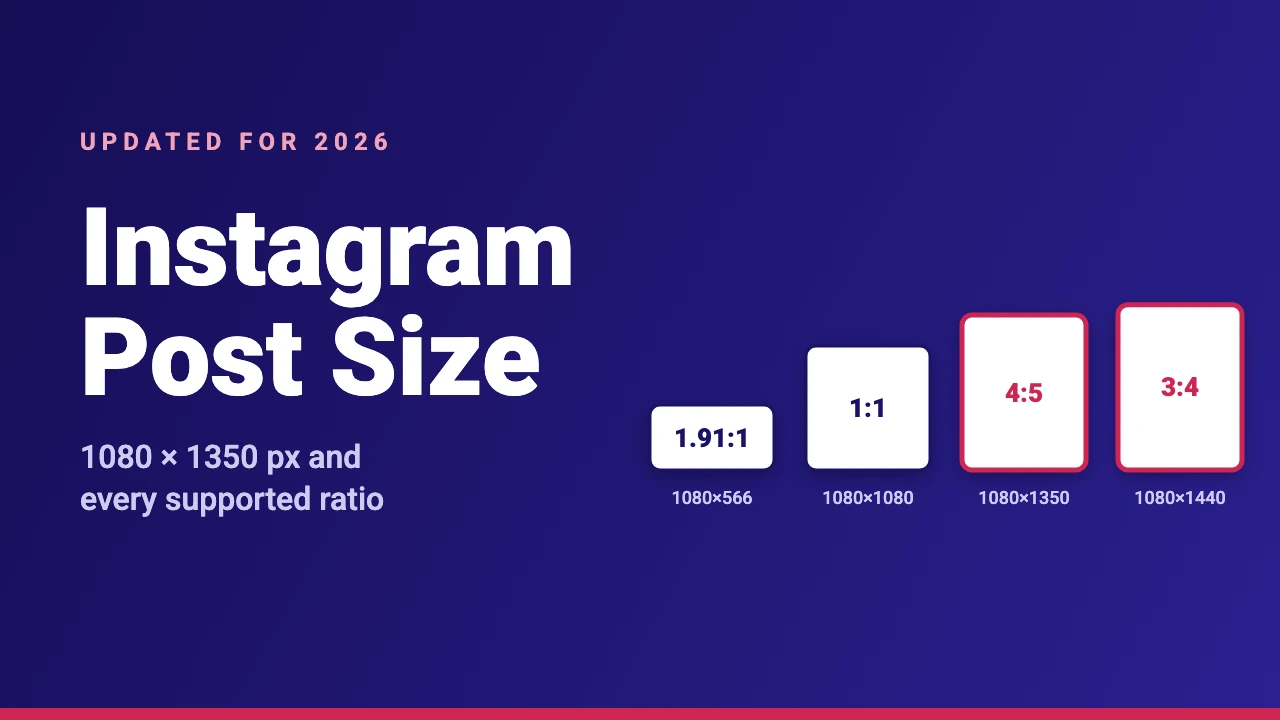
For most feed posts, 1080 × 1350 pixels (a 4:5 portrait) is a good Instagram post size, and 1080 × 1080 pixels is the classic square. Instagram’s Help Center says it keeps photos at up to 1,080 pixels wide and supports aspect ratios from 1.91:1 (landscape) to 3:4 (portrait), which means a height between 566 and 1,440 pixels.
This guide lists the dimensions for photos, carousels, reels and reel covers, explains which ratio to pick, shows how to keep text inside a safe area and walks through making each size in Canva. The numbers follow Instagram’s own help pages as of November 2026, and Instagram changes its app from time to time, so check the help pages linked below if something looks different.
Instagram Post Sizes at a Glance
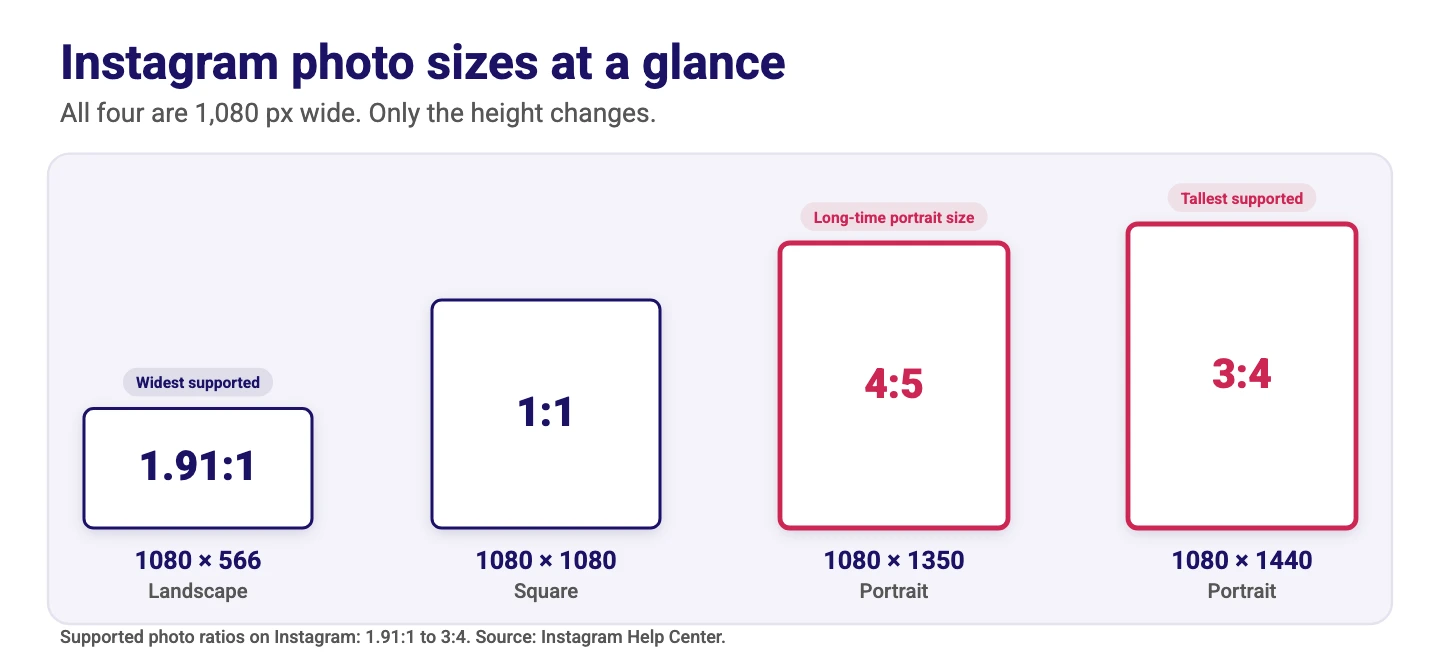
Every feed photo size below is 1,080 pixels wide. Only the height changes with the aspect ratio. Reel and story sizes are listed too, because they use a different, taller canvas.
| Format | Size (pixels) | Aspect ratio | Notes |
|---|---|---|---|
| Square post | 1080 × 1080 | 1:1 | Easy to design and works for logos, product photos and simple quotes |
| Portrait post | 1080 × 1350 | 4:5 | Takes more vertical space than a square |
| Tall portrait post | 1080 × 1440 | 3:4 | The tallest supported photo ratio, and the one many phone cameras shoot in |
| Landscape post | 1080 × 566 | 1.91:1 | The widest supported photo ratio |
| Carousel | Same as the sizes above | Same for every slide | Up to 20 photos and videos in one post, all in one orientation |
| Reel and story | 1080 × 1920 | 9:16 | Full-screen vertical canvas. Instagram accepts reels from 1.91:1 to 9:16 |
| Reel cover | 420 × 654 | 1:1.55 | The cover size Instagram recommends |
What Aspect Ratios Does Instagram Support?
According to the Instagram Help Center, a photo keeps its original resolution when its width is between 320 and 1,080 pixels and its aspect ratio is between 1.91:1 and 3:4. At a width of 1,080 pixels, that is a height between 566 and 1,440 pixels. If the ratio is not supported, Instagram crops the photo to fit a supported one.
The tallest supported ratio changed in 2025. Instagram used to stop at 4:5, which is 1080 × 1350. On 29 May 2025, Instagram head Adam Mosseri announced that photos in the native 3:4 ratio are now supported, according to 9to5Mac, so a 3:4 photo taken on a phone can be posted without cropping it first.
1:1, 4:5 or 3:4: Which Should You Use?
All three are supported, so the best choice depends on your content. These are design suggestions rather than Instagram rules.
| Size | Good for | Keep in mind |
|---|---|---|
| 1080 × 1080 (1:1) | Logos, product shots, quotes and simple graphics | Uses less vertical space than a portrait post |
| 1080 × 1350 (4:5) | Photos, text graphics and step-by-step slides | A common portrait size that most templates use |
| 1080 × 1440 (3:4) | Phone photos and tall graphics | The tallest option, so crop-sensitive details need a safe area |
| 1080 × 566 (1.91:1) | Wide photos and banner-style graphics | The smallest area, so text can look small |
Pick one size for a whole campaign so the posts look consistent when someone opens your profile.
Instagram Carousel Size
A carousel is one post with up to 20 photos and videos. The Instagram Help Center says the orientation you choose (square, portrait or landscape) affects all of the photos and videos in the post, and you cannot choose a different orientation for each one.
- Design every slide at the same size. 1080 × 1350 is a practical choice for most carousels, and 1080 × 1080 works if you prefer a square.
- Keep text inside a safe area. A cropped edge on one slide breaks the flow when people swipe.
- Put one idea on each slide. Large text is easier to read on a phone than a paragraph.
- Remember that videos in carousels are not reels. Instagram says they do not appear in the Reels tab or get reels features.
Instagram Photo Resolution
Instagram says it uploads photos at the best resolution possible, up to a width of 1,080 pixels. A photo between 320 and 1,080 pixels wide keeps its original resolution as long as the ratio is supported. A photo below that range is enlarged to 320 pixels wide, and a larger photo is sized down to 1,080 pixels wide.
For sharp posts, export your design at 1,080 pixels wide with a supported ratio. A larger file is scaled down to 1,080 pixels, and a smaller one gives Instagram less detail to work with. JPG and PNG are the usual choices for images.
Keep Text and Faces in a Safe Area
Posts are not always shown in full. Profile grid previews, shares and crops can trim the edges, and Instagram has changed how it shows previews in recent updates. A simple habit protects your design: keep text, faces and logos inside the center of the image and leave only background near the top and bottom.
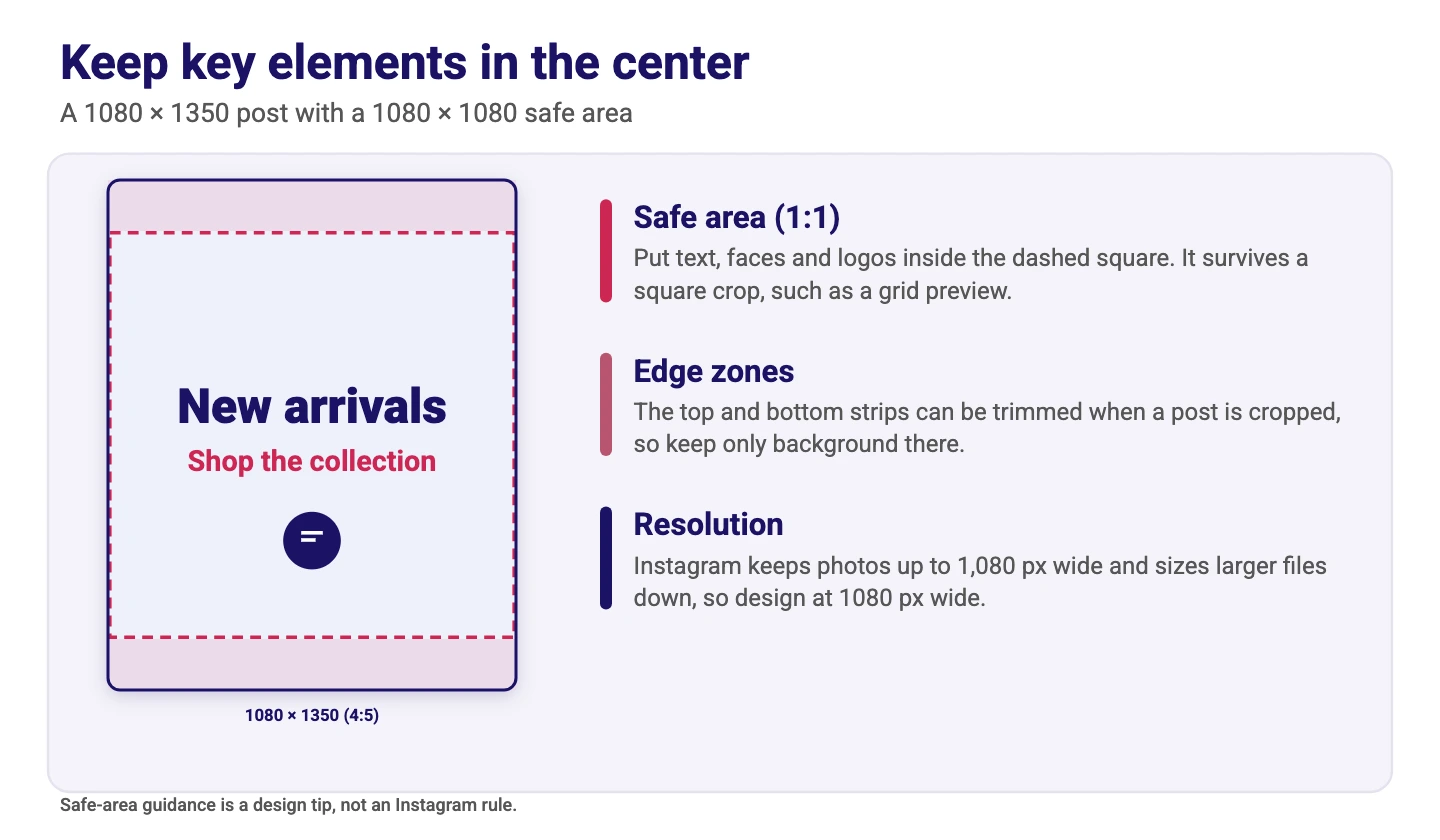
In a 1080 × 1350 post, a centered 1080 × 1080 area is a good safe zone, because it survives a square crop. This is a design tip, not an Instagram rule. The same idea matters even more for reels, and our guides to the Instagram reel size and the reel cover size cover reel safe zones in detail.
Instagram Reel, Story and Cover Sizes
Reels and stories are full-screen vertical formats, so they use a taller canvas than feed photos. The common size is 1080 × 1920 pixels at 9:16. The Instagram Help Center says you can upload a reel with an aspect ratio between 1.91:1 and 9:16, and that reels should have a minimum frame rate of 30 FPS and a minimum resolution of 720 pixels. It recommends a cover size of 420 × 654 pixels (a 1:1.55 ratio).
For full details, read our guides to the Instagram reel size and dimensions and the Instagram reel cover size. If you want to build reels in Canva, see how to make Instagram reels in Canva and our list of the best Instagram reel templates.
How to Make an Instagram Post at the Right Size in Canva
- Open Canva and click Create a design.
- Search for “Instagram post” and pick a preset, or choose Custom size and enter the width and height in pixels, for example 1080 × 1350.
- Check the size shown for the page. Preset sizes can change over time, so confirm the numbers match the size you want.
- Design inside the safe area, with text and faces near the center and only background near the edges.
- For a carousel, add one page for each slide and keep every page the same size.
- Download the design as a PNG or JPG. For a carousel, download all pages.
If you already have a design at another size, you can change it with Canva’s Resize tool, which is part of Canva Pro. On the free plan, create a new design at the new size and copy the elements across. Our guide to resizing an image in Canva explains both methods.
Fonts and Templates for Instagram Posts
Large, simple fonts read best on a phone. Our Canva fonts list shows what is available, and for seasonal posts you can try our guides to Thanksgiving fonts and Christmas fonts on Canva.
Common Instagram Post Size Mistakes
- Designing below 1,080 pixels wide. Instagram sizes photos up to a width of 1,080 pixels at most, so start at that width for the sharpest result.
- Using an unsupported ratio. A photo outside 1.91:1 to 3:4 is cropped to fit, and the crop may cut off something important.
- Placing text near the edges. Crops and previews can trim it. Keep key text in the center.
- Mixing ratios in a carousel. One orientation applies to the whole post, so design every slide at the same size.
- Using a story canvas for a feed post. A 1080 × 1920 design is taller than the supported feed ratio, so Instagram will crop it.
- Setting too much small text. Phone screens are small, so keep each post to one clear message.
Conclusion
The simplest rule is to design at 1,080 pixels wide and choose a ratio between 1.91:1 and 3:4. Use 1080 × 1080 for a square, 1080 × 1350 for a portrait and 1080 × 1440 for the tallest option, then keep text and faces near the center. For reels and stories, switch to the 1080 × 1920 vertical canvas. Our guide to Instagram marketing strategy covers what to post once the size is right.
Frequently Asked Questions
There is no single best size. 1080 × 1350 pixels (4:5) is a good default for portrait posts, 1080 × 1080 pixels (1:1) is the classic square and 1080 × 1440 pixels (3:4) is the tallest option. Choose the one that fits your content and use it consistently.
Instagram says it keeps photos at up to 1,080 pixels wide. With a supported aspect ratio, the height can be between 566 and 1,440 pixels, so common sizes are 1080 × 1080, 1080 × 1350 and 1080 × 1440.
Instagram supports photo aspect ratios between 1.91:1 (landscape) and 3:4 (portrait). A photo outside that range is cropped to fit a supported ratio.
Both are supported. 4:5 (1080 × 1350) was Instagram’s tallest photo ratio until 3:4 was added in May 2025, and 3:4 (1080 × 1440) is taller and matches the ratio of many phone cameras. Pick the one that suits your design and keep key details near the center.
A carousel can hold up to 20 photos and videos. The orientation you choose applies to every photo and video in the post, so design all slides at the same size, such as 1080 × 1350.
The common size for both is 1080 × 1920 pixels at 9:16. Instagram says reels can use an aspect ratio between 1.91:1 and 9:16, with a minimum resolution of 720 pixels and a minimum frame rate of 30 FPS. See our Instagram reel size guide for details.
Instagram recommends a cover size of 420 × 654 pixels, which is a 1:1.55 ratio. Keep the main subject near the center. Our reel cover size guide shows the safe zone.
Click Create a design, search for Instagram post or choose Custom size, and enter 1080 × 1350 pixels or another supported size. Design inside the safe area, then download the design as a PNG or JPG.