
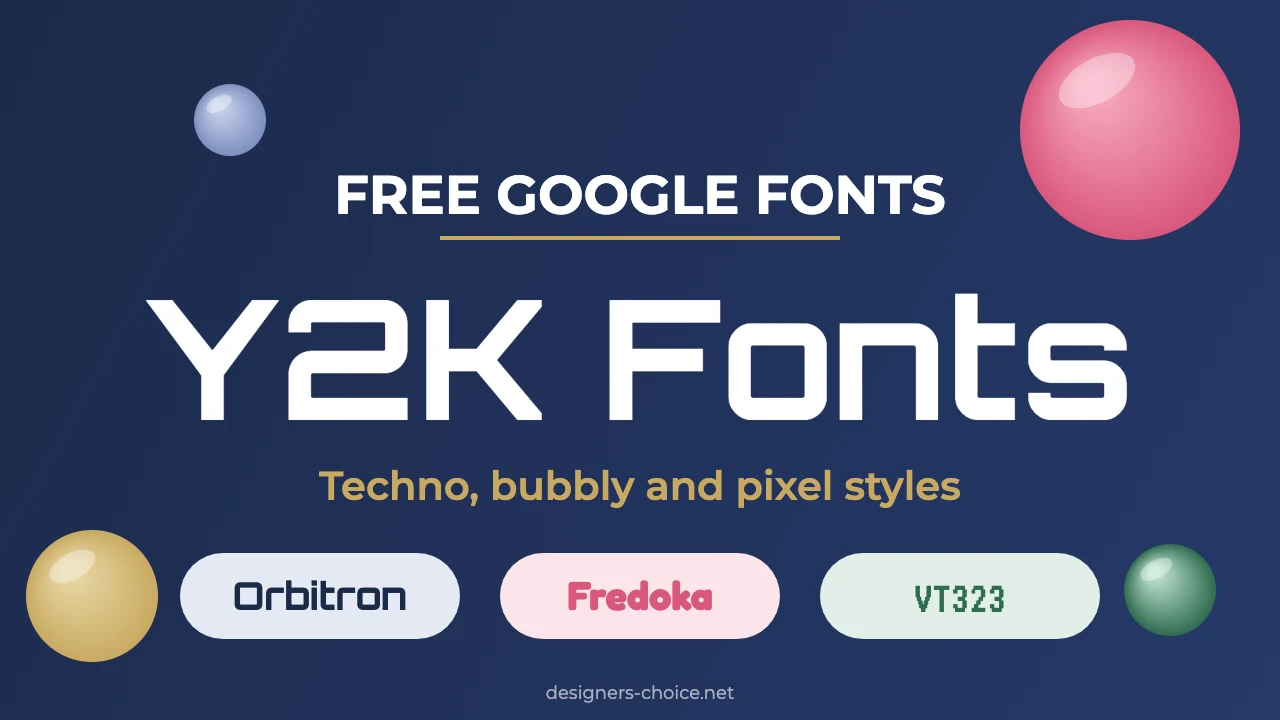
Y2K fonts are the wide techno letters, round bubbly faces and chunky pixel type that recall late-1990s and early-2000s design. Orbitron for headlines, Fredoka for friendly posts and Press Start 2P for retro game graphics are three easy places to start.
This guide covers 12 free Y2K fonts from Google Fonts, six font pairings, what “copy and paste” Y2K fonts really are and how to use these fonts in Canva. If you want one safe pair to try first, use Orbitron for headings and DM Sans for body text.
12 Free Y2K Fonts at a Glance
All 12 fonts below are on Google Fonts, which says in its Google Fonts FAQ that all of its fonts are open source and free of cost. Eleven use the SIL Open Font License (OFL) and Syncopate uses the Apache License 2.0. Download them from Google Fonts or search for them by name in your design tool.
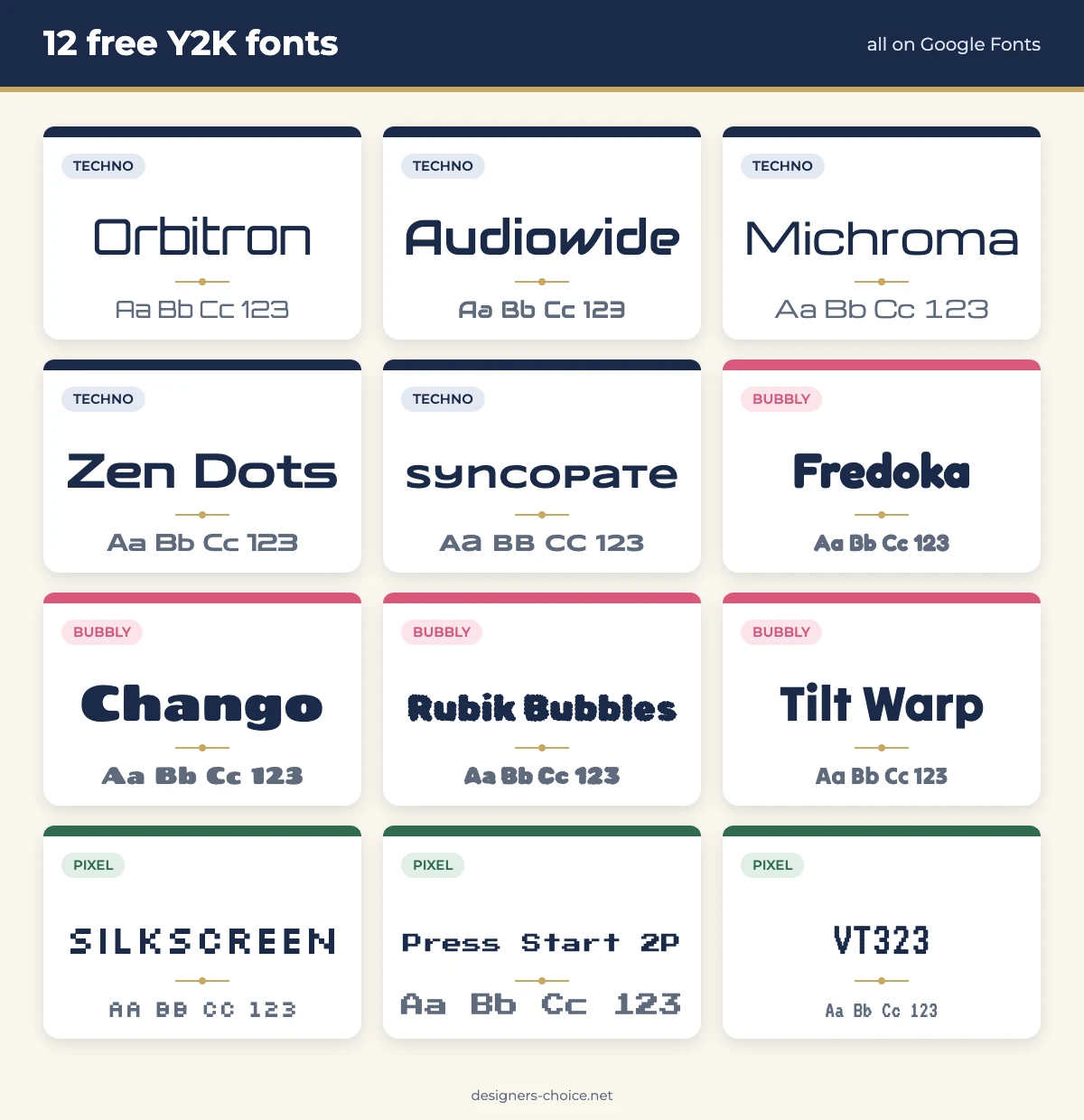
| Font | Style | Best for | License |
|---|---|---|---|
| Orbitron | Wide geometric sans | Tech headlines, posters and logos | OFL |
| Audiowide | Wide display with rounded corners | Event flyers and game titles | OFL |
| Michroma | Wide, clean techno sans | Logos and product names | OFL |
| Zen Dots | Heavy, wide display | Big headlines and thumbnails | OFL |
| Syncopate | Extra-wide geometric sans | Short headings and spaced logos | Apache 2.0 |
| Fredoka | Soft, rounded sans | Social posts and friendly brands | OFL |
| Chango | Chunky, heavy display | Stickers and sale posts | OFL |
| Rubik Bubbles | Bubbly display with a rough edge | Party posters and short titles | OFL |
| Tilt Warp | Bold display with warped shapes | Banners and headlines | OFL |
| Silkscreen | All-caps pixel font | Game graphics and labels | OFL |
| Press Start 2P | 8-bit pixel font | Retro game screens and titles | OFL |
| VT323 | Terminal-style pixel font | Retro computer screens and code-look layouts | OFL |
What Are Y2K Fonts?
Y2K fonts are typefaces that suit the Y2K look. Wikipedia describes Y2K as an internet aesthetic based on the products, styles and fashion of the late 1990s and early 2000s, and says the name comes from programmer David Eddy’s abbreviation for the year 2000 and its potential computer errors.
The same page calls the style retrofuturistic: bright colors such as lime, orange and hot pink are often paired with white and metallic chrome, and graphic design often uses gradients, chunky or rounded fonts, 3D elements and glossy effects. It also notes that the style has returned in the 2020s.
None of the fonts in this guide are the exact typefaces used in those years. They are free fonts that give the same mood: techno, bubbly or pixel. Searches for Y2K fonts mix two goals. Some people want real fonts for posters, logos and social posts. Others want fancy text to paste into a bio or username. This guide covers the first and explains the second further down.
What Makes a Font Look Y2K?
- Wide, geometric letters. Squared curves and generous width give a futuristic, techno look, as in Orbitron and Michroma.
- Rounded, bubbly shapes. Soft, heavy letters feel playful and glossy, as in Fredoka and Chango.
- Pixel grids. Blocky letters built from squares recall early screens and games, as in Silkscreen and VT323.
- Strong, simple forms. Heavy weights and clean outlines still read well when you add an outline, shadow or gradient.
Y2K Colors That Go With These Fonts
Wikipedia says bright colors such as lime, orange and hot pink are often paired with white and metallic chrome. A cool accent such as turquoise or purple adds contrast. For exact hex values, see our guides to hot pink, turquoise, the purple color code and the yellow color code.
Three Styles of Y2K Fonts
| Style | Look | Best for | Examples |
|---|---|---|---|
| Techno | Wide, geometric letters with squared curves | Logos, posters and tech or gaming headlines | Orbitron, Audiowide, Michroma, Zen Dots, Syncopate |
| Bubbly | Round, heavy and playful letters | Social posts, stickers and party graphics | Fredoka, Chango, Rubik Bubbles, Tilt Warp |
| Pixel | Blocky, grid-based letters | Game graphics, retro screens and labels | Silkscreen, Press Start 2P, VT323 |
Pick one style as the star of the design and set everything else in a quiet font. Mixing techno and bubbly fonts in one layout tends to look cluttered. For more retro options that work in Canva, see our guide to retro Canva fonts, and for softer picks try pretty Canva fonts. If you want the opposite, polished look, our preppy fonts guide covers serifs and scripts.
Y2K Font Pairings That Work
A Y2K headline font is loud, so pair it with a calm body font. These six pairings use a free Google Fonts headline with a plain, readable body font, and all six body fonts are free on Google Fonts too.
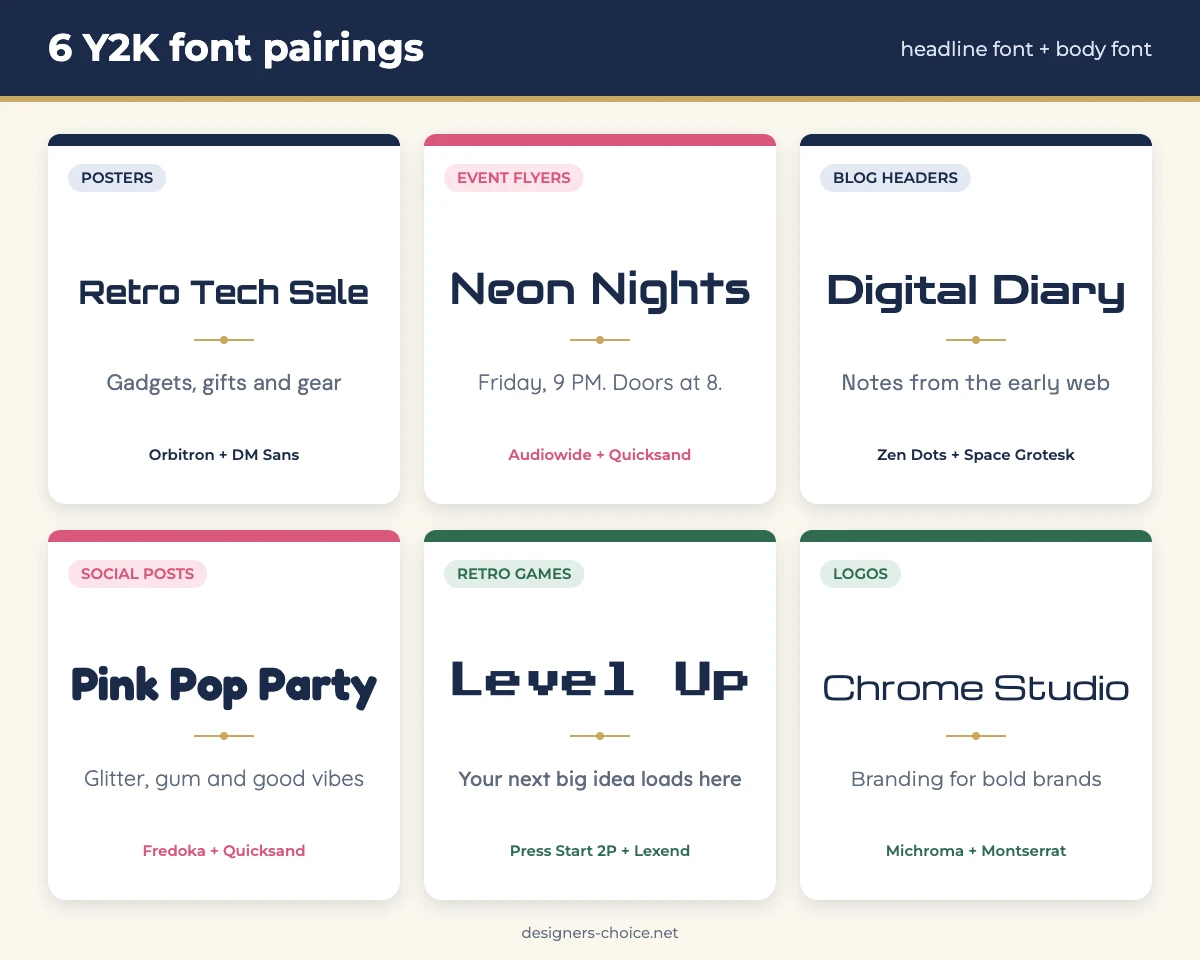
| Headline font | Body font | Best for |
|---|---|---|
| Orbitron | DM Sans | Posters |
| Audiowide | Quicksand | Event flyers |
| Zen Dots | Space Grotesk | Blog headers |
| Fredoka | Quicksand | Social posts |
| Press Start 2P | Lexend | Retro game graphics |
| Michroma | Montserrat | Logos |
Keep headlines to a few words and set longer text in the body font. For pairings beyond this style, see our guide to Canva font pairings.
Y2K Fonts Copy and Paste: What They Really Are
Many sites offer Y2K fonts you can copy and paste. These are not real fonts. They are ordinary text converted into special Unicode characters, such as mathematical letters, symbols and decorative characters, so the style travels with the text. That is why they show up in places that do not let you pick a font, like an Instagram bio or a username.
They have limits. Some devices show empty boxes for characters they do not support, screen readers can read them out one character at a time or skip them, and you cannot use them in a logo, a printed design or a website heading the way you can use a real font. For design work, download a real font and use it in your editor.
The 12 Best Y2K Fonts
Techno Y2K Fonts
Orbitron is a wide geometric sans with squared curves, and it is the safest techno headline font on the list. It comes in several weights, so it can handle headings and short labels. Use it for posters, tech brands and gaming graphics.
Audiowide is a wide display font with rounded corners and a sci-fi feel. It has one weight, so it suits titles rather than paragraphs. Try it for event flyers, music posters and game titles.
Michroma is a wide, clean sans with a technical look and generous spacing. It has one weight and reads best in short lines. It suits logos, product names and tech presentations.
Zen Dots is a heavy, wide display font with rounded forms. It has strong impact at large sizes, so use it for big headlines and video thumbnails.
Syncopate is an extra-wide geometric sans with a distinctive, spaced-out look. It comes in regular and bold, and it is the one font in this list licensed under Apache 2.0 instead of the OFL. Use it for short headings and spaced-out logos.
Bubbly Y2K Fonts
Fredoka is a soft, rounded sans that comes in several weights. The bold weight gives the glossy, friendly feel that suits social posts, kids’ brands and stickers.
Chango is a chunky, heavy display font with big rounded shapes. It has one weight and works for sale posts, stickers and bold titles.
Rubik Bubbles is a bubbly display font with a rough, textured edge. Keep it for party posters and short titles, because the detail gets lost at small sizes.
Tilt Warp is a bold display font with playful, slightly warped shapes. It works for banners and headlines that need energy.
Pixel Y2K Fonts
Silkscreen is an all-caps pixel font built from small squares. It comes in regular and bold and suits game graphics, labels and small headings.
Press Start 2P is an 8-bit pixel font with wide spacing. Use it for retro game screens and short titles, not for paragraphs.
VT323 is a terminal-style pixel font with narrower letters. It suits retro computer screens and layouts with a code look.
How to Use Y2K Fonts in Canva
Canva has a built-in font library, so search there first. Which fonts appear can change, and some of the 12 may not be listed, so check in the editor.
- Open your design and select a text box, or add one from the Text tab.
- Click the font name in the top toolbar to open the font menu.
- Type the font name, for example Orbitron or Fredoka, and click it to apply.
- If the font is not listed, download it from Google Fonts and upload it. Uploading needs a paid plan (Pro, Teams, Business, Education or Nonprofits), and the steps are in our guide to uploading fonts to Canva.
- On the free plan, pick the closest built-in font instead. Our Canva fonts list and retro Canva fonts guide show what is available.
Add the Y2K Look With Effects
The font is only half the look. Outlines, shadows and curved text add the glossy, layered feel. Our guides show how to outline text in Canva, add a shadow in Canva and curve text in Canva.
Where to Use Y2K Fonts
Posters and Flyers
Set the headline in a techno font such as Orbitron or Audiowide and the details in a calm body font. Keep the headline to a few words and use strong contrast between the text and the background.
Social Media Graphics
Bubbly fonts like Fredoka and Chango stand out in a feed. Use short headlines and bright colors, and keep the supporting text in a plain font so it stays readable on a phone.
Logos and Branding
Michroma, Orbitron and Syncopate suit logos that need a techno look, and the Google Fonts FAQ says you can use Google Fonts in any logo. A font is only one part of a brand, so see our guide to brand strategy development before you lock one in.
Retro Game and Pixel Designs
Pixel fonts are hardest to read at small sizes, so keep them for short titles and labels. Press Start 2P and Silkscreen suit game graphics, and VT323 suits layouts that mimic a computer screen.
Check the License Before You Use a Font
The Google Fonts FAQ says that all Google Fonts are open source and free of cost, that you can use them commercially and that you can use them in a logo. Most use the SIL Open Font License, and some use the Apache License or the Ubuntu Font License. In this guide, Syncopate is the Apache one. Check the license on each font’s Google Fonts page before a large client or print project, and do not assume a font from a random download site is free for commercial use.
Conclusion
Y2K fonts work best when the design stays simple: one loud headline font, one calm body font and a bright color palette with white or silver. Start with the free table above, test two or three fonts on your real text and check the license on the Google Fonts page. If you are not sure where to begin, use Orbitron with DM Sans for a techno look or Fredoka with Quicksand for a bubbly one.
Frequently Asked Questions
Y2K fonts are typefaces that suit the late-1990s and early-2000s look, such as wide techno letters, round bubbly faces and pixel type. The fonts in this guide give that mood, but they are not the exact fonts used in those years.
Y2K is an abbreviation for the year 2000. Wikipedia says the name comes from programmer David Eddy’s abbreviation for the year 2000 and its potential computer errors. The Y2K aesthetic is the style linked to the late 1990s and early 2000s.
Yes, all 12 fonts in this guide are free on Google Fonts, which says all of its fonts are open source and free of cost. Check the license on each font’s page before a large commercial project.
Google Fonts says you can use its fonts commercially and in logos. Eleven of the 12 fonts here use the SIL Open Font License and Syncopate uses the Apache License 2.0. Check the license on each font’s page for the exact terms.
There is no single best one. Orbitron is a safe start for a techno look, Fredoka for a bubbly look and Press Start 2P for pixel designs. Test two or three on your own text before you decide.
Canva’s font library changes, so search for the font names in the editor. If one is missing, you can download it from Google Fonts and upload it on a paid Canva plan. The free plan cannot upload fonts, so choose a similar built-in font instead.
No. They are special Unicode characters, not real fonts. They can show as empty boxes on some devices and cannot be used in a logo or printed design the way a real font can.
Wikipedia says bright colors such as lime, orange and hot pink are often paired with white and metallic chrome in the Y2K look. For hex codes, see our hot pink guide.
