This guide explains how to delete ChatGPT account access for good, with the steps for the web and for iPhone. Deletion is permanent. OpenAI says you cannot undo it, so read the checklist first and decide whether you only want to delete your chats instead.
We read OpenAI’s account deletion pages, its page on creating a new account after deletion and its data controls page in November 2026. OpenAI’s pages are not fully consistent on whether you can reuse your email, and they give no separate Android steps. We flag both below.
Before You Delete Your ChatGPT Account
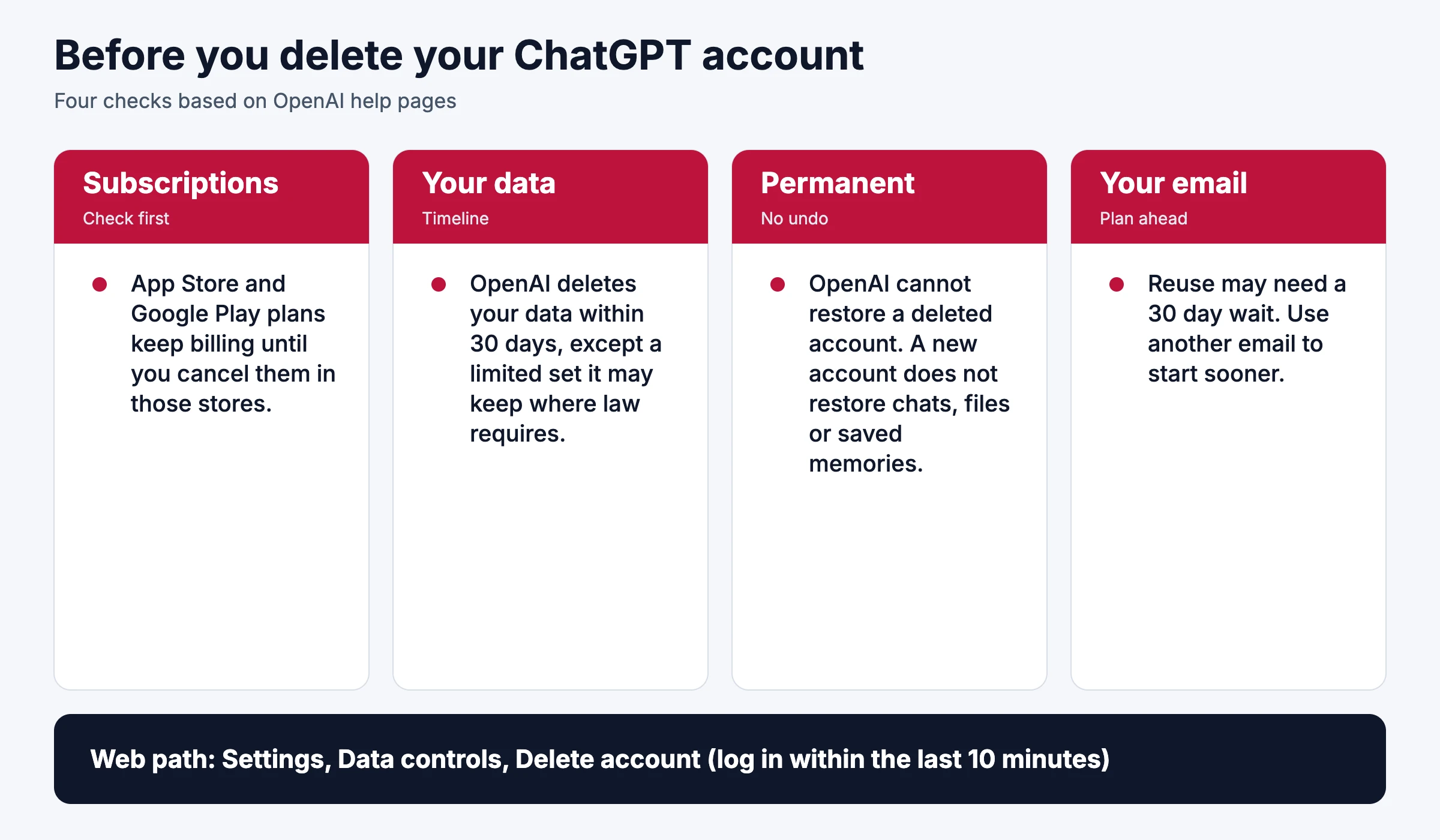
- Cancel any paid plan bought through Apple or Google first. OpenAI says deleting the account cancels eligible subscriptions billed directly by ChatGPT. You must cancel App Store and Google Play subscriptions in those stores. See our guide to how to cancel ChatGPT subscription.
- Export your data if you want a copy. Open Settings, then Data controls, then Export data. OpenAI sends the file by email.
- Accept that it is permanent. OpenAI says it cannot restore a deleted account, and a new account does not bring back chats, files or saved memories.
- Check whether you only need to remove conversations. Deleting chats keeps the account. See how to delete ChatGPT history.
- If the same email also signs in to an OpenAI Ads account, OpenAI says deleting may cut off access and leave campaigns running. Pause or end campaigns first, and make sure another authorized user can reach that account.
How to Delete ChatGPT Account on the Web
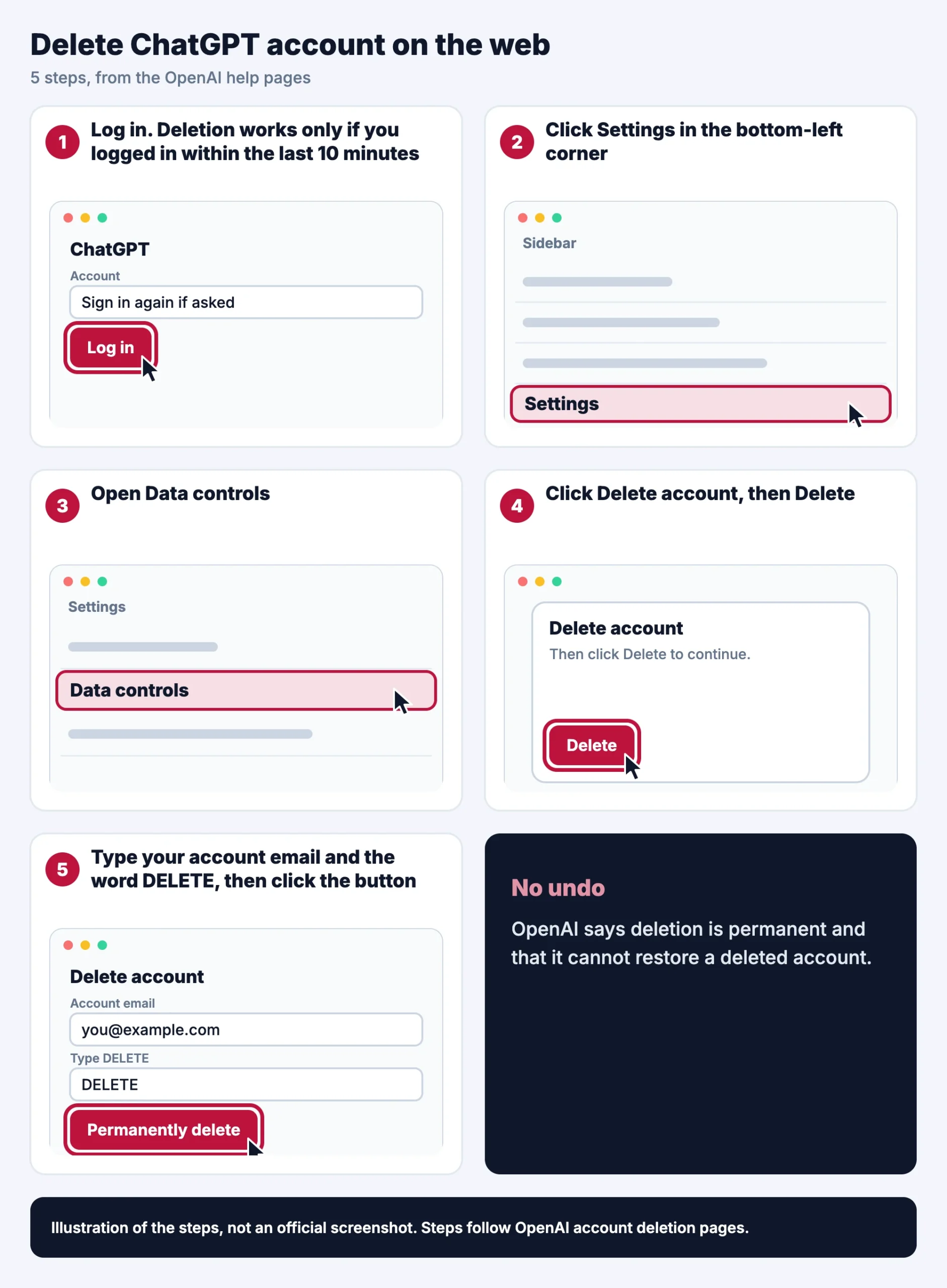
- Log in to ChatGPT. OpenAI says deletion works only if you logged in within the last 10 minutes. If you did not, a window asks you to sign in again.
- Click Settings in the bottom-left corner.
- Open Data controls.
- Click Delete account, then Delete.
- Type your account email and the word DELETE in the two fields. This unlocks the button that permanently deletes the account. Click it.
How to Delete ChatGPT Account on iPhone
- Open the ChatGPT app and go to your account settings.
- Tap Data Controls.
- Select Delete Account.
- Confirm by tapping Delete Account, or tap Cancel to stop.
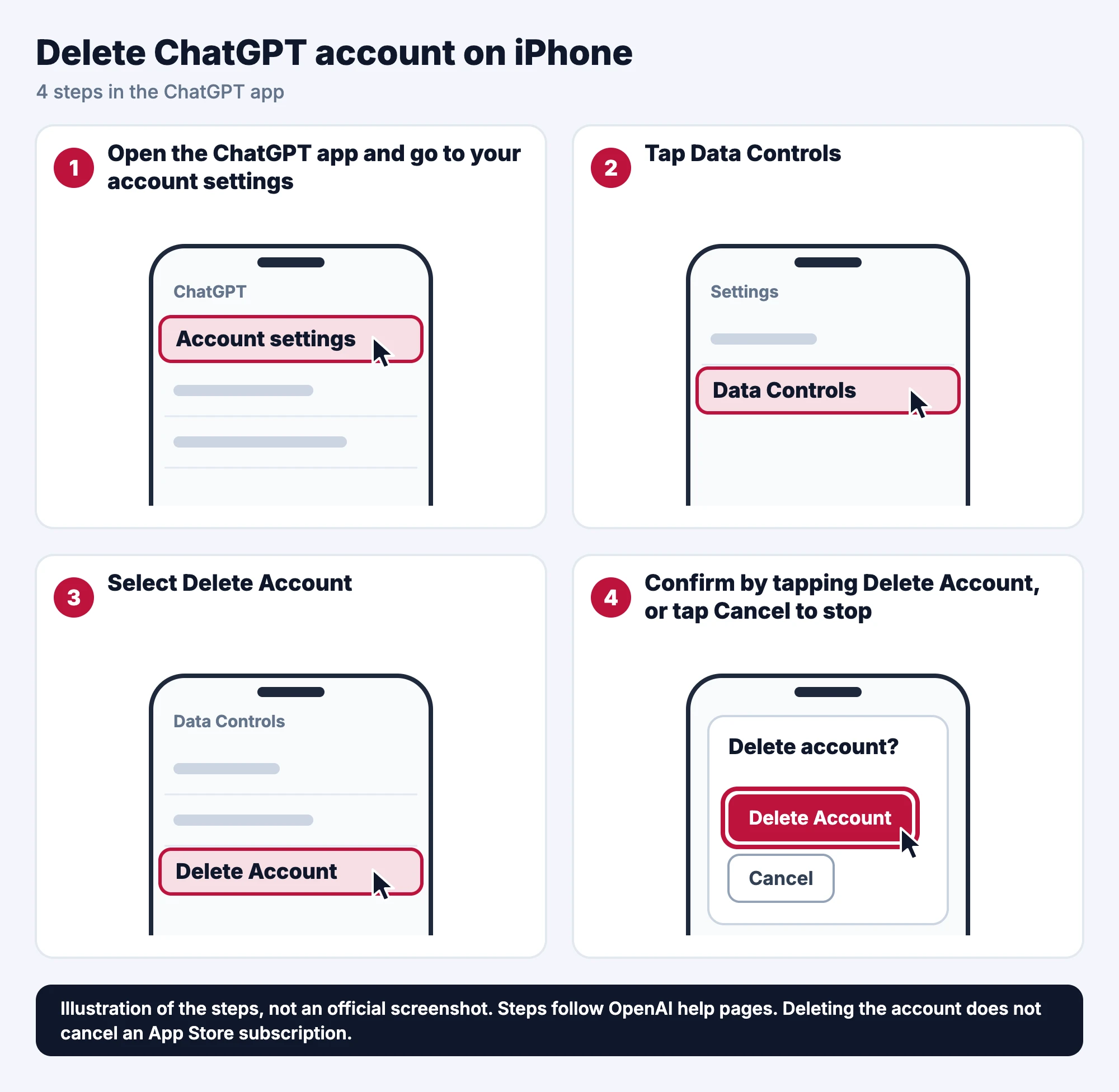
OpenAI says deleting your account in the iPhone app does not cancel an App Store subscription. You must cancel it in the App Store to stop charges. The pages we read give no separate steps for the Android app. If you do not see the option there, use the website steps above.
What Happens to Your Data
| Topic | What OpenAI says |
|---|---|
| Access | Deleting the account ends access to ChatGPT, the API and DALL-E. |
| Data timeline | OpenAI deletes your data within 30 days, except a limited set it may keep longer where law requires or permits it. |
| Chats | OpenAI deletes a cleared chat within 30 days, unless it has de-identified the chat and disconnected it from your account. If you have not opted out, OpenAI may use de-identified chats for training. |
| Recovery | OpenAI cannot restore a deleted account. |
| A new account | It does not restore chats, files or saved memories. |
| API data | The data controls page says API data under the same account is also deleted. |
OpenAI does not list which data it keeps for security, abuse or legal reasons. It also does not say what happens to a shared chat link.
Can You Use the Same Email Again?
OpenAI’s pages disagree here. Two recently updated pages say that if you deleted the account yourself, you can create a new account with the same email after 30 days. Before then, use a different address or an alias that adds +new before the @ sign. An older page says you cannot use the same email again.
If you need to start fresh right away, use a different email. If your email is still unavailable after 30 days, OpenAI says to contact Support.
Phone numbers have their own limit. OpenAI says one number can verify at most 3 accounts, and deleted accounts still count. You do not need phone verification to sign up, but you need it to create the first API key.
If You See a Deleted or Deactivated Error
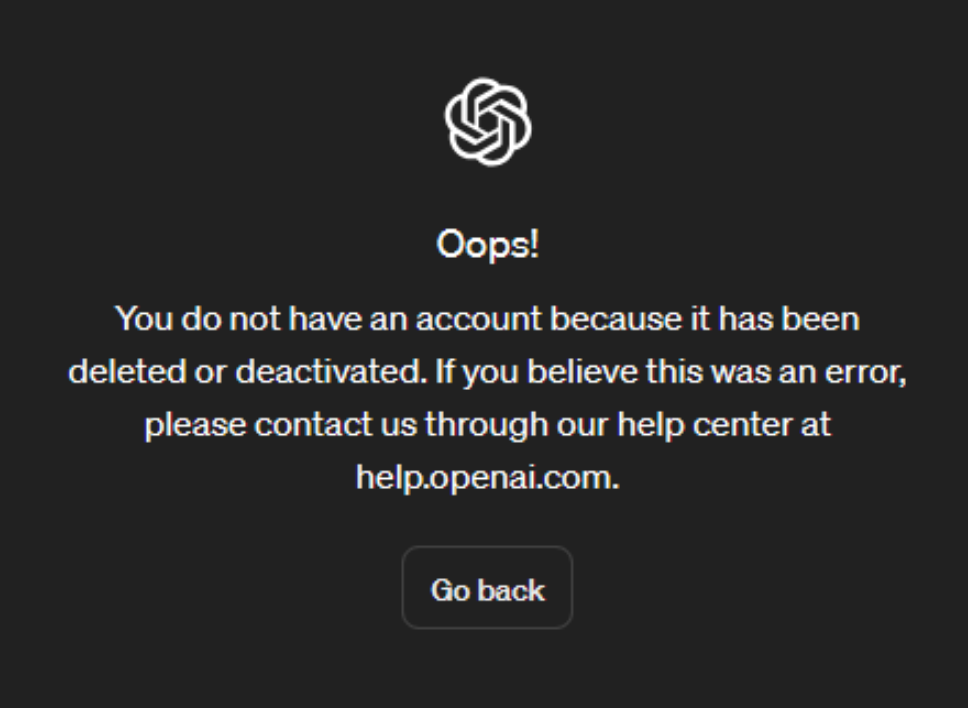
The message “You do not have an account because it has been deleted or deactivated” means you deleted the account or OpenAI deactivated it. Check your inbox and spam folder, because deletion sends confirmation emails. You cannot reactivate a deleted account. A deactivated account follows a different process, and waiting 30 days does not reactivate it.
Delete the Account or Just Clear Your History?
Delete the account if you want to leave ChatGPT and the API completely. Clear your history if you only want a clean slate. Deleting chats keeps your account and subscription. Our guide to deleting ChatGPT history covers single chats, all chats, archiving and memory. If you also use Claude, see how to cancel Claude subscription.
FAQ
Log in, open Settings, then Data controls, then Delete account. Confirm by typing your account email and the word DELETE. OpenAI says deletion is permanent and cannot be undone.
No. OpenAI says it cannot restore a deleted account. You can create a new account, but it does not bring back chats, files or saved memories.
OpenAI says it deletes data within 30 days of the request, except a limited set it may keep longer where law requires or permits it.
OpenAI says it cancels eligible subscriptions billed directly by ChatGPT. You must cancel subscriptions bought through the Apple App Store or Google Play in those stores. Cancel first to be safe.
Two recent OpenAI pages say yes, after waiting 30 days, if you deleted the account yourself. An older page says you cannot use the same email again. Use a different email or an alias if you need a new account sooner.
OpenAI says you must have logged in within the last 10 minutes, and you must type your email and the word DELETE to unlock the button. If you also use an OpenAI Ads account with the same email, pause campaigns and check access first. The pages we read list no other reasons.
The OpenAI pages we read give no separate Android steps. OpenAI documents the website steps: Settings, then Data controls, then Delete account. If the option is missing in the app, log in on the website.
Deleting the account ends access, and OpenAI deletes your data within 30 days, apart from a limited set it may keep where law requires or permits. A new account does not restore chats, files or saved memories.