Here is how to cancel Claude subscription billing for Pro, Max or Ultra on the web, iPhone and Android, following Anthropic’s help pages. Where you cancel depends on where you signed up. Web purchases cancel in Claude settings. App purchases cancel through Apple or Google Play.
We read Anthropic’s pages on cancelling a subscription, paid plan billing, refunds and deleting an account in November 2026. The pages show only relative update dates, such as updated over 3 weeks ago. They do not say what happens to your chats, projects or limits after the plan ends, and we flag that below.
How to Cancel Claude Subscription on the Web or Desktop
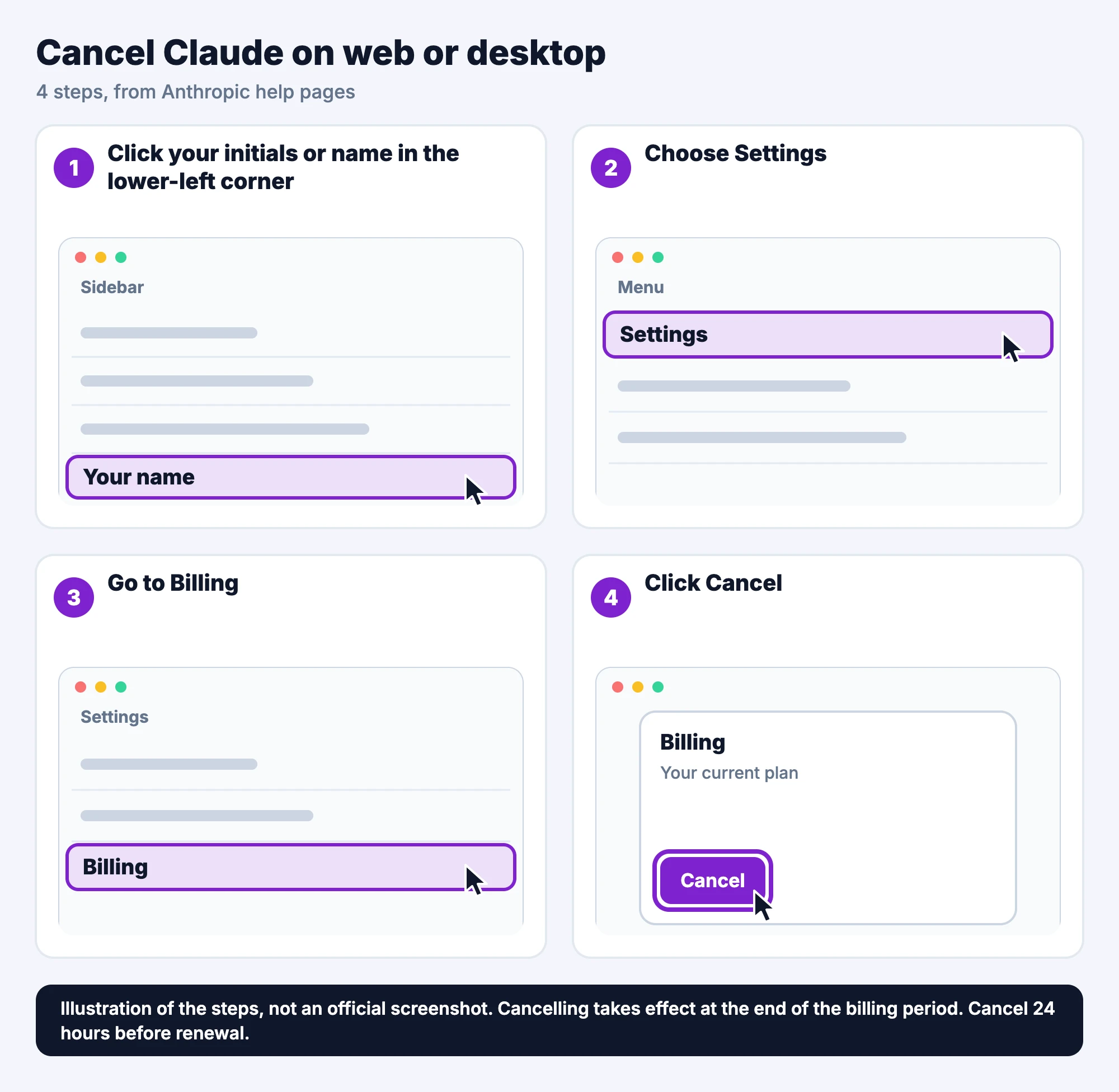
- Click your initials or name in the lower-left corner of claude.ai or Claude Desktop.
- Choose Settings.
- Go to Billing.
- Click Cancel.
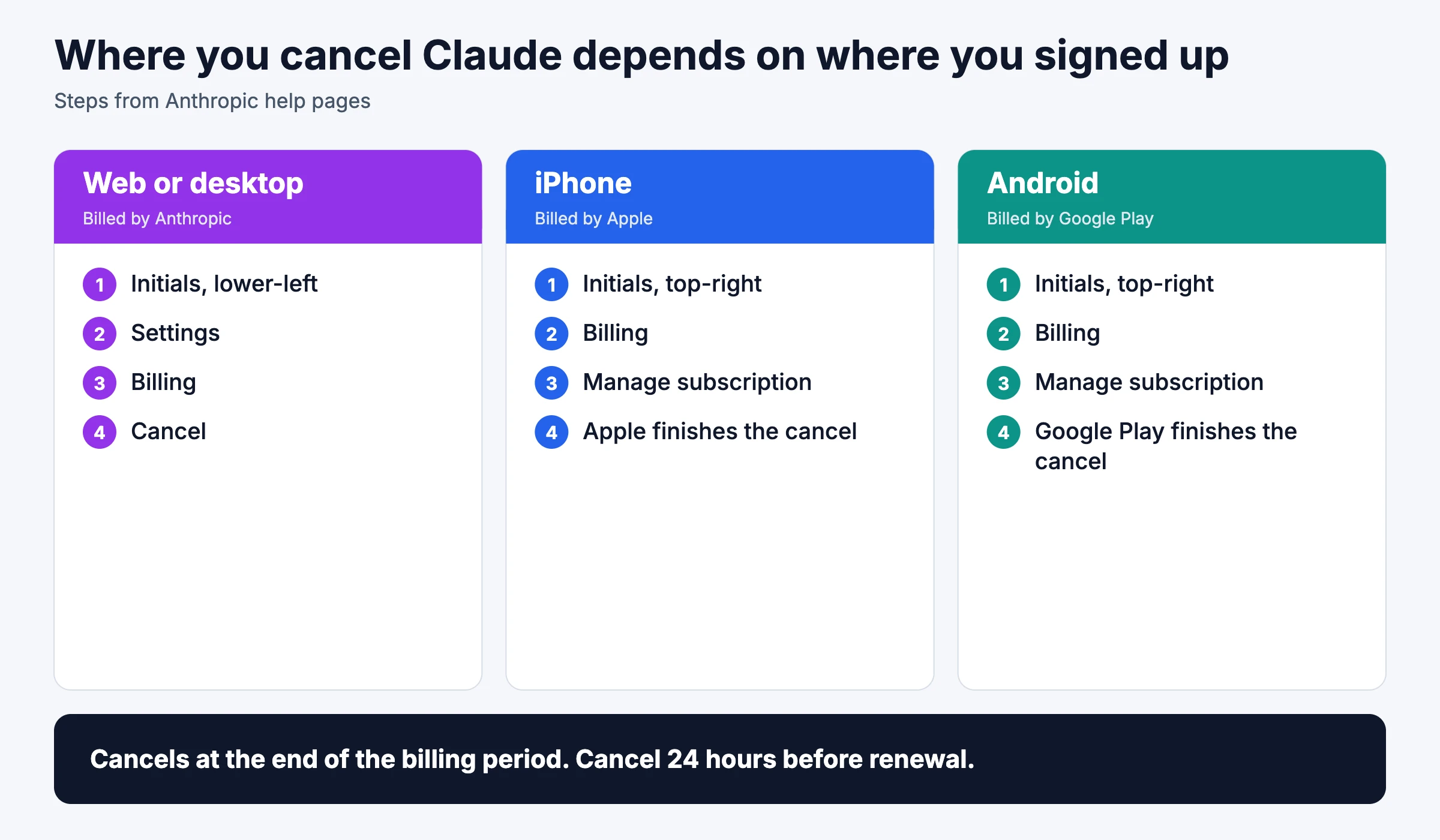
Anthropic says to cancel on the platform where you signed up. If you subscribed on the web, use these steps. If you subscribed in an app, use the steps below.
How to Cancel Claude Subscription on iPhone and Android
- Open the Claude app and tap your initials in the top-right corner.
- Choose Billing.
- Select Manage subscription and follow the prompts.
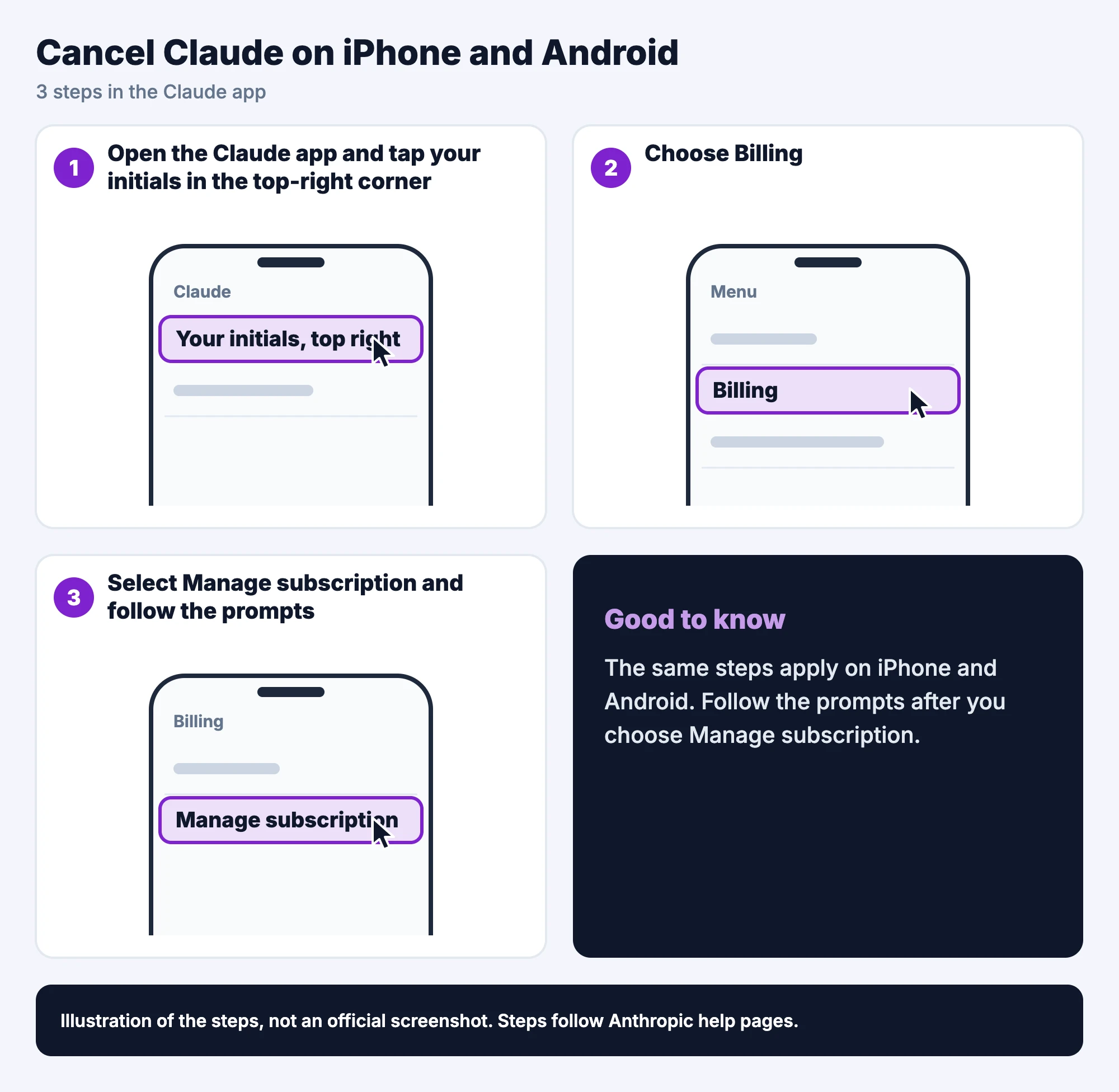
Apple and Google Play handle these purchases, so the final step happens in their screens. If you already deleted the app, Anthropic points you to Apple’s and Google’s own subscription pages instead.
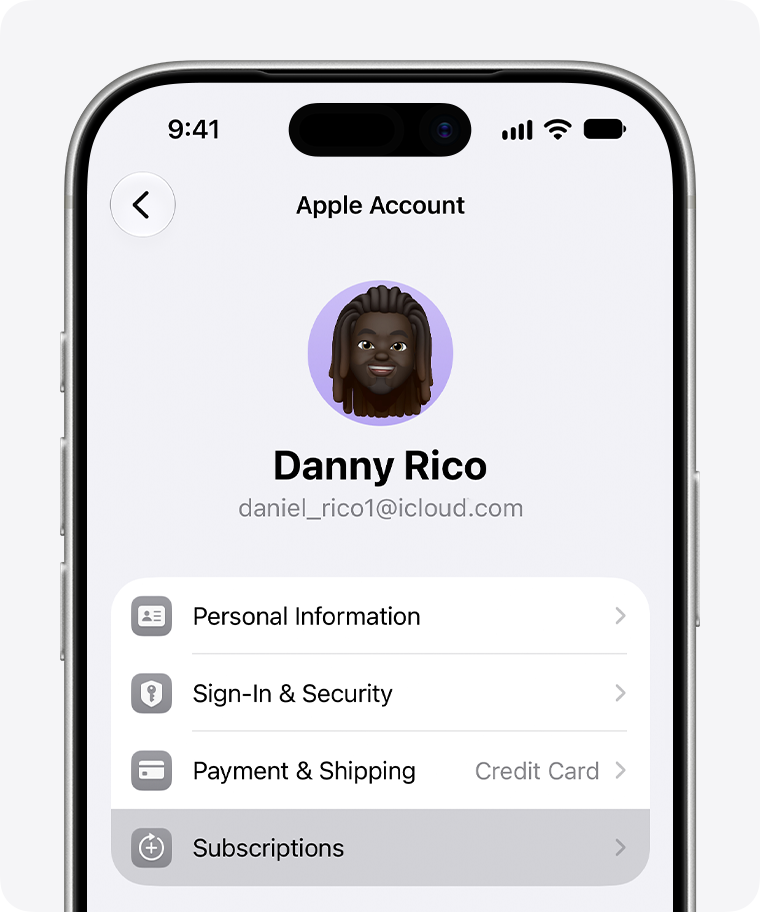
- Apple: open Settings, tap your name, tap Subscriptions, choose the Claude subscription, then tap Cancel Subscription.
- Google Play: sign in to the Google Account that holds the subscription, open the subscriptions page in Google Play, select the subscription and tap Cancel subscription.
| Where you signed up | Where you cancel | Who handles billing |
|---|---|---|
| Web or desktop | Settings, then Billing, then Cancel | Anthropic |
| iPhone | Initials, then Billing, then Manage subscription | Apple |
| Android | Initials, then Billing, then Manage subscription | Google Play |
When Cancellation Takes Effect
Anthropic says cancellation takes effect at the end of your current billing period, and you can keep using the paid plan until then. To avoid the next charge, cancel at least 24 hours before your next billing date.
Monthly API credits that come with Max and Team are different. Anthropic says they are not refundable and they expire at the end of each cycle. After you cancel or get a refund, new monthly credits stop, but credits you already have stay usable until they expire.
What Anthropic Does Not Say About Cancelling
The cancel page does not say what happens to usage limits, projects, chats, memory or features once the period ends. It does not say whether your account returns to the Free plan. It does not cover Team or Enterprise cancellation, extra usage or Claude Code access, and it gives no step for a missing cancel option.
The billing page adds one useful detail for coming back later: you cannot change your billing date directly. Anthropic says you can unsubscribe and then resubscribe on the date you prefer.
Refunds After You Cancel
Anthropic’s refund page says payments are non-refundable except as the Consumer Terms provide, where the law requires it, or in cases of fraud. Cancelling and asking for a refund are separate steps.
- Web: log in, click your initials, choose Get help, click Send us a message, choose Accept and then Claude Refund Request. Pick a reason and follow the eligibility prompts.
- EEA and UK: Anthropic says you may be able to get a refund within 14 days of purchase, prorated for use. The option may appear under Settings.
- iPhone: only Apple can refund. Request it through Apple’s report a problem page and choose I’d like to, then Request a refund. Refunds are at Apple’s discretion. A refund request does not cancel the subscription, so cancel separately.
- Android: Support checks eligibility first. For an inactive subscription, contact Support with your Google Play email or GPA order number.
- Pending bank dispute: Anthropic cannot process a refund while a dispute is open. Used usage credits are never refunded.
Before You Delete Your Claude Account
Anthropic says to cancel from Billing first, wait until the current period ends, and then delete the account. Deleting is permanent. You lose your conversations, projects, account information and any remaining usage credits. The page does not say whether deleting the account cancels the subscription, so do not rely on it. Cancel first.
If you also pay for ChatGPT, see how to cancel ChatGPT subscription. For Canva, read how to cancel Canva subscription. If you are cancelling because you want design tools, our guide to how to use Claude Design shows what the plan includes.
If Claude Shows Free After You Paid
Anthropic’s billing FAQ gives two checks. First, see whether you signed in with a different email. Second, see whether a failed payment downgraded the account. You can look under Settings, then Billing. The same page covers invoices (Settings, Billing, then Invoices and View) and card changes (Settings, Billing, then Update next to the default payment method).
FAQ
On the web or desktop, click your initials, choose Settings, go to Billing and click Cancel. In the iPhone or Android app, tap your initials, choose Billing and select Manage subscription.
Open the Claude app, tap your initials, choose Billing and select Manage subscription. You can also cancel in Apple Settings under your name and Subscriptions.
Open the Claude app, tap your initials, choose Billing and select Manage subscription. You can also cancel on the Google Play subscriptions page with the Google Account that holds the subscription.
At the end of your current billing period. You keep the paid plan until then. Cancel at least 24 hours before the next billing date to avoid the next charge.
Anthropic says payments are non-refundable except under its Consumer Terms, where law requires, or for fraud. In the EEA and UK you may get a prorated refund within 14 days of purchase. On iPhone only Apple can refund.
Anthropic’s page does not say. It tells you to cancel from Billing first, wait for the period to end, and then delete the account.
Not directly. Anthropic says you can unsubscribe and then resubscribe on the date you prefer.
Anthropic’s cancel page does not say. It also does not say whether your account returns to the Free plan, so check your account after the period ends.