Recraft AI is an AI design tool that makes both raster images and true vector graphics from a text prompt. This guide shows how to use Recraft AI, what the free and paid plans allow and what Recraft has not said.
We read Recraft’s own documentation pages on generating images, plans, credits, ownership and the FAQ. Where those pages give no number, we write “Not stated.”
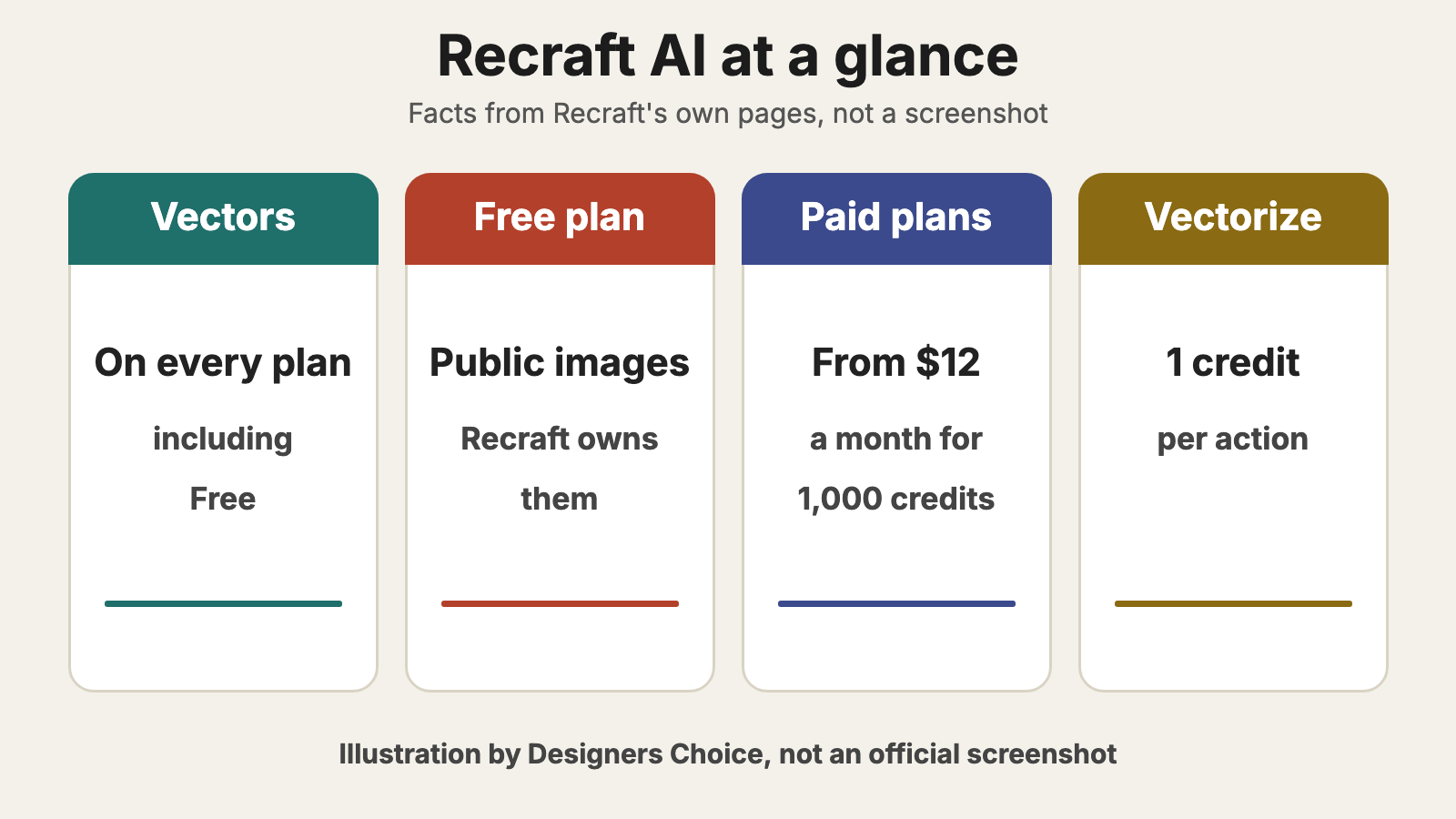
Illustration by Designers Choice, not an official screenshot
What Recraft AI Does
Recraft Studio is a canvas where you describe an image and click Generate. The result appears on the canvas in a bounding box after a few seconds. Recraft also offers a Chat tab, which is a separate, conversational way to generate.
| Generation type | What it gives you |
|---|---|
| Image | A raster image such as a PNG or JPG |
| Vector | A vector graphic that you can edit in the Vector Editor |
| Video | A video generated from a prompt, or from frames and a prompt |
| Mockup | A mockup generated or built from your artwork |
| Image set | A group of related images |
Recraft says vector generation and the Vector Editor are included on every plan, including Free. That is the main reason designers look at it, because most image generators only make pixels.
Free Plan and Paid Plans
The free plan is useful for testing, but it has limits that matter for client work. Recraft’s pages say the following about Free:
- You get limited credits that reset daily. The number is not stated.
- You can upload up to three images a day.
- Each prompt makes up to two images at a time.
- Images are public and may appear in the community gallery.
- Recraft owns Free plan images, and commercial ownership rights are not included.
- Credit top-ups are only for paid plans.
Paid plans change that. Recraft says paid images are private and that you own the images you generate while on a paid plan, with full commercial rights included.
One detail needs care. The paid plans page says commercial usage rights apply while you are subscribed. The ownership page says ownership remains even if you cancel later. Read both pages before you use Recraft images in client work. We are not lawyers, so this is a pointer and not legal advice.
Recraft Prices and Credits
Recraft lists prices in US dollars, with an annual discount of up to 20 percent. We found no prices in rupees or euros on the pages we read. Recraft says its pricing page has the latest figures.
| Plan | Credits each month | Monthly billing | Annual billing (per month) |
|---|---|---|---|
| Basic | 1,000 | $12 | $10 ($120 a year) |
| Pro | 2,000 | $20 | $16 |
| Pro | 4,000 | $40 | $32 |
| Pro | 8,000 | $80 | $64 |
| Pro | 16,000 | $160 | $128 |
Recraft also has a Teams plan with shared custom styles, central account management, 24/7 support and single sign-on. One Teams price on the page looked inconsistent, so we do not list Teams prices here. Check Recraft’s pricing page.
Monthly credits renew and do not roll over. Top-up credits never expire and are spent after your monthly credits run out. Recraft lists top-ups of 200 credits for $2, 400 for $4, 800 for $8 and 1,600 for $16.
How to Generate Your First Vector in Recraft
These steps follow Recraft’s documentation. Recraft’s screens may change, so treat the labels as a guide.
- Create a new project, or go to recraft.new.
- Open the Create tab in the left panel.
- Choose a generation type. For a logo or icon, pick Vector.
- Choose a model. Recraft says its models are tuned for different outputs, such as raster or vector.
- Choose a style, a color palette and an aspect ratio. Set how many images you want from the prompt.
- Describe the image in the prompt field and click Generate.
- Click an image to select it. Use the Selected object panel to reuse it or tweak it before you regenerate.
Styles can come from Recraft’s curated list, an endless feed of AI-made styles or your own styles built from reference images. To use a reference image, click it once to select it, then click again to get an Add thumbnail in the Create panel.
What Each Action Costs
Recraft’s credits page lists the cost of each model and action. Vector models cost more than raster models, and the newest models cost more again.
| Model | Type | Credits per generation | Time |
|---|---|---|---|
| Recraft V4.1 Flash | Raster | 1 | 1.3 seconds |
| Recraft V4.1 | Raster | 2 | 6 seconds |
| Recraft V4.1 Pro | Raster | 10 | 11 seconds |
| Recraft V3 | Raster | 1 | 4 seconds |
| Recraft V4.1 Vector | Vector | 4 | 11 seconds |
| Recraft V4.1 Pro Vector | Vector | 12 | 14 seconds |
| Recraft V3 Vector | Vector | 2 | 12 seconds |
Some actions have a flat cost. Vectorization, background removal, crisp upscale and erase area each cost 1 credit. A mockup costs 2 credits, and the Enhance action costs 10. The prompt enhancer costs nothing.
Chat mode is different. Each message costs credits, and the cost grows as the conversation gets longer. Recraft suggests starting a new chat or using Create mode to keep costs down.
A Simple Workflow for Logos and Icons
This is our own suggestion, based on the features Recraft documents. It is not an official workflow.
- Generate with the Vector type so you start with real vector shapes.
- Pick a palette first. Recraft lets you choose a predefined or custom palette.
- Make several variations in one go by raising the number of images.
- Open the best one in the Vector Editor and clean it up by hand.
- If you only have a raster image, run background removal and then vectorization. Recraft’s FAQ says vectorization should follow background removal.
- Export, and check the file against Recraft’s limits before you send it.
Recraft’s FAQ gives these file limits. An SVG can be up to 48 MB. A JPG, PNG or WebP can be up to 5,800 pixels on either side and 16 megapixels, and also 48 MB.
These three prompts are our own examples, not Recraft’s:
| Goal | Example prompt |
|---|---|
| Coffee shop logo | A simple round logo for a small coffee shop, a steaming cup above a leaf, two colors, flat shapes, no gradients |
| Icon set | A set of six outline icons for a travel app: map, suitcase, ticket, camera, hotel and sun, same stroke weight |
| Pattern | A repeating pattern of wildflowers in muted blue and cream, flat vector style, tidy spacing |
Tips from Recraft’s FAQ
- Use the Negative prompt field to exclude things. Do not write “no” or “do not” inside the prompt.
- If an image looks blurry, try Creative upscale.
- Set the artistic level to Clean to reduce angled, rough-looking characters.
- Write in any language. Recraft says it accepts any Unicode text and works best in English.
- Refunds are possible only if you used fewer than 30 credits over the life of the account and paid within the last 30 days. Cancel first, then contact Recraft.
What Recraft Has Not Said
| Question | Answer on the pages we read |
|---|---|
| Daily free credits | Not stated |
| A watermark on Free images | Not stated |
| Countries where Recraft is available | Not stated |
| Steps to export an SVG | Not stated in the FAQ, which gives file size limits only |
| Text rendering inside images | Not stated |
| Prices in rupees or euros | Not stated. Prices are in US dollars |
Where Recraft Fits
This is our own view. Recraft is a strong choice when you need vector output, because most rivals stop at raster images. It is less suited to photo-style art, where a tool like Midjourney V8 may suit you better. If you are comparing options, see our guides to the best AI tools for logo design, the best free AI image generators and the best AI design tools for graphic designers.
FAQ
Recraft AI is an AI design tool that generates raster images, vector graphics, videos and mockups from text prompts. It runs in Recraft Studio, a canvas with Create and Chat tabs.
Recraft has a free plan with limited daily credits, up to three uploads a day and up to two images per prompt. Free images are public, and Recraft owns them.
Recraft says paid plans include private generation and full commercial rights, and that Free plan images do not include commercial ownership rights. Read the plan and ownership pages first. This is not legal advice.
Recraft’s paid plans start at $12 a month, or $10 a month billed yearly, for 1,000 credits. Pro plans run from $20 to $160 a month for 2,000 to 16,000 credits.
Yes. Recraft has a Vector generation type and a Vector Editor on every plan, and its FAQ gives a 48 MB limit for SVG files.
Each model and action costs a set number of credits. Subscription credits renew monthly and do not roll over, while top-up credits never expire.
Recraft lists a Vectorization action that costs 1 credit, and its FAQ says to remove the background first.
Recraft says it accepts any Unicode text and works best in English, with strong understanding of major European and East Asian languages.