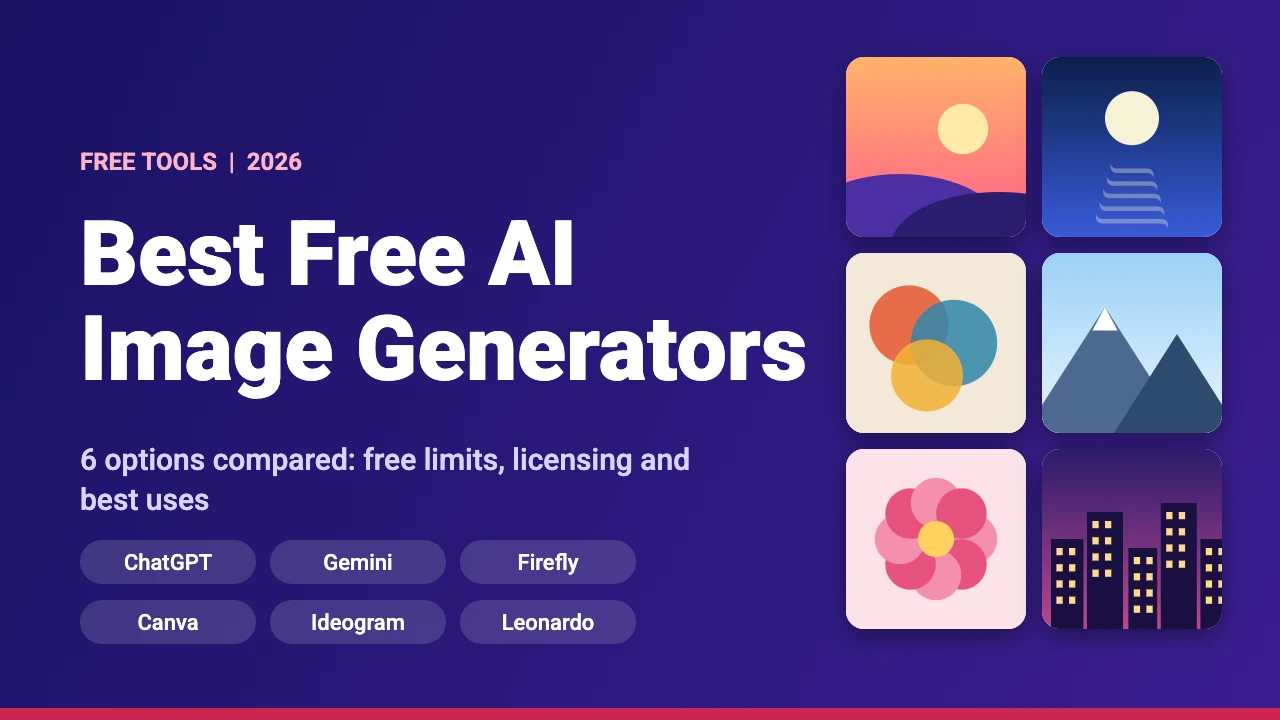
The best free AI image generator depends on where you already work. ChatGPT and Gemini suit anyone who wants to describe a picture in plain language, Canva suits people who finish their designs in Canva, Adobe Firefly suits people in the Adobe world, Ideogram is widely known for images that contain text, and Leonardo AI gives you a free daily refill of 150 fast tokens. All six have a free way in, and all six have limits.
This guide compares six free AI image generators using each company’s own help or pricing page, read on 17 November 2026. We did not run side-by-side image quality tests, so the sections below describe what each tool offers and where its limits sit, not whose pictures look best. Free plans change often, so check the linked page before you rely on a number.
Free AI Image Generators at a Glance
Every tool in this table has a free route, but the size of that route differs. Some give a daily refill, some a weekly one, and some only say you will hit a usage limit.
| Tool | What the free plan gives | Best for | Watch out for |
|---|---|---|---|
| ChatGPT | Image creation is part of the free tier, with a usage limit separate from chat | Describing a picture in plain language and refining it in a conversation | OpenAI does not publish a fixed image count on its free tier page |
| Gemini | Image generation with the Nano Banana 2 model is available without a Google AI plan, under standard limits | Quick pictures and edits if you already use Google apps | Limits can change without notice and may be tightened for free users first when demand is high |
| Adobe Firefly | Limited free daily generations for images and video | People who already use Photoshop or other Adobe apps | Adobe does not give one fixed daily number on its product page |
| Canva (Magic Media and Canva AI) | A limited monthly AI allowance on Canva Free | Making an image and placing it straight into a design | One allowance is shared by all AI tools, and advanced tools use more of it |
| Ideogram | 30 credits each week when you sign in with Google, Apple or Microsoft | Posters, thumbnails and designs that include text | Everything you generate on the free plan is public |
| Leonardo AI | 150 fast tokens a day, Auto model only, basic quality settings | Daily practice and concept art | Creations are public on the free plan |
What to Look for in a Free AI Image Generator
A free plan is only useful if it fits the way you work. Before you pick one, check these five things:
- The allowance. Is it daily, weekly or monthly, and is it counted in credits, tokens or an unstated usage limit?
- Privacy. Some free plans make everything you create public, which matters for client work and unreleased products.
- Licensing. Rules on commercial use differ by tool and by plan, so read the terms before you sell or print anything.
- Editing. Can you ask for a change in plain language, edit one part of an image or place the result straight into a design?
- Text in images. Many generators still misspell words, so if you need lettering, pick a tool known for it or add the text yourself in a design app.
The 6 Best Free AI Image Generators
1. ChatGPT
OpenAI’s ChatGPT free tier FAQ lists creating images in ChatGPT among the things the free plan includes. It also says that file uploads, image generation, voice, data analysis and other tools have separate usage limits from regular chat, and that ChatGPT tells you when you reach a limit and when it resets. The page gives no fixed image count.
The main advantage is the conversation. You can ask for a change in plain words, such as a darker background or a different color for the jacket, instead of starting again. That makes ChatGPT a good first stop if you are new to AI images and do not want to learn prompt tricks.
2. Gemini
Google’s Gemini Apps limits page marks image generation with Nano Banana 2 as available without a Google AI plan, under what it calls standard limits. Redoing images with Nano Banana Pro is not marked as available for that group. Google also says that some features, such as media generation, use more of your usage, that limits may change without notice and that free-user limits may be restricted before paid users’ limits when demand is high. You can see your own limits in Gemini under Settings, then Usage limits.
If you want to edit photos rather than only create new pictures, our guide on how to use Nano Banana for image editing walks through the steps.
3. Adobe Firefly
The Adobe Firefly page lists limited free daily generations for images and video on the free plan, plus limited access to top AI models from Adobe, Google, OpenAI and other partners. Adobe’s generative credits FAQ explains that most standard features use one credit per generation, that premium features use more (it gives Firefly Image 5 at 10 credits as an example) and that credits do not roll over to the next month.
Adobe also says that everything generated with Firefly models is safe for commercial use. That line sits in a general part of the page, so check the terms for your plan, and for any partner model, before you sell a design. If you work in Photoshop, our guide to using Adobe Firefly in Photoshop covers the tools inside the app.
4. Canva (Magic Media and Canva AI)
According to Canva’s AI usage help page, Canva Free includes limited access to Standard and Premium AI tools, drawn from a shared monthly allowance that resets each month. Creating an image with Canva AI is listed as a Premium tool, so it uses more of the allowance than a Standard tool. Canva Free has no access to the Ultra tier, such as creating a video clip with Canva AI.
Canva’s Magic Media help page says you describe what you want, then pick a style (photography, digital art or fine art) and a layout (square, landscape or portrait). Videos made with Magic Media are 4 seconds long. The big benefit is that the picture lands inside your design, where you can crop it, add text and export it. Learn more in our guides to how to use Canva AI and Canva Magic Studio.
5. Ideogram
Ideogram’s personal plans page says free accounts get 30 credits each week if they sign in with Google, Apple or Microsoft. Accounts created with an email and password get no free credits and must buy credits or subscribe. When your credits run out you can wait for the next week’s 30 or buy more.
The same page says that on the free plan everything you generate is public, while Plus, Pro, Team and Enterprise keep new images private until you publish them. Ideogram is widely known for putting readable text into images, which is why designers try it for posters and thumbnail ideas. The plans page does not cover commercial use or watermarks, so read the terms of service for those.
6. Leonardo AI
Leonardo’s pricing page lists the Free plan at $0 a month with 150 fast tokens a day, Auto model access only, public creations, basic quality settings and one personal collection. Paid plans add a choice of 80 or more models, private creations and larger token pools. A daily refill makes it easy to practice a little every day.
New to the tool? Start with our Leonardo AI prompt guide, then read how to create a consistent character in AI art if you want the same face across several images.
Other Free Options to Know About
Microsoft Copilot and Microsoft Designer also offer image creation, and Perplexity can generate images too, as our Perplexity image generation guide explains. We left Microsoft out of the table because the only limits we could find were in community answers rather than on an official Microsoft page, so we could not confirm current numbers. Open the app to see what your account gets today.
What Free Limits Usually Mean
Reading the fine print saves frustration later. Across these six tools, the same patterns come up:
- Allowances reset on a schedule. Leonardo refills daily, Ideogram weekly, and Canva and Adobe monthly. Adobe says credits do not roll over.
- Free often means public. Ideogram and Leonardo both make free-plan creations public, so do not use them for private client work.
- Advanced features cost more. Google and Canva both say that heavier tools, such as video, use more of your allowance.
- Numbers can change. Google says outright that limits may change without notice, so treat every number in this guide as a snapshot.
Can You Use Free AI Images Commercially?
It depends on the tool, the plan and your country. Adobe makes a general statement about Firefly models, Canva has its own content license, and Ideogram points to its terms of service. Before you put an AI image on a product, a logo or a client project, read the terms for that exact tool and plan, and save a copy of them with the date. For licensing basics on Canva, see our guide on whether Canva images are copyright free. This is general information, not legal advice.
How to Write a Better AI Image Prompt
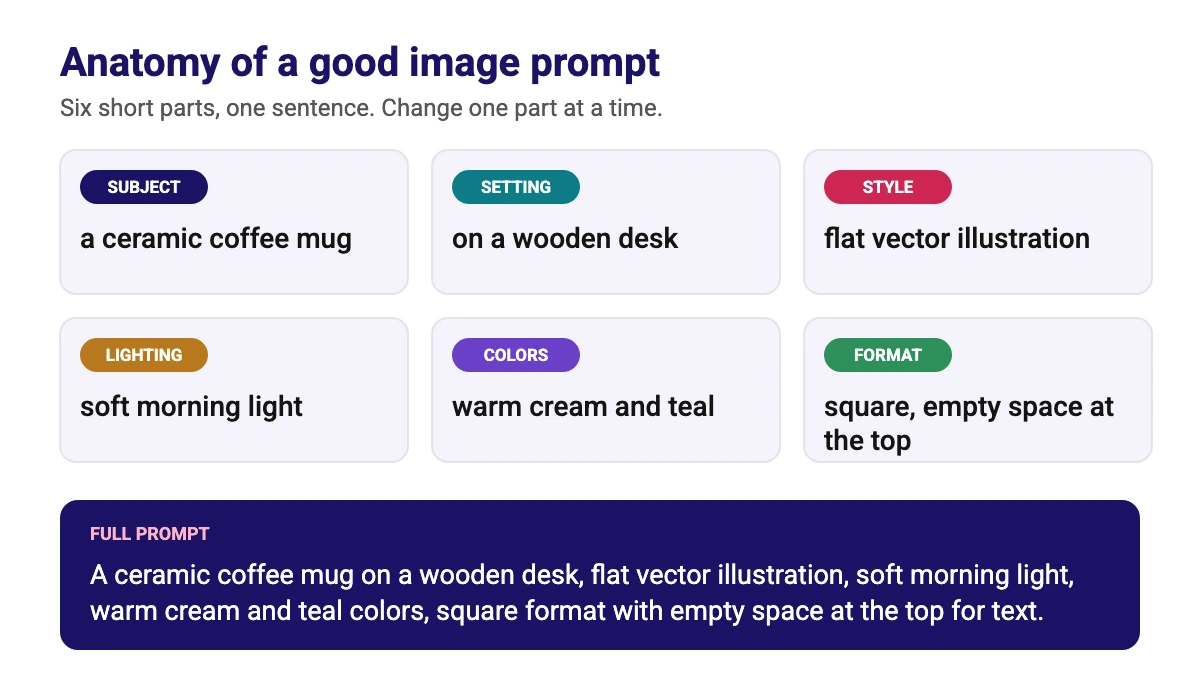
Every generator works better when your prompt is specific. A simple structure is subject, setting, style, lighting, colors and format, as in the example below. You do not need all six every time, but each one removes a guess the tool would otherwise make for you.
- Start with the subject. Say what the main thing is and what it is doing.
- Add a style. Flat vector illustration, watercolor, studio photo or 3D render give very different results.
- Name the light and colors. Soft morning light and a warm cream and teal palette are easier for a tool to follow than words like nice.
- Describe the format. Ask for a square, landscape or portrait image, and for empty space where you plan to add text.
- Change one thing at a time. If you alter five parts at once, you will not know which change helped.
If your image needs exact wording, such as a sale price or a channel name, add that text yourself in a design app instead of trusting the generator. Our Canva tips and tricks cover quick ways to place and style text on top of a picture.
Which Free AI Image Generator Should You Pick?
| If you want to | Start with |
|---|---|
| Make an image inside a design you are already editing | Canva (Magic Media or Canva AI) |
| Chat with a tool and refine the picture step by step | ChatGPT or Gemini |
| Work with Photoshop and other Adobe apps | Adobe Firefly |
| Create posters or images that include text | Ideogram |
| Get a daily allowance to practice with | Leonardo AI |
| Make a background for a video thumbnail | Any of the above, then add the text in a design app. See our YouTube thumbnail size guide |
| Compare AI tools for logos or layouts | Read our best AI tools for logo design and best AI design tools for graphic designers |
Conclusion
There is no single best free AI image generator, only the best fit for your workflow. Start with the tool that lives where you already work, use its free allowance to learn how prompts behave, and move to a second tool only when you hit a clear limit. Keep an eye on privacy and licensing before you use any image for something that matters, and check each company’s page again before relying on today’s numbers.
Frequently Asked Questions
There is no single winner. ChatGPT and Gemini are easy for beginners, Canva is handy if you design in Canva, Adobe Firefly suits Adobe users, Ideogram is known for images with text and Leonardo AI offers a daily free refill. Pick the one that matches where you work.
Not among the six we checked. ChatGPT, Gemini, Adobe Firefly, Canva, Ideogram and Leonardo AI all limit free use through a daily, weekly or monthly allowance or a usage limit.
On the free plans of Ideogram and Leonardo AI, creations are public. For the other tools, check your account privacy settings and terms before you create anything private.
It depends on the tool, the plan and your country. Read the terms for your exact plan before you use an AI image on a product, logo or client project, and keep a dated copy of the terms. This is general information, not legal advice.
Ideogram is widely known for readable text in images. Even so, check spelling on every result, or add exact wording yourself in a design app such as Canva.
Yes, within a limit. Canva Free includes limited access to Standard and Premium AI tools from a shared monthly allowance. Creating an image with Canva AI is a Premium tool, so it uses more of that allowance.
Nano Banana is the name of the Google image model behind image generation and editing in Gemini. Google’s limits page lists Nano Banana 2 as available without a Google AI plan. See our guide on how to use Nano Banana for image editing.
Write a specific prompt with a subject, setting, style, lighting, colors and format, then change one part at a time. Our prompt anatomy diagram above shows the structure.