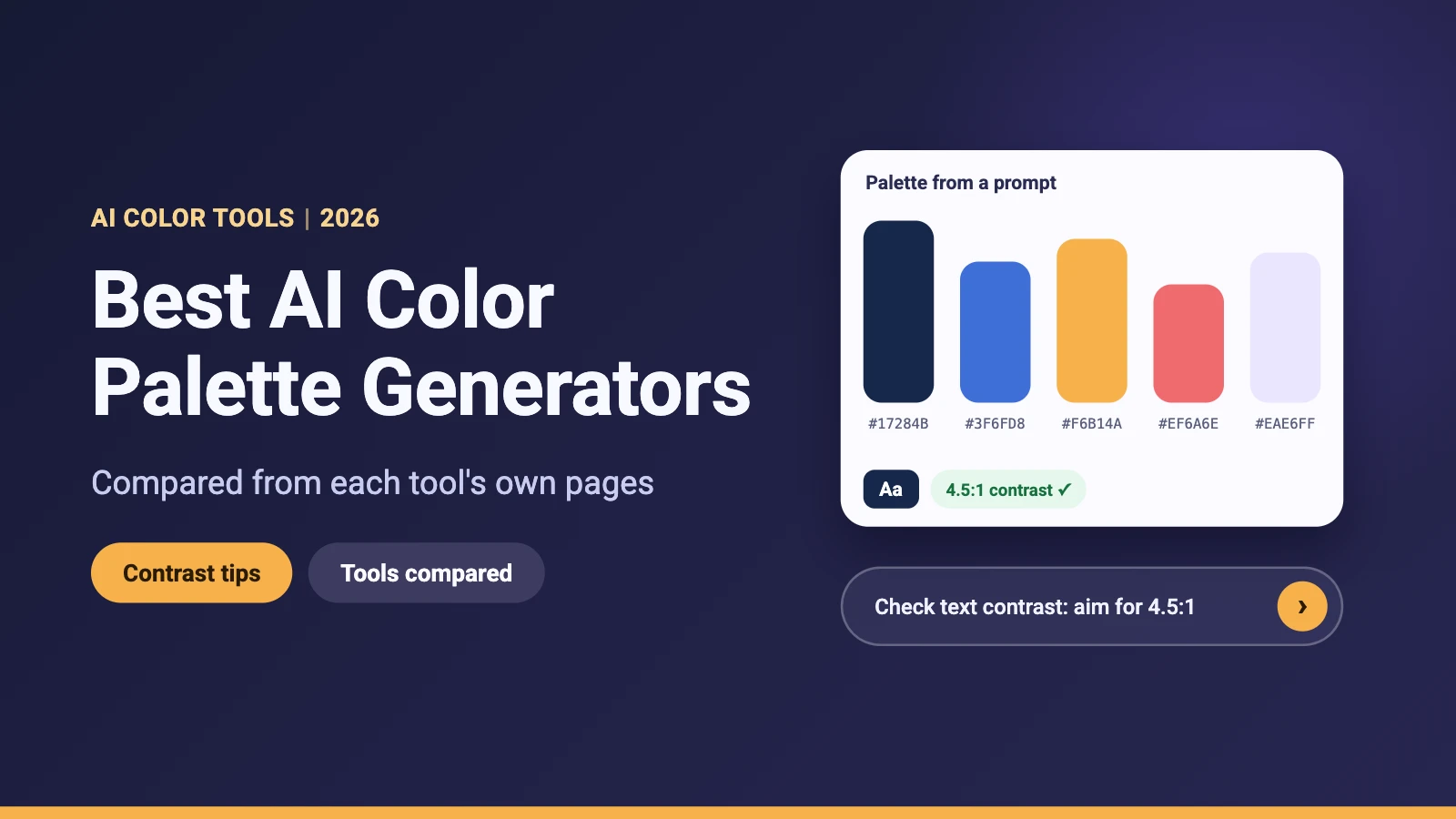
An AI color palette generator picks colors that work together, so you do not have to guess. This guide compares four popular tools using their own pages: Adobe Color, Huemint, Coolors and the Canva color palette generator.
We did not test these tools. We read each tool’s official pages and report what they say. Where a page gives no price, limit or AI claim, we write “Not stated.”
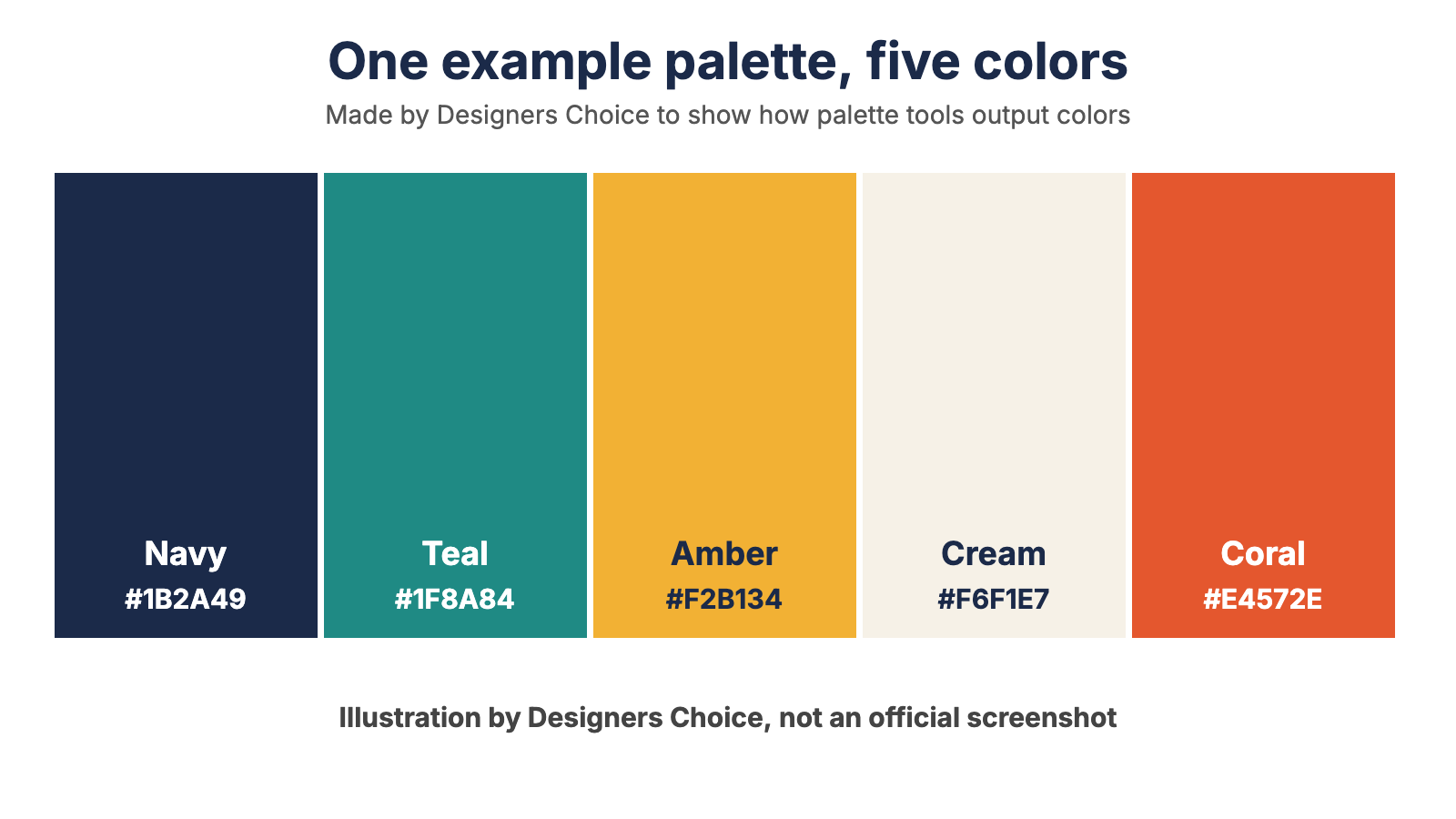
Illustration by Designers Choice, not an official screenshot
What “AI” Means for Color Palettes
Only two of the four tools make an AI or machine learning claim on the pages we read. Adobe says Adobe Color is powered by Adobe Sensei AI technology. Huemint says it uses machine learning to generate colors for graphic design. Coolors and Canva describe their tools in plainer terms, as a generator and a photo picker.
That does not make the others worse. A rule-based tool or a photo picker can give you excellent palettes. It only means you should not assume AI is doing the work.
AI Color Palette Generators at a Glance
| Tool | AI claim on its own pages | Start from | Notable features |
|---|---|---|---|
| Adobe Color | Powered by Adobe Sensei AI technology | A color wheel with harmony rules, or an image | Themes of up to ten colors, a contrast checker, color blindness simulation, save to Creative Cloud Libraries |
| Huemint | Machine learning for graphic design colorization | A category such as Brand or Website, or an uploaded image | Creativity slider, lock button, three generation modes |
| Coolors | Not stated on the help pages we read | A new random palette or a photo | Lock, reorder, 2 to 10 colors, Color Blindness tool, export as URL, image, PDF, SCSS or ASE |
| Canva color palette generator | Not stated | A photo you upload | Builds a palette from the hues in your photo |
Adobe Color
Adobe describes Adobe Color as a web app and creative community where you can create and share color themes. You can build a theme with up to ten colors, or extract one from an image. Its color harmony mode follows rules based on color theory.
- Explore themes from the Adobe Color community, Adobe Stock images and Behance projects.
- Browse trend galleries curated by Adobe Stock and the Behance community.
- Convert colors to RGB, LAB, CMYK, HSV and Pantone, and copy them in CSS, XML or LESS.
- Save themes to Creative Cloud Libraries to use in apps such as Photoshop and Illustrator.
Adobe’s tool list on the Adobe Color home page includes a Contrast checker, Extract color gradient, Extract palette, Explore palettes and a Color Wheel. Adobe’s FAQ says automatically applying palettes to designs needs a paid plan. Adobe’s pages we read do not state whether Adobe Color itself is free.
Huemint
Huemint says it is a machine learning system that generates colors based on context, ready for a final design. Its About page names three modes: Random, Transformer and Diffusion Model. It says Transformer and Diffusion are machine learning models, and that Random is a non-ML algorithm.
Huemint’s menu lists categories for Brand, Website, Gradient, Gradient plus Background, Illustration and Bootstrap. Its About page also mentions a Creativity slider, a Lock button and an Upload image tab. Pricing is not stated. Huemint says you can use its public API for non-commercial work, and that the service is provided as is with no uptime guarantee.
Coolors
Coolors’ help pages describe a fast, hands-on workflow. Press the spacebar to generate a new palette, and lock any color you want to keep. You can drag columns to reorder them, and a palette can have 2 to 10 colors.
- Click a HEX value to open the Color Inspector, which accepts RGB, CMYK, LAB, HSB, Pantone and Copic libraries.
- Refine brightness, saturation, hue and temperature.
- Open the Color Blindness tool to check how a palette looks to different viewers.
- Click the camera icon to extract colors from an image with the Image Picker.
- Export as a URL, an image, a PDF, SCSS or ASE, which is the format for Adobe apps.
The help pages we read do not state which features need a Pro plan or what it costs.
Canva Color Palette Generator
Canva’s page says you upload a photo and Canva uses the hues in it to create your palette. The page gives no number of colors, no export options and no price, and it does not say whether you need an account. Treat it as a quick starting point, and check the details when you try it.
If you already design in Canva, our guide on how to use Canva shows where palettes and Brand Kits fit in.
Check Contrast Before You Commit
A palette can look lovely and still fail on readability. Adobe’s accessibility page says WCAG recommends a minimum contrast ratio of 4.5:1 for normal text, called AA, and 7:1 for enhanced accessibility, called AAA. Adobe Color has a contrast checker, and both Adobe Color and Coolors have color blindness tools, so use them.
The chart below uses our own example palette. We calculated each ratio with the WCAG formula. Notice that a teal and cream pair that looks calm still falls short of 4.5:1.
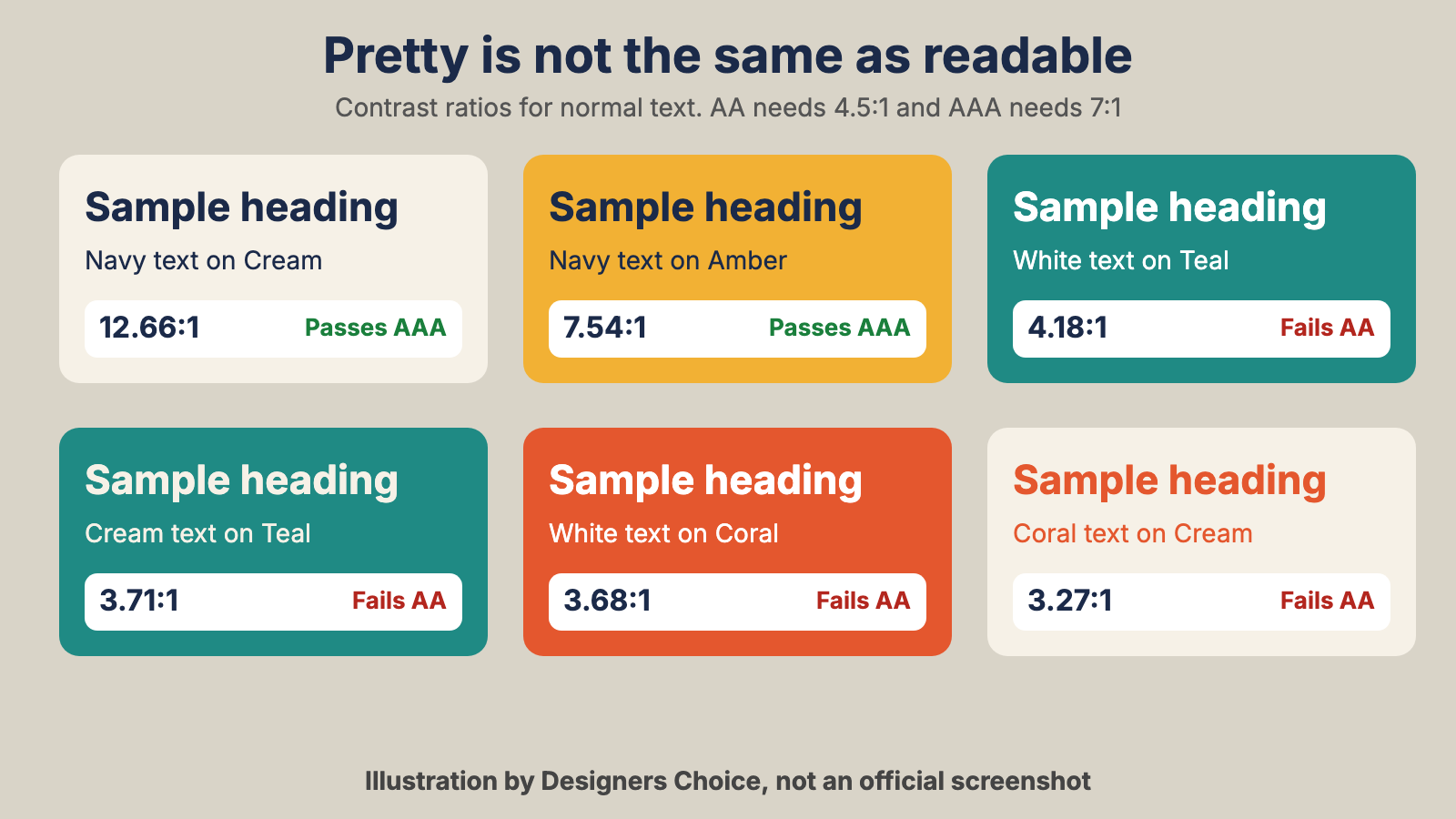
For large text and interface parts, WCAG sets lower limits. Read the current WCAG guidance before you sign off on a client brand.
How to Choose a Palette Tool
This section is our own opinion, not the tools’ claims.
| If you want to | Try |
|---|---|
| Build a theme and save it to your Adobe libraries | Adobe Color |
| Explore ML-generated palettes for a brand, website or gradient | Huemint |
| Flip through palettes fast and export in several formats | Coolors |
| Pull colors out of a photo with no extra steps | The Canva color palette generator |
A simple workflow
- Start with one anchor color from your logo, product or photo.
- Generate palettes around it in one tool and lock the colors you like.
- Keep one light, one dark and one accent color so text stays readable.
- Check every text and background pair against the 4.5:1 minimum.
- Test the palette on a real layout before you save it to your brand kit.
For logo work, see our guide to the best AI tools for logo design. For a wider list of tools, read our roundup of the best AI design tools for graphic designers.
What the Tools Have Not Said
| Question | Answer on the pages we read |
|---|---|
| Is Adobe Color free? | Not stated |
| Does Canva say its palette tool uses AI? | Not stated |
| Which Coolors features need Pro, and the price | Not stated on the help pages |
| Huemint pricing | Not stated |
| Khroma | We could not read its official page, so we left it out |
FAQ
It is a tool that suggests sets of colors that work together. Some, such as Huemint and Adobe Color, say they use machine learning or AI. Others, such as a photo picker, simply pull colors from an image.
Adobe says Adobe Color is powered by Adobe Sensei AI technology, which works behind the scenes to find color combinations. Adobe’s pages we read do not say whether the app is free.
Huemint says it uses machine learning to generate colors from context. Its About page names three modes: Random, which is not machine learning, plus Transformer and Diffusion Model, which are.
Yes. Adobe Color can extract a theme from an image, Coolors has an Image Picker behind its camera icon, Huemint has an Upload image tab and Canva builds a palette from the hues in an uploaded photo.
Coolors lists ASE as an export format for Adobe applications. Adobe Color saves themes to Creative Cloud Libraries for apps such as Photoshop and Illustrator.
WCAG recommends at least 4.5:1 for normal text, which is level AA, and 7:1 for enhanced accessibility, which is level AAA. Use a contrast checker on every text and background pair.
Pricing is not stated on the pages we read for Adobe Color, Huemint, Coolors or Canva. Huemint says its public API is free for non-commercial use. Check each tool for current plans.
Yes. Coolors lists a Color Blindness tool, and Adobe’s accessibility page offers a color blindness simulator and a contrast checker.