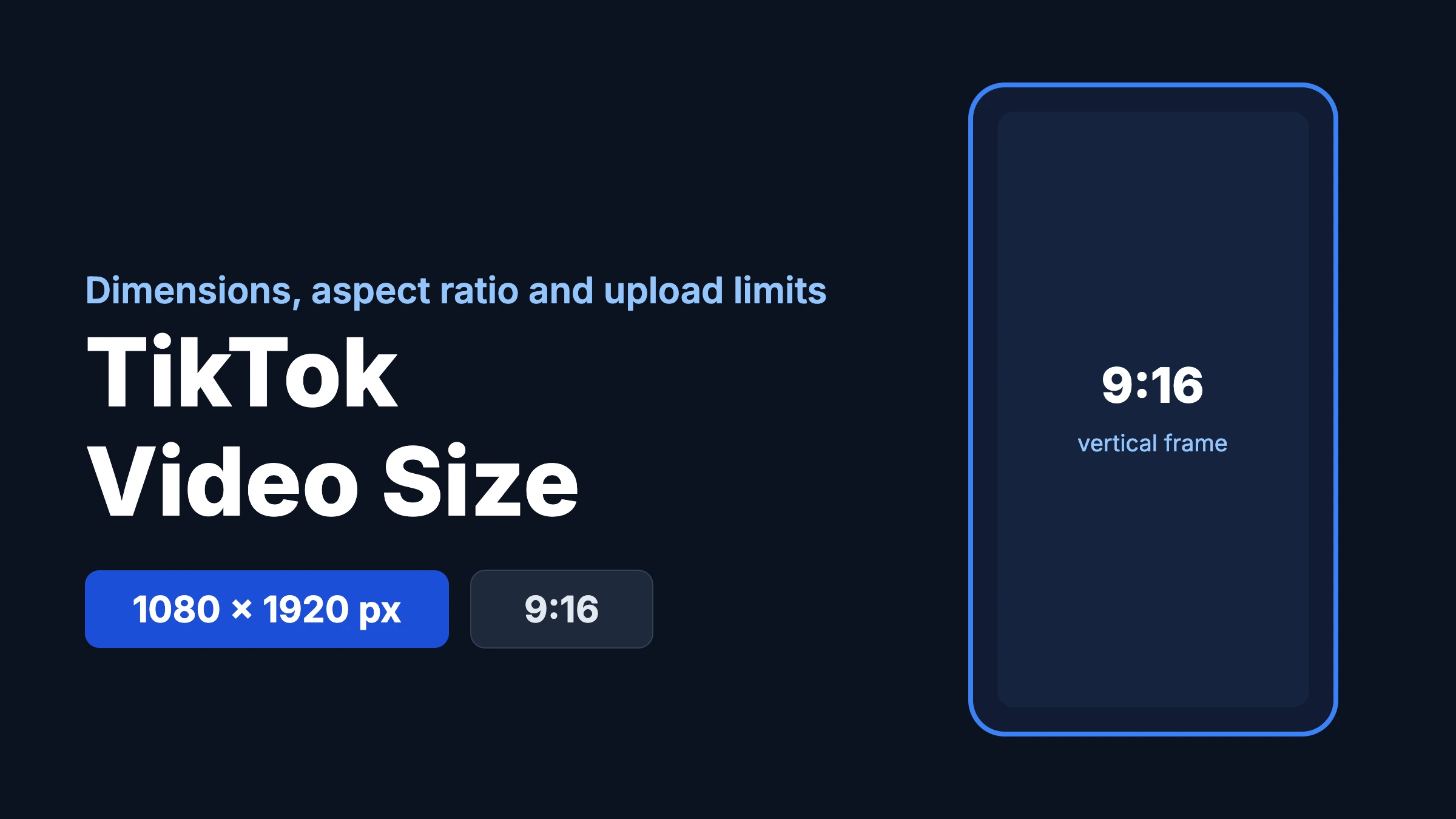
The best TikTok video size is 1080 x 1920 pixels in a 9:16 vertical frame. That is our recommendation, built on TikTok’s own numbers: its support page sets a minimum of 720 x 1280 pixels for web uploads and accepts MP4 or WebM files up to 30 minutes long and under 10 GB. This guide covers the size, aspect ratio and file limits for regular uploads, ads and the posting API, and it says plainly where TikTok publishes no number.
Every figure below comes from a TikTok page we read in November 2026 and is named in the tables. Limits change, so check the app before a big upload.
TikTok Video Size and Aspect Ratio
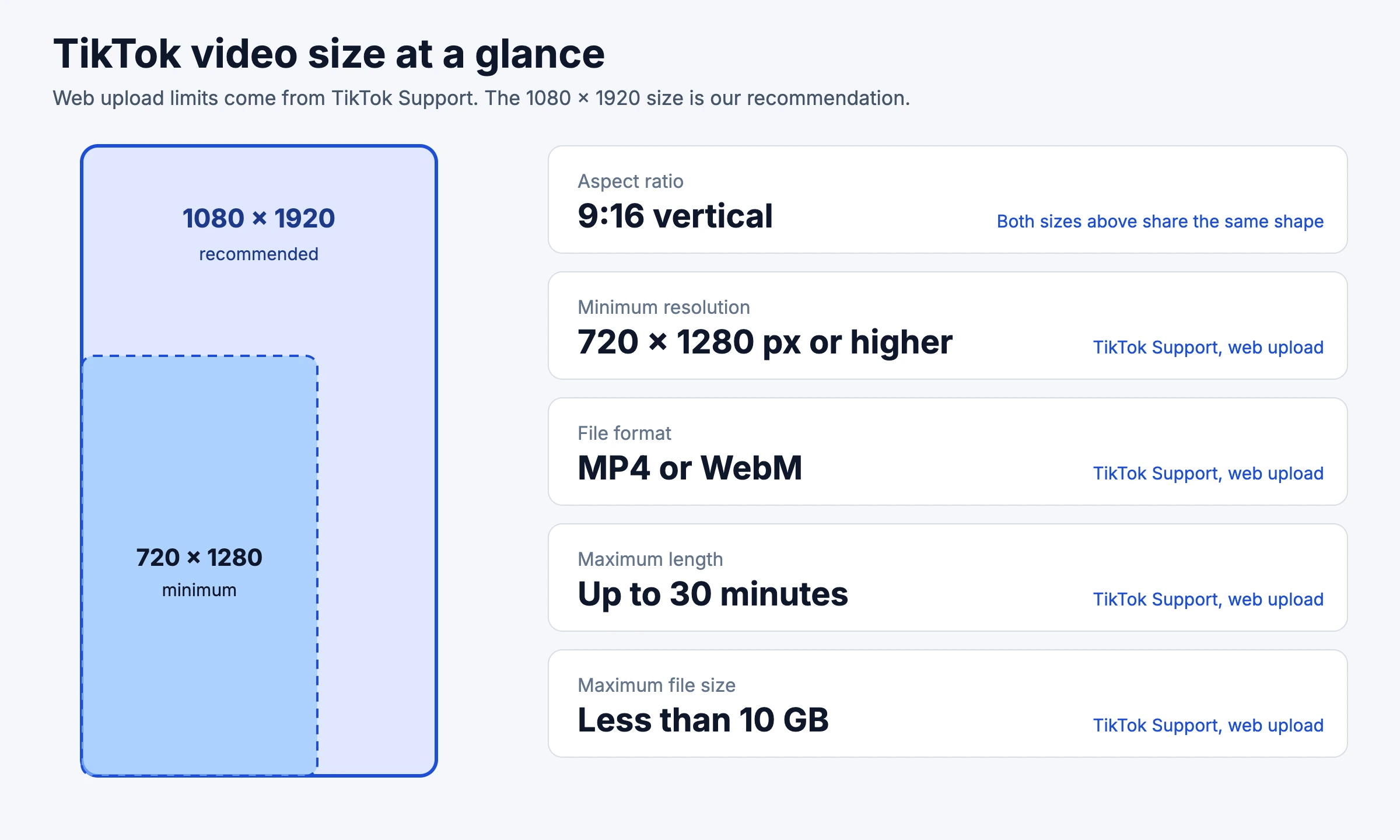
TikTok is built for full-screen vertical video. Its ad specifications recommend a 9:16 vertical frame, and the 720 x 1280 minimum for web uploads is also 9:16. A 1080 x 1920 file is the same shape at full HD, so it gives you the sharpest picture for the same framing.
| Spec | Value | Where it comes from |
|---|---|---|
| Aspect ratio | 9:16 vertical | Recommended for ads in TikTok Ads Manager; 720 x 1280 is also 9:16 |
| Recommended resolution | 1080 x 1920 pixels | Our recommendation (9:16 at full HD) |
| Minimum resolution, web upload | 720 x 1280 pixels or higher | TikTok Support |
| Minimum resolution, vertical ads | 540 x 960 pixels or higher | TikTok Ads Manager |
| Horizontal ads | 16:9 at 960 x 540 pixels or higher | TikTok Ads Manager |
| Square ads | 1:1 at 640 x 640 pixels or higher | TikTok Ads Manager |
For regular posts, the support page we read states only the 720 x 1280 minimum. TikTok does not state a 1080 x 1920 requirement there, so treat that size as the common, safe choice rather than an official rule.
TikTok Upload Limits: File Size, Length and Format
The limits depend on how you post. Web upload through TikTok Studio, TikTok ads and the Content Posting API each have their own numbers.
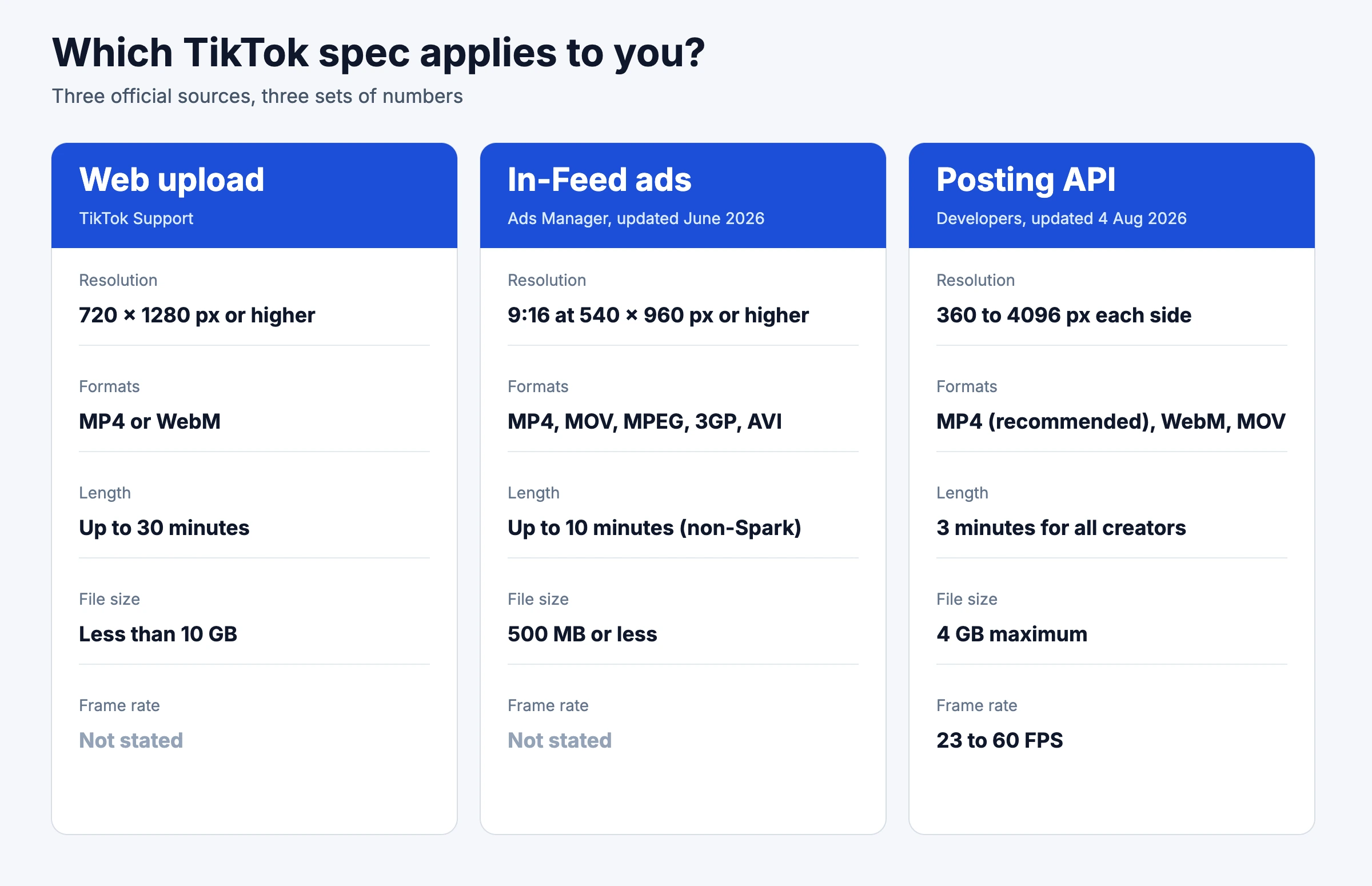
| Spec | Web upload (TikTok Support) | In-Feed ads (Ads Manager, June 2026) | Posting API (Developers, August 2026) |
|---|---|---|---|
| Formats | MP4 or WebM | MP4, MOV, MPEG, 3GP and AVI (Spark Ads: MP4 or MOV) | MP4 (recommended), WebM and MOV |
| Length | Up to 30 minutes | Up to 10 minutes (Spark Ads: no restriction) | 3 minutes for all creators, 5 or 10 for some; 10 minutes at most through the Upload Video endpoint |
| File size | Less than 10 GB | 500 MB or less (non-Spark) | 4 GB maximum |
| Resolution | 720 x 1280 or higher | 9:16 at 540 x 960 or higher | 360 to 4096 pixels on each side |
| Frame rate | Not stated | Not stated | 23 to 60 FPS |
| Codec | Not stated | Not stated | H.264 (recommended), H.265, VP8 and VP9 |
| Bitrate | Not stated | 516 kbps or more (non-Spark) | Not stated |
TikTok introduced three-minute videos in 2021, and the posting API still gives three minutes to all creators. The support page for web upload lists 30 minutes. Limits differ by method and can change, so check what your account allows in the app.
Recommended Export Settings
TikTok does not publish one export recipe for regular posts, so these settings are our suggestion, kept inside the limits above.
- Resolution: 1080 x 1920 pixels in a 9:16 frame.
- Format and codec: MP4 with H.264, the codec TikTok recommends on its developer page.
- Frame rate: keep the rate you filmed at, inside the 23 to 60 FPS range on the same page.
- Bitrate: TikTok publishes only a 516 kbps minimum for ads, so pick a bitrate high enough that text stays sharp and stay under the file size limit.
- File size: under 10 GB for web upload. If you plan to reuse the file as an ad, keep it at 500 MB or less.
TikTok Safe Zone and Caption Space
TikTok places interface elements such as captions and buttons over your video. TikTok Ads Manager offers downloadable safe zone files for ads, but the page gives no pixel margins in text, so we cannot quote exact numbers. The same page says Spark Ads captions run to a maximum of 4 lines, including emojis.
A practical rule is to keep faces, key text and logos in the middle of the frame and away from the bottom and right side, then preview the exported video on a phone before you post.
TikTok Profile Photo and Cover Image Size
TikTok’s ad page lists a profile photo for ads of 98 x 98 pixels, a square JPG, JPEG or PNG under 50 KB, with the key part of the image inside a 66 x 66 pixel area. That figure is for ads, not necessarily the profile photo in the app.
For video covers, TikTok’s support page on editing videos and photos does not mention cover or thumbnail sizes, and we found no official figure. Using the same 9:16 shape as your video is the safe choice.
How to Resize a Video for TikTok
- Create a new project or canvas at 1080 x 1920 pixels (9:16).
- Place your clip and scale it to fill the frame. If the clip is horizontal, crop to the part that matters, or place it on a plain or blurred background instead of stretching it.
- Keep key text and faces in the middle of the frame.
- Export as MP4 with H.264 and check the file against the limits above.
- Watch the exported file on a phone before you post it.
If your clip is horizontal, our guides to cropping video in DaVinci Resolve and cropping in Canva show two ways to reframe it. The same 9:16 shape works for Instagram Reels (see our Instagram Reel size guide), and YouTube Shorts are vertical too, covered in our YouTube video size guide. If you plan to show the TikTok name or logo in your video, read our TikTok brand guidelines first.
FAQ
1080 x 1920 pixels in a 9:16 vertical frame is the size we recommend. TikTok’s support page sets the minimum for web uploads at 720 x 1280 pixels, which is the same shape at a lower resolution.
9:16 vertical. TikTok’s ad specifications recommend vertical 9:16 and also list 16:9 horizontal and 1:1 square for ads. For regular posts, vertical gives you the full screen.
TikTok’s support page for web upload says 720 x 1280 pixels or higher. For ads, the minimum is 540 x 960 pixels for vertical 9:16 video.
Web upload through TikTok Studio allows up to 30 minutes, according to TikTok Support. In-Feed ads can run up to 10 minutes (non-Spark), and the posting API gives all creators 3 minutes, with 5 or 10 for some. Limits differ by method and account and can change.
For web upload, TikTok Support lists MP4 or WebM files under 10 GB. In-Feed ads are limited to 500 MB, and the posting API allows up to 4 GB. MP4 with H.264 is the safest choice.
TikTok’s ad specifications list 16:9 horizontal video at 960 x 540 pixels or higher as a valid ad format, so horizontal video is accepted there. The pages we read do not say how a horizontal regular post is displayed, so vertical 9:16 is the safe choice.
TikTok offers downloadable safe zone files for ads in Ads Manager, but the page gives no pixel margins in text. Keep key text and faces in the middle of the frame, away from the bottom and right side, and preview on a phone.
We found no official cover or thumbnail size on the TikTok pages we read. Use the same 9:16 shape as your video. TikTok’s ad page lists a 98 x 98 pixel profile photo for ads, which is a different item.