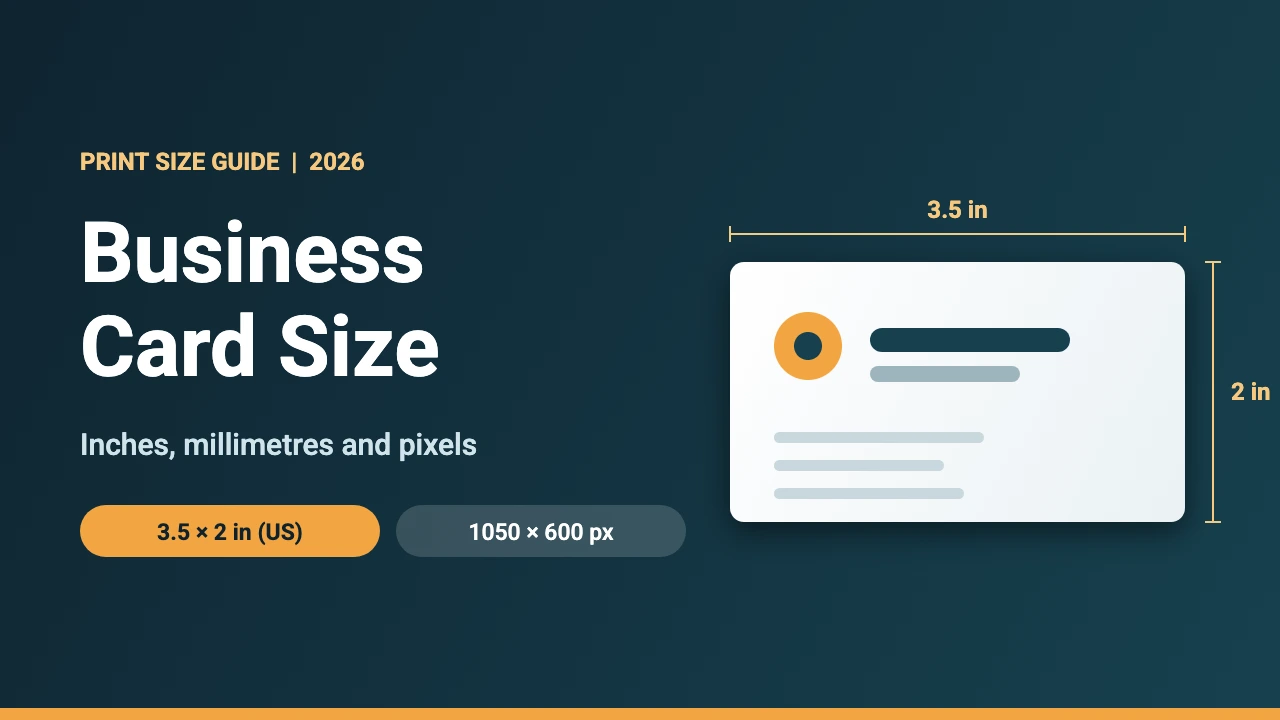
The standard business card size in the US and Canada is 3.5 × 2 inches (88.9 × 50.8 mm), which is 1050 × 600 pixels at 300 DPI. Most of Europe uses about 85 × 55 mm (3.35 × 2.17 inches), and Japan, Australia and China each use a slightly different size.
This guide lists the common business card sizes by region, then covers what many size lists skip: the bleed, trim and safe area your print file needs, and how to set it all up in Canva. The measurements come from a business card size guide from Vistaprint, the Canva Design Wiki size guide and the Canva Help Center page on margins, bleed and crop marks, all read on 18 November 2026. Sizes can differ between print shops, so check your own printer’s template before you order.
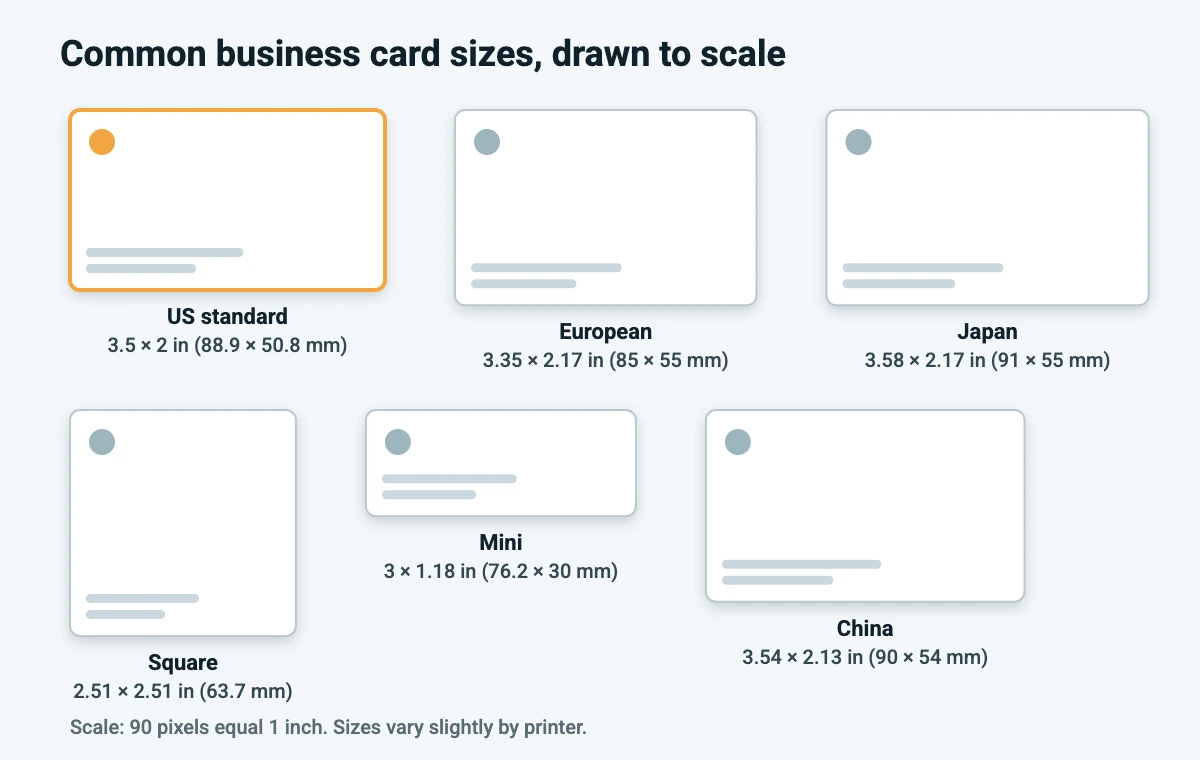
Business Card Sizes at a Glance
These are the sizes you are most likely to need. Pixel values are for artwork at 300 DPI, the resolution printers usually ask for.
| Card type | Inches | Millimetres | Pixels at 300 DPI |
|---|---|---|---|
| US standard (US, Canada) | 3.5 × 2 | 88.9 × 50.8 | 1050 × 600 |
| European standard | 3.35 × 2.17 | 85 × 55 | 1004 × 650 |
| Square | 2.51 × 2.51 | 63.7 × 63.7 | 752 × 752 |
| Mini (slim) | 3 × 1.18 | 76.2 × 30 | 900 × 354 |
| Japan | 3.58 × 2.17 | 91 × 55 | 1074 × 651 |
| Australia | 3.54 × 2.17 | 90 × 55 | 1062 × 651 |
| China | 3.54 × 2.13 | 90 × 54 | 1062 × 639 |
The US, European, square and mini values come from the printer guide. The Japan, Australia and China sizes appear in both the printer guide and the Canva Design Wiki, and their pixel values are worked out at 300 DPI. Mini cards vary more between printers than the other sizes, so confirm the exact dimensions before you design one.
Standard US Business Card Size
A standard US business card is 3.5 inches wide and 2 inches tall when held horizontally. Turn it upright and the same card is 2 inches wide and 3.5 inches tall. At 300 DPI that is 1050 × 600 pixels for a horizontal card and 600 × 1050 pixels for a vertical one. If you are designing for a US or Canadian print shop and have no other instruction, this is the size to choose.
Rounded corners are usually an extra option rather than a different size. One major printer lists a 0.25 inch corner radius for its rounded cards. The card dimensions stay the same, so just keep logos and text away from the corners.
Business Card Sizes by Country
Canva’s Design Wiki says there is no universal size standard and groups countries by the size most printers there use. This table follows that grouping, with approximate millimetre values added.
| Inches | About (mm) | Countries listed by Canva |
|---|---|---|
| 3.5 × 2 | 89 × 51 | Canada, United States |
| 3.35 × 2.17 | 85 × 55 | Belgium, France, Germany, Ireland, Italy, Spain, the United Kingdom and others |
| 3.54 × 2.17 | 90 × 55 | Australia, India, New Zealand, Vietnam and others |
| 3.54 × 2.13 | 90 × 54 | China, Hong Kong, Malaysia, Mongolia, Singapore |
| 3.54 × 1.97 | 90 × 50 | Austria, Poland, Russia, Turkey, Ukraine and others |
| 3.58 × 2.17 | 91 × 55 | Japan |
| 3.43 × 2.24 | 87 × 57 | Egypt |
| 3.35 × 1.89 | 85 × 48 | Iran |
If your cards will be handed out in more than one country, pick the size for the place where most of them will go. Keep the layout simple enough that a small difference in trim does not spoil it.
Bleed, Trim and Safe Area for Print Files
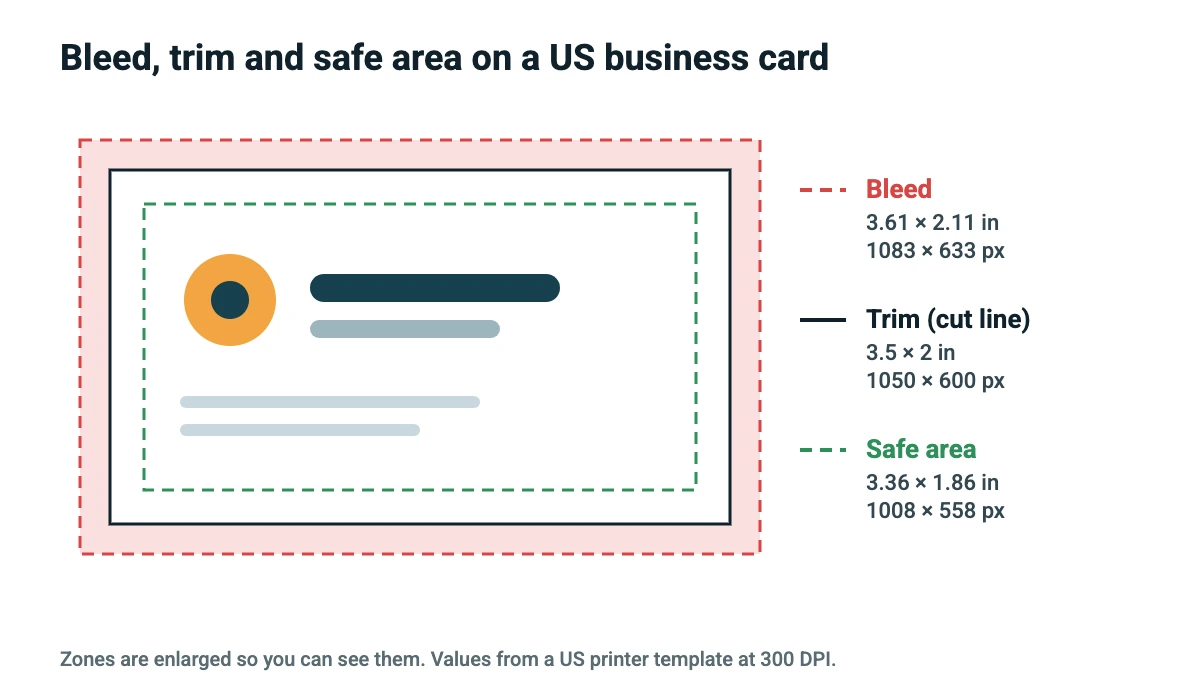
The finished card size is called the trim size, because it is where the cutter trims the sheet. A print file needs two more zones around it. The bleed is extra artwork that runs past the trim line, so no white edge shows if the cut lands slightly off. The safe area is an inner margin where text and logos are protected from the cut.
| Zone | US standard card | Square card | Mini card |
|---|---|---|---|
| Bleed (full artwork) | 3.61 × 2.11 in (1083 × 633 px) | 2.63 in square (788 px) | 3.12 × 1.30 in (936 × 390 px) |
| Trim (final size) | 3.5 × 2 in (1050 × 600 px) | 2.51 in square (752 px) | 3 × 1.18 in (900 × 354 px) |
| Safe area | 3.36 × 1.86 in (1008 × 558 px) | 2.39 in square (717 px) | 2.88 × 1.06 in (864 × 318 px) |
On this printer’s template, that works out to about 0.055 inch of bleed and 0.07 inch of safe margin on each side of a standard card. Other printers ask for different amounts, so always use the numbers on your own printer’s template.
How to Set Up a Business Card in Canva
Canva lets you set a custom size in inches, millimetres, centimetres or pixels, so you can match any of the sizes above. Here is a simple setup for a US card:
- On the Canva home page, click Create a design, then Custom size.
- Choose inches (or millimetres), enter 3.5 for the width and 2 for the height, then click Create new design. For a vertical card, swap the numbers.
- Open the File menu, choose Rulers and guides and turn on Show margins and Show print bleed. The same menu has a danger zone option that flags content sitting too close to the edge.
- Design the front, then add a second page for the back. Keep text and logos inside the margin, and let background colors and photos run to the edge of the page.
- Click Share, then Download, choose PDF Print, open the advanced settings and turn on Crop marks and bleed. Skip the crop marks if your printer says it does not want them.
- Upload the PDF to your print shop, and order a proof or a small batch first.
Canva’s help page says bleed, rulers and crop marks are not available in Canva Docs, and that Canva adds a fixed 0.125 inch (3.175 mm) of bleed on every side when you print or download with bleed. That is more than the 0.055 inch on the printer template above. If your printer’s template uses a different bleed, ask whether it accepts a Canva PDF or use the printer’s own template instead. Open the exported PDF and confirm the background fills the bleed before you send it.
Our full walkthrough in how to make your own business cards covers the design side, and how to print from Canva explains printing at home or through a print shop.
Resolution and Color for Business Cards
Use 300 DPI for photos and other raster artwork. On a 3.5 × 2 inch card that means images should be at least 1050 × 600 pixels, or 1083 × 633 pixels if they run into the bleed. Anything smaller looks soft on a card this size. If an exported file looks fuzzy, our guide to why a Canva PDF export looks blurry lists the usual causes.
Canva’s help page also recommends CMYK for print files and ordering a proof before a big run, because colors on a screen look different from ink on paper. Bright blues, greens and neon shades are the ones most likely to shift.
Common Business Card Size Mistakes
- Using the wrong country’s size. A 3.5 × 2 inch design sent to a printer that trims to 85 × 55 mm will not line up. Confirm the trim size first.
- Skipping the bleed. Without it, a small cutting shift leaves a thin white edge on any card with a colored background.
- Placing text too close to the edge. Keep names, phone numbers and logos inside the safe area.
- Using small or low-resolution images. A QR code that looks fine on screen can fail to scan when it is printed too small, so test a printed copy. Our guide to making a QR code in Canva shows how to create one.
- Forgetting the back. Ask whether your printer includes a printed back and how it wants the second page supplied.
Design Tips for a Small Card
A card has very little room, so each choice matters. Keep to one or two fonts, and pick readable ones. Browse the Canva fonts list or our Canva font pairings for combinations that suit small print, and see how to upload fonts to Canva if you use a brand font. A common rule of thumb is to avoid text smaller than about 8 pt, though that is a guideline rather than a printer rule.
Choose a restrained palette, ideally the same colors as your logo and website. Our brand kit examples and luxury color palette guide can help, and AI tools for logo design can help if you still need a logo. For layout ideas by trade, see these auto detailing business card ideas.
Need other print sizes? The same bleed and safe area logic applies to book covers, so see our standard book cover sizes guide. For screens instead of paper, Instagram post size lists the digital dimensions.
Conclusion
For a US or Canadian card, design at 3.5 × 2 inches (1050 × 600 pixels at 300 DPI), add bleed beyond the trim and keep important content inside the safe area. For Europe, Japan, Australia and other regions, use the size from the country table above and check your printer’s template. In Canva, turn on the margin and print bleed guides, then download a PDF Print file with crop marks and bleed.
Frequently Asked Questions
The standard business card size in the US and Canada is 3.5 × 2 inches (88.9 × 50.8 mm). At 300 DPI that is 1050 × 600 pixels. Other regions use slightly different sizes, such as 85 × 55 mm in much of Europe.
At 300 DPI, a standard US card is 1050 × 600 pixels. One printer’s template adds bleed to make the full artwork 1083 × 633 pixels, with a safe area of 1008 × 558 pixels. Canva adds its own fixed bleed of 0.125 inch on each side when you download with bleed.
A US standard card is 8.89 × 5.08 cm (88.9 × 50.8 mm). A European card is 8.5 × 5.5 cm (85 × 55 mm). Japan uses 9.1 × 5.5 cm, and Australia and China use about 9 × 5.5 cm and 9 × 5.4 cm.
Canva lists 3.35 × 2.17 inches, which is about 85 × 55 mm, for the United Kingdom, Germany, France, Italy, Spain, Ireland, Belgium and several other countries. Some European countries, such as Austria and Poland, are listed with 3.54 × 1.97 inches instead.
Canva’s Design Wiki lists 3.5 × 2 inches for Canada and the United States. For other countries, click Create a design, choose Custom size and enter the dimensions your printer uses.
Bleed is extra artwork that extends past the trim line so a slightly off cut does not leave a white edge. One printer’s US template uses a full artwork size of 3.61 × 2.11 inches, about 0.055 inch on each side. Canva adds 0.125 inch, so use whatever your own printer specifies.
Use 300 DPI for photos and raster images. Logos and text exported in a PDF stay sharp, but any placed photos should be at least 300 pixels per inch at the printed size.
A vertical US card is 2 × 3.5 inches (600 × 1050 pixels). A square card is 2.51 × 2.51 inches (752 × 752 pixels) and a mini card is 3 × 1.18 inches (900 × 354 pixels), based on one printer’s templates. Mini sizes vary by printer, so check before you design.