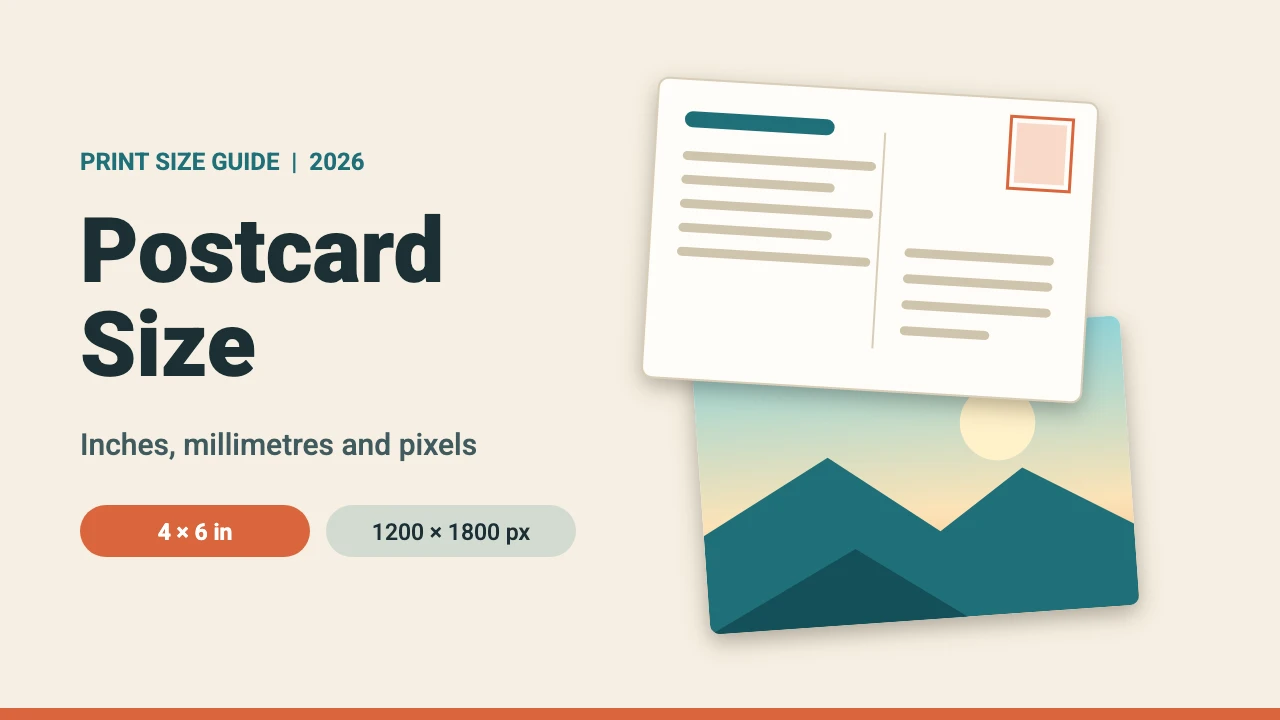
The standard postcard size in the US is 4 x 6 inches (101.6 x 152.4 mm), which is 1200 x 1800 pixels at 300 DPI. It is also the largest common size the US Postal Service prices as a postcard. In countries that use A-series paper sizes, including most of Europe and India, A6 (105 x 148 mm) is the usual equivalent. This guide lists common postcard sizes in inches, millimetres and pixels, explains the USPS size rules, and shows how to set up bleed in Canva.
Common Postcard Sizes in Inches, MM and Pixels
Print files are measured in pixels at 300 DPI, which is the usual resolution for print. The pixel and bleed numbers below are our own conversions at 300 DPI, using a 0.125 inch (about 3 mm) bleed on every side.
| Size | Inches | Millimetres | Pixels at 300 DPI | With 0.125 in bleed |
|---|---|---|---|---|
| 4 x 6 | 4 x 6 | 101.6 x 152.4 | 1200 x 1800 | 1275 x 1875 |
| 5 x 7 | 5 x 7 | 127 x 177.8 | 1500 x 2100 | 1575 x 2175 |
| 5.5 x 8.5 | 5.5 x 8.5 | 139.7 x 215.9 | 1650 x 2550 | 1725 x 2625 |
| 6 x 9 | 6 x 9 | 152.4 x 228.6 | 1800 x 2700 | 1875 x 2775 |
| 6 x 11 | 6 x 11 | 152.4 x 279.4 | 1800 x 3300 | 1875 x 3375 |
| A6 | 4.13 x 5.83 | 105 x 148 | 1240 x 1748 | 1315 x 1823 |
| A5 | 5.83 x 8.27 | 148 x 210 | 1748 x 2480 | 1823 x 2555 |
Postcards can be portrait or landscape. The numbers above are listed short side first, so a landscape 4 x 6 inch card is 1800 x 1200 pixels.
US Postcard Size Rules
The US Postal Service sets physical limits for a piece to be charged the postcard price. The figures below come from the USPS Domestic Mail Manual and its Postal Explorer page on sizes for postcards, which we read in November 2026.
| Limit | Minimum | Maximum |
|---|---|---|
| Height | 3.5 in | 4.25 in |
| Length | 5 in | 6 in |
| Thickness | 0.007 in | 0.016 in |
| Weight | Not stated | 3.5 oz |
The piece must be rectangular. USPS measures length along the side parallel to the address, and height across the other side. A card that is too large or too thick is charged as a letter instead. Stickers, magnets and similar attachments can disqualify a card from the postcard price, so check with USPS before adding them.
| Size | US mail class | Why |
|---|---|---|
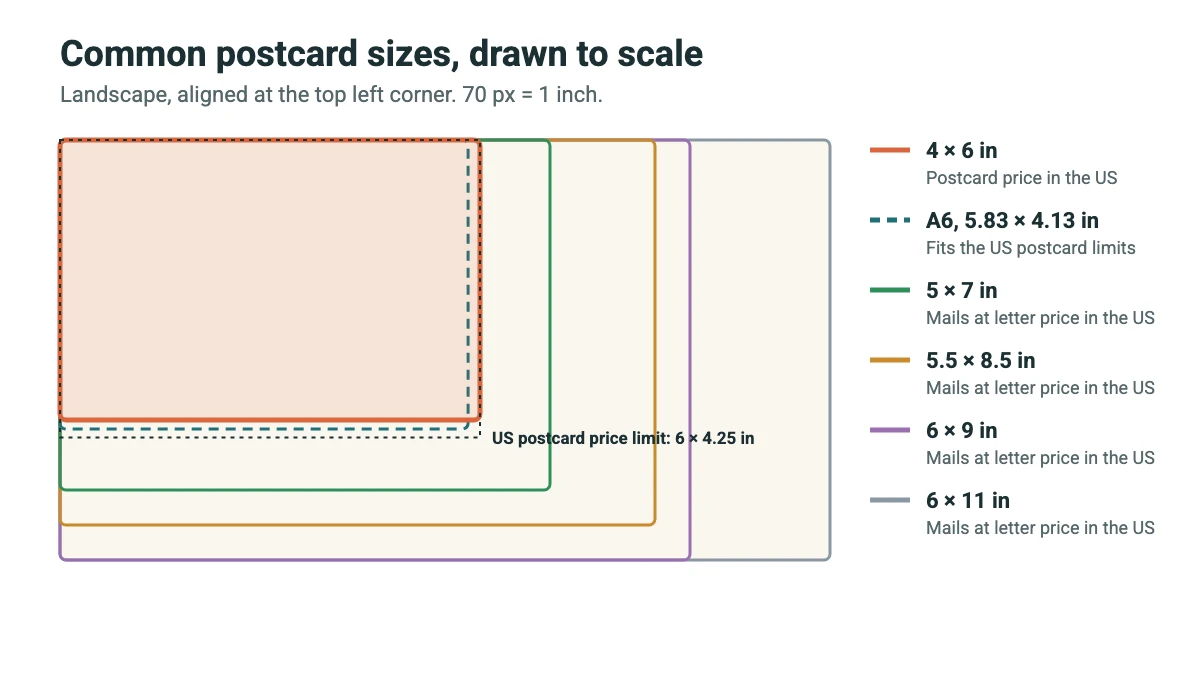
| 4 x 6 in | Postcard price | Within the 6 x 4.25 in maximum |
| A6 (5.83 x 4.13 in) | Postcard price | Also fits inside the postcard limits |
| 5 x 7 in | Letter price | 7 in is longer than the 6 in postcard maximum |
| 5.5 x 8.5 in | Letter price | 8.5 in is longer than 6 in |
| 6 x 9 in | Letter price | 9 in is longer than 6 in |
| 6 x 11 in | Letter price | Still within the 11.5 x 6.125 in letter maximum |
| Bigger than 11.5 x 6.125 in or thicker than 0.25 in | Flat (large envelope) price | Over the letter maximum |
Letter size mail tops out at 11.5 inches long, 6.125 inches high and 0.25 inch thick. USPS also says letters more than 6 inches long or 4.25 inches high need a thickness of at least 0.009 inch, so a 5 x 7 card should be printed on thicker stock than the 0.007 inch minimum. Pieces whose length divided by height is below 1.3 or above 2.5 are treated as nonmachinable, which means a square postcard falls outside the normal range. Check postage with USPS before you print, because prices and rules change.
Paper thickness is often sold in points, where 1 point is 0.001 inch. A 14 point card is 0.014 inch, inside the 0.016 inch postcard limit. Confirm the exact caliper with your printer.
Postcard Bleed, Trim and Safe Area
Printers print on a larger sheet and trim it down, so artwork must run past the edge. That extra area is the bleed. The trim line is where the card is cut, and the safe area is the zone inside the trim where text and logos stay clear of the blade.
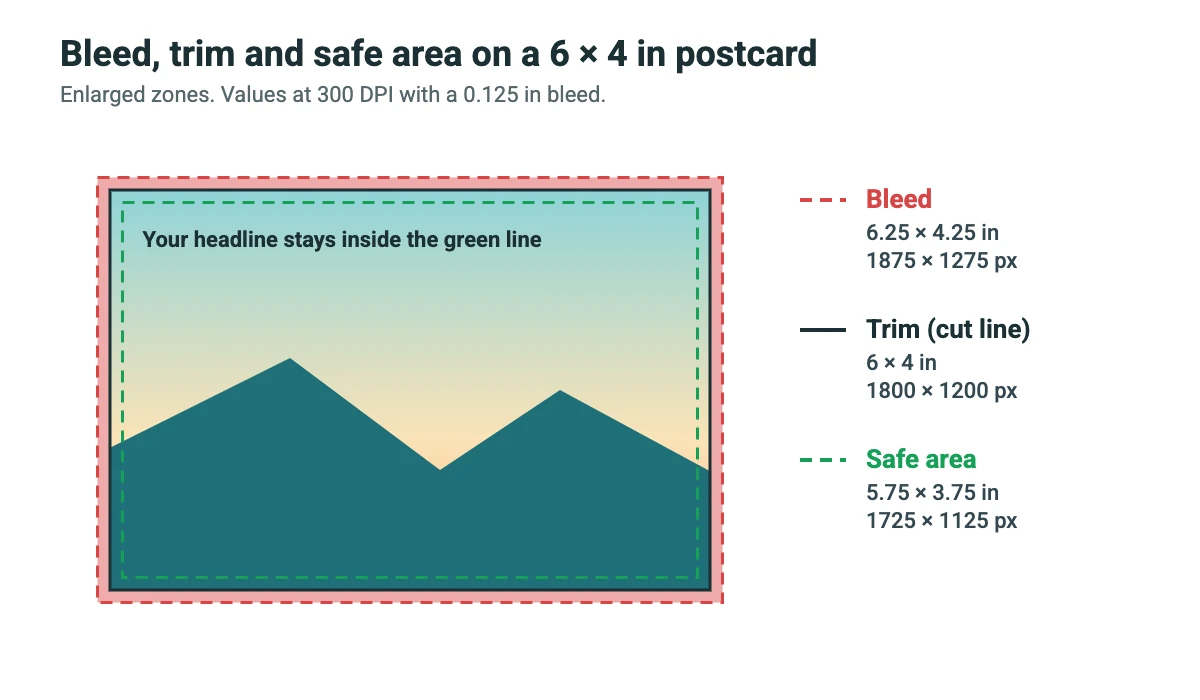
| Zone | 6 x 4 in card (inches) | Pixels at 300 DPI |
|---|---|---|
| Bleed (outer edge) | 6.25 x 4.25 | 1875 x 1275 |
| Trim (cut line) | 6 x 4 | 1800 x 1200 |
| Safe area (0.125 in inside trim) | 5.75 x 3.75 | 1725 x 1125 |
Canva adds a fixed 0.125 inch (3.175 mm) bleed on all sides when you download with bleed, according to the Canva Help Center. Many European printers ask for 3 mm instead, which is almost the same. A safe margin of 0.125 inch is a common rule of thumb, but some printers ask for more, so check their template.
Postcard Sizes Outside the US
Countries that use A-series paper sizes usually print postcards at A6 (105 x 148 mm) and larger cards at A5 (148 x 210 mm). Local postal services set their own limits for the smallest and largest mailable card. We only checked the US rules, so confirm the size and thickness with your local postal service before you print.
How to Design a Postcard in Canva
- Set the size. Click Create a design and search for Postcard, or choose Custom size and enter the dimensions in inches, such as 6 x 4 in. Check the size shown before you begin.
- Show the bleed. Open the File menu, choose Rulers and guides, and turn on Show print bleed so you can see the zone that will be trimmed.
- Design the front. Let the background run into the bleed area and keep headlines and logos inside the safe area.
- Add a second page for the back. Leave a clear area for the address and postage. Your printer’s postcard template shows exactly where.
- Download for print. Choose PDF Print, open the advanced settings and select Crop marks and bleed. If your plan offers a CMYK option, use it for professional printing, then order a proof first.
For more on printing from Canva, read how to print from Canva. If you also need cards for your business, see our business card size guide. You can add a scannable link to your design with our QR code in Canva guide, and send personalized versions to many people with Canva mail merge.
Postcard Design Tips
Keep one clear call to action
A postcard has seconds to work. Decide on one action, such as visiting a page or using a code, and make it the largest element on the back.
Check contrast and type size
Print a copy at full size and read it from arm’s length. If you cannot read the smallest text easily, make it bigger. Our Canva font pairings guide can help you pick readable combinations.
Plan the mailing side first
If the card will be mailed, reserve the address and postage area before you add anything else, and ask your printer for its postcard template. For other print projects with similar sizing questions, see our guide to resizing designs in Canva and our campaign poster ideas.
FAQ
The standard postcard size in the US is 4 x 6 inches (101.6 x 152.4 mm). At 300 DPI that is 1200 x 1800 pixels, or 1800 x 1200 pixels for a landscape card.
USPS lists a maximum of 4.25 inches high, 6 inches long and 0.016 inch thick for the postcard price. Larger or thicker pieces are charged as letters.
The USPS minimum is 3.5 inches high, 5 inches long and 0.007 inch thick.
A 4 x 6 inch postcard is 1200 x 1800 pixels at 300 DPI. With a 0.125 inch bleed on every side it is 1275 x 1875 pixels.
A6 is 105 x 148 mm, which is 4.13 x 5.83 inches or about 1240 x 1748 pixels at 300 DPI. It is the usual postcard size in countries that use A-series paper.
A 5 x 7 inch card is longer than the 6 inch postcard maximum, so USPS charges letter price for it. It also needs a thickness of at least 0.009 inch because it is more than 6 inches long. Confirm current postage with USPS.
Most printers ask for 0.125 inch (about 3 mm) of bleed on every side. Canva adds a fixed 0.125 inch bleed when you download with bleed. Always check your printer’s template.
Design and export at 300 DPI for print. At that resolution a 4 x 6 inch postcard is 1200 x 1800 pixels.