Midjourney V8 is the newest model family from Midjourney, the AI image tool. This guide shows how to use Midjourney V8 on the web, which plan to pick and what Midjourney has not said.
We read Midjourney’s own documentation pages on models, plans, GPU speeds, parameters, style references, personalization and the web Create page, plus the V8.2 update post. Where those pages give no number, we write “Not stated.”
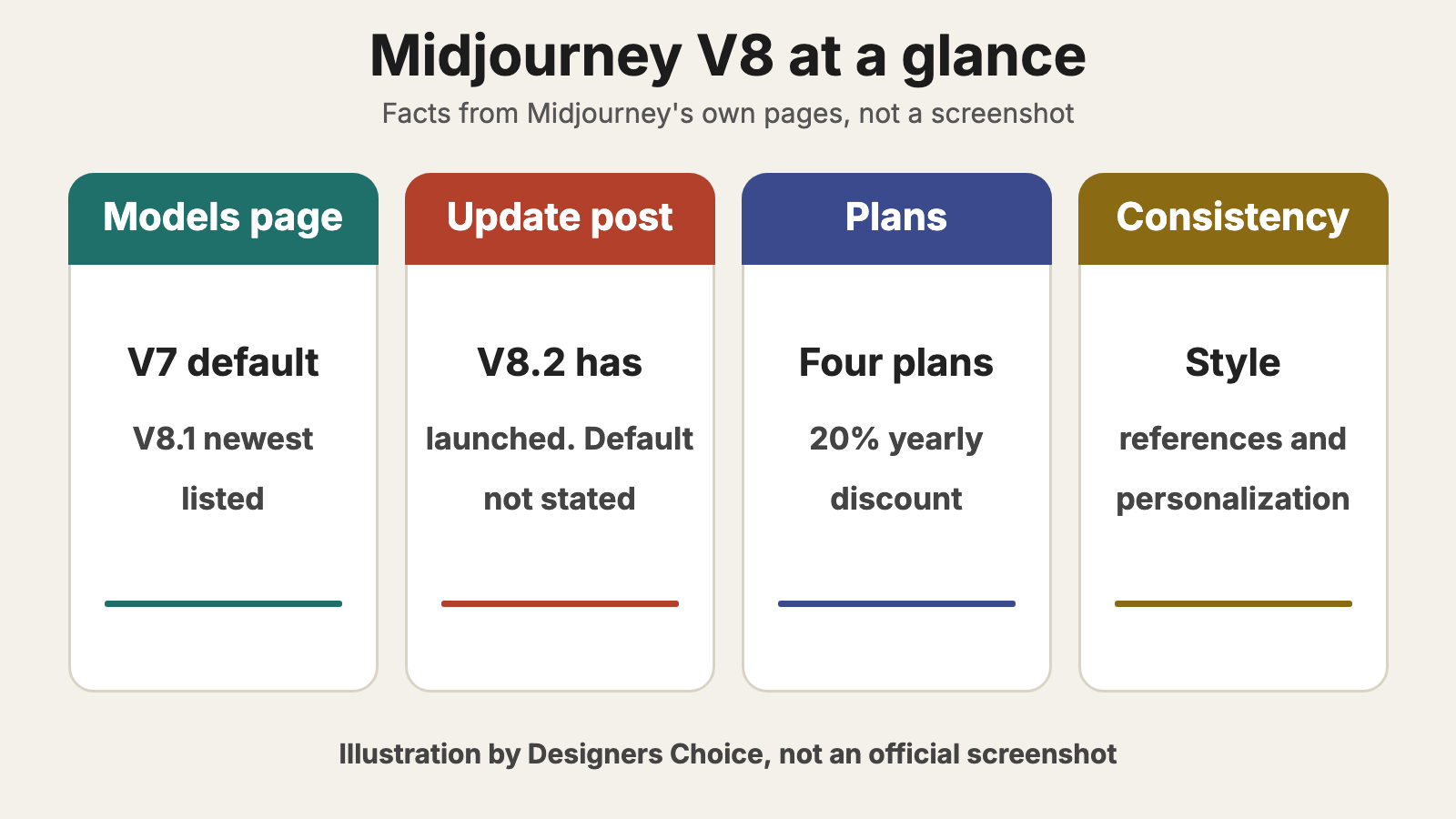
Illustration by Designers Choice, not an official screenshot
Which Midjourney Version Should You Use?
Midjourney keeps several versions available, and each one has different features. The table below follows Midjourney’s models page.
| Version | What Midjourney says |
|---|---|
| V8.2 | Announced on Midjourney’s update page. It focuses on aesthetics, image quality and personalization. No release date, default status or GPU cost is stated there |
| V8.1 | Released on midjourney.com on April 30, 2026. Midjourney calls it its fastest model so far, about 4 to 5 times faster than earlier versions for standard jobs |
| V8.0 Alpha | Launched on March 17, 2026 on a separate alpha site. It works only in Fast mode |
| V7 | Released on April 3, 2025. The models page still lists it as the default. It introduced Draft Mode and Omni Reference |
| V6.1 and V6 | Older versions. V6.1 arrived on July 30, 2024 and V6 on December 20, 2023 |
| Niji 7 | Launched on January 9, 2026 with Spellbrush. Midjourney describes it as more literal |
There is one gap to watch. The update page says V8.2 has launched, but the models page we read still lists V7 as the default and V8.1 as the newest version. Midjourney does not say on these pages whether V8.2 is now the default. Check the version setting in your own account.
What Is New in V8.1
- Speed: standard jobs render about 4 to 5 times faster than earlier versions.
- HD images: V8.1 can make 2K images without upscaling. Add –hd for HD or –sd for standard size.
- Cost: HD uses about 1.33 minutes of GPU time. Standard now uses less than 1 minute.
- Personalization: you must unlock your global V7 and V8 personalization profile before you can use V8.1.
- Aspect ratio: up to 14:1, or 4:1 for HD images.
- Conversational mode: supported in V7 and V8.1.
Some features are not in V8.1. Midjourney’s feature chart marks the quality parameter, upscalers, Turbo mode, Draft Mode and Omni Reference as not supported in V8.1. Omni Reference and Draft Mode are listed for V7 only. If your workflow needs them, stay on V7 for that job.
What Is New in V8.2
Midjourney’s update post says V8.2 aims for images that are more creative, bold, sophisticated, edgy and fresh. It says low-quality results should drop sharply. It also says personalization should understand your taste much better, especially if you have rated many images, and that V8.2 profiles draw on a larger and improved pool of images.
Midjourney suggests trying both new and old personalization profiles with the latest release. The post gives no new parameters, no GPU cost and no list of supported plans.
Midjourney Plans and Prices
Midjourney’s plans page lists four plans in US dollars. A yearly commitment gives a 20 percent discount. We found no prices in rupees or euros on that page, so your card may show a converted amount.
| Plan | Monthly price | Yearly price | Fast GPU time | Relax mode |
|---|---|---|---|---|
| Basic | $10 | $96 ($8 a month) | 3.3 hours (200 minutes) | Not included |
| Standard | $30 | $288 ($24 a month) | 15 hours | Unlimited images |
| Pro | $60 | $576 ($48 a month) | 30 hours | Unlimited images and SD video |
| Mega | $120 | $1,152 ($96 a month) | 60 hours | Unlimited images and SD video |
- Stealth mode is for Pro and Mega only.
- Extra GPU time costs $4 an hour on every plan.
- Basic runs up to 3 Fast image jobs at once. Standard runs 3 Fast or Relax jobs. Pro and Mega run 12 Fast or 3 Relax jobs.
- Every plan can queue up to 10 jobs.
- Commercial use falls under Midjourney’s General Commercial Terms. Companies with more than $1,000,000 in gross revenue a year must buy Pro or Mega.
Midjourney’s plans page does not state a free trial. Read Midjourney’s Terms of Service before you use images in client work. We are not lawyers, so this is a pointer and not legal advice.
How to Create Your First Image on the Web
Midjourney’s quick start says to visit midjourney.com, log in with a verified Discord account and choose a plan. After that, the web Create page is your hub for making images.
- Open the Create page and type your idea in the Imagine bar.
- Press Enter or click the send button. Press Ctrl or Cmd with Enter to run the prompt and keep the text in the bar.
- Click the image icon to add or upload reference images. The maximum upload size is 10 MB.
- Click the settings icon to set the aspect ratio, the model size (SD or HD), the default version and the Raw toggle.
- Use the Aesthetics settings to change stylization, weirdness and variety.
- Watch your images appear in the creation feed. Hover over one to see the like, variation and video buttons.
The quick start page describes a second route in Discord. You join the Midjourney server and type /imagine prompt: in a newbie or general channel. Discord returns a grid of four images with U buttons to pick one and V buttons to make variations.
Parameters That Matter Most
Parameters go at the end of a prompt. Put a space before the dashes and use no punctuation inside a parameter. Midjourney gives a prompt with the parameter in the middle as an example of the wrong form.
| Parameter | What it does | What Midjourney states |
|---|---|---|
| –ar | Sets the aspect ratio, such as –ar 2:3 | Images start as squares |
| –stylize or –s | Sets how strongly Midjourney applies its own style | Default 100, range 0 to 1000 |
| –chaos or –c | Adds variety between the four results | Range not stated on the page we read |
| –weird or –w | Pushes results toward the unusual | Range not stated on the page we read |
| –raw | Removes default styling | Also a toggle in web settings |
| –no | Names things to leave out | Details not stated on the page we read |
| –seed | Repeats a starting point | Range not stated on the page we read |
| –sd and –hd | Sets standard 1024 pixel or HD 2048 pixel images | V8.1 images |
| –p | Applies your personalization profile | Needs enough ranked image pairs |
| –sref and –sw | Copies a style from images or a code | –sw default 100, range 0 to 1000 |
Use Style References for a Consistent Look
A style reference captures the overall look of an image, such as colors, medium, textures or lighting. It does not copy the objects or people in it. Midjourney says style references work with version 6 and later.
- On the web, drag an image into the Style Reference area of the Imagine bar.
- In a prompt, add –sref and then an image link, or a style code.
- Use –sref random to get a random code. Midjourney says you cannot make a code from an uploaded image.
- Use –sw to change the strength. The default is 100 and the range is 0 to 1000.
V7 has six style reference versions chosen with –sv, and –sv 6 is the default. Midjourney says codes made before the June 16, 2025 update may look different. Use –sv 4 to reproduce older V7 results. Style weight and –sv do not work with Moodboards.
Personalization: Teach Midjourney Your Taste
You rank pairs of images on midjourney.com, and Midjourney notes which kinds you prefer. Once you have ranked enough pairs, you can add –p to a prompt. Midjourney does not state how many pairs are enough. If you try too early, you get an error that sends you back to ranking.
The –stylize value controls how much personalization applies. A lower value limits it and a higher value increases it. On the web, a setting in the Imagine bar adds personalization to every prompt. You can also use another person’s profile with –p and their shortcode.
Fast, Relax and Turbo Modes
Midjourney has three GPU speeds. Fast uses your monthly Fast time, which resets when your plan renews and does not carry over. Relax is unlimited on Standard, Pro and Mega, but waits can run from 0 to 30 minutes. Turbo uses double the Fast time and can be up to four times faster, but Midjourney says it is experimental and not supported in V8.1.
| Task | Approximate GPU cost |
|---|---|
| One standard image set (four images) | 0.8 minutes |
| One HD image set (four images) | 1.3 minutes |
| A variation | Less than 1 minute |
| Creative or Subtle upscale | 2 minutes |
| A batch of four standard videos | 8 minutes |
| A batch of four HD videos | 26 minutes |
Midjourney also says one image prompt usually takes about one minute of GPU time. You can switch speed with –fast, –relax or –turbo. Relax does not support permutation prompts, the repeat parameter, HD video or Max Upscale.
Prompt Ideas for Designers
These prompts are our own examples, not Midjourney’s. They use only parameters that the documentation confirms.
| Goal | Example prompt |
|---|---|
| Poster background | A soft gradient poster background with paper grain and one large circle in warm orange, minimal, lots of empty space –ar 2:3 –stylize 150 |
| Packaging mood board | A flat lay of eco-friendly tea packaging in sage green and cream, studio light, top view –ar 4:5 –no text |
| Hero illustration | A paper-cut illustration of a mountain village at dawn, layered shapes, calm colors –ar 16:9 –hd |
Treat every result as a draft. Check the hands, any lettering and the edges before a client sees it. For other image tools, see our guides to the best free AI image generators, Ideogram AI and Nano Banana image editing. For a broader view, read our roundup of the best AI design tools for graphic designers.
What Midjourney Has Not Said
| Question | Answer on the pages we read |
|---|---|
| V8.2 release date | Not stated |
| Whether V8.2 is now the default | Not stated. The models page still lists V7 as the default |
| V8.2 GPU cost and plan access | Not stated |
| How many ranked pairs unlock personalization | Not stated |
| A free trial | Not stated on the plans page |
| Prices in rupees or euros | Not stated. Prices are in US dollars |
| Text rendering in V8.1 | Not stated on the models page |
FAQ
Midjourney V8 is the latest family of Midjourney image models. Midjourney’s models page lists V8.0 Alpha from March 2026 and V8.1 from April 2026, and its update page announces V8.2.
Not stated for V8.2. The models page we read still lists V7 as the default, so check the version setting in your account before you start.
Midjourney’s plans page lists Basic at $10, Standard at $30, Pro at $60 and Mega at $120 a month in US dollars. A yearly plan gives a 20 percent discount.
Midjourney’s plans page does not state a free trial. Check midjourney.com for the offer in your country.
The stylize parameter sets how strongly Midjourney applies its own aesthetic. Midjourney’s personalization page gives a range of 0 to 1000 with a default of 100.
Use a style reference with –sref and an image link or a style code. Use –sw to set how strong the style is, from 0 to 1000, with a default of 100.
Fast uses your monthly GPU time, Relax is unlimited on Standard, Pro and Mega with waits of up to 30 minutes, and Turbo is a faster but more expensive option that V8.1 does not support.
Midjourney says all plans fall under its General Commercial Terms, and companies earning over $1,000,000 a year must buy Pro or Mega. Read the Terms of Service first. This is not legal advice.