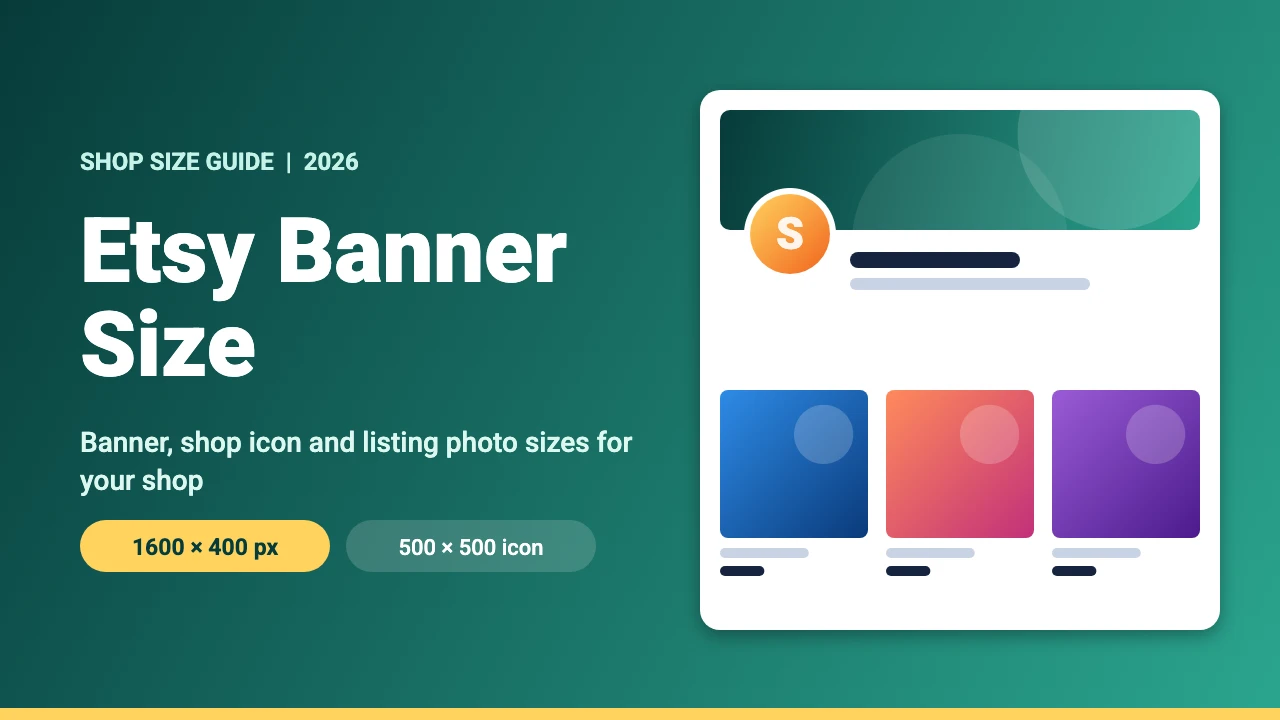
Etsy’s help page recommends a big shop banner of 1600 x 400 pixels (minimum 1200 x 300 pixels), a shop icon of 500 x 500 pixels and listing photos at least 2000 pixels wide and tall. This guide lists the main Etsy image sizes, the file rules, a note on older banner sizes and how to design your shop images in Canva.
Etsy Image Sizes at a Glance
These sizes come from Etsy’s own page on requirements and best practices for images in your Etsy shop. Etsy can change its rules, so check the upload screen in Shop Manager when you add an image.
| Image | Minimum size | Recommended size | Notes |
|---|---|---|---|
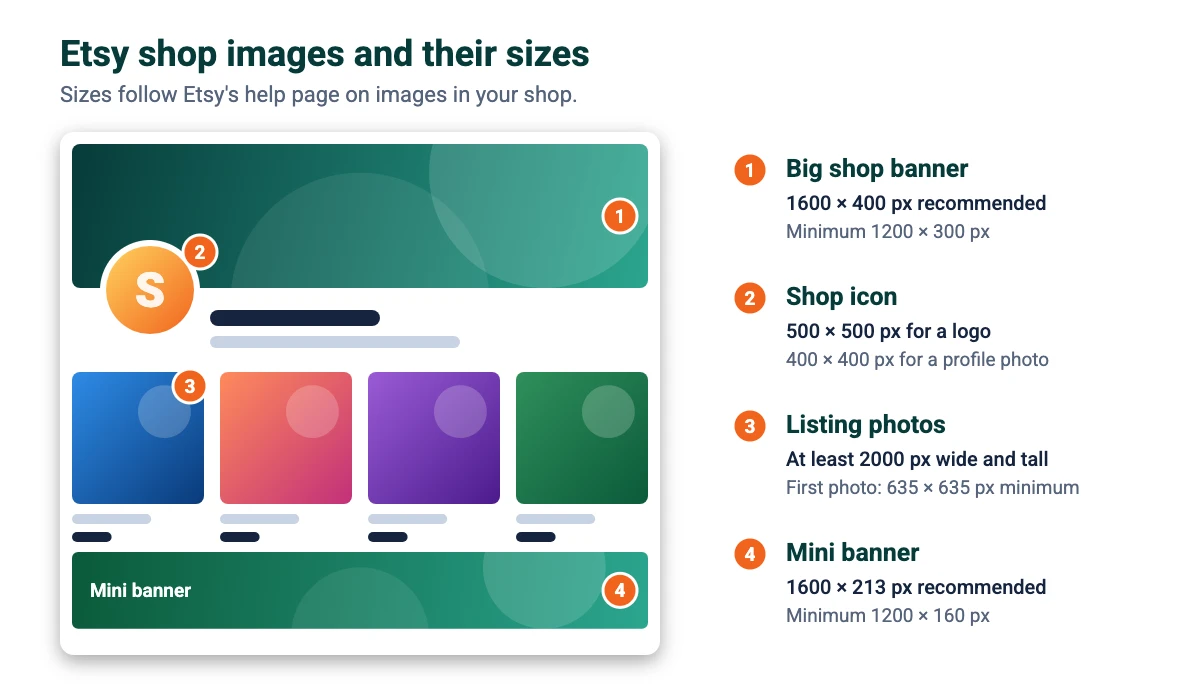
| Big shop banner | 1200 x 300 px | 1600 x 400 px | A 4:1 shape across the top of your shop |
| Mini shop banner | 1200 x 160 px | 1600 x 213 px | A thinner version of the banner |
| Shop icon (logo) | Not stated | 500 x 500 px | A square image |
| Shop icon (profile photo) | Not stated | 400 x 400 px | Etsy lists this size for a profile photo |
| Listing photos | 635 x 635 px for the first photo | At least 2000 px wide and tall | Etsy says a smaller first photo can show up lower in searches |
| Order receipt banner | 760 x 100 px | Not stated | Appears on order receipts |
| Team logo | Not stated | 170 x 100 px | Used in the team section |
Etsy Plus shops also have a carousel banner (1200 x 300 pixels recommended) and a collage banner, which needs at least 600 x 300 pixels for two images, 400 x 300 for three and 300 x 300 for four.
Etsy Shop Banner Size (1600 x 400 Pixels)
The big shop banner is the wide image at the top of your shop. Etsy lists 1200 x 300 pixels as the minimum and 1600 x 400 pixels as the recommended size. Both have a 4:1 shape. Some guides show a larger figure such as 3360 x 840 pixels, which is also 4:1. If you design at that size, the shape matches, but Etsy’s own page lists 1600 x 400 as its recommendation, so that is the size we suggest.
The mini banner is thinner. Etsy lists 1200 x 160 pixels as the minimum and 1600 x 213 pixels as the recommended size. Keep your shop name or logo near the middle and avoid putting small text near the edges.
Etsy Shop Icon Size (500 x 500 Pixels)
Etsy recommends 500 x 500 pixels for a logo shop icon and 400 x 400 pixels for a profile photo. Use a simple square image so it stays readable at small sizes.
Etsy Listing Photo Size (2000 Pixels or More)
Etsy recommends that listing photos have a width and height of at least 2000 pixels. The first photo should be at least 635 x 635 pixels, which Etsy says helps it avoid showing up lower in searches. Etsy advises uploading horizontal (landscape) images and says the shape of your first photo also sets the shape for the others, so choose one shape and use it for every photo in the listing.
Etsy File Types and Size Limits
- Supported types: .jpg, .gif, .png, .svg and .heic.
- Not supported: animated GIFs and transparent PNGs. Transparent areas appear black, so give PNGs a solid background.
- File size: Etsy sets no hard limit, but says images larger than 1 MB may not finish uploading, especially on slower connections.
How to Make Etsy Shop Images in Canva
- Create the design. In Canva, click Create a design and choose Custom size. Enter 1600 x 400 px for the banner, 500 x 500 px for the icon or 2000 x 2000 px for a listing photo. Custom sizes work on the free plan, and our guide to Canva Pro pricing shows what the paid plan adds.
- Use your brand. Pick two or three colors and one or two fonts and reuse them in every image. Our brand kit examples, Canva fonts list and Canva font pairings are good places to start.
- Keep the banner simple. One short line about what you sell, with the key content in the middle, works best.
- Download. Choose PNG with a solid background or JPG, and compress large files so they stay close to 1 MB. If you need a transparent image elsewhere, see how to get a transparent PNG in Canva without Pro, but remember Etsy shows transparent areas as black.
- Upload in Shop Manager. Add the banner, icon and listing photos, then view your shop to check how they look.
If a photo does not fit, crop it in Canva or follow the resize guide. New to the tool? Start with our guide to using Canva.
Etsy Shop Design Tips
Make the first photo count
Make your first listing photo clear and bright, and give it at least 2000 pixels on each side.
Keep a consistent look
Use the same colors and fonts on your banner, icon, packaging and business cards so buyers recognize your shop.
Selling digital products?
If you sell templates or printables, see our guides on how to start an Etsy shop, how to sell Canva templates on Etsy and the best selling digital products.
FAQ
Etsy recommends 1600 x 400 pixels for the big shop banner, with a minimum of 1200 x 300 pixels. Both have a 4:1 shape.
Etsy lists 1200 x 160 pixels as the minimum and 1600 x 213 pixels as the recommended size.
Etsy recommends 500 x 500 pixels for a logo and 400 x 400 pixels for a profile photo.
Etsy recommends a width and height of at least 2000 pixels. The first photo should be at least 635 x 635 pixels.
Etsy supports .jpg, .gif, .png, .svg and .heic. Animated GIFs and transparent PNGs are not supported.
Etsy sets no hard limit, but says images larger than 1 MB may not finish uploading, especially on slower connections.
The banner may be smaller than the 1200 x 300 minimum, or the shape may not be 4:1. Design at 1600 x 400 pixels, keep key content in the middle and check the result in your shop.
Yes. Create a custom size design, add your content and download it as a PNG or JPG. Custom sizes are available on the free plan.