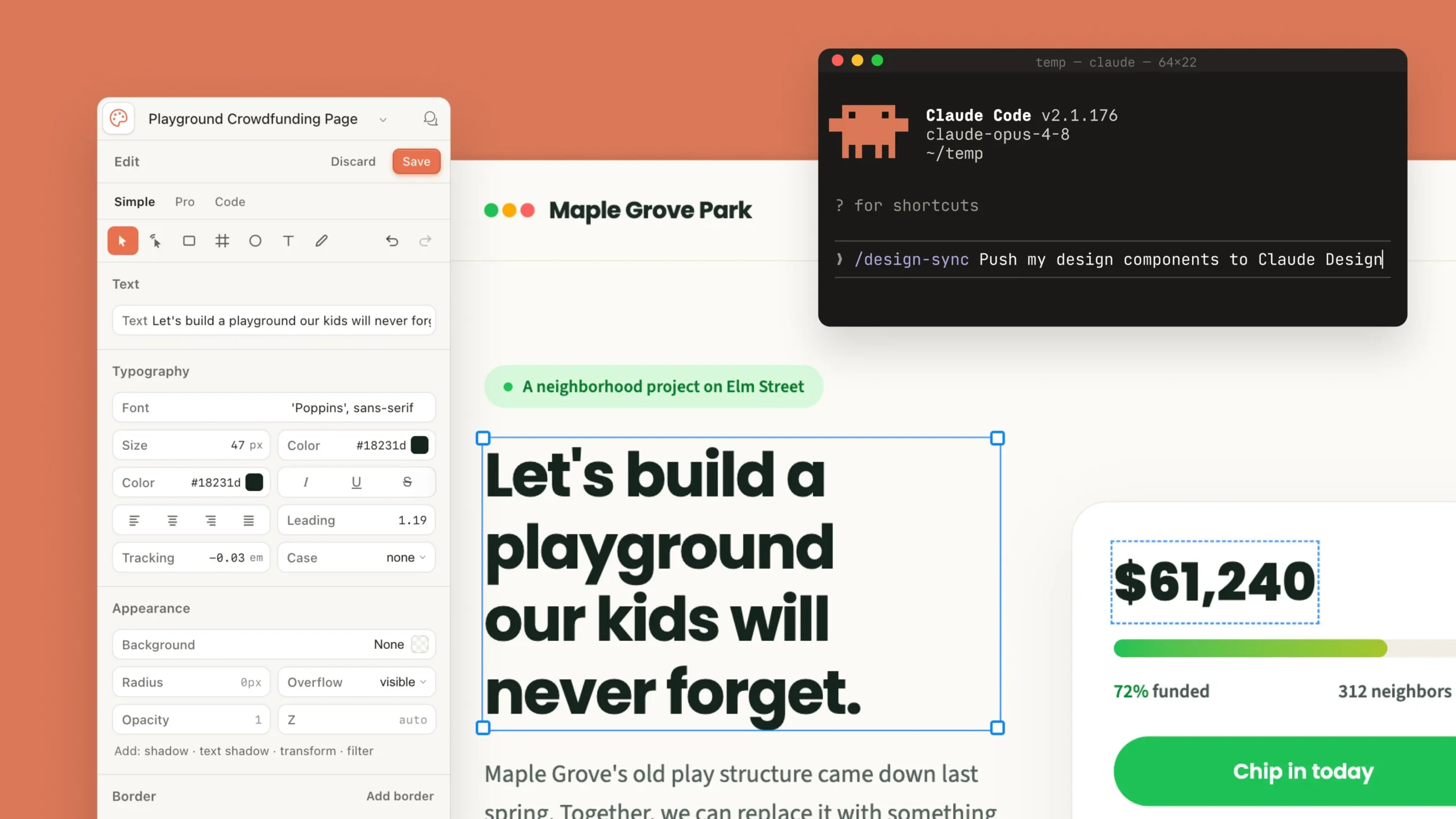
This guide shows how to use Claude Design, from opening it inside Claude to prompting, editing and exporting your first design. Claude Design lets you build designs, interactive prototypes, one-pagers and other visual work by chatting with Claude, then refine them on a canvas.
We read Anthropic’s Claude Design help article, its April 2026 launch announcement and a July 2026 post by a designer on the team in November 2026. We have not tested every feature ourselves. Anthropic’s pages differ or stay silent on a few points, such as current status, model and privacy, and we flag those below.
Featured image: article image from Claude by Anthropic, “Claude Design now stays on brand for daily work”, shown unedited. © Anthropic PBC.
What Claude Design Is and Who Can Use It
The help article says Claude Design is one of the artifact templates. That means you can use it from any chat, from Claude Code and from the Artifacts tab. It lists Free, Pro, Max, Ultra, Team and Enterprise plans, and says it is on by default. For Enterprise, the article gives October 15, 2026 as the date Design turns on by default. Owners can manage it under Organization settings, then Artifacts.
Anthropic’s April announcement called Claude Design a research preview for Pro, Max, Team and Enterprise, powered by Claude Opus 4.7 at launch. A July post calls it a beta. The current help article does not name a model or a status, so treat both as unconfirmed today.
One date matters if you use the standalone site. The help article says the standalone version at claude.ai/design closes on December 14, 2026. Design now lives inside Claude as an artifact template.
How to Open Claude Design
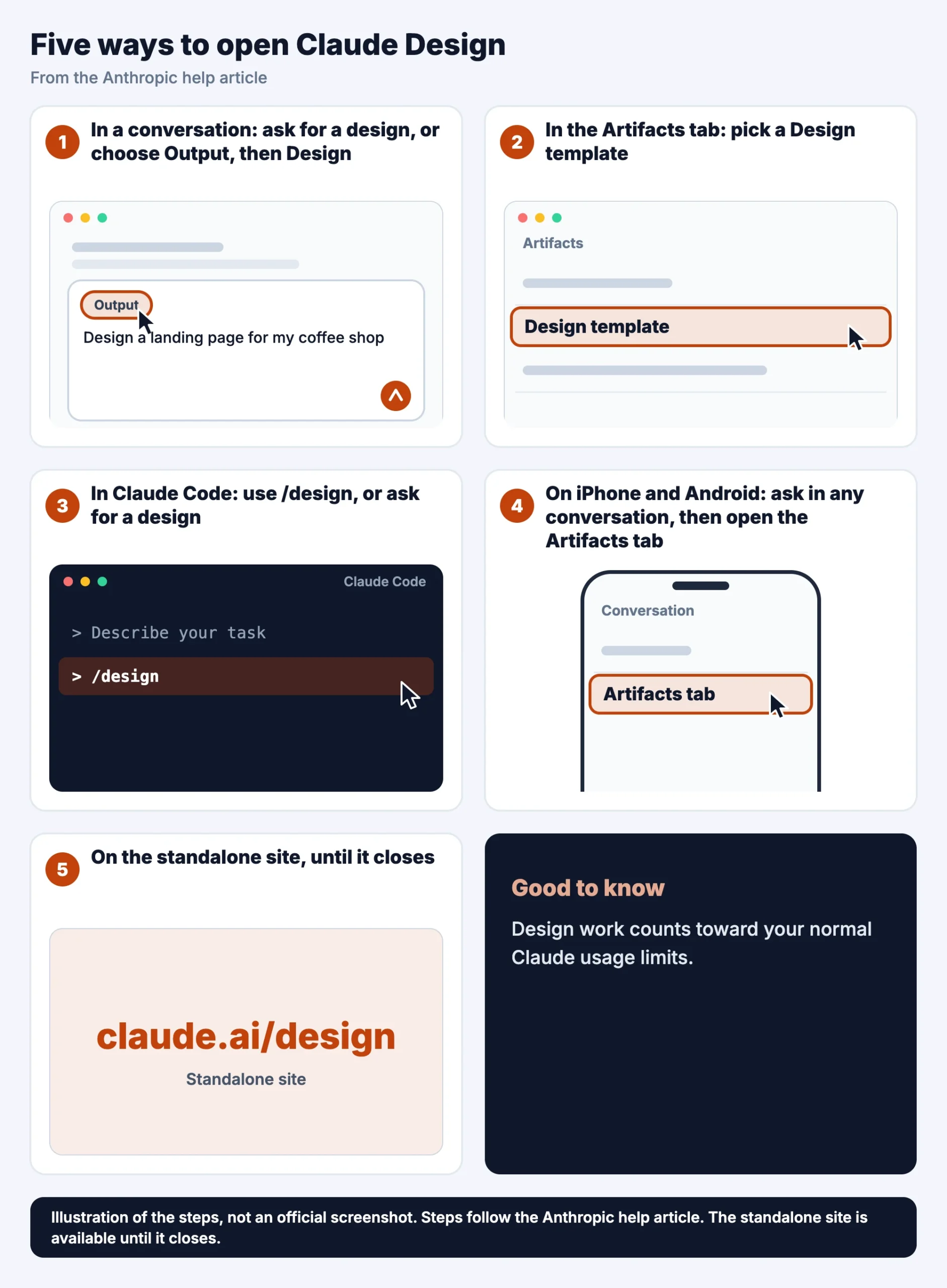
- In a conversation: ask Claude for a design, or choose Output, then Design in the message box.
- In the Artifacts tab: pick a Design template.
- In Claude Code: use /design, or ask for a design.
- In the iPhone and Android apps: ask in any conversation, then view the result in the Artifacts tab.
- On the standalone site at claude.ai/design, until it closes.
How to Make Your First Design in Claude Design
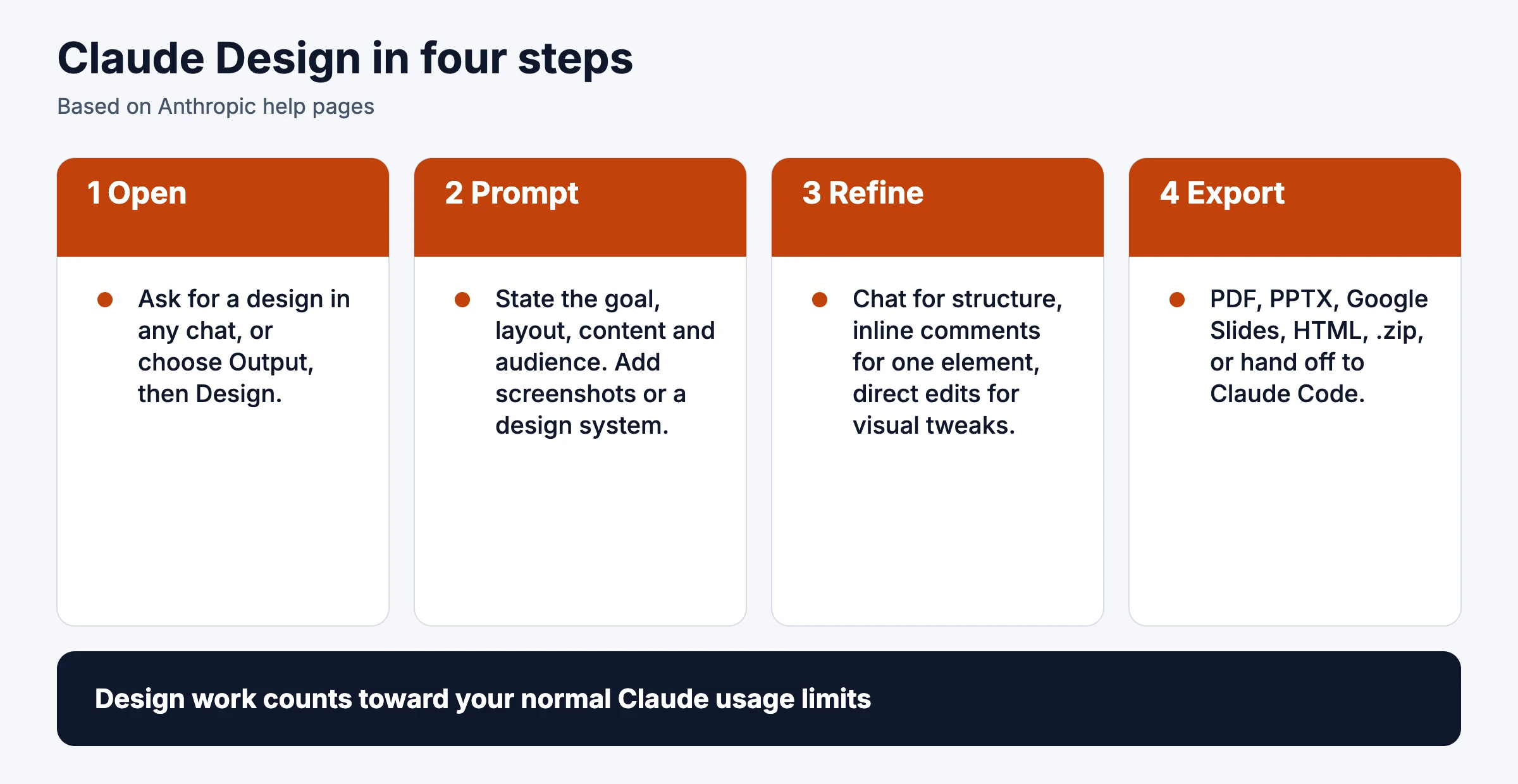
- Start from a conversation or the Artifacts tab.
- Attach or import a design system if you have one, such as your brand colors, type and components.
- Add context: screenshots, existing assets, a deck or document to copy its style, or a linked code repository.
- Describe what you want. Anthropic says good prompts state the goal, layout, content and audience. Claude may ask clarifying questions.
- Review the result on the canvas.
- Refine it with chat, direct edits or inline comments.
- Export or share it.
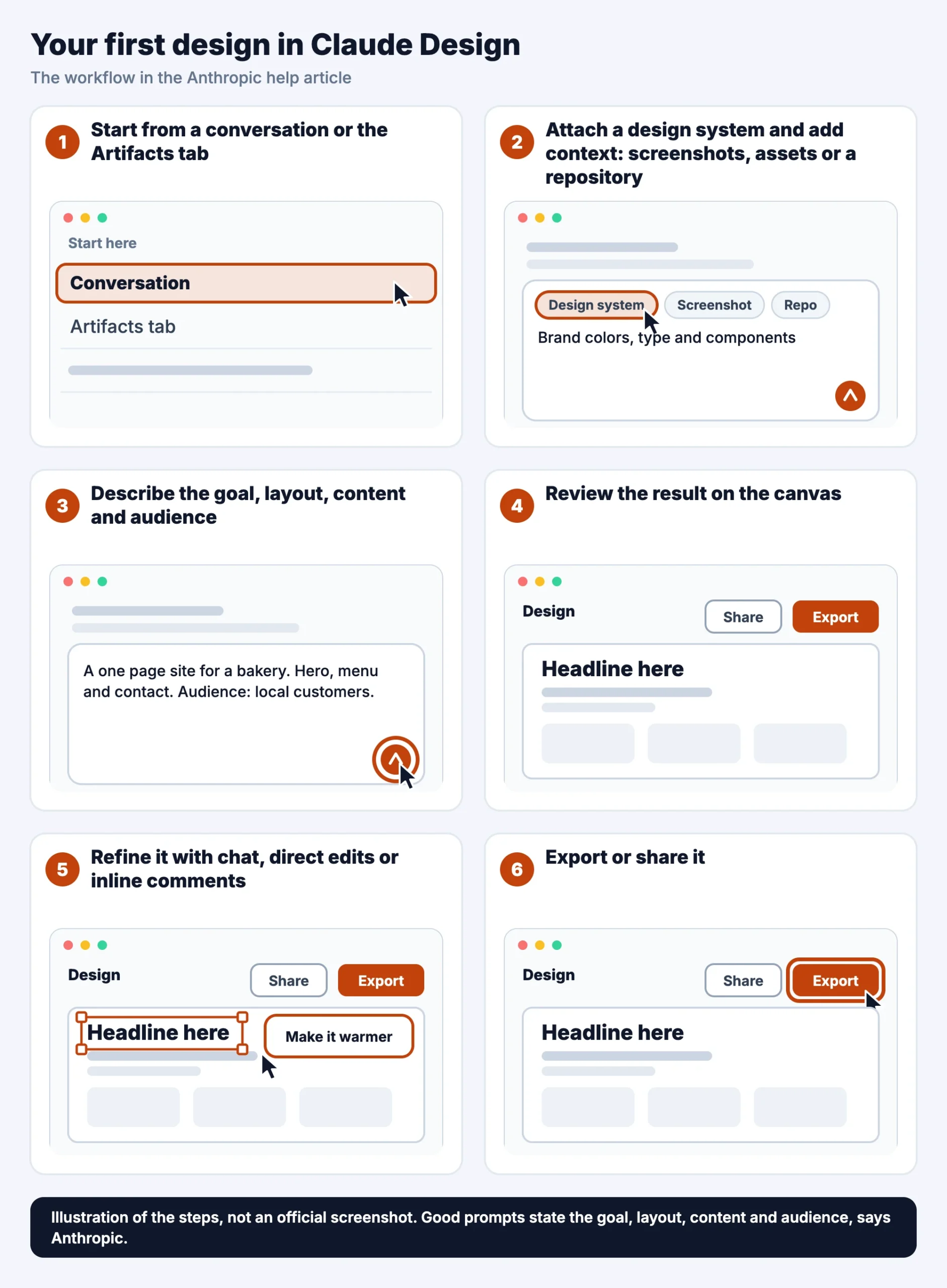
Here is an example prompt that follows the goal, layout, content and audience pattern: Design a one-page site for a small ceramics studio. The goal is class bookings. The audience is adult beginners. Use warm neutral colors and a serif heading font. Include a hero, three class cards, a pricing table and a booking form.
The designer who wrote the July post offers more habits. Write the prompt before you start, and name fonts, colors or a mood. Ask for ten options, then remix the best parts. Upload a photo of a paper sketch. Use wireframes when polish does not matter yet. These are one person’s practices, not official rules.
How to Edit a Design in Claude Design
| Method | Best for | Notes |
|---|---|---|
| Chat | Structural changes | Ask Claude to change the layout, add a section or try another direction. |
| Inline comments | Changes to one element | Click an element and leave a comment. The help article says comments sometimes do not appear, so paste feedback into chat if that happens. |
| Direct edits on the canvas | Visual tweaks | Drag, resize and align. The designer says direct edits use no tokens. |
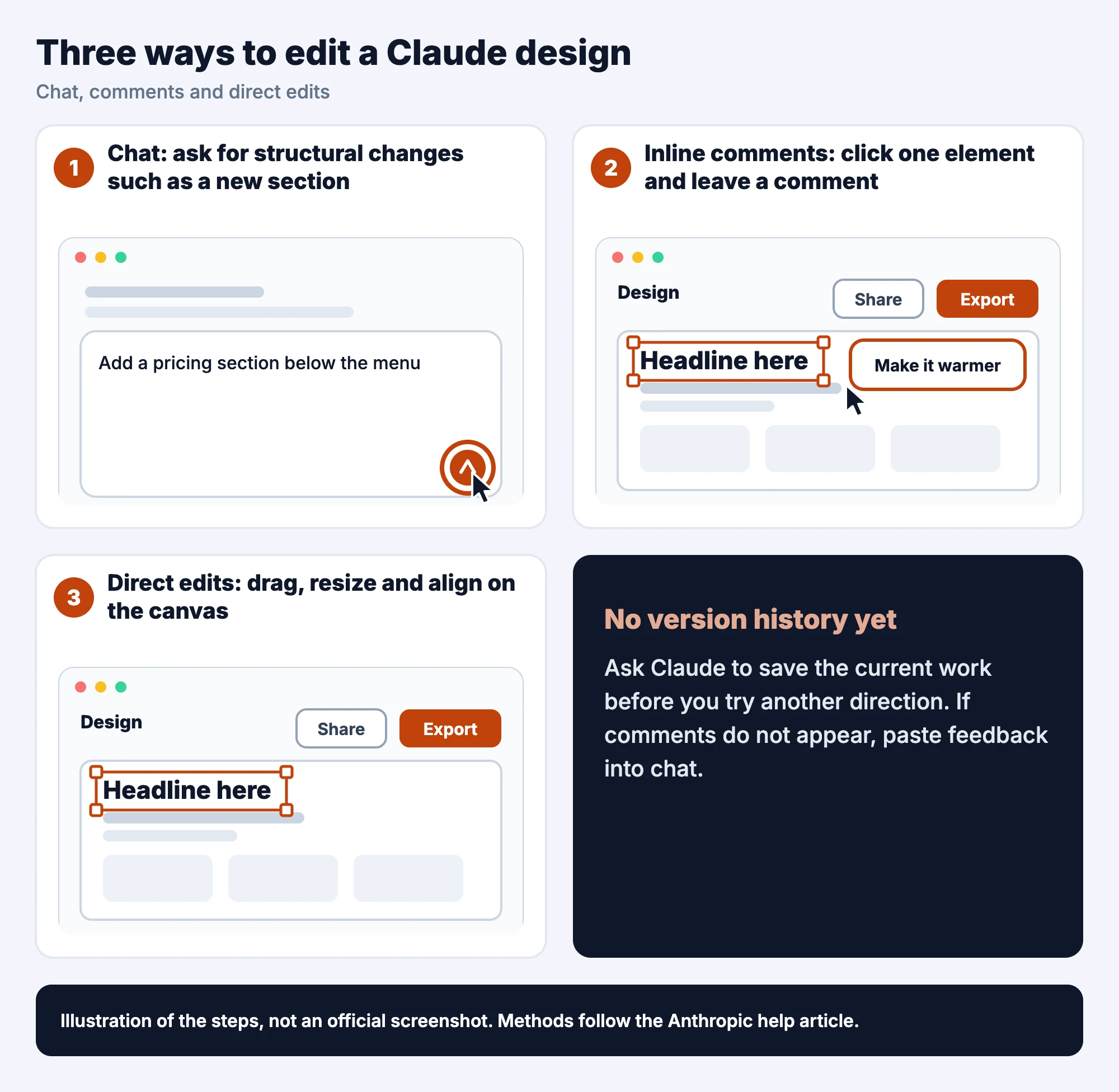
The April announcement also mentions adjustment knobs for spacing, color and layout. The help article does not mention them. To keep an alternative direction, ask Claude to save the current work. The help article says there is no version history yet.
Import and Export Options
You can import screenshots, images, existing assets, a deck or document to copy its style, and a linked code repository. The help article does not mention Figma or website links. The April announcement mentions a web capture tool and uploads of DOCX, PPTX and XLSX files.
| Export or share option | What the help article says |
|---|---|
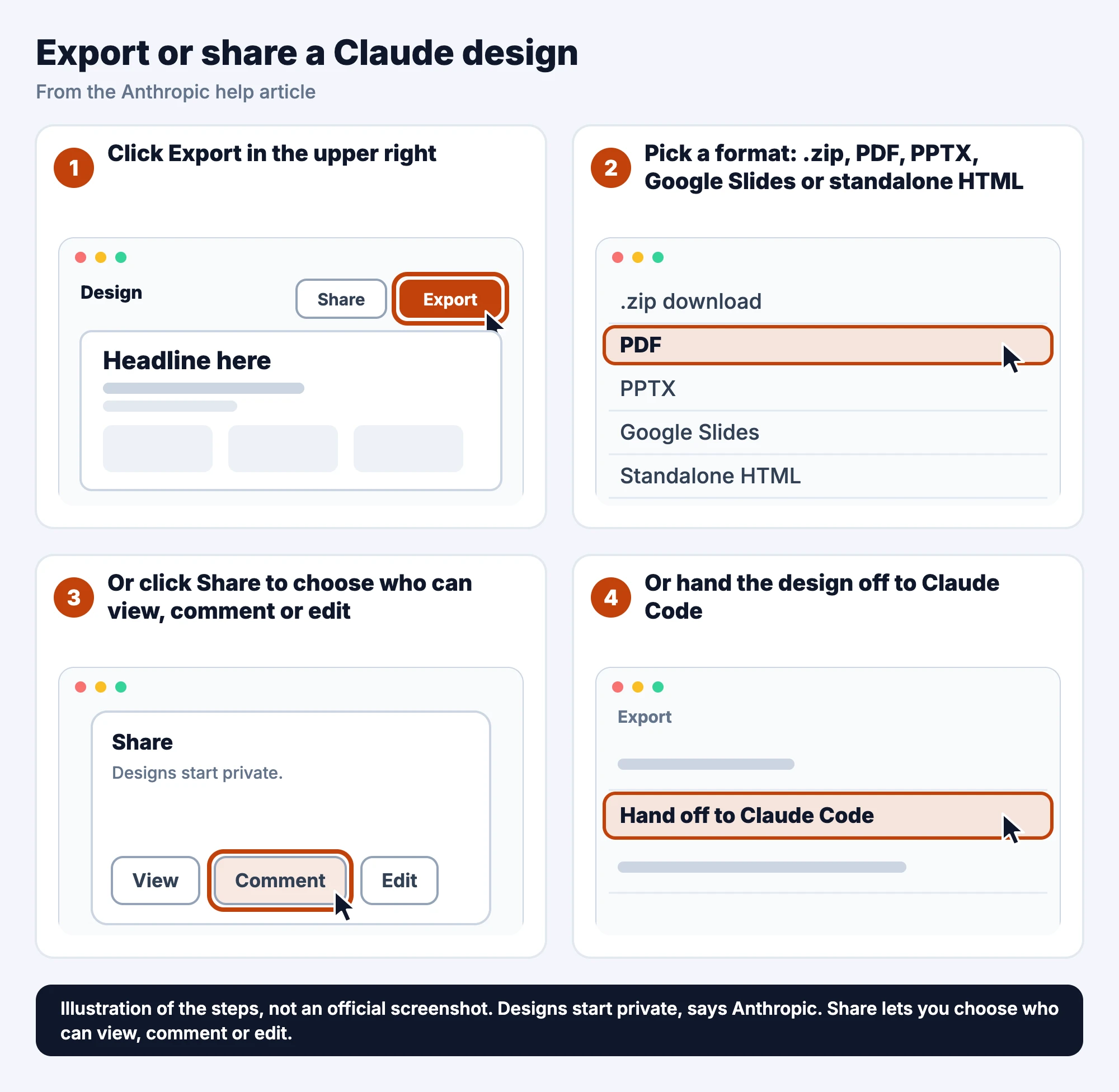
| Export menu | Use the Export button in the upper right. |
| Files | .zip download, PDF, PPTX, Google Slides and standalone HTML. |
| Other tools | Send to Canva and several other design and publishing tools. |
| Claude Code | Hand off to a local coding agent or to Claude Code on the web. |
| Sharing | Designs start private. Click Share to choose who can open the design and whether they can view, comment or edit. |
Usage Limits and Plans
Design work counts toward the same usage limits as the rest of Claude, including Claude Code. The help article says Design had its own weekly allowance before and no longer does. When you reach your limit, Design is unavailable until the limit resets, unless you turn on extra usage. If you are weighing plans, see how to cancel Claude subscription for how billing works.
Known Limits and What Claude Design Is Not For
- Inline comments sometimes do not appear. Use the comments view or paste feedback into chat.
- Very large codebases can cause lag. Link them from Claude Code and use /design-sync.
- A chat upstream error may clear if you start a new chat tab in the same project.
- You cannot change sharing settings in the iPhone or Android app.
- Editing with several people at once is basic and may be unreliable.
- Design system import is only as good as its source.
- Adding a new text layer, artboard, shape or note needs a mouse or trackpad.
The designer’s post adds two limits. Claude Design is not for image generation or logo design, because it has no image model. And production software belongs in Claude Code, which can round-trip with Design. Anthropic’s pages say nothing about privacy or data handling for Design, so check Anthropic’s privacy policy before you upload client work.
Where Claude Design Fits Among Design Tools
Claude Design suits quick prototypes, slides and landing page drafts. For other options, see our roundups of the best AI UI design tools and the best AI design tools for graphic designers. If you work in Canva, read how to use Canva AI. For an AI design agent, see what Lovart AI is. To build screens by hand, start with Figma for beginners.
FAQ
A way to create designs, interactive prototypes, one-pagers and other visual work by chatting with Claude, then editing on a canvas. Anthropic’s help article describes it as one of the artifact templates.
The help article lists Free, Pro, Max, Ultra, Team and Enterprise plans. Design work counts toward your normal usage limits. The April launch post named only paid plans, and the help article is the newer source.
Ask Claude for a design in any conversation, or choose Output, then Design in the message box. You can also pick a Design template in the Artifacts tab, or use /design in Claude Code.
Anthropic’s April announcement said Claude Opus 4.7 at launch. The current help article does not name a model, so check Anthropic’s pages for the latest.
Yes. The help article lists .zip, PDF, PPTX, Google Slides and standalone HTML under the Export button, plus handoff to Claude Code.
Yes. The help article says you can bring in a design system from a GitHub repo, design files, raw uploads or a local codebase using /design-sync in Claude Code. The result is only as good as the source.
The help article says the standalone version at claude.ai/design closes on December 14, 2026. Design is now an artifact template inside Claude.
Anthropic’s designer says it is not for image generation or logo design because it has no image model. Use it for layouts, prototypes, slides and pages.