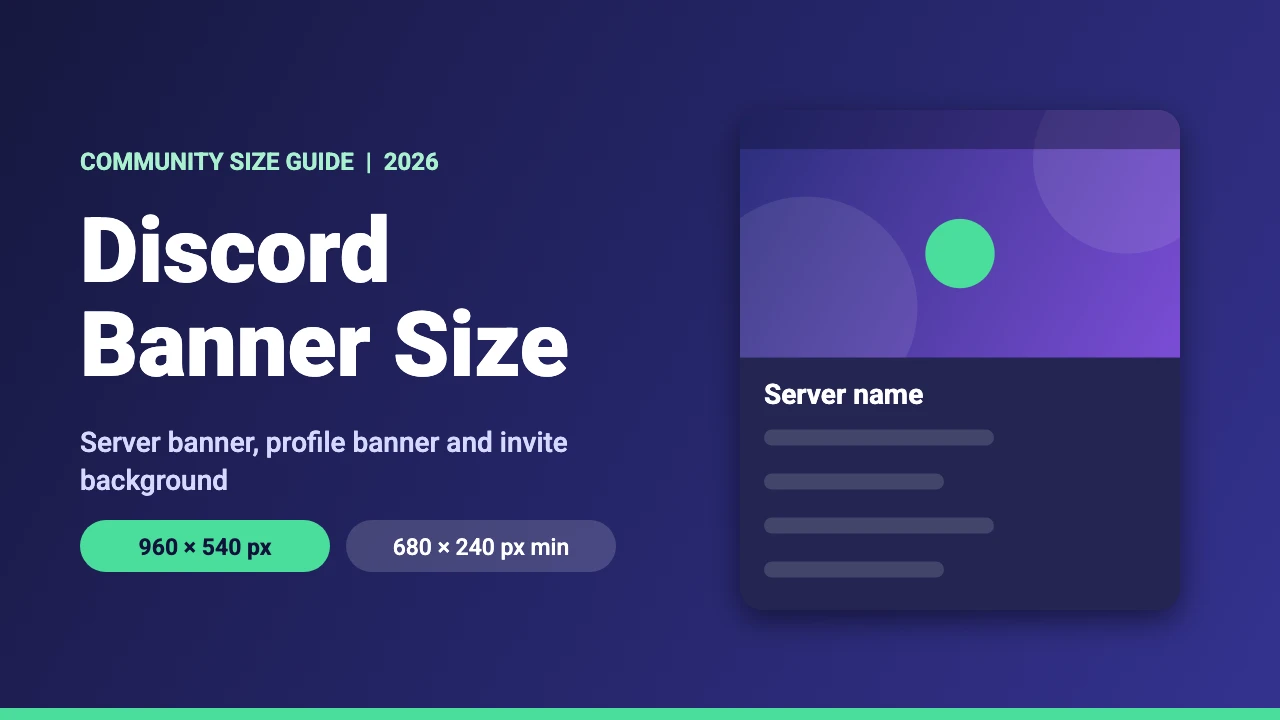
Discord has three banner style images, and each has its own size and unlock requirement. The recommended Discord server banner size is 960 x 540 pixels (16:9), a profile banner needs at least 680 x 240 pixels, and a server invite background is 1920 x 1080 pixels. This guide covers all three, what you need to unlock them, and how to design each one in Canva.
Discord Banner Sizes at a Glance
These figures come from Discord’s support pages on server banners, custom profiles and the server invite background, which we read in November 2026.
| Image | Size | Format | What you need |
|---|---|---|---|
| Server banner | 960 x 540 px recommended (16:9). 1920 x 1080 px also works. | Image or GIF | Boost Level 2, or Level 3 for an animated banner. Partner servers do not need boosting. |
| Profile banner | At least 680 x 240 px | PNG, JPG or animated GIF (GIF under 10 MB) | Discord Nitro |
| Server invite background | 1920 x 1080 px | JPG or PNG, no animation | Boost Level 1 |
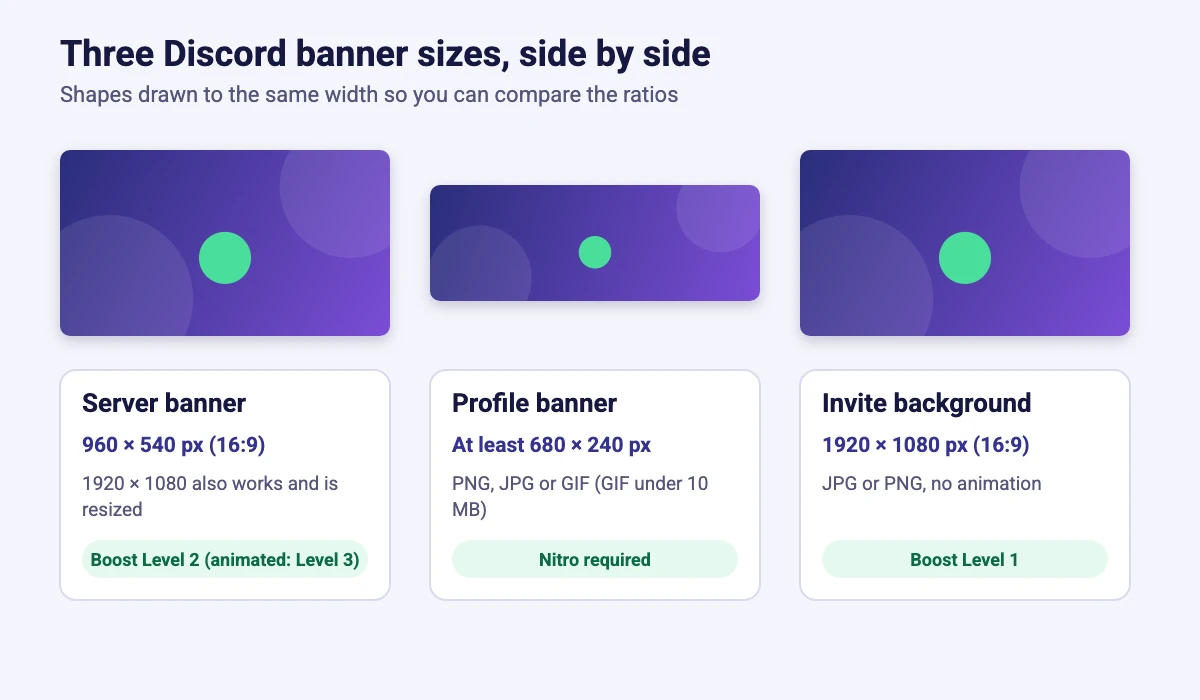
Discord Server Banner Size
The server banner sits at the top of your server’s channel list. Discord recommends 960 x 540 pixels with a 16:9 aspect ratio, and that is also the minimum. You can upload a 1920 x 1080 pixel image and the app resizes it for you, which is handy if you design at double size.
A static banner needs Boost Level 2. An animated banner needs Boost Level 3, and Discord Partner servers can get a banner without boosting. Animated banners use the same 960 x 540 pixel size. They play for 5 seconds when the server first loads and then pause, they animate again on hover and when you scroll back to them, and they stay still if reduced motion is enabled. If the server drops from Level 3 to Level 2, the banner becomes static and uses the same image.
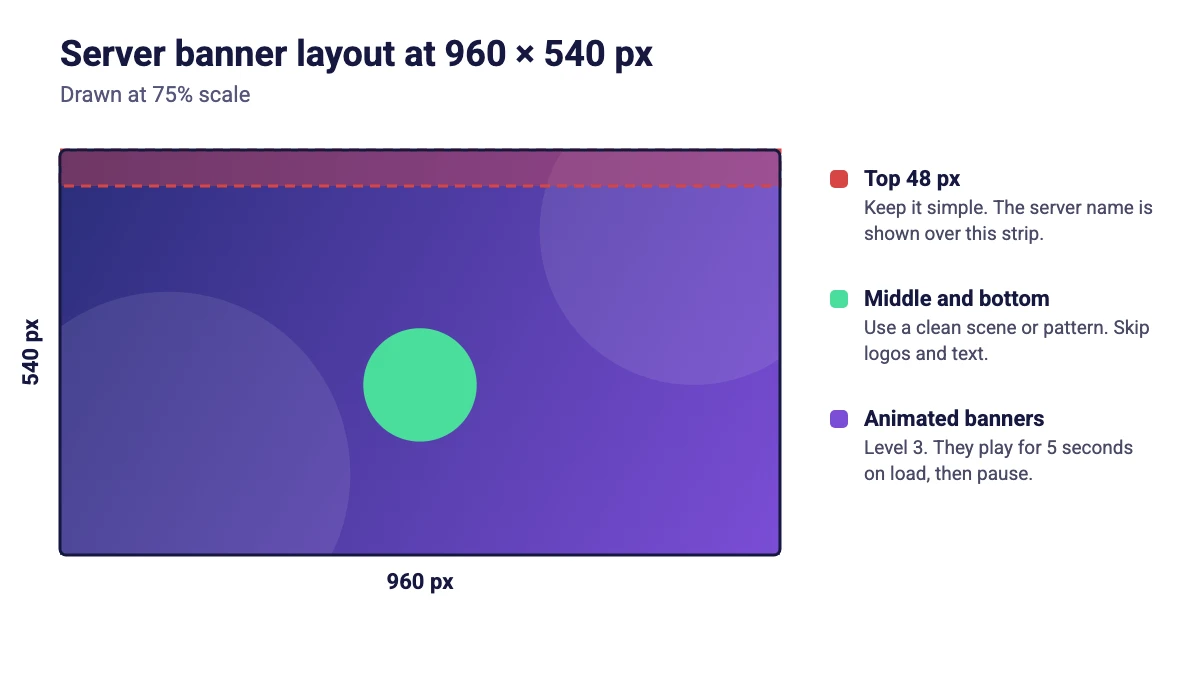
Discord gives two design rules for the image. Keep the top 48 pixels simple, because the server name is shown over that strip, and avoid logos or text in the banner. At 1920 x 1080 pixels, the top strip is 96 pixels tall.
To upload it, go to Server Settings, open Overview, scroll to the bottom and find Server Banner Background. Only the server owner or members with the Manage Server or Administrator permission can change it.
Discord Profile Banner Size
A profile banner appears at the top of your personal profile. Discord’s page says images should be at least 680 x 240 pixels. That is a ratio of about 2.83:1, much wider than a server banner. It does not give a recommended size, so a good approach is to design at double size, 1360 x 480 pixels, which keeps the same ratio and stays sharp. That is our suggestion, not a Discord rule.
Profile banners accept PNG, JPG and animated GIF files, and an animated GIF banner must be under 10 MB. Discord says only Nitro members can upload an image or GIF as a profile banner. To set one, open User Settings, go to Profiles, choose Change Banner and upload your file. If a crop screen appears, apply your crop or skip it to use the default.
For avatars, Discord’s page lists PNG and GIF files and says animated avatars are for Nitro members, but it gives no pixel size. Use a square image for your profile picture.
Discord Server Invite Background Size
The invite background is the image behind the invite pop-up that new members see. Discord’s requirement is 1920 x 1080 pixels in JPG or PNG format, and animated images or GIFs are not allowed. It needs Boost Level 1, and the perk stays available at Levels 2 and 3. Discord recommends avoiding logos and text and keeping the key parts of the image out of the centered pop-up area.
How to Make a Discord Banner in Canva
- Pick the canvas. In Canva, click Create a design, choose Custom size and enter 1920 x 1080 px for a server banner or invite background, or 1360 x 480 px for a profile banner.
- Plan the top strip. For a server banner, keep the top 96 pixels of a 1920 x 1080 design simple so the server name stays readable.
- Build the artwork. Use a clean scene, pattern or illustration. If you need an original background, try one of the free AI image generators.
- Download. Choose PNG or JPG. For an animated banner, follow our guide to making a GIF in Canva and keep a profile GIF under 10 MB.
- Upload it in Discord. Use Server Settings, then Overview for a server banner, or User Settings, then Profiles for a profile banner.
If a photo does not fit the frame, cropping it in Canva fixes that before you export, and the resize guide helps if you want to reuse a design from another platform.
Design Tips for Discord Banners
Match your community brand
Use the same colors and fonts as your logo and other channels. Our brand kit examples and Canva font pairings are good places to start.
Keep it simple
The banner is small and often sits under interface elements. A clean pattern or illustration works better than a crowded collage or a lot of small text.
Streaming? Keep everything consistent
If you stream, match your banner to your overlays and panels. We cover free Twitch panels, Twitch emote sizes and stream designs, and our YouTube banner size guide helps if you also publish video on YouTube.
FAQ
Discord recommends 960 x 540 pixels with a 16:9 aspect ratio for a server banner, and that is also the minimum. A 1920 x 1080 pixel image works too and is resized automatically.
Discord says profile banner images should be at least 680 x 240 pixels. It does not list a recommended size, so designing at 1360 x 480 pixels keeps the same ratio at double size.
You need Nitro to upload an image or GIF as a profile banner. A server banner depends on server boosts instead, not on your own Nitro subscription.
A static server banner needs Boost Level 2 and an animated one needs Level 3. Discord Partner servers can get a banner without boosting.
The server invite background is 1920 x 1080 pixels in JPG or PNG format, with no animation. It needs Boost Level 1 or higher.
Yes in two cases. A server can have an animated banner at Boost Level 3, and a profile banner can be an animated GIF for Nitro members, as long as the GIF is under 10 MB.
Use at least the minimum size, keep the right aspect ratio and avoid stretching a small image. For a server banner, keep the top 48 pixels simple and use the crop screen when Discord offers one for a profile banner.
The Discord pages we read do not list a pixel size for avatars or server icons. Use a clear square image, and avoid tiny details, since it is shown small.