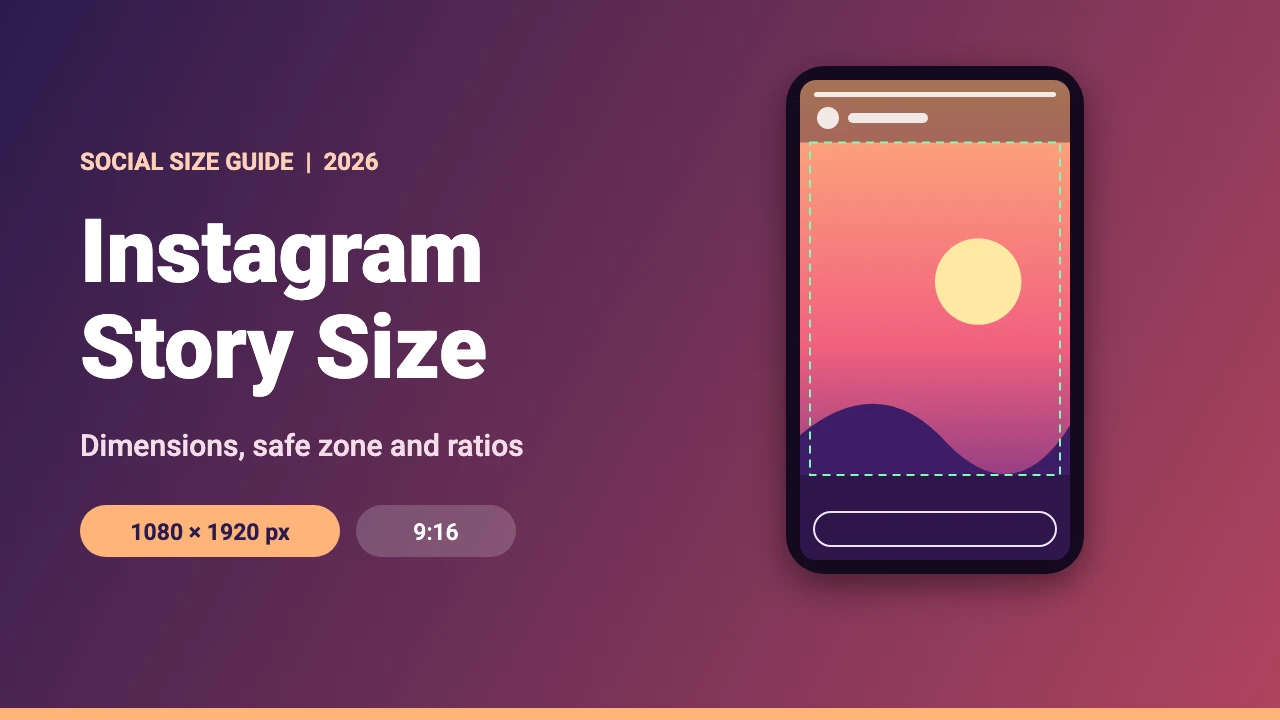
The best Instagram story size is 1080 x 1920 pixels, a 9:16 vertical ratio that fills the whole phone screen. Meta’s developer documentation asks for 9:16 images of at least 720 x 1280 pixels when apps share to Stories, so 1080 x 1920 is a safe, sharp choice. This guide covers Instagram story dimensions, the safe zone for text, how stories compare with posts and Reels, and how to design one in Canva.
Instagram Story Dimensions at a Glance
The numbers below come from Meta’s documentation for sharing to Stories and Instagram media requirements, and from the Instagram Help Center. We read them in November 2026.
| Setting | Value | Notes |
|---|---|---|
| Recommended size | 1080 x 1920 px | The common size for stories. It is exactly 9:16. |
| Aspect ratio | 9:16 | Meta recommends 9:16 for story images |
| Minimum size | 720 x 1280 px | For images shared from other apps, per Meta’s developer documentation. Story ads need a width of at least 600 px. |
| File type | JPG or PNG | For images shared from other apps |
| How long it lasts | 24 hours | Stories disappear after a day unless you save them to a Highlight |
| Live area for text | About 952 x 1330 px | A design tip, explained below |
Phone screens are tall, so a 9:16 image fills the display without bars. The width of 1080 pixels also matches the largest width Instagram keeps for feed photos, according to the Instagram Help Center page on image resolution, so your story files stay consistent with your posts.
Instagram Story Safe Zone
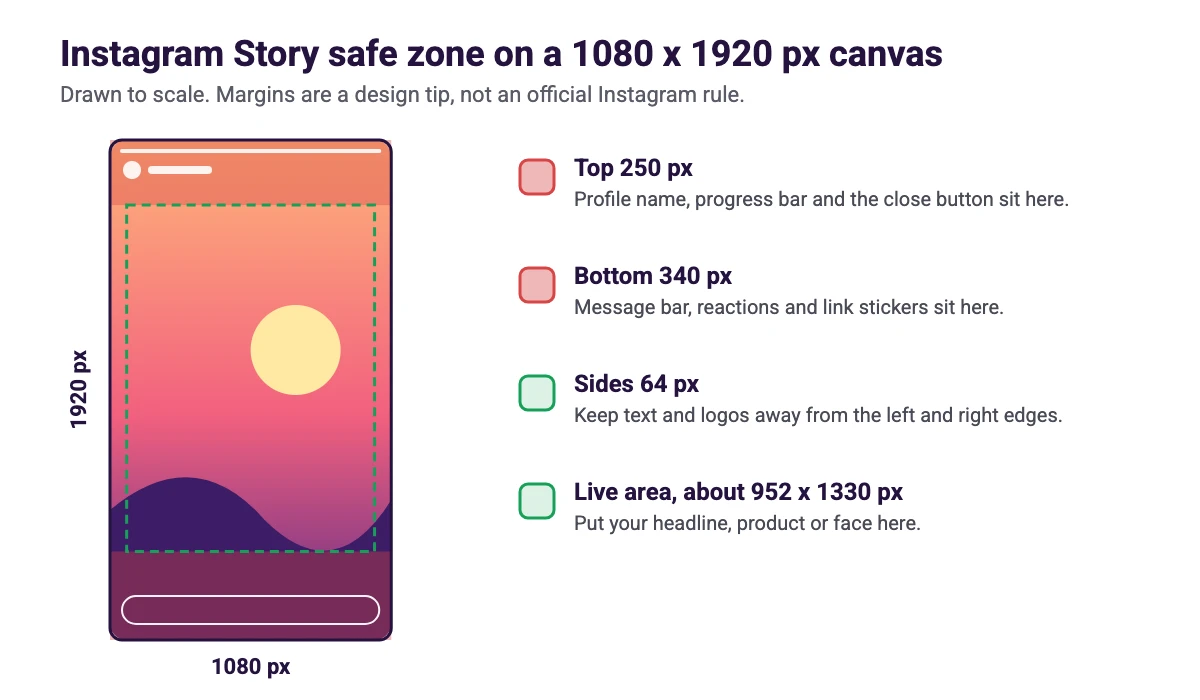
Instagram places its own controls over a story: the profile name and progress bar at the top, and the message bar at the bottom. Text or logos under those controls are hard to read or get covered. A common guideline is to keep about 250 pixels free at the top and 340 pixels free at the bottom of a 1080 x 1920 pixel canvas, plus roughly 64 pixels on each side. That leaves a live area of about 952 x 1330 pixels. These margins are a design tip, not an official Instagram rule, and screens differ, so leave extra breathing room where you can.
| Area | Size on a 1080 x 1920 px canvas | What sits there |
|---|---|---|
| Top margin | 250 px | Profile name, progress bar and close button |
| Bottom margin | 340 px | Message bar, reactions and link stickers |
| Side margins | 64 px each | Breathing room so text does not touch the edge |
| Live area | About 952 x 1330 px | Headline, product, face or main message |
Story Size vs Post and Reel Sizes
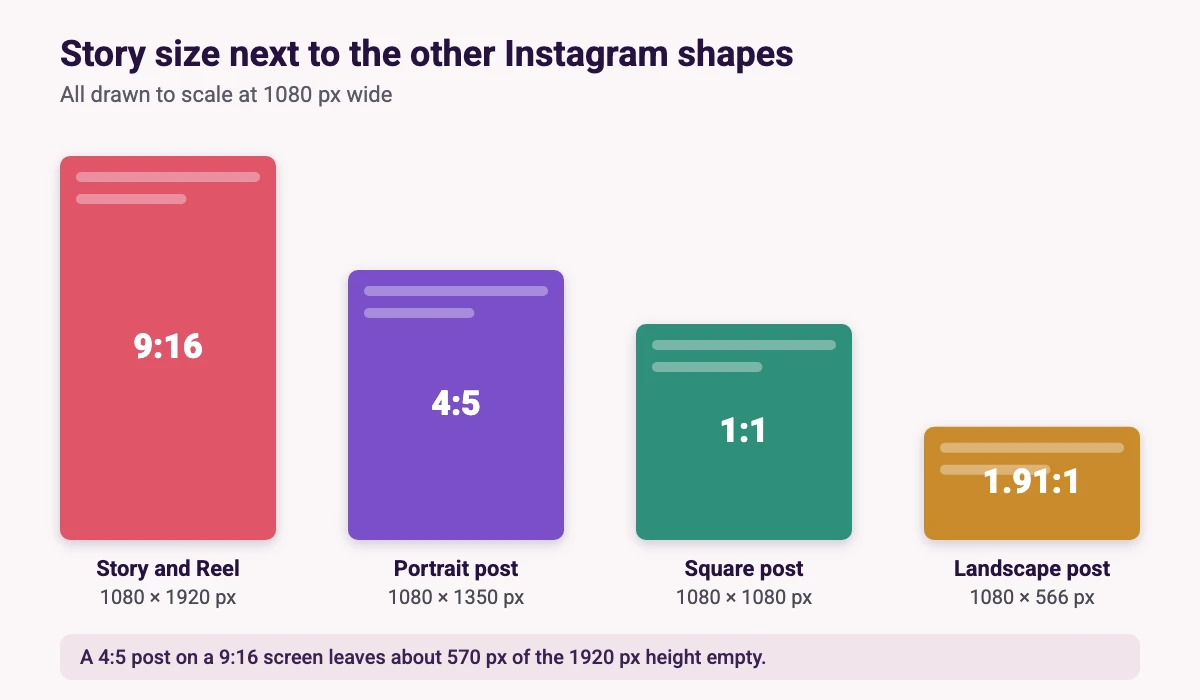
A story shares its 1080 x 1920 pixel size with Reels, but it differs from feed posts. If you reuse a post as a story, it will not fill the screen. A 4:5 post on a 9:16 screen leaves about 570 pixels of the 1920 pixel height empty, so it is better to redesign the image at story size.
| Format | Size | Ratio | Learn more |
|---|---|---|---|
| Story | 1080 x 1920 px | 9:16 | This guide |
| Reel | 1080 x 1920 px | 9:16 | Instagram Reel size guide |
| Portrait post | 1080 x 1350 px | 4:5 | Instagram post size guide |
| 3:4 photo post | 1080 x 1440 px | 3:4 | Instagram post size guide |
| Square post | 1080 x 1080 px | 1:1 | Instagram post size guide |
| Landscape post | 1080 x 566 px | 1.91:1 | Instagram post size guide |
Reels also use a 9:16 canvas, but they have their own cover rules, which we cover in the Instagram Reel cover size guide.
How to Make an Instagram Story in Canva
- Set the canvas. In Canva, click Create a design and search for Instagram Story. Check the size shown under the design name. If it is not 1080 x 1920 px, choose Custom size and enter it yourself.
- Add guides. Open the File menu and turn on rulers and guides, then drag guides to 250 px from the top and 340 px from the bottom.
- Build the design. Start with a background that fills the whole canvas, then place your headline and logo inside the guides. Our Canva font pairings can help you choose type.
- Crop and fit your photos. If a picture does not fit, our guide to cropping in Canva covers the steps.
- Download. Choose PNG or JPG for a still story, or MP4 for a video story, then upload it from your phone.
To turn an existing post into a story, see how to resize an image in Canva. Resizing in one click is part of Canva Pro. On the free plan, copy your elements into a new 1080 x 1920 px design instead. If you want ready-made layouts, our list of the best Instagram Reel templates works for stories too, because both use the 9:16 canvas.
Instagram Story Design Tips
One idea per frame
A story is viewed for a few seconds, so give each frame one clear message and a single focal point.
Keep text large and high contrast
Viewers read on a small screen with the sound often off. Use large type, a strong contrast between text and background, and keep captions inside the live area.
Stay on brand
Reuse the same colors, fonts and logo placement so your stories look like part of the same account. For a wider plan on what to post, read our Instagram marketing strategy guide.
Common Instagram Story Size Mistakes
- Uploading a feed post unchanged. A square or 4:5 image leaves empty space above and below on a 9:16 screen.
- Putting text under the interface. Captions in the top 250 or bottom 340 pixels can be covered by the profile name, progress bar or message bar.
- Starting too small. An image smaller than 1080 x 1920 pixels is scaled up and can look soft, so design at full size.
- Cramming too much in. A story is seen for seconds. Split a long message across several frames instead.
- Ignoring the sides. Text that touches the left or right edge can look cramped or get trimmed on narrower screens.
FAQ
The best Instagram story size is 1080 x 1920 pixels with a 9:16 aspect ratio. It fills a phone screen and is above the minimum Meta lists for images shared to Stories.
The aspect ratio is 9:16. Meta’s documentation recommends 9:16 for story images.
Meta’s developer documentation lists a minimum of 720 x 1280 pixels for images shared to Stories from other apps, and story ads need a width of at least 600 pixels. Instagram does not publish one in-app minimum that we could find, so design at 1080 x 1920 pixels.
A common guideline is to keep about 250 pixels free at the top and 340 pixels free at the bottom of a 1080 x 1920 pixel story, plus about 64 pixels on each side. This is a design tip, not an official Instagram rule.
Yes, both use a 1080 x 1920 pixel, 9:16 canvas. Reels also have a separate cover size, so check our Instagram Reel cover size guide if you are making one.
You can share it, but a square or 4:5 image does not fill a 9:16 screen. For the best result, redesign it at 1080 x 1920 pixels.
A story disappears after 24 hours, according to the Instagram Help Center. You can save it to a Highlight if you want it to stay on your profile.
Meta’s developer documentation lists JPG and PNG for story images shared from other apps. Use PNG for sharp text and graphics and JPG for photos.