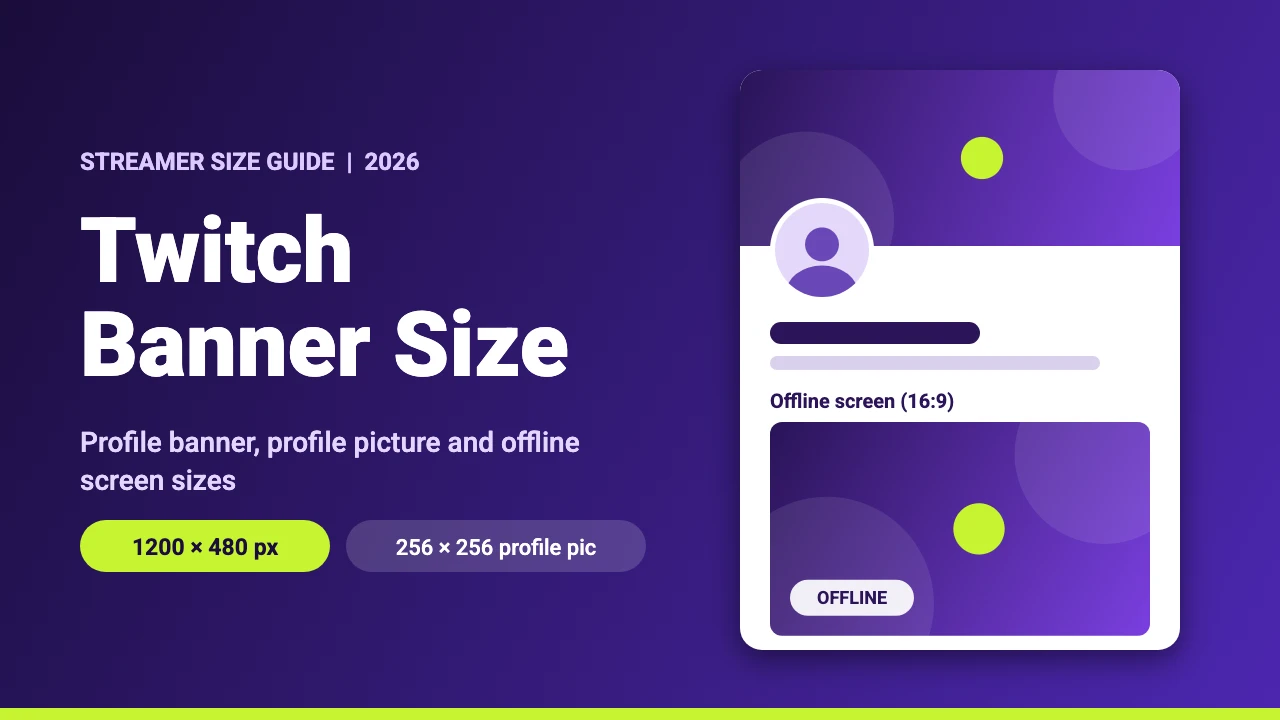
The recommended Twitch banner size is 1200 x 480 pixels. Your profile picture should be 256 x 256 pixels, and the offline banner, which Twitch calls the video player banner, is 1920 x 1080 pixels. This guide covers all three, the corner of the banner that Twitch’s interface can cover, file limits and how to make each image in Canva.
Twitch Image Sizes at a Glance
Twitch’s help pages load with scripts, so our research tools could not read them. We cross-checked current streamer guides, including Elgato’s Twitch graphics size guide, and Twitch’s own announcement that raised the profile picture limit from 3 MB to 10 MB. Some older guides still give 1200 x 380 for the banner and a 3 MB limit. The 3 MB figure is out of date, and 1200 x 480 is what current guides recommend. Twitch can change its rules, so check the upload screen when you add an image.
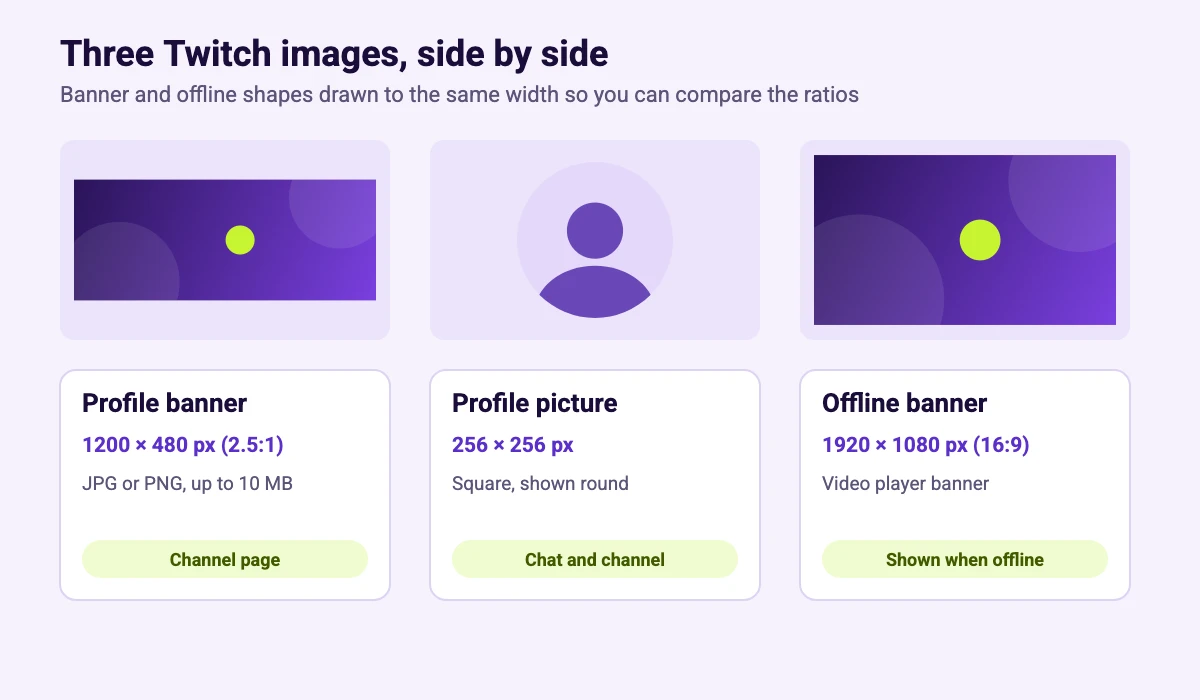
| Image | Size | Format and limit | Where it appears |
|---|---|---|---|
| Profile banner | 1200 x 480 px | JPG or PNG, up to 10 MB | Top of your channel page on desktop |
| Profile picture | 256 x 256 px | JPG or PNG, up to 10 MB | Your channel and across Twitch, shown as a circle |
| Offline banner (video player banner) | 1920 x 1080 px (16:9) | JPG or PNG, up to 10 MB | The video player when you are not live |
Twitch Profile Banner Size (1200 x 480 Pixels)
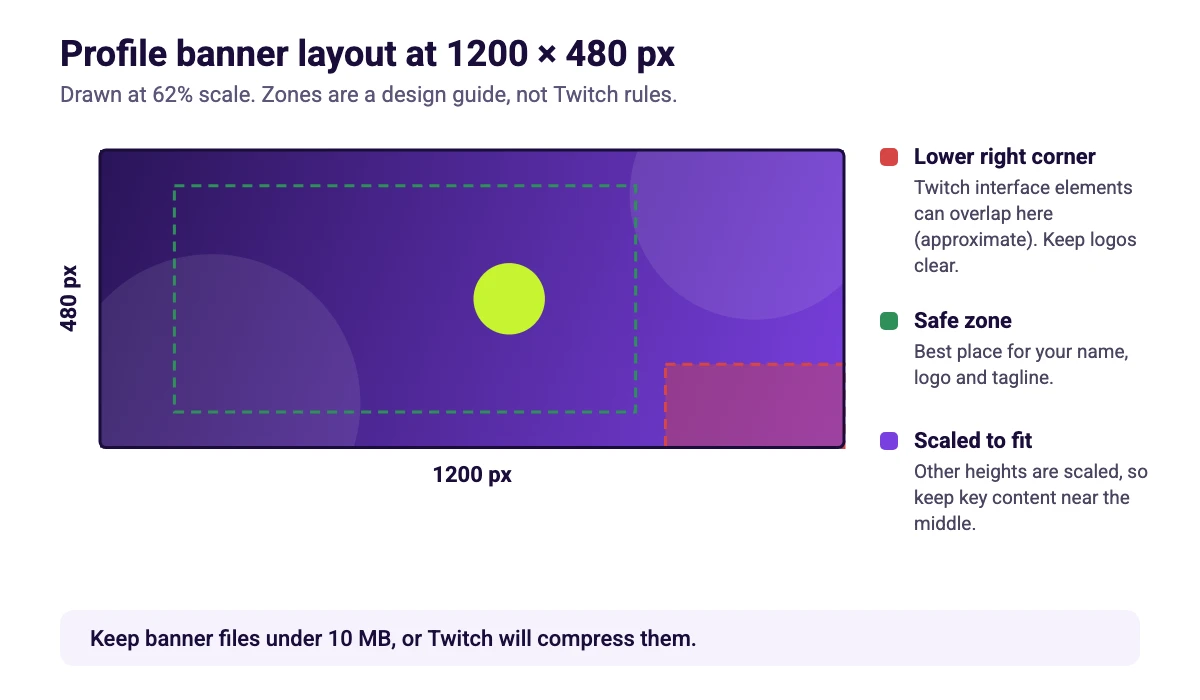
The profile banner is the wide image at the top of your channel page. Current guides recommend 1200 x 480 pixels as a JPG or PNG under 10 MB, and larger files can be compressed. Twitch scales images that are taller or shorter than the recommended height, so staying at 480 pixels tall gives you the most control over how it looks.
Elgato also advises keeping the banner file below 10 MB, because Twitch compresses larger images.
Where to Keep Clear: The Lower Right Corner
Elgato’s guide says the lower right corner of the banner has an interface overhang, so Twitch’s own buttons can sit over the image there. Keep logos and text out of that corner, and place your name, logo and tagline toward the left and middle. The zones in the diagram are a design guide, not Twitch rules, so check the result on your own channel page after you upload.
Twitch Profile Picture Size (256 x 256 Pixels)
Use a square image of 256 x 256 pixels. Elgato notes that larger images are scaled down automatically, and Twitch allows files up to 10 MB. Twitch shows the picture as a circle and often much smaller than 256 pixels, for example in chat, so choose a simple face, character or logo that fills the frame and leave a little margin at the edges.
Emotes and badges are separate images with their own sizes. We cover them in our Twitch emote size guide.
Twitch Offline Banner Size (1920 x 1080 Pixels)
The offline banner appears in the video player when your channel is not live. Use 1920 x 1080 pixels so the image matches the 16:9 player. Elgato’s guide says a GIF will show only its first frame here, so use a still image. A good offline banner tells people when you stream next, so a simple schedule graphic works well.
How to Change Your Twitch Banner and Profile Picture
- Open the Creator Dashboard. Click your profile picture on Twitch and choose Creator Dashboard.
- Go to the channel settings. Open Settings, then Channel, and look for the Brand section.
- Upload your images. Add the profile picture, profile banner or video player banner, and crop if Twitch asks.
- Save and check. Save your changes and view your channel page on a computer.
Twitch moves menu items around, so use the dashboard search or follow the labels you see if they differ.
How to Make Twitch Graphics in Canva
- Create the canvas. In Canva, choose Custom size and enter 1200 x 480 px for a banner, 256 x 256 px for a profile picture or 1920 x 1080 px for an offline banner.
- Plan the layout. Keep the lower right corner of the banner clear, and put key content on the left and in the middle.
- Use your brand. Pick colors and fonts you can reuse on every channel. Our brand kit examples and Canva fonts list are good places to start.
- Download. Choose PNG for sharp text or JPG for photos.
- Upload to Twitch. Add each image in the Brand section of your channel settings.
If a photo does not fit the frame, cropping it in Canva fixes that before you export, and the resize guide helps if you want to reuse a design from another platform. For the rest of your channel, see our guides to stream designs, free Twitch panels and webcam overlays.
Twitch Banner Design Tips
Show who you are
Use your character, your favorite game or your brand colors so a new visitor knows what to expect. Keep any text short, because the banner is wide but not tall.
Keep the same look everywhere
Match your banner to your overlays, panels and other channels. Our guides to the Discord banner size and the YouTube banner size help you size the same artwork for your community server and your video channel. For a professional profile, see the LinkedIn banner size, and for video uploads the YouTube video size. If you want animated emotes or Discord images, see how to make a GIF in Canva.
Check it at a glance
Open your channel page after uploading and look at it as a new visitor would. If the name, face or logo is hard to read, simplify the design.
FAQ
The recommended Twitch profile banner size is 1200 x 480 pixels as a JPG or PNG under 10 MB.
Use a square image of 256 x 256 pixels. Twitch shows it as a circle, and larger images are scaled down automatically.
The offline banner, also called the video player banner, is 1920 x 1080 pixels, which matches the 16:9 video player.
Current guides give 10 MB for the profile picture, banner and offline banner. Twitch raised the profile picture limit from 3 MB to 10 MB in 2017, so older guides that say 3 MB are out of date.
Upload 1200 x 480 pixels, keep key content on the left and in the middle, and keep the lower right corner clear. Do not stretch a small image, because that makes it soft.
Elgato lists JPEG and PNG as the accepted file types for the banner and profile picture. For the offline banner it says an uploaded GIF shows only its first frame, so use a still image.
Elgato says Twitch automatically scales anything taller or shorter than 480 pixels, which can reduce quality. Banner files over 10 MB get compressed, so keep the file under that.
They have their own sizes. See our Twitch emote size guide for emotes and badges, and our free Twitch panels guide for panels.