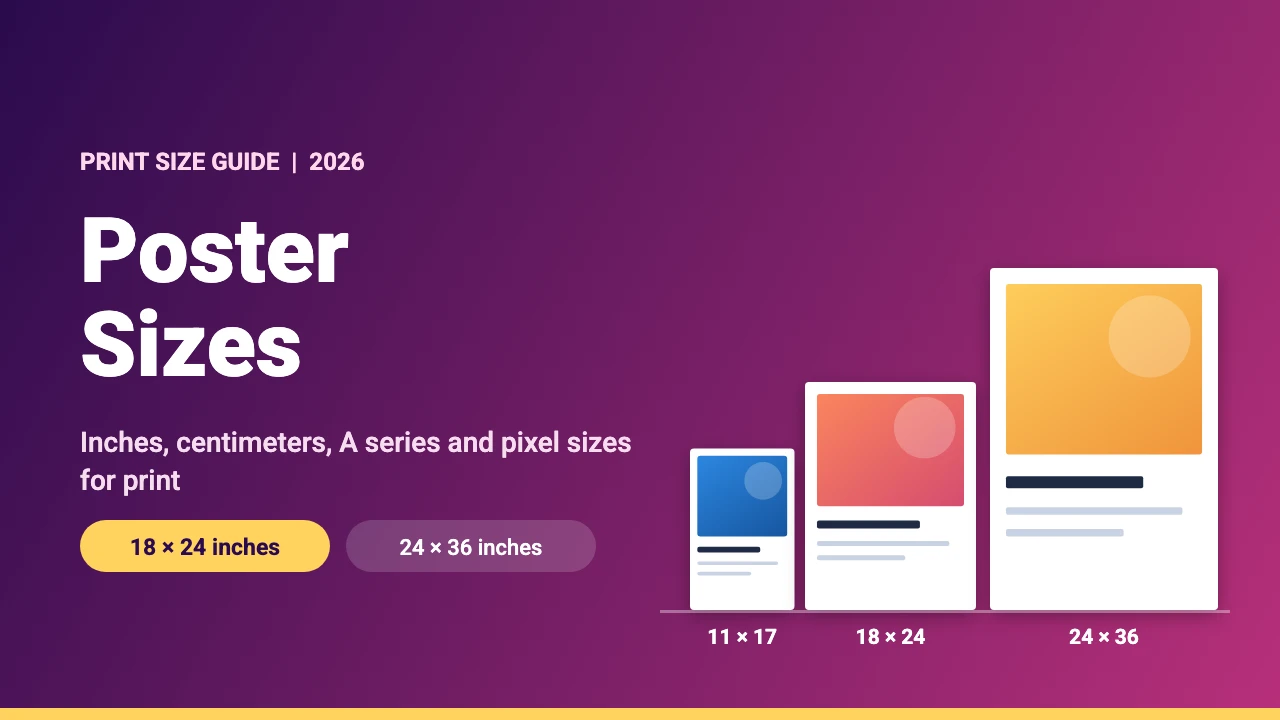
The most common poster sizes are 18 x 24 inches for a medium poster, 24 x 36 inches for a large one and 11 x 17 inches for a small one. Outside the US, A3, A2 and A1 are the usual choices. This guide lists standard poster sizes in inches, centimeters and pixels, explains print resolution and bleed, and shows how to design a poster in Canva.
Standard Poster Sizes at a Glance
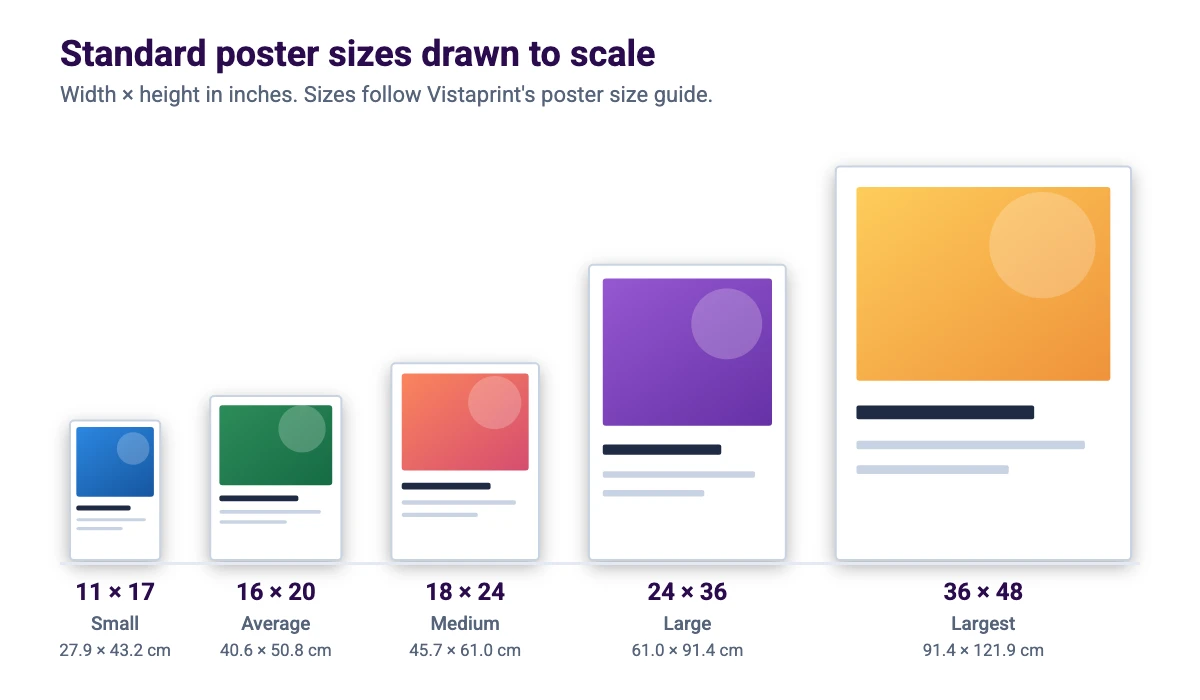
The size list and the descriptions below follow Vistaprint’s poster size guide. The centimeter values are converted from inches. Printers can offer slightly different sizes, so check the template of the printer you plan to use before you finish your design.
| Size (inches) | Size (cm) | Notes |
|---|---|---|
| 8.5 x 11 | 21.6 x 27.9 | Letter size, a compact poster |
| 11 x 17 | 27.9 x 43.2 | The most popular small poster size |
| 16 x 20 | 40.6 x 50.8 | An average poster size |
| 18 x 24 | 45.7 x 61.0 | One of the most common poster sizes |
| 22 x 28 | 55.9 x 71.1 | A popular medium size |
| 24 x 36 | 61.0 x 91.4 | One of the most common large sizes |
| 28 x 40 | 71.1 x 101.6 | A large size that is common at Vistaprint |
| 36 x 48 | 91.4 x 121.9 | The largest standard size listed |
Canva’s poster page names 18 x 24, 24 x 36 and 27 x 40 inches as the most commonly used poster sizes. It describes 18 x 24 as a medium size that works indoors and outdoors, 24 x 36 as a size for busier settings and 27 x 40 as the size for bus and subway stops.
ISO A Series Poster Sizes (A4 to A0)
Most countries outside the US use the ISO 216 A series. Each size is half the area of the one before it and has the same proportions, so a design can be scaled from one A size to the next without changing its shape.
| Size | Millimeters | Inches |
|---|---|---|
| A4 | 210 x 297 | 8.27 x 11.69 |
| A3 | 297 x 420 | 11.69 x 16.54 |
| A2 | 420 x 594 | 16.54 x 23.39 |
| A1 | 594 x 841 | 23.39 x 33.11 |
| A0 | 841 x 1189 | 33.11 x 46.81 |
Poster Size in Pixels
Vistaprint says 300 PPI is the standard resolution for print and the minimum it requires for uploaded files, while large posters viewed from a distance can sometimes use lower resolutions such as 150 PPI. The table shows the pixel size for common posters at both settings.
| Poster size | 300 DPI (pixels) | 150 DPI (pixels) |
|---|---|---|
| 11 x 17 in | 3300 x 5100 | 1650 x 2550 |
| 16 x 20 in | 4800 x 6000 | 2400 x 3000 |
| 18 x 24 in | 5400 x 7200 | 2700 x 3600 |
| 24 x 36 in | 7200 x 10800 | 3600 x 5400 |
| A3 | 3508 x 4961 | 1754 x 2480 |
| A2 | 4961 x 7016 | 2480 x 3508 |
Vistaprint’s printing guide ties resolution to viewing distance: 300 DPI for close viewing of 1 to 3 feet, 240 DPI for typical indoor viewing of 3 to 6 feet, 200 DPI for larger or outdoor posters and 150 DPI for large signs seen from far away. Its example is a 24 x 36 inch poster at 200 DPI, which needs 4800 x 7200 pixels.
Bleed, Safe Zone and File Setup
Print files need a bleed, which is background that runs past the trim line so no white edge shows after cutting. Vistaprint asks for at least 0.125 inches (about 3 mm) of bleed on every side. For an 18 x 24 inch poster, that makes the file 18.25 x 24.25 inches, or 5475 x 7275 pixels at 300 DPI.
- Bleed: extend backgrounds and images 0.125 inches past the edge.
- Safe zone: keep text, logos and QR codes at least 0.25 inches inside the trim. For a framed poster, the printing guide suggests about 0.5 inches.
- Color: the guide advises CMYK for print and says to convert RGB files to avoid color shifts.
- File type: a print-ready PDF is the format the guide recommends.
Printers differ in their exact bleed and margin values, so use your printer’s own template or upload preview when it gives different numbers.
How to Choose a Poster Size
Choose the size by where the poster will hang and how far away people will stand. An 11 x 17 inch poster suits a notice board or an office wall. 18 x 24 inches works for most indoor walls and events. Canva links 24 x 36 inches to busier settings and 27 x 40 inches to bus and subway stops. Larger posters can use a lower resolution, but the text must stay readable from where people will stand.
How to Make a Poster in Canva
- Create the design. In Canva, click Create a design and choose Custom size, then enter the width and height in inches, or pick a poster template. Custom sizes work on the free plan, and our guide to Canva Pro pricing shows what the paid plan adds.
- Set the hierarchy. Decide on one headline, one key detail such as a date or offer, and one main image. Our Canva fonts list and Canva font pairings help you pick readable type.
- Add images. Use a sharp photo or an illustration. If you need an original picture, try one of the free AI image generators, and crop it in Canva so it fills the frame.
- Add a QR code if needed. Our guide to making a QR code in Canva shows how. Keep it inside the safe zone.
- Check the edges and download. Turn on Canva’s print bleed guide from the File menu’s view settings, then download as PDF Print with crop marks and bleed. Menu names can change, so follow what you see in Canva. See our guides to exporting a PDF from Canva and printing from Canva.
New to the tool? Start with our guide to using Canva.
Poster Design Tips
Lead with one message
A poster is read in a few seconds. Make the headline the biggest thing on the page, keep supporting text short and leave empty space around it.
Check contrast and distance
Print a small version and look at it from across the room. If the headline or the date is hard to read, make it larger or increase the contrast with the background.
Match your other print and digital designs
Use the same colors and fonts on your posters, flyers, cards and social posts. See our guides to the business card size, the postcard size and the Instagram post size to size the matching pieces. Our brand kit examples show how to keep them consistent.
FAQ
There is no single standard, but 18 x 24 inches is one of the most common sizes. 11 x 17 inches is the most popular small size and 24 x 36 inches is one of the most common large sizes.
A4 is 210 x 297 mm, A3 is 297 x 420 mm, A2 is 420 x 594 mm, A1 is 594 x 841 mm and A0 is 841 x 1189 mm.
300 DPI is the standard for print. Large posters seen from a distance can use less, for example 150 to 200 DPI, according to Vistaprint’s guides.
At 300 DPI an 18 x 24 inch poster is 5400 x 7200 pixels. At 150 DPI it is 2700 x 3600 pixels.
Vistaprint asks for at least 0.125 inches (about 3 mm) of bleed on every side. Check your printer’s template, because the exact number can differ.
A print-ready PDF is the format Vistaprint recommends. Convert the colors to CMYK and include the bleed.
Yes. Create a design with a custom size in inches, add your content and download it as a PDF. Custom sizes are available on the free plan.
A poster is larger and meant to be read from a distance, while a flyer is a smaller sheet handed out or posted for close reading. A common flyer size is 8.5 x 11 inches.