Categories
Branding

Netflix Brand Guidelines: How To Do Consistent Branding (2026)

Here at Designers Choice, we believe great design is the heart of a successful brand.

A strong brand identity tells a story and connects with people. You can find excellent brand story examples to inspire your next project.

There is no better example of this than Netflix. When you see the famous Netflix logo, you instantly know you are in for a world of entertainment.

But the success of Netflix is not just about its amazing TV shows and original content. It is also built on very smart and consistent branding.

The company has grown from a simple DVD rental service into a global streaming service, and its brand identity has grown with it.

This article will look closely at the Netflix brand guidelines to see how the company built such a powerful visual identity. We will examine everything from its logo design to its unique sound. For designers, there are many lessons to be learned from Netflix’s design approach.

Understanding the Core Netflix Brand Guidelines

Understanding the Core Netflix Brand Guidelines

The Netflix brand guidelines are a set of rules that explain how the company’s branding should be presented to the world. These rules are important because they ensure consistency.

No matter where you see the Netflix logo, whether on a billboard, your TV, or your phone app, it should look and feel the same.

This builds trust and makes the brand instantly recognizable.

For an in-depth look at how other companies structure their rules, check out this Brand Guidelines Example.

The guidelines cover everything, including the logo, colors, and the way Netflix communicates. These rules help all creators and partners use the brand identity correctly, protecting its strength and clarity.

For a global company with millions of subscribers, this kind of consistency is key to maintaining a strong connection with its audience.

The Netflix Logo: Usage and Placement

The Netflix logo is one of the most recognized logos in the world.

The brand guidelines have strict rules about how to use it. The primary logo is the full wordmark. It should always be clear and easy to read.

One of the main rules is about clear space. This means there must be an empty area around the logo so that other images or text do not crowd it.

The amount of clear space is determined by the width of the letter ‘N‘ in the logo. This rule ensures the logo design always has room to breathe and stand out. Placement is also important.

The guidelines specify where the logo should appear in marketing materials and on screen to maintain a consistent visual identity.

Our Signature Color Palette: Red, Black, and White

Color is a huge part of the Netflix brand identity. The main color is a specific shade of red, often called “Netflix Red.” This bright red logo is full of energy and passion, which fits perfectly with an entertainment brand. The brand guidelines state that this red is the primary color.

The supporting colors are black and white. You will often see the bright red logo placed on a black background or a white background.

This creates a high contrast ratio, which means the logo is very easy to see. The simplicity of the color palette gives the brand a bold and modern look.

The strict rules about color usage ensure the visual identity remains strong and is not diluted by other colors.

Typography: The Netflix Sans Font

Typography is another key element of the Netflix brand identity.

For years, Netflix used a standard font, but in 2018, it introduced its own custom typeface called Netflix Sans.

The company worked with a design team to create this unique font. There were two main reasons for this change.

First, it gives the branding a more unique and ownable look. Second, it saves the company a lot of money on licensing fees for other fonts.

The Netflix Sans font was designed with clean lines for excellent clarity on screens of all sizes. From huge TV screens to tiny mobile app displays, the text is always easy to read. This attention to typography shows how every detail of Netflix’s design is carefully considered.

Brand Voice and Tone

How a brand speaks is just as important as how it looks.

The Netflix brand guidelines also define the brand’s voice and tone.

The voice is cinematic and entertaining, yet straightforward. Netflix aims to connect with its audience on a personal level. You can see this in its marketing campaigns and on social media.

For guidance on defining your message, understanding branding vs brand identity is important.

The tone can change depending on the context. Sometimes it is funny and playful, especially when promoting comedies.

Other times, it is dramatic and serious, like when promoting a show like Stranger Things. This flexibility is part of its strength.

The brand voice reflects the company’s core values and its culture of creative freedom, which allows different types of storytelling to shine.

A Closer Look At The Netflix Brand Assets
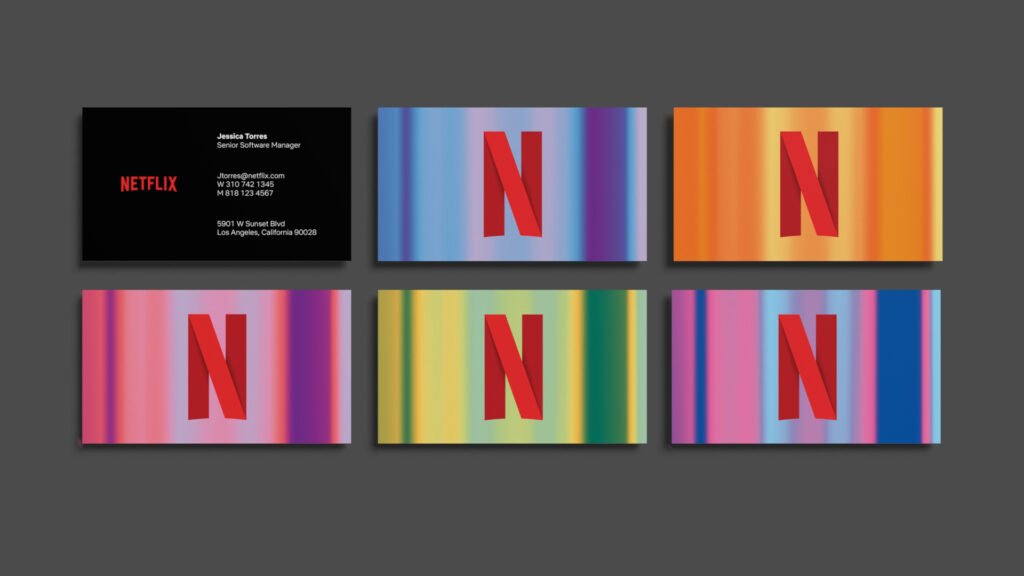
A Closer Look At The Netflix Brand Assets

Brand assets are all the visual and audio elements that make up a company’s brand identity. For Netflix, these assets go beyond just the main logo. Each asset has a specific purpose and helps to create a full brand experience for its millions of subscribers.

These assets are used across every platform, from the homepage of the website to the opening sequence of its original series.

The Netflix “N” Icon

In addition to the full wordmark logo, Netflix has a smaller icon: a single letter ‘N‘. This is not just a letter from its name; the logo design is clever.

The ‘N‘ is designed to look like a red ribbon, folded over.

The design has depth and dimension, representing the layers of storytelling found in Netflix’s original content.

The “N” icon is perfect for small spaces where the full logo would be too hard to read. You see it most often as the app icon on your phone or as the profile picture on social media pages. It is a simple yet powerful piece of branding that maintains the visual identity in a compact form.

For more on how major platforms manage their visuals, see the Instagram Brand Guidelines.

The Full Wordmark Logo

The full wordmark is the primary Netflix logo. It is a simple, clean logo design that spells out the company’s name.

The letters are spaced out to give it a grand, cinematic feel.

This logo is used when there is enough space to show it clearly. You will see it at the start of TV shows and movies, on the homepage, and in large advertisements. Its simplicity is its strength.

There are no extra symbols or complicated graphics. This gives it a modern look and makes it easy to remember.

The creation of this new logo was a key part of the company’s shift to a new brand identity focused on being a global streaming service.

The “Tudum” Sound Logo

One of the most unique parts of the Netflix branding is not something you see, but something you hear.

The “Tudum” sound is the audio logo that plays right before a Netflix original series or film begins. This sound is as recognizable as the visual logo. It creates anticipation and signals to the audience that they are about to watch something from Netflix.

This sound logo is a powerful part of the brand identity because it connects with viewers on an emotional level. It has become a famous part of pop culture, and Netflix even named its global fan event after it.

This shows how a brand can use more than just visuals for its branding.

Clear Space and Sizing Requirements

To protect the power of its logo, Netflix has strict rules about clear space and sizing.

As mentioned before, clear space is the “breathing room” around the logo. The rule is that no other text or graphics can enter this space. This ensures the logo is never cluttered and always has maximum impact. There are also rules about the minimum size.

The logo cannot be shrunk below a certain width, because that would make it hard to read and reduce its clarity. These requirements ensure that the Netflix logo is always presented in the best possible way, preserving its strong visual identity across all applications.

What to Avoid: Common Mistakes With Netflix Brand Guidelines
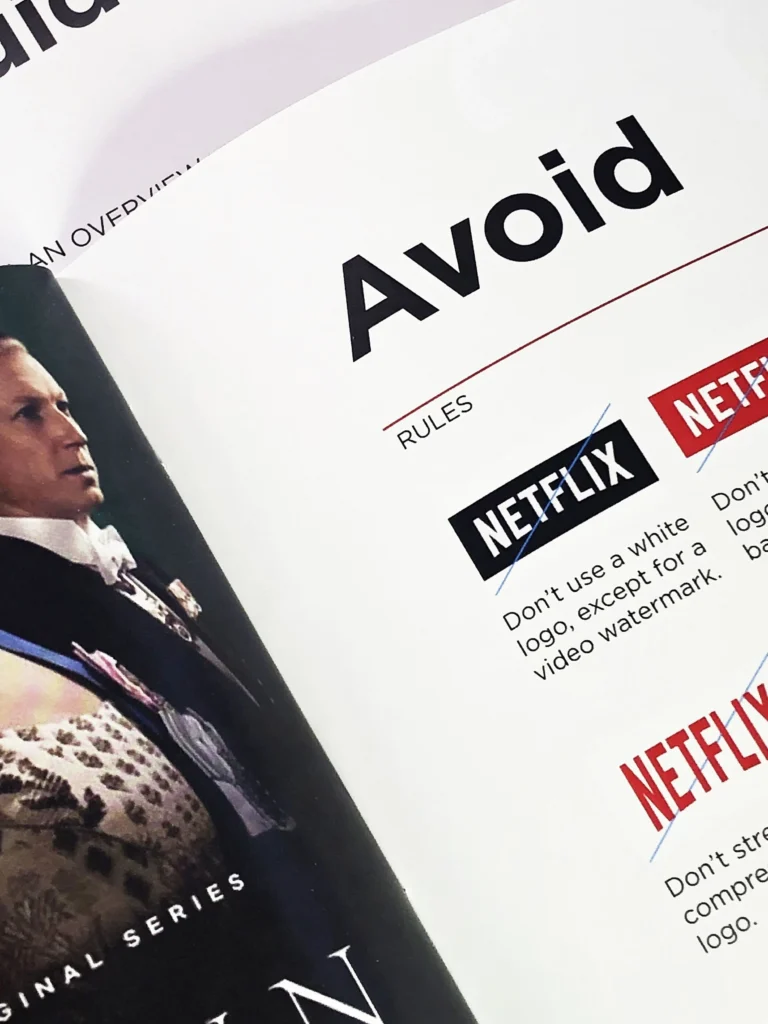
What to Avoid: Common Mistakes With Netflix Brand Guidelines

Because the Netflix brand is so valuable, the company has strict rules to protect its brand identity.

The brand guidelines clearly outline what not to do with the logo and other assets. Following these rules is important for anyone working with the brand, from partners to the press. Avoiding these common mistakes helps maintain the consistency and integrity of Netflix’s design.

Incorrect Logo Alterations

The Netflix logo should never be changed. The brand guidelines list several alterations that are not allowed. This includes changing the color of the logo to anything other than the official red, black, or white. You should not stretch or squash the logo, as this changes its proportions.

Adding effects like shadows, glows, or bevels is also forbidden. The logo design is meant to be flat and clean. The goal is to keep the Netflix logo exactly as it was designed, to ensure global consistency. Any change, no matter how small, weakens the brand identity.

Improper Color Usage

Color is critical to the Netflix brand. The bright red logo is iconic.

The guidelines have clear rules about how to use it. The red logo should only be placed on a white or black background. This ensures a high contrast ratio, making it easy to see. You should not place the logo on a colored or patterned background that makes it difficult to read.

The simplicity of the red, white, and black palette is a core part of the visual identity, and adding other colors can confuse the message.

Using Outdated Brand Assets

Brands evolve, and so do their logos. Netflix started as a DVD rental service, and its old logo reflected that.

The old logo had a more classic movie look, with a film reel icon.

When Netflix shifted to become a leading streaming service, it created a new logo and a new brand identity. It is very important to use the current assets. Using an old logo makes a brand look dated and can confuse.

The brand guidelines always provide the latest version of the Netflix logo and other assets to make sure everyone is using the correct ones.

For comparison, you can look at the detailed rules for another industry leader, the Spotify Brand Guidelines.

What Brands Can Learn From Netflix?

What Brands Can Learn From Netflix?

The success of the Netflix branding offers valuable lessons for any company or designer. It is a masterclass in building and maintaining a strong brand identity in a competitive market. From its logo design to its sound logo, every element works together.

Here are a few key lessons other brands can learn from Netflix.

Identity Is More Than A Logo

The most important lesson from Netflix is that a brand identity is a complete experience. It is not just about the Netflix logo.

It is about the bold colors, the clean typography of the Netflix Sans font, and the iconic “Tudum” sound.

It is about the way the app works and the tone of voice on social media. All these elements combine to tell a powerful story.

For other brands, this means thinking about every touchpoint a customer has with your company and making sure they are all consistent.

This holistic approach is also emphasized by major retail brands, such as those found in the Walmart Brand Center.

Consistency Doesn’t Mean Boring

Some people think that strict rules and consistency can make a brand boring. Netflix proves this wrong.

While the core branding elements are always the same, Netflix finds creative ways to use them. Think about the opening credits for original series like Stranger Things or House of Cards.

They often play with the Netflix logo in creative ways that match the theme of the show. This shows that you can have strong brand guidelines and still leave room for creativity. This is a great example of a culture of creative freedom within a structured system.

Culture Moves Fast—Brands Should Too

Netflix has shown an amazing ability to adapt. The company was born when Reed Hastings and Marc Randolph wanted to solve the problem of high late fees at video stores. It started as a DVD rental service that mailed discs to people’s homes.

When the internet changed everything, Netflix transformed into a streaming service. This huge business shift was matched by a new brand identity. The old logo was retired, and the new logo was introduced to reflect its modern look and digital future.

The brand continues to adapt, with heavy investment in countries like South Korea and Spain, showing it can be a global brand with local appeal through personalization. The lesson is that brands cannot stand still; they must evolve with their customers and the world.

Companies that recognize their core competencies can better define their Niche.

FAQ’s:

Why is Netflix’s Logo Basic in Design?

The simplicity of the Netflix logo is intentional. Its clean lines and simple wordmark give it a modern look. This basic design ensures clarity and makes it easy to recognize on any screen, from a large TV to a small mobile app.

Who Designed the Netflix Logo?

The new logo and updated brand identity system that Netflix uses today were created in partnership with the New York-based design agency Gretel. The original company was founded by Reed Hastings and Marc Randolph.

Does Netflix Have Different Branding For Each Country?

No, the core branding of Netflix is the same worldwide to ensure consistency. The logo, colors, and font are universal. However, the company does practice personalization by creating marketing and original content specifically for different regions, such as South Korea or Spain.

Why Does the Netflix Logo Contribute So Much to Its Success?

The Netflix logo is a powerful symbol of entertainment.

Its bold, bright red logo on a black background is instantly recognizable and stands out from competitors like Hulu and Disney+.

For its millions of subscribers, the logo represents a promise of quality original content and a great viewing experience. You can use platforms like BrandCrowd to explore how visual identity impacts market presence.

Is It Permissible to Use the Netflix Logo In A Video?

You can only use the Netflix logo if you have permission or if you follow the strict rules outlined in their official brand guidelines. These rules are mainly for partners and press. General creators should be careful not to use the logo in a way that suggests Netflix endorses their content.

What Inspired the Typography of the Netflix Logo?‍

The logo design, especially the curve on the bottom, was inspired by the classic CinemaScope film format. This connects the modern streaming service to the rich history of cinema and storytelling.

The custom font, Netflix Sans, was developed to complement this cinematic feel with a modern look.

How Does the Netflix Logo Stand Out In A Crowded Market?

The Netflix logo stands out because of its bold simplicity.

In a market with competitors like Amazon Prime Video, Hulu, HBO Max, and Disney+, the clean, two-color Netflix logo is direct and confident.

It works perfectly on its homepage and in its app. This is an excellent example of how clear brand descriptions translate into visual success.

What Can Startups Learn From Netflix’s Logo Evolution?

Startups can learn that branding must evolve with the business.

Netflix changed its logo when it moved from a DVD rental service to a streaming service. This shows that a brand’s visual identity should always reflect its current mission and core values. The journey from the old logo to the new logo is a lesson in staying relevant. This agility is also visible in fast-growing sectors, such as the Uber Brand Guidelines.

What Does the Red Color in the Netflix Logo Symbolize?

The bright red logo symbolizes passion, excitement, and entertainment.

Red is a color that grabs attention and creates a feeling of energy. It is the perfect choice for a brand that delivers thrilling TV shows and movies to its subscribers.

Conclusion

The Netflix brand guidelines are a powerful example of how to build a world-class brand identity.

Through a clear focus on consistency, clarity, and simplicity, Netflix has created a visual identity that is recognized and loved globally.

From the iconic bright red logo and “Tudum” sound to the custom Netflix Sans font, every part of Netflix’s design works together to support its core mission of storytelling. For us designers, studying the brand’s journey from a DVD company to a streaming giant provides endless inspiration. It shows that a strong brand identity is not just about a pretty logo; it is about creating a complete and memorable experience.

Looking ahead, principles of sustainable branding will also become increasingly vital for global leaders like Netflix.


Categories
Branding

Walmart Brand Center: Key Guidelines For Effective Identity & Branding

At Designers Choice, we know that working with global brands requires precision and a deep respect for brand identity. We’ve built our platform to be the resource we always wished we had for professional challenges.

A perfect example is finding your way through the brand resources of a retail giant like Walmart. For fellow professionals, learning about the Walmart Brand Center is not just helpful—it’s essential for success. This powerful tool is the key to correctly representing the walmart brand.

Working with a company that has a rich history, from its founder Sam Walton to its current status as a global leader, means you must pay close attention to its rules. The company’s brand presence is seen everywhere, from its physical Walmart stores to its advanced virtual storefront.

This guide will show you how to use the Walmart Brand Center correctly. We will look at its key features, show you how to find brand assets, and explain the most important walmart brand guidelines you need to know.

What is the Walmart Brand Center?

What is the Walmart Brand Center?

The Walmart Brand Center is the official online home for all of the company’s brand assets and rules. Think of it as a library and a rulebook all in one place. It is a brand portal that Walmart created to help everyone who works with the brand use its look and feel in the correct way. This includes the famous Walmart logo, the specific colors, and the right fonts.

For any designer, marketer, or partner, this Walmart brand portal is the only place to get approved materials. It helps protect the company’s intellectual property and makes sure the brand looks the same everywhere.

The Purpose Of A Centralized Brand Hub

The main reason for a central hub like the Walmart Brand Center is control and consistency. A brand’s power comes from being recognized instantly. If everyone used different colors or an old Walmart logo, it would confuse people and weaken the brand identity.

This brand portal acts as the single source of truth. It stops people from guessing what colors to use or downloading a low-quality logo from the internet. It ensures that all media campaigns, social media posts, and products on Walmart Marketplace look like they are all part of the Walmart brand family. This strong brand presence builds trust with the customers of today. It is a powerful tool for maintaining the company’s image, which has been built over decades, starting with Sam Walton’s classic trucker hat and growing into a modern digital retailer. For a better understanding of how a brand’s appearance differs from its core message, you can explore the difference between branding vs brand identity.

Who Can Access and Use the Resources?

Access to the Walmart Brand Center is generally meant for people who have a business need to use the brand’s assets. This includes:

  • Walmart Associates (Employees): People who work directly for the company, including its other brands like Sam’s Club or Walmart Canada, need these tools for their daily work.
  • Partners and Vendors: Companies that sell their range of products in Walmart stores or on Walmart’s site. This includes marketplace brand owners who need to make their shelf pages and brand shop look right.
  • Media and Press: Journalists writing about the company, perhaps for the New York Times or Washington Post, can get official logos and images.
  • Agencies: Marketing, advertising, and design firms hired by Walmart or its partners for projects. This includes those who work with Walmart Connect (its media group) or the Ad Center for media activations.

You usually need a brand portal account or special permission to get in. It is not open to the general public for any use.

Key Information Available For Partners and Associates

Once inside the Walmart Brand Center, partners and associates find a large amount of useful information. It is more than just pictures.

You can find:

  • Brand Guidelines: The complete rulebook for the Walmart brand guidelines. This covers everything from the brand voice to how to use the Walmart Spark (the yellow star-like symbol). If you’re interested in seeing a different approach, check out this Brand Guidelines Example.
  • Logo Files: All official versions of the new logo and other marks, ready for download.
  • Color Palettes: The exact color codes for the retailer’s most recognizable tones, like Walmart blue and green.
  • Typography: The official fonts the brand uses and the rules on how to set text.
  • Photography: A library of approved photos showing stores, customers, and products.
  • Templates: Ready-to-use files for common projects, which help speed up work.
  • Best Practices: Advice and examples on how to create work that feels like the Walmart brand.

This information is key to the success of your brand shop or marketing project.

How to Use the Walmart Brand Center Effectively?

How to Use the Walmart Brand Center Effectively?

Having access to the Walmart Brand Center is one thing; using it well is another.

It is designed to be a helpful resource, not a confusing maze. The best way to use it is to take your time and read the rules before you download any files. Always check the Walmart brand guidelines for your specific project.

For example, the rules for an in-store sign might be different from a social media post.

Step-by-Step Guide to Accessing Brand Assets

For those with a brand portal account, getting assets is a simple process.

  • Log In: You will first need to log in with your credentials. If you are a partner, like one of the marketplace brand owners, you might use your Seller Center credentials or be given special access.
  • Find the Asset Section: The portal is organized into sections. Look for links like “Logos,” “Imagery,” or “Templates.”
  • Search or Filter: Use the search bar to find what you need. For example, type “Walmart logo” to find all logo files.
  • Read the Rules: Before you download, click on the asset. There will often be additional information or a quick reminder of the “dos and don’ts” for that specific file.
  • Download: Choose the file format you need. The brand portal will offer different types for web, print, or video.

Always make sure you are in the correct part of the portal. Some sections might be for internal use, while others are for external partners.

Navigating Logos, Fonts, and Color Palettes

The most-used sections of any brand center are for logos, fonts, and colors. In the Walmart Brand Center, these are clearly laid out.

  • Logos: You will find the main Walmart logo, the Walmart Spark, and logos for other parts of the company, like Walmart Connect. The guidelines here are very strict.
  • Fonts: The brand portal will list the official typefaces. It will tell you which font to use for headlines and which for body text.
  • Color Palettes: This section gives you the exact color codes (like CMYK, RGB, and Hex) for Walmart’s blue, green, orange, and yellow. Using these exact codes is vital for keeping the brand identity strong. You can see how other major brands handle their visual assets by looking at the Netflix Brand Guidelines or the Spotify Brand Guidelines.

These rules help you create a brand shop or an advertisement that looks official and professional.

Understanding Photography and Imagery Guidelines

Photography is a big part of the brand story. The Walmart Brand Center has rules for what pictures should look like.

The guidelines explain that photos should feel real, optimistic, and focused on helping customers.

They want to show the real people and communities they serve in the United States and other countries like Hong Kong and South Korea.

When you use the official photography library, you know you are using images that the chief marketing officer and the brand team have approved.

You should not use photos that look dark, staged, or do not match the brand’s friendly and helpful brand voice. These rules apply to all media campaigns and even images on your shelf pages.

Core Brand Guidelines to Follow

Core Walmart Brand Guidelines to Follow

The Walmart brand guidelines are the heart of the brand center.

They are the rules that protect the company’s intellectual property and its active trademark registration. Following these rules is not optional.

They are the best practices that all brand owners and partners must follow to protect the brand’s value.

The guidelines are based on the company’s long legacy of our founder, Sam Walton, but have been updated for the customers of today by leaders like William White, the chief marketing officer.

Correct Logo Usage and Clear Space Rules

This is one of the most important rules. The Walmart Brand Center has very specific instructions for the Walmart logo.

  • Clear Space: You must leave an area of space around the logo. This is called “clear space.” It stops the logo from looking crowded by other text or images.
  • Minimum Size: You cannot make the logo too small, or it becomes hard to read.
  • Do Not Change: You must never stretch the logo, change its colors, add shadows, or take it apart (like using the Walmart Spark by itself unless the rules say it’s okay).

Breaking these rules is a common mistake and can lead to intellectual property infringement. For another excellent example of rigid logo usage rules, examine the Instagram Brand Guidelines.

Official Walmart Color Codes and Typography

As mentioned, the colors are very specific. The Walmart brand guidelines demand that you use the exact codes for the retailer’s most recognizable tones. You cannot guess or pick a color that looks “close enough.”

The same goes for typography. The brand has chosen specific fonts to create its brand voice. Using a different font, like Times New Roman or Comic Sans, would instantly make a design look wrong and unofficial.

The guidelines will tell you what font to use, what size, and when to use bold text. This ensures every press release and ad center campaign looks like it came from the same company.

Guidelines For Voice, Tone, and Messaging

How the Walmart brand sounds is just as important as how it looks. The brand center has rules for this, too.

The brand voice should be simple, helpful, and human. It should sound like a friendly neighbor, not a big corporation.

This tone should be used in all writing, from a large marketing campaign to the small text on a shop builder page.

The goal is to build a relationship with the customer, showing the brand’s longstanding commitment to saving them money so they can live better.

This consistent messaging is a key part of the updated brand identity.

Crafting compelling narratives is important here; you can find inspiration from various brand story examples.

Downloading Assets From the Brand Center

Downloading Assets From the Walmart Brand Center

The Walmart Brand Center is a practical, powerful tool.

Its main job is to give you the files you need to do your job correctly. The download section is organized to help you find things quickly, so you can get back to creating your media activations or building your brand shop.

Finding and Downloading Official Logos

When you need the Walmart logo, the brand portal is the only place you should go. You will find a folder with all the approved logos.

This includes:

  • Full-Color Logos: The standard logo with the blue text and yellow spark.
  • One-Color Logos: Versions in all-black or all-white, for use on colored backgrounds.
  • Different File Types: You will find JPGs or PNGs for digital use (like a website or social media) and vector files (like AI or EPS) for high-quality printing.

Always open a new tab and check the Walmart brand guidelines one more time before you use the logo you just downloaded.

Accessing Marketing Templates and Toolkits

To make life easier for partners, the Walmart Brand Center often includes templates.

These are pre-made files for things like digital ads, in-store signs, or social media posts. Using these templates is a great example of best practices. They are already set up with the correct logos, fonts, and colors.

This saves you time and makes it easy to create materials that follow the rules. These toolkits are very helpful for marketplace brand owners who want to build a strong brand presence on Walmart’s site.

Using the Official Photography Library

The photography library is a key part of the brand center. It is filled with high-quality, pre-approved images. Using these photos is much safer than finding your own, as you do not have to worry about copyright or intellectual property rights.

The library is a great resource for building out your virtual storefront or creating media campaigns.

The photos are chosen to match the brand story and show the positive side of the Walmart brand.

This library might be updated over time, especially after a brand refresh or when the company enters a new fiscal year.

FAQ’s:

How Do I Get Login Credentials For the Walmart Brand Center?

You usually get login credentials by being an employee or a registered partner. If you are a third-party seller, you might get access through your Walmart Marketplace account or Seller Center credentials.

If you are an agency or vendor, your contact information will be used by your Walmart contact (like someone from Walmart Connect) to set up a brand portal account for you. It is not open to the public.

Has Walmart Recently Updated Its Brand Or Logo?

Walmart’s brand has changed over the years.

The company did a major brand refresh in 2008 when it introduced the new logo (with the Walmart spark at the end) and a lighter shade of blue. This updated brand identity was a big change from the old hyphenated “Wal-Mart” logo. The company continues to make small changes to its brand identity to stay modern.

The Walmart Brand Center is the only place to find the most current logo and guidelines. You can even use resources like the Wayback Machine to see how their site has changed, but you should only use the assets from the official brand portal. For a more forward-looking brand strategy, you may also want to consider the principles of sustainable branding.

What Happens If Brand Guidelines Are Not Followed?

Not following the Walmart brand guidelines is a serious issue.

It can dilute the brand identity and weaken the brand presence.

For partners and sellers, it can lead to problems. Your product listings on Walmart marketplace might be taken down, your brand shop could be suspended, or your marketing materials might be rejected.

In serious cases, it could be seen as intellectual property infringement or a breach of your contract.

This can lead to legal action, including intellectual property claims.

Can I Use Walmart Assets For Any Project?

No. You can only use Walmart assets for projects that are directly related to and approved by Walmart.

The active trademark registration and intellectual property rights mean you cannot take the Walmart logo and put it on your own products to sell. You cannot use it in a way that suggests Walmart supports your personal project if they do not.

The brand portal gives you access to use the logo as a partner, not as a brand owner of the logo itself.

How Do Walmart Branding Guidelines Apply to Third-Party Marketplace Sellers?

The Walmart brand guidelines are very important for third-party sellers. When you become one of the marketplace brand owners on Walmart’s site, you are part of Walmart’s ecosystem. You must use tools like the Shop Builder to create shelf pages that feel consistent with the main site.

You cannot use the Walmart logo in a way that makes it look like your product is a Walmart brand product (like one of their private label brands). Your own brand name and logo should be clear.

The guidelines help you make your brand shop look professional, which builds customer trust and improves brand visibility and brand awareness.

This is key to the success of your brand shop. When you’re ready to define your own offering, ask yourself, “What is your Niche?”

Conclusion

The Walmart Brand Center is more than just a file library; it is the central heart of the Walmart brand identity.

For any designer, marketer, or partner, it is a powerful tool for success.

It gives you all the assets and Walmart brand guidelines you need to represent this global leader correctly.

For further insight into corporate brand standards, the Uber Brand Guidelines provide another great case study.

When you follow the brand’s guidelines, you show respect for the company’s legacy, spanning from Sam Walton’s founding to its place on the Dow Jones Industrial Average and its future with a new home office, while also safeguarding your own projects by adhering to best practices and steering clear of intellectual property concerns. Creating excellent brand descriptions is also made easier when you have clear guidelines in place.

If you are looking for assistance in generating design concepts that align with strict guidelines, services like BrandCrowd can be a valuable resource.

This commitment to quality and consistency is what separates professionals and is a core value here at Designers Choice.

Categories
Branding

10 Inspiring Brand Guidelines Examples to Explore Today

At Designers Choice, we see many businesses working hard to create a special look and feel. A big part of this is having a clear brand identity.

A brand guideline is like a secret recipe that helps keep a brand looking and feeling the same everywhere. It ensures brand consistency, which is very important for building a strong brand.

Think of it as a rulebook that helps everyone on a team use the brand’s name, logo, and colors correctly.

This guide will show you what a brand guideline is, why it’s needed, and provide a great brand guidelines example from ten well-known companies.

We want to give you the tools and ideas to create your own brand guidelines.

What Are Brand Guidelines?

What Are Brand Guidelines?

Brand guidelines, sometimes called a brand style guide or branding guide, are a set of rules that explain how a brand should be shown to the world. This document makes sure that the brand’s look and feel are always the same.

It covers everything from the logo design to the color palette.

The main goal is to protect the brand’s integrity and make sure the brand is easy to spot. These guidelines help create a unified brand experience for everyone who sees the brand. A good brand guidelines document acts as a single source of truth for the entire company.

The Purpose Of A Brand Guideline Document

The main purpose of brand guidelines is to create consistency. When a brand looks and sounds the same everywhere—on its website, on social media, and in its ads—people start to recognize and trust it.

A brand guide is like an instruction manual for your brand. It tells people exactly how to use the brand elements, such as the logo and colors. This set of rules helps avoid confusion and makes sure the brand’s message is always clear.

Following these brand standards helps protect the brand’s identity.

Who Uses Brand Guidelines?

Many different people use branding guidelines.

The creative team, including graphic designers and writers, uses them every day. They need to know the correct brand colors and the right tone of voice to use. Marketing teams use the guidelines to create new campaigns that match the brand style.

Even partners and outside agencies need the brand identity guidelines to make sure their work aligns with the brand. It helps all team members stay on the same page, from customer service to product developers.

Why Every Business Needs Brand Guidelines?

Why Every Business Needs Brand Guidelines?

Every business, big or small, can benefit from having clear brand guidelines. It is a solid foundation for building a memorable and successful brand. Without them, a brand can look messy and unprofessional, which can confuse customers.

Creating effective brand guidelines is a key part of any good brand strategy.

Ensuring Brand Consistency

Brand consistency is about making sure your brand looks and feels the same across different platforms. This includes your website, social media pages, and even your business cards.

A consistent brand identity makes your brand more professional and reliable. When customers see the same colors, fonts, and logo everywhere, they feel more connected to your brand.

This consistency is a key part of your brand’s success.

It’s also important to understand the difference between branding vs brand identity to fully appreciate the power of these guidelines.

Building Brand Recognition and Trust

When your brand is consistent, people start to recognize it more easily. Think about the famous red and white of the Coca-Cola logo or the iconic look of the Starbucks brand. That instant brand recognition comes from years of consistent branding. When people recognize your brand, they are more likely to trust it. A strong brand image builds confidence and makes customers feel like they are making a good choice.

Empowering Your Team and Partners

A brand guidelines document makes it easier for everyone to do their job well.

It gives your team members clear instructions on how to represent the brand.

This means designers don’t have to guess which shade of blue to use, and writers know exactly what the brand’s voice should sound like. It helps everyone work faster and more efficiently while maintaining high quality. It serves as a helpful instruction manual for all branding assets.

10 Inspiring Brand Guidelines Examples From Top Companies

Brand Guidelines Examples

Looking at a good brand guidelines example can give you great ideas. Here are some of the best brand guidelines examples from leading companies that do a fantastic job of defining their brand identity.

Netflix

Netflix

Netflix has one of the best brand guidelines examples because it is simple and powerful. You can explore the full Netflix Brand Guidelines for a masterclass in logo usage. Their brand identity is all about entertainment and storytelling, and their guidelines reflect this.

The main focus is on their iconic red logo, known as “The Stack.”

Their branding guidelines give very clear rules on logo usage, making sure it is never stretched, twisted, or changed.

They specify the exact amount of clear space to keep around the logo so it always stands out. The color palette is also very simple: Netflix Red, black, and white. This limited color scheme helps maintain brand consistency on every device and in every advertisement, creating a strong and instantly recognizable brand image.

Their guide acts as a perfect instruction manual for any creative team.

Spotify

Spotify

Spotify’s brand guide is a fantastic example of a modern and energetic brand identity. To get a complete overview of their visual rules, check out the detailed Spotify Brand Guidelines. What makes their guidelines so great is the focus on a vibrant and flexible visual identity.

Their color palette is not just one shade of green; it includes a range of exciting secondary colors that can be used to create eye-catching designs.

A key part of their brand style is the use of duotone images, where photos are colored with two contrasting shades.

Their brand guidelines document provides many visual examples and use cases, showing designers exactly how to apply these rules.

This helps their team members create content that feels fresh and exciting while still being a recognizable part of your brand.

Mailchimp

Mailchimp

Mailchimp’s branding guidelines are all about personality.

Their brand personality is friendly, a little quirky, and very encouraging, and their guide, which they call a brand style guide, shows this in every detail. A big part of it is their tone of voice, which is a core part of your brand identity.

They provide clear instructions on how to write in a way that is clear and helpful, without being too technical.

The guide also highlights their unique illustration style. These hand-drawn visual elements are essential branding assets that make Mailchimp feel more human and approachable. By defining their brand’s voice so clearly, Mailchimp ensures a consistent brand experience for every user.

Slack

Slack

Slack’s brand guidelines are a perfect example of a brand that values simplicity and a human touch.

Their digital brand guidelines are clean, well-organized, and incredibly easy to follow. The central theme of their brand identity is making work life “simpler, more pleasant, and more productive.” This mission is reflected in every aspect of their brand style.

Their guide emphasizes a friendly and straightforward tone of voice, using language that is clear and helpful.

The logo usage section for their famous octothorpe logo is very specific, with clear rules on color variations and how to maintain clear space around it to ensure it is always recognizable.

The color palette is vibrant yet professional, using a distinctive purple as its primary color along with a range of bright secondary colors.

Their brand guide empowers their creative team to produce work that feels consistent and human across all different platforms, strengthening their brand recognition as a helpful and approachable tool. This commitment to a consistent brand identity is a key reason for their success.

Another brand known for its clear digital guide is Instagram Brand Guidelines, which ensures a cohesive visual presence for one of the world’s most popular apps.

Uber

Uber

Uber’s brand guidelines are designed for a global company.

Their main challenge is to create a consistent brand identity across many different countries and cultures. For a detailed look at their rules, you can review the official Uber Brand Guidelines.

Their brand guide provides a solid foundation for this. It has strict rules for their simple, black-and-white logo design and a very clean typography system. The guidelines also cover photography, showing how to use images that are optimistic and reflect movement.

This ensures that whether you’re in New York or New Delhi, the Uber app and marketing materials deliver the same reliable and professional user experience. Their guide is a masterclass in building a strong brand that works everywhere.

IBM

IBM

IBM’s brand standards are a great example of how a historic company can stay modern.

Their brand identity guidelines are incredibly detailed, covering everything from the famous 8-bar logo to the specific blue brand color.

IBM’s guide shows how to apply these classic brand elements in a digital world. It focuses on creating a clean, organized, and professional brand image that reflects their core values of trust and innovation.

The guide is a testament to the importance of brand integrity, showing how even a century-old brand can evolve its visual identity while staying true to its roots. It is one of the most effective brand guidelines for a large corporation. Similarly, the Walmart Brand Center provides a highly structured resource for managing its massive global brand.

Audi

AUDI

Audi’s brand style guide is all about precision, which perfectly matches their cars.

Their guidelines are very technical and strict, much like an engineering manual. For example, they define the exact placement of the four-ring logo in relation to other design elements.

Their color palette is also very controlled, focusing on shades of silver, black, and red to create a sophisticated and premium feel. This attention to detail in their graphic design ensures that every piece of communication, from a TV ad to a brochure, has the same high-quality look. This consistent visual identity reinforces Audi’s brand story of luxury and performance, making it a strong brand in the automotive world.

Oatly

Oatly

Oatly has one of the most unique brand guidelines examples because it feels less like a strict rulebook and more like a creative toolbox.
Their brand personality is quirky, humorous, and a bit rebellious.

Their guide captures this perfectly. It focuses on their distinct, hand-drawn typography and illustration style, which are key branding elements.

While it provides a solid foundation with a specific color scheme and logo rules, it also encourages the creative team to have fun and be playful.

The brand’s voice is a huge part of their success, and the guidelines provide examples of their witty and conversational messaging style, ensuring brand consistency in a very unconventional way.

This approach perfectly complements the goals of sustainable branding by communicating authenticity.

Herman Miller

Herman Miller

Herman Miller is known for high-end furniture, and its brand guidelines reflect this commitment to quality and design.

Their brand style is clean, elegant, and minimalist. The guidelines place a strong emphasis on beautiful, high-quality photography that showcases the products in real-life settings. The color palette is muted and sophisticated, using neutral colors to let the furniture be the hero. Their typography choices are classic and readable, reinforcing a sense of timeless design.

This guide helps create a premium brand experience that aligns with the company’s long history of craftsmanship and innovation. It’s an excellent example of how style guidelines can communicate a brand’s core values.

Dropbox

Dropbox

Dropbox’s brand identity guidelines are built around the idea of creativity and collaboration.

Their visual style moved from being very simple and corporate to something much more expressive. Their brand guidelines document introduces a playful illustration style and a much broader color palette.

The goal is to show that Dropbox isn’t just a place to store files; it’s a place where creative work happens.

The guide provides clear instructions on how to combine these new visual elements to create dynamic and interesting layouts. It is a great brand guidelines example for a company wanting to evolve its brand identity to better connect with its target audience.

Key Components of an Effective Brand Guideline

Key Components of an Effective Brand Guideline

Creating your own brand guidelines means putting together several essential elements.

Each piece helps to build a complete picture of your brand. Here are the key components that every brand style guide should have.

Brand Mission and Core Values

This section explains why your brand exists. It includes your mission statement, which is a short sentence about your main goal.

It also lists your core values or brand’s values.

These are the beliefs that guide your company. Defining your brand story and brand values is the first step in building a brand’s identity.

Looking at great brand story examples can inspire this section.

Logo Usage (Dos and Don’ts)

Your logo is the face of your brand, so this section is very important.

It should show the correct ways to use the logo and, just as importantly, how not to use it. Include rules on minimum size, clear space around the logo, and any acceptable color variations.

Clear rules on logo usage protect your most valuable brand asset.

Color Palette (Primary, Secondary, and Neutral)

Your brand colors play a big role in your visual identity.

This section should define your color palette. List your primary colors (the main ones) and your secondary colors (used for accents).

Also, include neutral colors like white, black, and gray. Provide the exact color codes (like HEX, RGB, or CMYK) for your color scheme.

Typography Hierarchy (Headings, Body Text)

Typography is the style of your text. This part of the guide should specify which fonts to use for headings, subheadings, and body text.

It sets a clear hierarchy, so all your written materials look consistent. This is a key part of your style guidelines.

Tone of Voice and Messaging

This defines your brand personality and how it should sound.

Is your brand funny, serious, friendly, or formal? The tone of voice section gives examples of how to write for the brand. It helps ensure the brand’s voice is consistent, whether in an advertisement or a customer email.

It should also describe the target audience. The tone of voice is also essential for crafting compelling brand descriptions across all platforms.

Iconography and Illustration Style

If your brand uses icons or illustrations, this section should provide rules for them. It defines the style, colors, and when to use them.

These visual elements are important branding elements that help make your brand unique and memorable.

Photography and Imagery Guidelines

This section explains the type of photos and images to use.

Should they be bright and colorful or serious and dramatic? It can provide visual examples and show different use cases.

This helps create a consistent brand image across all communications, including content marketing.

How to Create Your Own Brand Guidelines?

How to Create Your Own Brand Guidelines?

Creating a brand guidelines document does not have to be hard. Here are four simple steps to help you build a solid foundation for your brand.

  • Step 1: Define Your Brand’s Core Identity – Before you think about design, you need to know who you are as a brand. Think about your brand story, your mission, and your brand values. What makes your brand special? Write down your brand personality and what you want your customers to feel. This is the heart of your brand strategy. Determining what your niche is is an excellent starting point for this step.
  • Step 2: Design Your Visual Elements – Once you know your brand’s identity, you can start creating your visual identity. This is where you work on your logo design, choose your color palette, and select your fonts. These design elements should all connect back to the brand’s core identity you defined in step one. Tools like BrandCrowd can be helpful during this phase.
  • Step 3: Document Everything Clearly – Now it is time to put everything into a single document. Write down all the rules for your logo usage, colors, typography, and tone of voice. Add visual examples to make the rules easy to follow. Your goal is to create a clear and helpful brand guidelines document that anyone can use.
  • Step 4: Make It Accessible to Everyone – A brand guide is only useful if people can find and use it. Save the document in a place where all your team members and partners can easily access it. A PDF file or a private webpage is are good option. Make sure everyone knows where to find the branding assets and guidelines.

FAQ’s:

What is the Difference Between A Brand Guide and A Style Guide?

A brand guide is a comprehensive document that covers the entire brand strategy, including the mission statement, core values, and brand personality. Style guides, or style guidelines, usually focus only on the visual design elements, like colors and fonts.

A brand style guide is often one part of a larger brand guide.

How Often Should Brand Guidelines Be Updated?

You should update your brand guidelines whenever your brand goes through a significant change. This could be a new logo, an updated brand strategy, or a shift in your brand’s values. A good practice is to review them once a year to make sure they still accurately represent your brand.

What Format Is Best For A Brand Guidelines Document?

A digital PDF is the most common format because it is easy to share and view. Some companies create interactive digital brand guidelines on a website, which can be very helpful. The best format is one that is easy for your team members to access and use.

Can A Small Business Use A Simple Brand Guideline?

Yes, absolutely.

A small business can start with a simple, one-page brand guideline that covers the basics: logo usage, color palette, and fonts. Even a simple guide is much better than having no guide at all. It provides a solid foundation for creating a consistent brand identity from the start.

Conclusion

Creating a clear brand guide is one of the most important steps for any business, big or small. It’s the secret recipe for maintaining brand consistency everywhere your customers see you.

As we saw from great brand guidelines examples like Netflix and Spotify, having a clear set of rules for your logo usage, color palette, and tone of voice is vital for building a strong brand. This helps all your team members work together to create a unified brand experience.

A good brand guidelines document acts as a solid foundation, helping you build brand recognition and trust with your audience.

We hope these tips and examples inspire you to create your own brand guidelines and build a memorable brand identity.

Categories
Branding

Spotify Brand Guidelines: Design & Brand Identity For 2026

As a passionate designer with years of hands-on experience, I’ve built my share of brand identities from the ground up.

I created Designers Choice to be the resource I always wished I had—where expertise meets inspiration.

I know the challenges of turning creative ideas into reality, from sourcing the perfect materials to staying ahead of design trends.

One area I see professionals struggle with is brand application. It’s one thing to create a brand, but it’s another to use someone else’s correctly.

For a deeper understanding, you can check out a detailed Brand Guidelines Example on our site.

This is why I’ve curated a collection of top-quality products, innovative solutions, and trusted insights, all tailored for fellow professionals who demand the best. At Designers Choice, my mission is to empower you to bring your boldest visions to life, backed by a community that values creativity, craftsmanship, and excellence as much as you do.

Today, I want to talk about a company that has done a remarkable job with its brand: Spotify.

Their global recognition didn’t happen by accident. It’s the result of hard work and, most importantly, very clear rules.

We’re going to look at the Spotify brand guidelines. These guidelines are a great example of how a company protects its brand identity.

If you’re looking at another successful company, a deep dive into the Netflix Brand Guidelines is also highly recommended.

For us as designers, advertisers, and creators, knowing these rules is not just about following them—it’s about respecting the work of another design team and ensuring our own work looks professional.

A strong Spotify brand presence helps everyone, from the music streaming service itself to the artists who use it to reach their subscribers.

This unified visual identity is built on consistency and clarity.

What Are Spotify Brand Guidelines?

What Are Spotify Brand Guidelines?

So, what are we really talking about? The Spotify brand guidelines, often called a brand book or Spotify brand book, are simply a set of rules.

Think of it as an instruction manual for the Spotify brand. This manual tells everyone—from internal different teams at Spotify to external partners and advertisers—exactly how to use the company’s brand elements. What are brand elements?

These are the building blocks of the brand: the logo, the color palette, the typography (or font), and even the tone of voice.

The guidelines make sure that every time you see the Spotify logo or read a brand communication from them, it looks and feels like Spotify.

Understanding this distinction is key to professional work; read more about branding vs brand-identity to clarify the concepts.

This isn’t just about being picky. These guidelines are vital for protecting the brand’s trademarks and service marks. They ensure the user experience is the same everywhere, whether you’re using the app in the United Kingdom or looking at a playlist on a blog in the US.

The Spotify brand book is the single source of truth that keeps the entire global brand feeling united. It makes sure the visual elements and the brand identity are not diluted or misused by third parties.

For more examples, reviewing the Instagram Brand Guidelines also highlights the importance of consistency.

Key Elements of the Spotify Brand Guidelines

Key Elements of the Spotify Brand Guidelines

The features of the Spotify brand are distinct and instantly recognizable. The guidelines are built around a few core components.

These Spotify brand features work together to create the brand we know.

Our Logo: Correct Usage and Variations

The Spotify logo is probably the most famous part of the brand.

There are two main parts: the wordmark (the word “Spotify”) and the icon (the circle with three curved lines, which people often call the Spotify icon). The guidelines provide strict rules for using each one.

This includes the primary logo colorway—which is usually the Spotify green logo on a black, white, or green background.

They specify which logo to use in different situations to maintain simplicity and instant recognition.

Color Palette: The Official Spotify Green and Neutrals

When you think of Spotify, you think of that specific shade of green.

This Spotify green is the heart of their brand palette. But a brand can’t live on one color alone.

The guidelines also lay out a full color palette, which includes a set of neutral colors like black, white, and grays.

This supporting color palette is used to create balance, ensure accessibility for all users, and provide clarity in the design, letting the green shine.

Typography: Circular Std Font Family

Spotify uses a specific font family called Circular Std. This typography is a huge part of their visual identity.

By using the same font across the app, website, and all marketing, they create a clean and consistent reading experience.

The guidelines detail which weights of the font to use for headlines versus body text, all to ensure high legibility.

Iconography and Visual Style

Beyond the main Spotify icon, the brand has a whole system of graphics and icons used inside the app and on its website.

These visual elements follow the same design principles of simplicity and clarity. The Spotify design language is clean and modern, and the guidelines provide examples of what to do (and what not to do) when creating or using any graphics associated with the brand.

Voice and Tone Principles

A brand isn’t just what you see; it’s also what you hear and read. The Spotify brand guidelines cover the tone of voice.

This is how the brand “speaks” in its brand communications, whether it’s an email, a social media post, or text inside the app.

The company’s unique approach to communication can be further clarified by reviewing various brand story examples.

The Spotify tone of voice is designed to be a partner in discovering audio and unlocking the potential of human creativity.

It’s generally friendly and confident, but it avoids much more colorful language or slang that could feel unprofessional or exclude people.

How to Correctly Use the Spotify Logo: Dos and Don’ts

How to Correctly Use the Spotify Logo?

As a designer, this is the part I see people get wrong most often. Using the Spotify logo correctly is a key role in maintaining the brand’s integrity.

The Spotify brand book is very specific about this.

Do: Maintaining Clear Space and Minimum Size

You must give the logo “breathing room.”

The guidelines show a diagram for clear space, which is an area around the logo that must be kept empty. This prevents it from looking cluttered. They also specify a minimum size. This is the smallest you can make the logo while still keeping the legibility of the logo intact.

If you go any smaller, the wordmark becomes hard to read or the Spotify icon looks like a smudge.

Don’t: Common Misuses to Avoid (Stretching, Recoloring, Altering)

This is a big one. Never, ever stretch, squeeze, or distort the Spotify logo. Never change its colors—don’t make the Spotify green logo red or blue.

Don’t add drop shadows, glows, or any other effects. Don’t rotate it or take it apart. The appearance of the logo must remain consistent. Altering the logo in any way damages the brand identity and violates their trademarks.

Even major brands like Uber have strict rules for their visual assets, which you can see in the Uber Brand Guidelines.

Placement on Different Backgrounds and Images

The guidelines show how to place the logo on different backgrounds. There are specific versions of the logo for light and dark backgrounds.

For example, on a white background, you would use the full-color Spotify green logo or the black wordmark.

When placing the logo on top of a photograph, the rules state you must choose a spot where the logo is easy to see and the clarity is high.

Logo Lockups For Partnerships and Co-Branding

What if you’re working with Spotify on a project? The guidelines have rules for that, too. These are called “logo lockups.”

They show how the Spotify logo should be placed next to another company’s logo. This often happens for product launches or marketing campaigns. The rules ensure that both brands are represented clearly and neither one overpowers the other.

Using Spotify Brand Assets in Your Marketing

Using Spotify Brand Assets in Your Marketing

If you are a partner, an artist, or one of the many advertisers on the platform, you’ll need to use Spotify brand assets. The rules for this are very important for protecting their intellectual property rights.

Guidelines For Digital and Print Media

The rules cover everything. For digital media, this includes how to use the logo and brand elements on websites, in banners, and on social media platforms like Instagram or YouTube. For print, it covers things like posters and merchandise (which we’ll get to).

The goal is always consistency, whether you’re looking at a screen or a piece of paper.

Naming Conventions For Third-Party Apps and Products

This is a common legal issue. You cannot create an app or product and call it “Spotify Music Player” or “Spotify Playlist Maker.”

This would confuse users and violate their trade names and trademarks. The guidelines are very clear about how third parties can and cannot use the name “Spotify.” You also can’t register domain names that look like they are official Spotify sites. When writing brand descriptions for your own projects, clarity on naming conventions is vital.

How to Refer to Spotify in Text?

It’s simple: always write “Spotify” with a capital “S.” Never “spotify” or “SPOTIFY.” When you are writing about content on the platform, you should also be clear, for example, when referencing track names, a playlist, a podcast, or an audiobook.

This textual consistency is just as important as the visual brand identity.

Getting Approval For Your Creative

For any major marketing campaign or use that isn’t covered in the basic guidelines, you must get approval from the Spotify design team or legal department. The brand book will often provide an email address or a portal for submitting your graphics and designs for review.

This is a standard process when working with a major brand and ensures your work won’t be rejected later.

Companies often provide a dedicated resource, such as the Walmart Brand Center, for partners to submit work and find approved assets.

FAQ’s:

Can I Create Merchandise With the Spotify Logo?

In almost all cases, no. You cannot make and sell T-shirts, mugs, or any other merchandise with the Spotify logo or wordmark. These are protected trademarks. This is to prevent confusion and protect the brand from being associated with products they did not create or approve.

If you’re looking to create your own brand assets, resources like BrandCrowd can be a good starting point for inspiration.

Where Can I Download Official Spotify Logos and Assets?

Spotify has an official brand resource website.

This is the only place you should go to download the official logo, Spotify icon, and other graphics.

Never just take a logo from a Google image search, as it may be old, low-quality, or incorrect. The official site will have the correct files.

What Are the Guidelines For Using the “Listen on Spotify” Badge?

The “Listen on Spotify” badge is a special asset.

It’s designed for creators, artists, and partners to link directly to their music, podcast, or playlist on Spotify.

The brand guidelines have a specific section for this badge, showing the correct colors, minimum size, and clear space rules, just like the main logo.

How Often Are Spotify’s Brand Guidelines Updated?

Brands grow and change.

The Spotify brand guidelines are updated periodically to reflect new features of the Spotify brand, new product launches, or small changes in their visual identity. It’s always a good practice to check their official brand website for the latest version of the Spotify brand book.

This reflects a commitment to evolution, similar to the considerations involved in sustainable branding.

How Do I Report Improper Use of the Spotify Brand?

Most companies, including Spotify, have a way for people to report misuse of their brand.

This might be an email or a form on their website.

This helps them protect their intellectual property rights and stop bad actors from creating fake sites, running scams, or associating the brand with things like explicit content that they have not approved.

Conclusion

As designers and creative professionals, we can look at the Spotify brand guidelines as more than just a list of rules. They are a case study in building and protecting a world-class brand identity. The consistency in their visual identity, the clarity of their brand communications, and the simplicity of the Spotify design all play a key role in their success.

These guidelines empower their own different teams and all their partners to create work that feels like Spotify.

It helps the brand connect with millions of users and creators every day, making the user experience seamless.

Defining your area of expertise, as in the question, What is your Niche, is just as important as knowing how to apply brand rules.

My mission at Designers Choice is to give you the insights and tools you need to succeed. Knowing how to respect and use a brand’s assets is a fundamental skill. It shows professionalism and a respect for the hard work that goes into building a brand as strong as the Spotify brand.

I hope this has been a helpful look into why these guidelines matter so much.

Categories
Design

Best Serif and Sans Serif Pairings For Stunning Design to Use in 2025

At Designers Choice, we believe that fonts are one of the most important parts of any design.

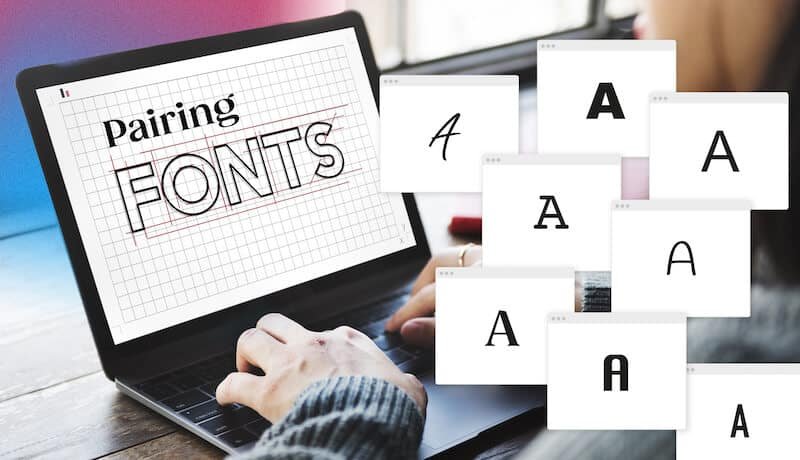
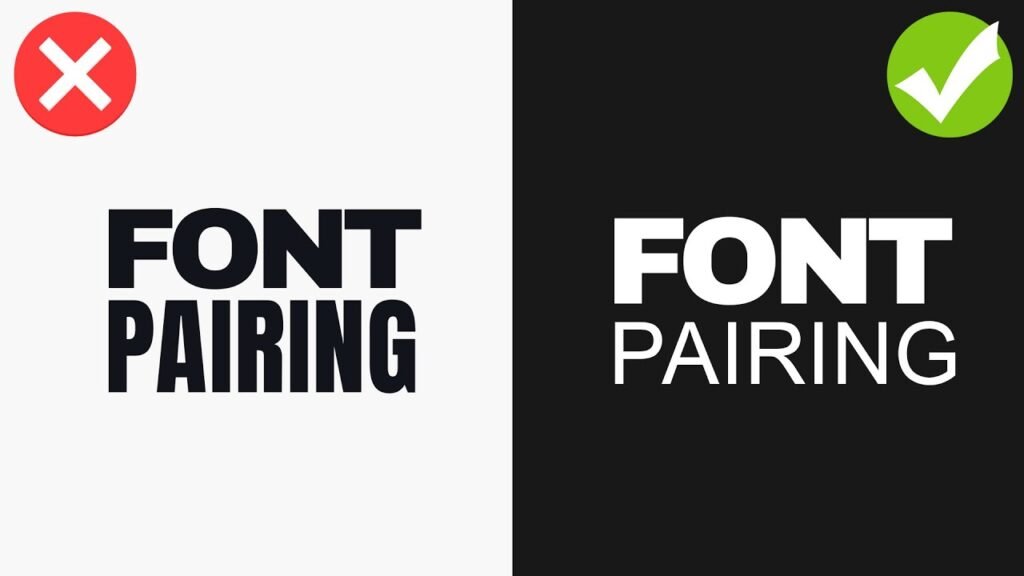
Choosing the right font can make your work look professional and easy to read. But what if you use two fonts? This is called font pairing.

It’s a skill that can make your designs even better. This blog post will teach you all about pairing two kinds of fonts: serif and sans serif.

We will look at many different font combinations to help you make your next design amazing. Finding the right font pairing is a great way to make a lasting impression in your creative projects. This guide will be a helpful starting point for your next project.

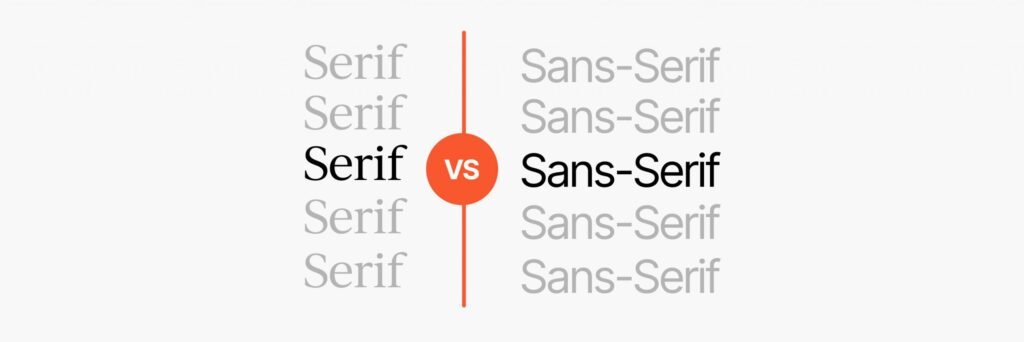
Understanding the Basics: Serif Vs. Sans Serif

Understanding the Basics: Serif Vs. Sans Serif

Before we can pair fonts, we need to know what they are. Fonts are like outfits for your words. Some are fancy, and some are simple.

The two main styles are serif and sans serif.

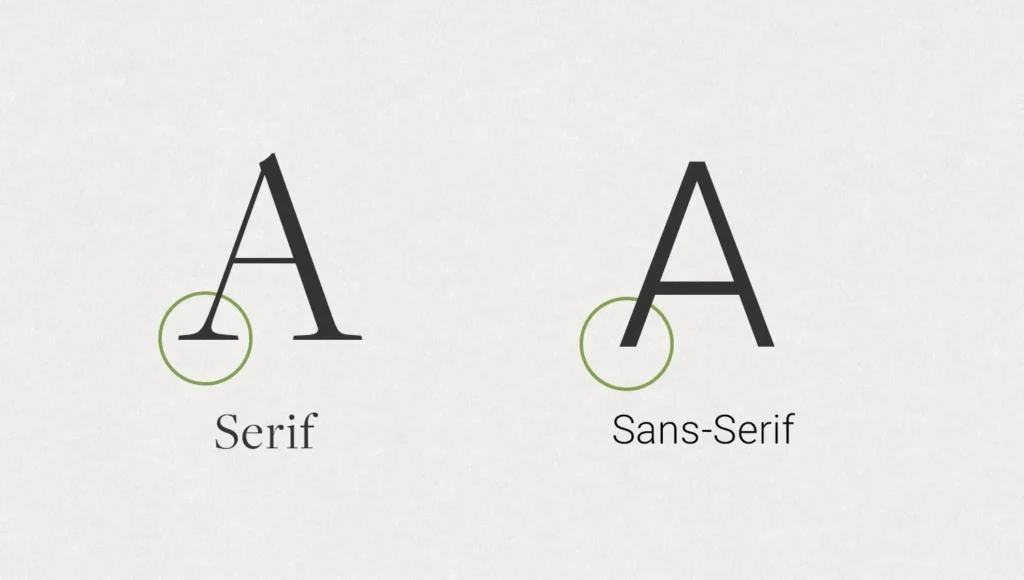
What Is a Serif Font?

A serif font is a font that has small lines, or “feet,” attached to the ends of the letters. Think of the classic font Times New Roman.

Those little extra strokes are serifs. They have been around for a very long time, since the days of stone carving.

A classic serif often feels traditional, elegant, and trustworthy.

Many books and newspapers use serif typefaces for their main text because they are easy to read in print.

These fonts are a great choice for creating a formal or sophisticated look.

What Is A Sans Serif Font?

Sans” means “without” in French. So, a sans serif font is a font “without serifs.” These fonts have clean, straight edges without any extra feet.

Fonts like Arial or Helvetica are common examples. They have a modern look and feel clean and simple.

Sans serif fonts are very popular for screens, like on websites and mobile devices, because their simple shapes are clear even at small sizes.

They often have a friendly and neutral style, making them useful for many types of graphic design.

The Psychology Behind Font Choices

Fonts can make people feel certain things. A serif font might feel calm and serious, making it a good choice for a law firm or a fancy restaurant.

A sans serif font might feel friendly and modern, which is perfect for a tech startup or a kids’ brand. When you start a font pairing, you are mixing these feelings. A good serif font pairing can create a balanced and interesting feeling that helps tell your brand’s story in a powerful way.

Why Use Serif and Sans Serif Pairings in Design?

Why Use Serif and Sans Serif Pairings in Design?

Using a mix of serif and sans serif fonts is a popular technique in graphic design. This method helps organize your information and makes your design more appealing to look at.

Creating Visual Hierarchy

Visual hierarchy is about showing people what to look at first.

By using different fonts for headers and paragraphs, you create a clear visual hierarchy.

For example, you can use a bold serif font for your main title and a simple sans serif font for the body text.

This tells the reader that the title is the most important thing on the page. Using heavy headers is a common way to guide the eye.

Enhancing Readability and User Experience

A perfect font pairing can make your text much easier to read.

The contrast between a decorative headline font and a simple paragraph font helps the brain process information faster. A good pair of complementary fonts keeps the reader from getting tired.

For the main paragraphs, or body copy, you want a font that is very clear.

For example, using a display serif for a title and a clean sans serif for the clean body text is a popular strategy.

Establishing Brand Personality

Font combinations help build a brand’s identity.

Do you want your brand to feel modern and elegant? Or friendly and bold? Your serif and sans serif pairings can show this.

For example, a bank might use a strong, classic serif for its name to show it is stable and trustworthy, but use a clean sans serif for its website for a modern feel. This is also true for corporate communications, where the right font sets a professional tone.

Best Practices For Creating Perfect Serif and Sans Serif Pairings

Best Practices For Creating Perfect Serif and Sans Serif Pairings

Making a perfect match with fonts is both an art and a science. Here are some rules to help you find the best font pairs.

Rule 1: Establish Strong Contrast

The most important rule is to choose two fonts that are clearly different from each other.

If your serif and sans serif fonts are too similar, they might look like a mistake. Look for contrast in things like letter thickness, or weight.

You can use different weights from the same font families or choose two completely different fonts.

The goal is for them to complement, not compete with, each other.

Rule 2: Consider the X-Height

The x-height is the height of a lowercase “x” in a font.

When pairing fonts, try to find two with similar x-heights. This helps them look balanced when they are used near each other on a page.

When the x-heights are similar, the body text will flow nicely and won’t feel jarring next to the headlines, creating a more harmonious next design.

Rule 3: Define A Clear Role For Each Font

Give each font a specific job. One font should be the star for headlines, and the other should be the supporting actor for the body copy.

For example, you can use an expressive display typeface for headlines that need to grab attention and a simple, readable font for longer paragraphs.

This creates a clear visual hierarchy and keeps your design organized.

Rule 4: Match the Mood and Tone

Your chosen fonts should fit the mood of your project. If you are designing a poster for a museum exhibit on space exploration, you might want fonts that feel futuristic and grand. If you are creating a menu for a cozy cafe, you would choose fonts that feel warm and inviting.

The right font pairing reinforces the message you want to send.

12 Timeless Examples Of Serif and Sans Serif Pairings

12 Timeless Examples Of Serif and Sans Serif Pairings

Here are some popular serif and sans serif pairings that you can use.

Many of these are available as free fonts on Google Fonts or as part of a subscription on Adobe Fonts.

  1. Playfair Display & Lato: Playfair Display is an elegant display serif with high contrast, perfect for headlines. When you pair it with Lato, a friendly and warm sans serif, you get a beautiful balance. Lato works great as clean body text because it is very readable even at small sizes. This is a great choice for fashion blogs or portfolio websites.
  2. Merriweather & Montserrat: Merriweather is a serif font designed for on-screen reading, making it an excellent choice for web fonts. It’s sturdy and traditional. Montserrat is a geometric sans serif with a modern feel. Together, this font pairing creates a professional and highly readable combination, ideal for news websites or a long blog post.
  3. Lora & Open Sans: Lora is a well-balanced contemporary serif with calligraphic roots. It feels artistic and sophisticated. Open Sans is a very popular sans-serif font with a neutral style, known for its excellent readability. This serif font pairing is versatile and works for many projects, from online magazines to corporate communications.
  4. Lora & Roboto: Here we see Lora again, but this time paired with Roboto. Roboto is a sans-serif font developed by Google that has a geometric but friendly feel. It has a natural reading rhythm. This modern font pairing is a perfect match for user interfaces and websites that need to feel modern but also trustworthy.
  5. Arvo & Lato: Arvo is a geometric slab serif font. A slab serif design features thick, blocky serifs, giving it a strong and modern personality. It’s great for headlines. When paired with the softer and friendlier Lato for body text, Arvo really stands out. This is a good choice for websites that want to feel confident and approachable.
  6. PT Serif & PT Sans: These two fonts were designed to work together. They are part of the same typeface families, known as a super family. PT Serif is a traditional serif font, while PT Sans is a clean and simple sans serif. Because they were created as a pair, they share similar proportions and styles, making them a foolproof font pairing for almost any project.
  7. Oswald & Noto Sans: Oswald, created by Vernon Adams, is a reworking of the classic gothic typeface style. It is a tall, bold sans serif that works wonderfully for heavy headers at large sizes. Noto Sans is a universal sans serif designed to cover all languages. It is clean and simple. This pairing is excellent for impactful headlines with easy-to-read body copy.
  8. Neue Montreal & Editorial New: Neue Montreal, designed by Matt McInerney, is a versatile grotesque sans serif that feels both classic and contemporary. It has a professional yet friendly vibe. Editorial New is a sharp, elegant serif font that looks amazing in headlines. This modern font pairing is perfect for design agencies, magazines, and brands that want a sophisticated, editorial look.
  9. Abril Fatface & Lato: Abril Fatface, created by Juan Pablo del Peral, is a beautiful display serif inspired by 19th-century advertising fonts. It’s bold and dramatic. To balance its strong personality, pair it with the simple and clean Lato for your body text. This is a fantastic font pairing for posters, invitations, and eye-catching social media graphics.
  10. Yeseva One & Josefin Sans: Yeseva One is a unique serif font with a feminine, high-contrast feel. It’s great for titles that need a touch of elegance. Josefin Sans, designed by Santiago Orozco, is a geometric and vintage-inspired sans serif. Together, they create a stylish and distinctive look. You can also pair it with its sister font, Josefin Slab, for more slab serif options.
  11. Spectral & Rethink Sans: Spectral is an elegant serif font from Google Fonts designed for screen-first reading. It’s perfect for long-form content. Rethink Sans is a modern, grotesque sans-serif that feels clean and approachable, similar to other fonts like DM Sans or Jakarta Sans. This pairing is fantastic for creative projects that need lots of text but still want a modern look.
  12. Cinzel & Josefin Sans: Cinzel is a serif font inspired by classical Roman inscriptions. It feels grand and historical, making it a powerful display font. Pairing it with the light and elegant Josefin Sans creates a beautiful contrast. This is an excellent choice for a luxury brand, a wedding invitation, or any design that needs to feel timeless and special. You could even compare it to other historical fonts like Trade Gothic or Century Gothic for context.

Common Mistakes to Avoid When Pairing Fonts

Common Mistakes to Avoid When Pairing Fonts

Even with the best intentions, it’s easy to make mistakes. Here are a few things to watch out for.

  1. Using Fonts That Are Too Similar: If your serif and sans serif fonts look too much alike, you lose the contrast that makes a font pairing effective. The design can look muddled and unprofessional. Make sure your choices have clear differences in style, weight, or structure. Avoid using two very neutral or similar typeface families.
  2. Ignoring Readability On Different Devices: A font combination that looks great on a large computer screen might be unreadable on mobile devices. Always test your serif and sans-serif pairings on different screen sizes. Pay special attention to the body text font to ensure it remains clear and legible, even at small sizes. This is very important for web fonts.
  3. Overcomplicating With Too Many Fonts: A good rule of thumb is to stick to two, or at most three, fonts for a single project. Using too many different font combinations can make your design look chaotic and confusing. A simple and strong serif font pairing is almost always more effective than a design crowded with too many styles.

FAQ’s:

Can I Pair Two Serif Fonts Together?

Yes, you can create serif pairings. The key is to find a strong contrast.

For example, you could pair a heavy display serif like Libre Baskerville for a headline with a more readable, lighter serif for the body text.

You can also mix a classic serif with a modern slab serif design.

Where Can I Find Good Fonts to Pair?

There are many great places to find fonts. Google Fonts is an amazing resource with hundreds of high-quality free fonts that are open source.

Adobe Fonts is included with a Creative Cloud subscription and offers a huge library of premium fonts.

Many type foundries, like the Indian Type Foundry, also sell or offer fonts directly.

What Makes Serif and Sans-Serif Fonts Work Well Together?

They work well together because of the contrast. The decorative nature of a serif font and the simplicity of a sans-serif create a pleasing visual balance. This contrast helps establish a visual hierarchy, improves readability, and adds personality to a design, making it a perfect match.

Which Serif and Sans Serif Pairings Are Best For Book Design?

For book design, readability is the top priority.

A classic pairing is a highly readable serif font for the body copy, like PT Serif or Merriweather, and a clean sans serif like PT Sans or Lato for chapter titles or subtitles. This creates a comfortable reading experience.

Conclusion

Choosing the right font combinations is a very important part of good graphic design.

A thoughtful serif and sans serif pairing does more than just look nice; it helps guide the reader’s eye and gives your work a unique personality.

Think of the examples and rules in this guide as a great starting point for all your creative projects.

Don’t be afraid to experiment with different fonts to find what works for your style. The main goal is to find that perfect font pairing that makes your text clear and your design feel complete.

Selecting web fonts thoughtfully enables you to craft a memorable design for your upcoming project.

Categories
Design

Lead Magnet Ideas For Coaches, Consultants & Creators: Fast Guide

Growing a coaching business means connecting with the right people who need your help. But how do you find them? A great marketing strategy is key, and a big part of that is using lead magnets.

Here at Designers Choice, we believe that giving value first is the best way to attract potential clients.

This article will show you the best lead magnet ideas for coaches. We will talk about what a lead magnet is, why it is important for your coaching business, and how to create one that helps you get more coaching clients.

Think of this as your ultimate guide to turning website visitors into new clients. Taking this first step will make a big difference in your business.

What Are Lead Magnets and Why Are They Important For Coaches?

What Are Lead Magnets and Why Are They Important For Coaches?

Before you start creating, it is good to know what a lead magnet is and why it is such a powerful tool for your coaching business.

It is a simple concept that can bring big results for lead generation.

Defining A Lead Magnet in the Coaching Industry

A lead magnet is a free resource you offer to potential customers in exchange for their contact information, usually their email address.

This free item gives them something valuable and solves a small problem for them right away. It is the very first step in your sales funnel. For people in the coaching industry, this could be a guide, a checklist, or a short video.

The goal is to provide valuable content that shows you are an expert.

This is not about selling your main coaching program just yet. Instead, it is about starting a relationship with prospective clients by offering a helping hand. This makes them more likely to want to hear from you again.

The Core Benefits of Using Lead Magnets For Your Coaching Business

Using a lead magnet is a great way to grow your coaching business.

One of the biggest benefits is that it helps you build an email list. An email list is something you own, unlike followers on social media.

With email marketing, you can talk directly to your target audience. Another benefit is that effective lead magnets help you build trust.

When you give away a helpful free resource, you show potential clients that you know what you are talking about.

You are not just asking for a sale; you are providing real value first.

This helps attract qualified leads—the right people who are genuinely interested in your coaching services. It saves you a lot of time by filtering out people who are not a good fit for your coaching.

Top Lead Magnet Ideas For Coaches That Convert

Top Lead Magnet Ideas For Coaches That Convert

There are many types of lead magnets you can create.

The best lead magnets for coaches are the ones that solve a specific problem for their ideal client.

Here are some of the most popular lead magnet ideas to get you started.

Downloadable Written Resources (Ebooks, Guides, Checklists)

Written resources are a classic type of lead magnet because they work well. Think about creating short ebooks, guides, or one-page cheat sheets.

These items give your audience a quick win.

For example, a life coach could offer a guide on “5 Steps to a More Productive Week.” These resources are easy for people to download and save for later. They do not have to spend a lot of time to get value.

You can create an ultimate guide on a specific topic related to your coaching niche. This shows your expertise and gives your target audience something they can use right away.

Interactive Lead Magnets (Quizzes & Assessments)

People love to learn about themselves.

Interactive lead magnets like quizzes and assessments are a fun and great way to capture the attention of potential customers. A business coach could create a quiz called “What’s Your Leadership Style?

At the end of the quiz, you can provide personalized results and actionable insights in exchange for an email address.

This is a smart marketing strategy because it is not just giving information; it is creating an experience.

It also helps you learn about the pain points of your potential clients based on their answers, making it easier to see if they are a good fit for your services.

Video and Audio Content (Webinars & Masterclasses)

Video and audio content helps you connect with your audience on a deeper level. Hosting a free webinar or a masterclass lets prospective clients see and hear you, which is a powerful way to build trust. You could also create a short video series that teaches a simple skill.

For example, a fitness coach could offer a 3-part video series on “Proper Form for Basic Exercises.”

This content shows off your coaching style and personality.

It makes potential clients feel like they already know you, which makes taking the next step to book a free discovery call feel more natural.

Multi-Day Challenges and Email Courses

A multi-day challenge or an email course is a great lead magnet that delivers value over a few days.

This keeps your new subscriber engaged with your brand. For instance, a health coach might offer a “5-Day Healthy Breakfast Challenge.” Each day, they receive a new recipe and a motivational tip in their email.

This structures the customer journey and builds anticipation.

It is a fantastic way to introduce someone to your coaching style and guide them toward your paid online courses or one-on-one coaching services.

This is a powerful tool for keeping your coaching business top-of-mind.

Practical Tools (Templates & Swipe Files)

Everyone loves tools that save them time.

Practical resources like templates and swipe files are some of the best lead magnets because they offer immediate, tangible value. A coach specializing in time management could offer a weekly planner template.

Business coaches who help small business owners could provide email templates for reaching out to new customers.

These tools help your ideal client solve a specific problem quickly.

This quick win makes them feel successful and grateful, strengthening their connection to your brand.

Exclusive Access (Resource Libraries & Communities)

Offering exclusive access makes people feel special. You could create a free resource library that is password-protected for subscribers.

This library could contain all your cheat sheets, templates, and past webinar recordings.

Another idea is to offer entry into a private community, like a Facebook group, for people on your email list. This allows coaching clients and potential clients to connect with each other and with you.

It builds a community around your coaching business and provides a space for you to share even more valuable content.

How to Choose the Perfect Lead Magnet Idea For Your Coaching Niche?

How to Choose the Perfect Lead Magnet Idea For Your Coaching Niche?

With so many lead magnet ideas, how do you pick the right lead magnet for you? The best choice connects directly to your ideal client and your paid offers.

Aligning Your Lead Magnet With Your Ideal Client’s Problems

Your lead magnet must solve a real problem for your ideal client. The first step is to know their biggest challenges and pain points.

What keeps them up at night? If you are a life coach for busy moms, a guide on time management would be more helpful than a general goal-setting workbook. Your free resource should speak directly to their needs.

When you address a specific problem, you attract the right people who are looking for the solutions you provide.

This ensures your lead generation efforts bring in qualified leads.

Connecting the Lead Magnet to Your Paid Coaching Offer

A great lead magnet is not just a random freebie; it is the logical first step in your customer journey.

It should naturally lead to your paid coaching services. For example, if your main coaching program helps small businesses with their marketing, your lead magnet could be a checklist for setting up a social media profile.

After they complete the checklist, the next step would be to learn more about your full marketing strategy services.

This connection makes your sales funnel smooth and effective.

Your lead magnet should give them a taste of what it is like to work with you, making a strategy session or free consultation feel like the right move.

Examples For Different Coaching Niches (Life, Business, Health)

  • For A Life Coach: A “Weekly Goal-Setting Planner” is a perfect free resource. It addresses the common problem of feeling unfocused and leads naturally into a coaching program about achieving life goals.
  • For Business Coaches: A “Client Onboarding Checklist” is a valuable tool for other service providers and small business owners. It solves an immediate need and positions the coach as an expert in client management systems.
  • For A Health Coach: An “Immunity-Boosting Recipe Guide” is a great lead magnet. It gives a quick win to people interested in their health and is a good entry point to a larger coaching program about nutrition or wellness. A fitness coach could offer a similar guide.

Creating and Promoting Your Coaching Lead Magnet

Creating and Promoting Your Coaching Lead Magnet

Once you have a great idea, it is time to create and share your lead magnet. A good plan for creation and promotion will help you get the best results.

Step-by-Step Guide to Creating Your Lead Magnet

Creating a lead magnet does not have to take a lot of time.

First, pick one specific topic that you know your ideal client cares about. Second, create a simple outline of the content.

Third, write the content, focusing on providing real value and actionable insights. Keep your language simple and clear.

Finally, put it all together in a clean format. The goal is to create a powerful tool that helps someone, not to write a perfect book.

Designing Your Lead Magnet For Maximum Impact

Your lead magnet is part of your brand, so it should look professional. Use your brand colors and fonts to make it recognizable.

Make sure it is easy to read, with clear headings and short paragraphs.

Even for simple cheat sheets, good design makes the content feel more valuable. You want the person downloading it to feel like they received a high-quality free resource. This helps build trust and makes a good first impression for your coaching business.

Proven Strategies to Promote Your New Lead Magnet

The best way to get your lead magnet in front of your target audience is to promote it in the right place. Create a dedicated landing page on your website for it. This page should clearly explain the benefit of the lead magnet and have a simple form to enter an email address.

Promote this landing page on all your social media channels. Write blog posts related to your lead magnet and include a link to it.

You can also partner with other service providers on guest posts to reach new audiences. The key is to make it easy for website visitors to find and download your offer.

How to Measure the Success of Lead Magnets For A Coaching Business?

How to Measure the Success of Lead Magnets For A Coaching Business?

To know if your lead magnet is working, you need to track its performance.

The most important number to watch is the conversion rate on your landing page. This tells you what percentage of website visitors are signing up. A good conversion rate means your offer is a good fit for the audience.

You should also track how many of these new subscribers open your emails and eventually become new clients. This shows whether you are attracting qualified leads who are truly interested in your coaching services.

Measuring these things helps you improve your marketing strategy over time and create more effective lead magnets.

FAQ’s:

How Long Should A Lead Magnet Be For A Coaching Business?

A lead magnet should be as long as it needs to be to solve a specific problem. The focus should be on real value, not length. A one-page checklist that provides a quick win can be more powerful than a 50-page ebook that is too overwhelming.

Where Can I Promote My Lead Magnet to Get More Subscribers?

Promote your lead magnet on your website with a clear call to action.

Share the landing page on all your social media channels, in your email signature, and within relevant blog posts. You can also write guest posts for other blogs in your coaching niche or join forces with other small business owners.

Should I Have More Than One Lead Magnet?

Yes, it is a great idea to have multiple types of lead magnets. You can create different lead magnets for different segments of your target audience or for different problems they face. This allows you to attract a wider range of potential clients to your coaching business.

Why Are Lead Magnets Important In A Coach’s Marketing Funnel?

Lead magnets are important because they are the very first step in a coach’s sales funnel.

They turn anonymous website visitors into leads by capturing their contact information. This allows you to start a conversation, build trust through email marketing, and gently guide prospective clients along the customer journey toward becoming paying coaching clients.

Conclusion

Creating effective lead magnets is a key part of growing a successful coaching business.

By offering a valuable content freebie, you start building a relationship with your ideal client from the very beginning. Whether you choose to create a guide, a quiz, or a video series, the goal is the same: solve a specific problem and show your expertise.

Remember to align your free resource with your paid coaching services to create a smooth path for new clients. Using the right lead magnet is a powerful tool for lead generation that will help you attract the right people and grow your impact in the coaching industry.

Categories
Canva

Canva Background Remover: Remove Photo & Video Backgrounds Fast

At Designers Choice, we believe that great design should be within everyone’s reach.

A big part of creating clean, professional-looking graphics is dealing with busy or distracting image backgrounds. Removing them can make your subject stand out, but it used to be a difficult and slow process.

Today, there are amazing tools that make it simple.

One of the most popular is the Canva background remover. This powerful feature can completely change how you approach your design work, saving you time and effort. In this guide, we will walk you through everything you need to know about this tool.

We’ll cover what it is, how to use it step-by-step, and why it might be the perfect addition to your design toolkit.

Whether you are creating social media posts, product images, or logos, a good background remover is a must-have.

What is the Canva Background Remover?

What is the Canva Background Remover?

The Canva background remover is a feature inside the Canva design platform that automatically deletes the background from an image.

Instead of you having to trace around your subject by hand, this smart tool does the work for you in just a few seconds.

It is designed to be user-friendly, allowing creators of all skill levels to achieve professional results without needing complicated software.

The goal is to give you a clean cutout of your main subject, which you can then place on any new background or use in a larger design.

If you are specifically looking to isolate a subject, learning how to cut out an image in Canva using this tool is the most efficient method.

This ability is fundamental for modern graphic design, where layering and composition are key to making visuals that grab attention. The tool is one of the most celebrated features in Canva’s suite of editing options.

One-Click Magic For Transparent Backgrounds

The best thing about the Canva background remover is how easy it is to use. You only need one click to start.

The tool uses smart computer thinking, or AI, to look at your picture. This tool can spot the main part in front, like a person or a pet.

It also knows which part is just the background behind your main item. When the tool finds the background, it takes it out all the way.

This leaves that part see-through in your picture. Now you have a clear background with nothing extra showing.

You can put your main item on any color, pattern, or another photo very easily. To blend your subject even better into a new setting, you might want to learn how to fade an image on Canva or how to add a shadow in Canva to give it depth.

There will not be a strange white box or colored area left over.

Before this feature, removing backgrounds was hard and took lots of time and skill. With Canva’s help, you can do it fast and very simply now.

A Canva Pro Exclusive Feature

It is important to know that the Canva background remover is not available on the free version of Canva.

It is an exclusive feature for users who subscribe to Canva Pro.

Canva Pro is the platform’s paid plan, which unlocks a wide range of advanced tools, templates, and content, including this powerful background remover tool. While you may see the button for it in the free version, you will be prompted to upgrade when you try to use it.

If you are considering the upgrade, you might be wondering, Is Canva Pro worth it? It helps to check exactly how much Canva Pro costs to see if it fits your budget. For those wondering how to remove background in Canva without paying immediately, you can look into how to get Canva Pro for free via their trial offers.

This is a great way to test out the background remover and other premium features to see if they fit your needs before committing to a subscription.

How to Use the Canva Background Remover?

How to Use the Canva Background Remover?

Using the Canva background remover is a straightforward process.

Canva has designed the tool to be intuitive, so you can get the result you want with minimal fuss. Here is a simple, step-by-step guide to help you master this feature for your next Canva project.

Before you begin, make sure you have a stable internet connection, as this is one of the many online tools that processes your image on Canva’s servers.

A good connection ensures the tool works quickly and without errors.

The first thing to do is to log into your Canva Pro account and get your image ready.

Step 1: Upload Or Select Your Image

The first step in any Canva project is to get your image onto the design canvas. You have two main options for this.

First, you can upload a photo directly from your computer. Just click the “Uploads” tab on the left-side panel and select the image you want to work on. Canva supports a wide range of image file formats, so whether your picture is a JPEG or a PNG, you can upload it easily.

If you use stock photos, you might wonder, are Canva images copyright-free? It is always good to check the licensing, though many are free to use with a Pro account. Once your image is uploaded or selected, click on it to add it to your design page.

Step 2: Navigate to the ‘Edit Photo’ Menu

Once your image is on the canvas and you have clicked on it, a toolbar will appear at the top of the editor.

This toolbar contains all the options for editing that specific image. Look for a button that says ‘Edit Photo‘.

It is usually one of the first options on the left side of the toolbar. Clicking this button will open a new panel on the left-hand side of your screen.

This panel is where you will find all of Canva’s powerful image editing tools, including filters, effects, and, of course, the background remover tool we are looking for.

This menu is your gateway to transforming your photos.

Step 3: Click the ‘BG Remover’ Tool

In the ‘Edit Photo‘ panel, you will see a section called ‘Magic Studio‘. The very first option in this section is the ‘BG Remover‘.

This is the background remover tool you need. It is marked with a distinctive icon that looks like a person with a checkered background behind them, symbolizing its function to create a transparent background.

When you click this button, the tool will immediately start working. You will see a brief loading message as Canva’s AI gets to work on your image.

It analyzes the pixels to perform the image background removal automatically.

Within seconds, the background of your photo should disappear, leaving only your main subject.

Step 4: Fine-Tune With Erase and Restore Brushes

Sometimes, the AI might not get it perfect on the first try.

This is common with images that have complex edges, like frizzy hair or fine details. You might find the tool is removing too much or not enough. This is where the manual adjustment brushes come in handy.

After the initial background removal, you will see ‘Erase‘ and ‘Restore‘ options. The ‘Erase‘ brush lets you remove any leftover bits of the background that the AI missed. The ‘Restore‘ brush lets you bring back parts of your subject that were accidentally removed.

You can also adjust the brush size to work on large areas or tiny details. This gives you precise control to perfect the cutout.

If you need to manipulate the image further, knowing how to slice in Canva can help you crop or separate parts of the subject.

This is the best way to fix issues when the Canva background remover seems to be not working perfectly.

Step 5: Download Your New Image With A Transparent Background

Once you are happy with the result and have made any necessary adjustments, your image is ready. Your subject now sits on a transparent background within your Canva project, and you can place it over any color or design you like. If you want to save just the cutout image itself to use elsewhere, you need to download it correctly. Click the ‘Share‘ button in the top-right corner, then select ‘Download‘.

Here, you must choose the right setting under file formats. To keep the background transparent, you must select ‘PNG‘ as the file type. Crucially, you also need to check the box that says ‘Transparent background‘.

If you are creating documents, you might also be interested in how to add a clickable link in Canva PDF, but for images, PNG is best.

If you download it as a JPEG or forget to check the box, your image will be saved with a solid white background, defeating the purpose.

Why You Should Use Canva’s Background Remover?

Why You Should Use Canva's Background Remover?

The Canva background remover is more than just a cool trick; it is a practical tool that can significantly improve the quality and efficiency of your design work. For anyone who creates visual content, the ability to quickly isolate subjects from their backgrounds is incredibly valuable.

It opens up a world of creative possibilities and helps you produce more professional-looking designs in a fraction of the time.

This remove background tool helps you create polished visuals without needing to be an expert in complex photo editing software.

It is a feature that streamlines your workflow and lets you focus more on the creative side of your projects.

Create Professional Product Photos

For anyone running an e-commerce store or creating product catalogs, clean imagery is essential.

Product photos look best when the item is displayed against a simple, non-distracting background.

Using the background remover, you can take a photo of your product in any setting and instantly remove the background.

Once the background is gone, you might need to swap in a new product variation; knowing how to replace an image in Canva keeps your template consistent.

This allows you to place your product on a pure white background for a classic, clean look or on a colored background that matches your brand’s style. You can even use these images to create a lookbook in Canva for your collection. This consistency across all your product images creates a professional and trustworthy storefront.

The speed of the image background removal process means you can edit dozens of product photos in the time it used to take to edit just one.

If you plan to monetize your designs, you might want to explore how to sell Canva templates on Etsy or read up on Can I sell Canva designs on Etsy?

Design Clean Logos and Graphics

Logos and other branding graphics need to be versatile. You should be able to place your logo on your website, a business card, a social media post, or a t-shirt without it looking out of place.

This is only possible if your logo file has a transparent background.

If you have a logo that is stuck in a JPEG file with a white box around it, you can use the Canva background remover to free it.

By removing the background, you are left with just the logo itself, which you can then resize and place anywhere.

This is also useful for other graphic design elements.

Once your background is clean, you can add text elements to enhance the logo. You can learn how to curve text in Canva, how to outline text in Canva, or even how to wrap text in Canva around your icon. If your design requires specific typography, you can check if you can upload fonts to Canva or browse a Canva fonts list to find the perfect match.

Make Eye-Catching Social Media Posts

Social media is all about grabbing attention with strong visuals.

The ability to remove background from photos allows you to create dynamic, multi-layered posts that stand out in a crowded feed.

For example, you can take a picture of a person and place them in front of a completely different scene or a bold graphic background.

You can enhance the scene by searching for Canva elements keywords to find the perfect decorations.

You can create collages by cutting out multiple people or objects and arranging them in a single Canva project.

You might also need to adjust the orientation of your elements; learning how to flip an image in Canva or how to flip text in Canva can help with composition. If you are making video content for social media stories, you can even learn how to put a timer in Canva to create urgency.

This technique is used by top creators and brands to make their content more interesting and shareable.

Having this background remover tool integrated directly into your design platform makes creating these complex visuals incredibly fast and easy.

Save Time Compared to Manual Editing

Perhaps the biggest benefit of the Canva background remover is the immense amount of time it saves.

Before tools powered by AI became common, removing a background from an image was a manual job.

It involved carefully tracing around the subject with a digital pen or lasso tool in advanced software like Adobe Photoshop.

This could take anywhere from several minutes to an hour for a single image, depending on its complexity.

The Canva remove background tool does the same job in seconds.

For designers, marketers, and small business owners who need to create a lot of content, this time savings is a game-changer.

It frees you up to work on other parts of your business.

Canva Background Remover Vs. Free Alternatives

Canva Background Remover Vs. Free Alternatives

If you search online, you will find many other background removal tools, and a lot of them are free.

This might make you wonder if paying for Canva Pro is worth it just for this feature, especially when there are free options available.

While free online tools can be useful in certain situations, there are several key differences in quality, convenience, and functionality to consider.

The choice between using Canva’s integrated tool and a free alternative often comes down to your specific needs, how often you need to remove backgrounds, and the level of quality you require for your projects.

Accuracy and Quality

While some free online tools do a decent job, the AI behind the Canva Pro background remover is often more advanced and accurate.

Free tools may struggle with complex images, leaving behind fuzzy edges or removing parts of the subject. Canva’s tool, because it is part of a paid professional suite, tends to deliver cleaner and more precise cutouts.

Furthermore, Canva gives you the Erase and Restore brushes for precise control to fix any small mistakes. Many free tools do not offer this level of refinement, leaving you stuck with whatever result their AI produces.

For professional work, that small difference in quality can be very important.

Integration With Your Design Workflow

The biggest advantage of the Canva background remover is its integration. The tool is built right into the Canva editor.

This means you can remove an image’s background and immediately continue working on your design, all in one tab.

With free background removal tools, the process is clunky. You have to open a new browser tab, upload your image to the free tool’s website, wait for it to process, download the new file to your computer, and then upload it back into your Canva project. This multi-step process is slow and inefficient, especially if you are working on multiple images. Canva’s seamless workflow saves a significant amount of time and effort.

Popular Free Background Remover Tools

For those who only need to remove a background from an image once in a while, free online tools can be a good option.

They are a great answer for someone searching for how to remove background in canva without pro.

These tools are typically web-based; you just visit the website and upload your image. They are simple and get the basic job done without any cost.

However, they often come with limitations.

Some may have limits on image resolution, require you to create an account, or add a small watermark to the final image.

They serve a purpose for casual users, but for anyone who regularly creates designs, the convenience and quality of an integrated tool like Canva’s background remover tool often justifies the cost of a Pro subscription.

FAQ’s:

Is the Canva Background Remover Free?

No, the Canva background remover is not free.

It is a premium feature that is only available with a Canva Pro, Canva for Teams, or Canva for Education subscription. You can often try it out by signing up for a free trial of Canva Pro.

This lets you test the background remover tool and see if it is a good fit for you.

Can I Use the Background Remover on Videos in Canva?

Yes, you can. In addition to the image background remover, Canva Pro also includes a Video Background Remover. It works in a similar one-click fashion, allowing you to remove the background from a video clip so you can place your subject in a new environment.

This is another powerful tool for creating professional content.

How Accurate is Canva’s Background Removal Tool?

Canva’s background remover tool is very accurate for most images, especially those with clear subjects and simple backgrounds.

Its AI does an excellent job of detecting edges. However, for very complex images with fine details like hair, fur, or semi-transparent objects, it may not be 100% perfect. In these cases, you can use the Erase and Restore brushes to manually refine the cutout for precise control.

What is the Best Alternative to the Canva Background Remover?

The “best” alternative depends on your needs. For quick, one-off tasks, a free online background remover might be all you need.

For professional photographers or designers who require the highest level of precision and control for complex image background removal, dedicated software like Adobe Photoshop remains the industry standard.

However, for most business owners, marketers, and creators who value speed and convenience, the integrated Canva background remover is often the ideal choice.

Conclusion

The Canva background remover is a powerful and efficient feature that makes professional graphic design more accessible to everyone.

By using AI to automatically remove background elements from your photos it saves you valuable time and allows you to create clean, dynamic visuals with just one click.

While it is a Canva Pro feature, its ability to streamline your workflow—from creating polished product shots to designing eye-catching social media posts—makes it a worthwhile investment for serious creators.

The first thing you will notice is how much faster you can complete a Canva project. The tool handles a range of image file formats and gives you the precise control needed for a great result.

Once you have mastered the background remover, you can focus on text details; check does Canva have spell check, learn how to highlight text in Canva, or even how to indent in Canva to perfect your layout.

You can also ensure your canvas is set up correctly by learning how to landscape in Canva. And if the holidays are approaching, don’t forget to use Christmas fonts on Canva for your seasonal designs.

It is more than just a background remover tool; it is a gateway to more creative and impactful designs.

If you need to direct people to your new designs, verify do Canva QR codes expire before printing them on your marketing materials.

Categories
Canva

Canva Elements Keywords List: Boost Your Design Game FAST

Here at Designers Choice, we love using a good graphic design tool to bring ideas to life. Canva is a favorite for many people, from students to professionals running an online business. It’s great for making everything from homework covers to beautiful social media graphics.

If you’re creating a professional portfolio, you might even want to learn how to create a lookbook in Canva to showcase your work.

One of the best parts of Canva is its giant library of pictures and shapes.

But with so many choices in Canva’s endless options, how do you find the perfect one? The secret is using the right Canva elements keywords.

This blog post is your guide to becoming a master at finding the best Canva elements for any project. Using the right search words will save you countless hours and take your Canva creations to the next level.

Whether you are designing for print or need to know how to add a clickable link in Canva PDF for digital files, these keywords are the foundation.

What Are Canva Elements Keywords and Why Are They Important?

What Are Canva Elements Keywords and Why Are They Important?

Think of Canva as a huge treasure chest.

Inside, you’ll find a goldmine of design assets. To find the treasure you want, you need a map. Canva keywords are that map. They are the words you type into the search bar to find exactly what you need.

Understanding Canva’s Element Library

When you open a project in Canva, you see a menu on the side. One of the buttons says “Elements.” This is the elements tab.

Clicking it opens up the elements section, which is like a giant digital library. This library is filled with millions of graphic elements: shapes, stickers, photos, and videos. There are simple geometric shapes, detailed drawings, and realistic stock photos.

Once you find the perfect photo, knowing how to replace an image in Canva with your chosen element is essential for a smooth workflow.

Your job is to find the right elements in this huge collection. The selection of elements is amazing, but you need a way to sort through it.

The Role of Keywords in Element Searches

Keywords are the words that tell Canva what you are looking for.

When you type “sun” into the elements search bar, Canva shows you all the pictures it has that are tagged with the word “sun.”

These search words are called elements keywords. Using the right keywords is the most important skill for finding the perfect elements quickly. It’s the difference between finding the exact image you have in your head in seconds or spending a long time scrolling.

Benefits of Using Specific Keywords

Using general words is okay, but using specific keywords is much better.

If you just type “flower,” you will get thousands of results.

But if you type “blue hand-drawn flower,” you will get a much smaller, better list of pictures to choose from. This helps you work faster and makes your graphic design work look more professional.

It ensures all your design elements fit your style. Finding the right Canva element keywords is a skill that will make you a much better designer.

How to Effectively Search For Canva Elements Keywords?

How to Effectively Search For Canva Elements Keywords?

Searching for Canva elements is a skill you can learn.

With a few simple tricks, you can find amazing graphics for your social media posts and other projects.

Starting With Broad and Simple Terms

The easiest way to start is with simple words.

If you need a picture of a dog, just type “dog.” This gives you a starting point. From there, you can see what kinds of dog pictures are available. You might see cartoon dogs, photos of dogs, and drawings of dogs.

This can give you ideas for more specific words to use next.

If the orientation isn’t quite right for your layout, learning how to flip an image in Canva can quickly fix the composition.

Using Brand Codes and Creator Names (e.g., brand:BRANDCODE)

Did you know that many artists who add their work to Canva have special codes? These are called brand codes.

If you find a specific element you really like, you can often find its creator’s code. To do this, click the three dots on the element.

You might see a name and a code that looks like “brand:BRANDCODE“.

If you type this code into the search bar, you will see all the canva elements made by that artist. This is a great way to find many graphics that have a similar style. Following your favorite Canva creators is like having a best friend who makes art just for you.

Combining Keywords For More Precise Results

To really get good results, start mixing your keywords. Don’t just search for “arrow.” Search for “wavy red arrow” or “dotted line arrow.”

This helps Canva narrow down the options and show you the perfect canva elements. You can combine words for colors, styles, and objects.

For example, “minimalist pink circle” will give you much different results than just “circle.”

Using bold colors in your search terms, like “bright yellow,” can also help.

Using Canva’s “Magic Recommendations”

Canva has a very helpful tool called Magic Recommendations. When you add an element to your design, Canva will automatically show you a box with similar elements. This is a fantastic way to find more graphics that match the one you already like. If you find a piece of line art you love, the magic recommendations might show you more from the same set or by the same artist, helping you find new keywords to use later.

Top Canva Elements Keywords For Every Design Need

Here is a helpful list of canva keywords to get you started. Try these out to find some of the best canva elements keywords for your designs.

Keywords For Abstract Shapes and Lines

Abstract elements are great for adding a modern feel to your design. They aren’t pictures of one specific thing, but they add style and interest. You can even learn how to slice in Canva to customize these shapes further.

Try searching for these:

  • boho abstract
  • blob
  • gradient shapes
  • scribble
  • shapes
  • geometric shapes
  • abstract pattern
  • organic shapes
  • line art

Keywords For Organic and Hand-Drawn Illustrations

If you want your design to feel personal and handmade, hand-drawn illustrations are perfect. These cute elements add a lot of charm.

Try these keywords:

  • hand-drawn
  • doodle
  • illustration
  • charcoal
  • sketch
  • organic
  • botanical line drawing
  • rustic
  • imperfect

Keywords For Minimalist and Modern Graphics

Minimalist designs are simple, clean, and professional. They use simple lines and shapes to look classy.

If you want this look for your web design or posts, try these terms:

  • minimalist
  • clean
  • monoline
  • simple line
  • modern
  • thin line
  • basic shape

Keywords For Animated Stickers and Dynamic Elements

Animated, or moving, elements can make your social media content pop. They grab attention and make your designs more fun.

For video projects utilizing these stickers, you might also need to know how to put a timer in Canva to manage your clip duration.

Search for these to find moving graphics:

  • animated
  • sticker
  • moving
  • sparkle
  • blinking
  • glowing
  • arrow sticker
  • reaction

Keywords For Backgrounds and Textures

A good background can change the whole feel of your design. Whether you want something simple or full of texture, there are keywords for that.

Sometimes, you may want to learn how to fade an image on Canva
So the background doesn’t overpower your content, or how to landscape in Canva if you need to change the page orientation.

Try these:

  • paper texture
  • gradient background
  • wood texture
  • pattern
  • wallpaper
  • marble
  • fabric texture
  • glitter background

Advanced Tips For Mastering Your Canva Element Search

Advanced Tips For Mastering Your Canva Element Search

Once you know the basics, you can try some of these more advanced tricks to find even better design elements.

Searching For Monoline and Duo-Tone Graphics

Monoline graphics are made with a single line that has the same thickness all the way through. They look very clean and modern.

Duo-tone graphics use only two colors. You can search for “monoline” or “duotone” along with other keywords (like “monoline flower”) to find these specific styles. Matching the right elements is just as important as creating good Canva font pairings.

Speaking of typography, checking a comprehensive Canva fonts list or knowing how to upload fonts to Canva can give you even more options.

Finding Cutouts and Photo-Realistic Elements

Sometimes you need a picture of a real object or person without the background. These are often called cutouts.

Try searching for words like “cutout,” “isolated,” or “person walking cutout.” This is a great way to find high-quality images that look like professional stock photos you can place anywhere in your design.

This is where the Canva Background Remover tool shines, or you can learn how to cut out an image in Canva manually.

Perfecting Your Text Layout

Don’t forget to polish your text to match your elements.

Mastering typography involves knowing how to curve text in Canva, how to outline text in Canva, or even how to wrap text in Canva around your new illustrations. Simple tweaks like knowing how to indent in Canva or how to highlight text in Canva make a big difference.

If you make a mistake, it helps to know does Canva has spell check. You can also get creative and learn how to flip text in Canva or how to add a shadow in Canva for depth.

Using Negative Keywords to Refine Searches

This is a very powerful trick. You can tell Canva what you don’t want to see by adding a minus sign () before a word.

For example, if you want pictures of flowers but you don’t want any red ones, you can search for “flower -red“. This removes all the red flowers from your search results, helping you find what you need faster.

Saving Your Favorite Elements and Creators

When you find canva elements or canva creators that you love, don’t lose them! You can save your favorite canva elements by clicking the star icon.

This adds them to a special “Starred” folder so you can use them again easily. You can also follow creators to see their new work.

Over time, you can build your own personal Canva archive of your favorite graphics, which is a key part of an efficient workflow for any graphic design project. This is much better than trying to remember your favorite Canva elements keywords every time. If you are creating digital products, this efficiency is key when learning how to sell Canva templates on Etsy.

FAQ’s:

Can I Find Free Canva Elements Using keywords?

Yes, absolutely! Canva has millions of free elements that anyone can use, even on the free plan.

When you search in the elements tab, you can use the filter button to select “Free.” This will hide all the premium elements, which are marked with a small crown and require a Canva Pro subscription.

You can use the free elements for personal or commercial use, but always check the license for each one. Many people start with a free trial, but if you are on the fence, you might wonder if Canva Pro is worth it
or ask how much Canva Pro costs exactly. There are even ways to learn how to get Canva Pro for free legally to test it out.

How Do I Find Elements From A Specific Canva Creator?

The best way is to use their unique brand codes. If you find an element you like, click the three dots on it and look for the creator’s name.

Often, you can click their name to see more of their work.

If you find their brand code, type it into the search bar (e.g., brand:12345) to see their entire collection.

This helps you get a similar style across all your Canva creations. Also, if you are designing marketing materials, you might be curious: Do Canva QR codes expire?

It is always good to check the functionality of the elements you use.

What Are the Best Canva Keywords For Aesthetic Designs?

To find beautiful, trendy, and aesthetic elements, you should use keywords that describe a mood or feeling. Some of the best keywords are: aesthetic, vintage, film grain, retro, delicate, dreamy, soft focus, moody, and ethereal.

Combining these with other terms, like “aesthetic flower” or “vintage paper,” will give you great results. You might also want to try festive options like Christmas fonts on Canva for seasonal aesthetic projects.

How Do Codes For Canva Elements Differ From Regular Keywords?

Regular canva keywords are general words that describe what an element is (e.g., “cat,” “circle,” “arrow”). Many different elements from many different creators can share the same keyword.

Brand codes, on the other hand, are unique codes assigned to specific Canva creators. When you search for a brand code, you only see elements from that one creator. It’s a direct way to find art from an artist you like.

What’s the Best Way to Discover New Element Keywords?

A great way to find new keywords is to look at the elements you already love.

Click on an element in your design, then click the “i” (info) button at the top. Canva will often show you the keywords associated with that specific element. You can also get ideas by looking at templates and seeing what graphic elements other content creators are using.

This is a smart move for your online business and overall content plan, almost like an SEO strategy for your designs.

Speaking of business, many users ask, “Can I sell Canva designs on Etsy?” or “Are Canva images copyright-free?”—always verify the licensing before you start selling.

What Tips Can I Use to Organize and Save My Favorite Canva Element Keywords?

Keeping a list is the best method. You can use a simple notebook or a document on your computer to write down your favorite Canva elements keywords. Organize them by style (e.g., “minimalist keywords,” “hand-drawn keywords”).

This way, when you start a new project, you can quickly look at your list and find the right keywords without having to remember them all. Some people also create a blank Canva design and fill it with their favorite Canva elements to use as a quick reference board.

Think of it as your own personal free Canva-type guide, but for elements.

Conclusion

Canva is an amazing tool that can help anyone create beautiful designs.

The key to unlocking its full power is learning the language of the elements tab. By mastering Canva elements keywords, you can stop searching and start creating. You can find the perfect elements every time, whether you’re making social media posts, flyers, or presentations.

It might seem like a lot to learn, but with a little practice, you’ll be finding incredible design elements in no time.

Finding that perfect Canva element can be so satisfying. It feels almost as relaxing as sitting back with a glass of wine. We hope this guide helps you make your best Canva creations yet.

Categories
Branding

Brand Descriptions: How to Make Branding Unforgettable & Easy

As creative professionals and business owners, we pour our hearts into our work, from logo design to product design.

But how do we explain what our brand is all about in just a few words? This is where brand descriptions come in.

Think of it as your brand’s handshake. It is often the first thing people read. It tells them who you are, what you do, and why you matter.

For many small business owners, writing a description for the first time can feel like a big task. This guide will make it easy.

We will show you how to write a great description of your brand that connects with people and helps build a strong brand identity.

A powerful description is a key part of your brand strategy and can help turn curious visitors into a loyal customer base.

What Are Brand Descriptions?

What Are Brand Descriptions?

A brand description is a short piece of writing that explains your business.

It is not just a summary of your product features; it is the story of your brand. A good brand uses its description to share its main purpose and personality. It answers basic questions for potential customers: What does this company do? Who is it for? What makes it special?

This description shows up everywhere. You will see it on a company’s website, on its social media pages, and even on its business cards.

It is a core part of your brand identity, working alongside your brand’s visual identity, like your logo and color palette.

A well-written description helps shape how people see your brand and builds an emotional connection with your target audience.

It sets the foundation for a memorable brand.

Understanding the difference between branding vs brand identity is key to making this foundation strong.

Why A Strong Brand Description Is Essential For Your Business?

Why A Strong Brand Description Is Essential For Your Business?

Having a strong description of your brand is more than just a nice-to-have; it is a must for success. For both new and established business owners, this short text does a lot of heavy lifting. It is one of the best tools for building brand awareness and attracting your ideal customer.

First, it helps you stand out.

In a crowded market, your brand description can be the one thing that grabs a person’s attention. It quickly communicates your unique qualities.

Second, it builds trust. When your description clearly states your core values, customers feel like they know you. This is the first step in building a strong relationship and attracting new customers.

A great brand identity example always starts with a clear description—for instance, looking at a Brand Guidelines Example can show you how major companies formalize their descriptions and values.

Third, it provides direction for your company. A strong description acts as a guide for all your marketing. It helps you maintain a consistent brand voice across every product page, email, and social media post.

This is the power of consistency. When everything you say aligns with your description, you build a standout brand identity that people remember and trust. It informs all your product copy and makes sure your message is always clear. For established companies like Uber, their consistency is captured in their Uber Brand Guidelines.

Key Elements Of A Compelling Brand Description

Key Elements Of A Compelling Brand Description

To write a description that truly works, you need to include a few key things. Think of these as the building blocks for your brand’s story.

Getting these right is the most important thing you can do to create a connection with your ideal client.

Define Your Mission and Vision

Your mission is what you do right now, and your vision is what you hope to achieve in the future. These ideas are at the heart of your business. They are tied to your brand values and show customers what you believe in.

Do you want to make technology easier for everyone?

Do you focus on sustainability efforts? Your description of your brand should give a hint of these bigger goals. Sharing your brand’s values helps people connect with you on a deeper level.

Identify Your Target Audience

You cannot talk to everyone at once. You need to know exactly who you are talking to. Who is your ideal customer?

Are you talking to busy parents, tech lovers, or fellow designers?

Learning to answer the question, “What is your Niche?” is vital here.

When you know your target audience, you can use words and ideas that they will find interesting. Speaking directly to your target customer makes your brand feel more personal and relevant to their needs.

This helps turn potential customers into loyal fans.

Establish Your Brand Voice and Tone

Your brand voice is your brand’s personality, and your tone of voice is how that personality sounds in different situations.

Is your brand fun and playful, or serious and professional? Your voice should be consistent everywhere you write. Your brand personality comes to life through your choice of brand words.

Choosing the right adjectives helps define your unique brand personality and makes your brand feel like a real person. This voice should be used in all product descriptions and marketing materials.

You can see how a successful streaming service does this by reviewing the Netflix Brand Guidelines.

Highlight Your Unique Selling Proposition (USP)

Your Unique Selling Proposition, or USP, is what makes you different from everyone else. It is your special sauce. What do you offer that no one else does? This is your value proposition. Maybe you have the best customer service, use special materials, or have a unique product design. Your brand description must highlight this. The USP is a powerful tool to convince your target customer to choose you over the competition.

A Step-by-Step Guide to Writing Your Brand Description

A Step-by-Step Guide to Writing Your Brand Description

Now that you know the key elements, it is time to start writing.

Here is a simple guide to get your creative juices flowing and help you write a description you can be proud of.

Step 1: Brainstorm Core Ideas and Keywords

Before you write, think. Grab a notebook or open a document and start a brainstorming session. Make a list of words that you feel represent your brand. Create a list of potential adjectives and branding words.

Think about your mission, your target audience, and your USP. What feelings do you want people to have when they think of your brand?

Don’t worry about making perfect sentences yet. Just get all your ideas down. This is the perfect way to gather all the raw materials you will need.

If you need inspiration, using a tool like BrandCrowd can help jumpstart your naming and idea process.

Step 2: Create Your Opening Statement

The first sentence is the most important. It needs to be strong and clear. It should grab the reader’s attention and tell them what you do.

Start with the most important information.

For example, a brand that sells handmade soap might start with, “We create all-natural soaps that are gentle on your skin and the planet.” This opening line immediately communicates the what and the why.

Step 3: Tell Your Brand’s Story

Now, add more detail. Weave your brainstormed ideas and keywords into a short story. Explain why your brand exists.

Share a little about your passion or the problem you solve for your ideal customer. This story is what creates an emotional connection.

For example, if you are a graphic designer, you could talk about your love for vibrant colors and clean designs. Make it personal and authentic.

This is your chance to showcase your brand personality.

Checking out a variety of brand story examples can help you structure your own narrative effectively.

Step 4: Refine and Edit For Clarity and Impact

Once you have a draft, it is time to polish it. Read your description out loud. Does it sound like your brand?

Is the language simple and easy to follow? Cut any words that are not necessary. Check that it has a consistent brand voice.

A good exercise is to read it over a cup of coffee the next day with fresh eyes. Make sure the final version is powerful and memorable. This refined text can even serve as a product description template for your tone.

100+ Essential Words to Describe Your Brand Personality and Voice

Essential Words to Describe Your Brand Personality and Voice

Choosing the right words is key to building your brand personality. The right brand adjectives can instantly tell your audience who you are. Here is a list of brand adjectives to help you define your unique brand personality.

Think of this as a helpful list of adjectives to get you started.

Friendly & Welcoming

  • Authentic
  • Approachable
  • Cheerful
  • Genuine
  • Helpful
  • Honest
  • Kind
  • Playful
  • Sincere
  • Welcoming
  • Warm
  • Joyful
  • Lively
  • Positive
  • Vibrant
  • Down-to-earth
  • Casual
  • Real
  • Supportive
  • Community-focused

Professional & Trustworthy

  • Reliable
  • Expert
  • Secure
  • Professional
  • Official
  • Analytical
  • Practical
  • Methodical
  • Serious
  • Formal
  • Dependable
  • Consistent
  • Established
  • Efficient
  • Precise
  • Strategic
  • Principled
  • Capable
  • Authoritative
  • Certified

Modern & Innovative

  • Bold
  • Creative
  • Fresh
  • Imaginative
  • Innovative
  • Modern
  • Progressive
  • Visionary
  • Daring
  • Dynamic
  • Cutting-edge
  • Futuristic
  • Experimental
  • Original
  • Clever
  • Disruptive
  • Agile
  • Forward-thinking
  • Smart
  • Tech-savvy

Elegant & Sophisticated

  • Classic
  • Elegant
  • Graceful
  • Refined
  • Stylish
  • Sophisticated
  • Luxurious
  • Premium
  • Artful
  • Beautiful
  • Chic
  • Cultured
  • Exquisite
  • Grand
  • Majestic
  • Polished
  • Tasteful
  • Upscale
  • Distinguished
  • Harmonious

Energetic & Passionate

  • Active
  • Adventurous
  • Bold
  • Brave
  • Confident
  • Energetic
  • Enthusiastic
  • Exciting
  • Fearless
  • Free-spirited
  • Passionate
  • Spirited
  • Youthful
  • Zesty
  • Wild
  • Robust
  • Intense
  • Driven
  • Powerful
  • Courageous

Using a list of potential adjectives like this can help you find the perfect brand adjectives to create a good brand description. A good brand personality model often starts with selecting three to five of these personality traits.

Examples of Excellent Brand Descriptions

Examples of Excellent Brand Descriptions

Seeing how other companies do it is a great way to learn.

Here are some fictional examples of great brand descriptions. Each one is a great example of how to communicate a brand identity clearly.

Example 1: A Tech Company

  • Brand Name: CodeSimple
  • Description: “At CodeSimple, we make learning to code straightforward and fun. Our easy-to-follow lessons and supportive community help beginners build real projects from day one. We believe anyone can learn to code, and we provide the tools to make it happen.”
  • Analysis: This description immediately identifies its target audience (beginners). Its brand voice is helpful and encouraging. The USP is its focus on being “straightforward and fun” and helping users build “real projects.” This simple description improves the user experience right from the start.

Example 2: A Fashion Brand

  • Brand Name: TerraThreads
  • Description: “TerraThreads creates comfortable, stylish clothing from 100% sustainable materials. Our mission is to make fashion that feels good and does good. Every piece is designed to be loved for years, reducing waste and celebrating conscious style. Our sustainable branding efforts are at the core of our brand’s values.”
  • Analysis: This is a strong brand identity example. The description highlights its core values (sustainability) and its USP (comfortable, stylish, and eco-friendly clothing). The brand personality is conscious and caring. This is the kind of description that builds a loyal customer base around shared values. It has a clear mission.

Example 3: A Food & Beverage Business

  • Brand Name: Nutty & Nice
  • Description: “We’re nuts about flavor. Nutty & Nice crafts small-batch peanut butter with a twist. From Spicy Honey to Chocolate Chunk, our spreads are made with simple, honest ingredients. We’re here to make your snacks a little more exciting. We’re not as wild as Ben & Jerry, but we are just as focused on taste.”
  • Analysis: This description uses a playful tone of voice. The brand personality is fun and creative. It clearly states what it sells (peanut butter) and what makes it special (unique flavors, simple ingredients). It’s a memorable brand description that makes you want to try the product. This kind of writing makes for a good product description on a product page, too.

FAQ’s:

What is the Main Purpose Of A Brand Description?

The main purpose is to quickly and clearly communicate your brand identity to potential customers.

It should tell them what you do, who you serve, and what makes you unique. It’s your chance to make a strong first impression and start building an emotional connection with your ideal client.

For businesses like Walmart, this clear communication is centralized in their Walmart Brand Center.

How Long Should A Brand Description Be?

It depends on where you use it.

For a social media bio, you might only have space for a sentence or two, such as the brevity required for an Instagram Brand Guidelines summary.

For an ‘About Us‘ page on your website, you can write a few paragraphs. A good rule of thumb for a standard description is between 50 and 150 words. The key is to provide enough product information without being overwhelming.

What Are the Essential Elements to Include In A Brand Description?

Every great brand description should include four things: your mission and brand values, a clear picture of your target audience, your distinct brand voice and personality traits, and your unique selling proposition (USP) or value proposition. These elements work together to create a full picture of your brand. You can see these elements clearly demonstrated in the Spotify Brand Guidelines.

How Do I Define My Brand’s Tone and Voice For the Description?

Start by making a list of brand adjectives that you want people to associate with your business.

Pick three to five right brand adjectives that best fit your brand personality model. These words will guide your writing and help you maintain a consistent brand voice. Think about how you want your ideal customer to feel when they read your words.

Conclusion

Your brand description is one of the most powerful tools in your branding toolkit. It is much more than a few sentences of product copy on a website. It is the foundation of your brand identity, the voice of your brand personality, and the story that invites new customers in.

By defining your mission, knowing your audience, establishing your voice, and highlighting what makes you special, you can write a description that builds trust, fosters connection, and helps grow your business. Remember the power of consistency.

Use your new description to guide your brand strategy everywhere from your product page and detailed descriptions to your social media presence. A well-created description is the first step toward building a standout brand identity that people will remember and love.

Some studies in the Harvard Business Review have shown that brands with strong identities perform better. This is your chance to build a good brand from the ground up.

Categories
Branding Marketing

What Is Your Niche? Easy Guide to Discovering [No Typical Advice]

At Designers Choice, we often talk with creative people who have a great business idea but are not sure where to start.

One of the first questions we ask is, “what is your niche?” This question can seem big, but it is one of the most important for any new business.

A niche helps you focus your energy and connect with the right people. It is the key to building a successful online business or small business.

In this guide, we will break down what a niche is, why it matters so much, and how you can find the perfect one for you.

We will walk you through the steps for finding your business niche and give you clear examples. This will help you turn your passion into a profitable business that serves a happy and loyal customer base.

Let’s get started on finding your special spot in the market.

What Is A Niche In Business?

What Is A Niche In Business?

So, what does your niche mean?

Think of the entire market as a giant pizza. The whole pizza is the mass market, with tons of people who want pizza. A niche market is just one small slice of that pizza, like the slice with extra pineapple and jalapeños. It’s not for everyone, but the people who want it really want it.

In business terms, a niche market is a small, specific part of a larger market. A niche business focuses on serving this small group of people with very specific needs. Instead of trying to sell to everybody, you focus on a dedicated target audience.

For example, instead of selling “clothes,” a niche business might sell “t-shirts with funny cat pictures for veterinarians.”

This focus on a specific area is powerful. It lets a small business compete by being the best option for a particular group of people.

You are not just another store; you are the store for your specific audience. Understanding between branding vs brand identity is important here, as your niche will define your identity.

This helps you build a strong brand and connect deeply with your potential customers. Finding the right niche means you are not a small fish in a big ocean, but a big fish in a small, cozy pond.

Understanding Why ‘What is Your Niche?’ is an Important Question

Understanding Why 'What is Your Niche?' is an Important Question?

Answering “what is your niche?” is more than just a simple exercise; it shapes your entire business. Your niche business idea is the foundation for your brand, your marketing, and the products or services you offer.

Without a clear answer, your marketing efforts can feel scattered, and you might struggle to attract loyal target customers.

Let’s look at why defining your business niche is so important for success.

The Role Of A Niche In Building Brand Authority

When you focus on a specific niche, you can become an expert in that one subject matter.

Instead of knowing a little about a lot of things, you learn a lot about one thing. This makes people see you as a go-to source for that topic.

Over time, you become one of the industry experts.

This builds trust and brand loyalty. When your potential customers have a question about your specific area, they will think of you first.

Good brand descriptions can further solidify this authority.

Having a niche business gives you a greater chance to be seen as an authority, which is hard to do in a broad market.

Your focused content creation, from blog posts to social media updates, will show your expertise and build a strong reputation.

For a clear example of how major companies define their visual and written identity, check out this article on Brand Guidelines Example.

How A Niche Attracts Your Ideal Audience?

A well-defined niche acts like a magnet for your ideal customer. Imagine shouting in a crowded stadium; most people won’t hear you.

Now, imagine whispering to someone standing right next to you. That’s the difference between marketing to a mass market and a niche market.

When you know your specific audience, you know their pain points and what they truly want. Your marketing message can speak directly to those consumer pain points.

This means the right people —your target audience —will find you. They will see that your business is made just for them. This creates a strong connection and makes them more likely to buy from you.

A solid Instagram marketing strategy can be highly effective for reaching a specific niche audience. Your niche marketing becomes much more effective.

Standing Out In A Crowded Market

The online world is crowded. There are millions of businesses all trying to get attention.

Trying to compete with everyone is a losing battle for a small business. A niche gives you a unique selling point. It’s what makes you different.

When a potential customer is looking for a solution to a very specific problem, they will skip the big, general stores and look for a specialist.

That specialist can be you. Your niche business idea allows you to offer unique value that larger companies can’t.

By focusing on a specific niche, you carve out your own space where you can shine, build a loyal customer base, and create a profitable business without fighting the giants. You avoid getting lost in the brand crowd and establish a memorable presence.

How to Discover What Your Niche Is: A Step-by-Step Guide

How to Discover What Your Niche Is?

Finding your niche is a process of matching your interests with what people need. It is a great way to build a business that you love and that also makes money.

Here is a guide to help you find the right niche for your next venture.

Step 1: Identify Your Passions and Expertise

The first step is to look inside yourself. What do you love to do in your free time? What topics could you talk about for hours? What skills or knowledge do you have that others don’t? This is your starting point.

Making a list of your hobbies, interests, and skills gives you a set of potential niches. Your passion will fuel your business when things get tough. Your expertise will give you a unique perspective and credibility.

A business built on what you know and love has a much greater chance of success. This is a fundamental part of finding a profitable niche.

Step 2: Research Market Demand and Profitability

Once you have a niche idea, you need to see if it can become a profitable business. This is where market research comes in. You need to check if there is enough market demand for your idea. Tools like Google Trends can show you if people are searching for your topic.

You can also do keyword research using tools like the Google Keyword Planner to see how many people are looking for terms related to your potential niche. For creators, it’s also wise to understand concepts like rights-managed vs. royalty-free images to see how licensing affects profitability in a creative niche. Look for related keywords to see what specific problems people are trying to solve.

This research will provide valuable insights into whether your niche idea has the potential to make money.

Step 3: Analyze the Competition

No niche is completely empty. You will have competitors. Doing competitive research is not about getting discouraged; it’s about learning.

Look at other businesses in your potential niches. What are they doing well? Where are they weak? Read their customer reviews to find consumer pain points they are not solving.

This analysis helps you find a gap in the market. You can offer something better, different, or more focused. This is how you develop your unique value proposition and figure out how to stand out to your niche audience.

You may even find inspiration by seeing how others develop their visual identity, perhaps by looking at examples like the Spotify Brand Guidelines.

Step 4: Test and Validate Your Niche Idea

Before going all-in, test your niche idea. This is a smart way to see if people are actually interested.

You can create a simple landing page that describes your product or service and ask people to sign up for more information.

Share your idea on social media platforms and see how people react. You could write a few blog posts on the topic and see if they get traffic.

This test phase gives you real-world feedback from your target customers before you invest too much time or money. It helps you confirm you are on the right track to building a successful online business.

To showcase your ideas and attract your audience, having the right visuals is important, which is why services offering unlimited graphic design can be a major advantage during this stage.

Examples to Help You Define ‘What is Your Niche?’

Examples to Help You Define 'What is Your Niche?'

Seeing real niche market examples can make the concept much clearer.

A niche takes a broad category and narrows it down to a very specific audience with specific needs.

Here are some examples across different types of businesses.

Niche Examples in E-commerce

Many successful e-commerce stores are built on a specific niche. Instead of being a general store, they focus on one type of product for one type of person. A smart e-commerce design can help showcase this focus effectively.

  • Broad Market: Skincare
  • Niche Market: Organic, vegan skincare products for people with sensitive skin.
  • Broad Market: Pet Supplies
  • Niche Market: In the pet industry, a good niche is handmade, leather dog collars for large-breed dogs.
  • Broad Market: Home Decor
  • Niche Market: Minimalist, sustainable home decor made from recycled materials. This niche aligns perfectly with the principles of sustainable branding.

Each of these examples targets a clear group of people and offers a unique value.

Niche Examples For Content Creators and Bloggers

For a content creator, a niche is key to building a loyal following. It defines the kind of content you will make.

  • Broad Topic: Travel
  • Niche for a Content Creator: Budget-friendly solo travel guides for women over 50.
  • Broad Topic: Cooking
  • Niche for a Content Creator: 30-minute vegan meal recipes for busy families.
  • Broad Topic: Finance
  • Niche for a Content Creator: Financial planning advice and online courses for freelance artists. This can be monetized with things like affiliate marketing. For visual content, choosing the best apps to make reels can help you stand out.

Niche Examples For Service-Based Businesses

Service businesses also benefit greatly from a business niche. It helps attract the ideal customer looking for specialized help.

  • Broad Service: Graphic Design
  • Niche Service: Logo and branding design for local coffee shops.
  • Broad Service: Fitness Coaching
  • Niche Service: Post-natal fitness coaching for new moms who want to work out at home.
  • Broad Service: Customer Service Consulting
  • Niche Service: Improving customer service strategies for small e-commerce business owners.

Creating Your Answer to “What is Your Niche?”

Creating Your Answer to "What is Your Niche?"

Once you have done your research and chosen a niche, the next step is to own it. This means clearly defining it and communicating it to the world.

Your answer to “what is your niche?” should be sharp, clear, and woven into everything your business does.

Developing A Clear Niche Statement

A niche statement is a short, simple sentence that explains what you do, who you do it for, and why you are different.

This is your unique value proposition. It should be easy for anyone to read and understand. For example: “We provide handmade, durable hiking gear (what you do) for outdoor-loving families (who you do it for) so they can create lasting memories safely (the unique value).”

Having a clear statement guides your business decisions and marketing strategies. It is the core of your content strategy and business plan.

For inspiration, you can look at great brand story examples.

Communicating Your Niche to Customers

Your niche should be obvious to anyone who finds your business.

Your website, your social media profiles, and your marketing materials should all scream your niche.

Use language that speaks directly to your target market. Your content creation should focus entirely on your subject matter.

If your niche is “eco-friendly party supplies,” your Instagram feed should be full of green party ideas, not random pictures.

Consistent communication builds a strong brand identity and assures your niche audience that they have come to the right place.

To help guide your content team, studying the Netflix Brand Guidelines or the Instagram Brand Guidelines can help maintain consistency.

Evolving Your Niche Over Time

Choosing a niche does not mean you are stuck with it forever.

As your business grows, you might see opportunities to expand or shift. You might start a new niche that is related to your first one. For example, a business selling dog collars might expand into selling leashes, then beds.

Or, you might find your initial niche idea was not the right fit and you need to pivot. Listening to your customer base and watching market demand will give you valuable insights. Smart business owners are always ready to adapt to find the most profitable niche.

FAQ’s:

What If My Niche Is Too Broad?

If your niche is too broad, like “health and wellness,” you are trying to talk to too many people at once. Your message will get lost.

The solution is to narrow it down. Think about a more specific audience within that market. For instance, you could focus on “holistic wellness for busy office workers” or “nutrition for college athletes.” A narrower focus makes your niche marketing much stronger.

Can I Have More Than One Niche?

When you are starting a new business, it is best to focus on one specific niche.

Trying to serve multiple niches at once divides your time, money, and energy. It is like trying to build two houses at the same time. Once your first niche business is successful and stable, you can think about expanding into a new niche. But at the beginning, one is the magic number.

What Should I Do If I Have Multiple Interests and Can’t Pick One Niche?

This is a common challenge for creative people. One great way to handle this is to see if you can combine your interests to create a unique perspective. For example, if you love painting and you also love animals, your niche could be “custom pet portraits.” If they are too different to combine, go back to your market research. Which interest has the most market demand and potential to be a profitable business? Start there.

How Do I Know If My Niche Is Profitable Or In Demand?

Research is your best friend here. Use tools like Google Trends and the Google Keyword Planner to check search volumes.

Set up Google Alerts for your niche idea to see how often it’s being talked about online. Look for other businesses, online courses, and popular content in that space. If people are already spending money there, that’s a good sign that there’s a greater chance for profit. You may also want to research what the best selling digital products are in related categories.

Can I Switch to A New Niche If My Current One Isn’t Working?

Absolutely. It is much smarter to switch to a new niche than to stick with one that is not working.

Many success stories in business come from a pivot. Use what you learned from your first attempt to make a better choice the second time. A failed attempt is not a failure; it is market research that gives you valuable insights for your next business idea.

Conclusion

Answering the question “What is your niche?” is the first step toward building a focused and successful brand.

A well-chosen niche helps you connect with your ideal customer, build authority, and stand out in a crowded market. It gives your marketing strategies purpose and makes your content creation more effective.

The process involves looking at your passions, doing your market research, and testing your ideas.

Remember that your niche is your special place in the business world, where you can provide unique value to a specific group of people.

By finding the right niche, you give your small business a powerful advantage and a clear path forward.

For examples of how large, successful companies clearly communicate their brand identity, be sure to look at the Walmart Brand Center or the Uber Brand Guidelines.