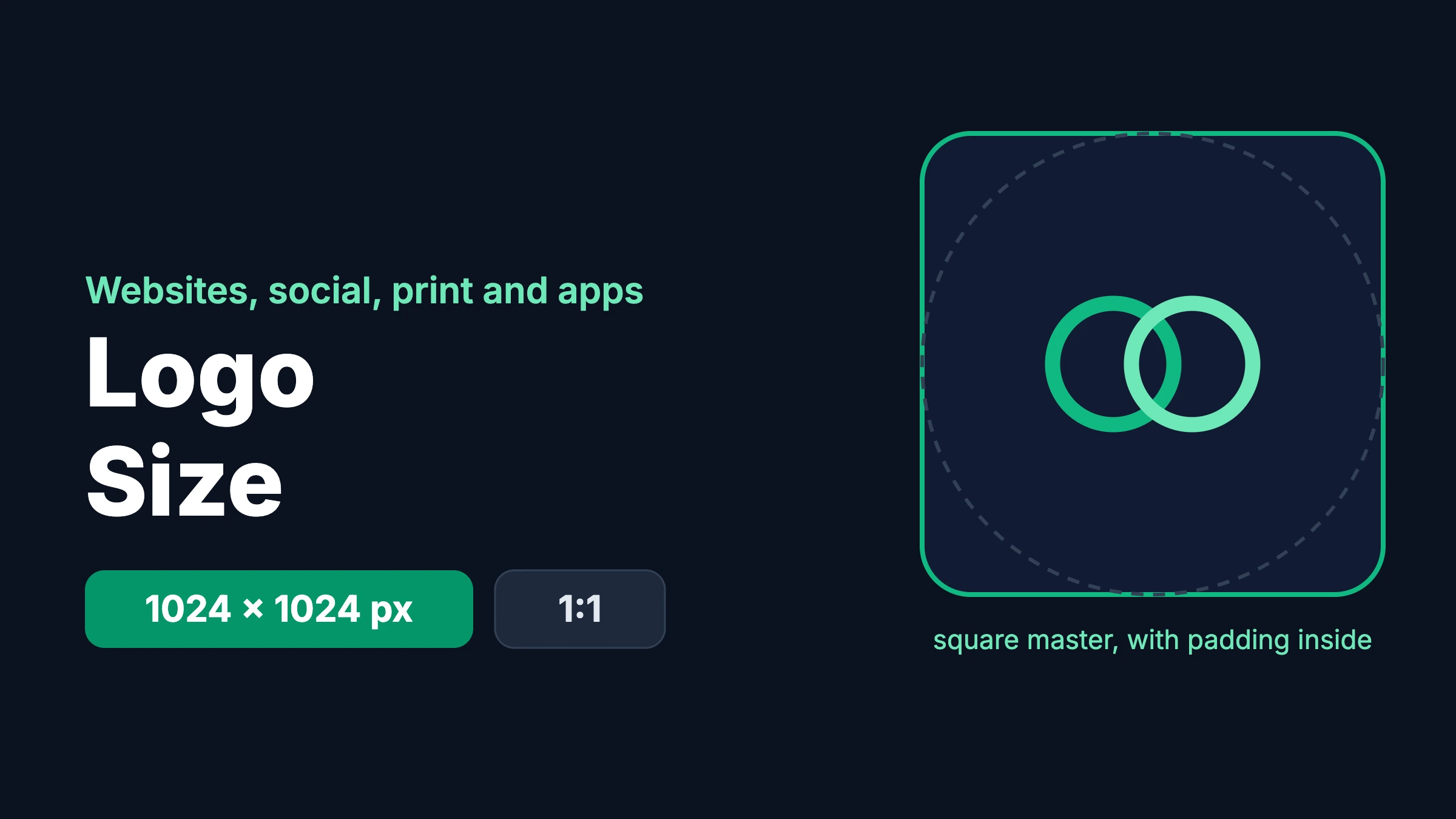
The safest logo size to design at is a 1024 x 1024 pixel square, plus a vector file you can scale to any size. That is our recommendation, not a platform rule. It sits above every official figure we found, from Google Play’s 512 x 512 pixel icon to X’s recommended 400 x 400 pixel profile photo.
Every platform sets its own number, and some set none at all. This guide lists the sizes, formats and file limits that Google, Apple and X publish, shows the pixel math for print, and says plainly where an official page gives no figure.
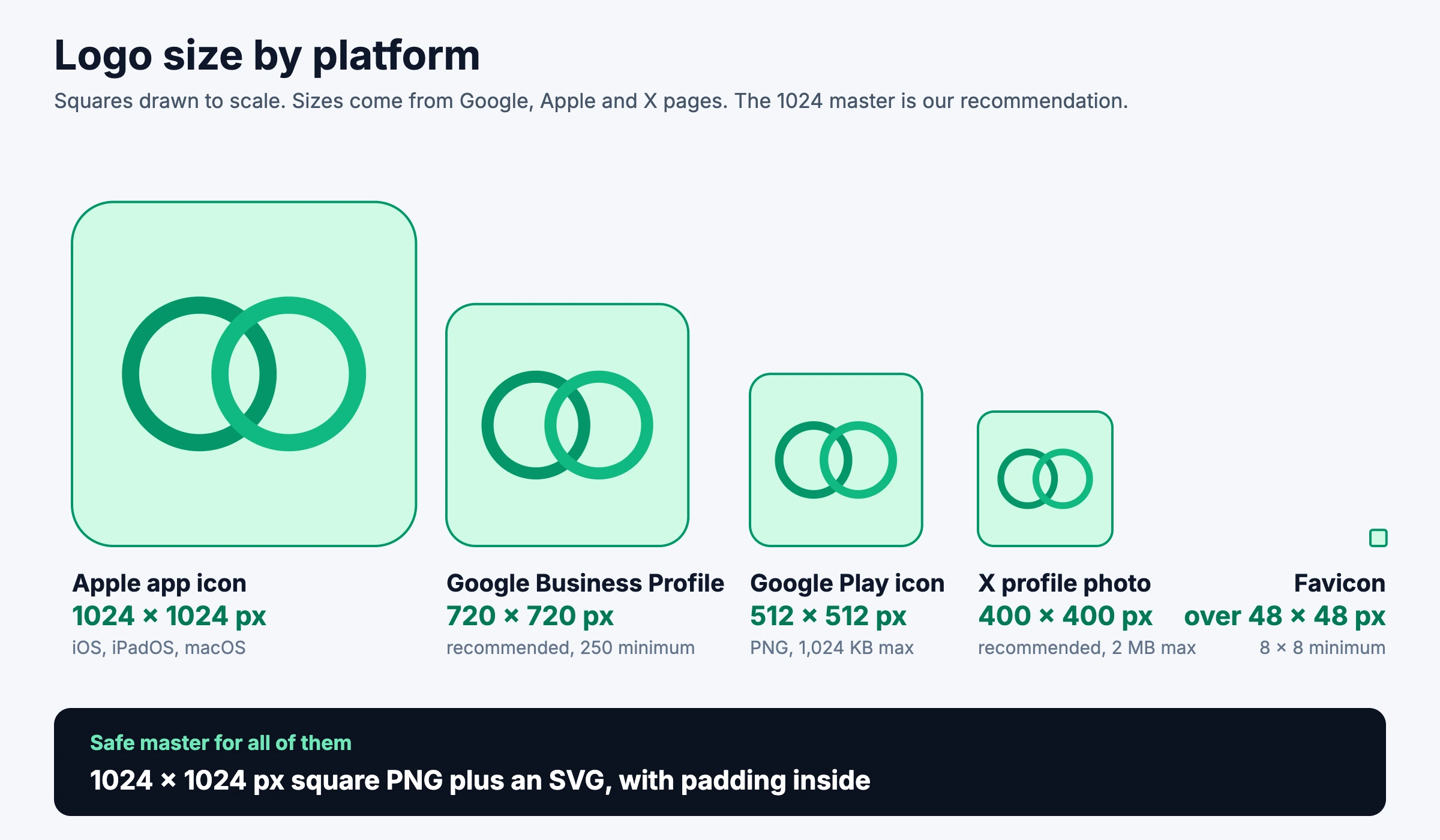
Logo Size by Platform
These figures come from each platform’s own help or developer page, which we read in November 2026. Limits change, so check the upload screen before you export a final file.
| Where the logo goes | Size | Shape | Formats | File limit |
|---|---|---|---|---|
| Google Search favicon | Larger than 48 x 48 px recommended; 8 x 8 px minimum | Square, 1:1 | BMP, GIF, ICO, PNG, JPEG, PPM, TIFF | Not stated |
| Google Business Profile logo | 720 x 720 px recommended; 250 x 250 px minimum | Not stated | JPG or PNG | 10 KB to 5 MB |
| Google Play app icon | 512 x 512 px | Full square, no shadow | 32-bit PNG with alpha | 1,024 KB maximum |
| Apple app icon (iOS, iPadOS, macOS) | 1024 x 1024 px | Square; the system rounds the corners | PNG accepted | Not stated |
| X profile photo | 400 x 400 px recommended | Not stated | JPEG, GIF or PNG | 2 MB maximum |
| YouTube channel picture | Not stated | Not stated | Not stated | Not stated |
For YouTube, the help pages we read cover thumbnails and channel details but give no channel picture size. LinkedIn’s image specification page could not be loaded for our check, and we found no Facebook figure on an official page we could read. We left those out instead of copying numbers from third-party sites. For platform profile and banner sizes, see our guides to Instagram profile pictures, LinkedIn banners, Twitch banners, Discord banners and Etsy banners.
App Icon Rules From Google and Apple
App stores have the strictest rules, so they are worth reading first. Google Play asks for a 512 x 512 pixel, 32-bit PNG in the sRGB color space, up to 1,024 KB. The icon must be a full square with no shadow, because Google Play applies the rounded corners itself, with a radius of 30% of the icon size. The Play Console page also says the icon must not carry badges or text that suggest ranking, price or Play categories.
Apple lists its app icon sizes by platform, and the guidelines say the system applies the rounded corners. Pre-masked layers, Apple says, hurt the specular highlight effects. The page does not give the App Store icon as a separate figure, and it states no file size limit.
| Apple platform | Layout size |
|---|---|
| iOS, iPadOS and macOS | 1024 x 1024 px |
| visionOS | 1024 x 1024 px |
| watchOS | 1088 x 1088 px |
| tvOS | 800 x 480 px |
Apple accepts non-layered bitmap images such as PNG, and it lists sRGB, Gray Gamma 2.2 and Display P3 as color spaces. Display P3 applies to iOS, iPadOS, macOS, tvOS and watchOS only.
Favicon and Website Logo Size
Google Search needs a square favicon of at least 8 x 8 pixels and recommends one larger than 48 x 48. It accepts BMP, GIF, ICO, PNG, JPEG, PPM and TIFF files. Google also says it replaces inappropriate favicons with a default icon.
Google gives no number for the logo in your site header, because that is a design choice. These sizes are our suggestions, not official figures.
| Item | Suggested size | Why |
|---|---|---|
| Header logo, size on screen | 120 to 250 px wide | Readable on a phone without crowding the menu |
| Header logo, file size | Twice the size on screen | Stays sharp on high density screens |
| Favicon source file | 512 x 512 px square PNG | Far above the 48 px Google recommends, and it scales down well |
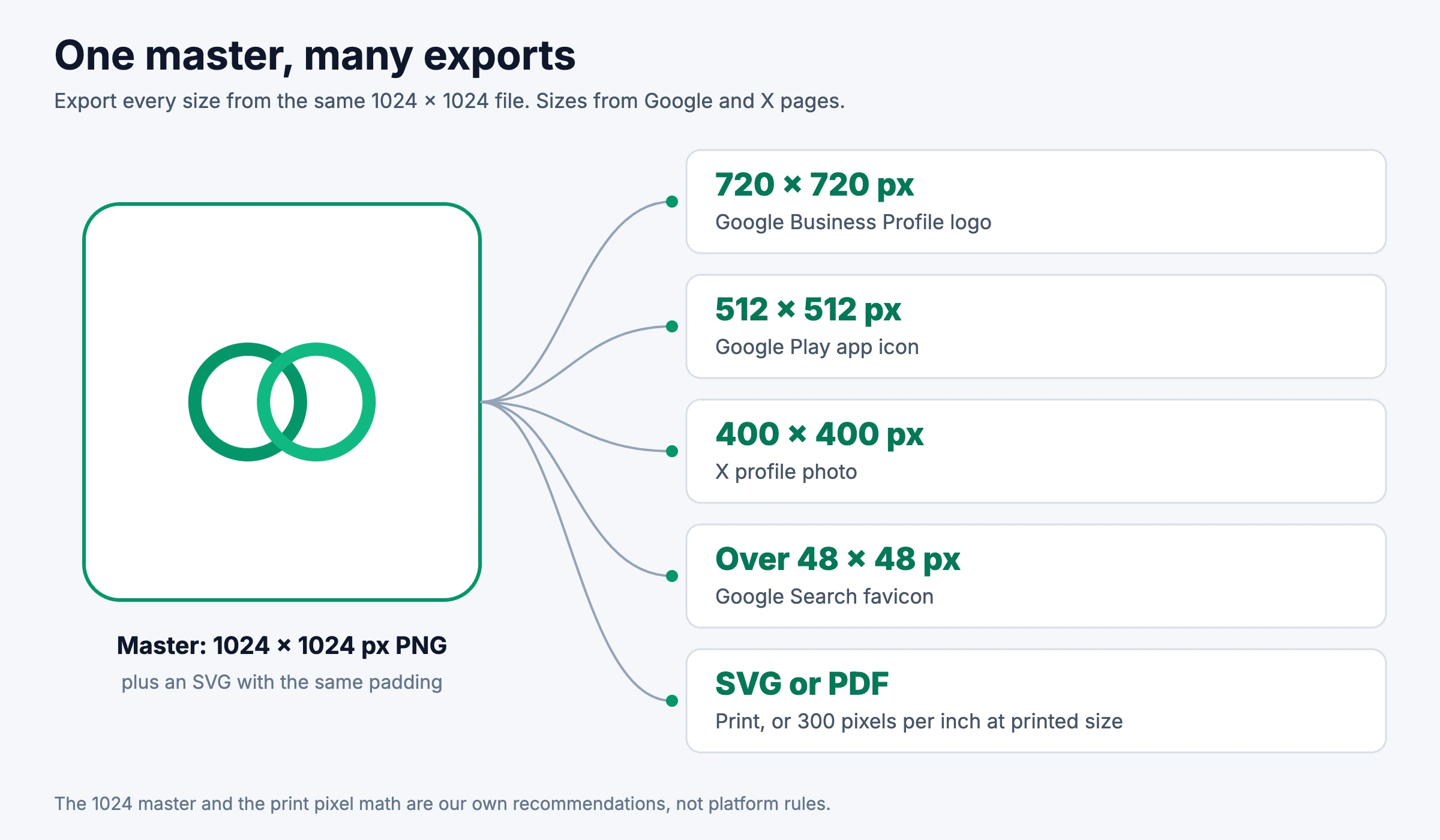
| Master file | 1024 x 1024 px PNG plus an SVG | One source for every export below |
Logo Size for Print
Print needs either a vector file or enough pixels. A vector file (SVG, PDF or EPS) scales to any size with no loss. For a raster file, our rule is 300 pixels per inch at the printed size. That matches the 300 DPI that the printer guides we read for our album cover and greeting card posts both ask for.
Multiply the printed width in inches by 300 to find the pixels you need. A logo printed 2 inches wide needs 600 pixels across. Our guides to business card size, flyer size and poster size give the page sizes your logo will sit on.
| Printed logo width | Pixels needed at 300 DPI |
|---|---|
| 1 inch | 300 px |
| 2 inches | 600 px |
| 3 inches | 900 px |
| 4 inches | 1,200 px |
| 6 inches | 1,800 px |
| 10 inches | 3,000 px |
This table is our own arithmetic, not a printer’s rule. If your printer asks for a different resolution, follow the printer.
Logo File Formats: When to Use Each
| Format | Best for | Notes |
|---|---|---|
| SVG | Websites and anything that scales | Vector, so it stays sharp at every size |
| PNG | App icons, profile photos, logos with a see-through background | Accepted by Google Play, Apple and X |
| JPG | Photo style uploads | Accepted by Google Business Profile; no see-through background |
| ICO | Favicons | One of the formats Google Search accepts |
| PDF or EPS | Vector print files; ask your printer which it prefers |
How to Prepare a Logo for Every Platform
- Start with the vector version of your logo, or the largest file you have. Do not enlarge a small image.
- Create a square canvas at 1024 x 1024 pixels and place the logo in the center.
- Leave padding around the logo. Platforms round corners or crop to a circle, so keep the key shapes in the middle of the square.
- Export a PNG at 1024 x 1024 pixels as your master, and keep the SVG beside it.
- Export smaller copies from the master: 720 x 720 for Google Business Profile, 512 x 512 for Google Play, 400 x 400 for X, and a square favicon larger than 48 x 48.
- Check every copy at its smallest size on a phone before you upload it.
If you work in Canva, our guide to resizing an image in Canva covers changing the canvas size, and our Canva background remover guide helps when a logo needs a see-through background. For the colors and fonts around your logo, see our brand kit examples.
Common Logo Size Mistakes
- Enlarging a small logo to reach a bigger size. It looks soft, and the pixels cannot come back.
- Adding your own rounded corners or shadow to an app icon. Google Play and Apple apply the corners themselves.
- Placing the logo too close to the edge, where a circular crop will cut it off.
- Using a JPG when you need a see-through background.
- Sending a web logo to a printer at 72 pixels per inch instead of a vector file or 300 pixels per inch.
FAQ
We recommend a 1024 x 1024 pixel square master plus a vector file such as SVG. That is our suggestion, not an official rule. It is larger than every platform size we found, so you can scale it down without losing sharpness.
Google Business Profile recommends 720 x 720 pixels and sets a minimum of 250 x 250 pixels. Files must be JPG or PNG, between 10 KB and 5 MB.
Google Search needs a square favicon of at least 8 x 8 pixels and recommends one larger than 48 x 48. It accepts BMP, GIF, ICO, PNG, JPEG, PPM and TIFF files. Google states no file size limit.
A Google Play app icon is 512 x 512 pixels, saved as a 32-bit PNG of up to 1,024 KB. It must be a full square with no shadow, because Google Play adds the rounded corners.
Apple lists 1024 x 1024 pixels for iOS, iPadOS, macOS and visionOS, 1088 x 1088 for watchOS and 800 x 480 for tvOS. The system applies the rounded corners, so submit square artwork.
X recommends 400 x 400 pixels. It accepts JPEG, GIF and PNG files up to 2 MB.
Use a vector file where you can. For a raster file, multiply the printed width in inches by 300. A logo printed 2 inches wide needs 600 pixels across. This is our arithmetic, so follow your printer’s rules if they differ.
The official pages we could read did not state a size for a YouTube channel picture, and we could not load or confirm figures for LinkedIn and Facebook. Check the upload screen on each platform, or start from a 1024 x 1024 pixel square, which is larger than any common profile size.