Categories
Marketing

10 Creative Campaign Poster Ideas You Can Use Today | Unique Ones

Campaign posters are like giant shout-outs that help share big ideas.

Whether it’s for a student council race at school, a political campaign, or raising awareness about a cause, these posters grab attention fast.

Think of them as eye-catching signs that mix cool graphics, bold colors, and catchy slogans to make people stop and listen.

Good posters don’t just look nice—they stick in your mind.

For example, a school election poster might use bright colors and fun animations to get votes, while a social media campaign poster could turn into a Facebook cover photo or Instagram story to reach more people.

Today, posters aren’t just on walls—they’re everywhere online! You can use the same design for printed flyers, Twitter banners, or even WhatsApp stickers to stay consistent. Tools like Canva Creative Studio and modern ai design tools for graphic designers offer free poster templates, smart layouts, and quick editing features to make designing easy, even if you’re new. The key? Keep it simple, clear, and full of energy to make your message unforgettable!

Let’s dive deeper into why campaign posters are essential for any campaign.

Why Campaign Posters Matter?

Why Campaign Posters Matter?

Campaign posters are not just pictures or signs.

They help change the way people think and help spread your message during the campaign season. Good posters will catch the eye, build trust, and help you get the results you want.

For any election campaign poster, it is important to show that you are serious, excited, and can be trusted.

A strong poster design will make more people see you on social media and at all the places where your posters are put up.

This helps ensure that every voter and guest can receive your message. Now, let’s talk about the strength of using pictures and images to share your ideas.

The Power of Visual Communication

Research shows that people remember visual information much better than words alone.

Studies indicate that people only remember 10% of what they hear and 20% of what they read, but about 80% of what they see and do. This makes campaign posters incredibly valuable tools for any campaign season.

Visual communication works because our brains process images much faster than text.

When someone walks past your poster, you have just seconds to grab their attention and share your message.

A well-designed poster can do this job perfectly, whether it’s hanging on a wall or shared as social media graphics on Instagram or Facebook.

Campaign posters also break down language barriers, making them perfect for reaching diverse communities. The right combination of images, colors, and simple text can speak to people from different backgrounds, helping your campaign reach more voters or supporters.

Influencing Public Perception

Campaign posters shape how people think about candidates, causes, and ideas.

They create first impressions that can last throughout an entire campaign.

When people see your poster on social media or as a Facebook cover photo, they quickly form opinions about what you stand for.

A strong Instagram marketing strategy can ensure your campaign visuals reach the right audience and make a lasting impact.

The best campaign posters don’t just share information – they make people feel something. They can create excitement, build trust, or inspire action.

Whether you’re running for student council or leading a political campaign, your poster needs to connect with people’s emotions to be truly effective.

Elements of an Effective Campaign Poster

Elements of an Effective Campaign Poster

Making a good campaign poster begins when you pay attention to a few key points, like eye-catching design, strong slogans, and smart use of color and fonts. Each part is important. They help you grab people’s attention and make them feel something about what you show.

Using templates for poster ideas can help, too.

They give you ready-made designs, so you can spend more time changing the poster to fit your needs. When the right parts are in their place, your message is easy to see and remember.

Let’s look at each part, starting with how to make a design that pops out.

Eye-Catching Design

Great campaign posters need designs that grab attention.

They should stand out from the many banners and graphics we see every day. Use strong visuals like bright images and clear layouts. Using the right graphic design tools for beginners can help you create professional-looking posters with less effort, even if you have no prior design experience.

Sourcing high-quality images is key; poor quality can hurt your trustworthiness. When using stock imagery, it’s vital to know if you can you use stock photos without permission.

Fortunately, many platforms offer professional images, and you can often find a Shutterstock coupon or a Getty Images coupon to get started.

For photographers looking to contribute, learning how to sell photos to stock websites can be a great opportunity. Organize your content using a grid system to guide viewers through your message in a clear way.

Compelling Slogans

Your poster’s words should be short and clear. They should also be easy to remember. Try to keep your text under 800 words.

Important information should be even shorter. Your main slogan must be easy to read. It should stick in the mind within seconds.

Good slogans work well on many platforms. This includes printed posters and social media graphics.

Think about how your message will look as stickers, banners, or animations. You can share them on sites like Twitter and Pinterest.

Use of Colors and Fonts

Colors are very important in how people feel about your campaign poster. Different colors make people feel different things.

For example, red can show strength and passion. Blue can suggest trust and stability. Green might mean growth or care for the environment. Choose colors that fit your campaign’s style and goals.

Font choices are also very important. Use clear and bold fonts that are easy to read from a distance. Limit your fonts to 2 or 3 to keep the look neat and professional. Your text should have a clear order, with the key information being the biggest and easiest to see.

Inspiring Campaign Poster Ideas

Ready to unlock creativity? Campaign posters are a great way to get your message out there. These work well for a student council, political campaign, social cause, or fundraising event.

With the right poster ideas, you can pick something that matches your campaign goals and also helps you stand out.

You can use these posters for many things, whether for a school event or a larger political campaign. The right tools, like Canva or built-in templates, make it easy to turn your ideas into campaign posters. Reading a Canva AI review can help you evaluate whether Canva’s AI design tools are the right choice for creating eye-catching campaign materials.

Use these to get people’s attention online and offline. Let’s see some different poster categories, starting with political campaign posters.

Political Campaign Posters

Political campaign posters play a big role in elections and how people think. The famous 2008 “Hope” poster for Barack Obama shows the power of good design.

It uses basic colors and strong letters to make a striking image.

Nowadays, campaigns use the same poster styles on sites like Facebook, Instagram, and Twitter. They also put these designs on stickers, banners, and flyers. This helps with clear communication across all platforms.

School Election Posters

Student council elections are great chances for students to practice making campaign signs.

Bright posters with fun images and catchy phrases draw people’s attention. This works well in print and on social sites like Instagram and Facebook.

The best posters connect with what students like. They often use pop culture, jokes, or important topics.

These designs can be used as models for later campaigns. They inspire new student leaders for the future.

Social Awareness Campaigns

Social awareness campaigns use posters to teach and inspire action on key issues. These campaigns work on many platforms.

They include printed papers and social media images. This can be Facebook covers and WhatsApp stickers.

Good campaigns make easy-to-share poster designs for Instagram, Facebook, Twitter, and Pinterest.

This helps spread their message beyond just regular posters.

Fundraising and Charity Posters

Fundraising campaigns need inspiring posters. These posters help encourage donations and involvement. Good posters mix strong images with clear messages. They tell stories that people can relate to.

If your campaign involves selling merchandise online to raise funds, having an effective e-commerce design for your shop is just as important as your poster.

These stories are easy to share on social media. Posters must work in different formats. They can be large event banners or small stickers.

They also include graphics for Facebook, Instagram, and Twitter. They must stay clear and impactful in any size.

10 Creative Campaign Poster Ideas You Can Use Today

Creative Campaign Poster Ideas

Bold Typography Poster

Typography posters use words as the main part of the design. They have large and bold fonts.

This makes strong statements that people notice. These posters are great for social media posts. The text is clear, even on small screens.

Bold typography works well for branding on sites like Instagram and Facebook. You can change the same design for different uses.

This includes Facebook cover photos, stickers, and banners.

Minimalist Design Poster

Minimalist posters use simple designs and have lots of white space. This creates a strong impact.

These clean designs work well for printed items and social media graphics. The simple style helps your message stand out on crowded feeds.

This is true for Instagram, Facebook, and Twitter.

Minimalist designs also work well for different campaign items. You can use the same basic design for flyers, banners, stickers, and social media posts. This keeps a consistent and professional look.

Photo Collage Poster

Photo collage posters blend many pictures to tell a story or show your campaign.

These posters are great for social media sites like Instagram and Facebook.

On these platforms, images tell important stories. They can also be used as cover photos on Facebook or background images for other accounts. Collage designs help show the variety and range of your campaign.

Whether you are running for student council or a political role, photo collages can feature different groups and events. They also showcase supporters you have connected with along the way.

Infographic Poster

Infographic posters mix data with pictures. They help show tough ideas in simple ways.

These posters are great for school projects and social causes.

They are also good for sharing on social media sites like Facebook, Instagram, and Pinterest.

Infographic designs let you share facts and numbers that back your cause.

They work well as posters on their own or as posts for Facebook, Twitter, and Instagram stories.

Hand-Drawn/Illustrated Poster

Hand-drawn posters bring charm and realness to your campaign. These designs catch the eye amid the digital art on social media.

If you have a knack for creating unique illustrations, you might even consider exploring various places to sell art online to monetize your skills.

Illustrated posters can show local culture and community beliefs. This makes them very good for campaigns in schools or local elections.

They also fit well in many sizes, from big banners to small stickers.

Pop Culture Reference Poster

Posters that show popular movies, TV shows, or internet memes can reach specific groups.

This is especially true for younger voters in student council elections. These designs often do well on social media sites like Instagram, Twitter, and Facebook. People love to share content that matches their likes. Pop culture references should be up-to-date and fit your audience.

What works for a high school campaign may not be right for a serious political race or charity event.

Interactive QR Code Poster

QR code posters connect physical and online campaigning. People can scan the code using their phones. This lets them visit websites, watch videos, or link to your social media on Instagram, Facebook, or Twitter.

These posters are good as printed materials and digital images.

QR codes can lead to special content. This includes campaign videos, donation pages, or social media profiles.

They are very helpful for campaigns that want more visitors on their Facebook pages, Instagram accounts, or campaign websites.

Retro/Vintage Style Poster

Vintage-style posters use design from older times. They create warm feelings and stand out from new graphics. These designs are great for print materials. They also look good on social media, like Instagram and Pinterest. Vintage looks are trendy on these platforms.

Retro designs make your campaign feel both classic and new.

They work best with modern things, like QR codes. You can also add social media handles for Facebook, Instagram, and Twitter to them.

Powerful Portrait Poster

Portrait posters focus on a person in your campaign.

The well-known “We Can Do It!” poster with Rosie the Riveter shows how strong portrait designs can be.

These posters build personal ties between candidates and voters. This is true for both school elections and big political campaigns.

Portrait posters fit many formats. They work well as large banners or social media photos on Facebook, Instagram, and Twitter.

They help voters link to the person in the campaign. This builds trust and makes them more recognizable.

Call-to-Action Poster

Call-to-action posters aim to get people to do something specific. This could be voting, donating, volunteering, or sharing online.

These posters use clear words and strong designs to inspire action. They work well in print and online on social media.

Effective call-to-action posters help people take the next step easily. They may have QR codes, social media links, or website addresses.

People can use these links easily from their phones.

Tips For Designing Your Own Campaign Poster

Tips For Designing Your Own Campaign Poster

Tools and Resources

Modern poster design is now much easier. This is thanks to online tools and templates.

Platforms like Canva have thousands of poster templates. You can change them for your campaign needs. Canva Creative Studio, along with other free graphic design tools for beginners, gives you high-quality designs and easy-to-use features for creating posters, banners, and social media graphics. These designs are great for print and social media graphics.

Canva Print services let you change your digital designs into real posters, banners, stickers, and flyers.

This helps keep your look the same online and in print, extending your brand consistency to other materials like detailing business cards.

It is important to choose templates that work well on many platforms.

Common Mistakes to Avoid

One of the biggest mistakes in poster design is filling the space with too much information. People need to get your message fast.

This is true when they walk by a printed poster or scroll through Facebook on their phone.

Keep your design simple. Focus on the most important points.

Another common mistake is using too many fonts or colors. Use only 2-3 fonts and a few colors to keep your design clean and easy to read.

This will also help when you change your design for things like stickers, banners, or social media posts.

Poor image quality can make your campaign seem unprofessional. Always use clear images, especially if you want to print large banners or posters.

Low-quality images look bad on social media platforms like Instagram and Facebook, too.

Real-World Examples of Successful Campaign Posters

Real-World Examples of Successful Campaign Posters

The Obama “Hope” poster from 2008 remains one of the most recognizable campaign designs ever created.

Its simple color scheme and bold typography made it perfect for both printed materials and digital sharing.

The design was easily adapted for stickers, banners, and social media graphics across platforms like Facebook and Twitter.

The “We Can Do It!” poster, often called Rosie the Riveter, shows how powerful portrait designs can be.

Created in 1942, this poster has been adapted countless times for modern campaigns. Its bold design and inspiring message continue to work well across different formats, from printed posters to social media content on Instagram and Pinterest.

These examples show that the best campaign posters have simple, memorable designs that work across many different formats and platforms. They create emotional connections with viewers and inspire action, whether in voting booths or social media shares.

FAQ’s:

How Can I Make My Campaign Poster Stand Out?

Create a clear visual order with bold text and bright colors. Use simple and catchy slogans.

Choose high-quality images that catch the eye right away. Ensure your design looks good in print and online. It should work well on sites like Facebook, Instagram, and Twitter. Keep a similar style in all your campaign items.

This includes banners, stickers, and Facebook cover photos. Consistency helps build trust and recognition for your brand.

What Common Mistakes Should I Avoid In Campaign Poster Design?

Keep your poster clear. Don’t fill it with too much text or too many designs. Use only 2 or 3 fonts.

Choose colors that contrast well for easy reading. Low-quality images can make your campaign seem unprofessional. Always use clear and sharp photos. Your design should also look good in different sizes.

This includes large banners and small graphics for social media, like Instagram and Facebook posts.

Are Digital Or Printed Campaign Posters More Effective In The US?

The best campaigns use both digital and print posters to connect with different people. Printed posters are great for busy places and local neighborhoods. They catch the eye of many passersby.

Digital images on social media like Facebook, Instagram, Twitter, and Pinterest can reach a much bigger crowd faster.

Digital designs are easy to share as stickers or in Facebook cover videos. They can also be changed for different social media sites.

The main point is to keep your printed items and digital images similar. This helps build strong brand awareness.

Conclusion

Great campaign posters mix smart design with clear messages. They are powerful tools for any campaign season.

Whether you are running for student council or leading a big political campaign, your posters must suit many formats.

The best posters start with simple and memorable designs. They work well as printed banners and on social media like Facebook, Instagram, Twitter, and Pinterest. Good posters use bold text, good images, and steady branding to build trust with voters.

Modern campaigns succeed by making poster designs that fit all their messages. This includes printed flyers, stickers, Facebook posts, Instagram stories, and WhatsApp graphics.

Tools like Canva Creative Studio help create great designs easily. They keep your look the same across all these formats. Remember that your poster is often the first thing people see about your campaign.

Whether seen as a Facebook cover photo or a printed banner, it must catch attention quickly. It should share your message and inspire support for your cause. With the right tools and ideas, your campaign posters can help you win both online and in person.

Categories
Marketing

10 Creative Auto Detailing Business Cards For Your Car Brand

When you run a car detailing business, your business card is like a tiny billboard. It shows customers your skills, care, and the quality of your auto detailing work. Think of it as a mini showroom for your car wash services.

A great card makes people remember you and want to call when their vehicle needs cleaning.

Your card should be simple but strong. Use a clear logo, your contact info, and maybe a photo of a shiny car you’ve detailed. Pick colors and fonts that match your brand. Whether you’re mobile or have a shop, a well-designed business card helps you stand out in a busy market.

Make it easy to read, easy to keep, and impossible to forget!

Why Business Cards Matter in the Detailing Industry?

Why Business Cards Matter in the Detailing Industry?

Business cards remain one of the most effective marketing tools for detailing businesses. Studies show that sales increase by 2.5% for every 2,000 business cards distributed. This direct marketing approach creates personal connections that digital advertising often cannot match.

Your car detailing business card creates credibility and trust with potential customers.

When someone receives a high-quality, professional card, they immediately get a sense of the quality they can expect from your services.

This physical representation of your brand helps build confidence before customers even see your work.

The auto detailing industry relies heavily on word-of-mouth referrals and repeat customers. A memorable business card makes it easy for satisfied clients to share your information with friends and family.

Unlike digital contacts that can get lost in phone lists, physical cards often stay in wallets and on desks, where they get noticed regularly.

Key Elements of Effective Detailing Business Cards

Key Elements of Effective Detailing Business Cards

Essential Contact Information

Your detailing business card must include your name, phone number, and email address, as these are the primary ways customers will reach you. For mobile detailing services, a direct phone line is especially important since customers need quick access to schedule appointments.

Include your business address if you have a physical location, as this helps with local SEO and foot traffic.

However, if you operate a mobile car wash service, you might skip the address to save space for other important information. Your website URL should be included, but you can drop the “http://” to save space.

Social media handles can be valuable additions, especially Instagram or Facebook accounts, where you showcase before-and-after photos of your detailing work. These platforms allow potential customers to see your portfolio and read reviews from other clients. A strong Instagram marketing strategy is essential, as it ensures the social media profiles listed on your card effectively convert viewers into customers.

Logo and Branding

Your logo serves as the visual foundation of your brand identity. It should be displayed prominently on your business card using high-quality images at 300dpi to ensure crisp printing. The logo needs enough white space around it to avoid looking cramped.

Your company name should be the largest text element on the card. Make sure to spell out the full business name rather than using abbreviations, so customers immediately understand what services you offer.

For example, use “Elite Auto Detailing Services” instead of just “Elite Auto“.

Consistent branding across your business card and other marketing materials builds recognition and trust. Use the same fonts, colors, and design elements that appear on your website and social media accounts.

For businesses looking to sell branded merchandise or detailing products, your branding should also extend to your ecommerce design to create a seamless customer experience.

Service Highlights

Include a brief list of your core services such as “Interior Cleaning,” “Exterior Polishing,” “Waxing,” or “Paint Protection“. This gives potential customers a quick understanding of what you offer without making them guess.

A compelling tagline can make your card memorable and reinforce your brand message. Examples might include “Making Your Car Shine” or “Professional Auto Care You Can Trust.” Keep it short and focused on the benefits you provide to customers.

Consider adding a value proposition that sets you apart from competitors. Whether you offer the fastest service, use eco-friendly products, or provide mobile convenience, highlight what makes your detailing business special.

Types of Detailing Business Card Designs

Types of Detailing Business Card Designs

Professional Auto Detailing Templates

Professional templates work well for established car detailing businesses that want to project reliability and expertise.

These designs typically use clean layouts with plenty of white space, making the information easy to read. Standard business card sizes of 3.5 by 2 inches work best for professional templates.

Choose colors that reflect the automotive industry, such as deep blues, blacks, or metallics that suggest quality and precision.

Professional templates often feature subtle automotive elements like tire treads or gear icons without being too flashy.

Typography should be clean and readable, with sans-serif fonts like Helvetica or Open Sans working well for modern, professional looks. Avoid decorative fonts that might be hard to read or seem unprofessional.

Luxury Detailing Business Card Designs

Luxury detailing services require cards that match the premium nature of the business. These designs often use high-end materials like thick cardstock, metallic finishes, or even metal business cards to create an immediate impression of quality.

Color schemes for luxury cards tend toward elegant combinations like black and gold, silver and black, or deep burgundy with metallic accents. These colors suggest sophistication and premium service levels that luxury car owners expect.

Special finishes like embossing, foil stamping, or spot UV coating can make luxury cards stand out. These techniques create tactile experiences that reinforce the attention to detail that luxury detailing services provide.

Mobile Detailing Service Cards

Mobile detailing businesses need cards that emphasize convenience and accessibility. These designs often include elements that suggest movement or mobility, such as road graphics or directional arrows.

Include clear messaging about your mobile services, such as “We Come To You” or “On-Site Auto Detailing“.

This immediately communicates the main benefit of choosing your mobile car wash service over traditional shop-based competitors.

QR codes work particularly well on mobile detailing cards, allowing customers to quickly access your booking system or service area map.

This technology integration shows that your business stays current with customer preferences.

Advanced Marketing Features For Business Cards

Advanced Marketing Features For Business Cards

QR Codes and Digital Integration

QR codes have become essential tools for modern business cards, allowing customers to access websites, booking systems, or digital portfolios instantly. For detailing businesses, QR codes can link to photo galleries showing your best work or online scheduling systems.

Digital business cards offer unlimited sharing capabilities and real-time analytics. You can track how often your card gets accessed and which links receive the most clicks, helping you understand what information customers find most valuable.

Integration with digital wallets like Google Wallet and Apple Wallet makes it easy for customers to store your contact information.

This ensures your details stay accessible on their phones rather than getting lost in a pile of paper cards.

Promotional Offers and Call-to-Action

Including special offers on your business cards can motivate immediate action. Examples might include “First-Time Customer 20% Off” or “Free Interior Vacuum with Full Detail.” These incentives give people a reason to contact you soon after receiving your card.

Clear call-to-action statements guide customers toward the next step. Instead of just listing your phone number, try “Call Today for Free Estimate” or “Text for Quick Quote.” This direct approach increases the likelihood that recipients will contact you.

Limited-time offers create urgency and can help you track which card distribution methods work best.

Use different offer codes for cards given out at car shows versus those left at local businesses to measure effectiveness.

Distributing Your Detailing Business Cards

Distributing Your Detailing Business Cards

Strategic Networking and Placement

Networking events, car shows, and automotive trade shows provide excellent opportunities to distribute your detailing business cards.

Rather than handing out cards randomly, engage in meaningful conversations first, then offer your card as a helpful resource for staying in touch.

Local business partnerships can expand your reach effectively.

Consider leaving cards at auto parts stores, gas stations, car dealerships, and tire shops where your target customers frequently visit.

Always ask permission and offer to display their cards in return.

To complement your business cards, you can find more promotional inspiration with these creative campaign poster ideas to further boost your brand visibility in these locations.

Community events and car meets bring together automotive enthusiasts who value quality detailing services.

These venues allow you to connect with potential customers who already understand the value of professional auto care.

Measuring Business Card Effectiveness

Track which distribution methods generate the most leads by using different phone numbers or offer codes on cards distributed in different locations. This data helps you focus your efforts on the most productive networking opportunities.

Digital business cards provide detailed analytics about how often they’re accessed and which information gets viewed most. This feedback helps you optimize your card design and content for better results.

Follow up with contacts made through business card exchanges within 24-48 hours while the conversation is still fresh in their memory.

Personalized follow-up messages that reference your conversation show professionalism and help build relationships.

Design Tips For Detailing Business Cards

Design Tips For Detailing Business Cards

Choosing the Right Colors and Fonts

Choosing colors is important for your brand. They should show your style but also look professional.

Car businesses often use blue, black, and silver. These colors suggest trust and quality. It’s best to avoid very bright colors that can seem unprofessional. The type of font you choose also matters. Fonts like Helvetica, Arial, or Open Sans are good picks.

They look clean and modern for car companies. Make sure the text is big enough to read easily.

This is especially true for contact details. Keeping the same colors on your cards and other ads helps people remember your brand.

Use the same color scheme on your site, car wraps, and uniforms. This will help create a strong and clear image.

Including Imagery and Icons

High-quality before-and-after photos can serve as strong mini-portfolios on your business cards.

Choose one strong image that shows the big results of your work. Make sure the photos are clear and well-taken.

Use car icons, water drops, or shine effects lightly to improve your design. This will keep a nice, professional look.

Stay away from clipart or low-quality images that may look cheap.

If you cannot use professional photos, go for clean designs. Focus on simple text and color instead of pictures.

If you take high-quality photos of your work, you might consider learning how to sell photos to stock websites as a secondary income stream. However, when using any images for your business, it’s important to understand if you can use stock photos without permission.

To find affordable, professional images for your designs, you can use resources like a Shutterstock coupon or a Getty Images coupon.

Material and Finish Options

Matte finishes give a smooth, non-shiny surface. They feel high-quality and look professional.

These cards are easy to write on. They fit well with simple designs. Matte finishes also cut down glare, making text easier to read.

On the other hand, gloss finishes are shiny and colorful. They make colors pop and photos stand out.

This is great for detailing businesses that want to show off their work. Special finishes like soft-touch give a fancy feel. Die-cutting can create unique shapes, too. You can use car shapes or tire shapes for your cards.

Examples of Creative Detailing Business Cards

Examples of Creative Detailing Business Cards

Creative detailing business cards help your auto detailing services stand out from standard rectangular designs.

Car-shaped die-cuts immediately communicate your industry focus while creating memorable impressions.

These unique shapes work especially well for mobile detailing services that want to emphasize their automotive specialization.

For detailers who also create custom automotive art, finding unique places to sell art online can be a great way to cross-promote your skills.

Interactive elements like scratch-and-sniff features can recreate the “new car smell” that customers associate with quality detailing work.

While unconventional, these sensory experiences create lasting memories that standard cards cannot match.

Fold-out cards that reveal before-and-after photos when opened provide mini-portfolios showcasing your best work.

This format gives you more space to display multiple service examples while maintaining standard card storage size.

Where to Print Your Detailing Business Cards?

Where to Print Your Detailing Business Cards?

Online printing services like VistaPrint and Canva offer convenient ordering with professional templates specifically designed for auto detailing businesses. These platforms provide design tools and quality printing options delivered directly to your location.

Local print shops can provide personalized service and allow you to feel paper samples before ordering. This hands-on approach helps ensure you get exactly the quality and finish you want for your detailing business cards.

Specialty printing companies that focus on business cards often offer unique materials and finishes not available through general printers.

Metal business cards, for example, create premium impressions that match high-end detailing services.

10 Creative Detailing Business Cards For Your Brand

Creative Detailing Business Cards For Your Brand

Glossy Finish With Car Silhouette

This business card uses shiny, reflective paper to mimic the polished look of a freshly detailed car.

A simple car outline (silhouette) is printed on it, instantly showing your auto detailing focus. The glossy finish makes colors pop, like the deep shine of waxed paint, and feels smooth to touch. It’s printed on thick, waterproof material, so it won’t tear easily in pockets or wallets.

Perfect for car wash brands that want to highlight their attention to detail.

Before-and-After Flip Card

One side of this card has a dirty car. When you flip it, the same car looks clean and shiny. This design acts like a small portfolio.

It shows your skills in a quick way. The flip feature makes it fun to use. This encourages customers to share it with friends. It is great for mobile detailing services. You can show quick changes with this card.

Use bold text like “We Make Cars Shine!” to highlight your results.

Microfiber Texture Card

The card has a soft feel, like a microfiber cloth. This cloth is used to clean cars without leaving marks.

The soft texture shows customers how much care you put into your work. It is printed on thick paper that feels strong and lasts a long time.

Make sure to add your logo and contact details in clear fonts.

This way, the texture will not take attention away from important info. These cards are great for brands that want to show their skillful work.

Pop-Out Loyalty Card

A small part of the card can be torn off. This piece can act as a loyalty stamp card.

Each time a customer gets their car cleaned, you punch a hole in it. After 5 to 10 visits, they get a free service.

This could be a car wash or an interior vacuum. This helps bring customers back and keeps your brand on their minds.

Make sure to print your brand on both parts of the card. Even the torn piece will help promote your detailing business.

Metallic Foil Accents

Parts of the card, like your logo or phone number, are printed with shiny foil. This foil can be gold, silver, or copper. It makes the card look costly and high-quality. This matches the great service you provide.

The foil reflects light and catches the eye when someone holds it. Use this style for luxury auto detailing brands.

It will help attract owners of fancy cars. Pair it with dark colors like black or navy. This creates a sleek and nice look.

Die-Cut Car Shape

Instead of a plain rectangle, this card is made in the shape of a car, tire, or steering wheel.

The fun shape shows people you work with cars, even before they read what it says. It’s printed on strong cardstock to keep its form in wallets.

Make sure to add your mobile detailing phone number in big text so it’s easy to find.

This design is great for standing out at car shows or parking lots.

QR Code For Instant Booking

A small QR code is on the card. It looks like a square barcode.

When people scan it with their phone, they go to your booking page or website. This helps them book a car wash or detailing service in seconds. They do not have to type anything. You can track how many scans you receive.

This shows if your cards are effective. These cards are great for tech-savvy customers who like fast, digital options.

Scratch-and-Sniff Feature

A small part of the card has a scratchable layer. This layer smells like “new car scent” or fresh leather.

When scratched, it lets out the smell. This links the scent to your auto detailing work.

This fun idea makes your card stand out and helps start talks. It is great for brands that want to reach families or those who enjoy unique things.

Keep the rest of the design simple. This avoids making it too busy for people.

Minimalist Black & Chrome Design

This card has a plain black background. It features shiny silver text and logos. The simple look is modern and professional.

It will attract luxury car owners. Thick, smooth paper gives it a premium feel. Include only key details like your name and phone number.

Add “Expert Detailing Services” to keep it classy. This design is great for high-end auto detailing brands.

Photo Collage of Your Best Work

The card has small pictures of cars you have worked on. You can show shiny hoods, clean interiors, or shiny rims.

These photos prove your skills. They show results better than just words. Use bright and clear prints to make the photos pop.

Include a short line like “See What We Can Do For Your Car!” This invites people to take action. It is great for car wash businesses with a strong showcase of work.

Each design uses creativity to make your business card memorable. Pick one that matches your brand’s style and budget!

FAQ’s:

What Should I Include On My Detailing Business Card?

Include your business name. Also, add your phone number and email address. List the services you offer.

These may include interior cleaning or exterior polishing. You can also add paint protection services. Include your logo and website URL too. Don’t forget to add your social media handles.

This will help customers see your work. Think about adding a short tagline. A tagline could explain what makes you special.

For example, you might use “Mobile Auto Detailing” or “Luxury Car Care Specialists.”

How Important is Business Card Design For Car Detailing Brands in the US?

Business card design is extremely important for car detailing businesses because it reflects the quality and attention to detail that customers can expect from your services. Studies show that 39% of people choose not to do business with companies that have cheap-looking business cards. A professional, well-designed card builds credibility and trust, which are essential for service businesses in the automotive industry.

Can I Use Digital Business Cards For My Detailing Business?

Yes, digital business cards work excellently for detailing businesses and offer several advantages over traditional paper cards. Digital cards allow unlimited sharing, can include photo galleries of your work, and provide analytics about how often they’re accessed. They’re particularly useful for mobile detailing services since customers can save your information directly to their phones and easily share it with others.

What Printing Finishes Work Best For Auto Detailing Business Cards?

Matte finishes work well for professional, elegant appearances and are easy to write on for appointment notes. Gloss finishes make photos and colors more vibrant, which helps showcase the shiny results of your detailing work. For luxury detailing services, consider specialty finishes like foil stamping, embossing, or even metal cards to create premium impressions that match your high-end services.

Conclusion

Creating good detailing business cards needs careful thought on design and materials. You also need to plan how to share them. Your card shows the quality and skill customers can expect from your auto detailing work.

You create effective marketing tools by showcasing your brand, sharing what sets you apart, and including essential contact information. These tools are instrumental in generating leads and fostering connections with customers.

The car detailing field relies on personal ties and word-of-mouth tips. This makes business cards a smart part of your marketing plan. You can pick classic paper cards with nice finishes or modern digital ones with fun features.

Focus on designs that show your commitment to great work and attention to detail.

Keep in mind that your business card is often the first thing potential customers see about your business. Spend time on quality design and printing that aligns with the high standards of your car wash services. With the right steps, your business cards become strong tools that help increase your customer base and build your name in the busy car care market.

Categories
Canva Fonts

Can You Upload Fonts to Canva Without Hassle? (Step by Step Guide)

Do you want to make your Canva designs look special?

Adding your own fonts to Canva can help you create amazing designs that stand out from everyone else.

Canva is a simple graphic design tool that helps you make social media posts, marketing materials, and business cards easily.

It’s a versatile platform where you can perform many design tasks, from learning how to flip an image in Canva to creating professional layouts.

While Canva’s font library has many good fonts, using your custom fonts can make your designs even better. Font styles are very important because they help tell your brand story and make your designs look consistent.

Beyond just changing fonts, you can learn how to curve text in Canva or how to highlight text in Canva to add more flair. You can even explore advanced text formatting, like learning how to flip text in Canva or how to wrap text in Canva to get your messaging just right.

This tutorial will show you how to upload fonts to Canva in easy steps that anyone can follow. You’ll learn to use the brand kit feature to add your fonts from your desktop or mobile device.

With custom fonts, you can create designs that match your brand perfectly and make your marketing materials look professional.

You can even use these skills to create a lookbook in Canva that truly reflects your brand’s unique style.

Can You Upload Fonts to Canva?

Can You Upload Fonts to Canva?

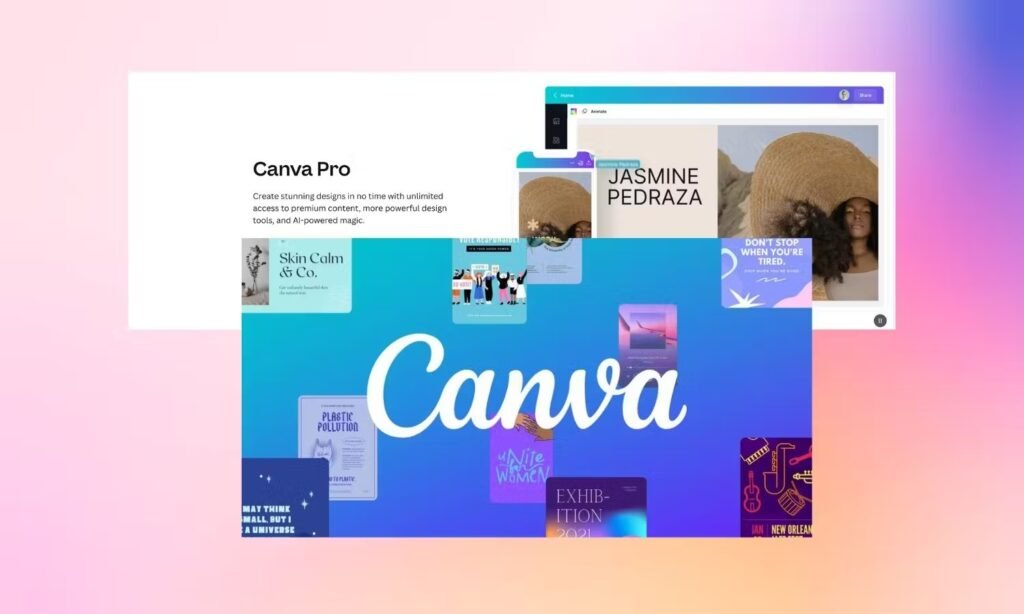
Yes, you can upload fonts to Canva! However, this feature is only available for Canva Pro users.

If you have the free version of Canva, you cannot upload your fonts. You can only use the fonts that come with Canva’s font library.

If you’re wondering about the upgrade, it’s helpful to understand how much Canva Pro costs and whether Canva Pro is worth it for your specific needs. For those who want to try before they buy, you can start a free trial to test this feature. In fact, there are ways to learn how to get Canva Pro for free, especially for eligible users. The trial gives you access to all the pro features, including the ability to upload custom fonts.

How to Upload Fonts to Canva?

How to Upload Fonts to Canva?

There are two main ways to upload fonts to Canva: using the desktop version or the mobile app. Let me show you both methods.

Uploading Fonts on Desktop

The desktop version of Canva makes it easy to upload fonts. Here’s how to do it:

  • Step 1: Access the Brand Kit – First, log into your Canva account using your web browser. Make sure you have a Canva Pro subscription. On the left side of your screen, you’ll see a menu. Click on “Brand” to open your brand kit.
  • Step 2: Select or Create a Brand Kit – If you have multiple brand kits, choose the one you want to add fonts to. If you don’t have a brand kit yet, Canva will help you create one.
  • Step 3: Navigate to the Fonts Section – In your brand kit, scroll down until you find the “Fonts” section. This is where you can manage all your brand fonts.
  • Step 4: Click “Upload a Font” – Look for the “Upload a font” button in the fonts section. Click on it to start the upload process.
  • Step 5: Choose and Confirm the Font File – A window will open where you can browse your computer for the font file. Select your font file (it should be in TTF, OTF, or WOFF format, or contained in a zip file) and click “Open”. Canva will ask you to confirm that you have the right to use this font. This is important because you need to make sure you have permission to use the font. Click “Yes, upload away!” to continue.
  • Step 6: Wait for the Upload to Complete – Canva will now upload your font. This usually takes just a few seconds. Once it’s done, you’ll see your font in the uploaded fonts list.

Uploading Fonts on Mobile

You can also upload fonts using the Canva mobile app. Here’s how:

  • Step 1: Open the Canva App – Open the Canva app on your phone or tablet. Make sure you’re logged in with your Canva Pro account.
  • Step 2: Go to the Brand Kit – In the mobile app, tap on the menu (three lines) at the top left of your screen. Then tap on “Brand” to access your brand kit.
  • Step 3: Select the Fonts Section – In your brand kit, scroll down to find the “Fonts” section. This is where you can manage your brand fonts.
  • Step 4: Tap “Upload a Font” – Look for the “Upload a font” option and tap on it. This will open your phone’s file browser.
  • Step 5: Select the Font File – Browse through your phone’s files to find the font you want to upload. Tap on the font file to select it.
  • Step 6: Confirm and Wait for Upload – Just like on desktop, Canva will ask you to confirm that you have the right to use this font. Tap “Yes” to confirm, and wait for the upload to complete.

Supported Font File Types

Canva supports three main font file types:

  • TTF (TrueType Font) – This is the most common font format
  • OTF (OpenType Font) – This format supports more advanced features
  • WOFF (Web Open Font Format) – This format is designed for web use

Make sure your font is in one of these formats before trying to upload it. If your font is in a different format, you’ll need to convert it first.

Most fonts you download from websites like Google Fonts or DaFont will be in TTF or OTF format, which work perfectly with Canva.

Do You Need Canva Pro to Upload Fonts?

Do You Need Canva Pro to Upload Fonts?

Yes, you absolutely need Canva Pro to upload fonts. This feature is not available in the free version of Canva.

However, Canva Pro is also available for:

  • Canva Pro – For individuals and small teams
  • Canva for Teams – For larger businesses
  • Canva for Education – For teachers and students
  • Canva for Nonprofits – For nonprofit organizations

If you’re a teacher or student, you might be able to get Canva for Education for free, which includes the ability to upload fonts.

Troubleshooting Font Upload Issues

Troubleshooting Font Upload Issues

Sometimes you might have problems uploading fonts to Canva. Here are the most common issues and how to fix them.

Common Reasons For Upload Failures

  • Wrong Font Format: Make sure your font is in TTF, OTF, or WOFF format. Canva doesn’t support other font formats.
  • Licensing Issues: The font must be licensed for embedding. If you’re not sure about the licensing, contact the font provider.
  • Corrupted Font File: Sometimes font files can get damaged during download. Try downloading the font again from a trusted source.
  • Slow Internet Connection: A slow internet connection can cause upload failures. Make sure you have a stable internet connection.
  • File Size Too Large: Very large font files might not upload properly. Try using a smaller font file.

How to Fix Upload Problems?

  • Check Your File Format: Make sure your font is in the right format (TTF, OTF, or WOFF).
  • Clear Your Browser Cache: Sometimes old data in your browser can cause problems. Clear your browser cache and try again.
  • Try A Different Browser: If the upload still doesn’t work, try using a different web browser.
  • Check Your Internet: Make sure you have a fast and stable internet connection.
  • Restart the Process: Sometimes just starting over can fix the problem. Try uploading the font again.

Once you’ve sorted out your fonts, you might want to explore other ways to refine your designs. Common text formatting questions include learning how to indent in Canva for cleaner paragraphs or figuring out if Canva has spell check to catch typos. For more visual adjustments, you might want to learn how to add shadow in Canva to make elements pop.

Licensing and Usage Considerations

Licensing and Usage Considerations

When you upload fonts to Canva, you need to make sure you have the right to use them. This is very important because fonts are protected by copyright laws.

  1. Free Fonts: You can use free fonts from websites like Google Fonts or Font Squirrel. These fonts usually come with licenses that allow you to use them for free.
  2. Paid Fonts: If you buy fonts from places like Creative Market, make sure you read the terms of use carefully. Some fonts might have limits on how you can use them.
  3. Commercial Use: If you’re using fonts for business purposes, make sure the font license allows commercial use. Some fonts are only free for personal use.

Always check the licensing terms before uploading any font to Canva. When in doubt, contact the font provider to ask about licensing.

This is also important for other assets you use in your designs, so it’s a good idea to understand if Canva images are copyright-free before using them in commercial projects.

FAQ’s:

Can I Upload Fonts to Canva With a Free Account?

No, you cannot upload fonts to Canva with a free account. You need Canva Pro, Canva for Teams, Canva for Education, or Canva for Nonprofits to upload custom fonts.

Does Canva Support All Font File Types?

No, Canva only supports TTF, OTF, and WOFF font formats. If your font is in a different format, you’ll need to convert it first.

Is Canva Pro Necessary to Add Custom Fonts?

Yes, Canva Pro is necessary to add custom fonts. However, you can also use Canva for Education or Canva for Nonprofits if you qualify for these programs.

What Should I Do If My Font File Isn’t Uploading?

If your font file isn’t uploading, check that it’s in the right format (TTF, OTF, or WOFF), make sure you have a good internet connection, and verify that the font is licensed for embedding. You can also try clearing your browser cache or using a different browser.

Can I Use Uploaded Fonts On Canva Mobile?

Yes, once you upload a font to your brand kit on the desktop version, you can use it on the mobile app too. The fonts sync across all your devices.

Can I Perform Other Advanced Edits in Canva?

Yes, Canva offers a wide range of editing tools beyond fonts.

You can learn how to slice in Canva for unique graphic effects, discover how to landscape in Canva to change your page orientation, or even how to put a timer in Canva for dynamic presentations.

Many designers also wonder if Canva QR codes expire when adding them to their marketing materials.

Conclusion

Uploading fonts to Canva is a great way to make your designs more unique and professional. It’s a key step, especially if you plan to share your work, for instance, by learning how to add a clickable link in Canva PDF downloads. While you need Canva Pro to upload fonts, the creative freedom it gives you is often worth it.

Whether you’re creating business cards, social media posts, or any other marketing materials, custom fonts combined with other professional techniques can help your designs stand out.

For example, mastering image editing, like knowing how to replace an image in Canvahow to cut out an image in Canva, or how to fade an image on Canva, can elevate your visuals. With these skills, you’ll create amazing designs that truly represent your brand.

Start your Canva Pro free trial today and begin uploading your favorite fonts. Your designs will look more professional and consistent, helping you create a stronger brand presence.

And if you’re looking to monetize your skills, you can even learn how to sell Canva templates on Etsy. The answer to ‘Can I sell Canva designs on Etsy‘ is yes, and it can be a great way to turn your creativity into a business.

Categories
Canva

How To Create A Lookbook In Canva? Step-By-Step Guide

Making a lookbook has never been easier when you have the right tools at your fingertips.

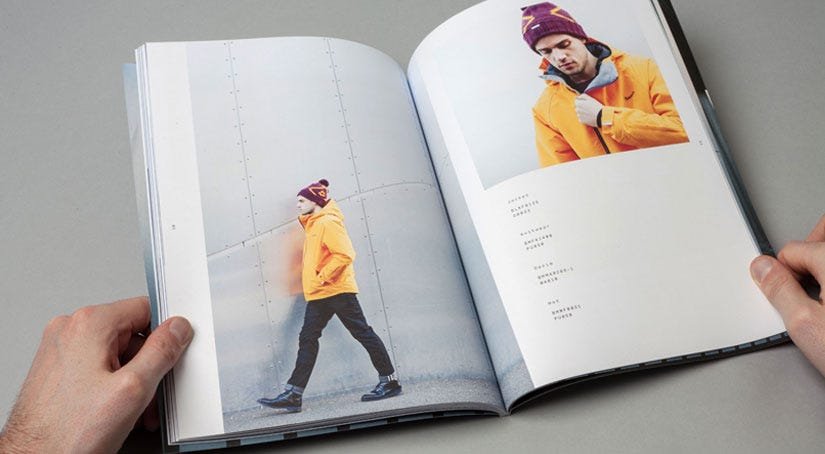
A lookbook is a special book with pictures that tells a story about your products or creative work. Think of it like a photo album, but one that helps people see your style and fall in love with what you create.

With Canva’s easy-to-use template options, you can make a beautiful lookbook that looks professional without needing years of design training. You can share your finished lookbook through email, save it as a PDF, or even post it on social media to reach more people.

Once you’ve created your designs, you might even consider learning how to sell Canva templates on Etsy to monetize your skills.

Your logo and brand colors will help make your lookbook special and unique to you.

Like a ray of sunshine breaking through clouds, a well-made lookbook can brighten someone’s day and inspire them to connect with your work.

The best part? All these amazing design tools are right at your fingertips, waiting to help you create something truly special.

What Is A Lookbook?

What Is A Lookbook?

Definition and Purpose

A Lookbook is a collection of photographs that showcases your products or style in a way that inspires and engages your audience.

Unlike regular catalogs, lookbooks tell a visual story and create an emotional connection with viewers.

They help people see how products work together and fit into their lives.

The main goal is to make your audience want what you’re showing them and feel excited about your brand.

Digital Vs Traditional Lookbooks

Traditional lookbooks were printed books that brands would send to buyers and customers.

Today, most lookbooks are digital, living on websites and social media.

Digital lookbooks have many advantages: they’re cheaper to make, easier to share through email, and can include interactive features like clickable links. You can also update them quickly when you have new products or ideas.

Benefits of Using Canva For Lookbooks

Canva is perfect for creating Lookbooks because it’s designed to be simple yet powerful. You don’t need to be a professional designer to create something that looks amazing.

The platform offers thousands of templates to get you started, a huge library of photos and graphics, and easy drag-and-drop tools.

For those wondering, “Is Canva Pro worth it,” the free version is often sufficient, but the Pro plan offers even more features.

Getting Started With Canva

Getting Started With Canva

Getting started with Canva is easy because it has a simple layout and many tools.

Setting Up Your Canva Account

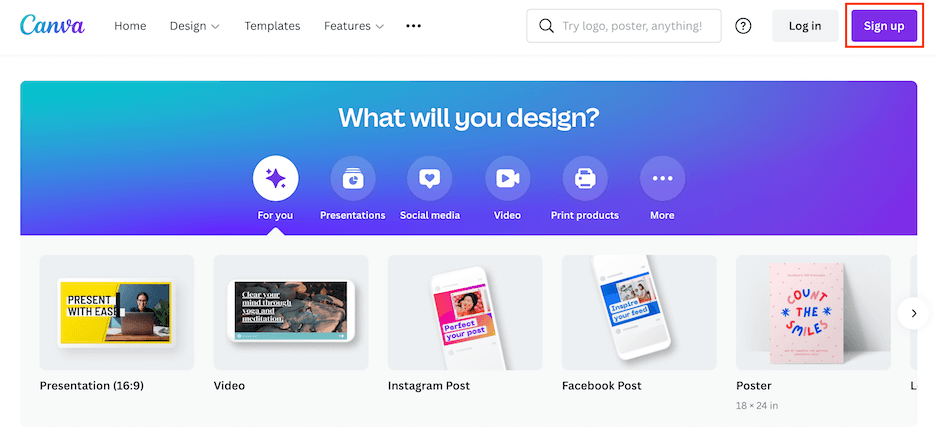
Creating your Canva account is quick and easy. Visit canva.com and sign up using your email, Google, or Facebook account. Choose the free plan to start – it has plenty of features for creating beautiful lookbooks.

If you’re curious about the premium version, you can research how much Canva Pro costs and even explore ways to get Canva Pro for free through special offers.

Choosing The Right Canvas Size

For lookbooks, the best sizes depend on how you’ll share them.

For digital lookbooks that people will view on computers, try 8.5 x 11 inches (US Letter size). If your lookbook will mainly be viewed on phones, consider 1080 x 1920 pixels for mobile-friendly viewing.

You also have the flexibility to change your orientation; learning how to landscape in Canva can be useful for different layouts.

Canva’s minimum size is 40 x 40 pixels, and maximum is 8000 x 3125 pixels, so you have lots of options.

Understanding Canva’s Interface

When you open Canva’s editor, you’ll see a clean workspace with tools on the left side.

The main workspace in the center is where you’ll create your design.

On the left, you’ll find templates, elements, photos, and text tools. Everything works with simple drag-and-drop actions – just click on what you want and move it around.

The top toolbar lets you save, share, and download your work.

Planning Your Lookbook Content

Planning Your Lookbook Content

Defining Your Target Audience

Before you start designing, think about who will see your lookbook. Are they young professionals, families, or creative types? Knowing your audience helps you choose the right colors, fonts, and style.

Consider their age, interests, and what matters to them. This knowledge will guide every design choice you make.

Conceptualizing Your Vision

Your lookbook should tell a story. Think about the feeling you want to create – is it fun and playful, elegant and sophisticated, or bold and edgy? This vision will help you choose images, colors, and layouts that work together.

Write down a few words that describe your brand’s personality to keep you focused.

Planning Content Structure

Organize your lookbook into clear sections.

Start with a strong cover page, then think about how to group your products or ideas. You might organize by season, color, or product type. Plan for 10-20 pages for a good digital lookbook.

Remember to include a table of contents if your lookbook is longer than 10 pages.

Gathering Images and Assets

High-quality images are the heart of any great lookbook.

If you’re photographing products yourself, use good lighting and keep backgrounds simple.

If you need stock photos, Canva has millions to choose from, but it’s important to understand if are Canva images copyright free for your specific use case.

Also gather your logo, brand colors, and any text you want to include. Having everything ready before you start makes the design process much smoother.

Design Fundamentals For Lookbooks

Design Fundamentals For Lookbooks

Layout Principles

Good layout design starts with balance.

Don’t try to fit too much on one page – white space is your friend. Use a grid system to keep things organized and aligned.

Make sure your most important information stands out by making it bigger or using contrasting colors.

Remember that people’s eyes naturally follow a Z-pattern when reading, so place key elements along this path.

Color Palette Selection

Choose 2-3 main colors and stick to them throughout your lookbook.

Your brand colors should be the foundation, with one or two supporting colors for accents.

Canva’s color wheel tool can help you find colors that work well together.

Consistent colors make your lookbook look professional and help strengthen your brand identity.

Typography Choices

Use no more than two different fonts in your lookbook.

Choose one for headlines and another for body text. A common question is, “can you upload fonts to Canva,” and the answer is yes, with a Pro account, which allows for greater brand consistency.

Make sure they’re easy to read on both computer and phone screens. Keep your text simple and clear – the photos should do most of the talking.

White Space and Visual Hierarchy

White space (empty areas around your content) is just as important as your images and text.

It gives the eye a place to rest and makes your content easier to understand. Use different sizes and colors to show what’s most important.

Your main headline should be the biggest thing on the page, followed by images, then smaller text.

How to Create A Lookbook in Canva?

How to Create A Lookbook in Canva?

To create a lookbook in Canva, follow these:

Starting With Templates Vs Custom Design

Canva has nice lookbook templates that save you time. You can search for “lookbook” in the template library. This will show you many options. These templates provide a good starting point. You can change them with your own images and words.

If you want to design from the start, pick “Custom Size.” Then, you can make your own layout. Templates are perfect for beginners. Custom designs let you have full control over your work.

Adding and Organizing Images

Upload your pictures using the “Uploads” tab on the left side of Canva.

After you upload them, drag and drop them onto your canvas. You can make images smaller or bigger by pulling the corner handles.

If you need to make a quick change, you can learn how to replace an image in Canva with just a few clicks. Try to keep your pictures similar in style and quality. This will help your lookbook seem more professional.

Using Grids and Frames

Canva has tools called grids and frames. These tools help you place many images on one page.

You can find them in the “Elements” section. Grids help you make tidy layouts with several photos. Frames add nice borders around your images.

These tools work great for showing different views of the same item. They are also good for making photo collages.

Including Text Elements

To add text, click the “Text” tab. You can choose from headings, subheadings, or body text.

The toolbar at the top allows you to change the font, size, and color.

For more advanced text styling, you can explore how to highlight text in Canva or how to indent in Canva to structure your descriptions.

Keep your text short and simple. Lookbooks are visual tools, so let your images share most of the story.

Essential Lookbook Elements

Essential Lookbook Elements
  1. Cover Design: Your cover page is the first thing people see, so make it count. Include your brand name, logo, and a striking image that represents your collection. Keep it clean and simple – too many elements can be overwhelming. The cover should give viewers a taste of what’s inside and make them want to see more.
  2. Table of Contents (If Applicable): For longer lookbooks, a table of contents helps readers find what they’re looking for. List your main sections with page numbers. Keep the design simple and match the style of the rest of your lookbook. This is especially helpful for lookbooks with multiple product categories or seasonal collections.
  3. Product Information and Style Numbers: Include basic product information without cluttering your pages. You might add style numbers, fabric details, or size information. Keep this text small and place it where it won’t distract from your images. Consider using a consistent format for all product information to maintain a professional look.
  4. Brand Identity Integration: Your lookbook should feel like it belongs to your brand. Use your brand colors, fonts, and logo consistently throughout. Include your website, social media handles, and contact information. This helps people remember your brand and makes it easy for them to find you later. Every page should feel connected to your overall brand story.

Advanced Canva Features For Lookbooks

Using Canva’s Elements Library

Canva’s Elements library has over a million graphics, icons, and design elements.

Search for specific items like “fashion,” “minimalist,” or “vintage” to find elements that match your style. You can change colors, resize elements, and layer them with your photos to add personality to your lookbook. For unique visual effects, you might want to learn how to add shadow in Canva.

Photo Editing and Enhancement

Canva’s photo editor helps you enhance your images easily.

You can change brightness, contrast, and saturation. You can also explore creative edits like learning how to flip an image in Canva for a mirrored effect or how to fade an image on Canva for a softer look.

The background remover tool is great for isolating products, and you can even get specific with techniques like understanding how to cut out an image in Canva or how to slice in Canva.

Creating Consistent Branding

You can use Canva’s Brand Kit feature. This helps you save your colors, fonts, and logo. It makes it easy to access them later.

This way, all pages of your lookbook will be the same. They will look professional too. You can also create brand templates for future projects. Reusing these templates helps keep things consistent.

Having a steady brand makes your lookbook look better. It also helps people recognize your brand more easily.

Adding Interactive Elements

For digital lookbooks, think about adding clickable parts.

You can master how to add a clickable link in Canva PDF to direct users to your site or social media pages. For some projects, you might even find a use for dynamic elements and wonder how to put a timer in Canva.

Lookbook Structure and Organization

Lookbook Structure and Organization

Opening Pages and Introduction

Start your lookbook with pages that introduce your brand and collection. This might include a welcome message, your brand story, or an overview of what’s featured inside. Keep the text engaging but brief – most people want to get to the visual content quickly.

These opening pages set the tone for everything that follows.

Product Showcase Sections

Organize your items so they are easy for your audience to understand. You can group them by color or season. You can also sort by type of product or price. Make sure each section has a clear title. Think about using pages to divide different groups.
This way, it helps viewers find what they like best. It also makes your lookbook simple to use.

Styling and Lifestyle Content

Show your products in real life. Don’t just use single shots of items.

Instead, include pictures of people using or wearing your things. This helps customers see themselves with your products. It also builds a bond between them and the items. Lifestyle photos often do better than simple product images. They tell a story that connects with people.

Closing Pages and Contact Information

End your lookbook with clear steps for interested customers. Include your website, phone number, and email.

Don’t forget to add links to your social media accounts. You might also include a “thank you” note. A preview of future collections can be nice too. Make it easy for people to contact you or order while they are excited about what they have seen.

Best Practices and Design Tips

  1. Image Quality and Resolution: Always use high-quality images in your lookbook. Blurry or pixelated photos make your brand look unprofessional and can turn away potential customers. If you’re taking your photos, use good lighting and a steady camera. For print lookbooks, make sure your images are at least 300 DPI for crisp, clear results.
  2. Maintaining Visual Consistency: Keep your design elements consistent throughout your lookbook. This means using the same fonts, colors, and layout styles on every page. Consistency makes your lookbook look more professional and helps strengthen your brand identity. Create a style guide for yourself with your chosen fonts, colors, and spacing to refer back to as you work.
  3. Mobile-Friendly Design Considerations: Many people will view your lookbook on their phones, so make sure it looks good on small screens. Use larger fonts that are easy to read on mobile devices. Keep your layouts simple and avoid tiny details that might be hard to see on a phone. Test your lookbook on different devices to make sure it works well everywhere.
  4. Brand Storytelling Through Visuals: Let your images tell your brand’s story. Each photo should contribute to the overall feeling you want to create. Think about the emotions you want your audience to feel and choose images that evoke those feelings. Your lookbook should feel like a journey through your brand’s world, not just a random collection of photos.

Finalizing and Publishing Your Lookbook

  1. Reviewing and Testing Your Design: Before you share your lookbook, review every page carefully. A common question is, “Does Canva have spell check?” and while it does, it’s always good to double-check for errors yourself. Ask friends or colleagues to look at it and give feedback. Fresh eyes often catch things you might have missed. Make sure all your contact information is correct and up to date.
  2. Export Options and File Formats: Canva offers several export options for your lookbook. For digital sharing, PDF is usually the best choice because it maintains quality and works on all devices. For social media, you might export individual pages as PNG or JPG files. If you plan to print your lookbook, choose PDF Print for the best quality. Remember that larger files might take longer to download or load.
  3. Sharing and Distribution Methods: Once your lookbook is ready, think about how you’ll share it. You can email it as a PDF attachment, upload it to your website, or share it on social media. Consider creating a short link that’s easy to remember and share. You might also print copies for events or in-person meetings with customers.
  4. Getting Feedback and Making Revisions: Share your lookbook with a small group first to get feedback before wider distribution. Ask specific questions like “Is the text easy to read?” or “Do the colors work well together?” Use this feedback to make improvements. Remember that you can always update a digital lookbook, so don’t worry about making it perfect the first time.
Common Mistakes to Avoid

  1. Overcrowding Pages With Content: One of the biggest mistakes in lookbook design is trying to fit too much on each page. This makes your lookbook look cluttered and hard to read. Instead, give your images and text room to breathe. It’s better to use more pages with less content than to cram everything together. White space is your friend – use it generously.
  2. Inconsistent Design Elements: Switching between different fonts, colors, or layout styles makes your lookbook look unprofessional. Pick your design elements at the beginning and stick with them throughout the entire lookbook. This consistency helps create a cohesive brand experience and makes your lookbook more pleasant to look at.
  3. Poor Image Quality Or Resolution: Low-quality images are the fastest way to make your lookbook look amateur. Always use the highest quality images you can find or create. If an image looks blurry or pixelated on your computer screen, it will look even worse when printed or viewed on high-resolution displays. Invest time in getting good photos – they’re the foundation of your lookbook.
  4. Neglecting Mobile Optimization: With so many people viewing content on their phones, ignoring mobile optimization is a serious mistake. Make sure your text is large enough to read on small screens, your buttons are easy to tap, and your layout works well on vertical displays. Test your lookbook on different devices to ensure a good experience for all users.

Inspiration and Examples

Looking at different examples of lookbooks can help you get new ideas and be more creative.

Fashion Lookbook Examples

Fashion lookbooks often have clean and simple designs. This helps the clothing stand out. They usually use a lot of white space. They also use simple fonts and good-quality photos. Check out brands like Cherry Lookbook for ideas. They show elegant color choices and smart layouts. You can see how good fashion lookbooks mix product photos with lifestyle images. This mix helps to tell a full story.

Creative Layout Ideas

Try different ways to make your lookbook fun. You can use sunlight effects to shine on some products. You might also make photo collages that show several views of the same item. Grid layouts are good for showing collections of items.
Single-product pages can add drama and focus to your lookbook. Don’t be scared to play around with different page layouts in your lookbook.

Seasonal and Themed Lookbooks

You can make lookbooks based on themes or seasons.

For spring, use light and soft designs. These layouts should be airy with gentle colors. In winter, choose darker and cozier styles. Themed lookbooks help shoppers see how your items fit into their daily lives. This way, they can feel excited about new collections.

FAQ’s:

Can I Create A Professional Lookbook In Canva For Free?

Yes! Canva’s free plan includes everything you need to create a beautiful Lookbook. You get access to thousands of templates, basic photos and graphics, and all the essential design tools. While the Pro plan offers additional features like premium images and advanced editing tools, the free version is perfectly capable of producing professional-quality results.

What Are The Best Image Sizes For A Canva Lookbook?

For digital lookbooks, 8.5 x 11 inches works well for computer viewing, while 1080 x 1920 pixels is better for mobile. For individual images within your lookbook, aim for at least 1080 pixels wide to ensure crisp quality.

Remember that Canva supports sizes from 40 x 40 pixels up to 8000 x 3125 pixels, so you have plenty of flexibility.

How Do I Make My Lookbook Interactive Or Shoppable In Canva?

While Canva doesn’t have built-in shopping features, you can add clickable links to your PDF lookbooks.

Include your website URL, social media links, or specific product pages in your text. When people view your PDF lookbook, they can click these links to visit your online store. You can also use QR codes that link to your website or email address for easy access.

Can I Print My Canva Lookbook As A Physical Booklet?

Absolutely! Canva offers print services, or you can download your lookbook as a PDF and have it printed locally.

For best print quality, choose “PDF Print” when downloading and make sure all your images are high resolution. Consider the paper quality and binding options when printing – a nice paper choice can make your lookbook feel more premium and professional.

Conclusion

Creating a lookbook in Canva puts the power of professional design right at your fingertips.

From planning your content and choosing the perfect template to adding those final touches that make your brand shine, every step brings you closer to a lookbook that truly represents your vision.

Remember that the best lookbooks tell a story, connect with their audience, and make people excited about what you’re offering.

With Canva’s user-friendly tools and the techniques covered in this guide, you have everything you need to create a lookbook that not only looks amazing but also drives real results for your brand.

Whether you’re sharing it through email, posting on social media, or printing physical copies, your Canva-created lookbook will help you connect with customers and grow your business in ways you never thought possible.

Categories
Canva

How To Sell Canva Templates On Etsy & Earn Money: 2025 Best Guide

Do you love creating art or designs? You can turn that skill into money by selling Canva templates on Etsy!

Etsy is a big online shop with over 95 million buyers, and Canva is a free tool to make cool social media posts, invitations, or cards.

Many people earn passive income here—money that keeps coming even when you’re not working. You just need a Canva Pro account to start.

Small business owners and others buy these digital downloads to save time. This guide will show you step-by-step how to open your Etsy shop, design templates, and sell them easily. It’s simple, fun, and perfect for beginners! Let’s get started.

Can You Sell Canva Designs On Etsy?

Can You Sell Canva Designs On Etsy?

Yes, you can sell Canva designs on Etsy, but there are important rules to follow. You can create an original design using free Canva elements and your creative ideas. However, you cannot simply copy Canva’s existing templates and sell them as your work. It’s also important to understand if Canva images are copyright-free to avoid any legal issues.

Here’s what you can do legally:

  • Create an original design using free content from the Canva library
  • Use Canva Pro elements in designs shared through a template link
  • Sell completed designs as PDF, JPG, or PNG files
  • Build editable templates for customers to customize

What you cannot do:

  • Resell Canva’s pre-made templates without changes
  • Sell Canva Pro elements as standalone products
  • Copy existing designs and claim them as your designs

The key is creating something new and original. When you use Canva as your online graphic design tool, you’re building your creative work that happens to use their platform and resources.

Why Sell Canva Templates On Etsy?

Why Sell Canva Templates On Etsy?

Starting a Canva template shop on Etsy has many good points for creative workers.

First, it is a great side job that can turn into a full-time Etsy shop. Unlike real products, digital product sales do not need stock, shipping, or storage space. The chance to earn money while you sleep is amazing.

Once you make and list your Canva template, it can sell many times without extra cost or work. Some successful Etsy sellers say they earn over $93,000 each year from digital downloads.

Others have made $168,000 in just one year. Etsy gets lots of visits from people looking for design help.

Whether they want social media templates, marketing tools, or wedding invites, Etsy buyers come ready to purchase.

This built-in group of possible buyers makes it easier to find people who want your Canva designs.

What You Need Before You Start?

Canva Account Setup

You will need your own Canva account to start making templates. You can begin with a free Canva account.

However, new changes mean you now need a Canva Pro account to sell on Etsy. The Canva Pro plan gives you access to better design tools, fonts, and more. For those wondering about the investment, you can learn how much Canva Pro costs to budget accordingly. Most importantly, it allows you to create shareable links for your customers.

A Canva Pro account costs about $15 each month, but you might be interested in learning how to get Canva Pro for free.

Many find the extra cost is worth it when you think about how much you can earn. If you’re still unsure, consider reading up on if Is Canva Pro worth it for your specific needs. The Pro version also provides access to premium elements and allows you to explore if can you upload fonts to Canva for more unique designs. These can help make your designs look more professional and attractive to buyers.

Etsy Seller Account Setup

Starting your Etsy shop is easy and costs nothing. You will pay $0.20 for each listing you make.

Also, there is a fee of 6.5% for every sale you get. Choose a clear name for your shop that shows your design style. Many successful Etsy sellers use names with words like “templates,” “designs,” or “creative.”

This helps customers know what they are buying.

How to Sell Canva Templates on Etsy?

How to Sell Canva Templates on Etsy?

Selling Canva templates on Etsy is easy and can work well.

Choose Your Niche and Target Audience

Success comes from focusing on a specific type of product rather than trying to serve everyone.

Look at what small business owners, content creators, and social media platforms need most. Popular niches include social media graphics, business marketing materials, and personal planning tools.

Do market research to see what’s already selling well. Check the search results for terms like “social media templates” or “business card designs” to see what Etsy shoppers are buying. This research helps you identify gaps in the market where your designs can stand out.

Design Your Canva Templates

Start making your Canva template with the design tools in your Canva Pro account. Focus on making designs that look good and work well. Your customers want templates they can change to fit their needs.

Mastering skills like how to replace an image in Canva or how to flip an image in Canva will be essential.

Use free fonts and graphics to help keep costs low for them.

You can learn unique text effects, like how to curve text in Canva or how to outline text in Canva to make your templates more appealing.

While Canva Pro tools can make your designs better, remember that some customers do not have Pro accounts.

They may not be able to use all the features you include.

Prepare Your Templates For Sale

Before you list your Canva designs, set up a clear way to organize your work. Make different folders for each design project.

Include the original workspace, the customer template, listing photos, and delivery files in these folders.

The customer version should look neat and be easy to edit.

Techniques like knowing how to fade an image on Canva can add a professional touch. Remove any Canva Pro items that could cause issues for customers using free accounts. Your goal is to make it easy for anyone who buys your digital product. Always double-check your text, and it helps to know that yes, Canva has spell check.

Create A Deliverable File (PDF With Canva Link)

When customers buy your Canva template, they need a way to access it.

Create a PDF file containing the template link that takes them directly to their copy of the design. Knowing how to add a clickable link in Canva PDF is important for this step. This PDF becomes the actual digital download customers receive after purchase.

Make sure to use the correct sharing settings. Click “template link” rather than “copy link” so customers get their copy of the design rather than editing your original. This protects your work while giving customers full access to customize their purchase.

List Your Templates On Etsy

Create your Etsy listing. Use clear and simple titles that have your main keywords. Your title should tell buyers what they are buying.

It should also show them how to use it. Add words that people might search for when looking for your product. Use all the tag spaces you have. This will help your listings show up in search results. Combine broad terms like “social media templates” with specific ones like “Instagram story design.” This helps you reach more kinds of searches.

Write Compelling Product Descriptions and Titles

Your product description should explain what customers will receive and how to use it.

Start with the key details first. Tell them what the template includes and what software they need. Note that they must have their own Canva account to edit the design. Be clear about what is in your digital downloads.

List how many templates there are, file types, and any extra materials. This clarity helps set clear expectations and lowers customer questions.

Set Pricing For Your Templates

Pricing can be very different based on how complex a design is and what people want. A simple template may sell for $5 to $10. On the other hand, a bundle of templates could sell for $20 to $50 or even more. It is smart to look up what other Etsy sellers charge for items like yours.

You might think about offering bundle deals. This can help you raise your average sale amount. Instead of just one social media template, you could make a pack of 10 related designs. This gives customers more value and helps you earn more money.

Add High-Quality Images and Previews

Your listing photos are very important for getting customers. Make clear mockups that show how your Canva template works. You can learn how to create a lookbook in Canva to showcase your designs professionally.

Show different designs and add text to explain what customers can change.

You can learn how to highlight text in Canva to draw attention to key features. Use bright and clean images that pop in search results.

Include lifestyle photos that help buyers see how they can use your marketing tools or social media graphics in their work.

Optimize Your Listings For Etsy SEO

Getting to the top of search results takes smart keyword use. You should add your main keywords in the title, tags, and description.

Make sure they fit well and sound natural. Focus on words that your potential customers will search for.

Don’t just use what sounds cool. You can research popular keywords with Etsy’s search bar. Look at the words that show up when you type about your niche. These ideas come from actual user searches.

They can help you improve your listings and reach more buyers.

Promote Your Templates On Social Media

Use social media sites to show off your work. This can help bring people to your Etsy shop. Share posts that look at how you make your designs.

For example, showing you how to cut out an image in Canva can be engaging. You can also share customer feedback and previews of new items. Make social media posts that show how your templates work.

Knowing how to put a timer in Canva can be a great way to create countdowns for new product launches.

This kind of content has two benefits. It helps market your products and shows buyers what they will get.

How Much Can You Earn From Canva Templates On Etsy?

How Much Can You Earn From Canva Templates On Etsy?

Earning money can differ a lot. It depends on your work, niche, and how you market your items.

Some Etsy sellers say they make a few hundred dollars each month. Others grow their businesses to six figures. One case study shows a seller of digital downloads made $168,000 in their first year.

Another seller earned $93,534 by selling planners and templates. Your income relies on many things. This includes the quality of your Canva designs and how well you know your buyers. It also depends on how well you set up your listings for Etsy’s search tool.

Mastering various design skills, like knowing how to slice in Canva or how to add a shadow in Canva, can improve the quality of your templates and your potential earnings.

Most successful sellers treat this as a true business. They keep making new content and improving their marketing plans.

How to Find What Templates to Sell?

How to Find What Templates to Sell?

Start by looking at what sells well on Etsy. Search for popular template types. Take note of the listings with the most sales and reviews.

Find patterns in price, style, and customer comments to spot chances. Use tools like Google Trends to see which design topics are popular.

Social media sites also show what creators and small businesses want most. Watch for common questions in design groups and online forums.

5 Best-Selling Canva Templates On Etsy

Best-Selling Canva Templates On Etsy

Here are five of the best-selling Canva templates that do well on Etsy:

  1. Social Media Templates: Social media templates are always among the best-selling digital products. These templates include Instagram story designs, Facebook post styles, and Pinterest images. Small business owners need new social media graphics often. Content creators also want fresh designs to keep their online presence strong.
  2. Business Marketing Templates: Selling marketing tools like flyers, brochures, and business cards is a good idea. These items sell well all year long. Canva designs make it easy for small business owners to look nice. They can do this without needing to hire costly designers.
  3. Planner and Journal Templates: Planning and organization templates attract many people. Daily planners are popular among buyers. Goal-setting worksheets also sell well. Budget trackers find a good market, too. Habit trackers are in demand as well. These templates assist people in managing their daily tasks. They help in both personal and work life.
  4. Resume and CV Templates: Job seekers often buy new and smart resume templates. These designs help people shine in tough job markets. You might think about making templates for certain jobs or levels in a career.
  5. Wedding Invitations and Event Designs: Wedding and event templates are always popular. They stay in demand all year long. These items have high value and often cost more. Customers want to spend extra for special events.

How to Optimize Your Canva Template Listings On Etsy?

How to Optimize Your Canva Template Listings On Etsy?

You need to keep checking your listings’ performance. It is important to see which words bring traffic to your Etsy shop.

Change your tags based on this data. Use Etsy’s tools to find out what words customers use to look for your products.

Keep updating your listings with new words, better photos, or clearer descriptions. Etsy likes sellers who are active and always try to improve their listings. New content shows the algorithm that your Canva template shop is up-to-date and important.

How to Promote Your Canva Templates Outside Of Etsy?

How to Promote Your Canva Templates Outside Of Etsy?

Building traffic from outside helps you rely less on Etsy’s search.

You can create posts on social media. Show your design process and the templates you make, perhaps showing you how to flip text in Canva for a cool effect. Think about starting a blog or YouTube channel.

Email marketing works well for getting repeat sales. Collect emails from customers and send them newsletters.

Share new releases, design tips, and special deals. This way, you build a loyal group of customers who come back to buy more.

How to Manage and Grow Your Etsy Business?

How to Manage and Grow Your Etsy Business?

Success means treating your template shop like a real job. You should set regular times to create new Canva designs. For example, you can learn how to landscape in Canva to offer different template orientations.

Also, respond to customer messages on time. It is important to check how well you are doing. Keep track of your best-selling products.

Then, make more templates in those popular areas. Think about growing beyond Etsy after you have a strong base. Many sellers start their websites later. They also sell on different platforms to earn more money.

FAQ’s:

How Much Can You Make Selling Canva Templates On Etsy?

Earnings can be very different. Some people make a few hundred dollars each month.

Others earn several thousand dollars monthly. Sellers who take this job seriously can earn between $1,000 and $10,000 or more each month. One study showed that a seller made $168,000 in a year.

Do I Need A Canva Pro Account To Sell Templates?

Yes, in 2025, you will need a Canva Pro account. This account is important to make shareable links for your customers. The Pro subscription gives you the tools to share templates. These features are required if you want to sell on Etsy.

Can I Sell Canva Templates For Commercial Use?

Yes, buyers can use your Canva templates for their work. This is allowed if you’ve made new designs. You must also use content that you have the right to use.

Can You Include Canva Pro Elements In Your Design?

You can add Canva Pro items in templates shared through a link. Customers without Pro accounts might need to upgrade. They do this to use some features. It’s best to use free Canva items when you can. This helps avoid confusion for customers.

Can I Use Canva Graphics For Print-On-Demand Designs?

Yes, you can use Canva images in print-on-demand items. You must follow Canva’s content rules. This allows you to earn more money. You can make more than just digital templates.

Conclusion

Learning to sell Canva templates on Etsy opens up incredible opportunities for creative professionals seeking great passive income.

With the right approach, consistent effort, and quality Canva designs, you can build a profitable Etsy business that generates revenue while you sleep.

The next step is simple: start creating. Set up your own Canva account, choose your niche, and begin designing templates that solve real problems for your potential customers.

Remember, every successful Etsy seller started with their first listing. Your expertise and creativity, combined with Etsy’s massive marketplace, can create the financial freedom you’ve been seeking.

At Designers Choice, we believe in empowering creatives to achieve their biggest goals.

This guide provides the foundation you need, but your success depends on taking action. Start building your canva template empire today, and join the thousands of designers already earning substantial income through this powerful combination of creativity and commerce.

Categories
Canva

How to Add Clickable Link in Canva PDF: Step-By-Step Guide

Want to make your Canva PDFs more useful?

Adding clickable links lets people visit your website, email you, or check your social media pages with just one click.

Imagine turning a boring school project poster into something where friends can click your Instagram link or email you questions easily!

Here’s the good news: you don’t need to be a tech expert.

Whether you’re using Canva’s free version or Canva Pro, adding links is as simple as typing text or dragging images.

For example, you can make a “Visit My Website” button for your online business or link social media icons in your email signature.

This guide will show you step-by-step how to create these clickable parts in your PDF files.

If you’re creating professional documents, you might even be interested in learning how to create a lookbook in Canva to showcase your work.

You’ll learn to add links to text boxes, pictures, and even buttons – all while avoiding common mistakes.

For those looking to monetize their designs, understanding these features is the first step. Later, you can explore how to sell Canva templates on Etsy to turn your skills into a business.

Let’s turn your designs into interactive tools that everyone can enjoy!

Now that the groundwork is set, let’s dive deeper into clickable links in Canva PDFs!

Understanding Clickable Links In Canva PDFs

Understanding Clickable Links In Canva PDFs

What Are Clickable PDF Links?

Clickable PDF links are interactive elements within your PDF files that redirect users to external websites, email addresses, or other pages when clicked.

These hyperlinks appear as underlined text or clickable images that respond when someone taps or clicks them in their browser or PDF viewer.

The Canva website builder includes this functionality as a core feature, allowing designers to create professional documents without coding knowledge.

When you add a link to any text box or image in your existing design, Canva automatically formats it to work in PDF format.

The link icon appears in the toolbar when you select any design element, making the process straightforward for users at any skill level.

However, these interactive features only function when you export your work as PDF files, not as image files like JPG or PNG.

You also need to ensure you understand that Canva images are copyright-free before using them in commercial projects.

Benefits and Use Cases

Interactive PDF documents serve multiple purposes for online business owners and graphic design professionals.

Email signatures become more effective when they include direct links to your social media platforms, allowing recipients to connect with your brand instantly.

Blog post content can reference additional resources through embedded links, keeping readers engaged while providing valuable information.

If you’re creating marketing assets, you might wonder, Can I sell Canva designs on Etsy? The answer often lies in how you use Canva’s resources.

Social media posts often reference longer content that requires PDF format for detailed information.

Adding clickable links creates a seamless bridge between your social media graphics and your main website or specific landing pages.

This integration works particularly well for ebook projects, where readers expect to click through to related content or purchase pages.

Marketing materials benefit significantly from this functionality.

When creating presentations or promotional documents, you can link directly to product pages, contact forms, or social media icons that expand your reach. The ability to track user engagement through these links provides valuable analytics for improving your content strategy.

Technical Requirements and Limitations For Adding Clickable Links in Canva

Canva supports clickable links exclusively in PDF format, which means your final export must be set to PDF Standard rather than PDF Print.

The flattened PDF option removes all interactive elements, so you must leave this setting unchecked during the download process.

While many features are available for free, some advanced options are exclusive to Canva Pro. If you’re weighing the options, it’s useful to know how much Canva Pro costs and explore if Canva Pro is worth it for your needs. For those on a budget, you might even look into how to get Canva Pro for free through educational or nonprofit programs.

Most modern browsers support these interactive features, but some older PDF viewers may not display links correctly.

The platform allows unlimited links per document, but each link must be attached to a specific design element such as text, images, or graphics. You cannot add floating links or invisible clickable areas. Each text box, image, or shape can contain one primary link, though you can duplicate elements if you need multiple links in the same area.

Advanced features like QR codes can also be linked, but it’s important to know do Canva QR codes expire, to manage your campaigns effectively.

How To Add A Clickable Link In Canva?

How To Add A Clickable Link In Canva?

Creating New Designs With Links

Starting a new project with clickable links requires planning your content structure before adding design elements.

Open the Canva Editor and select your preferred document size, such as A4 or letter format for PDF compatibility.

The templates available in both free and Canva Pro versions provide excellent starting points for interactive documents.

Begin by mapping out where you want links to appear in your layout.

Text elements work best for obvious clickable areas, while images and social media icons can serve as visual cues for specific actions.

The apply button becomes your primary tool for confirming each link addition throughout the design process.

Consider your target audience when planning link placement. Social media links work well in headers or footers, while email addresses typically appear in contact sections. Product links or additional resources fit naturally within body content where they add value to your readers.

Adding Links to Text Elements

Select any text box in your design to begin adding a clickable link.

The toolbar displays a link icon when text is selected, providing direct access to the hyperlink features. Click this icon to open the link dialog box where you can enter your target URL. While working with text, you can get creative. Did you know you can learn how to curve text in Canva for logos or how to flip text in Canva for unique effects?

For email addresses, simply type the complete email into the link field, and Canva automatically formats it with the proper “mailto:” prefix. This creates a direct email link that opens the user’s default email application when clicked.

Social media links require the full URL, including “https://” for proper functionality.

The process involves selecting your text, clicking the link icon from the toolbar, entering your URL, and clicking the apply button to confirm. You can modify the font and formatting of linked text while maintaining the hyperlink functionality.

The underline formatting appears automatically but can be removed if desired while keeping the link active.

Adding Links to Images and Graphics

Images and graphics require a slightly different approach compared to text elements.

Select your image or graphic element, then click the three-dot menu that appears above the selected item. Choose the link option from this dropdown menu to access the same URL input dialog.

Social media icons work particularly well as clickable elements because users naturally expect them to link to your platforms.

Upload your logo or custom graphics and link them to your main website or specific landing pages.

The visual appeal of clickable images often generates higher engagement than text-only links.

When working with complex graphics, ensure each clickable element is clearly defined as a separate layer. Grouped elements can share a single link, but individual items within a group cannot have different destinations.

This limitation requires careful planning when designing complex layouts with multiple interactive areas.

Creating Interactive Buttons

Interactive buttons combine visual appeal with clear functionality, making them ideal for call-to-action elements. Create rectangular shapes or use existing button templates from the Canva Editor.

Customize the colors and fonts to match your brand while ensuring the button indicates its purpose.

Add descriptive text to your buttons, such as “Visit Website,” “Contact Us,” or “Follow on Instagram,” to guide user actions.

Link these buttons to appropriate destinations such as your social media pages, email address, or specific sections of your Canva website. The combination of visual design and clear messaging improves click-through rates significantly.

Button placement affects user experience and engagement levels. Position primary action buttons prominently, while secondary links can appear in less prominent locations. Consider the natural reading flow of your document when deciding where to place interactive elements.

Advanced Techniques and Best Practices

Advanced Techniques and Best Practices

Multi-Page Document Navigation

Creating navigation between multiple pages within a single PDF requires linking to specific page numbers rather than external URLs.

Canva supports internal page navigation through the same link interface used for external links. Select your navigation element and choose the page destination from the available options.

Table of contents sections benefit greatly from internal linking, allowing readers to jump directly to relevant sections.

Create a clear visual hierarchy with numbered sections and corresponding navigation links. This approach works particularly well for longer documents such as guides, e-book projects, or comprehensive reports.

Navigation buttons should appear consistently throughout multi-page documents to maintain user experience.

Consider adding “back to top” or “next page” buttons that help readers move through your content efficiently. The key is maintaining consistent placement and styling across all pages.

Email Link Integration

Email links require specific formatting to function correctly across different devices and email applications.

Always include the complete email address in the link field, and Canva will automatically add the necessary “mailto:” prefix. This ensures compatibility with various email clients and mobile devices.

Consider adding subject lines to your email links by including “?subject=Your Subject Here” after the email address.

This pre-fills the subject field when users click the link, making it easier for them to contact you about specific topics. The feature works particularly well for customer service or inquiry forms.

Test email links on multiple devices and platforms to ensure consistent functionality.

Some older email clients may not support advanced formatting, so keep your approach simple and universal. Always provide alternative contact methods for users who may experience technical difficulties.

Link Management and Organization

Organizing links within complex documents requires systematic planning and clear visual cues.

Create a consistent color scheme or formatting style for different types of links such as external websites, email addresses, and internal navigation. This helps users understand what to expect when they click each element.

Keep a master list of all URLs used in your document to facilitate updates and maintenance. Link rot occurs when external websites change or remove content, breaking your carefully crafted connections. Regular testing ensures your links continue working properly over time.

Consider using URL shortening services for long or complex web addresses that might break during the design process.

However, be cautious with shortened links as some users and security systems flag them as potentially unsafe. Transparency in your linking strategy builds trust with your audience.

Downloading and Exporting Interactive PDFs

Proper Export Settings

The download process determines whether your clickable links function correctly in the final PDF.

Click the download button in the top-right corner of the canva editor and select PDF Standard from the file type options. Avoid PDF Print format as it removes interactive elements during the export process.

Ensure the “Flatten PDF” option remains unchecked throughout the download process. This setting removes all interactive elements including links, buttons, and navigation features. The standard PDF format preserves all clickable elements while maintaining professional print quality.

Select appropriate page ranges if your document contains multiple sections. You can export entire documents or specific pages depending on your distribution needs. The Canva website automatically processes your settings and generates the interactive PDF file.

Avoiding Common Export Mistakes

Common mistakes during export can render all your clickable links non-functional. Always preview your PDF after download to test each link before sharing with your audience. Open the file in different PDF viewers to ensure compatibility across various platforms and devices.

Avoid selecting print-optimized settings when your primary goal is digital distribution. Print settings often remove interactive elements to prevent printing errors. Choose standard PDF format for documents intended for digital sharing, email distribution, or website download.

Check file size after export, especially for documents with many images or graphics. Large files may not email properly or could load slowly on mobile devices. Balance image quality with file size to maintain both visual appeal and functionality.

Testing Link Functionality

Test every clickable element immediately after download to identify any non-functional links. Open your PDF in multiple applications such as Adobe Reader, browser built-in viewers, and mobile PDF apps. Different applications may handle interactive elements differently.

Create a testing checklist that includes all link types present in your document. Verify external website links, email addresses, social media links, and internal navigation features. Document any issues for future reference and improvement.

Share test versions with colleagues or friends before final distribution. Fresh eyes often catch issues that designers miss after working extensively with the same content. This quality control step prevents embarrassing broken links in professional documents.

Troubleshooting and Common Issues

Link Validation and Testing

Broken links damage your professional reputation and frustrate users attempting to access your content.

Validate all external URLs before adding them to your design by opening each link in a separate browser tab. This simple step prevents most linking issues before they affect your audience.

Create a systematic testing protocol that covers all interactive elements in your PDF. Test links immediately after adding them, again after making design changes, and finally after export. This multi-stage approach catches issues at various points in the design process.

Monitor your links periodically after publication, especially for documents with long-term distribution goals. Websites change, social media platforms update, and email addresses may become inactive over time. Regular maintenance keeps your documents current and functional.

Browser Compatibility Considerations

Different browsers and PDF viewers handle interactive elements with varying levels of support.

Modern browsers like Chrome, Firefox, and Safari generally provide excellent compatibility with Canva-generated PDFs. However, older or specialized viewers may not support all interactive features.

Mobile devices require special consideration as touch interfaces behave differently from mouse-driven desktop environments. Test your PDFs on smartphones and tablets to ensure links respond appropriately to touch gestures. Screen size limitations may also affect link visibility and usability.

Enterprise environments often use specialized PDF viewers or security settings that may block external links.

Consider providing alternative access methods for users in restrictive network environments. Clear instructions help users navigate any technical limitations they may encounter.

Updating and Maintaining Links

Link maintenance becomes important for documents with extended lifespans. Social media platforms change URLs, businesses relocate websites, and email addresses become inactive over time. Establish a review schedule that checks all links at regular intervals.

Create master documents in Canva that allow easy updates without recreating entire designs. Save your original design files and maintain organized folders for different versions. This approach enables quick updates when link changes become necessary.

Document all external links used in your projects for easy reference during maintenance cycles. Include contact information for linked websites when possible, allowing you to verify changes or request updated URLs.

Proactive maintenance prevents link rot and maintains document quality.

FAQ’s:

How Can I Edit an Existing Link in Canva?

Click on any link in your design. This will open editing options for you. A pencil icon will show up near linked items.

This lets you change the URL or remove the link. You can also edit links using the three-dot menu. This menu is above the selected items. This process keeps the original style while letting you update URLs.

It helps change website addresses or social media links. Always check edited links before finishing your document. Make sure they work properly. Keep in mind that editing many links at once needs care with each item.

Canva does not allow mass updates for links. Plan your linking method well during the first design phase for easier edits later.

What Types of Links Can Be Added to a Canva PDF?

Canva allows different types of links. These include outside websites, email addresses, phone numbers, and internal links.

Social media links guide users to sites like Instagram and Facebook. Email links use “mailto:” at the start for easy use. Internal links help connect pages in a PDF. They are great for tables of contents and cross-references.

File downloads need outside hosting. Canva cannot add them directly but lets you link to cloud storage or sharing sites. Make sure the linked files are easy for your audience to reach.

How Do I Track Clicks On My Canva Links?

Canva does not have tools to track clicks on PDF links. However, you can use outside methods to do this.

Services like Bitly can shorten links and track clicks. They also give you stats about how well your links are doing. Google Analytics is another option. It can track clicks from PDF links on your site. You will need to set up goal tracking and UTM settings for this.

This information helps you improve your linking plans and content results. Also, check the analytics on social media sites. They show how PDF links help with overall engagement. You should compare this data with your posting schedule to find the best ways to share your content.

Conclusion

Creating clickable links in your Canva PDF files transforms static documents into interactive experiences that connect your audience with your online business, social media platforms, and additional resources. The simple steps outlined in this guide work equally well for beginners and experienced designers using either free accounts or Canva Pro subscriptions.

Always export as PDF Standard with interactive features enabled, test all links before distribution, and maintain your URLs over time for continued functionality. The integration of clickable elements elevates your graphic design projects from basic documents to professional tools that guide user actions and build stronger connections with your audience.

Whether you’re adding social media links to your email signature, creating interactive Ebook content, or developing comprehensive marketing materials, these techniques provide the foundation for more engaging and effective design work.

Master these skills and watch your PDF documents become powerful assets for your creative and business goals.

Categories
Design

Best Graphic Design Packages: Pricing & Options For 2025

Finding the right graphic design package can feel overwhelming, especially for small businesses or startups.

As a designer who’s worked with many brands, I know how hard it is to get professional-looking logos, social media graphics, or business cards without spending too much. Traditional design agencies often charge high prices, but now there’s a better option: graphic design packages.

These monthly plans offer unlimited designs, quick turnaround times, and a dedicated designer—all for a fixed monthly rate.

Whether you need eye-catching social media posts, a fresh logo, or print materials like flyers, these packages make it easy and affordable.

If you are still exploring all your options, you can check out a comprehensive graphic design services list to compare models.

In this guide, I’ll break down the best options, prices, and tips to help you pick the perfect plan for your brand’s visual identity.

Let’s simplify graphic design together!

What Are Graphic Design Packages?

What Are Graphic Design Packages?

Graphic design packages are bundled design services that combine multiple design elements into one comprehensive offering.

Instead of hiring a freelance graphic designer for individual projects, these packages provide ongoing access to experienced designers for a monthly fee. This model is often referred to as unlimited graphic design, which has revolutionized how agencies handle workflow.

A typical graphic design package includes logo design, business cards, social media design, and other promotional materials.

The main advantage is having a design team available for unlimited requests without worrying about hourly rates or project-based pricing.

Most graphic design companies offer different pricing plans to accommodate various business sizes and design requirements. These packages typically include unlimited revisions, ensuring you get exactly what you need for your brand identity.

The graphic design subscription model has become popular because it provides predictable costs and consistent quality. Small business owners especially benefit from this approach, as they can access professional design without the overhead costs of hiring full-time staff.

Types of Graphic Design Packages

Types of Graphic Design Packages

Logo Design Packages

Logo design packages focus specifically on creating and refining your company’s visual identity.

These packages typically include multiple logo concepts, unlimited revisions, and various file formats for different applications.

A professional logo design package usually provides three to five initial concepts, allowing you to choose the direction that best represents your brand. The design process includes feedback rounds and refinements until you achieve the perfect logo for your business.

Most logo design packages also include secondary logo variations, such as simplified versions for small applications and alternative layouts for different media. This ensures your brand identity remains consistent across all platforms and materials.

The pricing for logo design packages varies significantly, from basic options starting around $200 to comprehensive packages reaching $15,000 for complex branding projects.

Branding Packages

Branding packages go beyond logo design to create a complete visual identity system. These comprehensive packages include logo design, color palettes, typography guidelines, business cards, and brand guidelines.

It is important to understand the difference between branding vs brand identity when selecting these packages, as identity focuses on the visual aspects. In contrast, branding includes the emotional relationship with the customer.

A typical branding package provides everything needed to establish a consistent brand presence.

This includes primary and secondary logos, specified color schemes, chosen fonts, and detailed guidelines on how to use these elements.

To understand the standard of quality you should aim for, you might look at the Spotify Brand Guidelines, Netflix Brand Guidelines, Instagram Brand Guidelines, Uber Brand Guidelines, or the Walmart Brand Center as benchmarks.

Many branding packages also include business stationery design, such as letterhead, envelopes, and email signatures.

This ensures all your business communications maintain a professional appearance that reinforces your brand identity.

Companies focused on eco-friendly markets may also specifically request sustainable branding elements within these packages.

Advanced branding packages may include packaging design, promotional materials, and even basic web design elements.

These comprehensive solutions are ideal for businesses launching new products or undergoing complete brand refreshes.

They help you create compelling brand descriptions that resonate with your audience.

Social Media Design Packages

Social media design packages focus on creating consistent visual content for digital marketing platforms.

These packages typically include templates for various social media platforms, ensuring your content maintains professional quality and aligns with your Instagram marketing strategy.

Most social media design packages provide templates for Instagram posts, Facebook graphics, Twitter headers, and LinkedIn banners.

The design team creates these templates using your brand identity, making it easy to maintain consistency across all platforms.

Many packages also include animated graphics and motion graphics for more engaging social media content.

These elements help your posts stand out in crowded social media feeds and improve engagement rates. While there are DIY tools available, having a pro ensures you don’t have to rely on the best apps to make reels yourself; the designers handle the heavy lifting.

The monthly graphic design package approach works particularly well for social media design, as businesses need fresh content regularly.

Having a dedicated designer available for ongoing social media graphics ensures you never run out of quality content.

Print Design Packages

Print design packages cover traditional marketing materials such as brochures, flyers, business cards, and promotional materials.

Despite the digital focus of modern marketing, print materials remain important for many businesses.

A comprehensive print design package includes business cards, letterhead, brochures, and presentation design.

These materials help establish credibility.

Whether you need standard layouts or unique detailing business cards, these packages cover the technical print specs.

Many print design packages also include banner design for trade shows and events. Having professionally designed materials for these occasions helps create a lasting impression on potential customers.

Designers can also help visualize campaign poster ideas or even niche personal items like celebration of life invitations.

The design team typically provides print-ready files with proper specifications for professional printing.

This ensures your materials look exactly as intended when produced.

Web Design Packages

Web design packages combine graphic design with web development to create complete online solutions. These packages range from basic landing pages to comprehensive e-commerce websites.

A basic web design package typically includes a simple website with five to seven pages, basic SEO setup, and mobile responsiveness. These packages are perfect for small businesses establishing their online presence.

More comprehensive web design packages include custom UI design, advanced functionality, and ongoing website maintenance. These solutions work well for businesses requiring more complex online platforms, particularly those focusing on e-commerce design for online stores.

Many web design packages also include graphic design elements such as custom illustrations, banner design, and social media graphics to support the new website launch.

When budgeting for these, you’ll find the structures often resemble SaaS pricing and packaging models, offering tiered levels of service.

List of the Best Unlimited Graphic Design Packages

List of the Best Unlimited Graphic Design Packages

Duck.design

Duck.design

Duck.design gives unlimited graphic design services. They have quick turnaround times and low prices.

Their design team is skilled in many areas. This includes logo design and social media graphics. The service allows unlimited requests and changes. You will get what you need for your projects. Their skilled designers work fast to provide great results on time.

Duck.design’s pricing plans begin at low rates. This makes it easy for small businesses and new companies to access quality design. Their flat rate plan helps avoid surprises and makes it easy to budget.

ManyPixels

ManyPixels

ManyPixels is a top choice for unlimited graphic design services. They offer complete design help for all types of businesses.

Their team works on everything, from web design to social media design. They ensure high quality in every project. The service also includes unlimited design requests and changes for one monthly fee. Clients usually get their finished designs within one to two days.

This makes it great for businesses with tight timelines. ManyPixels’ pricing starts at $549 each month, which is good for the market. Their skilled designers have experience in many fields and types of design.

Design Pickle

Design Pickle

Design Pickle provides one of the best unlimited graphic design services today. They serve many clients all over the world.

With their subscription, you get unlimited requests and changes. You will have a dedicated designer for your needs. This designer learns about your brand identity. They help keep your brand consistent across all projects.

This method leads to better results and faster work times for design requests. Design Pickle’s pricing starts at $499 each month.

Higher plans give you extra features like motion graphics and presentation design. Their skilled designers finish most projects in 24 to 48 hours.

NinjaPromo

NinjaPromo

NinjaPromo offers unlimited graphic design services. They have three pricing plans that start at $899 per month. Their design team provides many design solutions. This includes social media design and promotional items. The service focuses on fast delivery and unlimited changes.

This helps clients get what they need for their ads. Their skilled designers know the needs of different industries. NinjaPromo’s prices can rise to $1,299 and $1,699 based on the level of service. This makes them a good choice for companies with big design needs and larger budgets.

Graphically

Graphically

Graphically offers affordable, unlimited graphic design services.

The cost starts at $399 each month. Their design team has dedicated designers. They provide quick service and high-quality work.

The service allows unlimited requests but handles one task at a time for the standard plan.

For the premium option, clients can have three design tasks at once. Clients own all rights to the designs completed. Graphically focuses on giving you a dedicated designer. This designer learns about your brand identity. It helps keep things consistent and saves time for new projects.

Flocksy

Flocksy

Flocksy offers unlimited graphic design services at fixed prices. They help with many design needs.

Their platform includes graphic design, video work, and illustrations. They promise quick turnaround times for all requests.

Clients get support from a USA-based design team.

There is also a 14-day risk-free trial. Customers can add as many projects as they want, no matter the size or difficulty.

Flocksy’s prices fit different types of businesses and their design needs.

Their team keeps high-quality standards while finishing projects on time.

No Limit Creatives

No Limit Creatives

No Limit Creatives has design packages that cost between $1000 and $2500 each month. They offer unlimited designs with six active slots.

This helps get projects done faster. The service has special packages for different types of businesses.

These include e-commerce, digital ads, marketing, and full-stack development. Each package focuses on specific design needs. No Limit Creatives’ pricing plans include support for unlimited brands.

This makes them great for agencies and companies with many brand names. Their design team works well on complex projects.

Kimp

Kimp

Kimp has a unique way of providing graphic design services.

They have a special team made up of a project manager and three skilled designers. This setup helps keep the quality high and speeds up the work.

Kimp offers different plans for graphic and video design.

For video projects, this is a huge advantage; instead of you trying to figure out how to zoom in DaVinci Resolve or how to fade audio in DaVinci Resolve, their team handles the editing.

You can also get combined packages for full support. Clients can invite as many team members as they want at no extra cost. Kimp’s prices cover all types of designs, with no extra fees for custom images or big projects.

Their flat monthly fee includes all services, from simple graphics to in-depth brand development.

Penji

Penji

Penji gives unlimited graphic design services. The starting price is $399 each month for their Pro plan.

Their team has good designers. These designers have worked in different fields and design types. The service is quick.

Most design requests get done in 24 to 48 hours. Their platform is simple. You can easily submit requests and track your work.

You can also give feedback on the designs. Penji has pricing plans for Team and Agency options.

They offer custom prices for big design needs. Higher-tier plans come with a dedicated account manager for support.

Undullify

Undullify

Undullify has not shared its pricing details in the search results. This company is another choice for unlimited graphic design.

Many other services also have good prices and offer full design help. These services often give you unlimited requests and access to a designer.

They also promise quick turnaround times. The main goal is to find the service that fits your design needs and your budget best.

UnicornGO

UnicornGO

UnicornGO gives unlimited graphic design services with a monthly plan. They are based in Sydney, Australia.

Their service includes graphic design, writing content, editing videos, and social media help. The service uses a system to organize requests. They can handle one to three tasks at the same time, based on the plan chosen.

They also offer custom quotes for single projects. UnicornGO’s wide approach goes beyond just graphic design.

It includes creating content and editing videos too. This makes them great for businesses that need different types of creative help.

Key Features Included in Graphic Design Packages

Key Features Included in Graphic Design Packages

Many graphic design packages come with a range of helpful features.

Number of Revisions

Most graphic design packages offer unlimited changes to make clients happy. This lets you improve designs until they fit your idea well.

You won’t have extra costs for these changes. The unlimited changes rule helps ease the stress of getting things perfect on the first try. You can ask for updates many times until the design is just right for you. Some basic packages might limit how many changes you can make.

So, it is key to look at this when choosing different design services. Unlimited changes give more value and flexibility for most companies.

File Formats Provided

Graphic design packages usually offer designs in different file types.

These files work for many uses. You will get high-quality files for print. You will also get versions that are good for online use.

Common file types are PNG, JPEG, PDF, and vector files like AI or EPS.

Professional designers can also explain technical details, such as what a TIFF file is and when it is necessary for high-quality print jobs.

Having many formats means you can use your designs on different sites and in various media. Source files are very important too. They let you change your designs later on. They also help you keep all rights to your work. Most trusted design services give these as a standard option.

Turnaround Time

Turnaround times can vary a lot between graphic design services.

Most unlimited graphic design packages say they will deliver in 24 to 48 hours for normal requests.

More complex projects, like web design or detailed drawings, may take longer. It is key to know these time frames when planning your ads or product launches.

Some premium packages offer same-day delivery for urgent needs, but this usually costs more each month.

Think about your usual urgency needs when selecting a service.

Support and Communication

Effective ways to talk are key for good graphic design work.

Many services have a special account manager to help you. You can also talk directly with the designer. Most platforms have tools to manage projects. These tools let you see how things are going.

You can give feedback and chat with your design team easily. This helps make the design work smoother and cuts down on errors. Some services let you talk in real-time using tools like Slack.

Others use email or their own messaging systems. Pick the way to communicate that suits your team best.

Costing of Graphic Design Packages

Costing of Graphic Design Packages

Scope of Services

The range of services affects the price of graphic design. Basic packages that include logo design and business cards are cheaper.

On the other hand, bigger packages cover web design and moving graphics. Unlimited graphic design packages usually cost between $399 and $2,800 each month. The price depends on what services you choose and how skilled the design team is.

Small business packages often focus on basic design needs like logos, business cards, and simple social media graphics. These focused packages are a good deal for businesses that need just a few designs.

Experience and Expertise

The skill level of designers affects prices. Services that use senior designers usually charge more than those with junior ones.

Senior designers have valuable skills and know a lot about the industry. They can finish projects faster. They also know current design styles.

This helps them make better visuals for your audience.

If you need video work, experienced designers know which tools to use.

They handle issues like how to remove background noise in Premiere Pro or how to rotate video in Premiere Pro efficiently, saving you the headache.

Design Process Complexity

Complex design tasks need several approvals and clear brand rules. This takes more time and resources, leading to higher costs.

Simple design requests, like social media graphics or banners, are quicker to finish and easier to make. However, bigger projects such as packaging design or full branding need more planning and time to create.

Knowing how complex your design needs are helps you pick the right service level. Make sure to match what you need with services that focus on your type of design work.

Turnaround Time

Faster service often costs more. Services that offer same-day work usually charge higher than those with 24-48 hour options.

Think about if you really need quick delivery for most jobs. Many companies can plan in advance and use standard times. This helps them pick cheaper packages. Urgent design requests should be rare, not common.

Including design requests in your planning helps you get better prices and ensures good quality results.

Customization and Revisions

Packages that offer many custom options and unlimited changes usually cost more than basic services.

Basic services often have fewer choices for changes. Being able to ask for several design ideas and many changes gives better results. However, this takes more time from the designer. This extra flexibility may make higher monthly costs worth it for many businesses. Think about your usual needs for changes when looking at packages. If you mostly need small changes, a basic package could work well for you.

Contract Length

Some graphic design services give discounts for longer contracts.

Others work on a month-to-month basis without long commitments. Monthly plans are more flexible.

However, they might cost a bit more than yearly plans.

Think about your budget and how often you need designs when picking a contract length. Try to avoid long contracts until you test the service quality. Make sure it fits your needs. Many services offer trial periods or money-back promises to help reduce this risk.

How to Choose the Right Graphic Design Package?

How to Choose the Right Graphic Design Package?

Assessing Your Needs

Start by checking your design needs for the next three months. Count how many images you need for social media.

Also, make a list of promotional items and other designs you often use.

Next, think about which design projects are most important for your business and determine what is your niche to ensure the designers understand your market.

If social media is your main focus, choose packages that center on social media design. Avoid broad packages with features that you do not need.

Consider your plans for growth in the future. A package that works now may not be enough as your business grows larger.

Look for services that allow you to upgrade to better options easily.

Comparing Package Options

Make a chart to compare the services in each package you are looking at.

Look closely at limits like the number of designs or types of work you can ask for. Check the prices, but don’t just focus on monthly costs.

A service that costs a bit more might offer quicker work or endless changes, which can be worth it. Also, consider stock asset access.

Some packages include stock photos, saving you the trouble of finding a Shutterstock coupon, a Getty Images coupon, or calculating Adobe Stock cost separately. Read the details about what counts as one design request.

Some services see changes as separate requests, while others allow unlimited changes for each project.

Reading Reviews and Testimonials

Look at client reviews and case studies to learn how design services work in real life. Find reviews from businesses like yours in size and field.

Focus on comments about how well they communicate, how fast they are, and overall happiness.

These things are often more important than cost over time. Reach out to services directly with questions about their methods and skills.

Good services should reply quickly and be helpful as you check them out.

FAQ’s:

What Should I Look For In A Graphic Design Package?

When choosing a graphic design package, look for some key features. You want unlimited changes and quick delivery times. It is also important to get designs in different file types.

Make sure the designers have good experience. The package should cover the type of designs your business needs. This can be social media graphics or ads. Think about how you will talk with the designers.

Good design services help you send requests easily. They also allow you to give feedback and see how the project is going.

How Often Should I Update My Graphic Design Elements?

Update your brand’s look when it does not match your style. Change it if it seems old compared to new trends.

Big changes often happen every 3 to 5 years. Social media graphics need updates more often.

Watch how your audience reacts to your designs. If you see less engagement, take note. If people say your design looks old, think about making changes. It’s important to keep your design fresh and appealing.

Can I Request Revisions In A Graphic Design Package?

Most good graphic design packages have unlimited changes included. This means you get designs that fit your needs well. You won’t pay extra for these changes. Some basic packages may only allow a few changes.

So, check this detail before you choose a service. Unlimited changes offer more value and freedom for most companies.

Are There Packages For Small Businesses Or Startups?

Yes, many design services have packages for small businesses and startups. These packages focus on key design items.

They include logo design, business cards, and basic social media graphics. Small business packages often cost less each month.

They also have simpler services. These packages offer good design quality. They stay affordable for businesses with tight budgets.

You can also explore the best websites for small businesses to find other tools that complement your design package.

Conclusion

Choosing the right graphic design package is important. You need to think about your business needs and budget.

Also, consider your growth plans. The unlimited graphic design model helps many businesses. It makes design work easier and cheaper for everyone. You can find packages at different price points. If you need a full-time designer or just some help, there is a package for you.

If you are on a very tight budget and considering DIY, you might be wondering if Canva Pro is worth it, how much Canva Pro costs, or even how to get Canva Pro for free.

While you can learn how to flip an image in Canva or how to replace an image in Canva yourself, hiring a professional package saves you from learning curves and ensures copyright safety.

Professionals understand issues like Canva images are copyright-free and the difference between rights-managed vs royalty-free assets, so you don’t have to worry about legalities.

It’s vital to match your design needs with services that know your field well. Keep in mind that the lowest price might not be the best deal.

Look at factors like how fast they work and how many changes you can ask for. The experience of the designer also matters a lot.

Sometimes, paying a bit more each month means better work and results. Try out trial periods or money-back deals before you buy anything.

This lets you check if their work style fits yours.

The right graphic design package will help keep your brand strong and support your marketing goals well.

Categories
Design

10 Unlimited Graphic Design Services In 2025 | Best Monthly Packs

The world of graphic design has changed a lot in recent years.

Instead of hiring full-time designers or paying high prices for each project, many businesses now use unlimited graphic design services. These services help companies get all the designs they need for one simple monthly fee.

With unlimited graphic design services, you can ask for as many designs as you want without worrying about extra costs.

This makes it perfect for businesses that need lots of design work but don’t want to spend too much money or time figuring out how to get Canva Pro for free just to save a few dollars on tools.

What Does Unlimited Graphic Design Mean?

What Does Unlimited Graphic Design Mean?

Unlimited graphic design is an easy idea. You pay one monthly fee.

Then, you can get as many design projects as you want. This means you can request social media graphics, website design, logos, or other tasks without more cost. The best part is that you also get unlimited changes.

If you don’t like a design, you can ask the team to fix it. They will keep working on it until you are happy with the final result.

How Unlimited Graphic Design Works?

How Unlimited Graphic Design Works?

When you sign up for unlimited graphic design service, you get access to a special website. This is where you can make your design requests. You tell the design team what you need. They start working on it right away. Most companies handle one or two design projects at a time.

Once they finish one project, they move to the next one on your list.

This means you should put your most important projects first. Your designs are usually ready in 1-2 business days.

However, bigger projects might take longer to complete.

The design team will send you the finished work. You can also ask for changes if needed.

Benefits of Unlimited Graphic Design Services

Benefits of Unlimited Graphic Design Services

Unlimited design services give businesses many benefits.

Cost-Effectiveness and Budget Savings

The biggest benefit of unlimited graphic design is how much money you can save. Instead of paying hundreds of dollars for each project, you pay one monthly fee and get unlimited design work.

Most unlimited design services cost between $300-$1,500 per month, which is much less than hiring a full-time designer. A full-time graphic designer can cost $40,000-$80,000 per year, plus benefits.

It also saves you from piecing together software costs, so you don’t have to ask how much Canva Pro costs or search for a Shutterstock coupon every time you need an asset.

Streamlined Creative Process

With unlimited graphic design, you don’t have to spend time looking for new designers or explaining your brand to different people.

You get a dedicated design team that learns about your business and creates designs that match your brand identity.

The design service handles all the project management, so you can focus on running your business instead of managing design tasks.

This is much more efficient than the DIY route, where you might get stuck trying to figure out how to flip an image in Canva or how to curve text in Canva on your own.

Access To A Team Of Professional Designers

Unlimited design services hire skilled designers who know how to create high-quality designs. These designers work with many different clients, so they have experience with all types of design projects. You get access to designers who use professional tools and know about current design trends. This means your designs will look modern and professional, sparing you the trouble of searching for the best Canva fonts list or learning how to add shadow in Canva.

Best Companies Offering Unlimited Graphic Design Services in 2025

Best Companies Offering Unlimited Graphic Design Services

The unlimited graphic design market is growing fast. Many companies are working hard to become the best choice for businesses that need lots of design work. Here are the top companies that offer these services in 2025:

Duck.design

Duck.design

Duck.design is a top choice for unlimited graphic design services that helps businesses get all their design needs done quickly.

They offer unlimited design requests for a flat monthly fee starting at $999 per month. Their design team works on many different types of projects like social media graphics, marketing materials, and website designs.

What makes them special is that they promise to deliver most designs within 1-2 business days.

They also give you unlimited revisions, which means you can ask them to change your design until you’re completely happy with it.

Duck.design has been in the market for over 7 years and only hires the top 3% of designers.

NinjaPromo

NinjaPromo

NinjaPromo is a full-service marketing agency that offers unlimited graphic design as part of their services.

They help businesses of all sizes with their design needs and provide custom design solutions. Their team includes skilled designers who can create everything from social media videos to brand identity designs.

What makes NinjaPromo different is that they also offer video editing and explainer videos as part of their service. This is a massive advantage if you don’t know how to use green screen on CapCut or how to remove background noise in Premiere Pro. They work with you to make sure your vision comes to life and provide unlimited revisions so you can keep making changes until you’re happy with the final result.

Their dedicated team makes sure all design tasks are done on time and match your brand perfectly.

Design Pickle

Design Pickle

Design Pickle is one of the most popular unlimited graphic design services that has been around since 2015.

They offer three different plans starting at $649 per month for their basic Graphics plan.

Their service includes unlimited design requests, unlimited revisions, and they provide you with all the source files so you own your designs.

Design Pickle has completed over 1 million design requests and works with businesses of all sizes.

They promise to deliver most designs within 24-48 hours and offer different plans that include motion graphics and video editing.

Their design team is made up of skilled professionals who can handle all types of design projects from logos to social media graphics.

ManyPixels

ManyPixels

ManyPixels is a professional unlimited graphic design service that started in 2018 and has grown bigger every year.

They offer different pricing plans starting at $479 per month for their Advanced plan. Their service includes unlimited design requests and unlimited revisions, and they work on many different types of projects like logos, web design, social media graphics, and custom illustrations.

ManyPixels has a team of skilled designers who can handle everything from simple business cards even detailed work like detailing business cards to complex marketing materials.

They promise fast turnaround times and high-quality designs that match your brand identity.

Their service also includes motion graphics and photo editing to help with all your design needs.

No Limit Creatives

No Limit Creatives

No Limit Creatives is a leading unlimited graphic design service that has worked with over 4,000 brands around the world.

They offer monthly plans starting at $250 for their Starter plan and going up to $2,500 for their Full Stack plans.

Their team includes over 300 skilled designers and contractors working in more than 20 countries. They have a 99% client satisfaction rate and have completed over 1 million designs.

No Limit Creatives offers both graphic design and video design services, making them a great choice for businesses that need different types of creative work. They provide unlimited revisions and fast turnaround times to make sure you get exactly what you need.

Kimp

Kimp

Kimp is an unlimited graphic design service that charges $599 per month for its Graphics plan.

What makes Kimp different is that it works on two design tasks at the same time instead of just one. They also offer video editing services for $699 per month or a combined package for $995 per month.

Kimp gives you a dedicated team that includes a project manager and designers who learn about your brand and work style.

They offer unlimited design requests and unlimited revisions, and they deliver most designs within 24 hours.

Kimp also provides a 7-day free trial so you can test their service before paying. They offer UI design services for websites and apps, along with their regular graphic design work.

Penji

Penji

Penji is an unlimited graphic design service that covers more than 120 different design categories. They only hire the top 2% of creative professionals to make sure you get high-quality designs.

Their service starts at $499 per month for their Business plan.

Penji delivers most designs within 1 day, and they offer unlimited revisions.

They provide a dedicated quality control manager who makes sure every design meets your needs and stays on brand.

Penji also offers a 30-day money-back guarantee and 24/7 customer support. Their service includes everything from branding and logos to social media content and marketing materials.

Graphically

Graphically

Graphically is a cost-effective unlimited graphic design service that starts at $299 per month. They focus on providing affordable design solutions for small businesses and startups.

Their service includes unlimited design requests and unlimited revisions, and they promise to deliver most projects within 24 hours.

Graphically assigns a dedicated designer to your account who learns about your brand and design needs.

They offer basic graphic design services and simple animations, but they don’t provide complex custom illustrations or web development.

This makes them a good choice for businesses that need simple, everyday design work without paying high prices.

UnicornGO

UnicornGO

UnicornGO offers unlimited graphic design services with different plans to choose from. They focus on providing unlimited design requests for one flat monthly fee with no contracts. UnicornGO delivers most tasks within 1-2 business days and offers unlimited revisions.

They also provide a 14-day money-back guarantee for new customers. The company was started by someone who was frustrated with the high costs of hiring freelance designers.

UnicornGO offers flexible plans that you can upgrade or downgrade anytime, and they provide all source files so you own your designs. They also offer single design projects if you don’t want a monthly subscription.

Undullify

Undullify

Undullify is an unlimited graphic design service that focuses on small graphic design projects. They offer three different plans starting at $149 per month. Their service is perfect for businesses that need quick, simple design tasks that can be completed in 30 minutes or less.

Undullify provides unlimited design requests and unlimited revisions with no contracts. They assign a dedicated designer to your account who learns about your brand and design style. Their service includes social media graphics, print materials, and other everyday design needs.

Undullify focuses on being affordable and simple, making it a good choice for small businesses and startups that don’t need complex design work.

Types of Projects Supported by Unlimited Design Services

Types of Projects Supported by Unlimited Design Services

Social Media Graphics and Advertising Creatives

Most unlimited design services can create social media graphics for platforms like Facebook, Instagram, and LinkedIn. They can also make advertising creatives for online ads and digital marketing campaigns.

These designs include social media posts, banner ads, and promotional graphics. The design team understands how to make graphics that look good on different social media platforms.

Website and App UI/UX Design

Many unlimited design services also offer website development and UI design. They can create landing pages, website layouts, and mobile app designs. Some services also offer web design using popular platforms like WordPress, Webflow, and other website builders.

This helps businesses create professional-looking websites without hiring separate web developers.

Presentations, Infographics, and Print Materials

Unlimited design services can make many things. They can create presentations and infographics.

They also make print items like business cards and brochures. In addition, they can design packaging and merchandise.

These services help businesses make professional marketing tools. These tools match the brand’s look and feel.

The design team can create special illustrations for any project. They also make graphics that fit the needs of the work.

How to Choose the Best Unlimited Graphic Design Service?

How to Choose the Best Unlimited Graphic Design Service?

When you are looking for the best unlimited graphic design service, you need to think about a few things.

  1. Comparing Pricing and Plans: When you pick an unlimited graphic design service, consider the price and what comes with each plan. Most services have different plans that come with various features. Basic plans usually cost between $300 and $600 each month. They offer unlimited design requests but have longer wait times. Premium plans range from $800 to $1,500 per month. These plans provide quicker delivery and extra services.
  2. Evaluating Designer Quality and Expertise: Look for services that hire good designers. They should also have great client reviews. The best services hire skilled designers. These designers can make high-quality designs. Check the service’s portfolio to see their work. Look at examples of what they have done. Make sure they know your type of business well. Also, check if the design quality matches your needs.
  3. Understanding Turnaround Times: Different services take different times to finish. Most services give designs in 1 to 3 business days. Some can even do same-day delivery for an extra cost. Think about how fast you need your designs. Pick a service that can meet your timing needs. Keep in mind that harder projects, like motion graphics or video editing, may take more time.

What To Look For In An Unlimited Design Service Partner?

What To Look For In An Unlimited Design Service Partner?
  1. Services Offered: Make sure the service offers all the types of design work you need. Some services only do graphic design, while others also offer video editing, web design, and motion graphics. Check if they can handle your specific design needs, like custom illustrations, brand identity design, or explainer videos.
  2. Portfolio and Expertise: Look at examples of their previous work to see if their design style matches what you want. A good service will have a portfolio showing different types of projects they’ve completed.
  3. Pricing Structure: Compare the monthly fee with what you get. Some services charge extra for rush projects or premium features, while others include everything in the monthly fee.
  4. Turnaround Times: Check how quickly they deliver designs and if they can meet your deadlines. Most services work on one project at a time, so you need to plan accordingly.
  5. Revision Policies: Make sure they offer unlimited revisions so you can get the design exactly how you want it. Some services limit the number of changes you can request.
  6. Scalability: Choose a service that can grow with your business. Some services offer multiple plans so you can upgrade or downgrade as your design needs change.
  7. Communication and Transparency: Look for services that offer good communication through live chat or project manager support. You should be able to easily talk to your design team about your projects.
  8. File Ownership and Formats: Make sure you get all the source files for your designs so you own them completely. The service should provide files in the formats you need.

Common Use Cases For Unlimited Graphic Design

Common Use Cases For Unlimited Graphic Design
  1. Social Media Graphics: Many businesses use unlimited design services to create social media posts, stories, and ads. These designs help businesses maintain a consistent look across all their social media platforms.
  2. Marketing Materials: Unlimited design services can create all types of marketing materials, including brochures, flyers, email templates, and digital ads. This helps marketing teams keep their campaigns looking professional.
  3. Branding and Logo Design: Many services can help with brand identity design, including logos, business cards, and brand guidelines. This ensures all your marketing materials match your brand.

Comparing Unlimited Graphic Design Services in the United States

Comparing Unlimited Graphic Design Services in the United States

Looking at different unlimited graphic design services in the United States takes more than one step.

  1. Regional Availability and Support Options: Most unlimited graphic design services work with clients across the United States. They offer live chat help for your needs. Many have team members who focus on your projects. Some services also have support teams in different time zones. This means you can get help when it suits you. It is important to find services with good customer support in your time zone.
  2. Client Reviews and Satisfaction Ratings: Check online reviews and ratings to see what other clients say about the service. Look for services with high satisfaction ratings and positive feedback from clients. Services like Penji and Graphically have good reviews from clients who praise their quality and fast turnaround times.
  3. Integrations With Popular Project Management Tools: Some unlimited design services use popular tools. These include Slack, Trello, and Asana. This helps you manage your design work better. You can keep track of your projects with ease. It is a good way to handle your tasks along with other work.

FAQ’s:

Are There Any Limitations On The Types Of Designs I Can Request?

Most unlimited graphic design services can handle a wide range of design projects, but some may have limitations.

Basic plans usually include standard graphic design tasks like social media graphics and marketing materials.

More complex projects like motion graphics, video editing, or web development might require a premium plan or additional fees.

How Quickly Can I Expect My Design Requests To Be Completed?

Most unlimited design services deliver designs within 1-3 business days. Simple projects like social media graphics might be ready in 24 hours, while complex projects could take longer.

The turnaround time depends on the service you choose and how complex your project is. Premium plans usually offer faster delivery times.

Can I Switch Plans Or Cancel My Subscription At Any Time?

Most unlimited design services offer flexible plans that you can change or cancel at any time. Many services don’t require long-term contracts, so you can upgrade, downgrade, or cancel your subscription.

Some services also offer money-back guarantees if you’re not happy with the service in the first 14-30 days.

Conclusion

Unlimited graphic design services are a good choice for businesses.

They allow you to get all the design work you need. You can do this without spending too much money. These services offer unlimited design requests and revisions. You also get access to skilled designers for one monthly fee.

When you pick a service, think about your design needs and budget. Also, consider how fast you need your projects done. Look for services with good reviews and expert designers. Make sure the pricing fits within your budget.

The best graphic design service for your business depends on what you need and want to achieve. Whether you need social media graphics or marketing materials, there is a service out there for you. You can create great designs that make your business stand out.

Categories
AI

Best AI Competition Guide: Best Contests For Newbies & Students

AI (artificial intelligence) is like teaching computers to think and solve problems—like making robots smart! AI competitions are contests where people use these smart computer skills to create cool projects.

Imagine building a machine learning model that can spot fake news or a robot that helps clean oceans! These contests are for everyone: high school students, college teams, and even professionals interested in innovative social media solutions, like building a custom Social Network SaaS. You don’t need to be an expert—many competitions welcome beginners.

Winners often get cash prizes, certificates, or chances to work with top tech companies.

For example, you could design an AI tool for environmental sustainability (like fighting climate change) or create art using generative AI.

Competitions teach real-world skills like data science and natural language processing (how computers understand words).

They’re also fun ways to meet friends, learn from industry professionals, and boost your college applications.

Whether you love coding, solving puzzles, or just want to try something new, AI competitions let you explore the world of AI—no fancy tools needed, just curiosity!

What is an AI Competition?

What is an AI Competition?

An AI competition is a planned challenge. In this challenge, people create solutions using artificial intelligence.

They work to solve specific problems. These contests usually include tasks like building machine learning models. They also involve using natural language tools or making new applications that show what AI can do.

People in AI competitions work with data sets and create algorithms.

They compete against each other to get the best results or the most creative solutions. AI use in these contests covers many fields. It ranges from basic computer science to more focused topics like object detection and speech recognition.

Modern AI competitions draw in people with different skills.

This includes beginners with little knowledge and experts with much experience. These competitions are important for high school students and college participants. They help them show their skills in machine learning and data science.

History and Evolution of AI Competitions

History and Evolution of AI Competitions

The story of AI competitions starts with the Dartmouth Conference in 1956. At this event, researchers made the term “Artificial Intelligence” popular. This key moment began organized AI research.

It also set the stage for contests that would come later.

Early steps included chess programs and ideas about the Turing test.

In 1997, IBM’s Deep Blue beat world chess champion Garry Kasparov. This win showed how powerful AI systems had become.

It also sparked more competitions in the future.

The dramatic rise of AI has been captured in many forms, including the modern AI Documentary, which explores its impact on society. The rise of machine learning and better computer power sped up progress in AI.

The current age of AI contests began when Kaggle started in 2010.

This platform created a space for data science workers everywhere to join in. These sites opened doors to tough problems and good datasets.

Now, high school students, college students, and experts can all compete together fairly.

Types of AI Competitions

Types of AI Competitions

Online AI Challenges

Online AI contests are the easiest type for people around the world. Sites like Kaggle host many challenges each year.

These challenges include things like image analysis and predicting financial markets. They usually last for several months. This gives participants time to improve their machine learning model entries.

Generative AI contests have become popular, too. These competitions focus on creative uses of tools like ChatGPT, image making, and language skills. Many online contests also give cash prizes.

These prizes can be from hundreds to thousands of dollars. This makes them appealing to high school and college students.

Academic and Research Competitions

Academic AI contests often link with top schools and research groups.

The World Artificial Intelligence Competition for Youth (WAICY) is aimed at high school students aged 13 to 18. It gives them a chance to show off new AI ideas. These contests often offer help from industry experts and researchers.

University-level contests like the Amazon Nova AI Challenge focus on safe AI growth. They provide important support, including money and AWS credits. These competitions let students try out AI on a large scale. They also help meet goals of academic research programs.

Industry-Sponsored AI Contests

Big companies hold AI contests to find new talent and boost new ideas. Microsoft runs the Imagine Cup. It aims at students from all over the world with different skills. Google sets up AI Impact Challenges that focus on helping society.

These contests can often lead to job offers and full scholarships for the best players.

Popular AI Competition Platforms

Popular AI Competition Platforms

There are many popular AI competition platforms. These help new and skilled data scientists grow.

Kaggle

Kaggle

Kaggle is the largest data science group in the world. It hosts contests that attract many people from all over.

Participants range from beginners to experts, even high school students. These competitions cover many areas like computer science and healthcare, and top entries will even include topics like saving the earth. This lets people use their skills in real-life tasks.

The Kaggle group encourages teamwork and sharing knowledge. Members have access to data sets, code scripts, and talks.

Companies can also run contests to solve tough problems and spark new ideas. Kaggle helps people keep learning and growing in data science. It is a great place for those who want to improve their skills and work on meaningful projects.

With its wide range of contests and friendly atmosphere, Kaggle leads in boosting data science skills.

NeurIPS Competitions

NeurIPS

The Conference on Neural Information Processing Systems, known as NeurIPS, is famous for its top AI contests.

These contests help push machine learning forward. They focus on new areas like generative AI and reinforcement learning. They also look at how neural networks can improve. These events test researchers and experts, promoting teamwork and pushing AI limits.

NeurIPS competitions draw the best talent from around the world. This leads to important new ideas in artificial intelligence.

Participants show off their skills and try out fresh ideas. They also help grow AI technology. Winning or just taking part helps boost a researcher’s trust and opens chances for work together in the AI field.

In the end, these contests are key for growth in machine learning studies and shaping AI’s future.

IEEE Big Data Cup

IEEE stands for the Institute of Electrical and Electronics Engineers. They hold yearly AI contests that focus on big data tasks and machine learning methods. These events show new AI solutions. They also encourage teamwork among workers and researchers.

By solving real-life problems, participants create smart ways to make a difference in many fields.

Plus, these contests give great chances for people who want to improve their skills in AI and big data study. Working with others and experts helps provide ideas about new technologies and best ways to work.

In short, IEEE’s AI contests are key for improving artificial intelligence and boosting new ideas in many areas.

DrivenData

DrivenData

DrivenData is a top site for AI contests. These contests focus on helping society. They tackle big problems like poverty, climate change, and healthcare. Data scientists can use their skills to make a positive impact.

Some well-known contests include genetic engineering, Alzheimer’s research, and wildlife care. People who take part can win cash prizes as high as $60,000. This makes the contests fun and rewarding.

DrivenData uses AI in a way that helps both people and the planet.

Microsoft AI For Earth Innovation Grant

Microsoft

Microsoft shows its support for the environment by sponsoring contests that spark new ideas for climate solutions. These events let people show their talents by making AI apps that deal with climate change and conservation problems.

Through its support for these competitions, Microsoft fosters technological advancement and cultivates a community of individuals eager to contribute to environmental solutions. These contests not only elevate awareness about crucial topics but also promote collaboration in the quest for sustainable resolutions.

Participants use advanced tools like AI to solve tough issues.

They help global efforts to fight climate change, protect wildlife, and encourage good practices. Microsoft’s support highlights its commitment to using tech for the planet’s health. It also shows how vital creativity is in solving environmental problems.

Amazon Alexa Prize

Amazon Alexa Prize

Amazon runs yearly contests for college students to build chat AI systems.

One major event is the Alexa Prize. This contest focuses on improving how machines understand human speech and language. Joining these contests gives students a chance to show their skills in AI. It also helps them work together and learn from each other.

These events are important for advancing AI research and growth. They help create new ideas in chat AI technology.

Google AI Impact Challenge

Google

Google is starting contests that focus on AI solutions for social good. This is a great way to use tech to help society.

The AI Impact Creators competition seeks to foster the use of artificial intelligence, aiming to drive meaningful change and generate positive outcomes for communities globally. Participants have the opportunity to utilize cutting-edge technology to address significant issues such as access to healthcare, environmental protection, and social equity.

The teamwork seen in these contests helps spark new ideas and brings people together. This can lead to results that truly help people’s lives.

In short, Google’s push for AI solutions shows how important it is to use tech for the common good. It also aims to build a fairer and more sustainable future for everyone.

Global Datathon

International datathons bring people together from many countries. They work on global issues using data science and machine learning. These events help share knowledge and encourage teamwork across borders. This way, they find new solutions to urgent problems.

Datathons demonstrate how data can address difficult challenges through the integration of various ideas and skills. In addition to connecting with like-minded individuals, participants can gain insights from diverse cultures and engage in significant projects.

These efforts during datathons highlight the need for working together. This helps use data for good change all over the world.

AI Art Competitions

Creative AI contests have grown popular in recent years.

They focus on generative AI used in art and design. Artists and designers join these contests using tools like DALL-E, Midjourney, and Stable Diffusion. These tools help them create new and exciting artworks.

The events are a place for people who are curious about creativity and AI. They push the limits of what can be done in art and design.

This creative explosion extends beyond static images into moving pictures, with both AI Animation and full-scale AI Filmmaking becoming new frontiers for artists. Specialized AI Filmmaking Tools are empowering creators to produce complex visual narratives like never before.

Using AI in art shows how technology can aid creativity. It also brings up talks about how humans and machines can work together in art.

Participants take part to show their skills. They also want to find new ways to mix old art styles with modern AI tools.

AI Song Contest

Music-based AI contests are becoming more popular. They challenge people to use AI tools to create new songs.

These contests show how creative AI can be in art. Participants test the boundaries of AI as they explore both tech and music writing. They discover what AI can do while changing how music is created and enjoyed. The blend of AI and music opens up new opportunities.

It also starts conversations about tech, creativity, and human skill. As these contests expand, they offer a platform for both musicians and tech lovers. They can work together, experiment, and bring a new era in music creation.

AI Driving Olympics

Autonomous vehicle contests help improve AI systems. They do this by using both real and fake driving tests. These events allow teams to test new tech related to robots and self-driving cars. By joining these contests, researchers can learn how to make autonomous vehicles better.

This makes them safer and more efficient on the road. It also helps them deal with tough driving situations. Furthermore, these contests encourage new ideas and teamwork in the industry.

This leads to progress that can change the future of transport and tech.

AI Sports Analytics Challenges

Sports analytics AI contests focus on predicting game results, player actions, and smart strategies. They use machine learning models for this.

These events let data experts, number crunchers, and sports fans use their skills on sports data. Contestants often look at past data like player stats, game details, and team plans. They create models that help coaches, teams, and fans gain useful insights.

By using complex methods like regression analysis, neural networks, and clustering, they strive to make precise models. These models can predict many outcomes in sports.

Such contests show how AI can change sports analytics. They also encourage new ideas and teamwork in the sports world.

AI Ethics and Fairness Challenges

AI ethics contests are important for making fair and clear AI systems. As AI plays a bigger role in choices across many fields, ethical actions are key. These contests give a space for experts to work together on answers that fix bias, privacy, and social effects.

Contestants are asked to make programs that focus on fairness, protect user privacy, and give clear reasons for decisions.

By putting ethics first in AI work, these efforts build trust among users and groups while trying to avoid harm. They also support ongoing talks about AI ethics and push groups to follow ethical rules in their work.

In the end, these actions create a shared goal of using AI for good while reducing risks and keeping accountability.

AI Robotics Challenges

Robotics contests combine smart tech with physical machines. They encourage people to create new robotic solutions that make intelligent decisions. These events show how AI and engineering work together.

Participants build robots that can move on their own or be controlled by humans.

They often mimic real-life situations, which helps in problem-solving. These contests let people use what they learn in school in real ways. This boosts thinking skills and teamwork. Groups join forces to create and test their robots. This sharing of ideas leads to better robotic systems.

In the end, robotics contests are key for growing new ideas in AI and engineering. They inspire the next group of engineers and tech experts.

AI Health Challenges

Healthcare AI competitions are becoming popular. They focus on important issues like medical diagnosis, drug discovery, and patient care improvement through the application of artificial intelligence. These events show how AI can change healthcare.

In medical diagnosis, AI looks at imaging scans, pathology slides, and patient information. It helps doctors make better diagnoses. Machine learning can find patterns and problems that people might miss. This helps catch diseases earlier and improve treatment results.

AI is changing drug discovery, too. It speeds up finding new drugs and predicting how well they will work. Advanced algorithms analyze a lot of biological data to improve treatment plans. These competitions also help with patient care using predictive analytics and personalized medicine. They allow providers to give customized treatments and meet patient needs while using resources wisely.

Overall, these events encourage new ideas among researchers, data experts, healthcare workers, and tech fans. They help bring big changes to medical practices around the world.

AIcrowd

AIcrowd

AIcrowd is a top platform for many AI contests. These contests are for all skill levels. It helps with working together to solve problems.

The community is supportive and shares knowledge. Users face challenges in machine learning, computer vision, and language skills. They work on real problems from industry and schools. This gives them hands-on experience with new AI tools.

Joining AIcrowd contests lets people try their skills. It also helps them be creative and meet others in the AI world. This leads to ongoing learning and new ideas through fun competition.

AI Hackathons

AI Hackathons

Short-term AI hackathons give people a chance to code quickly. Teams work together to make prototypes fast. These events help boost creativity and teamwork. They focus on quickly using AI solutions.

Participants need to think of new ideas and work fast to build working AI models. This must be done in a short time.

Hackathons attract many tech fans. These include programmers, data experts, designers, and industry workers. The group work at these events helps share knowledge and build connections among people with different skills.

Also, joining AI hackathons gives good hands-on practice in making AI tools. It helps solve real-life problems with new tech. People can show their skills, learn from experts, and find job chances or funding for their ideas.

Overall, short-term AI hackathons are great places for learning, creating new ideas, and working together in the fast-changing world of AI.

How to Participate in an AI Competition?

How to Participate in an AI Competition?

Registration and Eligibility

High school students who join AI contests should know the team rules. Some competitions let you enter alone.

Others need a certain number of team members. Working with friends helps you learn better. It also builds teamwork and problem-solving skills. It is important to know how the judges will score your work. This can help you shape your project to impress them.

Joining AI contests gives good chances to meet people in the industry. You can connect with other fans, too. These links can lead to internships, mentors, and jobs in AI and machine learning.

Forming A Team

Joining AI contests helps build teamwork skills. It allows people to work with others who have similar interests. This builds a sense of friendship and gives a valuable experience in managing projects and solving problems together.

For high school students, joining these contests can be a great experience. They can form teams by connecting with classmates or finding groups online. It is important to find teammates who match each other’s skills and strengths. This is key for doing well in AI contests.

Working together improves tech skills and also boosts communication and teamwork. It helps in handling tough challenges better, too.

Submission Guidelines

Participating in AI contests means following certain rules for submissions. These include file types, document standards, and model details. It is very important for participants to follow these rules closely. This ensures that their solutions can be judged well.

Many platforms provide example entries and templates to help contestants succeed. Knowing and meeting these submission rules shows a participant’s skill level. It can also improve their chances of winning the contest.

By following these guidelines carefully, participants can show their talents and ideas effectively during AI challenges.

Benefits of Participating in AI Competitions

Benefits of Participating in AI Competitions
  1. Skill Development: AI contests give real-life practice with machine learning methods and technical skills. They also involve data science tools and language processing rules. People taking part build useful skills that employers want in AI jobs. These contests help apply what is learned in school to real situations.
  2. Networking Opportunities: Competitions bring together people with shared interests. Participants meet industry experts, researchers, and peers. Many AI competitions offer mentorship programs. They also host networking events. These connections can help with internships. They may lead to research partnerships as well. Such ties can help with career growth.
  3. Career Advancement: Strong performance in AI contests helps college applications. It shows real skills to those who decide on admissions. Many people who take part get job offers, mentorship opportunities, and chances for scholarships. They may also gain entry to top schools. Competing shows a strong commitment to AI. It also shows the ability to solve real problems.

Tips For Success in AI Competitions

Tips For Success in AI Competitions
  1. Choosing The Right Competition: Beginners should start with contests that say “Getting Started.” They can also look for ones made for high school kids. Look for contests that offer help and good learning tools. It is important to choose topics that match your interests. Make sure they fit your career goals, too.
  2. Building Effective Models: Success means knowing what the problem needs. You must also understand basic data science and good machine learning methods. Look at public notes and answers from past contests. Pay attention to machine learning ways that fit the challenge you are facing.
  3. Collaborating With Others: Effective teamwork means good communication. It also includes dividing tasks and sharing knowledge. Team members need to support each other’s skills. They should help in different parts of the solution. Regular meetings keep everyone on the same page. Progress updates help in working together well.

Notable AI Competition Success Stories

Notable AI Competition Success Stories
  1. Breakthrough Projects: Many AI competitions have produced solutions later adopted by industry. Competition winners often develop innovative approaches that advance the field of artificial intelligence. Some projects have led to startup companies and research publications.
  2. Inspiring Participants: High school students have achieved remarkable success in AI competitions, demonstrating that age doesn’t limit innovation potential. Many competition alumni have pursued careers at leading AI companies and research institutions. These success stories inspire new participants to engage with artificial intelligence challenges.

Future of AI Competitions

Future of AI Competitions

The future of AI contests will focus on fair AI growth. It will also look at green practices and social effects. New fields will include generative AI, quantum tech, and human-AI teamwork.

As AI fits more into our lives, contests will tackle harder social issues. New types of competitions may have ongoing tasks, ties with businesses, and teamwork across fields.

The mix of AI with other new technologies like the internet of things and robots will bring new contest areas.

FAQ’s:

Who Is The Competitor Of AI?

While artificial intelligence does not have rivals in the usual way, big tech firms do.

Companies like Google, Microsoft, Amazon, and Facebook work hard to make better AI tools. Nations like the United States, China, and South Korea also want to lead in AI. They all strive to be at the top in this field.

Who is Leading in AI Right Now?

Google, Microsoft, and Amazon are the top players in different AI areas.

Google is best at search and machine learning. Microsoft focuses on AI for businesses. Amazon is strong in cloud-based AI services. China has also become a big competitor.

This is especially true in AI applications and how they are used.

How Do I Find The Right AI Competition That Aligns With My Skills?

Start by checking what you know in computer science, machine learning, and coding.

High school students should find easy competitions that offer help. Look for contests that have good learning tools. Think about your likes in areas such as language processing, computer vision, or data science.

What Resources Are Recommended For Beginners in AI Competitions?

Beginners should begin with online classes in machine learning and data science.

Websites like Kaggle Learn have free classes. These classes cover the basics of the competition. It is also helpful to look at public notebooks from past contests. This helps you learn about good methods that worked for others.

How Can I Balance Academic Responsibilities With Competition Preparations?

High school students need to focus on schoolwork. They should see competitions, such as a selective essay contest from top institutions, as chances to learn, especially the importance of the use of evidence, particularly in the form of a formal academic essay.

It is important to set clear goals. Students should also have time limits for joining competitions. Many contests last for months. This gives students the chance to join when they can.

Conclusion

AI competitions are great chances for high school students, college learners, and workers. They can work with new AI tools. These events help you gain experience and skills. They also open doors for career growth in the fast-growing AI field. I love using technology to boost creativity.

So, I urge you to look into these contests for new ideas and growth. The AI change is changing many jobs. Joining AI competitions puts you at the front of this change.

Whether you like machine learning or language work, there are many ways to join in. These contests let you make your ideas real while building skills for future tech. Taking part in AI competitions is like the creative process. It mixes skills with new thoughts to tackle important problems.

At Designers Choice, we support pros who push limits and use AI’s power for great results.

Categories
AI

10 Must-Watch AI Documentaries For Tech Enthusiasts

Artificial intelligence (AI) is like a smart helper that powers things around us, from apps that recognize your voice to robots that learn new tricks.

Imagine watching movies that explain how AI works—like how Netflix suggests shows you might like or how YouTube knows which videos you’ll watch next.

These movies, called AI documentaries, break big ideas into easy stories.

They show how AI helps solve problems (like climate change) and sometimes causes worries (like social media controlling what we see). You don’t need to be a scientist to understand them!

Platforms like Netflix and YouTube have great films about AI’s role in our lives, from Google’s inventions to how China uses new technology.

Whether you’re curious about robots or how AI affects human rights, these documentaries make learning fun and simple—perfect for kids and grown-ups alike!

What is an AI Documentary?

What is an AI Documentary?

An AI documentary is a film that explains artificial intelligence and its impact on our world. These movies combine interviews with research scientists, real-world examples, and simple explanations to help viewers understand complex topics.

Unlike Hollywood movies about robots taking over the world, AI documentaries stick to facts.

They show real AI programs in action, interview the people who build them, and explore both the good and bad sides of new technology.

Many feature CEOs from companies like Microsoft and Facebook explaining their AI work.

The best AI documentaries make hard topics easy to understand.

They might show how Netflix uses AI to suggest movies or explain how China uses AI for social control.

Some focus on specific areas like robotics or climate change solutions.

The Rise of AI-Focused Documentary Content

The Rise of AI-Focused Documentary Content

The ai revolution in filmmaking started around 2016 when more people began worrying about technology’s impact on society.

Directors like Werner Herzog began making films about the internet and its effects on human life.

Today, streaming platforms compete to offer the best AI content.

YouTube hosts free documentaries from sources like Nova and FRONTLINE. Netflix produces its own AI films alongside traditional content. Even news organizations like the New York Times create AI documentaries. This growth happened because people want to understand AI better.

As algorithms control more of our daily experiences—from social media feeds to job applications—viewers seek clear explanations of how these systems work.

The covid pandemic also increased interest in AI documentaries.

With more people staying home and using technology, questions about AI became more personal and urgent.

Different Types of AI Documentary Approaches

Different Types of AI Documentary Approaches

AI documentaries take several different approaches to tell their stories. Some focus on specific companies or technologies, like films about AlphaGo or Chatgpt.

Others look at broader themes like privacy or the future of work.

Technical documentaries dive deep into how AI actually works.

They might follow programmers building new algorithms or show machine learning in action. These films work well for viewers who want to understand the nuts and bolts of AI.

Social impact documentaries focus on how AI changes society. The Social Dilemma, for example, looks at how social media algorithms affect mental health and democracy. These films ask important questions about human rights and social control.

Historical documentaries trace AI development from early computers to today’s advanced systems. They often feature interviews with pioneers who built the first AI programs and explain how we got to where we are today.

Top AI Documentaries to Watch

Top AI Documentaries to Watch

1. The Social Dilemma (2020) – Unraveling the Impact of Algorithms

The Social Dilemma stands out as one of the most important AI documentaries ever made. This Netflix film explores how social media companies use AI to keep users scrolling and clicking. Former Google employees explain how algorithms track everything we do online.

The documentary shows how these systems create addiction and spread false information. The film’s exploration of algorithmic influence highlights the complex systems behind every Social Network SaaS platform, revealing how technology shapes user experience.

It features real experts like Tristan Harris, who used to work on AI ethics at Google. The film scored 85% approval on review sites and reached millions of viewers worldwide.

What makes this documentary special is how it combines real interviews with a fictional story. This approach helps viewers see how AI affects real families and relationships.

2. AlphaGo (2017) – Human Ingenuity Vs. Artificial Intelligence

AlphaGo tells the story of Google’s AI program that learned to play the ancient game of Go better than any human. The film follows the match between AI and the world’s best human player in South Korea.

This documentary shows both the amazing power of AI and the beauty of human creativity. It raises questions about what happens when machines become better than humans at complex tasks that require deep thinking.

3. iHuman (2019) – Exploring AI Power and Ethics

iHuman takes a deeper look at AI’s growing power and the people who control it. This documentary examines how AI affects everything from job markets to military weapons. It asks tough questions about who should control these powerful technologies.

The film interviews both AI supporters and critics. It shows how different countries, especially China and the United States, use AI for different purposes. The documentary helps viewers think about the ethical sides of AI development.

4. Do You Trust This Computer? (2018) – AI’s Role in Our Future

This documentary asks one simple but important question: should we trust AI systems to make decisions for us? It features interviews with tech leaders and researchers who work on AI safety.

The film looks at both current AI applications and future possibilities. It covers topics like self-driving cars, medical AI, and military robots. The documentary helps viewers think about how much control we should give to AI systems.

5. Lo and Behold, Reveries of the Connected World (2016) – The Internet and Beyond

Famous director Werner Herzog made a documentary about the internet and connected devices. This film is not only about AI.

It looks at how the internet of things changes human behavior. Herzog’s special style makes hard topics feel personal and emotional.

The film shows both the great and scary sides of our connected world.

6. Hi, A.I. (2019) – Life With Robots

Hi, A.I. looks at what happens when people feel close to AI robots.

The film follows real people who live and work with AI helpers in Japan and other places. This movie asks big questions about human connections and what it means to be human. It shows how people respond when AI becomes more real and emotional.

7. Machine Learning: Living in the Age of AI (2019) – AI’s Real-World Applications

This film looks at how machine learning is used in medicine and transport. It shows how AI helps doctors find diseases.

It also shows how AI helps farmers grow better crops.

The film mixes technical facts with human tales. It shows how AI fixes real problems. It also shows that it brings new challenges.

8. The Age of A.I. (2019) – Narrated by Robert Downey Jr.

YouTube made a series with Robert Downey Jr. as the narrator. He is known for his role as Iron Man.

Each episode looks at a different part of AI. Topics range from healthcare to creativity. The series uses high-quality production to make it fun and easy to understand. It shows how AI works in many areas, like apps and big industrial systems.

9. More Human Than Human (2018) – What Makes Us Human?

This film looks at what makes humans different from machines.

AI is getting smarter every day. It talks about creativity, feelings, and awareness in people and AI. The movie shows artists, scientists, and thinkers sharing their views. They discuss what makes human smarts unique. The film asks if AI can really think and feel like people do.

10. Artificial Gamer (2021) – AI Competing in Esports

This new documentary focuses on AI systems that play video games against human players. It shows how game AI has evolved from simple opponents to highly intelligent competitors.

This film provides a fascinating look into the world of AI Competition, where algorithms are trained to master complex strategic games.

It is aimed at younger viewers who enjoy video games and explains AI ideas using examples from popular games.

AI-Powered Documentary Creation

AI-Powered Documentary Creation

The Ethics of Artificial Intelligence

Modern AI documentary makers have new questions about ethics. They wonder if they should tell viewers when they use AI tools.

Should filmmakers inform viewers about using AI for editing or research? They also ask how much help from AI is too much.

Now, professional groups create rules for fair AI use in films. These rules help filmmakers find a balance between speed and honesty.

The aim is to use AI tools while keeping the trust of the audience.

Human-AI Interaction and Emotional Bonds

Many new films look at how people connect with AI systems. These include virtual helpers and companion robots.

The movies show the feelings involved in using AI. They often show real people talking about their times with AI friends.

These films ask big questions. They wonder about loneliness, bonds, and which types of relationships are most important.

Surveillance, Privacy, and Data Security

Privacy issues are a big topic in many AI documentaries today.

These films look at how the government and companies gather data. They also show how AI is used to study personal info.

Many of these documentaries show different ways countries deal with these matters. They compare how the United States and China use AI for watching people in their own ways.

The Future of Work and Automation

AI’s effect on jobs is a common topic for films. These movies show the jobs that AI takes away.

They also highlight new jobs that AI brings. Many films focus on workers who learn new skills. They need to adapt to work with AI systems.

Societal Impacts and Cultural Shifts

Broader social films look at how AI changes culture and society.

They explore many topics. This includes dating apps and political campaigns. These films show how programs shape human actions.

The Impact of AI On Documentary Filmmaking

The Impact of AI On Documentary Filmmaking

Transforming Traditional Documentary Workflows

AI tools now help people who make documentaries. They assist in all parts of making a film. This starts with research and goes to final edits.

AI makes these steps faster than before.

Some tasks that took weeks or months can now be done in less time. This shift marks a significant evolution in the field of AI Filmmaking.

Scientists who study how films are made say AI can cut the time by 40%.

Because of this speed, filmmakers can spend more time telling their stories. They can focus less on the tech work needed.

Time-Saving AI Applications in Production

Smart editing tools can now look at many hours of video. They suggest the best clips for each scene.

Speech tools make transcripts from interviews by themselves. These new tools save a lot of time and work. AI also helps keep things in order. Instead of tagging and sorting videos by hand, AI can find people, places, and topics on its own. This makes it quicker to find specific content.

Enhanced Research and Content Discovery

AI research tools help people who make documentaries find useful information quickly. These tools can look through thousands of papers, articles, and videos. They find links that people might not see.

For films about tough subjects like climate change or robots, AI help is very important. This technology helps filmmakers check facts and find fresh ideas for their stories.

Automated Editing and Assembly

Human creativity is very important.

However, AI can do many simple editing tasks using a new generation of AI Filmmaking Tools. This technology can match audio with video.

It can also fix colors in the footage.

Additionally, it can suggest music that fits the mood of specific scenes. Some AI tools can make rough cuts of documentary parts.

This gives editors a starting point for their creative work. This method makes production faster.

It still keeps human control over art and style intact.

Ethical Considerations In AI Documentary Making

Ethical Considerations In AI Documentary Making

Guidelines For AI Use In Documentaries

Many documentary groups now offer clear rules for using AI tools in a fair way. These rules help filmmakers stay honest while using new tech.

The main rule is about being open. Documentaries that use AI should explain to viewers how and when they used the tech.

This openness helps keep trust between filmmakers and their audience.

Transparency and Disclosure Requirements

When AI helps make documentaries, viewers need to know. Today, there are rules that ask for clear signs of AI help.

This is important for content creation and big editing choices.

Being open about this does not mean AI is bad. It just means viewers should see how the films were made.

A lot of people like to learn about new tools for making videos.

Maintaining Documentary Integrity

The goal of using AI in a good way is to boost human creativity. It should not take its place.

The top AI-assisted films still need human input for key choices.

This includes creative and editing decisions. Filmmakers must find a balance between speed and truth. AI can help make work faster.

However, the main story and checking of facts must stay with people.

Industry Standards and Best Practices

Many groups that make films work together. They create the same rules for AI use. These rules help keep quality high in the field.

They also support new ideas and growth. The rules get updated often. This is to match the fast changes in AI tech.

What is seen as best today may change soon. New tools can change how things are done.

Archival Producers Alliance Guidelines

Archives that keep old records give important rules for using AI. These rules help to digitize and study old films and documents.

They also make sure that the items are real. This allows for new ways to tell stories and do research.

AI tools, like OCR and NLP, help pull information from old materials. This makes it easier for future people to access these records.

Also, AI can help fix damaged films and documents. This keeps our culture safe.

Using AI in archival work helps us explore history more deeply. It finds links between different pieces of information.

This enriches how we understand our past.

Professional Standards For AI-Generated Content

Clear standards are very important.

They help tell apart human-made and AI-made content in films.

These rules protect filmmakers. They make sure that their work gets the right credit. They also help viewers know what they are watching.

This brings honesty about the content being shown.

When the industry uses these rules, it can support safe growth. This allows creators to try new tech while keeping trust with their audience.

Balancing Human Creativity With AI Efficiency

The best approach combines the remarkable efficiency of AI with the boundless creativity of humans.

AI is adept at managing routine and mundane tasks, allowing humans to dedicate their time and energy to more complex elements like storytelling, ethics, and artistic vision.

This synergistic partnership often leads to results that are not only more effective but also richer and more nuanced than what either AI or humans could achieve independently.

Embracing this collaboration can unlock new possibilities in various fields.

Technical Aspects of AI Documentary Production

Technical Aspects of AI Documentary Production
  1. Essential AI Tools and Platforms: Modern documentary production relies on various AI tools. Editing software with AI features, research platforms, and content creation tools all play important roles in contemporary filmmaking. Popular platforms include AI-powered editing programs, automated transcription services, and intelligent search tools for archival footage. Many of these tools integrate with existing production workflows.
  2. Content Creation and Scripting Tools: AI writing assistants help documentary makers draft scripts, organize research, and develop story outlines. These tools work best when combined with human editorial oversight and creative input. Advanced AI can also help with fact-checking and source verification, making research more thorough and reliable.
  3. Visual and Audio Production Software: AI-enhanced video and audio tools can improve footage quality, remove background noise, and even generate music for documentary soundtracks. These capabilities expand creative possibilities while reducing production costs. Color correction, audio cleanup, and basic visual effects that once required specialists can now be handled by AI-assisted software that non-experts can use.
  4. Distribution and Marketing Platforms: AI also helps with documentary distribution and marketing. Platforms use machine learning to match documentaries with interested viewers, while AI-generated trailers and promotional materials help reach wider audiences. Social media algorithms play a major role in how people discover new documentaries. Understanding these systems helps filmmakers reach their intended audiences more effectively.
  5. Workflow Integration Strategies: Successful AI integration requires careful planning. Documentary teams need to train on new tools while maintaining their existing creative processes. The best approaches introduce AI gradually, starting with simple tasks like transcription before moving to more complex applications like editing assistance.
  6. Including AI Into Existing Production Pipelines: Rather than replacing entire workflows, smart documentary makers integrate AI tools into their existing processes. This approach minimizes disruption while maximizing benefits. Training teams on AI tools takes time, but the investment usually pays off through increased efficiency and new creative possibilities.
  7. Training Teams On AI Documentary Tools: Professional development in AI tools has become essential for documentary teams. Many organizations now offer specialized training programs for filmmakers who want to use AI effectively. These training programs cover both technical skills and ethical considerations, helping teams use AI responsibly and effectively.
  8. Quality Control and Human Oversight: Even with advanced AI tools, human oversight remains important. Experienced editors and producers must review AI-generated content to ensure quality and accuracy. The most successful AI-assisted documentaries maintain strong human control over final creative decisions while using AI to handle routine technical tasks.

Future Technologies and Innovations

future technologies and innovations
  1. Emerging AI Documentary Technologies: New AI tools keep changing how documentaries are made. Virtual reality AI can create new experiences. Real-time translation helps make films for more viewers. Advanced content systems give filmmakers new ways to tell stories. Predictive analytics may help them see what topics will interest people. This could guide their choices in making films. Still, using their ideas and instincts will always matter in this work.
  2. Predictive Analytics For Documentary Success: AI can look at viewer data. This helps makers of documentaries learn what makes films popular. Still, being creative is key. Original stories matter more than just following rules.
  3. Personalized Documentary Experiences: Future AI might create personalized versions of documentaries based on viewer interests and background knowledge. This technology could make complex topics more accessible to different audiences.

The Future of AI in Documentary Filmmaking

The Future of AI in Documentary Filmmaking
  1. Emerging Trends and Developments: The AI change in making documentaries is speeding up. New tools come out often. They give filmmakers more choices for creativity and speed. Interactive documentaries are one exciting new area. These films respond to what viewers choose. AI can help make these unique viewing experiences. It can do this while keeping the story clear.
  2. AI’s Growing Role In Storytelling: AI is getting smarter every day. But human stories are still key to good documentaries. The tech works best when it helps people’s creativity, not takes its place. In the future, AI tools will likely become easier to use. They will be more available for filmmakers who do not know much about technology.
  3. Integration With Traditional Filmmaking Methods: The best AI fits well with old filmmaking methods. Instead of changing everything all at once, AI slowly improves current creative steps. This slow mix keeps the art and human touch that makes documentaries strong. At the same time, it brings in new skills.
  4. Cross-Platform Distribution Strategies: AI helps makers of documentaries share their work with many viewers. It smartly does this. The system can change content for various screens and viewer likes. Knowing how algorithms function on sites like YouTube, Netflix, and social media is very important. This knowledge is key to the success of documentaries.

Industry Challenges and Opportunities

Industry Challenges and Opportunities
  1. Addressing Ethical and Labor Concerns: As AI gets better, the film industry needs to look at worries about job loss. People are also concerned about real creativity. Groups of experts aim to set rules that help workers. These rules allow new ideas to grow. The hope is to build a future where AI helps human creativity. This way, AI will not take over but work alongside humans.
  2. Maintaining Artistic Vision In AI-Assisted Creation: A good use of AI helps filmmakers keep their art. It also gives them new ways to express ideas. The tech should support the story, not take control. Learning about what AI can and cannot do is important. This knowledge helps filmmakers choose when and how to use these tools.
  3. Building Sustainable AI Documentary Ecosystems: Creating lasting success with AI needs strong systems. These systems should help filmmakers, viewers, and society as a whole. Fair pay for human creators is key. It is also important to use AI skills smartly.

FAQ’s:

What Are The Most Widely Recommended AI Documentaries For Beginners?

The Social Dilemma on Netflix is a great place to start. It helps you understand how AI affects society.

For more technical topics, watch In the Age of AI from FRONTLINE. This film gives clear explanations of tough ideas.

Both movies use simple words and real-life examples. Beginners will find them easy to follow.

Are These Documentaries Suitable For High School Or College Students?

Most AI documentaries are good for high school and college students.

Films like The Social Dilemma talk about issues that impact young people’s lives. Schools often use these films in computer science, ethics, and social studies classes.

These movies help students learn about important topics. They also spark discussions among students and teachers.

How Accurate Are The Portrayals Of AI In These Films?

Good AI documentaries give clear and correct details. They often have talks with real research scientists and experts from the field.

Still, viewers should look at many sources. This helps when learning about hard topics like artificial intelligence.

Can I Watch These Documentaries Outside The United States?

Many AI films are available worldwide on streaming sites like Netflix and YouTube. Some films may not be easy to find in some countries.

However, most main AI documentaries can be watched all over the world.

Are AI Documentaries Accurate?

The best AI films focus on truth. They do this by speaking with experts. They show real tech in action. Lastly, they verify their facts.

However, like all media, films have their views and limits. It is wise for viewers to watch many films.

They should also check other sources for complete knowledge.

Conclusion

AI documentaries provide an essential bridge between complex technology and public understanding.

As artificial intelligence becomes more important in our daily lives, these films help everyone, from designers to students, understand the opportunities and challenges ahead.

The best AI documentaries combine expert knowledge with accessible storytelling. They show real applications of machine learning, generative AI, and other technologies while addressing important questions about privacy, jobs, and human values.

For creative professionals, understanding AI isn’t optional anymore. These documentaries provide the foundation for making informed decisions about using AI tools in our work while maintaining our artistic integrity and professional standards.

Whether you’re concerned about social media algorithms, excited about AI creativity tools, or curious about the future of human-machine collaboration, there’s an AI documentary that can help you understand these important topics better.

The key is choosing films from reputable sources and keeping an open but critical mind as you learn.